❌

Normale Ansicht

Empfangen — 10. November 2026 ⏭ MacRumors: Mac News and Rumors - All Stories

Next iPad Air Likely to Have These 10 New Features

Earlier today, it was once again reported that the next-generation iPad Air will be equipped with an OLED display, albeit with a 60Hz refresh rate. That is not all, of course, with the new iPad mini announced last month likely providing us with a preview of some other upgrades coming to the iPad Air in the first half of 2027.


Below, we have outlined 10 new features that are likely for the next iPad Air:
  • OLED display with more vivid colors and increased contrast ratio, but likely 60Hz still

  • Thinner bezels around the display

  • Nano-texture display option for reduced glare

  • M5 chip: up to 20% faster performance compared to the M4 chip in the current model

  • Approximately 15% thinner and 15% lighter design compared to the current model

  • Acoustic Display: screen vibrations produce sound, no speaker holes

  • IP67-rated water and dust resistance

  • Apple's C2 modem in cellular models with "meaningfully faster uploads" compared to Apple's previous C1X modem

  • Adaptive True Tone flash for improved photos and document scanning

  • Fast-charging support: up to 50% in 30 minutes with a 35W or higher adapter
A specific timeframe for the next iPad Air has yet to be rumored, but an announcement in March or April next year is a reasonable guess.
Related Roundup: iPad Air
Buyer's Guide: iPad Air (Neutral)
Related Forum: iPad

This article, "Next iPad Air Likely to Have These 10 New Features" first appeared on MacRumors.com

Discuss this article in our forums

  •  

New Apple TV Sign Language Feature Announced

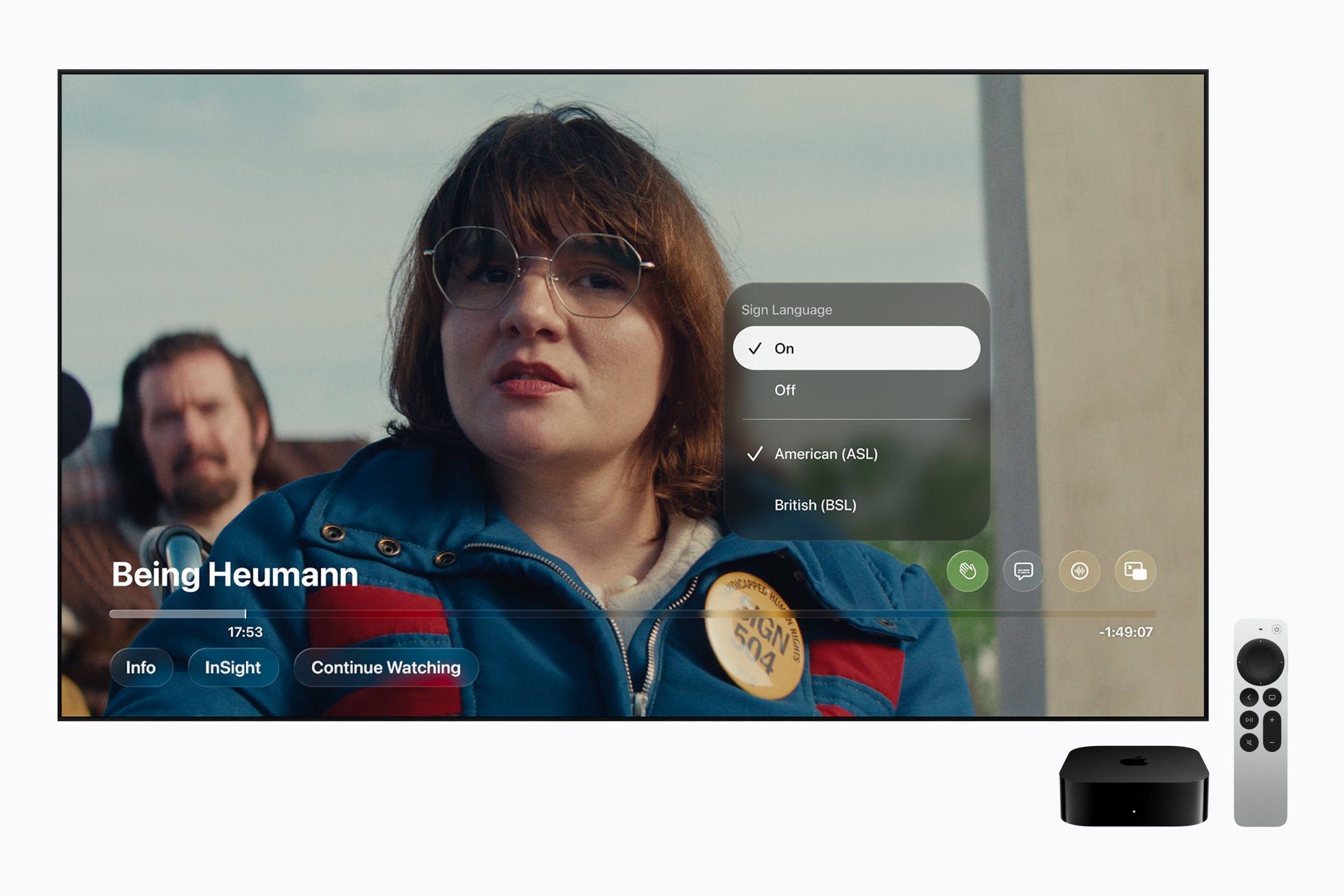
Apple today announced a new accessibility feature for the Apple TV app that gives viewers the option to watch supported movies and shows with on-screen sign language interpretation. An interpreter will appear in the bottom-right corner of the screen, with the experience said to have been designed and tested by Deaf and native signers.


The feature is available in the Apple TV app on devices running iOS 27.2, iPadOS 27.2, macOS 27.2, tvOS 27.2, and visionOS 27.2 or later.

American Sign Language (ASL) and British Sign Language (BSL) interpretation will be available for Being Heumann, which chronicles the story of disability rights activist Judy Heumann. The movie begins streaming in the Apple TV app on Friday.

Apple said sign language interpretation will also be available for the movie F1, and for the movies Way of the Warrior Kid and Greyhound later this year. Over time, the option will expand to additional Apple Original films and series.

"Each performance is carefully crafted to fit and complement the Apple Original film it interprets," said Apple.

Titles with sign language interpretation will be labeled with a Sign Language icon. Viewers can enable the feature in the Apple TV app's settings, and then press the Sign Language button while watching a supported movie or show. Search will also make it easier to find titles that feature sign language with simple phrases like "with ASL."


As sign language interpretation becomes more widely available across streaming services, a new "Movies & Shows with American Sign Language" collection will be added to the Apple TV app. Apple mentioning plural "streaming services" suggests that the option will eventually be available for more than just Apple Originals.

"At Apple, we believe everyone should be able to enjoy great stories and entertainment," said Sarah Herrlinger, Apple's Senior Director of Global Accessibility Policy and Initiatives. "Bringing sign language interpretation to Apple TV is an exciting step forward in making the viewing experience more accessible and inclusive for Deaf audiences."
Related Roundup: Apple TV
Buyer's Guide: Apple TV (Buy Now)

This article, "New Apple TV Sign Language Feature Announced" first appeared on MacRumors.com

Discuss this article in our forums
  •  

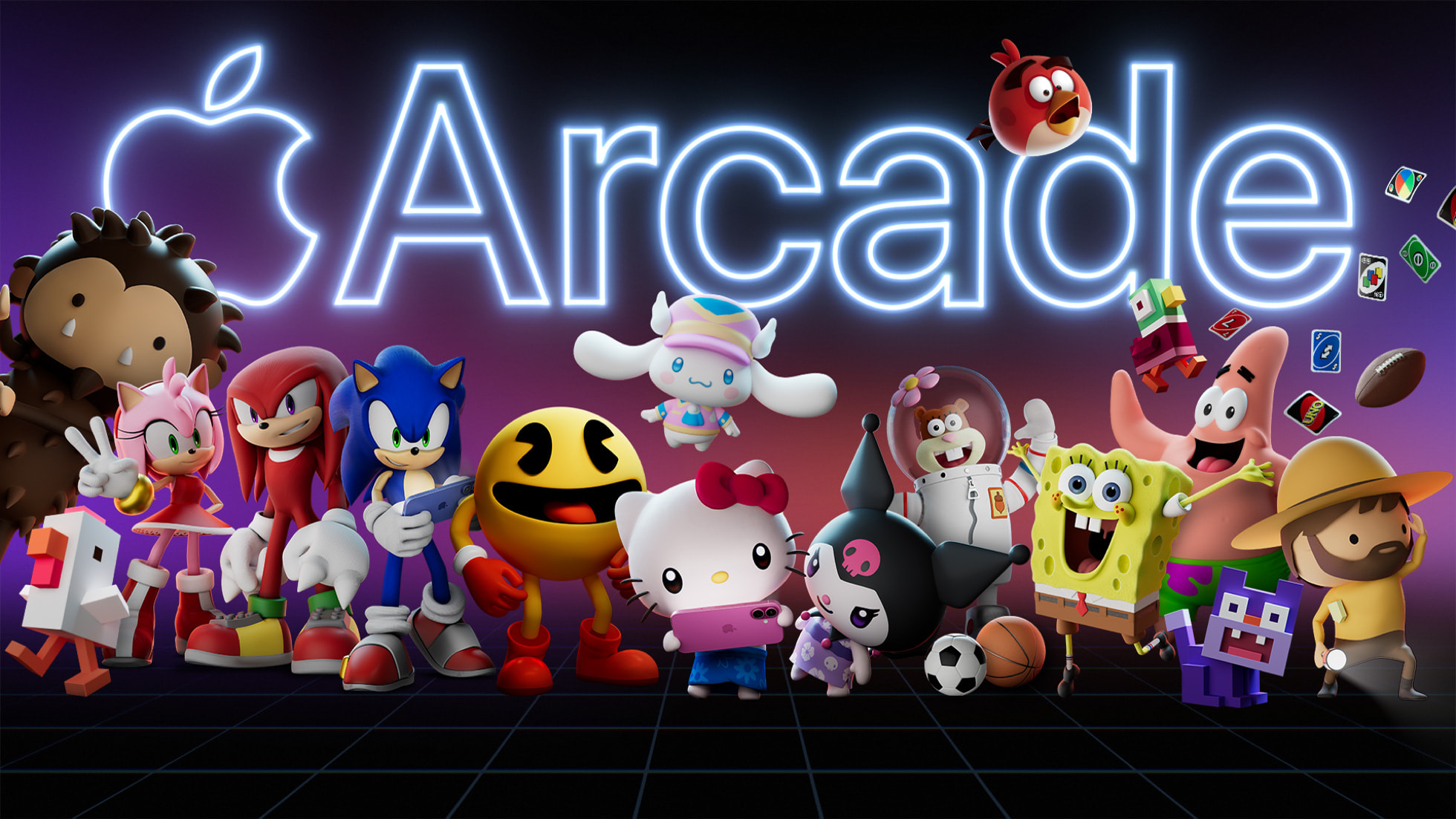
Apple Arcade Adding These Four Games in December

Apple today announced that an additional four games will be added to the Apple Arcade catalog on Thursday, December 3: LEGO DUPLO Playtime, Plants vs. Zombies: Replanted, solitaire(ish), and Prince of Persia: The Lost Crown+.

In the U.S., Apple Arcade costs $6.99 per month on its own. Alternatively, the service is included with any Apple One bundle subscription. Every game available on Apple Arcade is free of ads and in-app purchases.
This article, "Apple Arcade Adding These Four Games in December" first appeared on MacRumors.com

Discuss this article in our forums
  •  
Empfangen — 09. November 2026 ⏭ MacRumors: Mac News and Rumors - All Stories

Apple Continues to Say Some AI Features Will Have Fees for Extra Usage

Apple continues to advise customers that certain Apple Intelligence features that rely on its server-side Private Cloud Compute system have daily usage limits, with expanded access to such features to be "available for a fee in the future."


Apple has repeatedly mentioned these upcoming fees in press releases over the past several months, but it has yet to provide any specific details about timing or pricing. The company did confirm that expanded access to the features will eventually be included with select iCloud+ plans, rather than something available for a standalone fee.

Extra server-side usage for a fee will be available for Siri AI, Image Playground, the Extend and Reframe options in the Photos app, shortcuts created with natural language in the Shortcuts app, and more. Apple says daily limits may vary by feature, request complexity, system demand, system policies, and other unspecified factors.

Here are the current iCloud+ plans and prices in the U.S.:

  • 50GB: $0.99/month

  • 200GB: $2.99/month

  • 2TB: $9.99/month

  • 6TB: $29.99/month

  • 12TB: $59.99/month

It is unclear if these prices will increase once the expanded AI access is included.

Apple having said that extra usage will be included with "most" iCloud+ plans seemingly rules out the 50GB plan for $0.99 per month receiving this benefit at a minimum.

Logic Pro


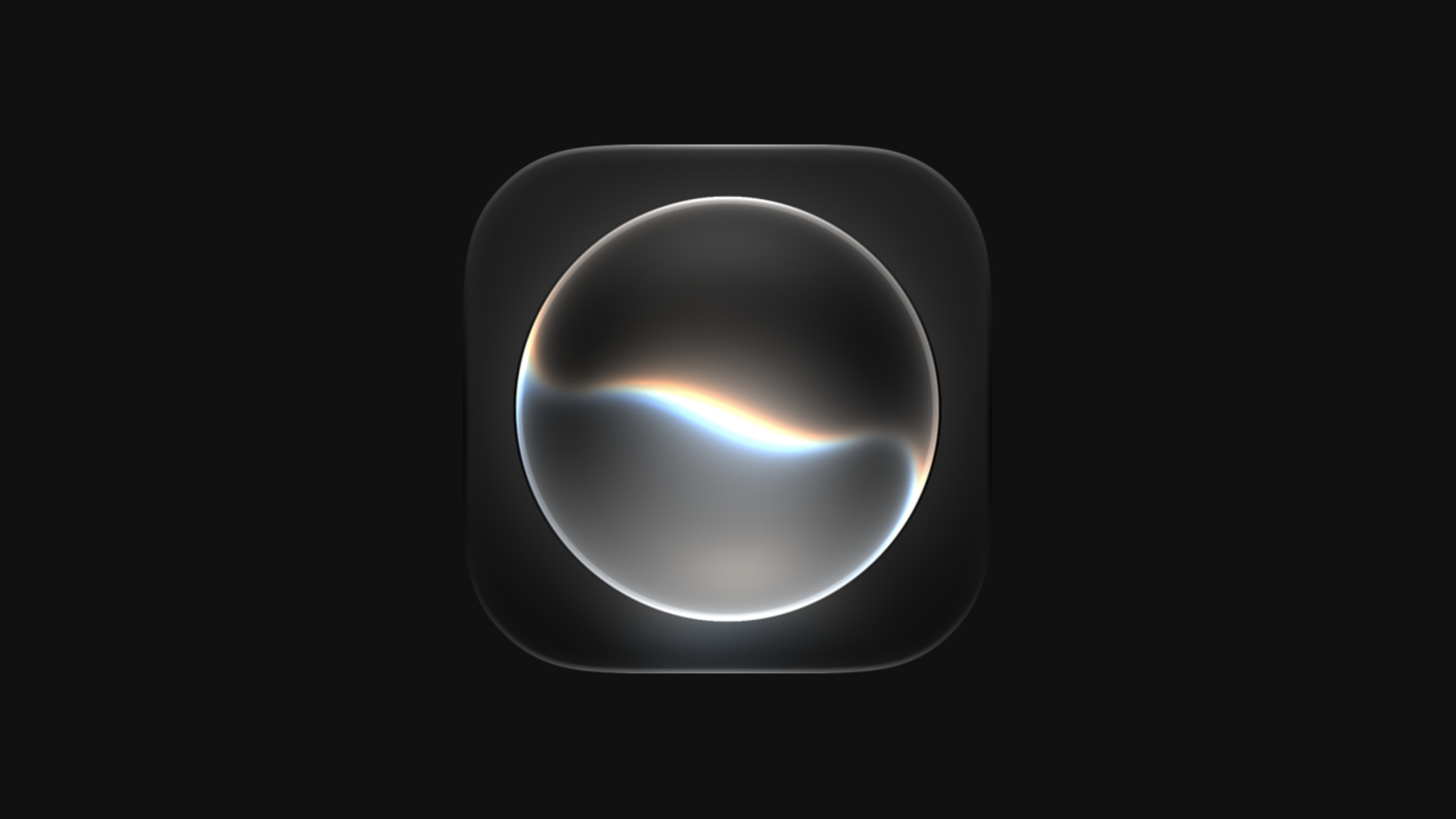
Apple last week updated Logic Pro for Mac with a new intelligent assistant feature that can help creators "navigate production workflows, start a new song, set up a vocal track from a single prompt, or refine an active project."


The intelligent assistant has a monthly usage limit, with expanded usage packs available to users with an active Apple Creator Studio subscription in the United States, Canada, Brazil, France, Germany, India, Mexico, and the United Kingdom. In the U.S., the usage pack is currently priced at $49.99 and valid for one year.

To purchase additional usage, choose Logic Pro from the macOS menu bar, choose Intelligence Features, choose Show Usage, then choose Buy More Usage.

In a support document, Apple says some intelligence features in Apple Creator Studio apps are powered by "third-party providers." For the Logic Pro assistant, it says the feature is "powered by Google Gemini," so it appears it is not considered to be part of Apple Intelligence and thereby extra usage will not be included in iCloud+ plans.
This article, "Apple Continues to Say Some AI Features Will Have Fees for Extra Usage" first appeared on MacRumors.com

Discuss this article in our forums
  •  

Apple Announces Türkiye Expansion Plans as Tim Cook Visits

Apple today announced that it will open five new Apple Developer Academies, one Apple Developer Center, and one Apple Manufacturing Academy in Türkiye. Apple's executive chairman Tim Cook is currently touring Türkiye, meeting with the company's retail employees, app developers, content creators, an athlete, and others.
This article, "Apple Announces Türkiye Expansion Plans as Tim Cook Visits" first appeared on MacRumors.com

Discuss this article in our forums
  •  

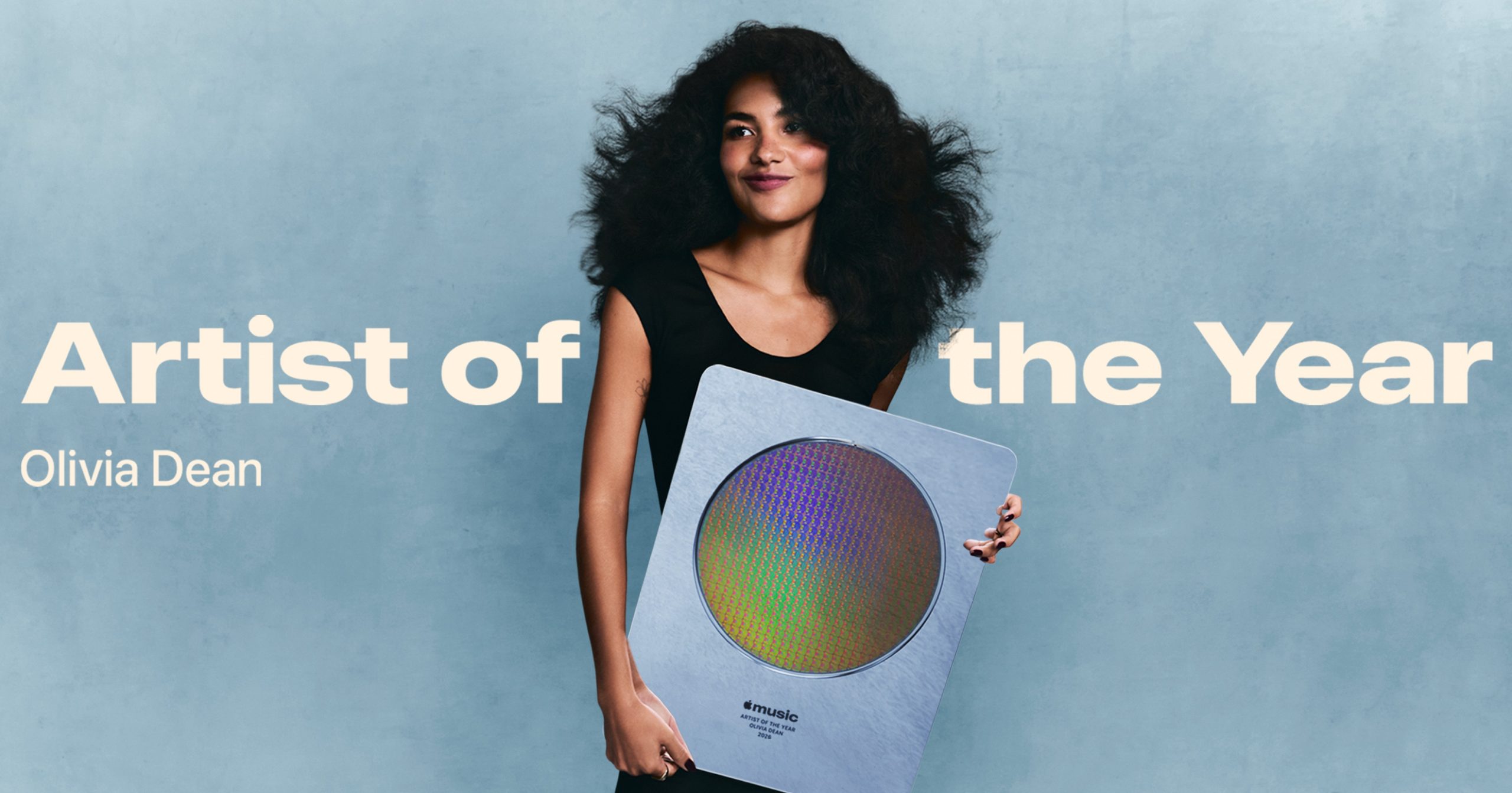
Apple Music's 2026 Artist of the Year is Olivia Dean

Apple today announced that Olivia Dean is Apple Music's Artist of the Year in recognition of "her undeniable leap to stardom in what's been the defining feel-good music story of 2026." Dean is the first music artist from the UK to receive this honor, and she will receive a physical Apple Music Award featuring a custom silicon wafer.

Apple Music has highlighted Dean's music and released a video in which she shared her thoughts on being named the service's Artist of the Year.
This article, "Apple Music's 2026 Artist of the Year is Olivia Dean" first appeared on MacRumors.com

Discuss this article in our forums
  •  

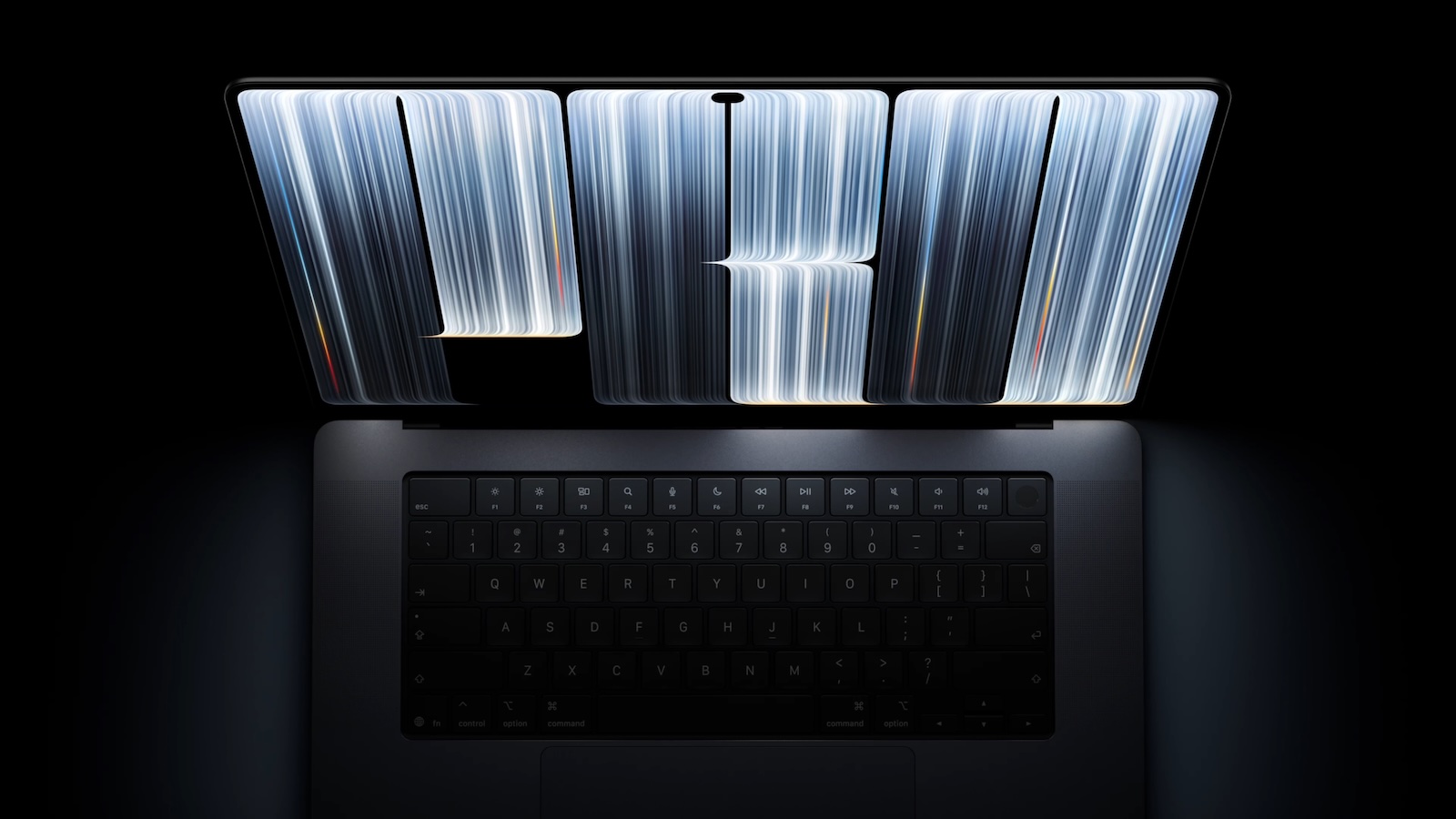
MacBook Pro With PROLED XDR Display: Details You Might Have Missed

The new MacBook Pro models with PROLED XDR displays began arriving to customers on Friday, and various details about the laptops continue to surface.


Given these models are available with the same M5 Pro and M5 Max chips that power the models with mini-LED displays, performance was expected to be virtually identical across the board, and benchmark results confirm that is the case.

Average scores for multi-core CPU performance in the Geekbench 7 database:
  • 16-inch MacBook Pro (Mini-LED, M5 Max): 34,988

  • 16-inch MacBook Pro (PROLED XDR, M5 Max): 34,904
The chip has an 18-core CPU in both models.

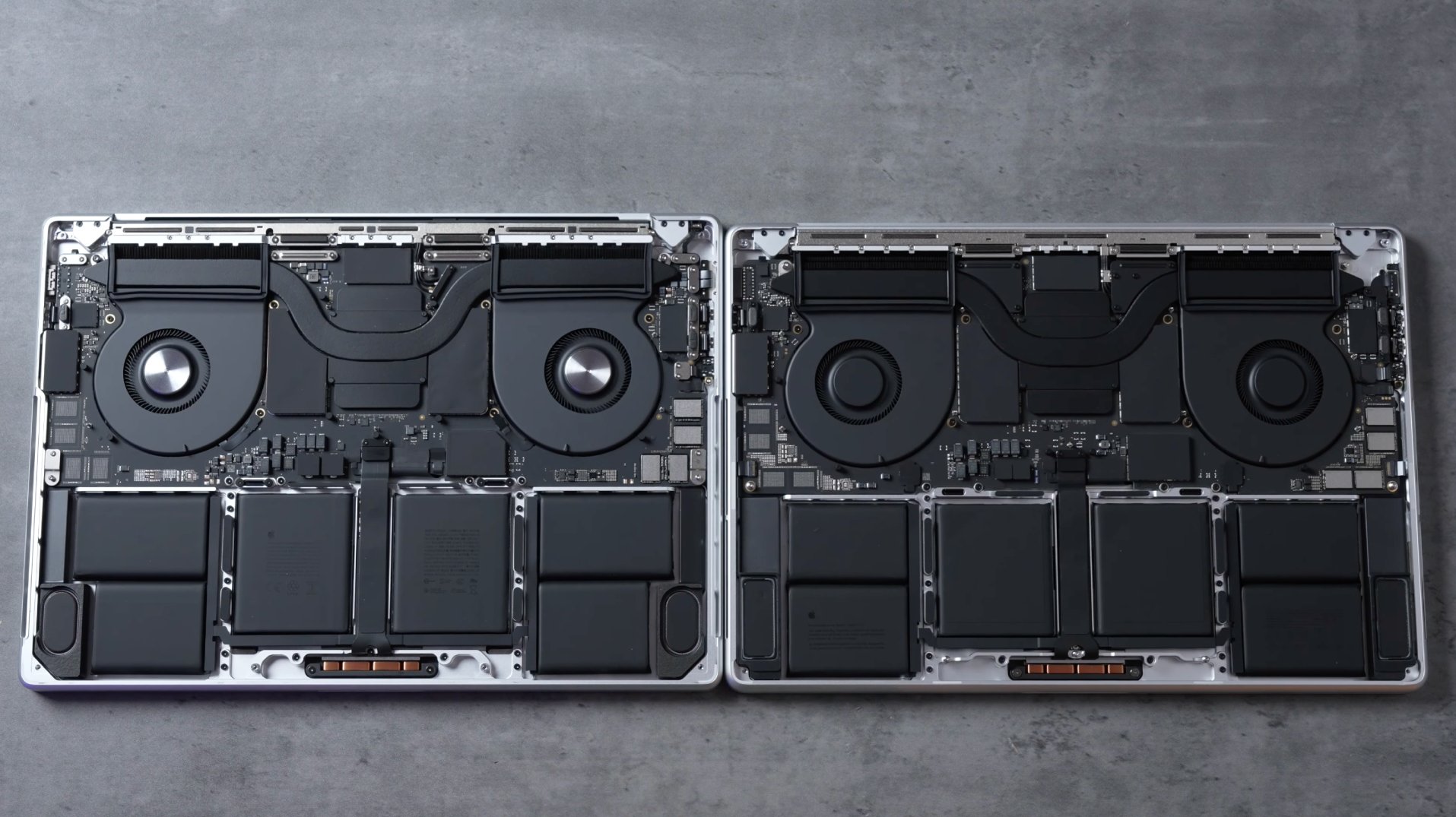
YouTube channel Max Tech noted that the bottom cover on the new MacBook Pro models has slightly recessed feet, and there are now only four pentalobe screws holding it in place, compared to eight on previous models.

Under the bottom cover sit larger speakers, which provide 50% deeper bass according to Apple.

16-inch/Mini-LED on left, 16-inch/PROLED on right

While the MacBook Neo's keyboard can be replaced individually, this is not the case for the new MacBook Pro models, as Apple's repair manuals show the laptops continue to have an all-in-one "Top Case with Battery and Keyboard" part.

In case you missed it, the bottom corners of the display are now rounded on the new models, whereas only the top corners are rounded on the mini-LED displays. This small change results in a much more uniform design.


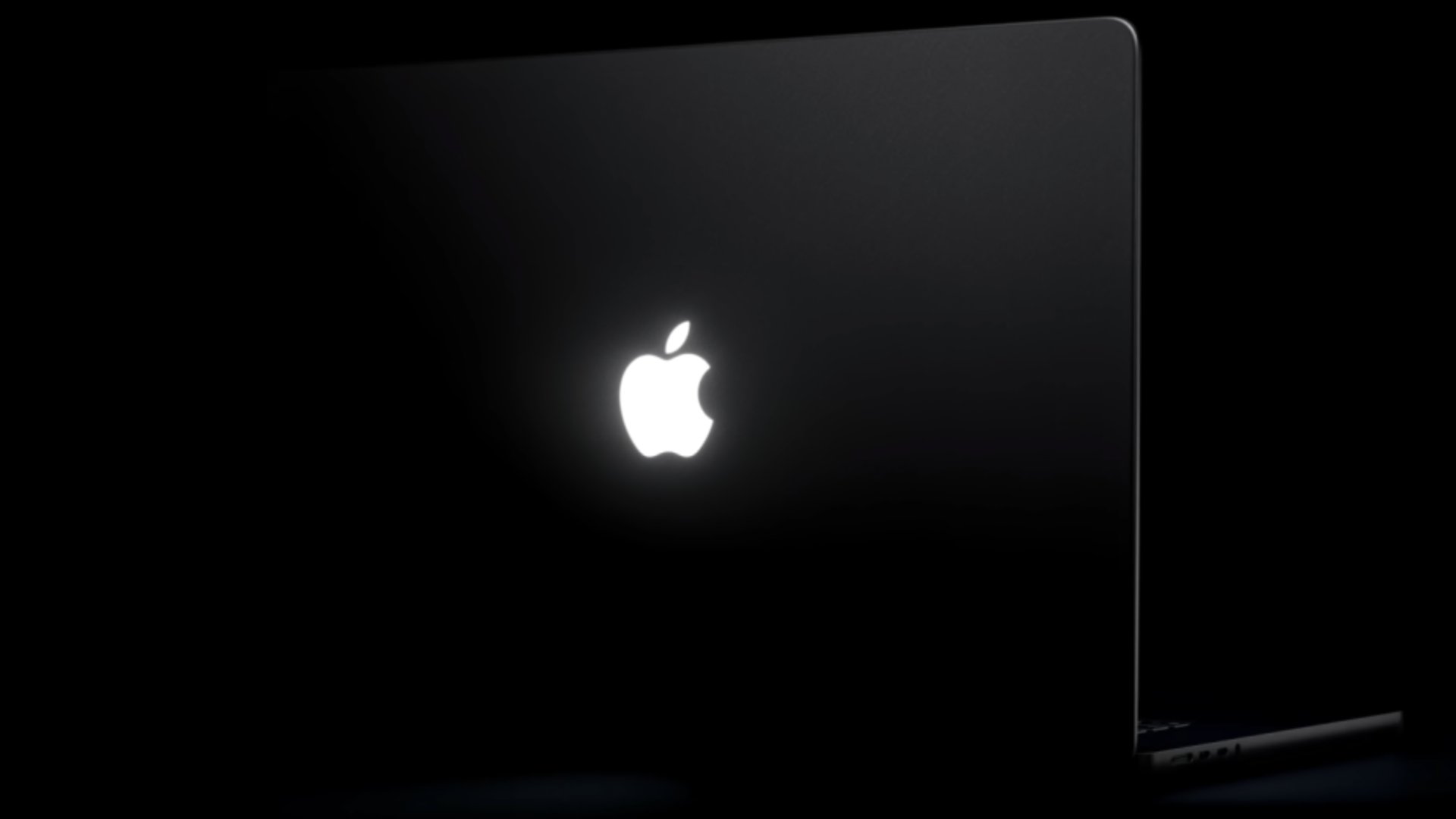
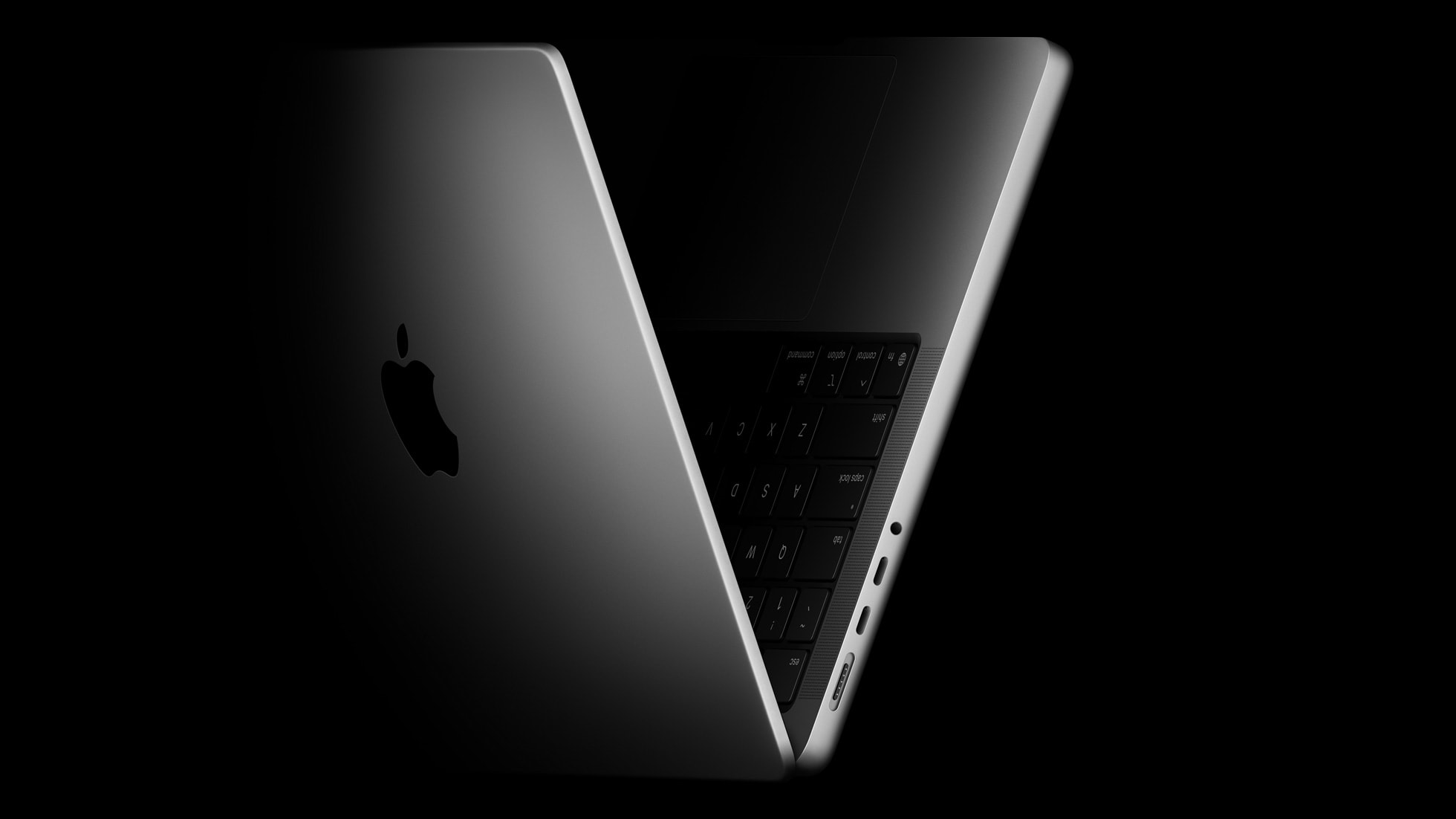
As we noted over the weekend, Daring Fireball's John Gruber confirmed that the illuminated Apple logo on the new MacBook Pro lids uses a custom light source — seemingly a white LED. On older MacBooks released in 2015 and earlier, the Apple logo was illuminated by the LCD's backlight, but OLED displays do not have a backlight.

Why did Apple bring back the illuminated logo? Gruber shared Apple's answer. "Because it's awesome," he heard an Apple representative say.
Related Roundup: MacBook Pro
Buyer's Guide: MacBook Pro (Buy Now)
Related Forum: MacBook Pro

This article, "MacBook Pro With PROLED XDR Display: Details You Might Have Missed" first appeared on MacRumors.com

Discuss this article in our forums
  •  

Apple Store Subscription Sign-Up Controversy Exposed

In a series of YouTube videos shared over the past two weeks, electronics technician and consumer rights advocate Louis Rossmann has exposed a controversy in which some Apple Store employees have allegedly signed up customers for auto-renewing subscription trials for Apple One and other services without their informed consent.


Here is how the process works at Apple Stores in the United States:
  • A customer visits an Apple Store.

  • An employee at the store asks if the customer would like to scan a QR code for a personalized shopping experience ("Connect and Personalize").

  • If the customer agrees, the employee can view some of the customer's information on their company-issued device, including which Apple devices they own, which Apple services they are subscribed to, and which Apple subscription offers are available to them based on their recent purchases.

  • The employee can proceed to show the customer their available subscription offers, presented with "Agree" and "Decline" buttons on the employee's device. The default payment method associated with the customer's Apple Account is automatically available for subscription sign-ups, so long as it has not expired.
The problem is that some employees allegedly activated these trials without adequately explaining to the customers that they would be automatically charged at a later date, according to tipsters who contacted Rossmann. For example, some employees would allegedly rush through the process or were even told to position the trials as "gifts."

Until early last week, Apple was tracking a metric known as the "services attach rate," with a target of 40% for each retail employee at at least some U.S. stores. In other words, employees were encouraged to get at least four out of every 10 customers they assisted with a device purchase to also sign up for at least one subscription.

In some cases, employees allegedly even tapped the "Agree" button themselves without receiving the customer's informed consent, seemingly in an attempt to ensure that their "services attach rate" was as high as possible.

"Top performers in my store and market just include them and don't show the customer the accept/decline screen during checkout," one anonymous person alleged. "I've confirmed with others that this happens at other stores, and I've had many employees admit to me that they do this. It is unfortunate that this is our culture now."

Apple does email customers when a new trial has been activated on their accounts, but unsuspecting customers might not pay attention or realize that the email pertains to a subscription that will automatically renew later.

Metric Removed, Reminder Issued


MacRumors has confirmed that Apple removed the services metric for employees early last week, just days after Rossmann's videos were published. However, the official explanation we were given for the metric's removal is that it is less relevant during the holiday season, when customers are often purchasing Apple products as gifts for others.

Later in the week, Apple issued an internal memo to retail employees reminding them of the importance of respecting customer privacy and obtaining consent, including when offering subscription trials and using the "Connect and Personalize" system, but also for things such as Apple Upgrade sign-ups and Genius Bar work authorizations.

The memo was issued ahead of the first weekend of Apple's holiday shopping season, which kicked off on Friday. During the holidays, Apple hires additional employees to help assist with an influx of customers, so the reminder was timely for new staff.

Whether these actions were timed solely around the holiday shopping season or were also influenced by Rossmann's videos, we cannot say for sure. In any case, the actions conveniently address some of the concerns highlighted by Rossmann.

How to Check Your Subscriptions


On an iPhone, open the Settings app and tap on your name at the top of the screen. Next, tap on "Subscriptions" and you will see a list of any subscriptions that are active on your Apple Account, including trials. You can tap on any individual subscription and tap on the "Cancel Subscription" or "Cancel All Services" button to cancel.

If you wish to dispute a transaction with Apple, go to reportaproblem.apple.com, select the "Request a refund" option, and follow the steps.

As always, regularly review your credit card or bank statements to ensure that you have not been charged for any subscriptions unexpectedly.
This article, "Apple Store Subscription Sign-Up Controversy Exposed" first appeared on MacRumors.com

Discuss this article in our forums
  •  
Empfangen — 08. November 2026 ⏭ MacRumors: Mac News and Rumors - All Stories

Siri AI Rumored to Become 'More Like an Agent' as Early as Next Year

Siri AI is much more intelligent and personalized compared to classic Siri, but it is still not nearly as advanced as proactive, always-on agents like OpenAI's Dots and Meta's Muse. That may change, though, according to a new rumor.


In his Power On newsletter today, Bloomberg's Mark Gurman said he was told that Apple could make Siri function "more like an agent" as early as next year. However, if this plan moves forward, the exact implementation remains to be seen.

"Dots, Muse and Grok can keep track of goals, determine what needs to happen next and continue pursuing objectives without the user initiating every individual step," said Gurman. "Apple ultimately wants to go in this direction, I'm told, and I believe the company could make Siri more like an agent as early as next year."

Apple's AI ambitions could go beyond making Siri more agentic. In a closed-door meeting in recent weeks, Gurman said that Apple CEO John Ternus told Apple's software engineering chief Craig Federighi that Apple needs to "accelerate" its software roadmap and "move quickly beyond merely making necessary improvements to Siri."
This article, "Siri AI Rumored to Become 'More Like an Agent' as Early as Next Year" first appeared on MacRumors.com

Discuss this article in our forums
  •  

Apple Taking New Approach to Developing iOS 28 and macOS 28

Apple has made a change to its development process for iOS 28, macOS 28, and corresponding software updates, according to Bloomberg's Mark Gurman.


In his Power On newsletter today, he said Apple separates development of each year's new operating systems into three major stages. Typically, he said each stage consists of four weeks of coding followed by a four-week "convergence" period where new features are integrated into the operating systems. This time around, Apple has made a change.

The first stage of development for iOS 28 and the other updates apparently consisted of six weeks of coding and two weeks of feature convergence. This change gives Apple's software engineers more time to come up with new features.

"Instead of the normal split between two four-week efforts, Apple engineers were tasked with six weeks of coding, exploration and feature development, and then only two weeks of convergence," he said. "Employees say they like the change, indicating that it creates more time for coming up with ideas and exploring them before needing to lock things in."

Gurman did not reveal any specific features planned for iOS 28. The update should be available in beta in June and released in September next year.
This article, "Apple Taking New Approach to Developing iOS 28 and macOS 28" first appeared on MacRumors.com

Discuss this article in our forums

  •  
Empfangen — 07. November 2026 ⏭ MacRumors: Mac News and Rumors - All Stories

'Backglow' Lets You Customize New MacBook Pro's Glowing Apple Logo

A new "Backglow" app created by designer Juan Buis lets you customize the illuminated Apple logo on the lid of the new MacBook Pro models.


The free version of the app allows you to manually adjust the brightness level of the Apple logo, independent of the MacBook Pro's display brightness level. You can also turn it off entirely with a single click, rather than having to use Terminal.

Another free option is a "Breathe" mode that makes the logo's light gently pulse similarly to the sleep indicator light on older MacBooks.

A one-time payment unlocks the Pro version of the app: $9 for a limited time or $15 later. This gives you two additional modes: "Music" mode makes the logo's light move to the beat of the music you play on your Mac, while "Agents" mode makes the light pulse while Claude Code is working and blinks when your attention is needed.

here's what it can do:

- manually set logo brightness (apple doesn't let you)
- breathe slowly, like the old mac sleep light
- pulse to your music
- blink when claude needs you
- turn the logo light off with one click

try it here: https://t.co/WZTWMq5yAf https://t.co/FI0o9ayKBZ

— juan (@juanbuis) November 6, 2026


Apple began phasing out the glowing logo on MacBooks in 2015, but it brought back the feature with the new 14-inch and 16-inch MacBook Pro models with PROLED XDR displays released on Friday. On older MacBooks, the logo was illuminated by the display's backlight, but OLED displays do not have a backlight, so a new method was required.

Daring Fireball's John Gruber was told that Apple engineered a "custom light source just to enable the logo to glow once again, without adding any additional thickness to the lid." Why? "Because it's awesome," he heard an Apple representative say.

By default, Apple says the logo is illuminated whenever the Mac is awake. It automatically brightens or dims based on the screen's brightness level and your environment's lighting conditions detected by the computer's ambient light sensor.

Buis said the logo is lit by a white LED that does not change colors.
Related Roundup: MacBook Pro
Buyer's Guide: MacBook Pro (Buy Now)
Related Forum: MacBook Pro

This article, "'Backglow' Lets You Customize New MacBook Pro's Glowing Apple Logo" first appeared on MacRumors.com

Discuss this article in our forums

  •  
Empfangen — 06. November 2026 ⏭ MacRumors: Mac News and Rumors - All Stories

Apple Store With All-New Design Opening Soon in Southern California

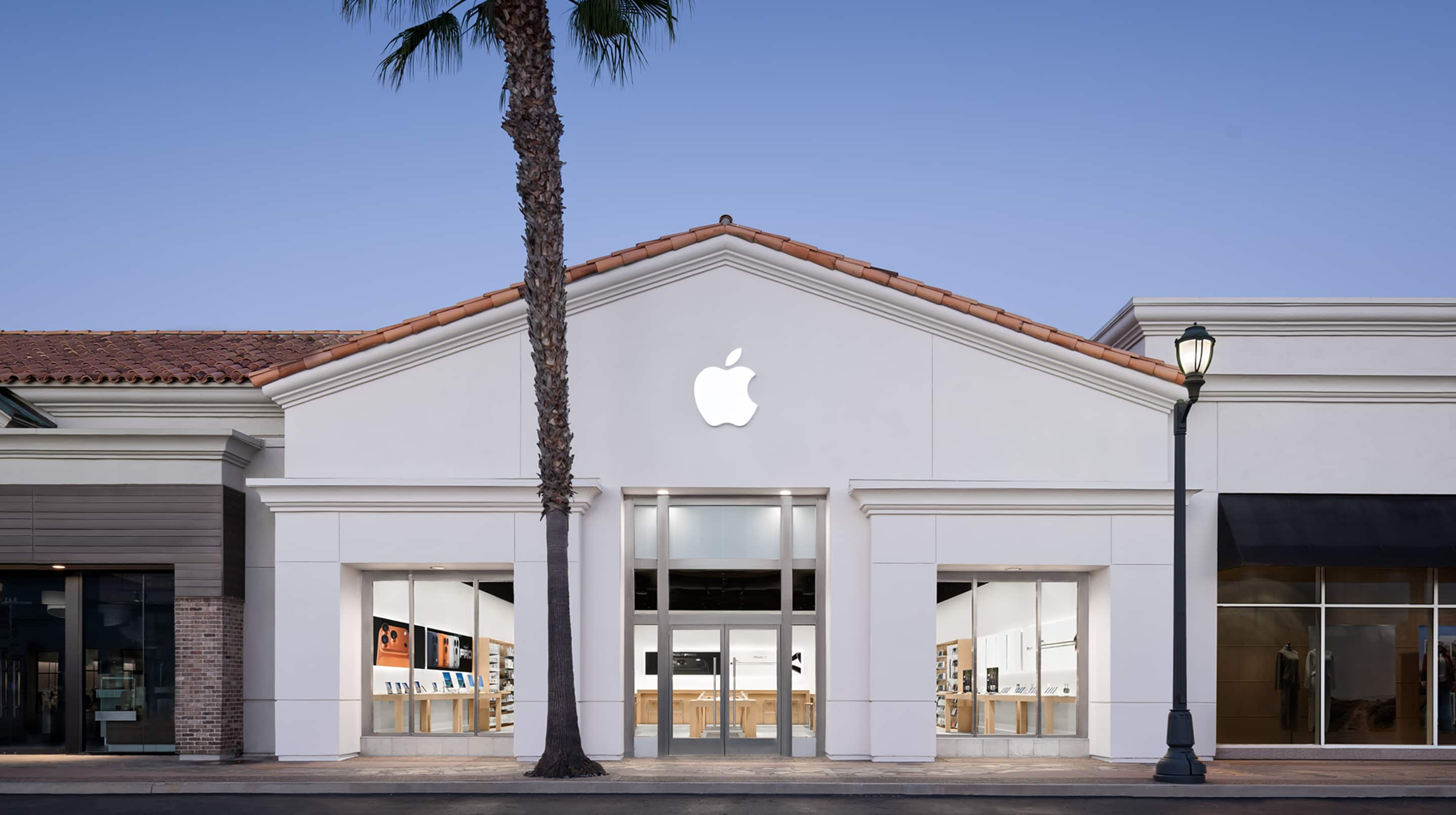
Apple today announced that its retail store at The Forum in Carlsbad, California will be reopening in its original location on Friday, November 20 at 10 a.m. local time, following more than a year of renovations. Additions will likely include a Genius Bar with accessible seating and a dedicated Apple Pickup area for online orders.

Apple's temporary store in Carlsbad

Apple's temporary store at The Forum will be permanently closed, with the company set to return to its original 2008 unit at the shopping plaza.

Carlsbad is a coastal beach city in the North County area of San Diego County.
This article, "Apple Store With All-New Design Opening Soon in Southern California" first appeared on MacRumors.com

Discuss this article in our forums

  •  

Apple Says More Than 100,000 Apps Optimized for iPhone Duo, Here's What's Still Missing

Apple today announced that more than 100,000 apps have been optimized for the iPhone Duo, released two weeks ago. We confirmed that this figure refers to apps built with the iOS 27.1 SDK or later, meaning these apps fill the full width of the iPhone Duo's inner and outer displays and have vertical controls in the status bar.


A statement from Susan Prescott, Apple's Vice President of Worldwide Developer Relations:
It's been wonderful to see how quickly developers have embraced iPhone Duo, and we're grateful for their creativity and innovation. Today there are well over 100,000 apps built for iPhone Duo already live on the App Store, and thousands of optimized apps are being added to the store each day. In the last month alone, thousands of developers have joined us for workshops in 19 cities around the world to experience iPhone Duo firsthand and bring updated apps to their users. The enthusiasm has been incredible, and we're excited to see the pace of updates continue to accelerate as more and more apps optimize for iPhone Duo.
Apple said thousands of apps optimized for the iPhone Duo are being added to the App Store each day, with recent examples including Microsoft's Excel, OneNote, PowerPoint, and Word apps, along with the Etsy, Goodnotes, Halide Mark III, NBA, NHL, and Zoom apps. Other apps optimized for the device include Amazon Prime Video, Fantastical, Flighty, Instagram, MLB, Netflix, SmartGym, WhatsApp, YouTube, and more. There are too many to list.

Apps optimized for the iPhone Duo have a "Made for iPhone Duo" badge in their App Store listings on the device, making them easy to identify.

iOS 27.2 added Apple Pencil (USB-C) support to the iPhone Duo, enabling users to draw in apps like Procreate Pocket, take notes in Apple Notes, Fineliner, and TypeDraw, and mark up documents in apps like Preview on the device.

On the other hand, with millions of apps available in the App Store, there are unsurprisingly many apps that are still not optimized for the iPhone Duo, with the following examples listed in alphabetical order: AMC Theaters, Amazon Fire TV, Apple Store, Best Buy, Bluesky, Delta, DoorDash, Duolingo, Fandango, FedEx, Goodreads, Google Docs, Google Home, Google Sheets, Google Slides, GrubHub, JetBlue, Libby, Microsoft Authenticator, Microsoft Teams, MTA, Nike, PayPal, PictureThis, Ring, Southwest, Spectrum TV, Starbucks, Steam, Uber Eats, UPS, USPS, Venmo, Verizon, Wells Fargo, Whole Foods, and YouTube Music.


Apple said developers can easily optimize their apps for the iPhone Duo. Apps that use standard SwiftUI and UIKit components adapt automatically to each display, with controls moved to the status bar and multi-column support on the inner display. New APIs let developers optimize their apps for the device's various layouts and poses.

Apple has hosted more than 50 in-person iPhone Duo app workshops in 19 cities worldwide, and there are online resources like the Apple Developer Forums.

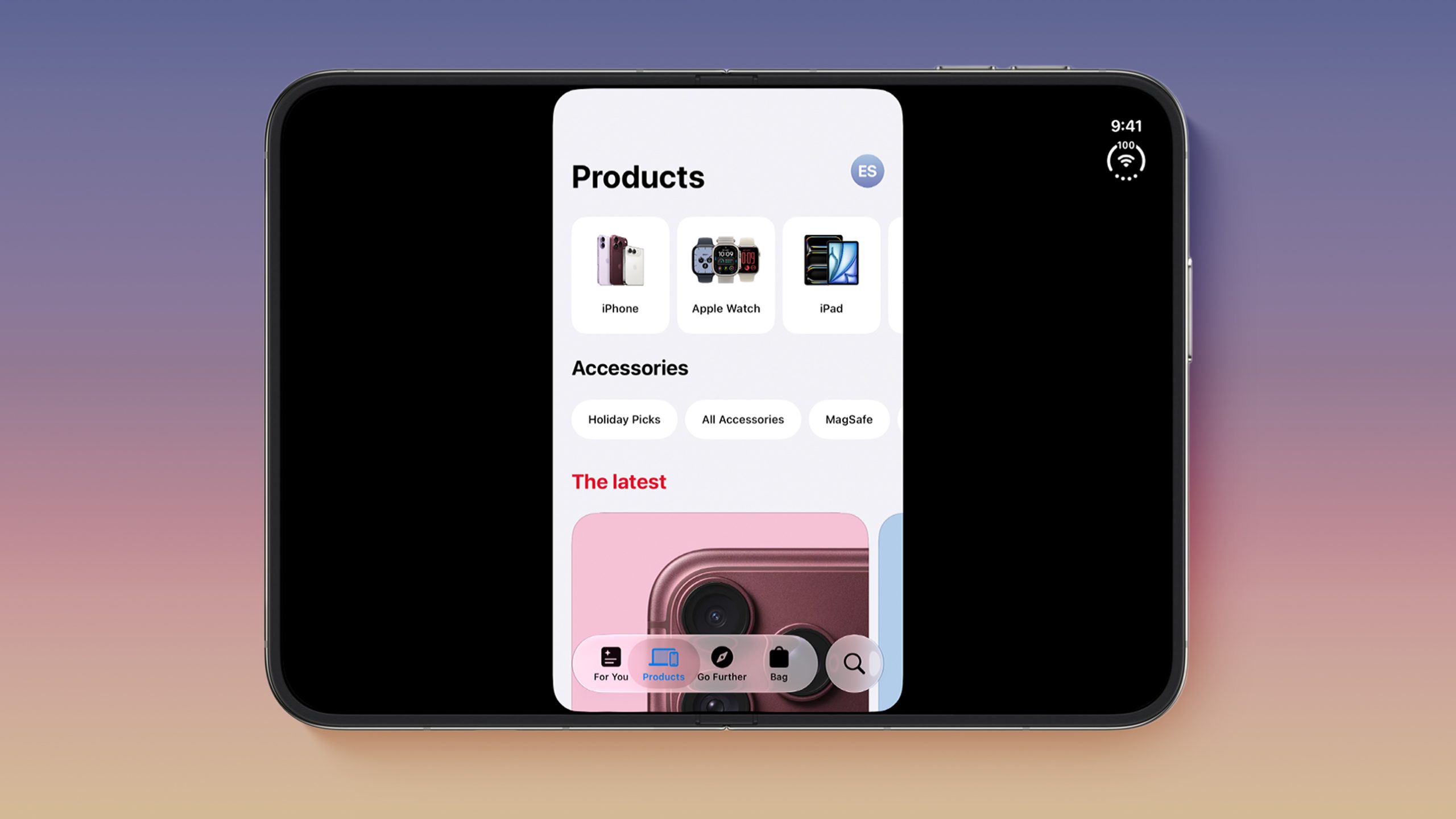
In the meantime, apps built with the iOS 27 SDK resize to fill most of the inner display on the iPhone Duo, but they avoid the status bar on the right edge. Apps built with the iOS 26 SDK or earlier run on the iPhone Duo, but appear in the center of the inner display, with lots of empty black space on the left and right sides of the apps.

iPhone Duo app optimization has been a hotly debated topic on social media platforms, with some people pointing out apps that are not yet optimized and others saying the issue is overblown. It is clearly a mixed bag, with some apps optimized and some not. More apps are being updated by the day, though, so the situation is improving rapidly.
Related Roundup: iPhone Duo
Buyer's Guide: iPhone Duo (Buy Now)
Related Forum: iPhone

This article, "Apple Says More Than 100,000 Apps Optimized for iPhone Duo, Here's What's Still Missing" first appeared on MacRumors.com

Discuss this article in our forums

  •  

Apple Releasing Yet Another Two New Products Next Week

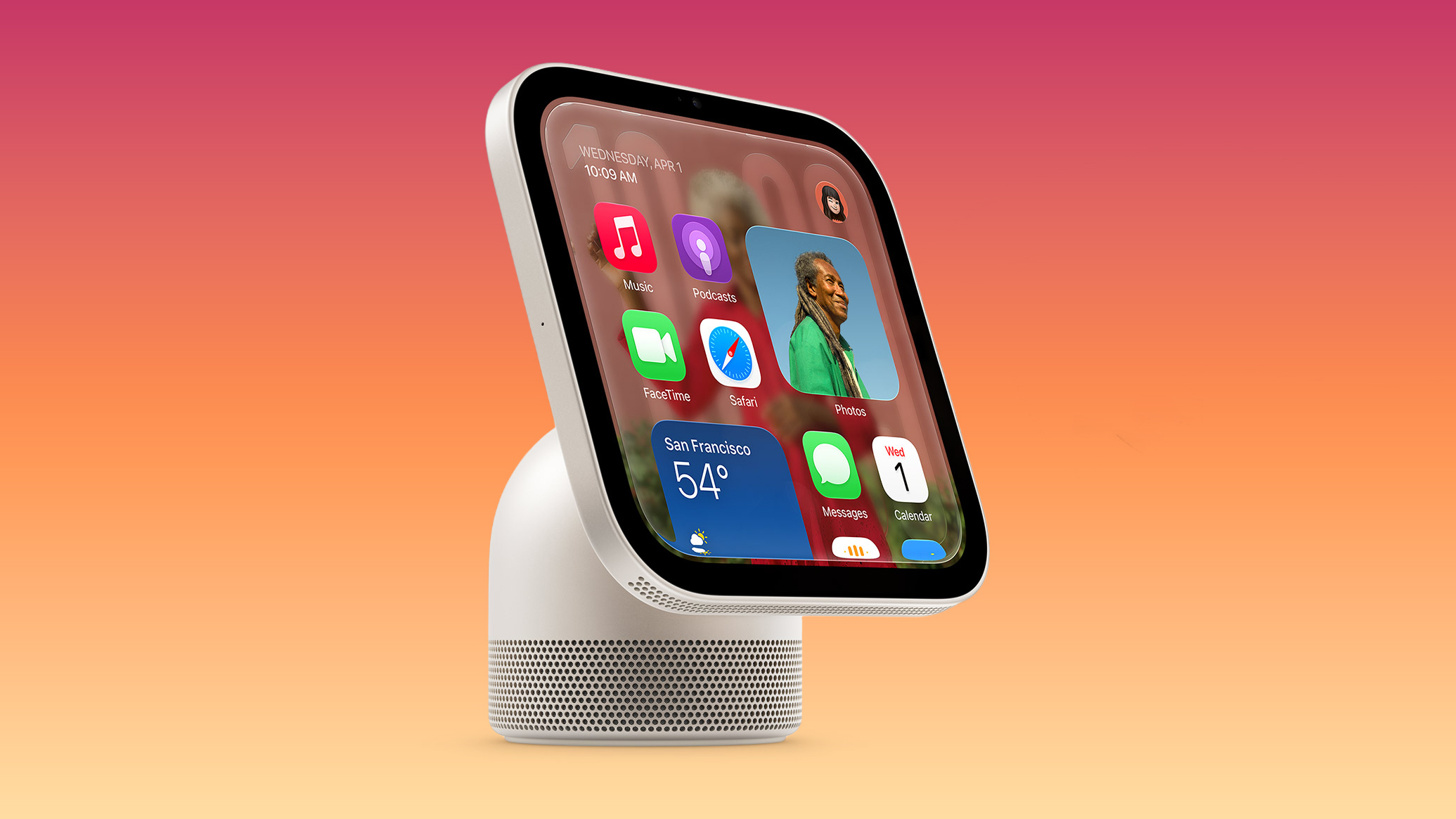
Apple's massive wave of product launches will finally end next week, with its all-new HomeView smart home hub and the fourth-generation Apple TV 4K set to be released on Friday, November 13 and no other major hardware releases expected for the remainder of the year. Since late August, Apple has announced more than 25 new devices and accessories in one of its busiest stretches ever.
Related Roundups: Apple TV, Apple HomeView

This article, "Apple Releasing Yet Another Two New Products Next Week" first appeared on MacRumors.com

Discuss this article in our forums

  •  

Apple's Extended Return Policy Now in Effect for 2026 Holiday Season

Apple's extended return policy went into effect today for the 2026 holiday shopping season. The policy applies to most products sold by Apple online and in its stores, with a few exceptions, including some carrier-financed iPhones and iPads.


In the U.S., Canada, the U.K., Ireland, Germany, the Netherlands, Australia, New Zealand, Singapore, and many other countries, most products purchased between November 6 and December 25 of this year may be returned through January 8, 2027, according to Apple's website. All purchases made after December 25 in those countries are subject to Apple's standard 14-day return policy (15 days in Canada).

For online orders, Apple says products "received" on November 6 through December 25 are eligible for return through January 8.

In some countries, such as Mexico, Italy, Spain, and Japan, the return window is slightly longer. Apple says eligible products purchased in those countries between November 6 and January 6, 2027 may be returned through January 20, 2027.

This policy applies to purchases at Apple Stores, on Apple.com, and in the Apple Store app.

Apple has also updated its online store with holiday theming and gift recommendations.
This article, "Apple's Extended Return Policy Now in Effect for 2026 Holiday Season" first appeared on MacRumors.com

Discuss this article in our forums

  •  
Empfangen — 05. November 2026 ⏭ MacRumors: Mac News and Rumors - All Stories

Apple's New HomeView Smart Home Hub: Here's How Much RAM It Has

MacRumors has confirmed that the A18 chip in Apple's new HomeView smart home hub is paired with 8GB of RAM. This is not very surprising given the A18 chip also has 8GB of RAM in all iPhone 16 models and the MacBook Neo, but Apple does not list this information in the HomeView's tech specs, so it is worth documenting.
Related Roundup: Apple HomeView
Buyer's Guide: HomeView (Buy Now)

This article, "Apple's New HomeView Smart Home Hub: Here's How Much RAM It Has" first appeared on MacRumors.com

Discuss this article in our forums

  •  

Apple Announces a New Mac Sales Record

On an earnings call earlier this week, Apple CEO John Ternus announced that the company sold more Macs in its 2026 fiscal year than any previous fiscal year. "We have never sold more Macs in a fiscal year than we did this time, which is a truly remarkable testament to these incredible products," he said.

This record is all the more impressive given that several Mac models have faced supply constraints this year. Apple's CFO Kevan Parekh said Mac sales have been driven by the popularity of the MacBook Neo and MacBook Pro lately.
Related Roundups: MacBook Neo, MacBook Pro
Related Forums: MacBook Neo, MacBook Pro

This article, "Apple Announces a New Mac Sales Record" first appeared on MacRumors.com

Discuss this article in our forums

  •  

Paid $200 for Logic Pro? Apple Says You Won't Get This New Feature

According to Apple's full release notes for version 13.0 of Logic Pro for Mac, released today, the new AI-powered Intelligent Assistant feature requires an Apple Creator Studio subscription for $12.99 per month or $129 per year. In other words, the feature is not available in the $199.99 one-time purchase version of Logic Pro.


Apple's fine print on the Logic Pro release notes page:
The intelligent assistant (beta) requires an Apple Creator Studio subscription, a Mac with Apple silicon, and macOS 27 or later.
Indeed, the release notes for the one-time purchase version of Logic Pro for Mac version 13.0 do not mention Intelligent Assistant.

The subscription requirement was not mentioned in Apple's announcement last month:
The assistant (beta) in Logic Pro for Mac requires macOS 27 Golden Gate or later on an Apple Intelligence-capable Mac and is available in U.S. English only.
Apple customers who are growing tired of features being locked behind a subscription will obviously be disappointed to learn this news.

Logic Pro's Intelligent Assistant likely requires a Creator Studio subscription because it uses cloud AI models. In a support document, Apple said the feature will have monthly usage limits, with expanded usage available for a fee.

Apple says the Intelligent Assistant is powered by a combination of Apple-built and third-party AI models. The feature is designed to help creators "navigate production workflows, start a new song, set up a vocal track from a single prompt, or refine an active project." Except for creators who opted to pay $199.99 upfront for Logic Pro, that is.
This article, "Paid $200 for Logic Pro? Apple Says You Won't Get This New Feature" first appeared on MacRumors.com

Discuss this article in our forums

  •  

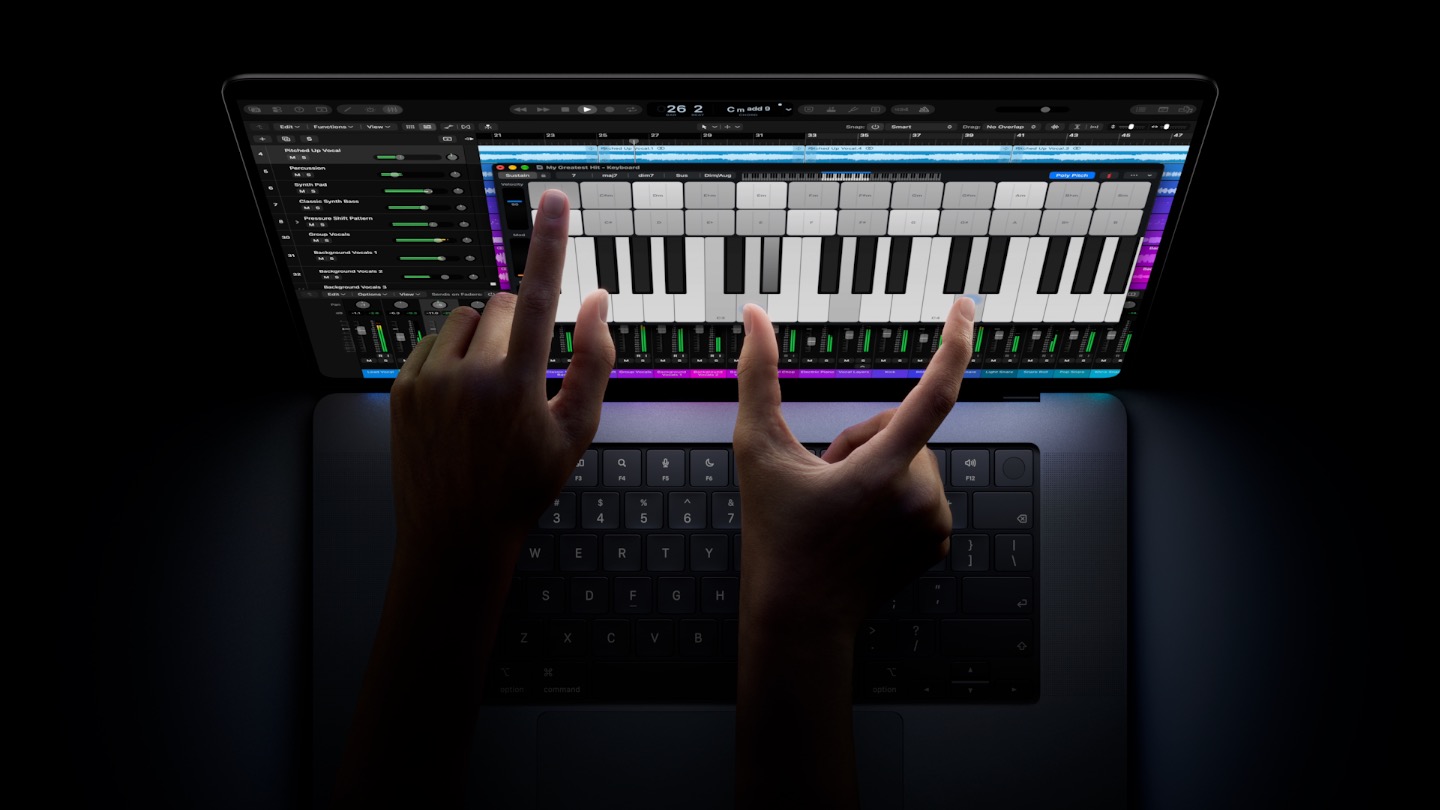
MacBook Pro PROLED XDR Reviews Are In: Is the Touchscreen Worth It?

The first reviews of the new 14-inch and 16-inch MacBook Pro models with PROLED XDR displays have been published ahead of the laptops launching on Friday.


One of the key new features is a touchscreen. Is it worth it, though? Here's what reviews say.

The Verge's David Pierce said that, in his testing so far, touch input has not been something that "meaningfully changes the laptop experience." He recommends the new MacBook Pro models regardless for the OLED display and other upgrades.

Pierce did mention some examples where touch proved useful:
That's not to say the touchscreen doesn't come in handy, though. It does more often than I expected. When I'm editing photos, reaching out and spreading my fingers to zoom in on the section I want to see is vastly easier than clicking and dragging with the trackpad. When I'm watching a movie, I can just tap the video rather than wiggling the mouse to find the cursor. My favorite touch use so far has been when I'm showing somebody something on my computer — now we can both swipe between options or tap to make an edit rather than having to crowd around the trackpad.
He also pointed out a few limitations:
There's no onscreen keyboard that appears when you tap a text box; you don't get the copy / paste / select all pop-up when you tap on words. No radius of tools appears when you tap the Apple Pencil on the screen in Procreate, because, oh wait, the Apple Pencil doesn't work at all.
Gizmodo's Kyle Barr said touch input is beneficial for the iPhone Mirroring feature on the Mac:
The touchscreen is occasionally useful. It's not the end-all-be-all. But it sure is handy.

If you're one to use the iPhone mirroring feature on MacBook Pro, the touchscreen makes it more intuitive. Instead of having to click on the bottom bar to minimize an app, you can simply swipe up from the bottom of the mirrored iPhone, like normal. Using the touchscreen on the mirrored iPhone isn't as snappy as the real deal. It's obvious though that Apple has been working towards this touchscreen design for a while, as more and more macOS features start to make better sense with the touchscreen in tow.
WIRED's Luke Larsen often forgot about the touchscreen, but he too pointed out a few examples where it proved to be useful in his testing:
In the time I've had with the touchscreen MacBook Pro so far, I tried to remind myself of its new powers. But when I'm deep in work, I completely forget the touchscreen. It just has no place in my workflows. That doesn't mean it's not ever useful, though. Sometimes, swiping away a notification with a finger feels intuitive. Or if you're lounging on the couch and use your thumb to scroll through your Instagram feed as you would on an iPad, it works. But those times are few and far between. I'm certainly not going to be poking three fingers up at the screen to swipe between Spaces when I could do that on a trackpad without even lifting my hand.
With an OLED display, the new MacBook Pro models deliver more vivid colors and increased contrast ratio compared to the previous models with mini-LED displays. The laptops also achieve up to 2,000 nits of brightness for HDR content. OLED displays do not have a backlight, and individual pixels turn off completely for the color black.

Bloomberg's Chris Welch said the OLED display is "genuinely striking":
The new MacBook Pro's dual-layer tandem OLED panel is genuinely striking and can get noticeably brighter than LCD models. Since each pixel is individually controlled and can fully shut off for dark content, this screen provides meaningfully superior contrast compared with the Mini LED models, which were already impressive in their own right. Any concerns I had about display uniformity, which can be an issue with some OLED devices, quickly vanished once I began using the machine. From corner to corner, the 16.3-inch panel is punchy, vibrant and can display an even wider range of colors than before — a win for photographers.
Mashable's Timothy Beck Werth said the OLED display "absolutely slaps":
This laptop absolutely slaps, and the incredible PROLED XDR display is the headline. It's stunning.
His expanded thoughts:
I'm not going to waste time explaining exactly how tandem OLED technology works; instead, you'll have to trust me that it means a brighter display that lasts longer. The blacks on the display are deep, the colors pop, and the shadows and highlights provide incredibly detailed contrast.
Other display-related upgrades include a Dynamic Island instead of a notch, slimmer bezels, and a redesigned hinge with improved stability.

Six Colors' Jason Snell on the Dynamic Island:
Spotlight and Siri AI are now animated as emerging from the black blob that is the Dynamic Island. Now Playing appears up there, too, and you can click or tap on the Dynamic Island to expand it and get playback controls. Shared Live Activities from your paired iPhone should also appear up there, rather than in the menu bar itself, as they do on other Macs.

I'm a big fan of subtle, ambient information presentations that inform you about things happening on your devices. That's why the Dynamic Island was such a fun approach to turning a problem (an unsightly camera cut-out) into a useful feature. The notch never really did anything—it was just a dead zone. The Dynamic Island serves a purpose and the MacBook Pro is better for it.
The new MacBook Pro models also feature improved speakers, a new 16TB storage option, a redesigned cooling system, and a lighter and slightly thinner design. And there is a fun bonus: the glowing Apple logo on the lid has returned.

Apple said the improved speakers deliver 50% deeper bass, but Bloomberg's Chris Welch actually found this upgrade can be "detrimental":
[...] The revamped MacBook Pro has left me with mixed feelings in one area that I wasn't expecting: sound. Since the first 16-inch model debuted in 2019, it's offered fantastic, well-balanced audio with a surprising degree of immersion. These are widely considered the best speakers on any laptop. For the new PROLED series, Apple has introduced a redesigned six-speaker system that it says offers 50% deeper bass. And that's true — to a point where it's sometimes detrimental.

The added low-end impact makes these laptops tremendous entertainment machines for movies and TV shows, but when listening to music or podcasts or even watching YouTube videos, the sound is often too boomy and bass-forward. The balance has been thrown off, and there's also no easy way of dialing back deeper tones.
9to5Mac's Chance Miller appreciates the reduced weight:
You notice the lighter weight of the new MacBook Pro immediately when you pick it up. My review unit is the 16-inch MacBook Pro, and I'm genuinely surprised at how nice it feels. It's not light, but it feels less like a tank.

I've always used the smaller of the two MacBook Pro models for portability, most recently a 14-inch M4 Pro. The weight of the new 16-inch MacBook Pro has me reconsidering that preference, though. It feels remarkably nice for a laptop with such a large display, and I've really enjoyed having the extra screen space without feeling like I'm sacrificing too much portability.
Who doesn't love the glowing Apple logo? As we previously highlighted, the logo's brightness level is tied to the display's brightness level, and Miller revealed that the feature also takes ambient brightness into consideration:
The logo's brightness is still tied to the display brightness, just like it was a decade ago. The higher your display brightness, the brighter the Apple logo on the back. It also factors in your environment's ambient brightness.

When the MacBook Pro is closed, the logo looks like polished metal, just like it has since the 2016 redesign. Open it up, and it glows. It's unnecessary, but I'm so thrilled it's back.
The laptops use the same M5 Pro and M5 Max chips that remain available in the MacBook Pro models with mini-LED displays, so performance is similar.

In the U.S., the 14-inch model starts at $2,899 and the 16-inch model starts at $3,399.

Videos


Related Roundup: MacBook Pro
Buyer's Guide: MacBook Pro (Buy Now)
Related Forum: MacBook Pro

This article, "MacBook Pro PROLED XDR Reviews Are In: Is the Touchscreen Worth It?" first appeared on MacRumors.com

Discuss this article in our forums

  •  

Apple Creator Studio App Updates Rolling Out, Starting With Logic Pro

Apple today began rolling out the Creator Studio app updates that it announced last month. Both the Creator Studio version and standalone version of Logic Pro for the Mac were updated today, and the remaining app updates will come out later in November.


MacStories editor John Voorhees tested the updated Creator Studio apps over the past week and has shared his impressions of the new features.

Logic Pro for Mac has received a new Liquid Glass design, an AI-powered Intelligent Assistant feature that can help you build beats using natural language, a redesigned browser that centralizes things from loops and instruments to patches and plug-in presets, an enhanced Stem Splitter that now separates drums, and more.

Sidecar support will turn an iPad into a multi-touch controller for Logic Pro on the Mac.

Apple says Intelligent Assistant requires a Creator Studio subscription, so that feature will not be available in the one-time purchase version.

Here are the Logic Pro version 13.0 release notes for the one-time purchase version, which costs $199.99:
Version 13.0 - Unified Browser

• Find the perfect sound faster with a redesigned browser that brings your entire library into one place — loops, one-shots, instrument and effect patches, and plug-in presets

• Add your own custom or third-party sound to the browser and Logic Pro uses music understanding to analyze and classify them, applying tags that make even massive sample libraries easily searchable

• Narrow results with dynamic tag filtering, or describe what you're looking for in plain terms like "atmospheric pad" or "lo-fi kick"

• Find similar sounds or samples across your entire collection with ease

• Browse your licensed Splice sounds alongside the rest of your library

• Add any folder on your Mac as a Browser location for instant access to your personal collection

Enhanced Stem Splitter

• Break the drum stem into individual tracks — kick, snare, hi-hat, toms, cymbals, and other percussion

• Rebalance your entire drum mix without ever needing the original multitracks

All-New Liquid Glass Design

• Bring clarity to your workflow with translucent surfaces and deeper contrast — menus, toolbars, and windows feel lighter and more refined

Sidecar Support

• Transform your iPad into a Multi-Touch controller for Logic Pro on your Mac

• Tap to trigger cells in Live Loops, populate Step Sequencer patterns, adjust plug-ins and instruments, and control multiple mixer channels at once

Play Surface

• Play instruments with a resizable performance window — trigger drum and chord pads with your typing keyboard and mouse, or tap your iPad using Sidecar

• Play a musical keyboard with controls for velocity, modulation, and polyphonic pitch glide

• Make beats by triggering drum pads and use note repeat to add rolls — perfect for trap hats

• Customize Chord pads to follow the Chord track in realtime, so every chord and note you play fits perfectly

Step Sequencer Multi-Select

• Select a range of steps with a drag or Shift-click, then adjust velocity, note repeat, or any parameter for the entire selection at once

• Copy and paste groups of steps to new positions or rows, and use dedicated key commands to select all steps in a row, invert a selection, or nudge selected steps
Apple has more detailed Logic Pro release notes in a support document.

For $12.99 per month or 129 per year in the U.S., a Creator Studio subscription provides access to full-featured versions of Final Cut Pro, Logic Pro, Pixelmator Pro, Motion, Compressor, MainStage, Keynote, Pages, Numbers, and Freeform.

One-time-purchase versions of Final Cut Pro, Logic Pro, Pixelmator Pro, Motion, Compressor, and MainStage remain available on the Mac App Store.

Free versions of Keynote, Pages, Numbers, and Freeform continue to be available, but they do not receive all of the new Creator Studio features.

When the remaining updates are released, we will let you know.
This article, "Apple Creator Studio App Updates Rolling Out, Starting With Logic Pro" first appeared on MacRumors.com

Discuss this article in our forums

  •  
❌