❌

Normale Ansicht

Apple Says More Than 100,000 Apps Optimized for iPhone Duo, Here's What's Still Missing

Apple today announced that more than 100,000 apps have been optimized for the iPhone Duo, released two weeks ago. We confirmed that this figure refers to apps built with the iOS 27.1 SDK or later, meaning these apps fill the full width of the iPhone Duo's inner and outer displays and have vertical controls in the status bar.


A statement from Susan Prescott, Apple's Vice President of Worldwide Developer Relations:
It's been wonderful to see how quickly developers have embraced iPhone Duo, and we're grateful for their creativity and innovation. Today there are well over 100,000 apps built for iPhone Duo already live on the App Store, and thousands of optimized apps are being added to the store each day. In the last month alone, thousands of developers have joined us for workshops in 19 cities around the world to experience iPhone Duo firsthand and bring updated apps to their users. The enthusiasm has been incredible, and we're excited to see the pace of updates continue to accelerate as more and more apps optimize for iPhone Duo.
Apple said thousands of apps optimized for the iPhone Duo are being added to the App Store each day, with recent examples including Microsoft's Excel, OneNote, PowerPoint, and Word apps, along with the Etsy, Goodnotes, Halide Mark III, NBA, NHL, and Zoom apps. Other apps optimized for the device include Amazon Prime Video, Fantastical, Flighty, Instagram, MLB, Netflix, SmartGym, WhatsApp, YouTube, and more. There are too many to list.

Apps optimized for the iPhone Duo have a "Made for iPhone Duo" badge in their App Store listings on the device, making them easy to identify.

iOS 27.2 added Apple Pencil (USB-C) support to the iPhone Duo, enabling users to draw in apps like Procreate Pocket, take notes in Apple Notes, Fineliner, and TypeDraw, and mark up documents in apps like Preview on the device.

On the other hand, with millions of apps available in the App Store, there are unsurprisingly many apps that are still not optimized for the iPhone Duo, with the following examples listed in alphabetical order: AMC Theaters, Amazon Fire TV, Apple Store, Best Buy, Bluesky, Delta, DoorDash, Duolingo, Fandango, FedEx, Goodreads, Google Docs, Google Home, Google Sheets, Google Slides, GrubHub, JetBlue, Libby, Microsoft Authenticator, Microsoft Teams, MTA, Nike, PayPal, PictureThis, Ring, Southwest, Spectrum TV, Starbucks, Steam, Uber Eats, UPS, USPS, Venmo, Verizon, Wells Fargo, Whole Foods, and YouTube Music.
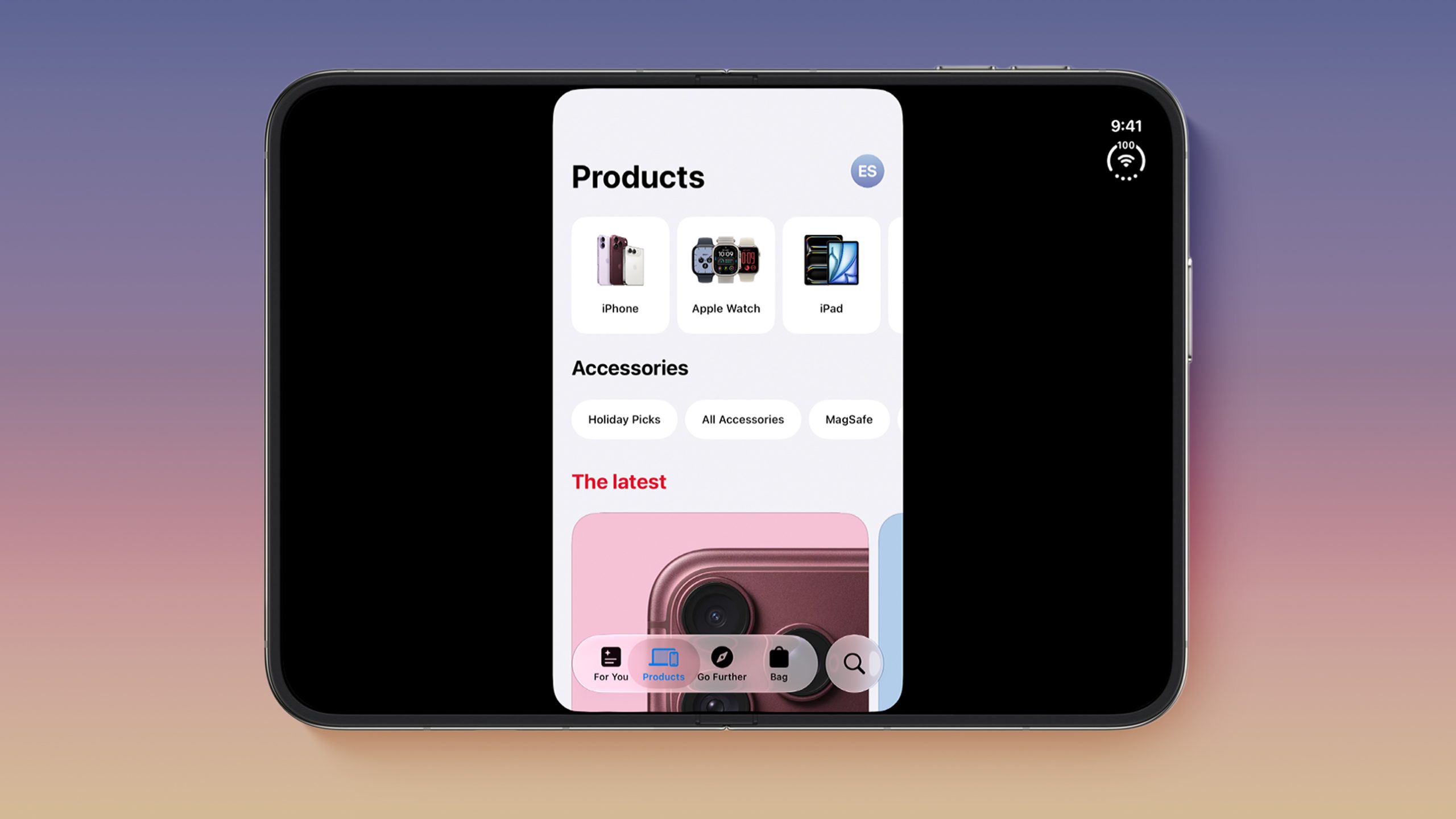

Apple said developers can easily optimize their apps for the iPhone Duo. Apps that use standard SwiftUI and UIKit components adapt automatically to each display, with controls moved to the status bar and multi-column support on the inner display. New APIs let developers optimize their apps for the device's various layouts and poses.

Apple has hosted more than 50 in-person iPhone Duo app workshops in 19 cities worldwide, and there are online resources like the Apple Developer Forums.

In the meantime, apps built with the iOS 27 SDK resize to fill most of the inner display on the iPhone Duo, but they avoid the status bar on the right edge. Apps built with the iOS 26 SDK or earlier run on the iPhone Duo, but appear in the center of the inner display, with lots of empty black space on the left and right sides of the apps.

iPhone Duo app optimization has been a hotly debated topic on social media platforms, with some people pointing out apps that are not yet optimized and others saying the issue is overblown. It is clearly a mixed bag, with some apps optimized and some not. More apps are being updated by the day, though, so the situation is improving rapidly.
Related Roundup: iPhone Duo
Buyer's Guide: iPhone Duo (Buy Now)
Related Forum: iPhone

This article, "Apple Says More Than 100,000 Apps Optimized for iPhone Duo, Here's What's Still Missing" first appeared on MacRumors.com

Discuss this article in our forums
  •  

Apps Can Now Try to Stop You From Canceling Subscriptions

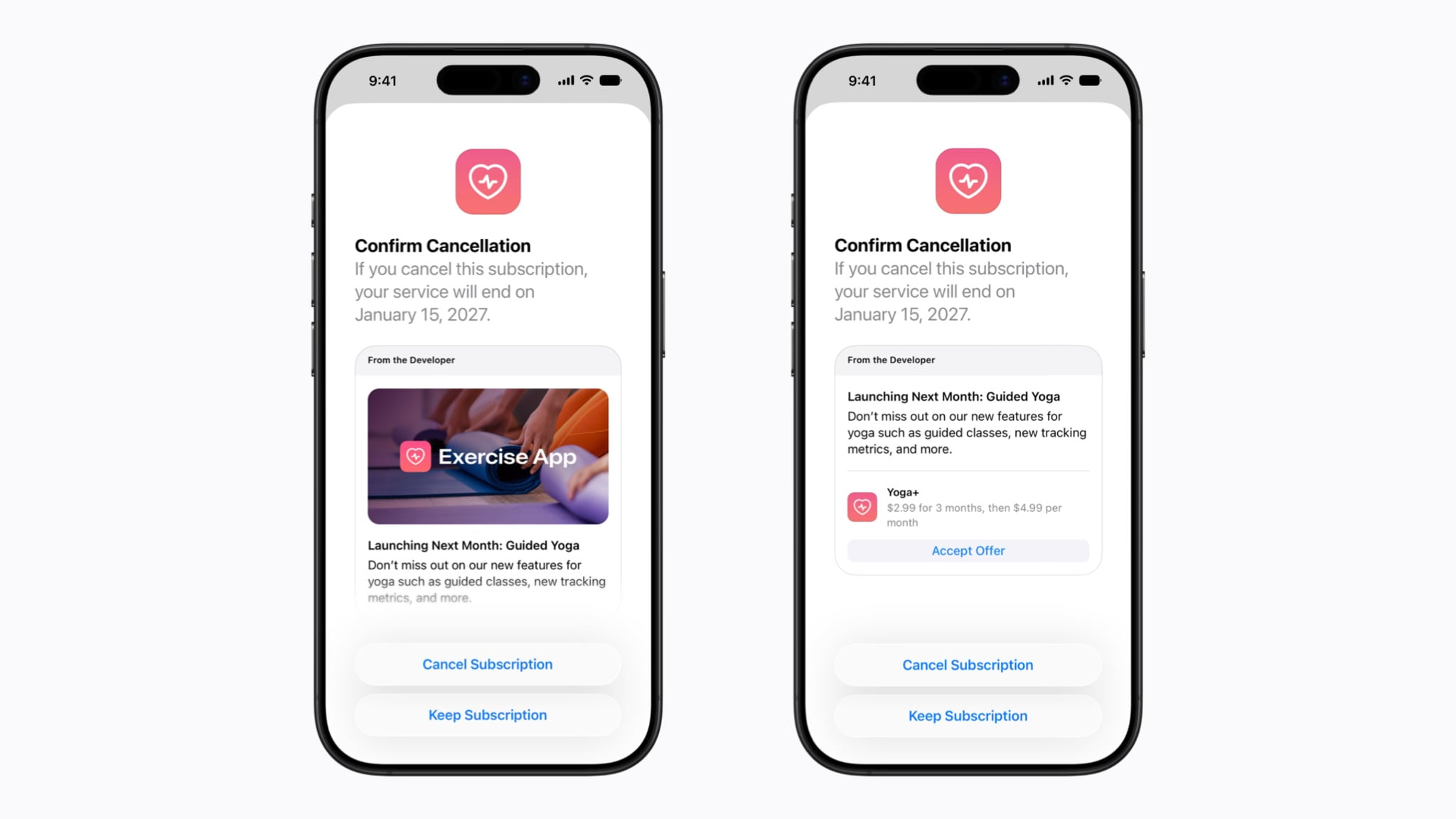
Apple today added a new subscription retention feature for developers, allowing them to show retention messages when a subscriber goes to cancel.


Apple says retention messages will appear in the subscription cancellation flow and can include text, images, or a special offer. Retention messages can be added in App Store Connect for auto-renewable subscriptions, with options for subscriber eligibility and wait time between messages.

Through a separate Retention Messaging API, developers can choose which messages to show a subscriber based on their subscription details. API access is by request.

‌App Store‌ users may see offers for discounts or reasons to keep a subscription before canceling.
This article, "Apps Can Now Try to Stop You From Canceling Subscriptions" first appeared on MacRumors.com

Discuss this article in our forums
  •  

Die ersten Duo-Reviews

22. Oktober 2026 um 20:12

Was ich aus den ersten Reviews mitnehme: Das Duo löst keinesfalls den klassischen Formfaktor ab, sondern erweitert das Portfolio der iPhones. Damit steht es im starken Kontrast zum iPhone X, das die Homebutton-Generationen, die vor ihm kamen, damals augenblicklich beerdigte.

Die Testberichte sind durch die Bank weg lang – teilweise ungewohnt ausartend. Gruber schrieb 8500 Worte; Brownlee filmte 29 Minuten. Ja, es gibt diesmal außergewöhnlich viel zu sagen, gleichermaßen aber auch viele unbeantwortete Fragen.

Man merkt: Die Vorberichte kämpfen nach einer Woche mit den gleichen Fragen, die Apple seit einigen Jahren für das Duo umtreiben. iPad-Apps: Ja oder nein? Ist Touch ID gut genug für diese erste Generation? Passt die „Passport“-Größe?

David Imel schätzt den „aufgaben-orientierten“ Screen; für Nilay Patel ist es maximal ein „status display“. Die Nanotextur­beschichtung der Innenseite und das Scharnier stauben dagegen überall Lob ab.

Was auffällt: Telefonnutzung ist sehr individuell. Die Frage nach der Akkulaufzeit variiert in ihrer Bewertung etwa von „hervorragend“ bis „gerade noch gut genug“.

Apple schoss sich direkt in den eigenen Fuß, indem es App-Store-Updates fürs Duo nicht früher akzeptierte. „Ausstehende Software-Unterstützung“ von Dritt-Apps nimmt in allen Testberichten einen substanziellen Themenblock ein. Mein Gefühl sagt mir inzwischen: Das wird in wenigen Wochen kein dominantes Thema mehr sein.

Software(-Design) bleibt natürlich eine konstante Diskussion; die schlichten Anpassungen an die Bildschirmgröße räumen die meisten Apps aber alsbald vom Tisch. Das Duo steckt nicht in einer Vision-Pro-Situation: Software, die sich nicht anpasst, wechseln Kund:innen aus. Ausnahmen bestätigen diese Regel.

Und welche Apps das Aufklappen rechtfertigen, wer kreativ Menü-Buttons setzt, sind keine Fragen für die erste Woche, sondern für das erste Jahr.

Einige Videoclips haben mich besorgt zusammenzucken lassen: Die Drehung des Duos im aufgefalteten Zustand sieht gelegentlich nicht sehr souverän aus.

Zugegeben: Das liegt auf der Hand (!), ist aber interessant zu beobachten. Ein neues iPhone, das man erstmals neu lernen muss. Angefangen bei den Platzierungen der Hardware-Buttons, die ich so kontrovers nicht vermutet hatte.

HTX Studio bringt, in einem außergewöhnlichen Video, speziell den Kompromiss der Bildschirmgröße noch einmal auf den (Schluss-)Punkt – den man wahrscheinlich nur durch eigenes Ausprobieren für sich beurteilen kann:

Will they become mainstream? I still doubt it because this design has two fundamental conflicts at its core. First, the two screens work against each other. Improve the outer screen and the inner screen becomes a big empty square. Favour the inner screen and the outer screen becomes a passport that’s hard to grip. It’s a zero-sum game. More importantly, whatever the balance, you get a makeshift phone outside and a cut-down tablet inside. Neither delivers the best experience.

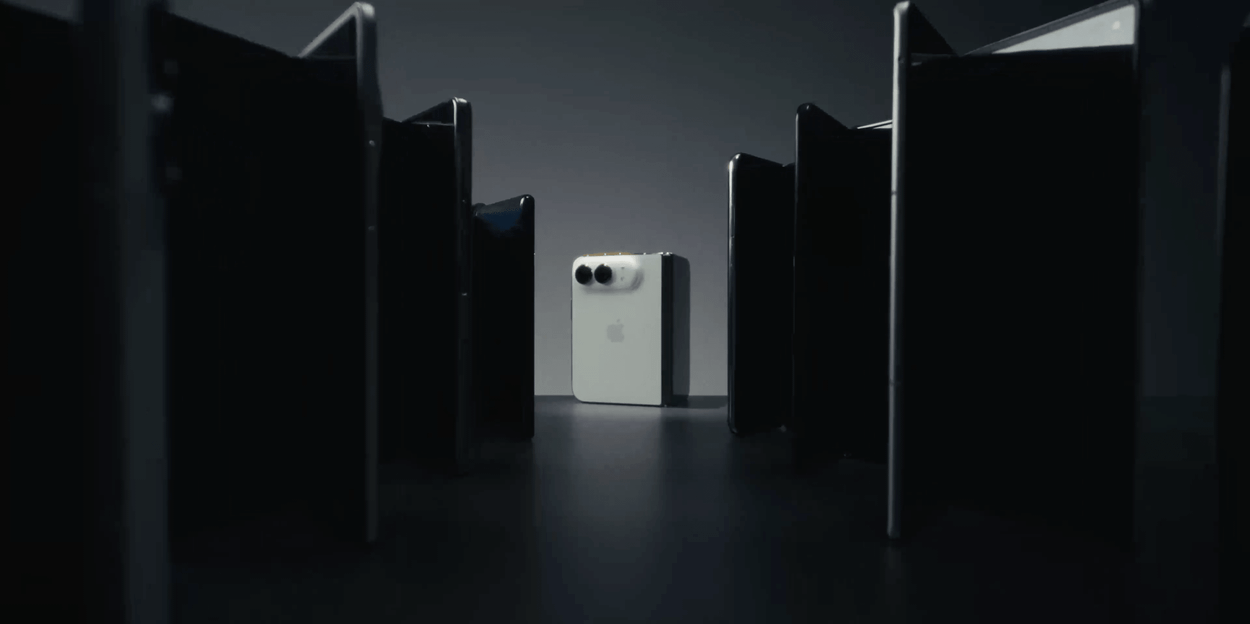
A white smartphone with a dual-camera setup is centrally placed on a dark surface, surrounded by several black smartphones standing upright in a semicircle, all against a dark background.
  •  

Cover Flow, Click Wheel, NostalgicPod

06. Oktober 2026 um 12:35
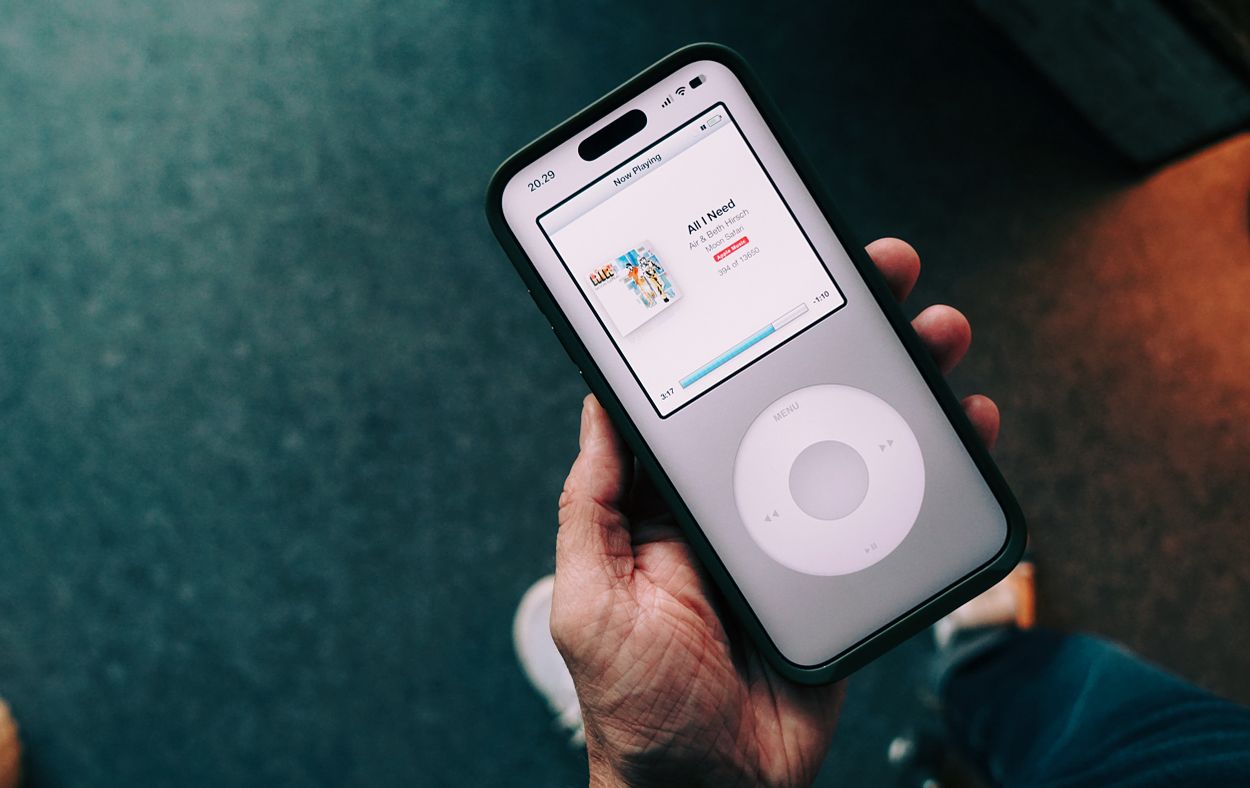
Eine Nahaufnahme einer Hand, die ein Smartphone hält, auf dessen Display eine Musik-App im Stil eines klassischen iPods mit Click-Wheel angezeigt wird.

With all due respect to the mods, I just wanted to share that NostalgicPod is finally live on the App Store! […]

The default look is slightly modernized. That was actually one of Apple’s conditions for approving the app on the App Store. But you can switch to the Classic Ring style anytime from Settings, and I show how to do it in the video.

r/AppleMusic

Erst in der letzten Woche wettete ich dagegen, dass dieses „little project“ – NostalgicPod – mal im App Store aufschlägt.

  •  

„My iPad Runs Steam Now“

03. Oktober 2026 um 12:40
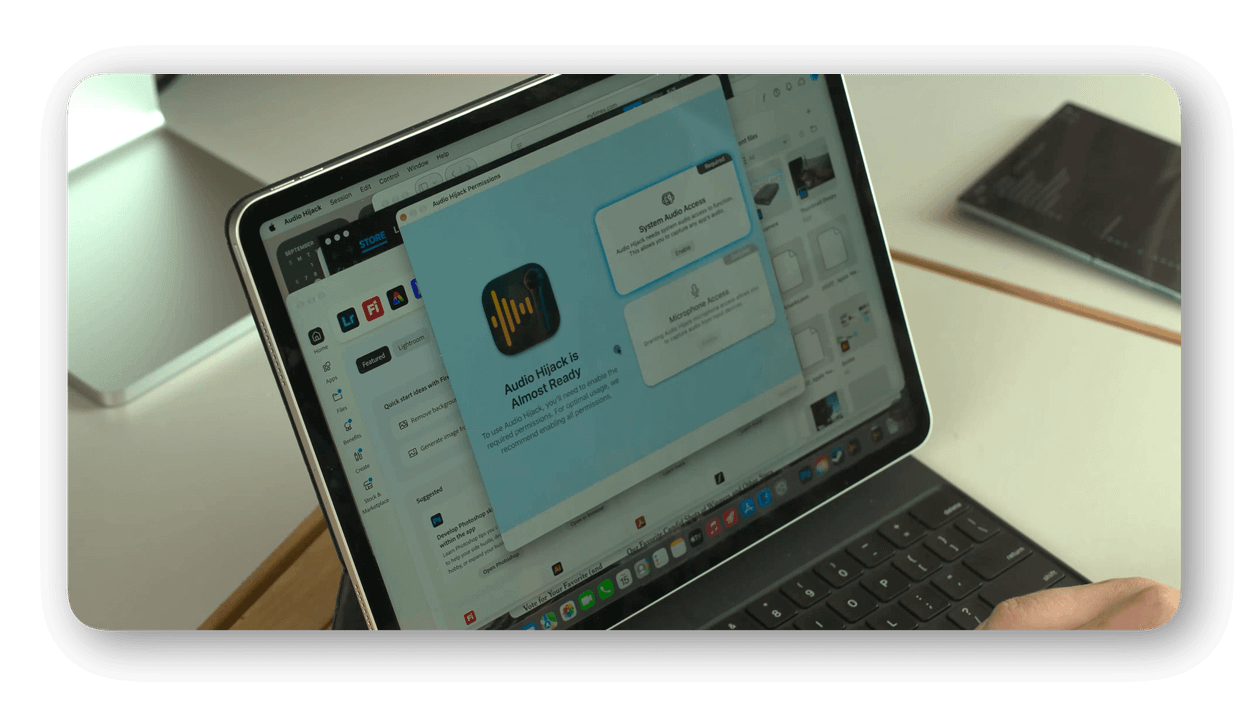
A close-up of a laptop screen showing a permission popup for 'Audio Hijack' software, asking for system audio and microphone access. The laptop is placed on a desk with a hand visible on the keyboard, and a tablet is seen in the background.

„My iPad Runs Steam Now“ ist nur einer von mehreren interessanten Aufhängern1 dieses sorgfältig recherchierten Videos von Quinn Nelson. Und ich stimme ihm zu: macOS in einer virtuellen Maschine auf dem iPad war vor einigen Jahren mal verlockend; inzwischen will man dort schlicht und direkt Mac-Apps benutzen.

Mit einem Fernzugriff läuft macOS nämlich bereits in einem Fenster von iPadOS. Heute fehlt dem iPad der bunte Blumenstrauß von Software, die gerade auf macOS entsteht – selbstgeschriebene Apps und KI-Agenten, die sich in die (hervorragenden und weitreichenden) Bedienungshilfen hängen.

Speziell stolpert Software bei der Distribution über den App Store. Dieser Vertriebsweg erscheint mit Blick auf persönliche Software veraltet – nicht nur sein Prüfprozess, sondern insgesamt der Aufwand, um Software zu teilen.

Native Apps waren Web-Apps seit nunmehr 20 Jahren überlegen. Mit personalisierter Software nähern wir uns jedoch einem Punkt, an dem ich lieber meine selbstgehosteten Apps und Skripte im privaten Tailscale-Netzwerk über den Browser öffne. Ich bekomme sie nicht nur schwierig in den App Store, sondern ich will sie dort überhaupt nicht veröffentlichen. Es ist Software für mich und iOS/iPadOS scheinen auf diese Zukunft nicht vorbereitet.

  1. Seine Jailbreak-Exkursion wäre ein eigenes Video wert. „Er ist tot, Jim!“ ↩
  •  

Unboxing – das iPhone 18 Pro Max

19. September 2026 um 10:02

➝ YouTube

Mein Live-Unboxing, hier noch einmal hochauflösend fürs Archiv.

Das 18 Pro ist inzwischen frisch eingerichtet; zwei Stunden hat es diesmal gedauert. Es sind Kleinigkeiten wie das Setup der Wallet-Kreditkarten, die ausbremsen.

Den Prozess habe ich für mich über die Jahre allerdings weitgehend gestrafft – Bankkonten mit verkopften Anmeldeprozeduren sind abgestoßen. Meine Passwort- und Lizenz-Datenbanken sind aufgeräumt. „Passkeys all the way“ – zumindest überall dort, wo sie angeboten werden.

Und ja: Einmalcodes, die per Mail kommen, nerven – sogar ungemein. Allerdings hat der Anbieter dann nie ein Kennwort, das er verdödeln kann.

Was wirklich ärgert: Apples vorinstallierte iOS-Software. Diese Apps einzeln runterzuwerfen, fühlt sich wie eine kleine Ewigkeit an. Aber andersherum: Apps zum Download lassen sich flotter über Spotlight finden als im App Store.

Die meiste Zeit geht für persönliche Einstellungen drauf, die ich unbedingt ändere. Etwa die 4K-Videoaufnahmemodi, alle Anpassungen ans Teilenmenü oder dass etwa iMessages nach 30 Tagen automatisch gelöscht werden.

Allerdings sind es genau diese Einstellungen, durch die sich ein neues Telefon neu anfühlt. Welches alternative App-Icon? Wo platziert?

All das fühlt sich wie ein Umzug an, bei dem man seine Wohnung neu einrichtet – Wände streicht und Möbel rückt. Wie ein Herbstputz ist das anstrengend, aber auch sehr befriedigend.

💾

  •  

„Apple kündigt Änderungen für Apps in der Europäischen Union an“

19. August 2026 um 11:57
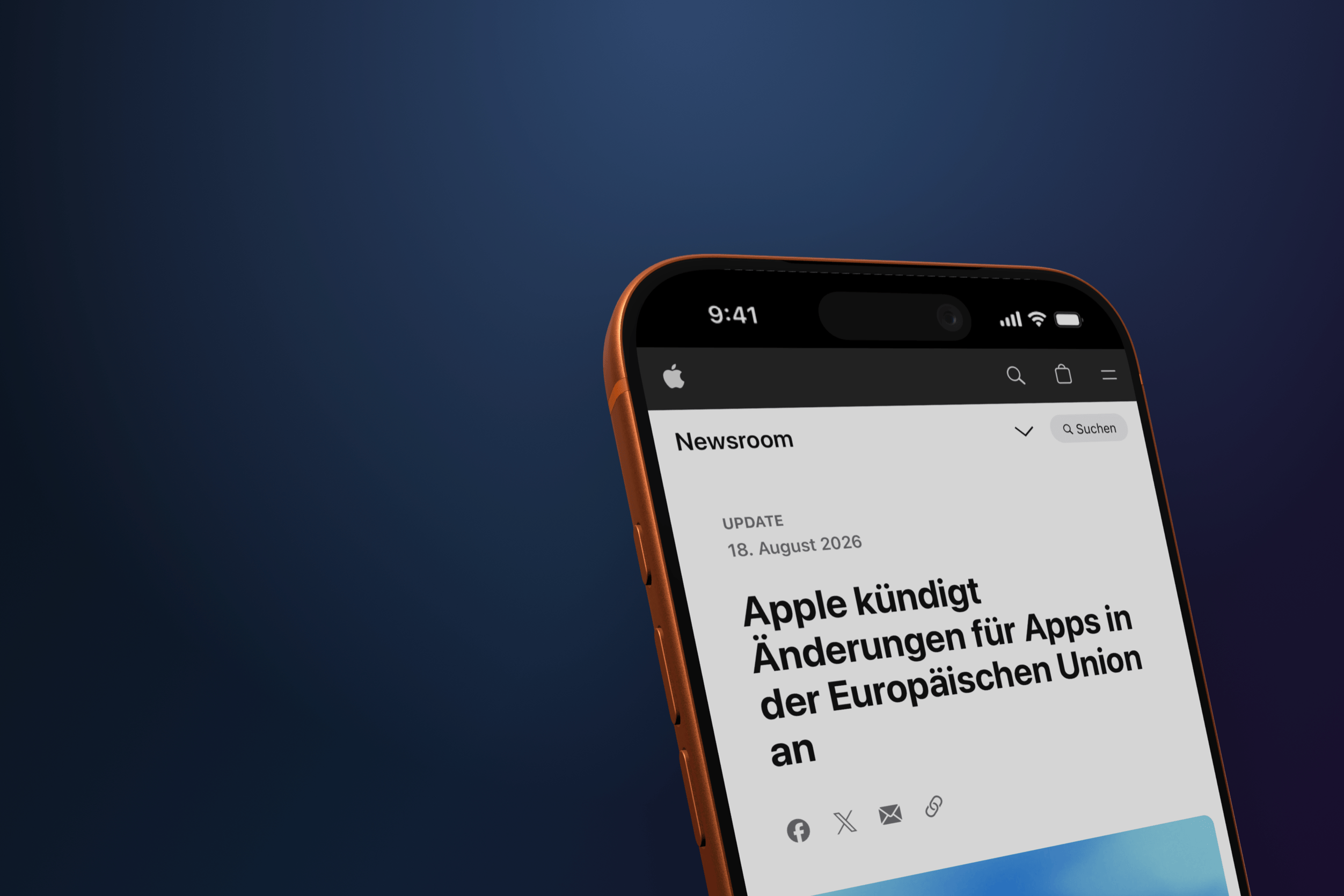
Ein Smartphone zeigt die Website des Apple Newsrooms mit einer Überschrift, die Änderungen für Apps in der Europäischen Union vom 18. August 2026 ankündigt.

Apple hat heute nach enger Zusammenarbeit mit der Europäischen Kommission Änderungen an seinen Geschäftsbedingungen für Apps in der Europäischen Union bekannt gegeben. Mit diesen Änderungen werden die Meinungsverschiedenheiten zwischen Apple und der Kommission hinsichtlich der Geschäftsbedingungen und alternativer Vertriebswege beigelegt. Außerdem verringern sie die Komplexität, indem sie für alle Entwickler:innen, die Apps in der EU vertreiben, einheitliche Geschäftsbedingungen festlegen. Entwickler:innen können den neuen Bedingungen ab heute zustimmen. Die Änderungen treten am 1. Oktober in Kraft.

Apple.com/Newsroom

Apple ist Torwächter zwischen Entwickler:innen und iPhone-Besitzern. Apple kann iOS zwar betreiben und absichern, darf seine Kontrolle aber nicht dazu nutzen, App-Vertrieb, Zahlungen, Interoperabilität und Kundenbeziehungen für sich abzuschotten.

Die Code-Signatur von Apps, Notarisierungen sowie vertragliche Bindungen sind unter dem Digital Markets Act nicht grundsätzlich ausgeschlossen – müssen jedoch unbedingt erforderlich, verhältnismäßig und hinreichend begründet sein.

Bei der nun festgehaltenen 15-Prozent-Provision für „Abschlüsse von Käufen aus der App heraus“ stellt sich allerdings die Frage, wie sie mit der Entscheidung der Kommission aus dem Frühjahr 2025 zusammenpasst („ensure that both (i) the communication and promotion of offers, and (ii) the conclusion of contracts following steering with end users acquired through the App Store are free of charge;“).

Eine ausführliche Stellungnahme der EU-Kommission steht bislang noch aus; eine Begrüßung der Änderungen gibt es jedoch bereits.

Aber festzuhalten bleibt doch: Nach Jahren der Regulierung, Geldstrafen sowie komplizierten App-Store-Regeln und App-Marktplätzen ohne erkennbare Breitenwirkung hat sich für Konsumenten nichts geändert – zumindest entstanden keine grundlegend relevanten Vorteile.

Aber ist das überraschend? Der DMA sollte Apples Kontrolle über den zentralen Vertriebsweg aufbrechen, allerdings war es nicht sein Ziel, iOS zu einem offenen Betriebssystem à la macOS zu machen. Vielleicht hätte eine weitergehende technische Öffnung schlussendlich zu mehr echtem Wettbewerb geführt.

  •  

Zwölf Jahre später: TestFlight mit Suchfunktion

22. Juli 2026 um 09:06
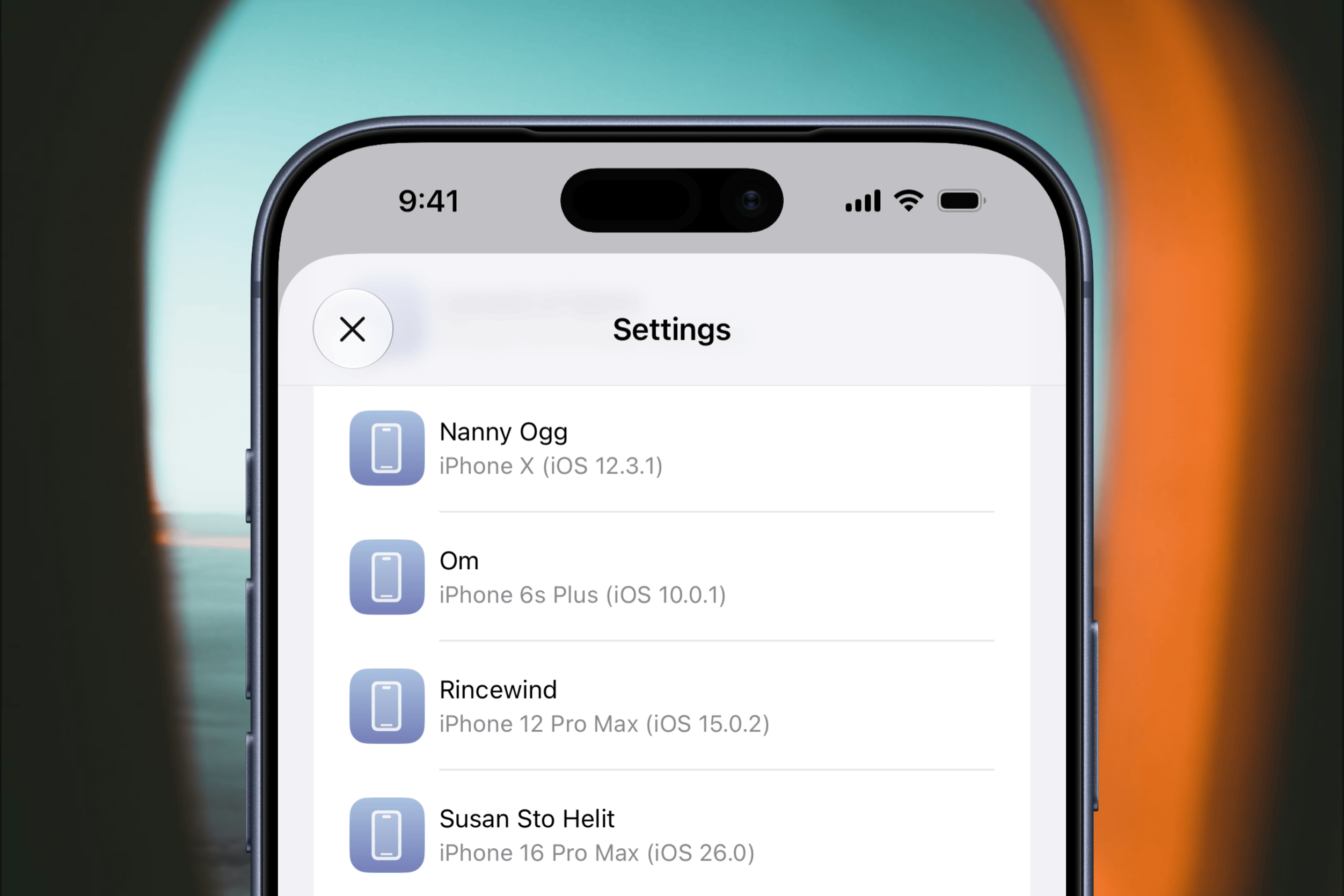
Ein Smartphone-Bildschirm zeigt das Einstellungsmenü zur Geräteverwaltung, in dem mehrere verbundene Apple-Geräte mit ihren Modellnamen und iOS-Versionen vor einem unscharfen Hintergrund aufgelistet sind.

I get that this is a very “me and a few of my friends” problem, and search does help, but it’s not enough. The active to inactive beta ratio is so bad that few iPhone screens include more than two or three active betas. So here’s my proposal: Add a toggle in TestFlight’s settings that hides inactive betas.

John Voorhees | MacStories | 9to5Mac

Ein guter erster Schritt, der keine „me and a few of my friends“-Rechtfertigung benötigt. Und damit sollten die Forderungen nicht aufhören: Wo ist die Sortierung nach Plattform? Warum kann ich nicht generell festlegen, ob ich per E-Mail, Push oder gar nicht (!) über neue Versionen benachrichtigt werden möchte? Warum kann ich die Notifications für macOS-Beta-Apps über die iOS-App überhaupt nicht konfigurieren?

Zwölf Jahre werkelt Apple nun an TestFlight. Seit 2017 sind 10.000 „external testers“ erlaubt. Auch deshalb wird TestFlight rege als inoffizieller Vertriebsweg neben dem App Store genutzt – vermutlich in größerem Umfang, als wir gemeinhin annehmen.

  •  
❌