❌

Normale Ansicht

Apple Support Community Deserved a Proper Goodbye

Apple on Tuesday abruptly placed the Apple Support Community into a read-only state and announced that the forums will be permanently closing on Friday, November 20. Those who contributed to the site — some for more than two decades — were blindsided by this decision and had no chance to post farewell messages.
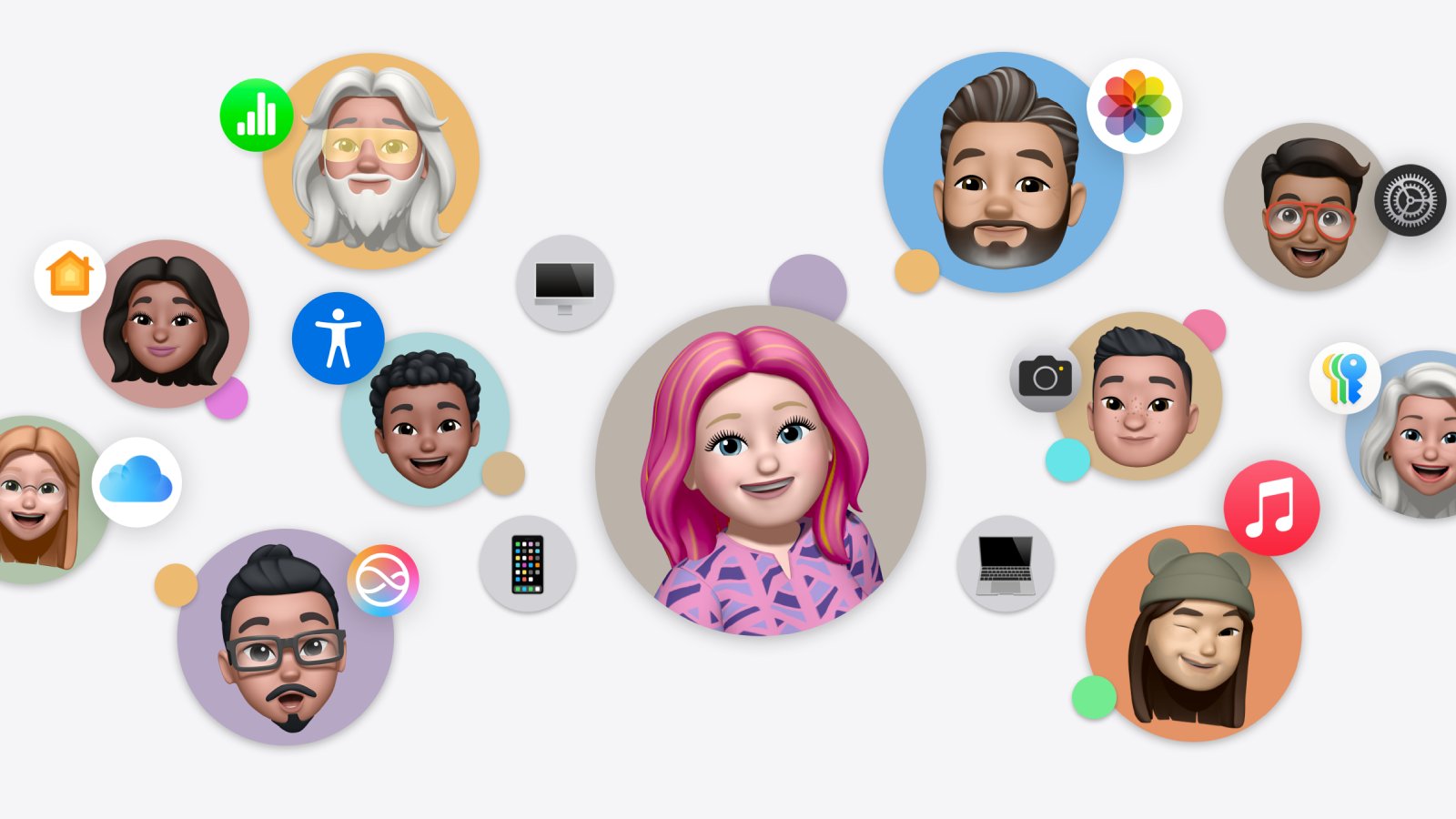

Even if you felt the Apple Support Community contained too many generic or unhelpful answers from users trying to boost their post counts and earn points, the people volunteering their time to the site still deserved a proper goodbye.

Below, we have highlighted some of those people and their experiences.

Jeff Donald from Florida was a member of the Apple Support Community since November 2000, when the forums were still known as Apple Discussions. This past year, Apple recognized his efforts by inviting him to the Apple Community+ program, which launched in 2022 and provided members with a few extra perks and experiences.

Leroy Douglas was a member since July 2009. He said he was a bit shocked to see Apple's sudden announcement, but he saw the writing on the wall.

Here is a fun fact that you might not have known: In addition to English, Tobias Steen in Germany said there were also Apple Support Communities in Chinese, French, German, Japanese, Korean, Portuguese, and Spanish. For some reason, the French and German versions do not have closure notices, but we are told they will meet the same fate.

The forums brought together people of all ages, from 16-year-old Evan Bato Rousseau in France to 83-year-old Nobel Prize winner Sir Tim Hunt in England, who told us he found it to be a helpful resource, even if some of the answers were wonky.

John Daniel, the Canadian developer of macOS diagnostic tool EtreCheck, said he was active in the Apple Support Community for more than two decades. Users like him who reached "Level 6" or higher based on their contributions received access to The Lounge, a private category of forums where Apple employees sometimes participated.

Prior to 2020, John said Apple occasionally hosted in-person meetups for Support Community members, including a special visit to Apple Park.

"I don't agree with comments that so many are making about the Apple Support Community right now," he said, in response to those who described it as useless. "We regularly solved problems, identified significant issues with Apple projects, traced the cause of bugs and fixed them, and always learned new things. That's what I'm going to miss."

Elías Rojano Núñez of Chile participated in the Spanish forums. He told us that he found it deeply satisfying when he was able to help others, and he was saddened that the Spanish forums were shuttered without any advanced notice, but he is grateful for the opportunity that he had and will always value the interactions he had with fellow contributors.

Rojano Núñez shared a photo of some of the items he received from Apple over the years, including a 5-year Apple Support Community anniversary pin. There were also 10-year, 15-year, and 20-year pins. Over the years, merchandise given out included Apple-branded hats, shirts, tote bags, and even umbrellas once.


Whatever its shortcomings, the Apple Support Community was more than just a place to ask questions. For some, it was a place to belong.

To that, we say goodbye and thank you, not good riddance.
This article, "Apple Support Community Deserved a Proper Goodbye" first appeared on MacRumors.com

Discuss this article in our forums
  •  

Apple's Claris Testing 'Harbor' App for Local AI on Macs

Apple's Claris subsidiary is testing an app called Harbor, which turns Apple silicon Macs into a private AI server.


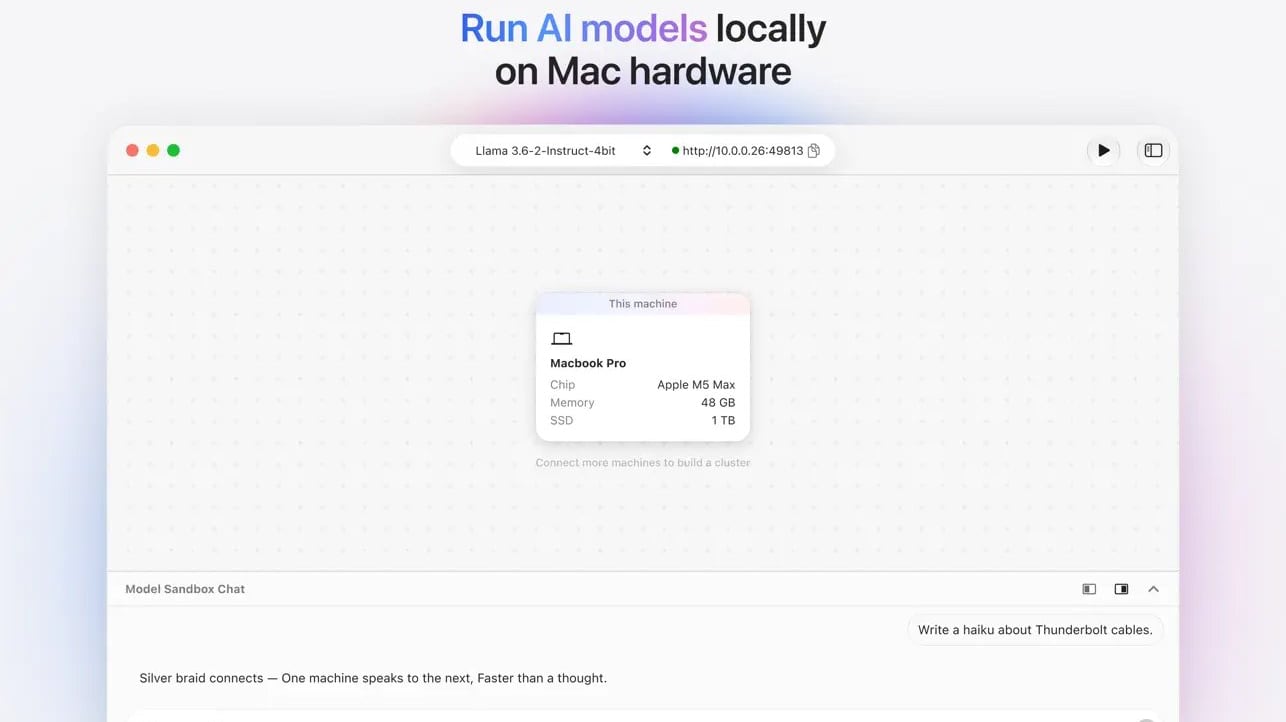
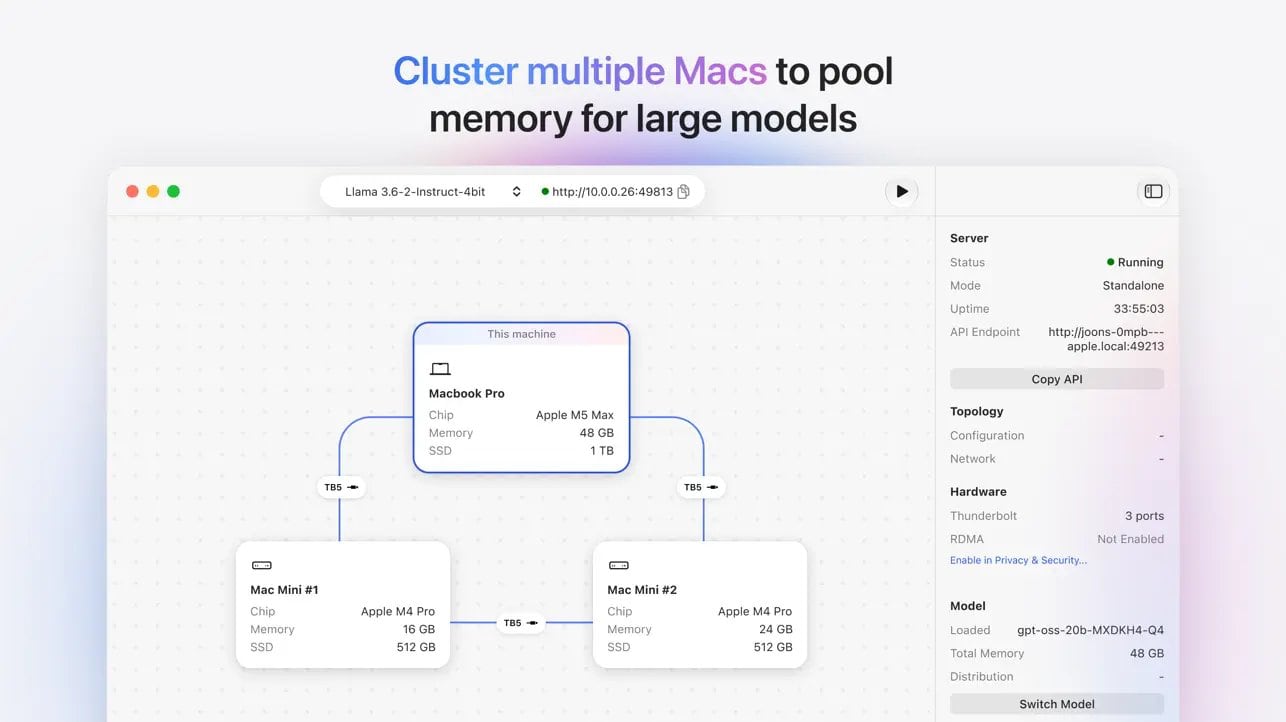
Harbor works with a single Apple silicon Mac, but it also supports connecting multiple Mac computers over Thunderbolt 5 to pool unified memory for larger models. Apple added RDMA over Thunderbolt 5 with macOS Tahoe 26.2, making clustering faster.

Harbor detects devices connected over Thunderbolt 5 and lets users browse for, download, and load open-weight models. It's described as an easy-to-use app with no manual configuration required.
Harbor turns your Mac into a private AI inference server. Run open-weight models locally on Apple silicon—your data never leaves your hardware, and nothing reaches the cloud. Connect multiple Mac computers over Thunderbolt 5 to pool unified memory, enabling large models and higher concurrency than a single computer can handle alone.

Set up in minutes, not hours. Harbor automatically detects your devices over Thunderbolt 5 to form a cluster. Plug in, start, and you're running—no manual configuration, no command line, no infrastructure expertise required.


Download and run models directly. Browse, download, and load open-weight models from within the app. Harbor handles model management so you can focus on the work, not the setup.

Cluster for scale. Connect two or more Thunderbolt 5-capable Mac computers and Harbor pools their unified memory into a single inference resource. Run models that exceed any single computer's capacity, or serve more concurrent requests across your cluster.

Harbor is in early access and is not publicly available. There was an App Store listing, but it has now been removed.

Claris is known for its database platform FileMaker, which is aimed at businesses, so it isn't clear how Apple will market the Harbor app or whether it will be free. The sign-up page for Harbor asks for a company name, which suggests more of a business focus.

There are already well-known, free alternatives for Mac users who want to run a local AI server. Exo is an open-source tool for clustering Macs, and LM Studio is available for single-Mac use, but Apple's Harbor app appears to combine LM Studio's simple interface with clustering.
This article, "Apple's Claris Testing 'Harbor' App for Local AI on Macs" first appeared on MacRumors.com

Discuss this article in our forums
  •  

Apple Launching Two More New Products This Friday

The Apple launches keep coming! The company is set to release two new products on Friday, November 13: the all-new Apple HomeView and the fourth-generation Apple TV 4K, both of which have been available to pre-order since mid-October.

  • Apple HomeView: Apple's new smart home display, powered by Apple Intelligence with Siri AI, for entertainment and managing the home. Available in tabletop and wall-mounted models, it can recognize up to six users by face, each with a personalized Home Screen. The HomeView is priced at $299.

  • Apple TV 4K: adds Siri AI, the A19 chip, an updated Siri Remote with Find My, and support for four-speaker surround sound with HomePod mini 2. The Apple TV 4K comes with 128GB of storage and is priced at $299.
Both products were announced on October 13 alongside the HomePod mini 2, which launched October 30.

As things stand, HomeView will not be sold in the European Union because Siri AI is currently unavailable on iOS in the region due to regulatory constraints. Apple has said it is "working constructively with the EU in an attempt to find a path forward," but has provided no timeline for EU availability.
This article, "Apple Launching Two More New Products This Friday" first appeared on MacRumors.com

Discuss this article in our forums

  •  

Bristol – digitale Zeichnungen mit analogem Touch

04. November 2026 um 10:18

Bristol reproduces the way people draw on paper. It does not “imitate paper”, and it does not win on features. Each tool is a layer, and Bristol offers little help when it comes to sketching. One undo, no redo. No hiding of layers, no cut and paste. No selection, no fill, no fancy drawing tools. You sketch, you erase. Bring your pencil, ink, and markers, and that’s pretty much it. Ok, it has highlights. And a draft paper. And a reference image. But that’s pretty much it.

kornclub.io

Bristol ist das persönliche Projekt von Ulysses-Mitbegründer Marcus Fehn, charmant meinungsstark und viel zu preiswert.

Im Fokus steht, was nicht geht: Anstelle bei der Werkzeugauswahl zu prokrastinieren, setzt euch die iPad-App vor ein (warm-)weißes Blatt – zumindest weitgehend. Die Konturen aus einem Referenzfoto könnt ihr nachzeichnen; bei der Konstruktion von (Comic-)Panels oder der Findung von Fluchtpunkten lasst ihr euch unter die Arme greifen.

Ansonsten zeichnet und skizziert ihr aus freier Hand – sehr analog. Bristol ist Software, für die man sich ein iPad kauft.

  •  

Tipp: Multitasking in iPadOS 27.2

30. Oktober 2026 um 10:16

➝ YouTube

Die Funktion „Double-Tap Top of Window to Zoom“ ist per se nicht neu, lässt sich durch den Button jetzt aber explizit aktiven beziehungsweise deaktivieren.

Außerdem im Video: eine Änderung für „Side-by-side Multitasking“ sowie dieser Shortcut.

💾

  •  

„Apple gives iPad mini its biggest update ever“

26. Oktober 2026 um 14:15
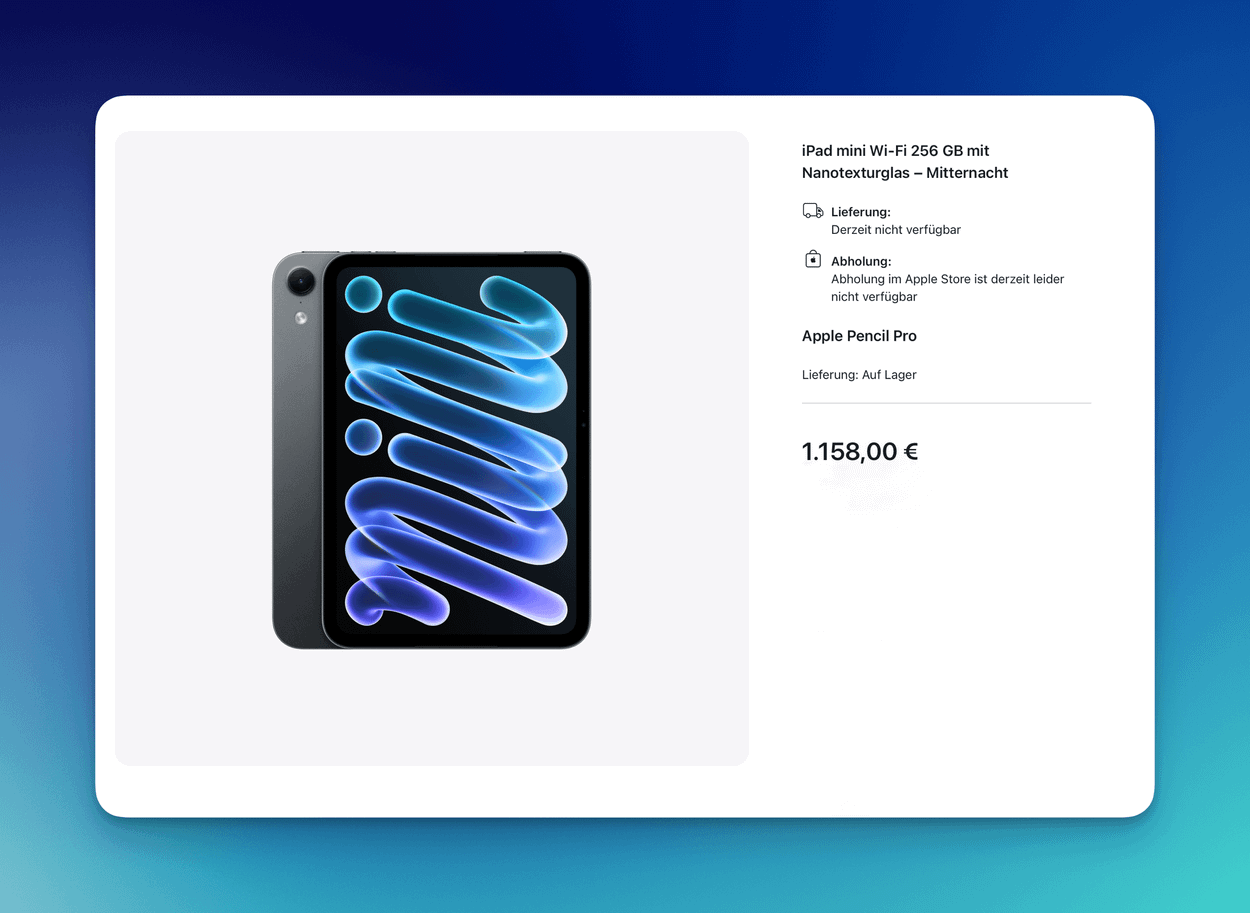
Product page showing an iPad mini Wi-Fi 256 GB with Nanotexture Glass in a dark color, displayed on the left. On the right, the product details and price of 1,158.00 euros are visible, along with availability notes regarding delivery and in-store pickup.

Featuring a stunning OLED display in an even thinner and lighter design, a huge leap in performance, faster wireless connectivity, and water and dust resistance.

Apple.com/Newsroom

Wenn nicht iPhone draufsteht, kostet es lediglich die Hälfte.

  •  

Zuverlässiger Fernzugriff: Jump Desktop in Version 10

19. Oktober 2026 um 20:55
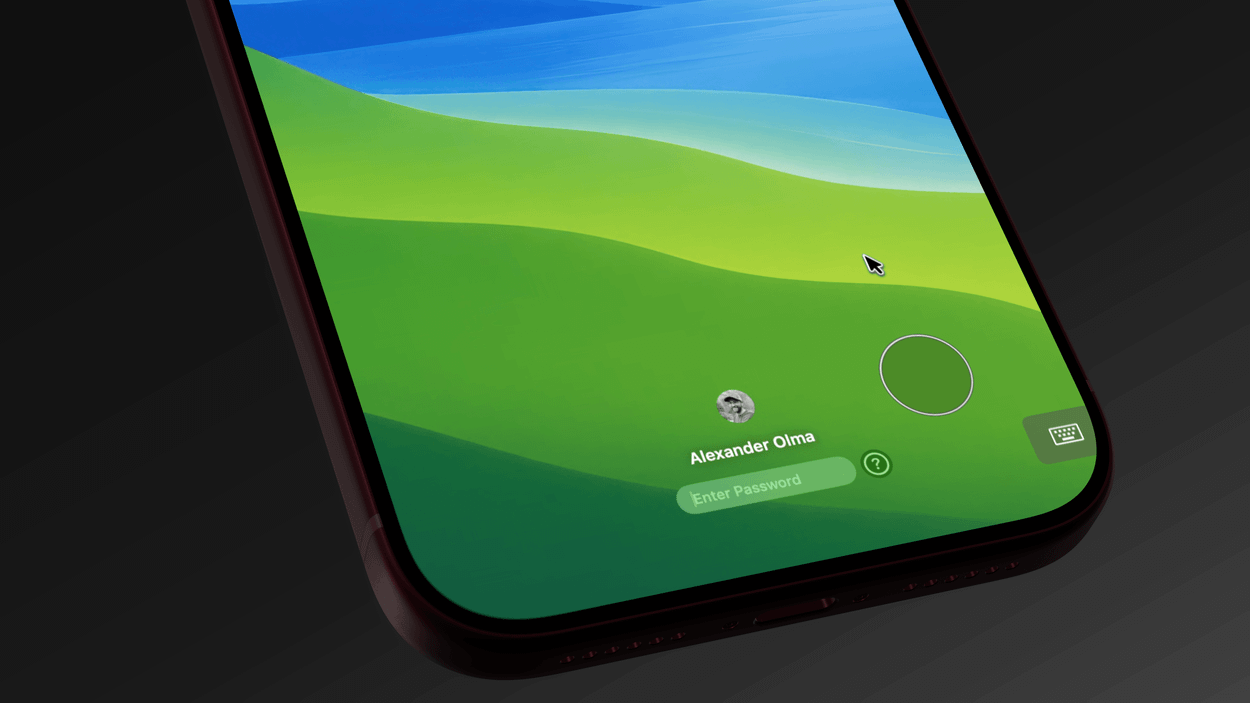
Close-up of a smartphone displaying a login screen with abstract green and blue background. The login prompt shows a user icon and the name Alexander Olma, along with a password entry field and icons for help and keyboard.

The best remote session is the one you forget is remote. Jump Desktop Version 10 is like sitting down at the machine itself and bringing the devices on your desk with you. It also goes where it couldn’t before. We’re releasing a native app for Android phones and tablets, Linux computers can be hosts, and with Jump CLI your scripts and AI agents can connect too. Here’s what’s new:

Jump Desktop Documentation

Seit Sommer bin ich täglicher Fan – und verschlief trotzdem den offiziellen Release von Version 10 vor einem Monat, weil ich auf der TestFlight-Beta rumhing.

  •  

#527 – so entsteht ein „Kalenderwochen“-Podcast

15. Oktober 2026 um 15:31

Es hat ernsthaft eine Minute gebraucht, bis ich (m)einen Workflow für den neuen Podcast zusammengesteckt hatte. Und das wird wahrscheinlich erst der Anfang sein …

Was ich derzeit am Set-up mag: Es funktioniert weitgehend auch von unterwegs aus und ist sowohl flexibel als auch automatisiert genug.

Hier das Intro der Episode:

Weiterlesen

  •  

„My iPad Runs Steam Now“

03. Oktober 2026 um 12:40
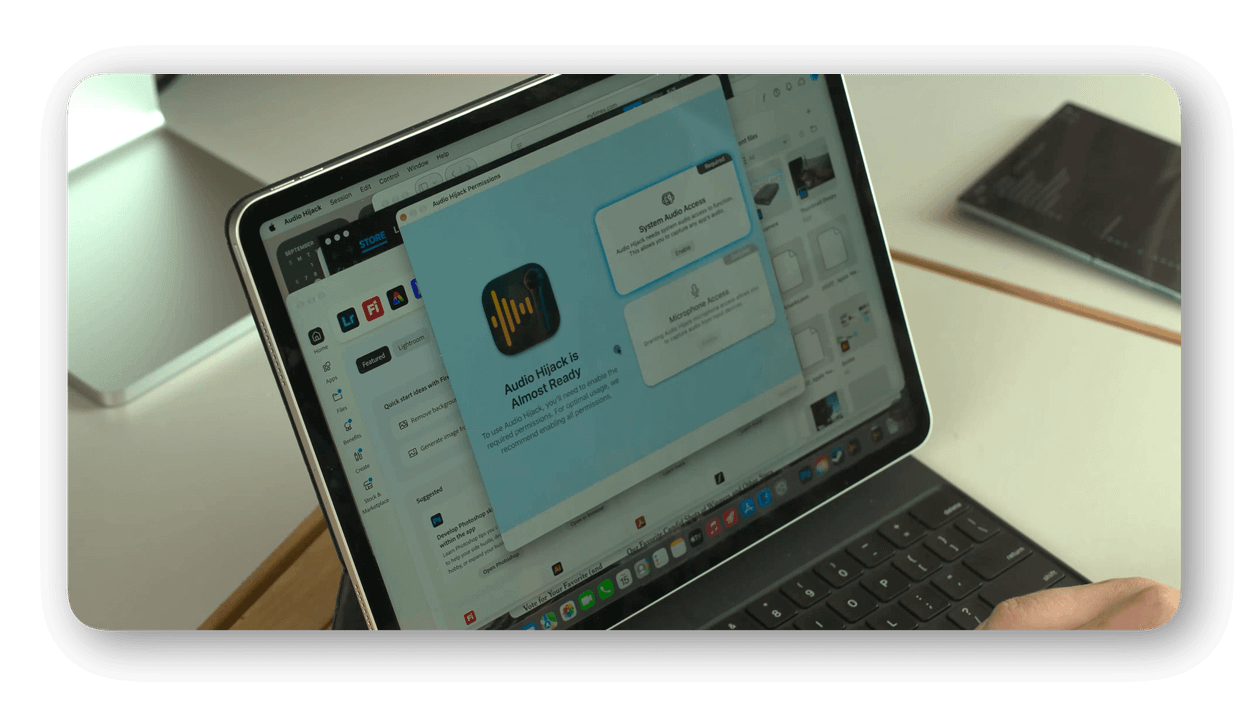
A close-up of a laptop screen showing a permission popup for 'Audio Hijack' software, asking for system audio and microphone access. The laptop is placed on a desk with a hand visible on the keyboard, and a tablet is seen in the background.

„My iPad Runs Steam Now“ ist nur einer von mehreren interessanten Aufhängern1 dieses sorgfältig recherchierten Videos von Quinn Nelson. Und ich stimme ihm zu: macOS in einer virtuellen Maschine auf dem iPad war vor einigen Jahren mal verlockend; inzwischen will man dort schlicht und direkt Mac-Apps benutzen.

Mit einem Fernzugriff läuft macOS nämlich bereits in einem Fenster von iPadOS. Heute fehlt dem iPad der bunte Blumenstrauß von Software, die gerade auf macOS entsteht – selbstgeschriebene Apps und KI-Agenten, die sich in die (hervorragenden und weitreichenden) Bedienungshilfen hängen.

Speziell stolpert Software bei der Distribution über den App Store. Dieser Vertriebsweg erscheint mit Blick auf persönliche Software veraltet – nicht nur sein Prüfprozess, sondern insgesamt der Aufwand, um Software zu teilen.

Native Apps waren Web-Apps seit nunmehr 20 Jahren überlegen. Mit personalisierter Software nähern wir uns jedoch einem Punkt, an dem ich lieber meine selbstgehosteten Apps und Skripte im privaten Tailscale-Netzwerk über den Browser öffne. Ich bekomme sie nicht nur schwierig in den App Store, sondern ich will sie dort überhaupt nicht veröffentlichen. Es ist Software für mich und iOS/iPadOS scheinen auf diese Zukunft nicht vorbereitet.

  1. Seine Jailbreak-Exkursion wäre ein eigenes Video wert. „Er ist tot, Jim!“ ↩
  •  

PageFeed – RSS-Feeds durchgeblättert

03. September 2026 um 21:47
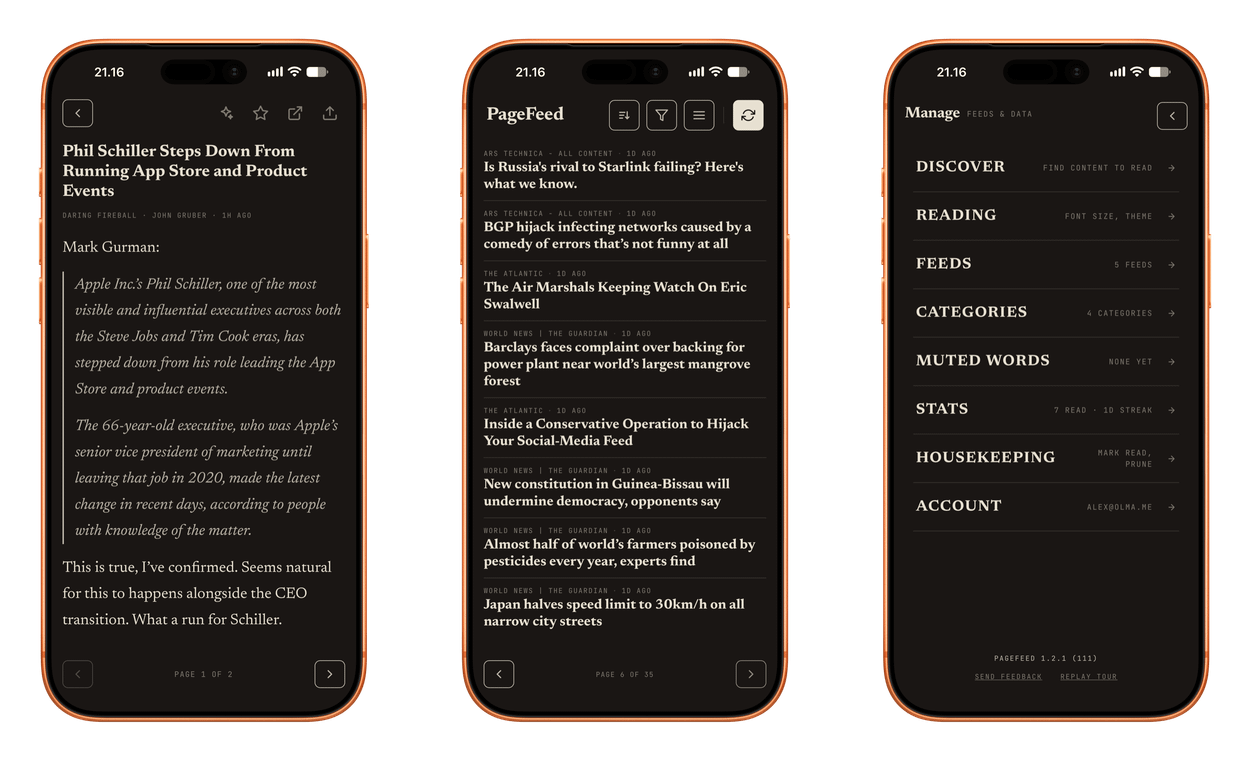
Three screens from the PageFeed mobile application showing an article view, a news feed, and the manage settings menu.

No endless scroll. No algorithm deciding what you see. Just the writers you choose — turned page by page, the way a newspaper used to feel.

PageFeed

Nichts für berufliche RSS-Leser:innen, aber ein erfrischender Take für die Kategorie der Feed-Reader.

Ihr wollt hier explizit nur wenige Quellen eintragen, von denen ihr dann aber keinen Eintrag übersehen möchtet – „Calm Feeds“, etwa für einen entspannten Sonntagvormittag.

Statt TikTok-Scrolling tippt ihr fürs Umblättern hier wie am Kindle. In die meinungsstarke Aufmachung lässt sich kaum reinquatschen: Lediglich zwischen unterschiedlichen Schriftgrößen sowie einem E-Ink-Mode wählt ihr aus. Das nenne ich Mut zur Entscheidung!

Der Sync verläuft nicht nur zwischen euren iPhones und iPads, sondern reicht bis ins Web – bereits die kostenlose Version ist viel zu großzügig. Mit nur wenigen Euro schaltet ihr alle anderen Nettigkeiten frei.

PageFeed fühlt sich wie eine typische Später-Lesen-Anwendung an, bleibt aber ein Feed-Reader – eine liebevolle Verpackung von RSS-Abos.

  •  
❌