❌

Lese-Ansicht

Webex Gets iPhone Duo Support

Popular video meeting app Webex was today updated with support for Apple's iPhone Duo. Webex works open or closed, in portrait or landscape mode, and even in a laptop or tent position.


When open, the ‌iPhone Duo‌ shows more meeting participants, keeps shared content visible, and gives access to a whiteboard. Multitasking support allows Webex to be used alongside another app with Split View.

Webex Mobile Camera Share lets users stream the iPhone's camera in a meeting when the ‌iPhone Duo‌ is open in a laptop position, so participants can view the live camera feed and annotate it.

Along with ‌iPhone Duo‌ support, Cisco has added the Webex Notetaker Agent to the iPhone app. It can transcribe and summarize in-person conversations and create action items.

Webex can be downloaded from the App Store for free. [Direct Link]
Related Roundup: iPhone Duo
Tag: Cisco
Buyer's Guide: iPhone Duo (Buy Now)
Related Forum: iPhone

This article, "Webex Gets iPhone Duo Support" first appeared on MacRumors.com

Discuss this article in our forums
  •  

Meta's Muse AI Agent Comes to Apple Watch

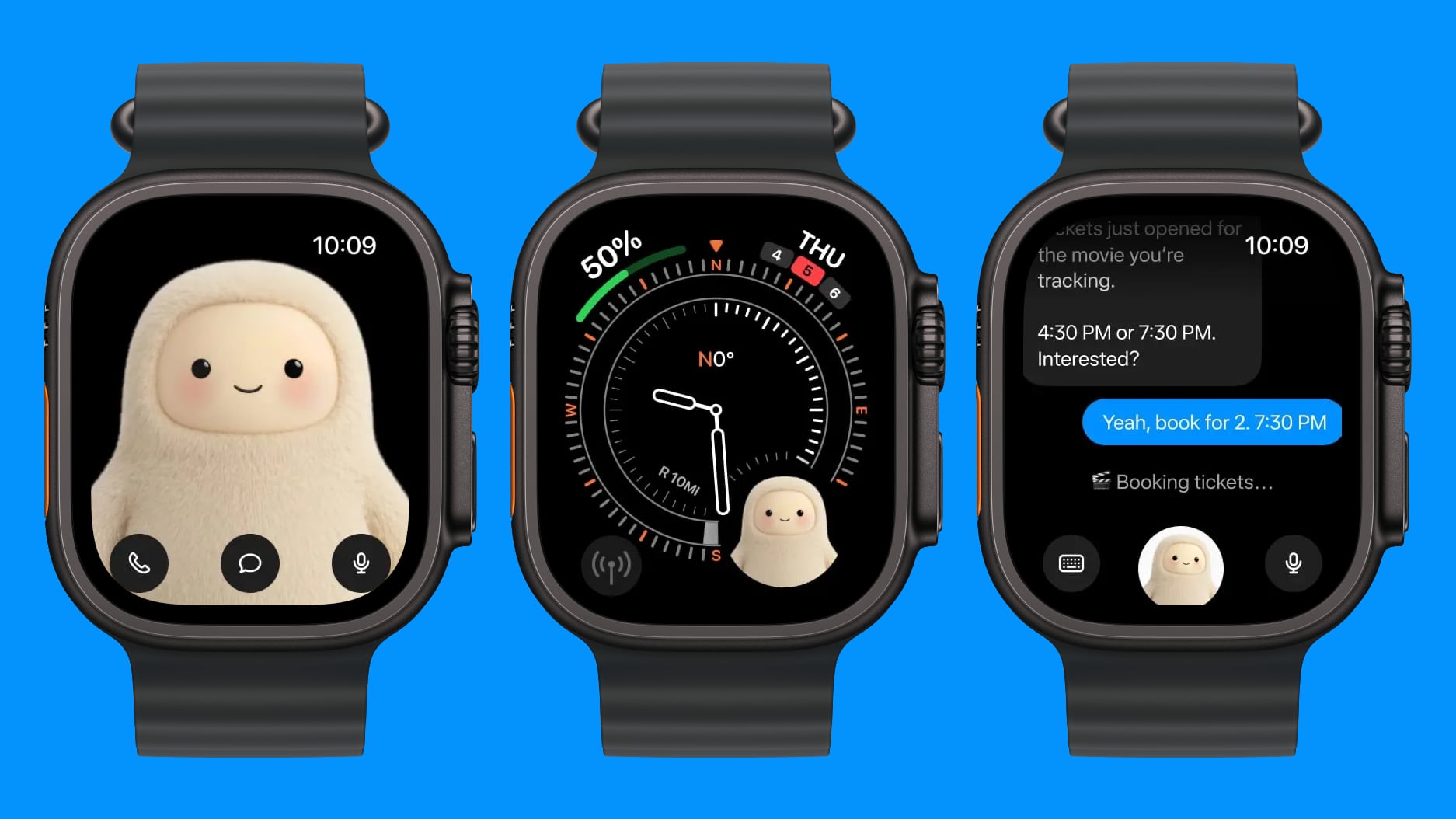
Meta today updated the Muse app for iOS to add Apple Watch support, which means Muse users can access the proactive AI agent from the watch.


The app adds the Muse character to the watch with an option to text it, dictate text to it, or call it. There's also a Muse complication for quick access.

Muse is Meta's personal AI agent that can complete tasks for users. It is available as a standalone app and is also built into Instagram, Facebook, and other Meta apps. The yeti-like character Meta designed to represent Muse has become popular, and it is front and center on the Apple Watch.

The watch app design is similar to the Muse Charm Meta announced as a companion device in September.
Related Roundup: Apple Watch 12
Tag: Meta
Buyer's Guide: Apple Watch (Buy Now)
Related Forum: Apple Watch

This article, "Meta's Muse AI Agent Comes to Apple Watch" first appeared on MacRumors.com

Discuss this article in our forums
  •  

Anker Launches Eufy Security Cam With Auto-Tracking Light

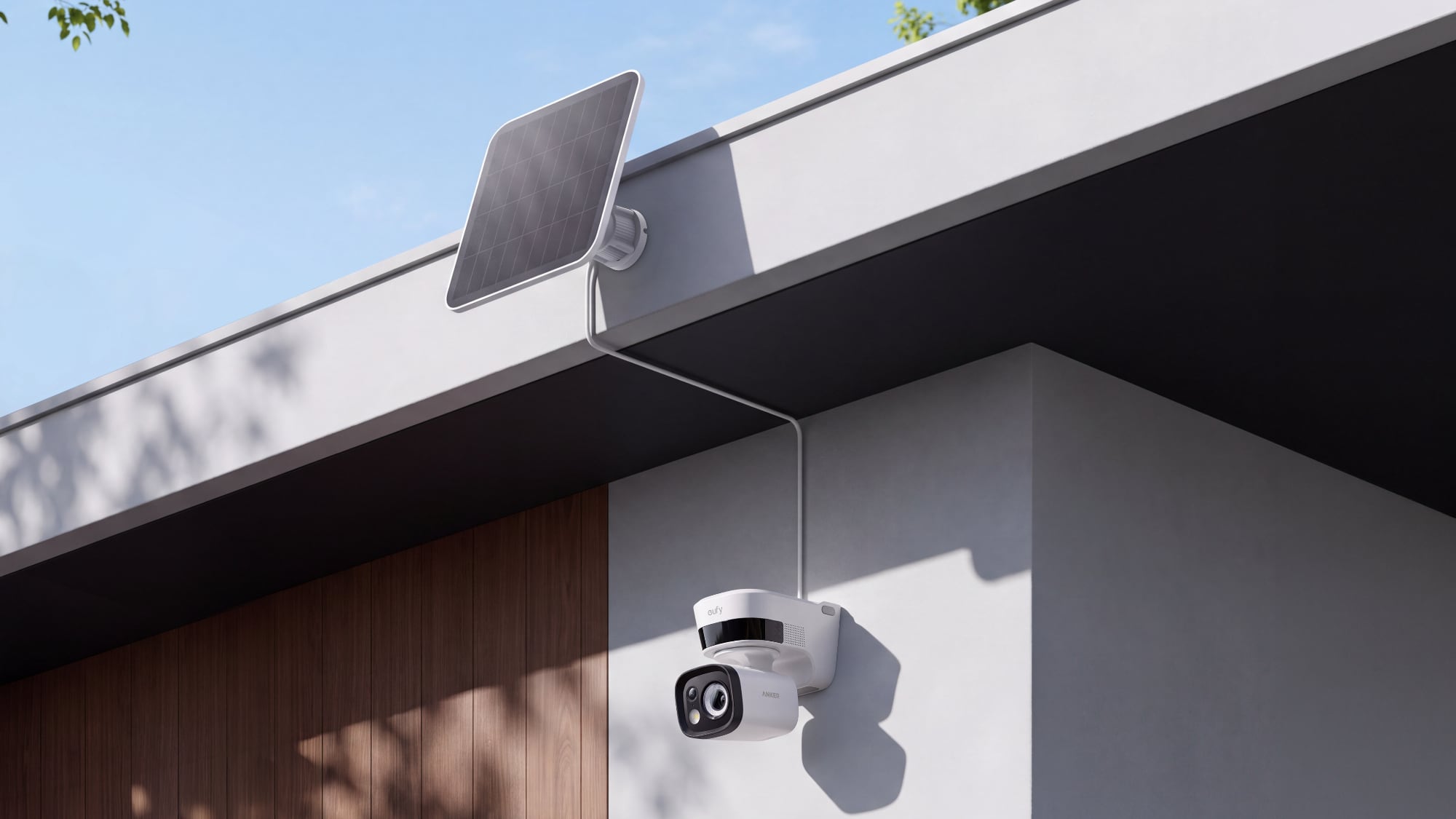
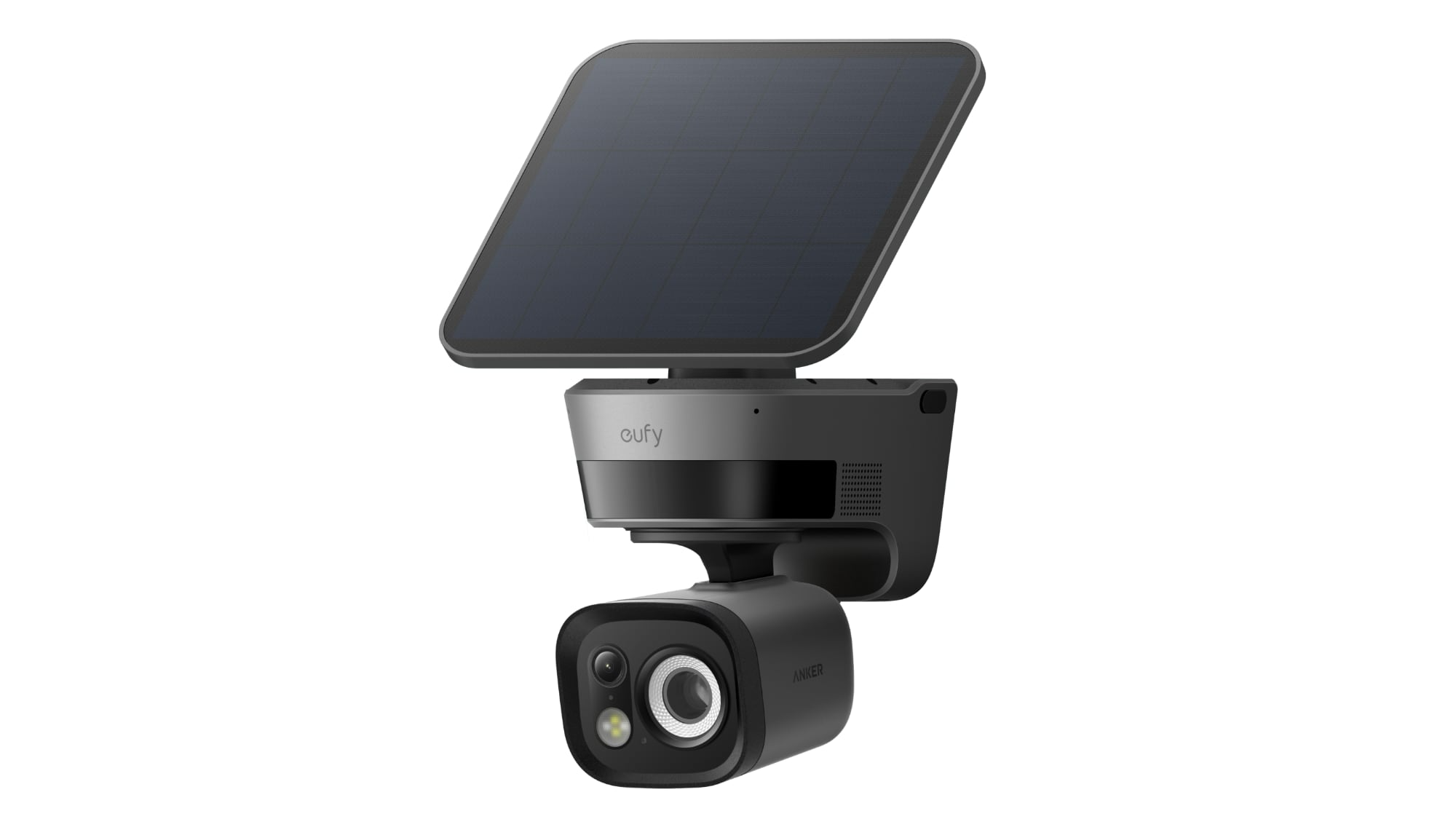
Anker today launched the Eufy TrackLight Cam S1, which it says is the world's first outdoor security camera with an auto-tracking light for actively deterring intruders. The TrackLight Cam S1 is compatible with Apple Home when using the Anker HomeBase, so it can be used alongside other smart home devices in a HomeKit setup.


When a suspicious person is detected, the camera locks on and follows them with a light from up to 12 meters (40 feet) away. The light adjusts with distance, narrowing when someone is far away and broadening as they approach. The camera has 355 degrees of horizontal rotation and can track movement up to 87 degrees per second.

An optional tracking deterrence mode activates the light and a 105-decibel siren at the same time, plus there is a red and blue flashing light mode as an additional deterrent.

The camera records in 4K with 10x digital zoom and night vision to show strangers in the dark. There is a 120-degree floodlight that works alongside the TrackLight, and dual radars offer 180-degree detection up to 40 feet. A Family List in the app allows the homeowner to set known people, so they get a soft, welcoming light as they approach. The feature detects a known phone's Bluetooth.


There's a 15,000mAh battery and a 5.5-watt solar panel for continuous operation, and IP65 dust and water resistance offers protection from the elements. There is no built-in storage, and users will need to add a microSD card or connect to the HomeBase. No subscription is required.

Anker also recently launched its Window Camera E10, a 2.5K resolution camera with anti-reflection and 25 degrees of tilt. It's designed to be put in a window, covering a yard, driveway, or entry without needing to be outdoors.

The TrackLight Cam S1 can be purchased from Anker or from Amazon.com for $300. The Window Camera E10 is $80 from Anker or from Amazon.com. A bundle with the HomeBase is priced at $500.

Note: MacRumors is an affiliate partner with Anker. When you click a link and make a purchase, we may receive a small payment, which helps us keep the site running.
Tag: Anker

This article, "Anker Launches Eufy Security Cam With Auto-Tracking Light" first appeared on MacRumors.com

Discuss this article in our forums
  •  

macOS 27.2.1 Fixes eMudhra Certificate Flaw in Command-Line Tools

The macOS Golden Gate 27.2.1 update Apple released today addresses the eMudhra certificate vulnerability, and Apple recommends users update to the latest software.


For Macs that run macOS 26 or macOS 15, Apple has released macOS 26.7.3 and macOS 15.8.3.

Apple previously blocked the compromised certificates in Safari, Mail, and apps that use Apple frameworks in October to protect most users, but command-line tools like curl and git were still able to accept them. With macOS 27.2.1, command-line tools will no longer accept the certificates.

Prior to releasing the macOS 27.2.1 update, Apple offered instructions for those who wanted to protect themselves from the compromised eMudhra certificates when using command-line tools, directing users to manually remove the affected root certificates from their Mac's "/etc/ssl/cert.pem" file.

Apple still has those instructions available for users who are unable to update their Macs.

The compromised security certificates were issued by certificate authority eMudhra. An investigation launched by Mozilla found the certificates used private key values below 256, making them trivial to recover. Attackers could use the keys to create fraudulent certificates that appeared valid for any website.

Apple also fixed the issue in the macOS Golden Gate 27.3 beta, but with the fix also included in macOS 27.2.1, users won't need to wait until December for protection.
Related Roundup: macOS Golden Gate
Related Forum: macOS Golden Gate

This article, "macOS 27.2.1 Fixes eMudhra Certificate Flaw in Command-Line Tools" first appeared on MacRumors.com

Discuss this article in our forums
  •  

„How to Use an External Monitor with the iPad mini (A20 Pro)“

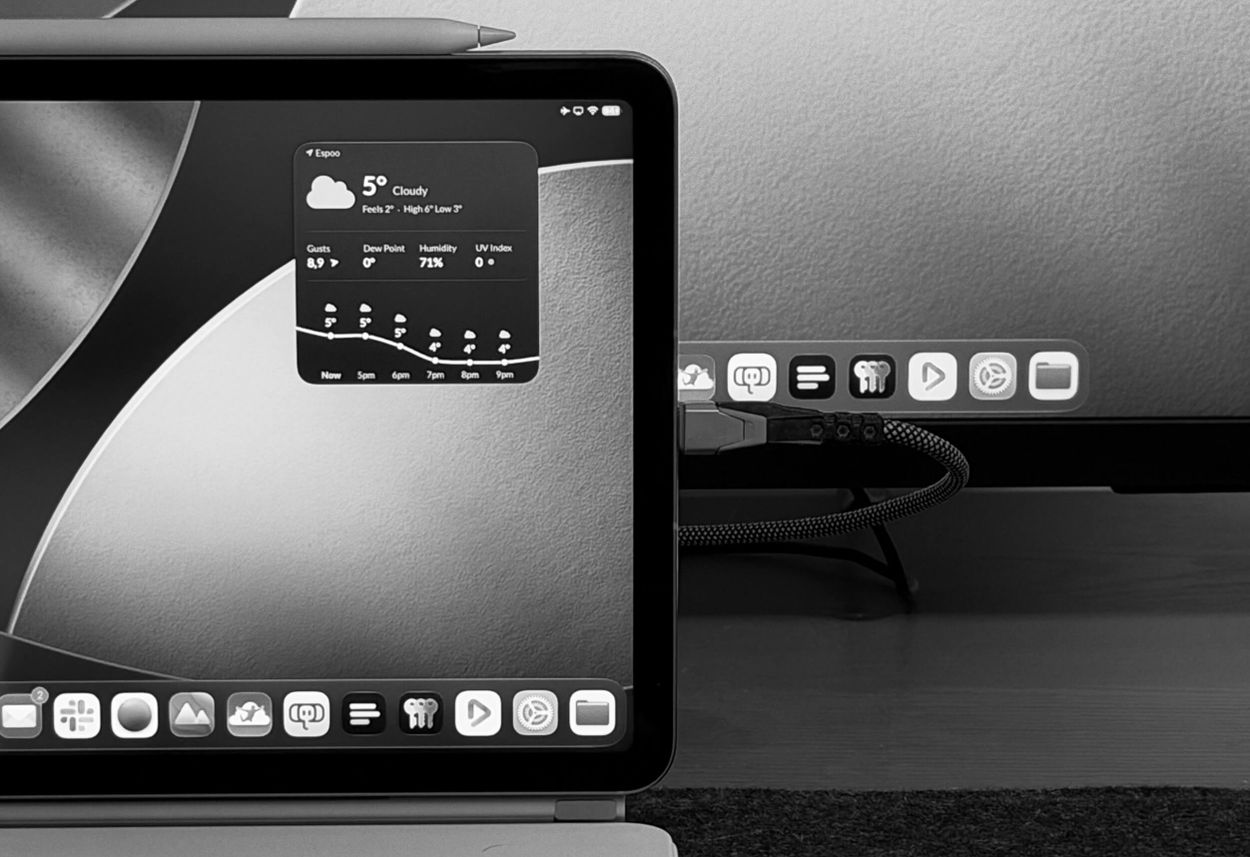
A close-up of an iPad screen showing a weather widget displaying 5 degrees and cloudy in Espoo, with detailed weather information below. An iPad pencil rests on top.

The new iPad mini (A20 Pro) is a big upgrade over its predecessor. While the OLED display is the headline feature, the more important improvement to me is the addition of extended display support. This is the first time the feature has come to an iPad without an M-series chip, and it increases the versatility of Apple’s pocket-sized tablet.

Using an iPad with a display isn’t something most people know about, so here’s a guide to using the new iPad mini with an external display.

Riley Hill

Was dem iPhone Duo fehlt, liefert das iPad mini: eine Unter­stüt­zung für ein externes Dis­play mit einer Auf­lösung von bis zu 4K bei 60 Hz. Es handelt sich um den erweiterten Desktop mit eigenständigen App-Fenstern auf dem externen Monitor, nicht nur ein schäbiges Mirroring. Das ist nicht nur ein sprichwörtliches Ass im (Jacken-)Ärmel, sondern eine signifikante Erweiterung des Einsatzzwecks von Apples kleinstem Tablet.

Zugegeben: Dann fehlen immer noch Tastatur und Trackpad. Es existieren zwar „All-in-one“-Cases, die limitierte Gehäusegröße ist aber eine zu große Einschränkung für eine sinnvolle Laptop-ähnliche Nutzung.

„Kleinzigartig“ ist gleichzeitig aber auch ein ausschlaggebender Vorteil: iPadOS avanciert mit Keyboard, Maus und Bildschirm zu einer vollwertigen Arbeitsumgebung – inklusive komfortablem Fernzugriff auf macOS.

Apples Telefone darf man abseits der schlichten Bildschirmspiegelung nicht von Monitor zu Monitor schleppen; iPad-Software liegt genau dafür seit Jahren angepasst vor.

Bemerkenswert ist allerdings nicht, dass das kleine Tablet zum großen Desktop wird, sondern dass sich mit minimalem Gepäck (255 Gramm!) an verschiedensten Orten eine vollständige Desktop-Arbeitsumgebung aufziehen lässt – vorausgesetzt ihr haltet Monitor, Tastatur und Maus vor.

  •  

Anthropic Launches Claude Fable 5.2 and Mythos 5.2

Anthropic today introduced its latest models, Claude Fable 5.2 and Claude Mythos 5.2, which have improvements in coding, reasoning, and vision.


Anthropic says Fable 5.2 and Mythos 5.2 communicate more clearly than the 5.1 versions, with outputs generated up to 30 percent faster. Fable 5.2 uses fewer tokens than Fable 5.1 on challenging tasks when set to medium effort.

The company suggests using Fable and Mythos for "the most ambitious, open-ended technical work." Anthropic recommends starting with Opus 5.5 for most coding and knowledge tasks, then switching to a model like Fable or Mythos that can handle more complex requests, or stepping down to a more affordable model like Sonnet or Haiku 5.5.

Benchmarks suggest Fable and Mythos 5.2 outperform Opus 5.5 for computer use, knowledge work, cybersecurity, agentic scientific research, agentic coding, multidisciplinary reasoning, and more.

Both use the same underlying model, but the public-facing Fable 5.2 model has cybersecurity and biology safeguards to prevent misuse. Compared to Fable 5.1, Fable 5.2 has approximately 55 percent fewer blocks. Mythos does not have the same limitations as Fable, and it is available through Anthropic's Life Sciences and Cyber Verification Programs as well as through Claude Security on Enterprise plans.

Fable 5.2 is available today on all platforms. Subscribers on eligible paid plans have extra Fable usage this week, with one to three Fable resets based on subscription length. Fable is included for up to 50 percent of weekly usage limits for Pro plans and standard seats on the Team plan. A fast mode that speeds up token generation by up to 2.5 times is available on Claude Code, the Claude Platform, Claude Models on Google Cloud, and Microsoft Foundry.
This article, "Anthropic Launches Claude Fable 5.2 and Mythos 5.2" first appeared on MacRumors.com

Discuss this article in our forums
  •  

Apple Releases iOS 27.2.1 With Bug Fixes

Apple today released iOS 27.2.1, a minor update to the iOS 27 operating system. iOS 27.2.1 comes two weeks after the launch of iOS 27.2.


iOS 27.2.1 includes addresses bugs and patches security vulnerabilities according to Apple's release notes for the update.

You can download iOS 27.2.1 over the air by going to Settings > General > Software Update.

Apple has also released iOS 26.7.3 and iOS 18.7.12 updates for devices not running ‌iOS 27‌.
Related Roundups: iOS 27, iPadOS 27
Related Forum: iOS 27

This article, "Apple Releases iOS 27.2.1 With Bug Fixes" first appeared on MacRumors.com

Discuss this article in our forums
  •  

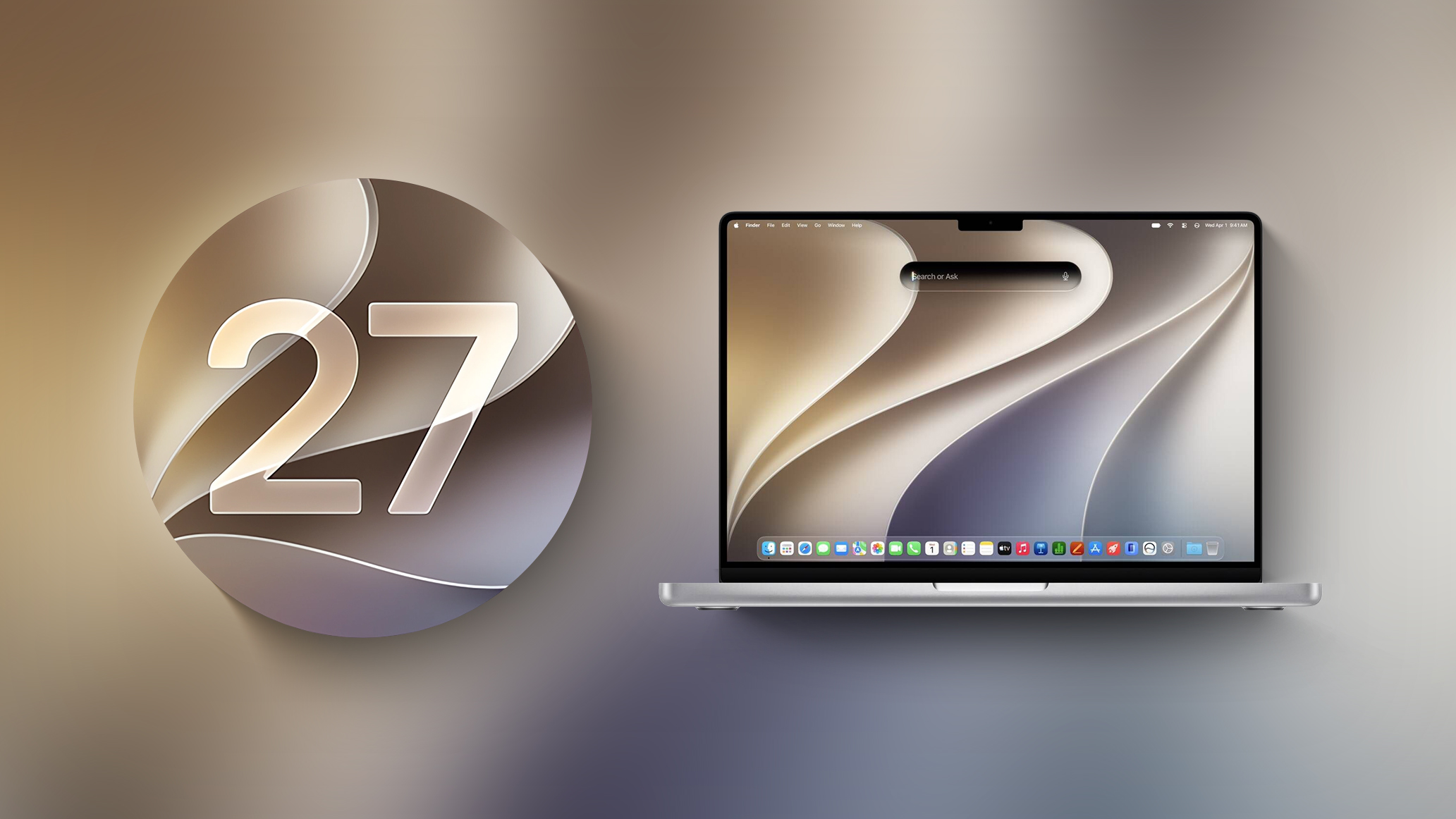
Apple Releases macOS Golden Gate 27.2.1

Apple today released macOS Golden Gate 27.2.1, a minor update for the ‌macOS Golden Gate‌ operating system.


‌macOS Golden Gate‌ includes bug fixes and security updates, according to Apple's release notes. The update likely includes a fix to prevent command-line tools from accepting eMudhra's compromised web certificates.

Apple already blocked the compromised certificates on October 19, so most users are already protected.

You can download ‌macOS Golden Gate‌ 27.2.1 over the air through the Software Update section of the System Settings app.
Related Roundup: macOS Golden Gate
Related Forum: macOS Golden Gate

This article, "Apple Releases macOS Golden Gate 27.2.1" first appeared on MacRumors.com

Discuss this article in our forums
  •  

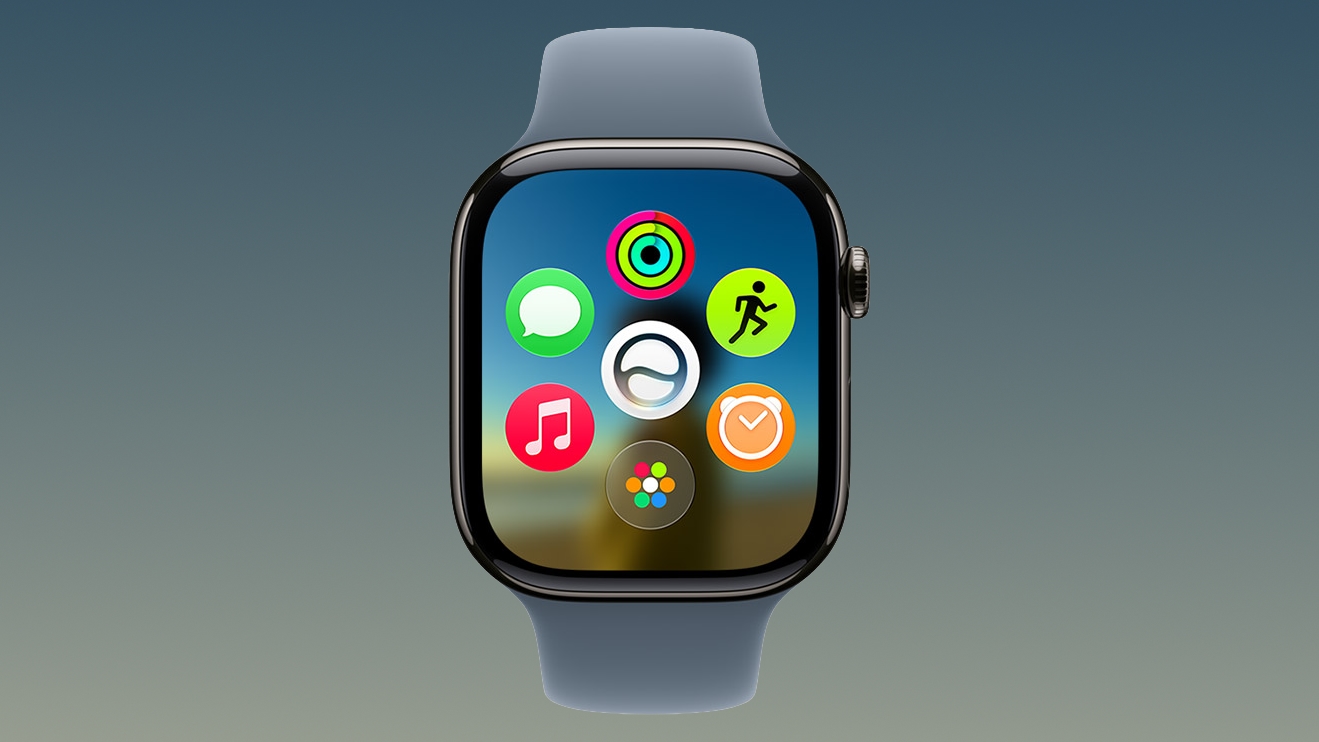
Apple Releases watchOS 27.2.1 and visionOS 27.2.1 With Security Fixes

Apple today released new watchOS 27.2.1 and visionOS 27.2.1 updates, with the software coming two weeks after the launch of watchOS 27.2 and visionOS 27.2.


According to Apple's release notes, the watchOS update includes security fixes, while the visionOS 27.2.1 update includes security updates and bug fixes.

The new software can be installed using the Settings app on each device.
Buyer's Guide: Vision Pro (Neutral)
Related Forums: Apple Vision Pro, Apple Watch

This article, "Apple Releases watchOS 27.2.1 and visionOS 27.2.1 With Security Fixes" first appeared on MacRumors.com

Discuss this article in our forums
  •  

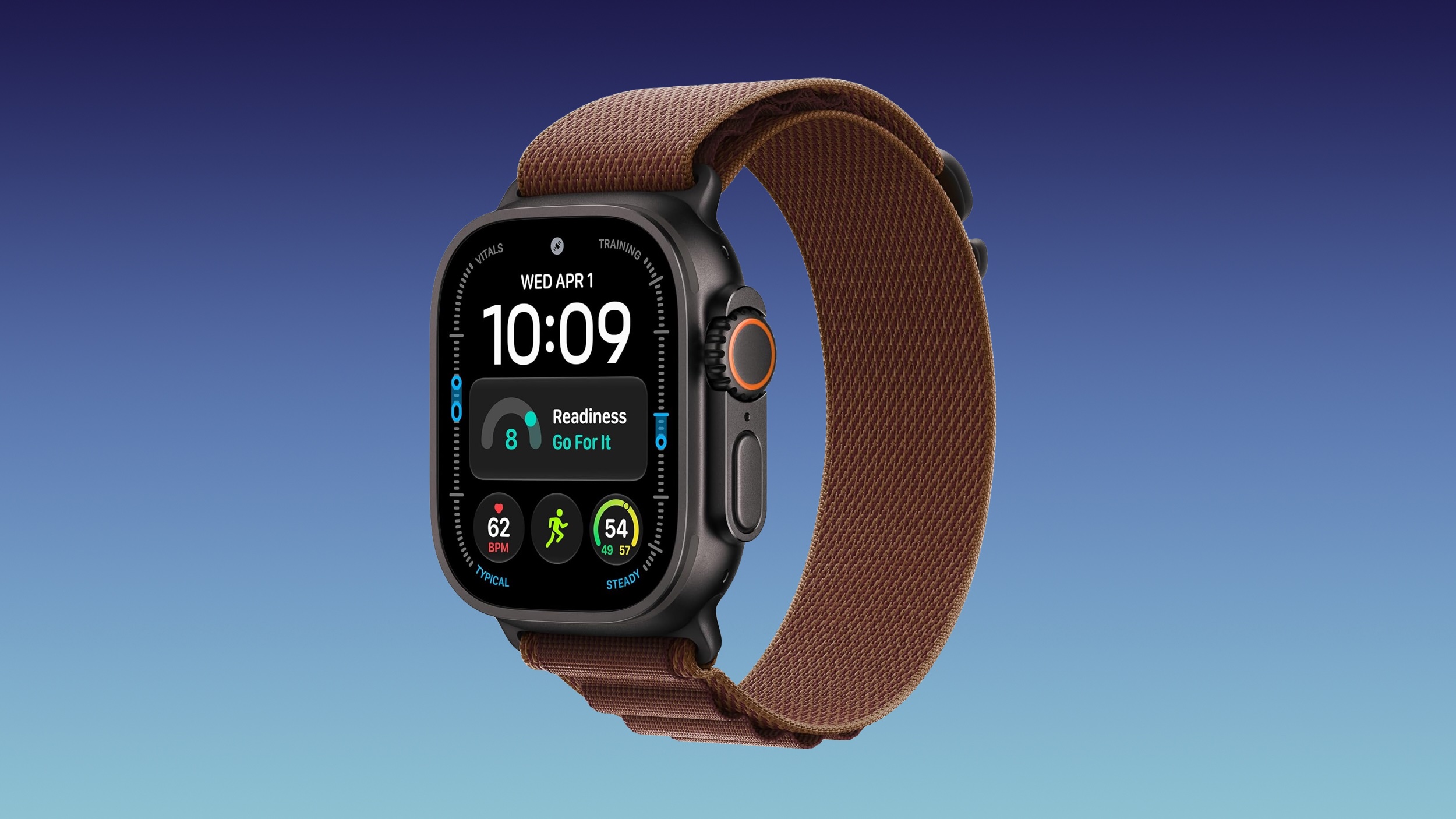
Apple Watch Ultra 4 Gets $99 Amazon Discounts, Starting at $699.99

The Apple Watch Ultra 4 has dropped to $699.99 on Amazon, down from $799.00. This is a match of the all-time low price on the new Ultra 4, which launched in September.

Note: MacRumors is an affiliate partner with some of these vendors. When you click a link and make a purchase, we may receive a small payment, which helps us keep the site running.

There are six Ultra 4 models that are on sale at this price, including the Black model with Burgundy Alpine Loop (Large), the Black model with Burgundy Trail Loop (M/L), and the Natural model with Desert Alpine Loop (Medium). These are the lowest prices we've ever tracked on the brand new Apple Watch Ultra 4.


If you're shopping for a Milanese Loop model, Amazon also has a $99 discount on a few of these devices. You can get the Black Apple Watch Ultra 4 with Black Milanese Loop (Large) for $799.99, down from $899.00. Most of these watches have an estimated delivery date of mid November, and some are offering same-day shipping for Prime members as well.


If you're on the hunt for more discounts, be sure to visit our Apple Deals roundup where we recap the best Apple-related bargains of the past week.


Deals Newsletter


Interested in hearing more about the best deals you can find during the holidays? You can sign up for our Deals Newsletter and we'll keep you updated so you don't miss the biggest deals of the season!


Related Roundup: Apple Deals

This article, "Apple Watch Ultra 4 Gets $99 Amazon Discounts, Starting at $699.99" first appeared on MacRumors.com

Discuss this article in our forums
  •  

Apple Continues to Say Some AI Features Will Have Fees for Extra Usage

Apple continues to advise customers that certain Apple Intelligence features that rely on its server-side Private Cloud Compute system have daily usage limits, with expanded access to such features to be "available for a fee in the future."


Apple has repeatedly mentioned these upcoming fees in press releases over the past several months, but it has yet to provide any specific details about timing or pricing. The company did confirm that expanded access to the features will eventually be included with select iCloud+ plans, rather than something available for a standalone fee.

Extra server-side usage for a fee will be available for Siri AI, Image Playground, the Extend and Reframe options in the Photos app, shortcuts created with natural language in the Shortcuts app, and more. Apple says daily limits may vary by feature, request complexity, system demand, system policies, and other unspecified factors.

Here are the current iCloud+ plans and prices in the U.S.:

  • 50GB: $0.99/month

  • 200GB: $2.99/month

  • 2TB: $9.99/month

  • 6TB: $29.99/month

  • 12TB: $59.99/month

It is unclear if these prices will increase once the expanded AI access is included.

Apple having said that extra usage will be included with "most" iCloud+ plans seemingly rules out the 50GB plan for $0.99 per month receiving this benefit at a minimum.

Logic Pro


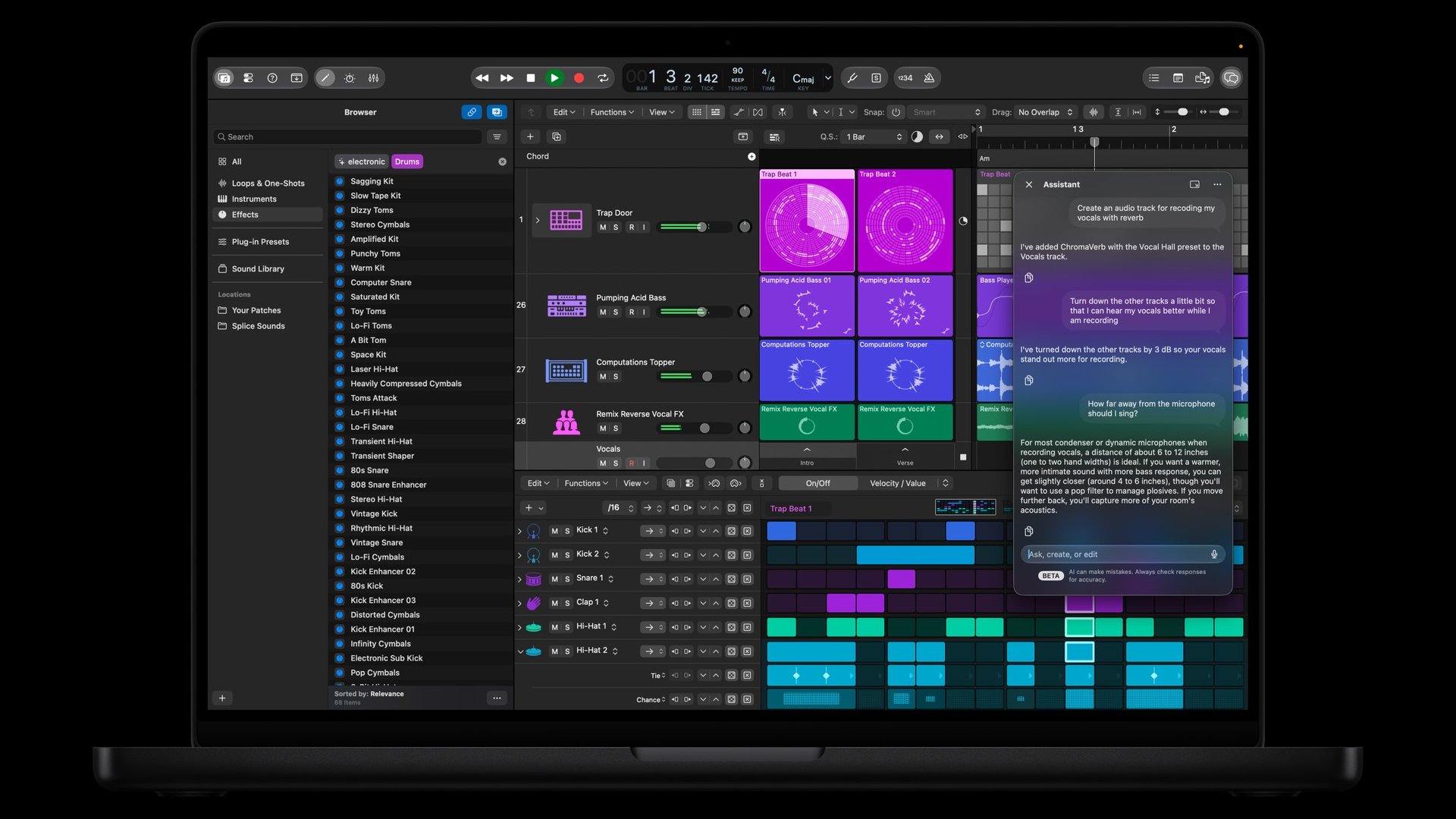
Apple last week updated Logic Pro for Mac with a new intelligent assistant feature that can help creators "navigate production workflows, start a new song, set up a vocal track from a single prompt, or refine an active project."


The intelligent assistant has a monthly usage limit, with expanded usage packs available to users with an active Apple Creator Studio subscription in the United States, Canada, Brazil, France, Germany, India, Mexico, and the United Kingdom. In the U.S., the usage pack is currently priced at $49.99 and valid for one year.

To purchase additional usage, choose Logic Pro from the macOS menu bar, choose Intelligence Features, choose Show Usage, then choose Buy More Usage.

In a support document, Apple says some intelligence features in Apple Creator Studio apps are powered by "third-party providers." For the Logic Pro assistant, it says the feature is "powered by Google Gemini," so it appears it is not considered to be part of Apple Intelligence and thereby extra usage will not be included in iCloud+ plans.
This article, "Apple Continues to Say Some AI Features Will Have Fees for Extra Usage" first appeared on MacRumors.com

Discuss this article in our forums
  •  

Kalenderwoche 45: Sauna, Zelda und ein KI-Betrugsbaron

A podcast cover collage with a worn clear CD case; images include a foggy city skyline over water, a film poster for John Wilson showing a concrete block wrapped in a red ribbon, a green-tinted fake driver's license photo, a mountain landscape digital art, and two people sitting on benches wrapped in towels in a sauna. The square cover is centered on a warm-white background with a soft shadow.

Zeug aus KW45, das ich gelesen, geschaut, gehört und insgesamt genossen habe …

iPhoneBlog #one kann man abonnieren. Alle Abonnent:innen bekommen jede Woche ein neues „Gewusst-wie”-Video, einen wöchentlichen Mini-Podcast, den Zugriff auf alle bereits veröffentlichten Episoden sowie die Einladung zu einer ganz besonderen Community im privaten Slack-Kanal.

iPhoneBlog #one ist ausschließlich von Lesern und Leserinnen finanziert und unterstützt direkt das iPhoneBlog.

Weiterlesen

  •  

„Computer Use“ baut Kurzbefehle

Mit „Computer Use“ bedient ChatGPT die grafische Benutzeroberfläche von macOS. Das ist token-kostspielig, zeitintensiv und es löst Probleme, die quasi unmöglich zu umschreiben sind.

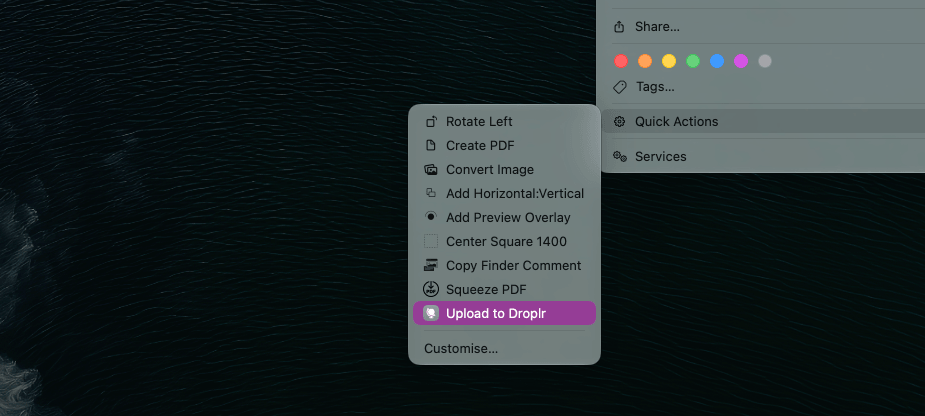
A right-click context menu shows a list of quick actions for a file, with "Upload to Droplr" highlighted in purple.

In dieser Woche hat mir die AI damit einen persönlichen „Upload to Droplr“-Shortcut zusammengeklickt – komplett eigenständig.

Hunderte von Kurzbefehle-Aktionen laden so eine ausgewählte Datei hoch und legen eine Kurz-URL in die Zwischenablage. Es war die einzige Funktion, die ich von Droplr nutze, und ich war nicht bereit, dafür ihre massive (Menüleisten-)App dauerhaft zu ertragen.

Auf macOS ist der Finder-Schnellbefehl ein Bash-Skript mit curl; auf iOS übernehmen native Kurzbefehle-Aktionen den Upload. Meine Droplr-Zugangsdaten liegen im Shortcut-eigenen „Store Content“, den die Kurzbefehle-App seit iOS 27 von den Shortcut-Befehlen trennt.

Durch seine Scripting- und Accessibility-Grundlagen hat sich macOS über Jahrzehnte ideale Voraussetzungen für „Computer Use“ erarbeitet, benötigt durch seine Pop-up-Nachfragen und Sicherheitsdialoge trotzdem dauerhaft einen Babysitter.

Nichtsdestotrotz: Auf dem Mac überprüfte die AI mit Tests und Bildschirmfotos selbstständig ihre Arbeit; ob’s dagegen auf iOS funktioniert, konnte sie lediglich mich fragen. 

Software ist und bleibt komplex; für viele zu kompliziert. Ich lasse GPT-6.1 Terra mittlerweile regelmäßig ans Steuer – selbst für Banalitäten.

„Computer Use“ hat nicht nur eine Zukunft, sondern ist schon heute gut genug – auch wenn’s noch verhältnismäßig teuer und langsam ist sowie unzählige Fragen über die Sicherheitsarchitektur aufwirft. Und natürlich gilt: Die KI von heute ist die schlechteste, die wir je erleben werden.

Aber wo stehen iOS und iPadOS in dieser Zukunft, in der ChatGPT sich selbst durch den Mac klickt?

  •  

Bristol – digitale Zeichnungen mit analogem Touch

Bristol reproduces the way people draw on paper. It does not “imitate paper”, and it does not win on features. Each tool is a layer, and Bristol offers little help when it comes to sketching. One undo, no redo. No hiding of layers, no cut and paste. No selection, no fill, no fancy drawing tools. You sketch, you erase. Bring your pencil, ink, and markers, and that’s pretty much it. Ok, it has highlights. And a draft paper. And a reference image. But that’s pretty much it.

kornclub.io

Bristol ist das persönliche Projekt von Ulysses-Mitbegründer Marcus Fehn, charmant meinungsstark und viel zu preiswert.

Im Fokus steht, was nicht geht: Anstelle bei der Werkzeugauswahl zu prokrastinieren, setzt euch die iPad-App vor ein (warm-)weißes Blatt – zumindest weitgehend. Die Konturen aus einem Referenzfoto könnt ihr nachzeichnen; bei der Konstruktion von (Comic-)Panels oder der Findung von Fluchtpunkten lasst ihr euch unter die Arme greifen.

Ansonsten zeichnet und skizziert ihr aus freier Hand – sehr analog. Bristol ist Software, für die man sich ein iPad kauft.

  •  

„Golden is a retro, not boring player for Apple Music.“

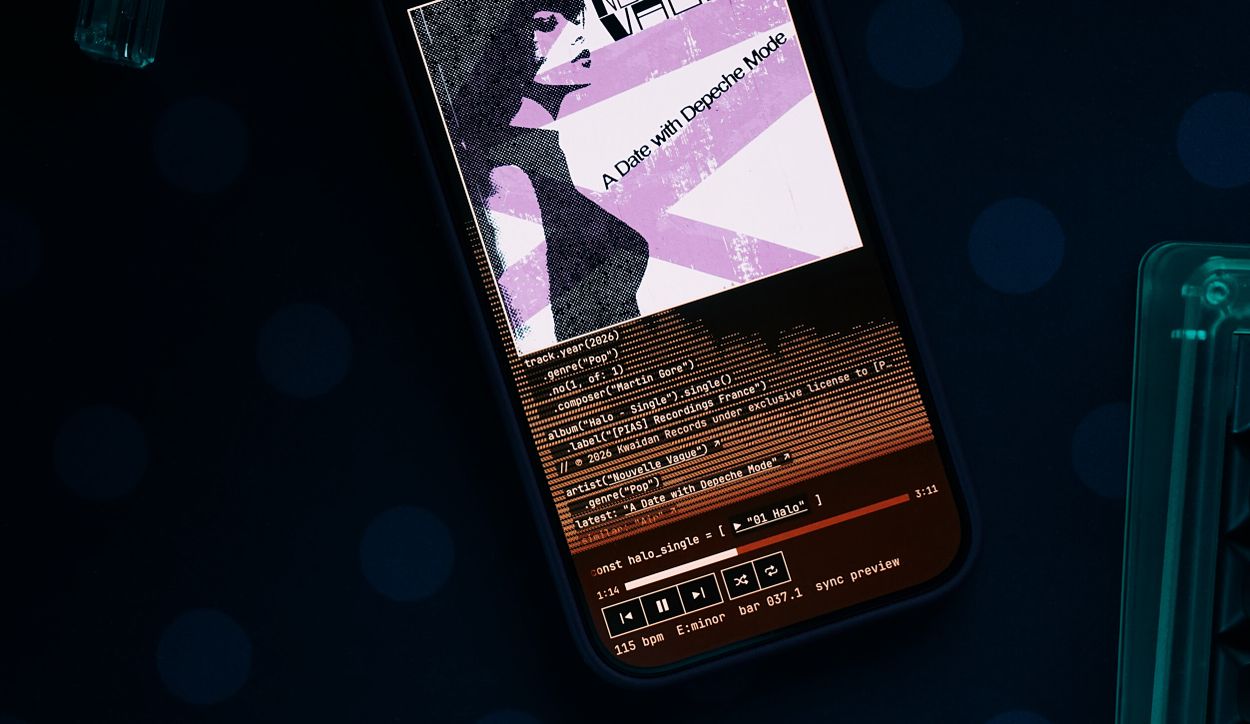
Pick an album or a playlist and Golden plays it with a set of retro visualizations: a spinning record, an orb, a spiral, clocks, and the song written out as code that lights up as it plays. It’s made for iPhone Duo, open or closed, and works on any iPhone.

Free, with no account, no ads and nothing collected.

itsgolden.app

In den Fußstapfen von toaster ist die optische Verwandtschaft zu RIFT – ebenfalls von Primary Vector – nicht zu übersehen.

Ich bleibe dabei: Apple Music bleibt unter der Handvoll an Streaminganbietern für mich so attraktiv, weil es Dritt-Apps erlaubt.

  •  

Affinity und unabhängige Alternativen

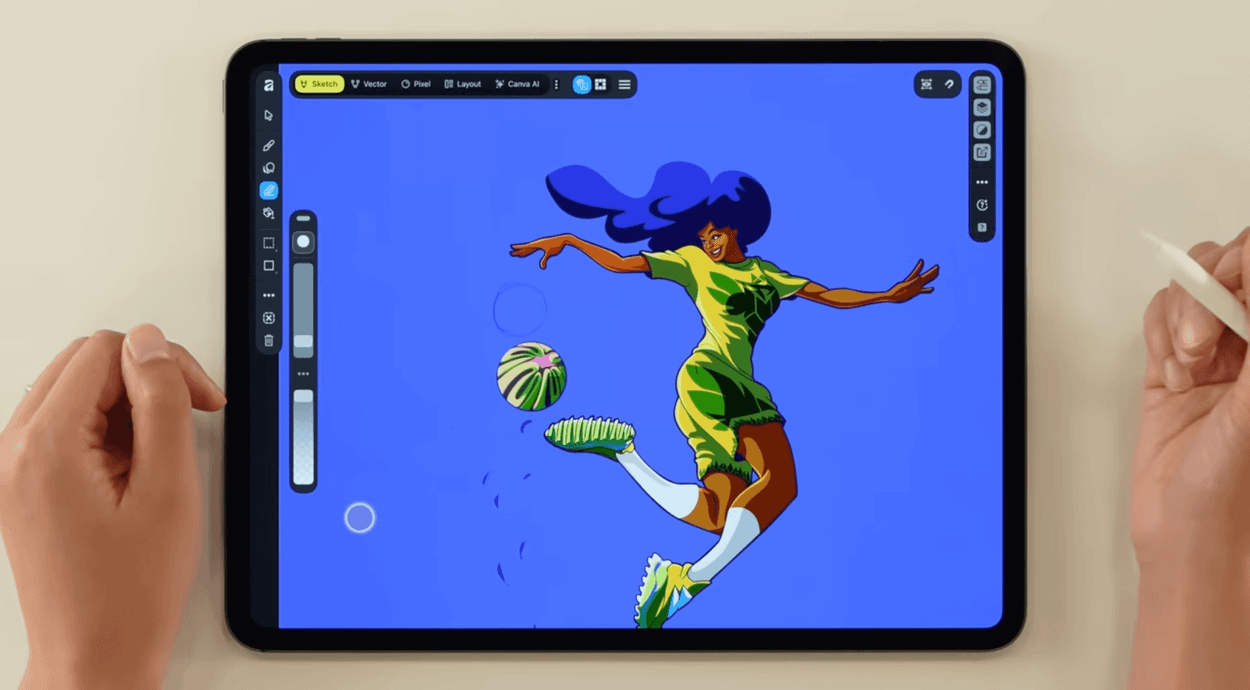
A digital drawing of a woman playing soccer is shown on a tablet screen with a blue background. The woman has long purple hair, wears a green and yellow sports outfit with white socks and green cleats, and is in mid-air kicking a soccer ball.

via @Affinity

Zweieinhalb Jahre ist die Übernahme jetzt her; die alten Versionen von Designer, Photo und Publisher stehen fürs iPad weiterhin im App Store – updatelos, aber gratis und immerhin noch herunterzuladen. Gut.

Version 3 „by Canva“ würfelt jetzt Design, Fotobearbeitung, Seitenlayout und Skizzieren zusammen – mit einem optionalen AI-Abo.

Wer seinen Pencil gerne unabhängiger auflegt, schaut zu Linearity Curve, Pixara, Concepts, Nitro, Procreate oder Amadine — nur um eine Handvoll Kandidaten zu nennen, deren Bedienung mit Apples Stift dem Mac, trotz Touch, weiter vorenthalten bleibt.

  •  

Kalenderwoche 44: von Zero-Click-Spyware und meiner Xbox-Jugend

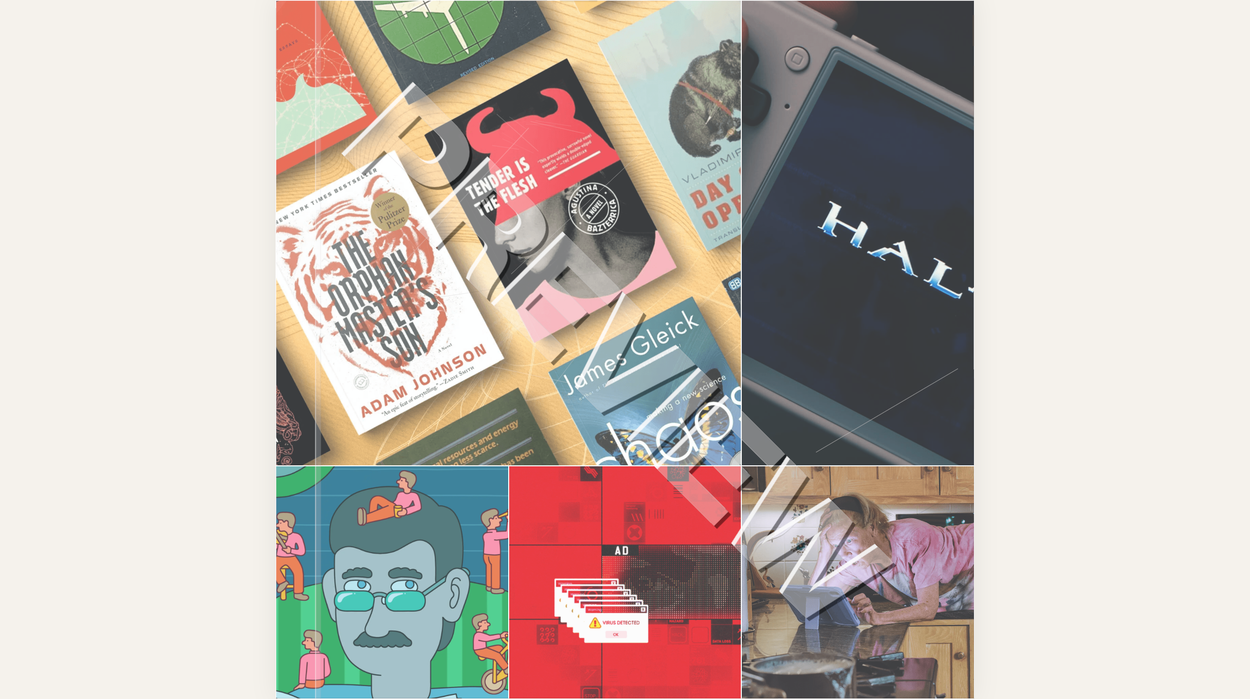
A collage showing seven images: several book covers on a wooden table; a close-up of a device screen displaying the word HALO; a cartoon man with multiple smaller versions of himself around his head; a red screen with multiple virus alert popups; and an elderly woman in a pink shirt looking at a tablet in a kitchen. The square cover is centered on a warm-white background with a soft shadow. Large embossed "PREVIEW" lettering runs diagonally across the cover, marking a teaser.

Zeug aus KW44, das ich gelesen, geschaut, gehört und insgesamt genossen habe …

iPhoneBlog #one kann man abonnieren. Alle Abonnent:innen bekommen jede Woche ein neues „Gewusst-wie”-Video, einen wöchentlichen Mini-Podcast, den Zugriff auf alle bereits veröffentlichten Episoden sowie die Einladung zu einer ganz besonderen Community im privaten Slack-Kanal.

iPhoneBlog #one ist ausschließlich von Lesern und Leserinnen finanziert und unterstützt direkt das iPhoneBlog.

Weiterlesen

  •  

Nintendo Music ohne Nintendo: BitBop findet Soundtracks in Retro-ROMs

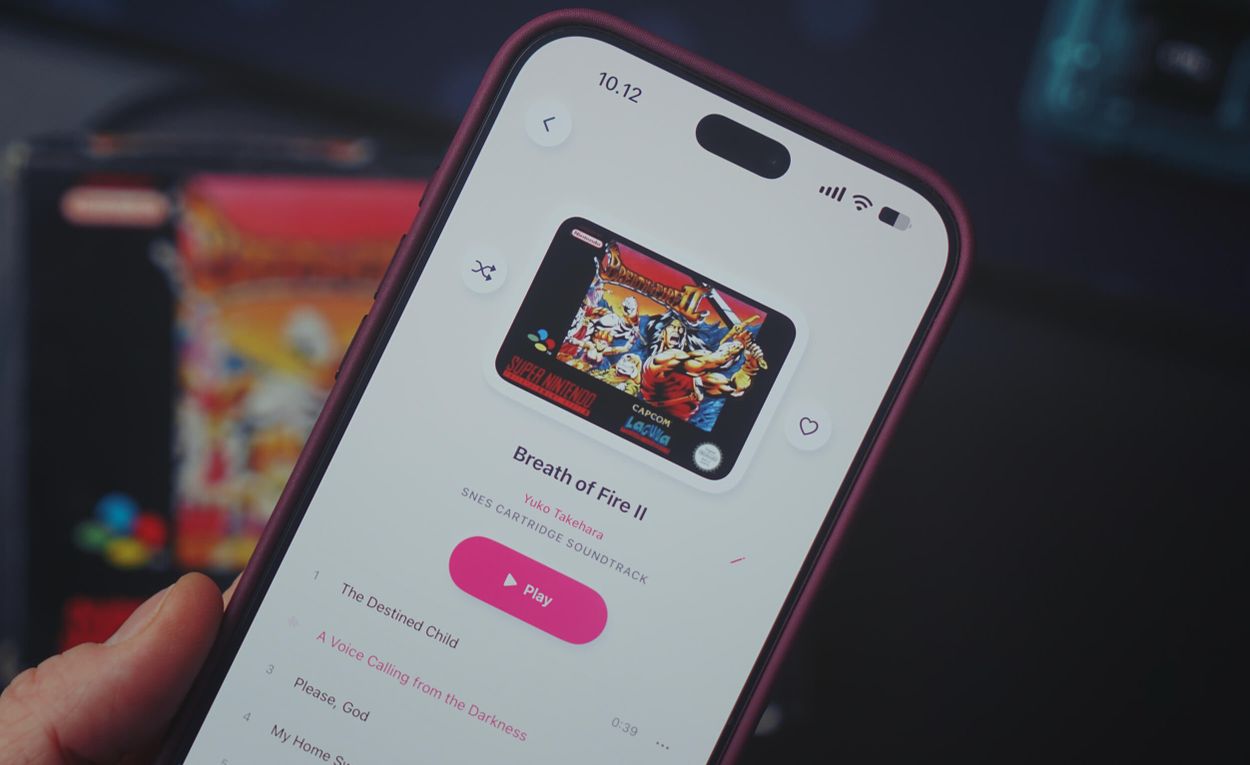
A close-up of a hand holding a smartphone with a music app open, displaying the soundtrack for the Super Nintendo game "Breath of Fire II". The screen shows the game cover art, track list, and a pink play button.

BitBop, aus den „Manic EMU“-Studios:

BitBop is a Retro Game Music Emulator that turns supported game files into playable soundtrack albums. Import your own legally obtained game files, explore their music, and build a listening library around the games you love.

r/EmulationOniOS

Musikstücke aus Nintendos NES-, SNES- oder Game-Boy-ROMs liegen gewöhnlich nicht als bekannte Audiodateien vor, die man dort schlicht rauszieht. Stattdessen enthalten die Spiele musikalische Anweisungen, Tonsynthese und Instrumentensamples, aus denen die Konsole den Soundtrack klöppelt. BitBop emuliert dies, ohne das eigentliche Spiel zu starten.

Die technische Herausforderung besteht darin, die Musikinstruktionen sowie den jeweiligen Soundtreiber aufzuspüren und zu interpretieren. Deshalb bin ich bereits über Spiele gestolpert, die BitBop noch nicht erkennt – etwa F-Zero oder Super Metroid. Updates sind aber versprochen.

Apropos Updates: Mit der neusten Version von Manic EMU soll eine direkte Verknüpfung zum jeweiligen Soundtrack in BitBop möglich sein.

  •  
❌