
❌

Lese-Ansicht

HomeView Tidbits: Mirror, Sleep Timer, and Other Details

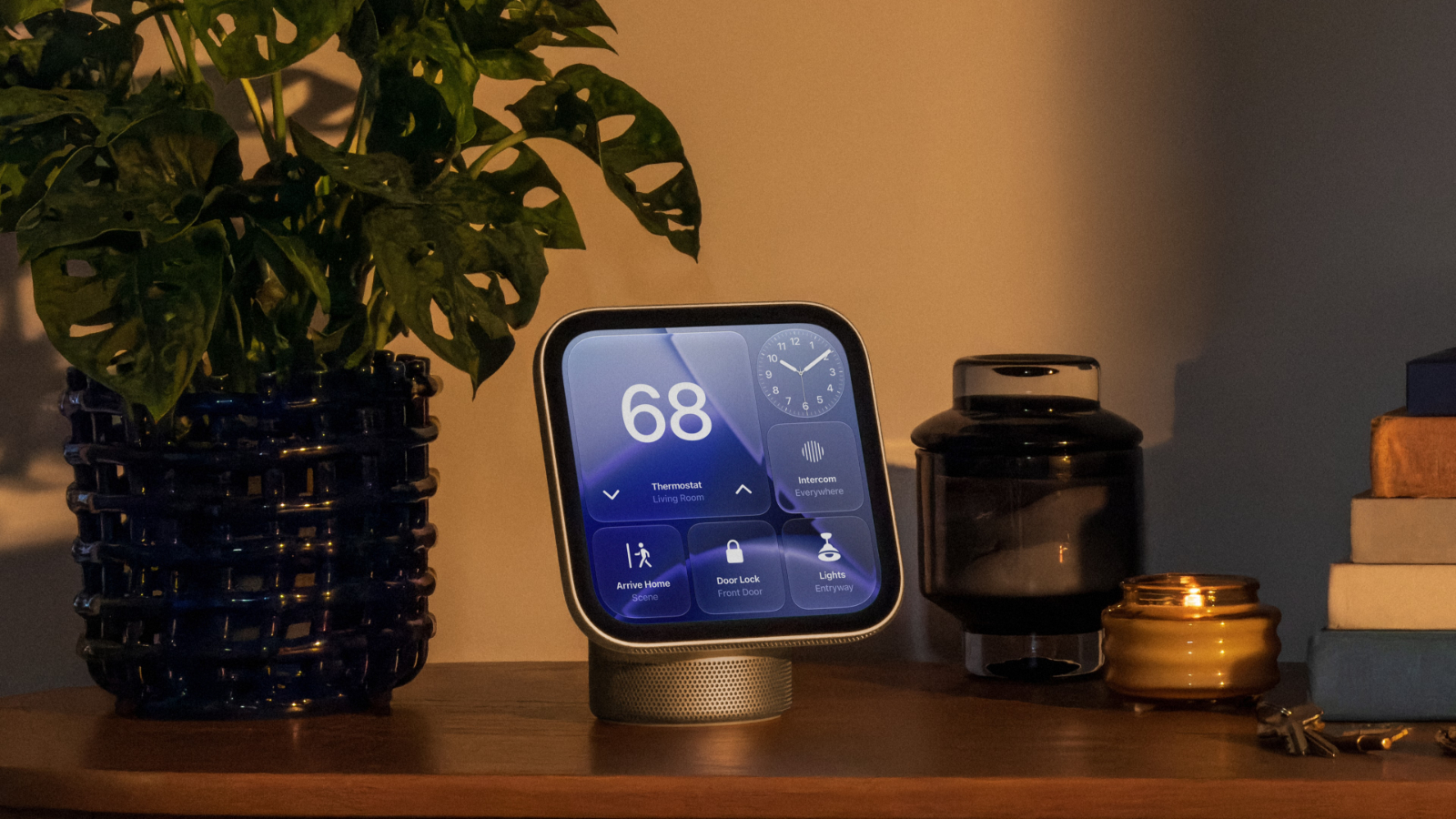
Apple's HomeView is out today, and we're finally learning all the little details about the new hub. We've rounded up a list of tidbits for those setting up a HomeView or thinking about getting one.

Sunglasses


Apple says the HomeView probably won't recognize you if you have your face covered, including when wearing sunglasses. If HomeView isn't identifying you, Apple suggests removing anything that would block the camera from seeing your face.

The HomeView's screen needs to be angled toward your face, you need to be centered in the frame and closest to the camera if other people are around, and the HomeView can't be blocked by overhanging shelves and cabinets. Apple says the HomeView needs front-facing, even light.

Mirror


There's a "Mirror" in the HomeView Control Center that lets you use the camera to see yourself. There's an option to turn on an edge light for face illumination, along with 1x and 2x zoom.

Guest Controls


The HomeView owner has multiple options for what guests can access.

  • Safari can be turned on or off, or adult websites can be blocked.

  • By default, guests can use Siri for general knowledge, writing help, and math help, but ‌Siri‌ features can be turned off.

  • Explicit content can be turned on or off.

  • There's an option to choose which Apple Music subscription supplies music for an unrecognized user.


Wi-Fi/Cellular


The HomeView authenticates people through face recognition and by making sure their iOS device is nearby, recently unlocked, and on the same Wi-Fi network as the HomeView. If there's a Wi-Fi outage, Apple says cellular can also be used to unlock personal content as long as it's in the same location and was recently on the Wi-Fi network.

Sleep Timer


You can set a sleep timer on HomeView to pause whatever media is playing when the timer goes off.

No Buttons


There is no button to turn the HomeView on or off, or restart it. It can be restarted from the Settings app or by briefly unplugging it.

Logins


You can log into websites and apps using your iPhone, similar to how the Apple TV works.

Notifications


The HomeView only has notifications for phone calls and home devices, with an option to toggle on critical notifications. There are no other notification settings or options.

Liquid Glass


The transparency of the Liquid Glass interface can be adjusted from clear to opaque like on iPhone, iPad, and Mac.

Personal Data Lockouts


If someone tries to repeatedly access personal content on HomeView that needs authentication, facial recognition via the camera is disabled and you'll need to prove identity with a registered device.
Related Roundup: Apple HomeView
Buyer's Guide: HomeView (Buy Now)

This article, "HomeView Tidbits: Mirror, Sleep Timer, and Other Details" first appeared on MacRumors.com

Discuss this article in our forums
  •  

Apple Releases tvOS 27.2.1 With Siri AI for Older Apple TVs

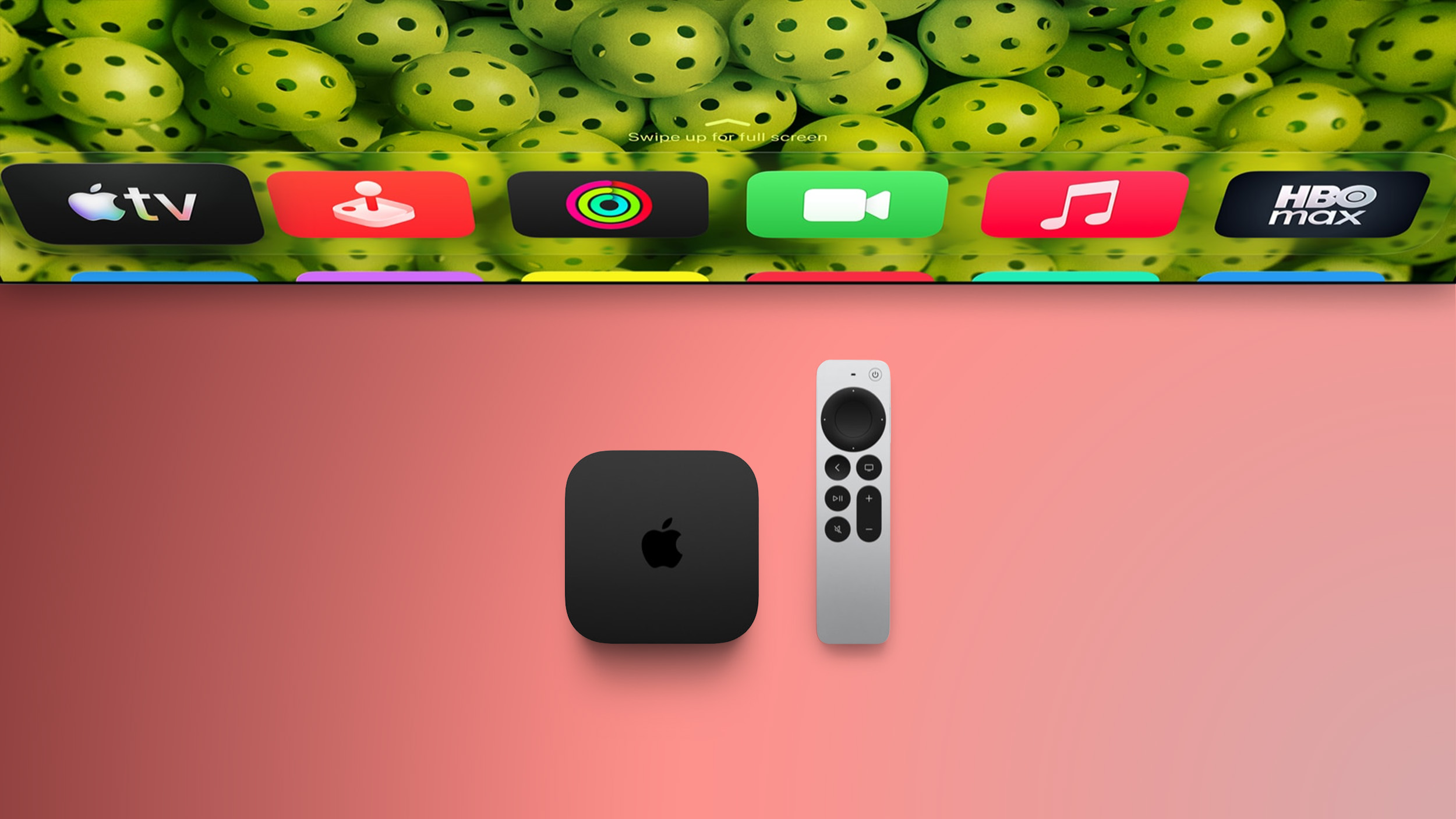
Apple today released tvOS 27.2.1, an update to the tvOS 27 operating system that launched in September. tvOS 27.2.1 comes nearly three weeks after Apple released tvOS 27.2.


tvOS 27.2.1 brings Siri AI support to the 2nd- and 3rd-generation Apple TV 4K models, but it is available for all ‌Apple TV‌ 4K models that support tvOS 27.

Apple announced ‌Siri‌ AI for the ‌Apple TV‌ when debuting the 4th-generation ‌Apple TV‌ 4K. A separate tvOS 27.2 build activates ‌Siri‌ AI on the newest set-top box, but the older ‌Apple TV‌ 4K models will need the tvOS 27.2.1 update to get access.

‌Siri‌ AI is the smarter, more capable version of ‌Siri‌ that Apple introduced earlier this year. ‌Siri‌ AI can play content, draw on personal context to offer suggestions, answer world knowledge questions, and complete tasks.

Using ‌Siri‌ AI on the ‌Apple TV‌ requires a paired Apple Intelligence-compatible iOS device, which includes the iPhone 15 Pro and later.

‌Apple TV‌ users can download tvOS 27.2.1 by going to Settings > System > Software Update. Apple has also released a new HomePod Software 27.2.1 update for the ‌HomePod‌ and ‌HomePod‌ mini.
Related Roundup: Apple TV
Tag: Siri
Buyer's Guide: Apple TV (Buy Now)

This article, "Apple Releases tvOS 27.2.1 With Siri AI for Older Apple TVs" first appeared on MacRumors.com

Discuss this article in our forums
  •  

Microsoft 365 Outage Resolving After Nearly 24 Hours

The ongoing Microsoft 365 outage is resolving after nearly 24 hours. The company said the underlying issue has been fixed and it is seeing "broad recovery and stability" across its services as it works to restore access to customers.


The Microsoft 365 downtime started at approximately 1 p.m. Eastern Time on Thursday. Customers could not access their Outlook email or use some features in Teams and Copilot. Exchange accounts in Apple Mail were also affected. Most calling, meeting, and messaging functions stayed online, but some users ran into errors scheduling meetings or adding calendar entries.

Businesses, educational institutions, and governments worldwide were impacted by the outage.

Microsoft apologized for the outage and said it was unrelated to a cyberattack or AI agents. It was caused by an issue introduced in an earlier network capacity upgrade. Microsoft said it will give a full incident report after completing a review.
We are deeply sorry for the disruption this incident has caused our customers and partners. We know the trust they place in our services and take that responsibility extremely seriously. We are seeing broad recovery and stability across our services.

This was a technical issue not related to cyber or AI / agents. The incident was introduced by an issue during an earlier network capacity upgrade that surfaced following a recent network change. We have addressed the underlying issue and continue to restore service to remaining customers and regions.

Given the scale of demand, we restored services gradually, validating stability at each stage. While this took longer, it helped ensure a stable restoration.

We will provide a full post-incident report once our review is complete.

Just over two weeks ago, Microsoft announced plans to eliminate thousands of jobs. The company offered voluntary buyouts to 60,000 people, or a quarter of its global workforce, presumably to cut costs while its AI spending grows.

Microsoft's Service Health Status page still says some services may be unavailable at the current time.
This article, "Microsoft 365 Outage Resolving After Nearly 24 Hours" first appeared on MacRumors.com

Discuss this article in our forums
  •  

iPhone Duo Survives 450,000 Folds, but Hinge is Weakening

For the last three weeks, CNET has been stress testing the iPhone Duo's hinge on a livestream. After over 451,000 folds, the hinge is showing signs of wear.


CNET says the hinge started feeling looser at the 390,000-fold point, and by 440,300 folds, there was enough of a shift in the mechanism that the screen didn't open in full before the machine closed it again, and there was no distinctive snap. It is 5 to 10 degrees from the fully open state and can be opened fully by hand.
The wire we use to open the phone screen would withdraw before the screen was in the fully open position, but it would then sort of "coast" the rest of the way down. But between 12:30 and 1 a.m. this morning, around 440,300 folds, the screen would no longer have time to open all the way before the Fold-a-Phone caused it to close again.

The ‌iPhone Duo‌ hasn't been removed from the folding machine, and the test is continuing. CNET says the device is still operational and maintaining other screen positions, with no signs of cracking or other failure.

The site plans to continue folding the ‌iPhone Duo‌ until it hits predetermined failure conditions that include loss of power, sensors failing to detect the screen properly, and screen blackout.

Apple hasn't shared the results of ‌iPhone Duo‌ hinge testing it likely did internally, or given an estimated fold lifespan.

The ‌iPhone Duo‌ is equipped with OLED panels sourced from Samsung Display, and Samsung's screens have undergone certified third-party fold testing. The display used for the Galaxy Z Fold7 passed a 500,000-fold durability test. Apple probably isn't using an off-the-shelf Samsung display, but CNET's testing already suggests the ‌iPhone Duo‌'s ‌OLED‌ panel is on track to match.

The combination of the display and the strength of Apple's hinge design will determine lifespan. At around 450,000 folds, the ‌iPhone Duo‌ would last over a decade at 100 folds per day.

CNET's livestream will continue until the ‌iPhone Duo‌ fails. The livestream runs on weekdays from 10 a.m. Pacific until 2 p.m. Pacific.
Related Roundup: iPhone Duo
Buyer's Guide: iPhone Duo (Buy Now)
Related Forum: iPhone

This article, "iPhone Duo Survives 450,000 Folds, but Hinge is Weakening" first appeared on MacRumors.com

Discuss this article in our forums
  •  

Hands-On With the New Apple TV 4K and Siri AI

The 4th-generation Apple TV 4K with an A19 chip and Siri AI support is available starting on November 13, and we were able to spend some time with it ahead of launch.


‌Siri‌ AI is the headline feature, and while it's not perfect, it works better than the prior version of ‌Siri‌. ‌Siri‌ was able to pull up multiple movie and TV show recommendations and answer questions about content.

Apple says ‌Siri‌ AI is in beta, and there's more work to be done. ‌Siri‌ AI wasn't great at answering follow-up questions, and only did so part of the time.

There are far-field microphones in the set-top box, so you can just say "Hey ‌Siri‌" to activate ‌Siri‌ without having to use the remote. The ‌Apple TV‌ can recognize up to six people, so you can get personalized recommendations and context when talking to ‌Siri‌.

The person who sets up the ‌Apple TV‌ needs to have an iPhone or iPad that supports ‌Siri‌ AI for ‌Siri‌ AI to work on the ‌Apple TV‌, and personal context also requires each user to have their own ‌Siri‌ AI-compatible device. The 2nd- and 3rd-generation ‌Apple TV‌ 4K models will get ‌Siri‌ AI with the upcoming tvOS 27.2.1 update.

Apple didn't change the design of the ‌Apple TV‌ 4K or update the look of the ‌Siri‌ Remote, but the remote does have new capabilities. It has a speaker built in so you can have it play a sound when it's lost, and Precision Finding is available if you have an iPhone Air, iPhone Duo, or iPhone 17 and later (excluding iPhone 17e).

The tvOS interface feels faster with the A19 chip, and it should be better for games if you play Apple Arcade titles on your TV. You can also pair four HomePod speakers to the ‌Apple TV‌ for surround sound, a feature that's unique to the latest model.

Unfortunately, Apple is charging $299 for the 4th-generation ‌Apple TV‌ 4K. It's twice as expensive as the prior-generation version was at this same time last year, and that's a wild increase. It's probably not worth upgrading if you already have a 2nd- or 3rd-generation ‌Apple TV‌ 4K, but if you have something older, it might be worth paying the money to get the new features.
Related Roundup: Apple TV
Tag: Siri
Buyer's Guide: Apple TV (Buy Now)

This article, "Hands-On With the New Apple TV 4K and Siri AI" first appeared on MacRumors.com

Discuss this article in our forums
  •  

Siri AI Coming to Older Apple TV 4K Models in tvOS 27.2.1

An upcoming tvOS 27.2.1 update will bring Siri AI to the 2nd- and 3rd-generation Apple TV 4K models, according to Apple.


A support document outlining ‌Siri‌ AI requirements across Apple products says tvOS 27.2.1 supports ‌Siri‌ AI on the ‌Apple TV‌ 4K (2nd generation and later), but the software hasn't yet been released.

While older ‌Apple TV‌ models will need tvOS 27.2.1 for ‌Siri‌ AI, Apple appears to have a special ‌Siri‌ AI build of tvOS 27.2 for the 4th-generation ‌Apple TV‌ 4K. Reviewers were able to test ‌Siri‌ AI on review units, and we can confirm it's working on our own review unit running tvOS 27.2.

The 4th-generation ‌Apple TV‌ 4K ships with tvOS 27.0, and users are prompted to update it to tvOS 27.2 during the setup process.

Apple hasn't said when tvOS 27.2.1 will be released with ‌Siri‌ AI for older ‌Apple TV‌ 4K models, but it could come as soon as Friday.

The latest ‌Apple TV‌ is priced at $299, and it features an A19 chip and an updated ‌Siri‌ Remote that has a Find My speaker and Precision Finding support. ‌Siri‌ AI on the ‌Apple TV‌ requires a nearby paired ‌Siri‌ AI-enabled device like an iPhone 15 Pro or later.
Related Roundup: Apple TV
Tag: Siri
Buyer's Guide: Apple TV (Buy Now)

This article, "Siri AI Coming to Older Apple TV 4K Models in tvOS 27.2.1" first appeared on MacRumors.com

Discuss this article in our forums
  •  

HomeView Launch Kicks Off as First Orders Reach Customers

Apple announced an all-new home product a month ago, and it's now starting to arrive to customers. It's Friday, November 13, in Australia and New Zealand, which means it's the HomeView launch day.


Customers who pre-ordered Apple's new home hub will soon be sharing pictures and first impressions on the MacRumors forums, Reddit, Instagram, and other social media networks. If you got a HomeView, let us know what you think in the comments below.

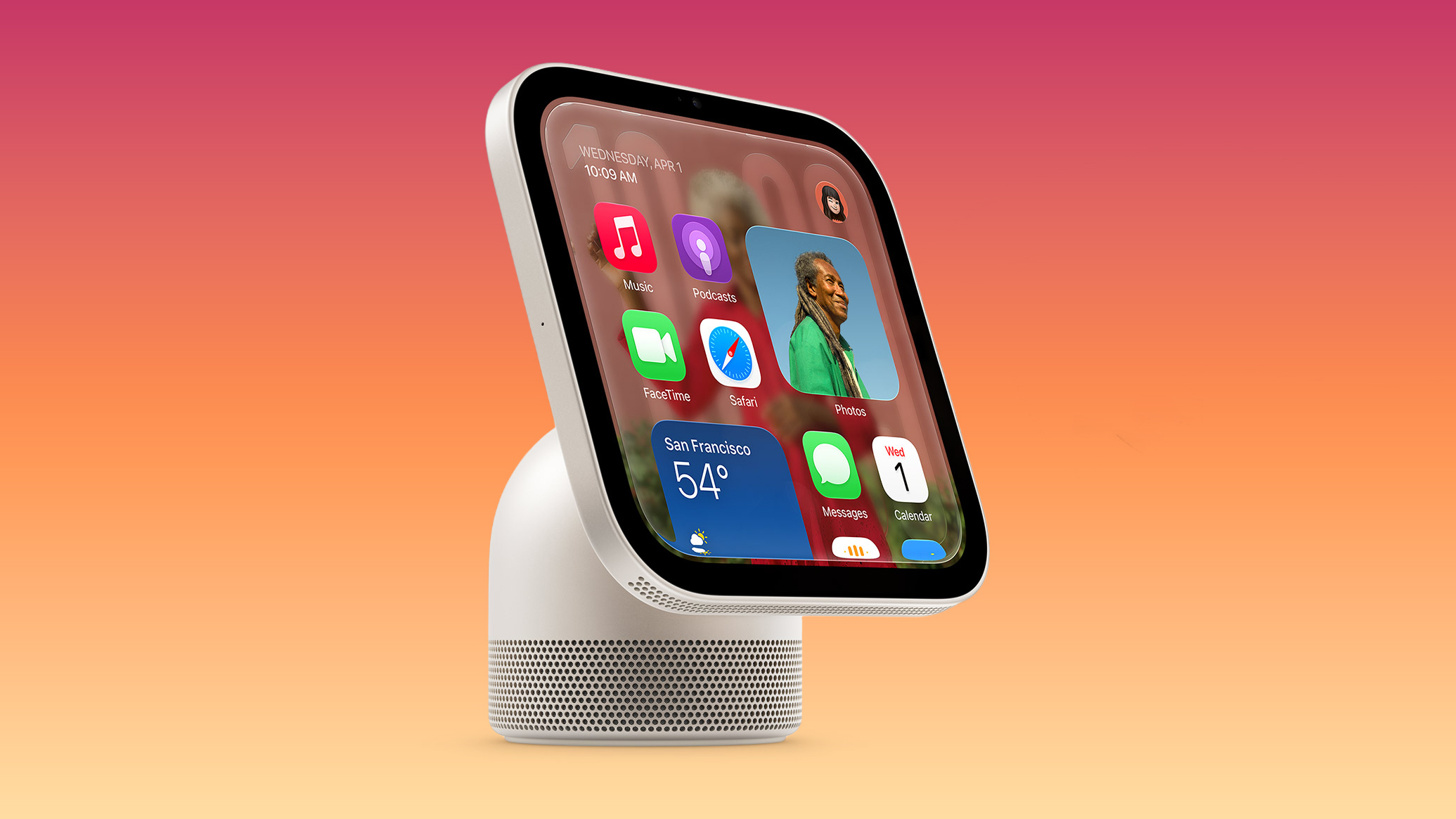
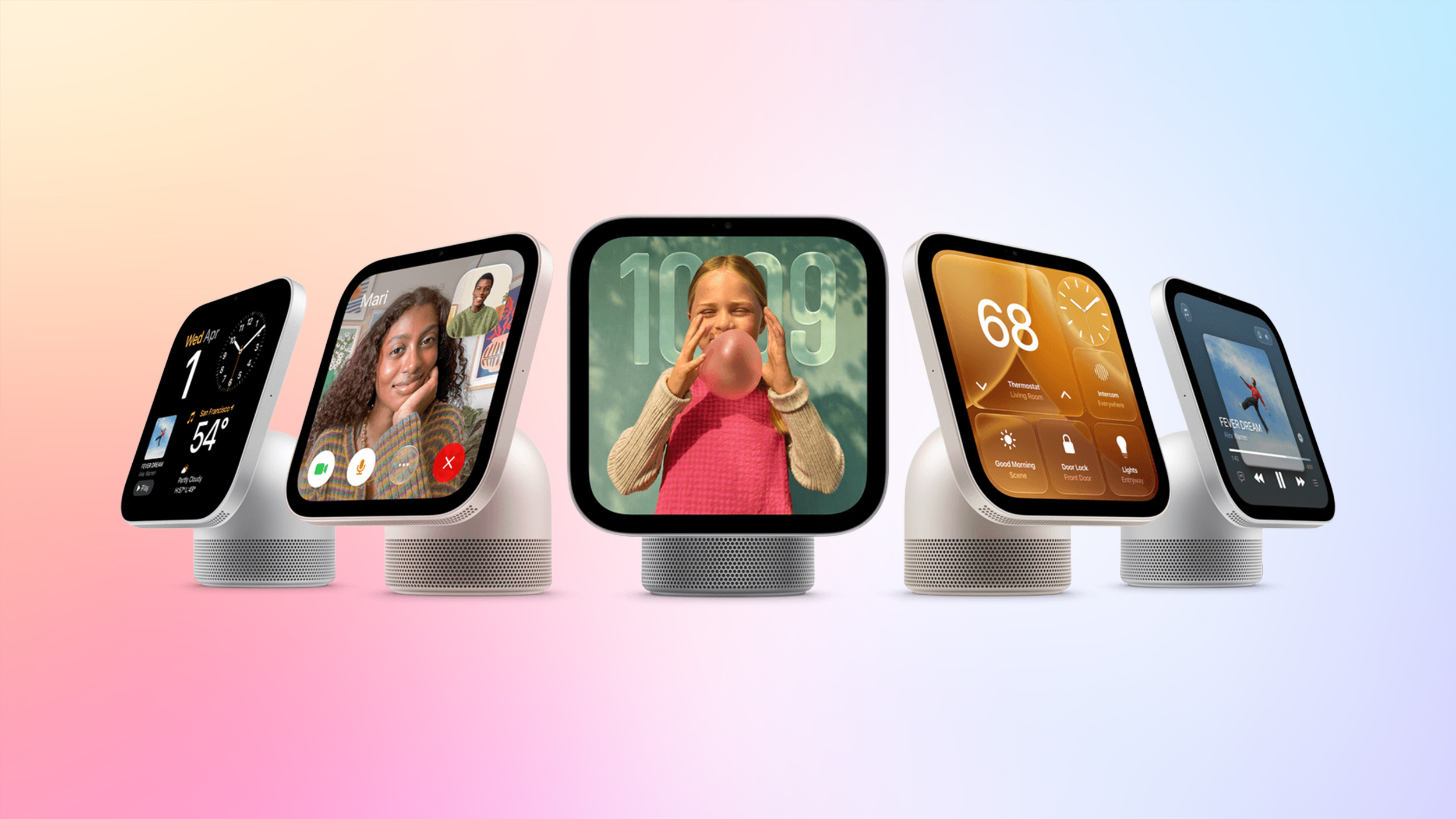
Apple sees HomeView as the center of the home, and functionally, it's a cross between a small iPad and a HomePod. It has a 7-inch square display and the tabletop model has a speaker base, though there's also a wall-mount version.

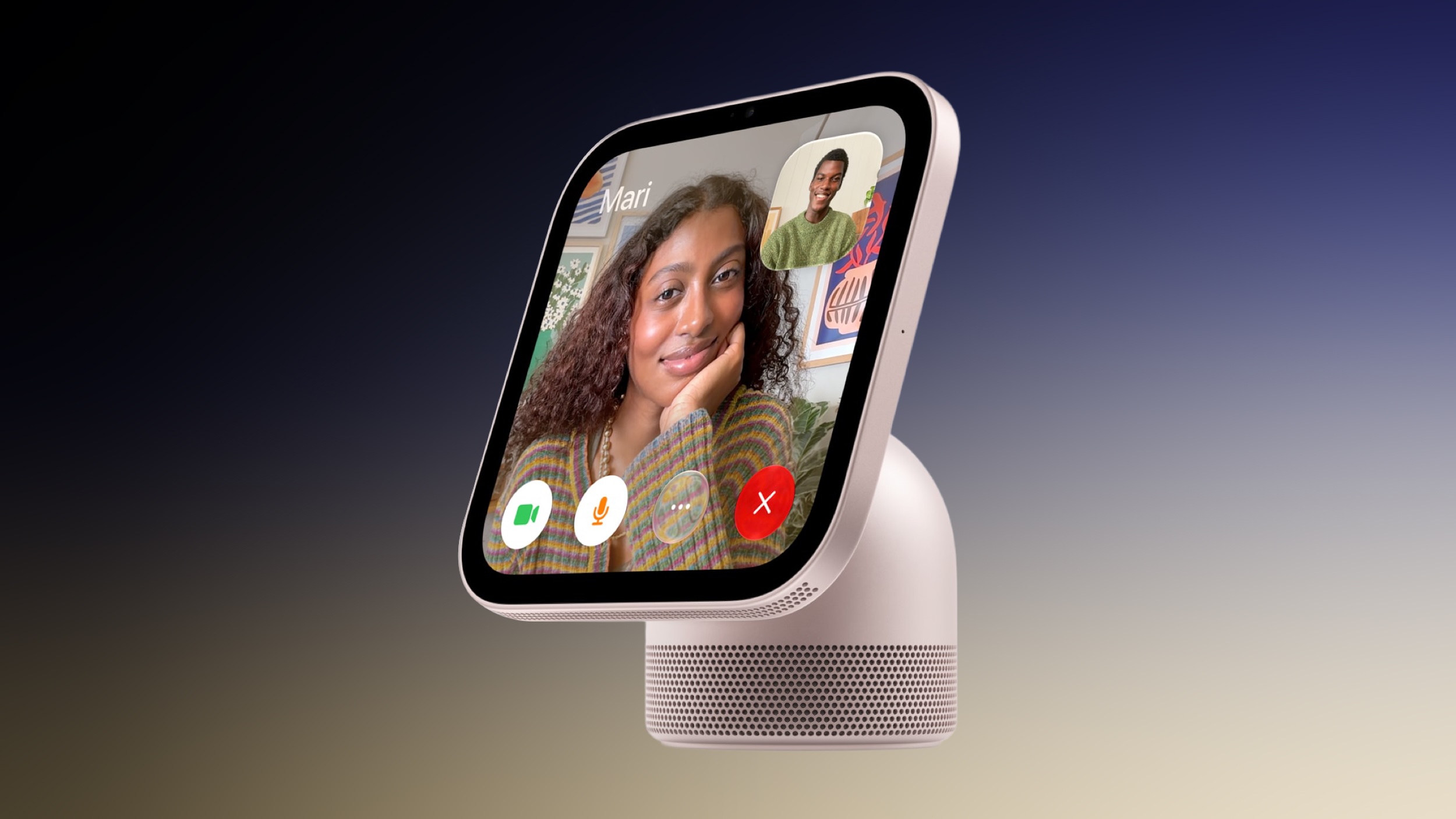
With a camera and voice recognition, it can identify up to six people in a home, showing personal information customized to each user. There is no HomeView App Store, but it has pre-installed Apple apps and can show widgets from your iPhone. It can be used for making video calls, watching videos, viewing calendar events, getting the weather, listening to music, and controlling smart home devices.

It is built around Siri AI, Apple's smarter voice assistant that debuted in iOS 27. The HomeView is priced at $299, but if you want the wall-mounted version, you need to buy extra mounting hardware.

There are no Apple Stores in New Zealand, so customers in Australia will be the first to walk into an Apple Store to purchase the new device. We are not expecting shortages.

The new Apple TV 4K is also launching on November 13, and it can be purchased for $299. The latest ‌Apple TV‌ has an A19 chip, 128GB of storage, Wi-Fi 7 support, and the option to connect four HomePods for surround sound. It also supports ‌Siri‌ AI.

HomeView is launching in Australia, Canada, India, New Zealand, Singapore, South Africa, the UK, and the United States. It is not available in the European Union because ‌Siri‌ AI is unavailable.

‌Apple TV‌ 4K is launching in the U.S. and 29 other countries and regions.
Related Roundup: Apple HomeView
Buyer's Guide: HomeView (Buy Now)

This article, "HomeView Launch Kicks Off as First Orders Reach Customers" first appeared on MacRumors.com

Discuss this article in our forums
  •  

Apple Explains How HomeView Keeps Camera Data Private

Apple today shared an in-depth look at how it's using Secure Exclaves to protect camera and microphone data on the HomeView, iPhone 18 Pro, and other products.


Apple describes Secure Exclaves as compartmentalized runtimes that process camera and microphone data while isolated from the rest of the operating system. Data processed in Secure Exclaves is not available to the rest of the OS, apps, or Apple, but processing can take advantage of the full application processor. Secure Exclaves power sensitive features involving video and audio feeds:

  • HomeView - The HomeView uses facial and voice recognition to identify up to six people in a home. The exclave also protects the LED camera indicator on the device.

  • Siri Recap and Live Rewind - Record ambient sound for conversation recaps or to caption the last 15 seconds of someone speaking.

  • iPhone 18 Pro/iPhone Duo - Protects the ‌iPhone 18 Pro‌, Pro Max, and Duo on-screen camera and microphone indicators. Also works with "Hey Siri" to protect voice data.

  • MacBook Neo - Protects the MacBook Neo camera indicator.


Apple uses the HomeView as an example of how Secure Exclaves work. The device performs passive minimal visual processing continually to detect whether a person is in its field of view. The HomeView sends a continuous stream of camera frames to a camera exclave, which works alongside a person recognition exclave with face and voice recognition models and an identity database. When a person comes into view, the camera exclave detects the person and lets the main OS know that a person may be present, but no image data leaves the Secure Exclave. An audio exclave does the same thing with audio.

The person recognition exclave matches face and voice prints against the identity database of enrolled users, giving a confidence score. The OS gets the person identifier, position, and confidence level, but not any of the actual audio or video. These simple signals are used to activate personal features like Calendar and Messages that depend on identity, with raw sensor data discarded.

Secure Exclaves came about because Apple needed a secure option for ambient video and microphone monitoring, with the groundwork laid starting in iOS 18. Apple devices use indicators for situations where the camera and microphone are actively engaged, but Apple says they weren't ideal for ambient sensing because they would be on all the time. Always-on lights wouldn't give users a way to distinguish between background sensing and active audio and video recording.

There are two modes for a Secure Exclave: ambient mode and active mode. In ambient mode with no indicator, a sensor can respond to triggers, but it only shares small amounts of metadata with the rest of the system. In active mode, full sensor data is given to the operating system, and an indicator informs the user that the system has audio and video access.

Apple has long used indicators, but they are now backed by Secure Exclaves. Secure Exclaves make sure an indicator is active before data is allowed to be transferred from the exclave to the rest of the OS.

Apple built an isolated computing environment that could handle ambient sensing, and the company says isolating memory for Secure Exclaves was a "serious engineering challenge." Full technical details on the process can be found on Apple's security website.
Related Roundup: Apple HomeView
Buyer's Guide: HomeView (Buy Now)

This article, "Apple Explains How HomeView Keeps Camera Data Private" first appeared on MacRumors.com

Discuss this article in our forums
  •  

Apple Releases Updated HomeView Software 27.2 Before Launch

With the HomeView set to start arriving to some users in just a matter of hours, Apple has released a new HomeView Software 27.2 update.


The software has a build number of 24V526, and it is the second 27.2 update Apple has released for the device.

Customers receiving the HomeView this week will need to install a software update during the setup process. The HomeView ships with HomeView Software 26.5, which is approximately six months old.

Apple planned to release the HomeView earlier than November 2026 but held back because it wanted to debut Siri AI in iOS 27 first.

Apple today said it plans to release a HomeView software update to fix a ‌Siri‌ AI issue that prevents ‌Siri‌ from controlling smart home products like locks, but that update isn't coming until next month. It's likely the ‌Siri‌ AI issue will be addressed in HomeView 27.3.

Update: Apple's security support document says the software update addresses several vulnerabilities, including issues with AirPlay, Messages, and Bluetooth.
Related Roundup: Apple HomeView
Buyer's Guide: HomeView (Buy Now)

This article, "Apple Releases Updated HomeView Software 27.2 Before Launch" first appeared on MacRumors.com

Discuss this article in our forums
  •  

Apple's Holiday Gift Guide Highlights iPhone Duo and More

Apple this week updated its homepage in the U.S. and other countries to start promoting holiday gift suggestions as the shopping season approaches.


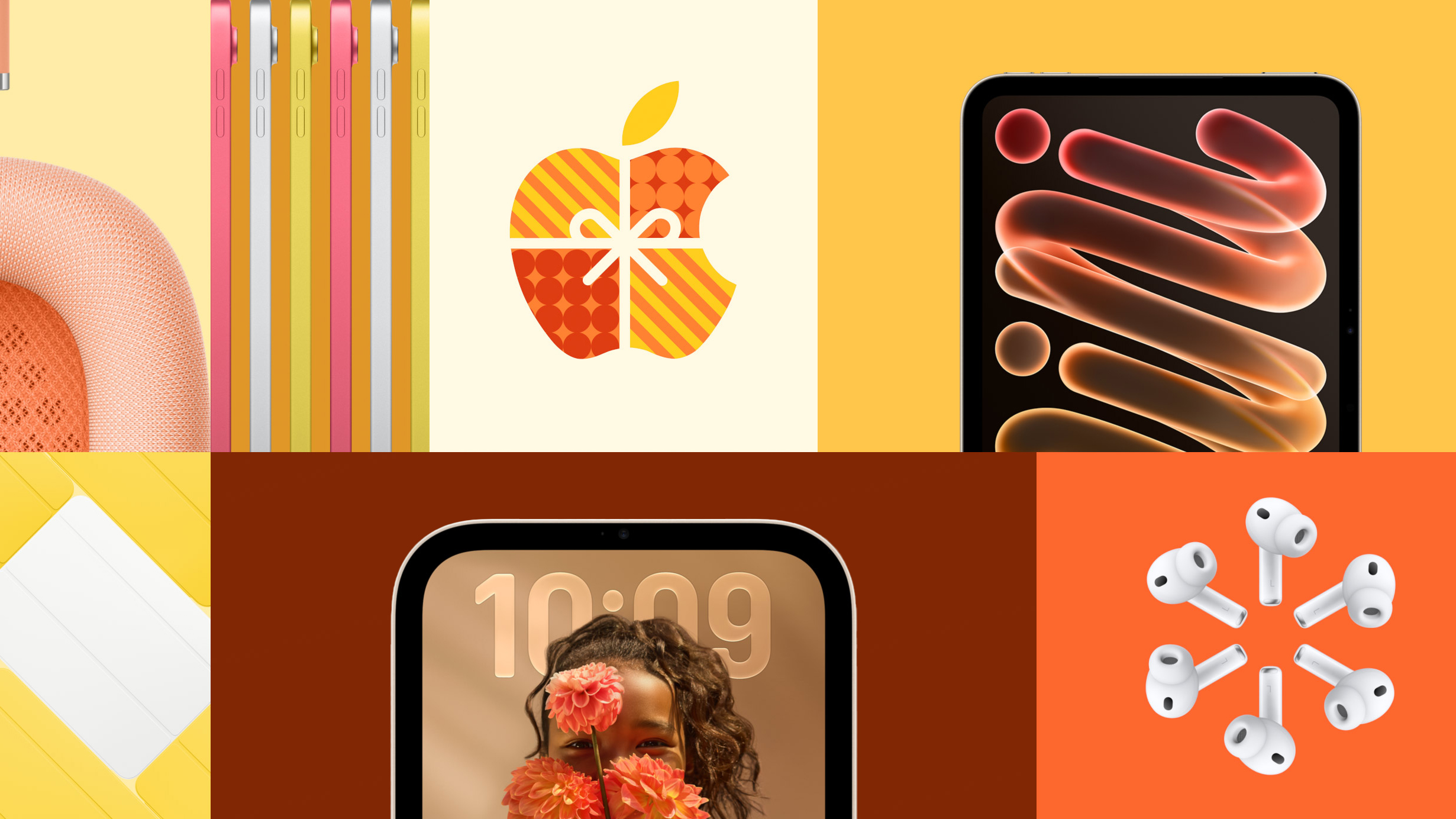
The website has colorful, festive imagery featuring Apple devices, along with suggestions on what you can buy for your loved ones and friends.

Apple's top highlighted products are its newest devices:

Apple also suggests personalized gifts that can be engraved, like the AirPods Pro 3, AirTags, and iPad. The company suggests you can pick out an Apple Watch and band to match their style, or customize a Mac by choosing the chip, memory, storage, and color.

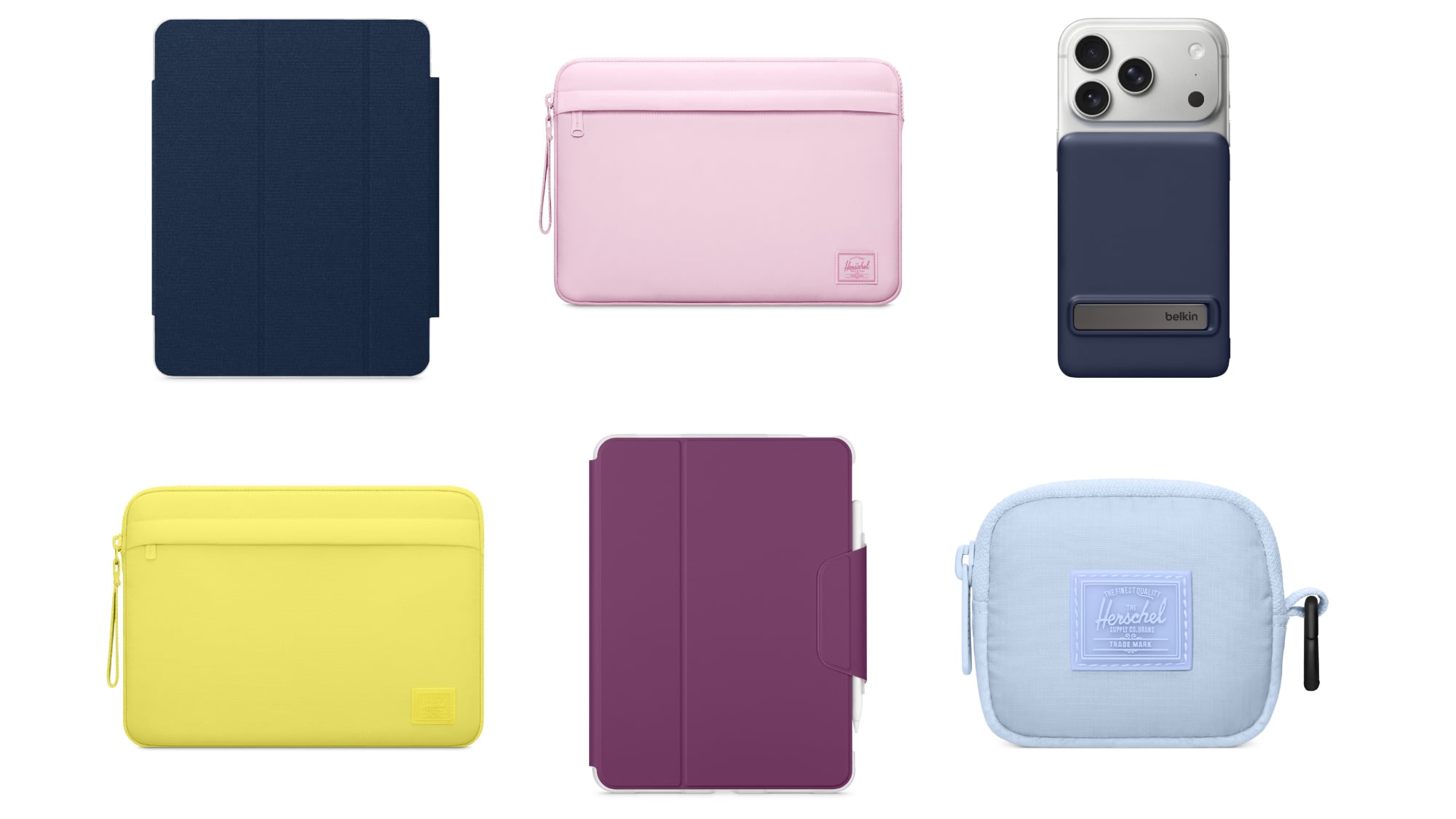
There are new holiday accessories Apple is promoting in pink, navy, gray, purple, light blue, and yellow (though Apple calls it green). The blues, yellow, and pink match the low-cost MacBook Neo. Accessories are from frequent Apple collaborators like Tech21, Herschel, Mophie, and Belkin.


If you want to gift someone an Apple device or accessory, it might be best to wait. Apple is expected to hold its annual Black Friday shopping event, and in past years, it's offered gift cards up to $250 with device purchases. Retailers are also offering discounts on Apple products, including some of the newest releases. You can see all the discounts in our Black Friday roundup, which we'll keep up to date as the big shopping event approaches.

Apple's extended return policy started last Friday, so you can buy gifts now and the recipient will still be eligible to return them in January. Most products sold in Apple Stores and the online Apple Store are eligible for the extended return period.
Related Roundup: iPhone Duo
Buyer's Guide: iPhone Duo (Buy Now)
Related Forum: iPhone

This article, "Apple's Holiday Gift Guide Highlights iPhone Duo and More" first appeared on MacRumors.com

Discuss this article in our forums

  •  

Three Workers Die at Tata iPhone Parts Plant in India

Three contract workers died on Monday at a factory owned by Indian Apple supplier Tata Electronics, reports Reuters. The facility in Hosur, Tamil Nadu, manufactures components for the iPhone.


The workers were performing maintenance at a wastewater treatment plant at the Tata facility when they inhaled gas while inspecting a nano-filtration tank. The plant was operated by Nalco Water, and the workers were employed by a subcontractor.

Apple, Tata Electronics, and state officials will look into the incident, with Apple sending a "team" to assist in the investigation.

Back in 2024, the same facility had a fire in a chemical storage area, with production disrupted for several days. Tata Electronics was also the target of a cyberattack earlier this year, with hackers stealing confidential Apple files.
Tag: India

This article, "Three Workers Die at Tata iPhone Parts Plant in India" first appeared on MacRumors.com

Discuss this article in our forums
  •  

iCloud Mail, Calendar, Contacts and More Experiencing Outage [Updated]

Some iCloud services are experiencing an outage, according to Apple's System Status page. ‌iCloud‌ Calendar, ‌iCloud‌ Contacts, ‌iCloud‌ Mail, iWork for ‌iCloud‌, and Game Center are affected.


Apple says some users are experiencing issues with the services. The outage began at 5:49 p.m. Eastern Time.

Find My is also having problems and Apple says it may be slow or unavailable.

We'll update this article when the services are back online.

Update: As of 7:22 p.m. ET, the ‌iCloud‌ Mail, ‌iCloud‌ Calendar, and ‌iCloud‌ Contacts outages are listed as resolved. Photos and ‌iCloud‌ sign-in are now experiencing issues.
Tag: system

This article, "iCloud Mail, Calendar, Contacts and More Experiencing Outage [Updated]" first appeared on MacRumors.com

Discuss this article in our forums
  •  

Apple's Claris Testing 'Harbor' App for Local AI on Macs

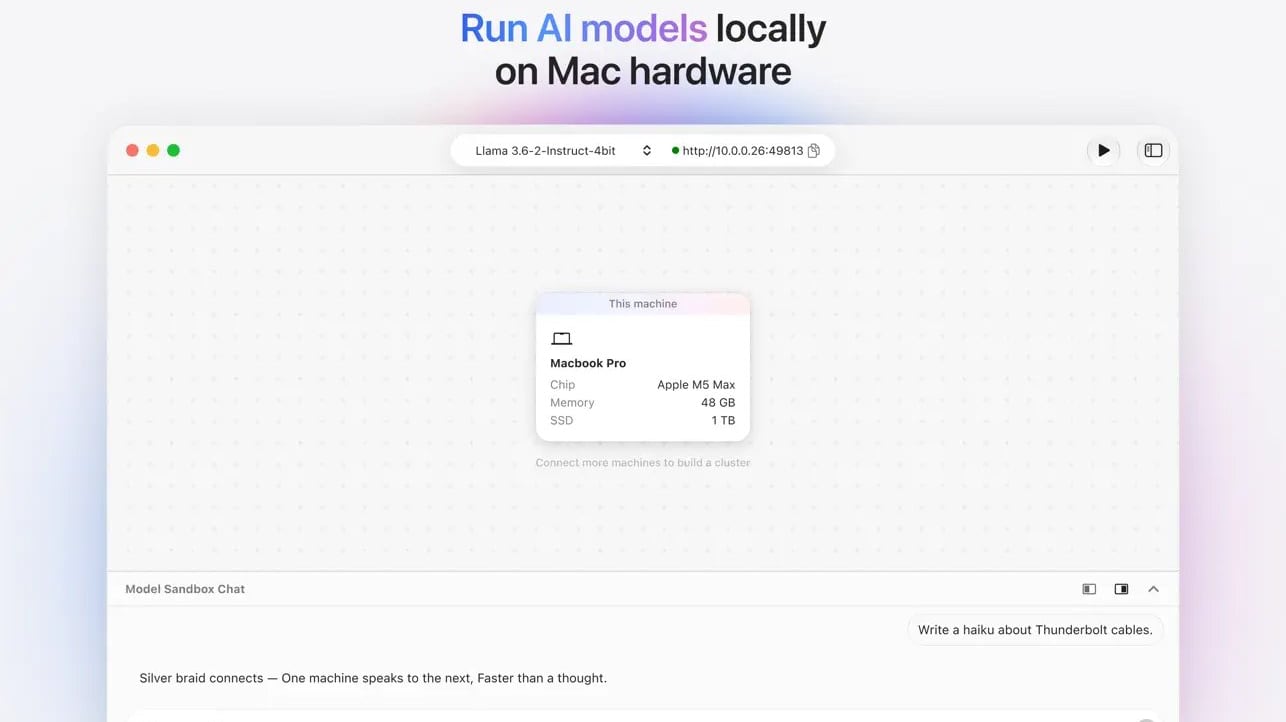
Apple's Claris subsidiary is testing an app called Harbor, which turns Apple silicon Macs into a private AI server.


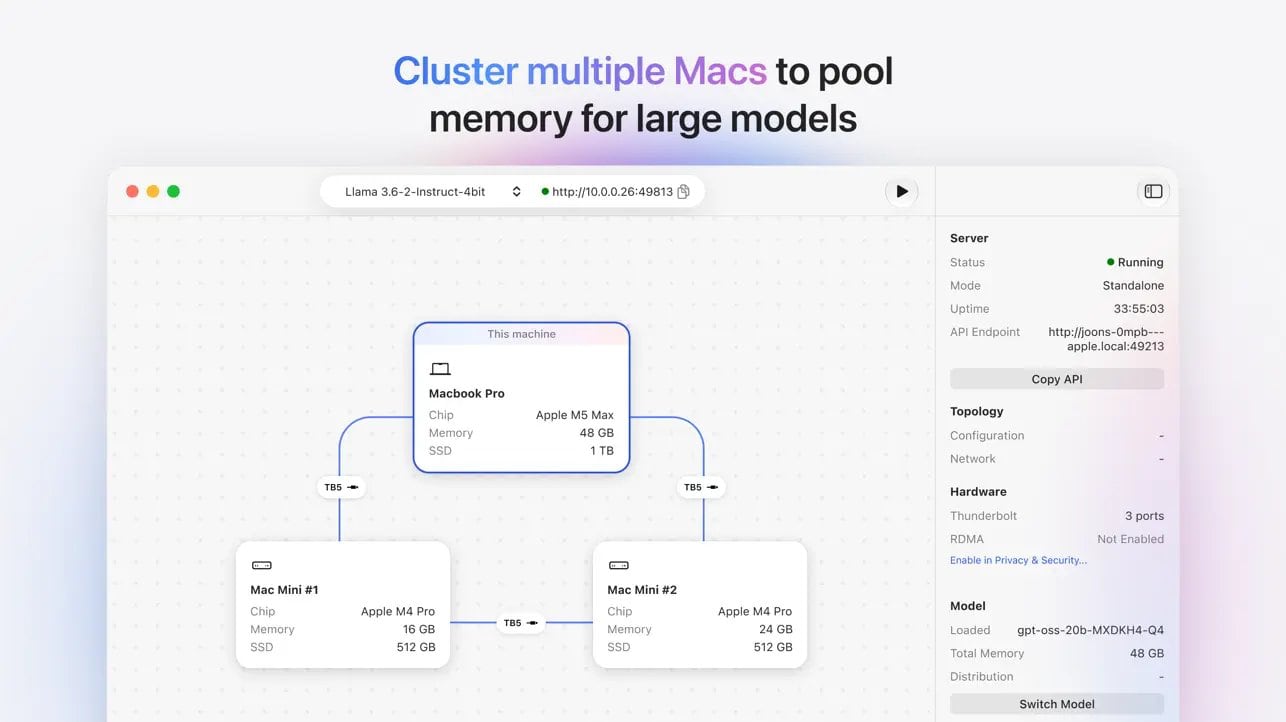
Harbor works with a single Apple silicon Mac, but it also supports connecting multiple Mac computers over Thunderbolt 5 to pool unified memory for larger models. Apple added RDMA over Thunderbolt 5 with macOS Tahoe 26.2, making clustering faster.

Harbor detects devices connected over Thunderbolt 5 and lets users browse for, download, and load open-weight models. It's described as an easy-to-use app with no manual configuration required.
Harbor turns your Mac into a private AI inference server. Run open-weight models locally on Apple silicon—your data never leaves your hardware, and nothing reaches the cloud. Connect multiple Mac computers over Thunderbolt 5 to pool unified memory, enabling large models and higher concurrency than a single computer can handle alone.

Set up in minutes, not hours. Harbor automatically detects your devices over Thunderbolt 5 to form a cluster. Plug in, start, and you're running—no manual configuration, no command line, no infrastructure expertise required.


Download and run models directly. Browse, download, and load open-weight models from within the app. Harbor handles model management so you can focus on the work, not the setup.

Cluster for scale. Connect two or more Thunderbolt 5-capable Mac computers and Harbor pools their unified memory into a single inference resource. Run models that exceed any single computer's capacity, or serve more concurrent requests across your cluster.

Harbor is in early access and is not publicly available. There was an App Store listing, but it has now been removed.

Claris is known for its database platform FileMaker, which is aimed at businesses, so it isn't clear how Apple will market the Harbor app or whether it will be free. The sign-up page for Harbor asks for a company name, which suggests more of a business focus.

There are already well-known, free alternatives for Mac users who want to run a local AI server. Exo is an open-source tool for clustering Macs, and LM Studio is available for single-Mac use, but Apple's Harbor app appears to combine LM Studio's simple interface with clustering.
This article, "Apple's Claris Testing 'Harbor' App for Local AI on Macs" first appeared on MacRumors.com

Discuss this article in our forums
  •  

iFixit's PROLED MacBook Pro Teardown Reveals Logo LEDs

iFixit today took apart Apple's touchscreen PROLED MacBook Pro to see how Apple shed weight, what powers the logo, and how it compares to the 14-inch M6 ‌MacBook Pro‌.


Apple added a glowing logo on the back of the PROLED ‌MacBook Pro‌, but since there's no backlight to illuminate it, Apple used four LEDs, a reflective layer, and a diffuser to create an even glow. When the light is off, the logo's two-way mirror coating gives it a shiny finish.

Getting to the logo for repairs isn't easy because it's behind the display, so if it breaks, the only repair option is removing the screen. iFixit ended up breaking the panel because the glass separated from the layers underneath, destroying the OLED.

Apple says the PROLED ‌MacBook Pro‌ has a hinge designed for touch, but iFixit said it's basically identical to the M6 ‌MacBook Pro‌'s hinge, just stiffer, so it better holds its angle when the display is tapped at the top.

The Thunderbolt/USB-C ports and fans are replaceable, but the logic board has to come out. The HDMI port and SDXC card slot are soldered to the logic board, so they're not as easily replaced. The SSD and memory are also soldered.

iFixit swapped logic boards between two PROLED ‌MacBook Pro‌ models, and after running Repair Assistant, all of the components worked, including the touchscreen and Touch ID. iFixit said the touchscreen didn't add any new parts pairing problems.

The PROLED ‌MacBook Pro‌'s trackpad is a little bit smaller than the M6 model's, and weight was shed by removing some aluminum from the lower chassis. The lower case weighs 364 grams vs. 456 grams for the M6 model. The display assembly is 101 grams lighter despite the touchscreen and the glowing Apple logo, and the battery is two grams lighter too.

The PROLED ‌MacBook Pro‌ earned a repairability score of 5 out of 10, which is a point higher than the M5 ‌MacBook Pro‌ and a point below the MacBook Neo.
Related Roundup: MacBook Pro
Tag: iFixit
Buyer's Guide: MacBook Pro (Buy Now)
Related Forum: MacBook Pro

This article, "iFixit's PROLED MacBook Pro Teardown Reveals Logo LEDs" first appeared on MacRumors.com

Discuss this article in our forums
  •  

10 Free iPhone Duo Apps Worth Downloading

We've done two rounds of iPhone Duo app picks so far, and now we're back with an overview of some of the best Duo apps you can get for free. MacRumors videographer Dan Barbera demos his suggestions for apps worth checking out.


Dan's list includes Delta Game Emulator, Bear, Fantastical, MD Vinyl, and several more. The apps are free or have a free component, though some do offer paid upgrades.

We have a list of fun iPhone Duo apps and a second list featuring even more titles. Have an ‌iPhone Duo‌ app you think we should check out? Let us know in the comments below.
Related Roundup: iPhone Duo
Buyer's Guide: iPhone Duo (Buy Now)
Related Forum: iPhone

This article, "10 Free iPhone Duo Apps Worth Downloading" first appeared on MacRumors.com

Discuss this article in our forums

  •  

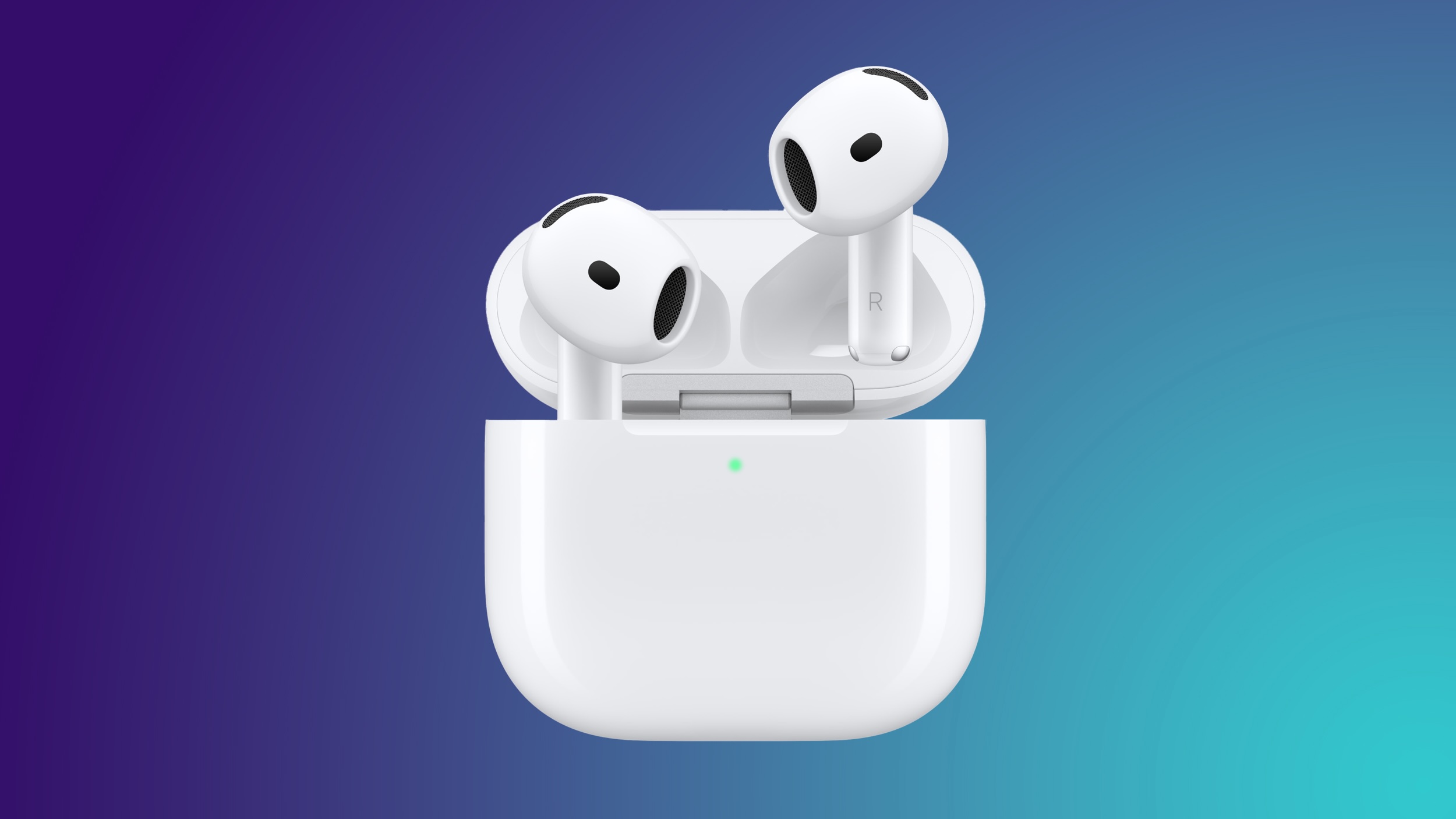
Apple Releases New AirPods Firmware

Apple today released new firmware for the AirPods Pro 2, AirPods Pro 3, AirPods 4, AirPods 5, and AirPods Max 2. The firmware has a build number of 9B47, up from 9A348/9A350.


Apple has been beta testing the new firmware for the last several weeks. In a support document, Apple merely mentioned the new firmware contains "bug fixes and other improvements."

Firmware updates can be downloaded by connecting the AirPods to an Apple device and connecting them to power. It can take a few hours for new firmware to be installed because there is no software update option like there is for other Apple devices.
Related Forum: AirPods

This article, "Apple Releases New AirPods Firmware" first appeared on MacRumors.com

Discuss this article in our forums
  •  

Apple Announces Swift Student Challenge Ahead of WWDC 2027

Apple today announced the Swift Student Challenge for 2027, with submissions set to be accepted from February 8 to February 28, 2027.


The Swift Student Challenge is an annual contest that gives young developers worldwide a chance to show off their creativity and app development skills by creating an app. Apple says students should submit an app built in Xcode or Swift Playground that can be experienced within three minutes.

Students can submit an app for any platform this year, which is new. In prior years, apps were designed for iOS devices.

Ahead of the contest, Apple is offering students tutorials and Meet with Apple online sessions to learn new coding intelligence features and get inspiration for their projects. There are also Develop in Swift tutorials covering Swift UI, AI and machine learning, and spatial computing.

Apple will select winners who "demonstrate excellence in innovation, creativity, social impact, or inclusivity." A group of Distinguished Winners will be invited to Apple Park in Cupertino, California to attend Apple's WWDC 2027 event. Rules and eligibility details can be found on the Swift Student Challenge website.

Apple hasn't announced dates for WWDC 2027, but the event is typically held in June. In 2027, Apple will announce iOS 28, iPadOS 28, macOS 28, and other '28 software updates.
This article, "Apple Announces Swift Student Challenge Ahead of WWDC 2027" first appeared on MacRumors.com

Discuss this article in our forums
  •  

Here's What Apple Fixed in iOS 27.2.1 and macOS 27.2.1

The iOS 27.2.1, iPadOS 27.2.1, and macOS 27.2.1 updates Apple released today fix a handful of security vulnerabilities. With the security fixes implemented, it's a good idea to update as soon as you can.


A bug with iMessage could let a remote attacker join a group chat to receive its messages, and another could let users see messages sent before they joined a group chat.

Most of the vulnerabilities involved AirPlay and Bluetooth. A malicious Bluetooth device could pair without user interaction, and another bug could let a nearby attacker corrupt process memory. Several bugs could allow an attacker to bypass the rate limit on ‌AirPlay‌ pairing code attempts.

Apple credits itself on four of the vulnerabilities, so they were found internally.

With the macOS update, Apple also addressed the eMudhra certificate vulnerability, adding protections for command-line tools.

Apple did not say that the flaws have been exploited in the wild, but with the details on each vulnerability now public, devices that are not running the new software could be more vulnerable to attack.
Related Roundups: iOS 27, iPadOS 27
Related Forum: iOS 27

This article, "Here's What Apple Fixed in iOS 27.2.1 and macOS 27.2.1" first appeared on MacRumors.com

Discuss this article in our forums

  •  

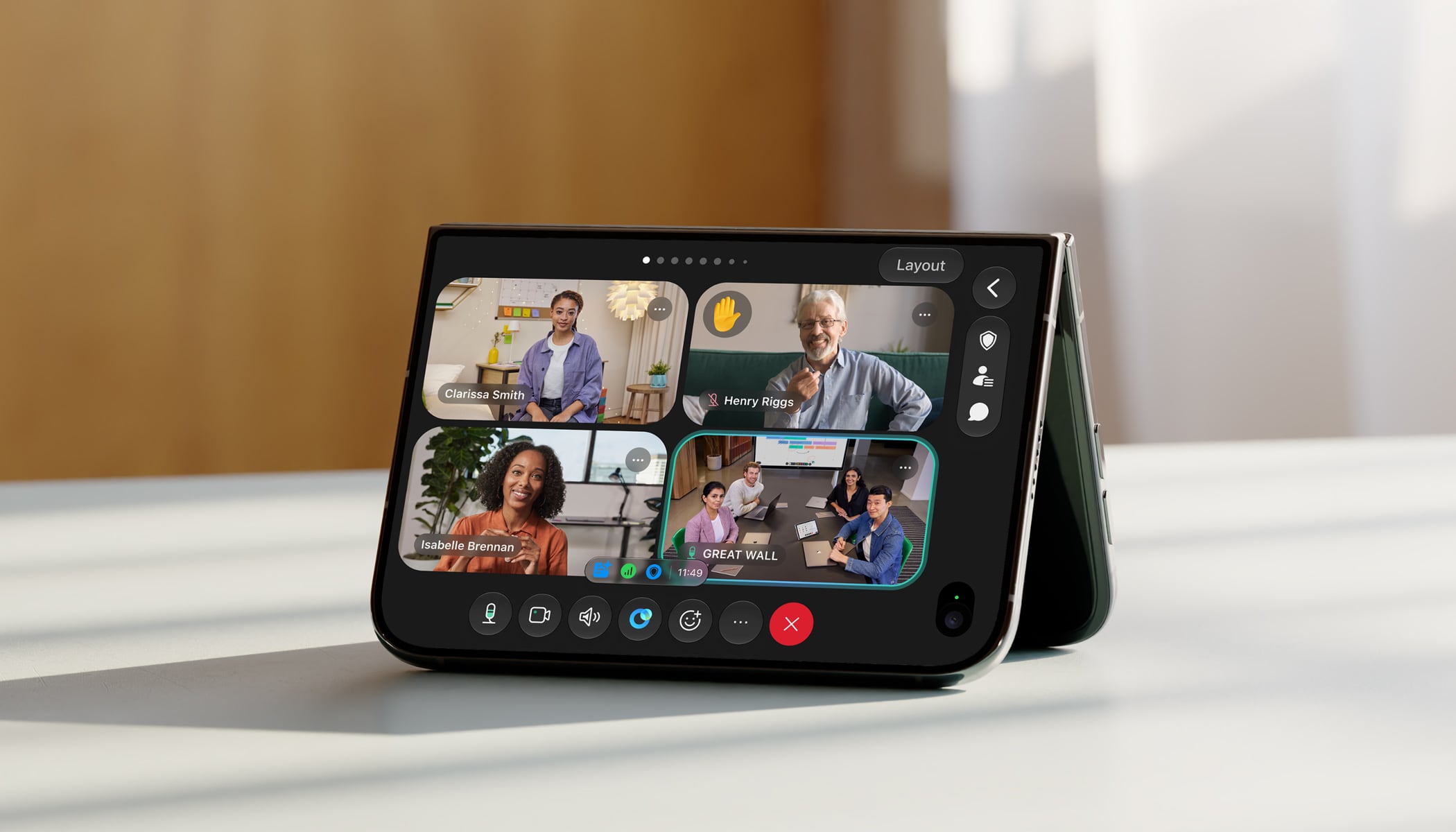
Webex Gets iPhone Duo Support

Popular video meeting app Webex was today updated with support for Apple's iPhone Duo. Webex works open or closed, in portrait or landscape mode, and even in a laptop or tent position.


When open, the ‌iPhone Duo‌ shows more meeting participants, keeps shared content visible, and gives access to a whiteboard. Multitasking support allows Webex to be used alongside another app with Split View.

Webex Mobile Camera Share lets users stream the iPhone's camera in a meeting when the ‌iPhone Duo‌ is open in a laptop position, so participants can view the live camera feed and annotate it.

Along with ‌iPhone Duo‌ support, Cisco has added the Webex Notetaker Agent to the iPhone app. It can transcribe and summarize in-person conversations and create action items.

Webex can be downloaded from the App Store for free. [Direct Link]
Related Roundup: iPhone Duo
Tag: Cisco
Buyer's Guide: iPhone Duo (Buy Now)
Related Forum: iPhone

This article, "Webex Gets iPhone Duo Support" first appeared on MacRumors.com

Discuss this article in our forums

  •  

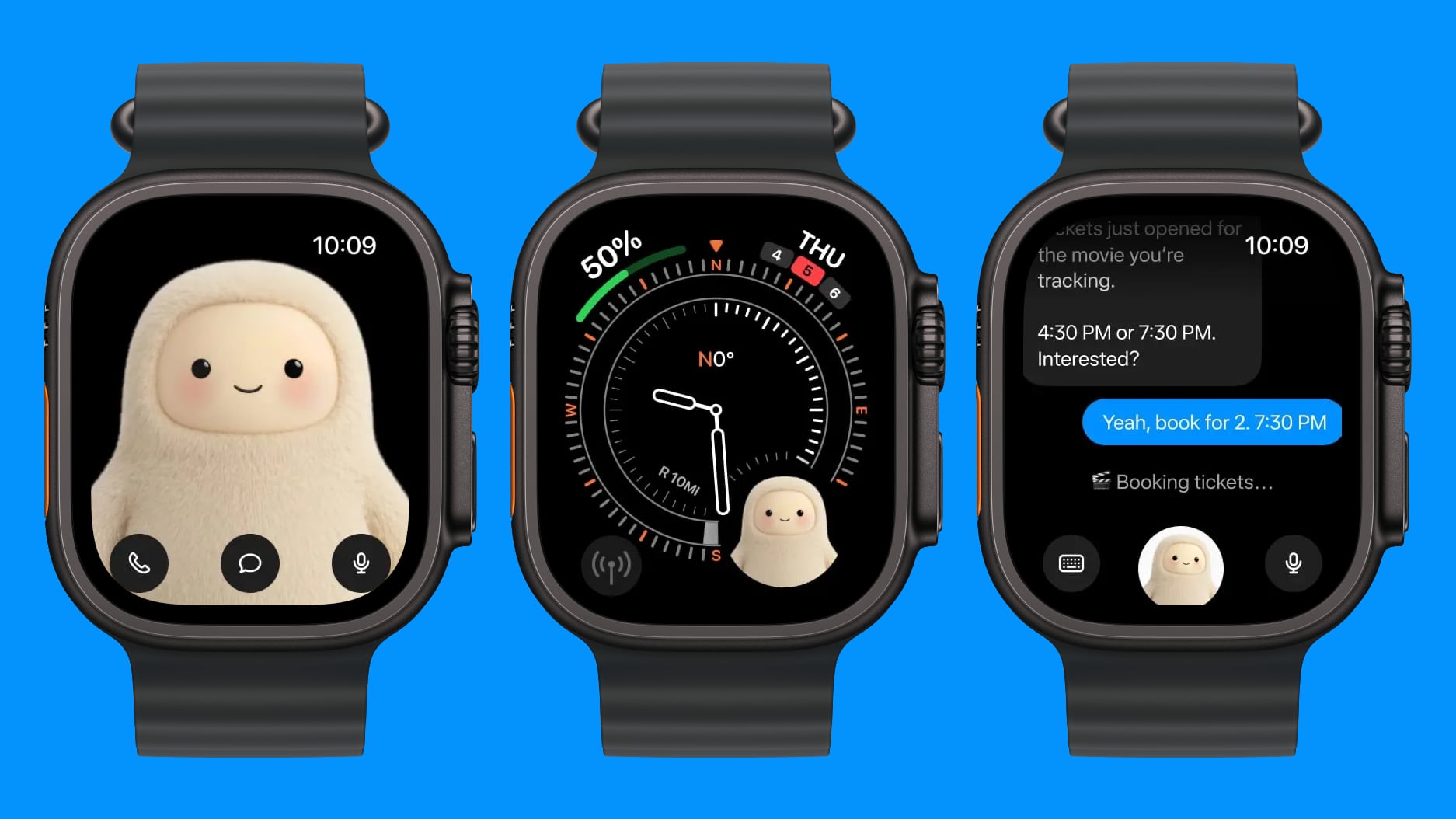
Meta's Muse AI Agent Comes to Apple Watch

Meta today updated the Muse app for iOS to add Apple Watch support, which means Muse users can access the proactive AI agent from the watch.


The app adds the Muse character to the watch with an option to text it, dictate text to it, or call it. There's also a Muse complication for quick access.

Muse is Meta's personal AI agent that can complete tasks for users. It is available as a standalone app and is also built into Instagram, Facebook, and other Meta apps. The yeti-like character Meta designed to represent Muse has become popular, and it is front and center on the Apple Watch.

The watch app design is similar to the Muse Charm Meta announced as a companion device in September.
Related Roundup: Apple Watch 12
Tag: Meta
Buyer's Guide: Apple Watch (Buy Now)
Related Forum: Apple Watch

This article, "Meta's Muse AI Agent Comes to Apple Watch" first appeared on MacRumors.com

Discuss this article in our forums

  •  
❌