❌

Lese-Ansicht

Apple Continues to Say Some AI Features Will Have Fees for Extra Usage

Apple continues to advise customers that certain Apple Intelligence features that rely on its server-side Private Cloud Compute system have daily usage limits, with expanded access to such features to be "available for a fee in the future."


Apple has repeatedly mentioned these upcoming fees in press releases over the past several months, but it has yet to provide any specific details about timing or pricing. The company did confirm that expanded access to the features will eventually be included with select iCloud+ plans, rather than something available for a standalone fee.

Extra server-side usage for a fee will be available for Siri AI, Image Playground, the Extend and Reframe options in the Photos app, shortcuts created with natural language in the Shortcuts app, and more. Apple says daily limits may vary by feature, request complexity, system demand, system policies, and other unspecified factors.

Here are the current iCloud+ plans and prices in the U.S.:

  • 50GB: $0.99/month

  • 200GB: $2.99/month

  • 2TB: $9.99/month

  • 6TB: $29.99/month

  • 12TB: $59.99/month

It is unclear if these prices will increase once the expanded AI access is included.

Apple having said that extra usage will be included with "most" iCloud+ plans seemingly rules out the 50GB plan for $0.99 per month receiving this benefit at a minimum.

Logic Pro


Apple last week updated Logic Pro for Mac with a new intelligent assistant feature that can help creators "navigate production workflows, start a new song, set up a vocal track from a single prompt, or refine an active project."
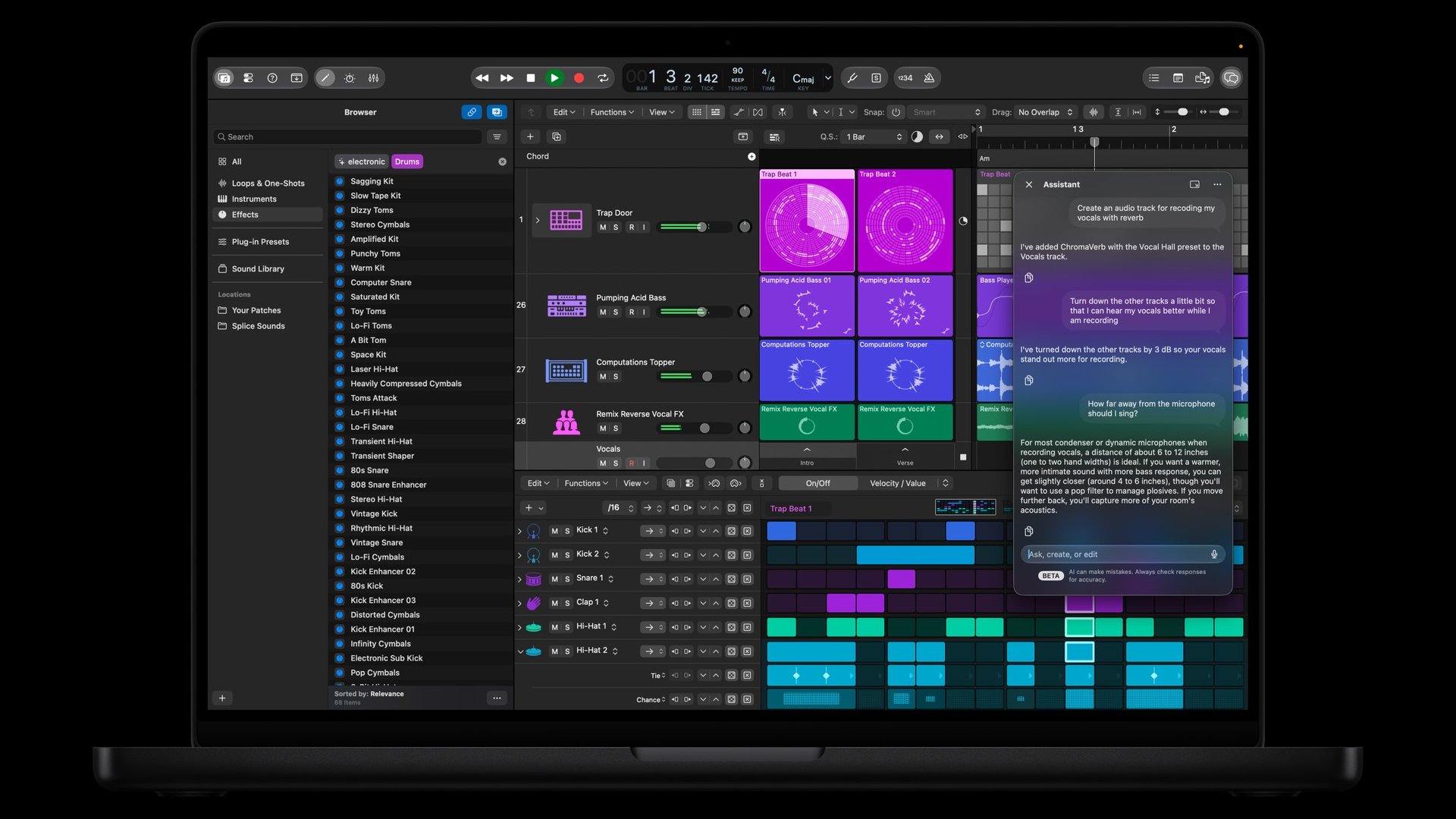

The intelligent assistant has a monthly usage limit, with expanded usage packs available to users with an active Apple Creator Studio subscription in the United States, Canada, Brazil, France, Germany, India, Mexico, and the United Kingdom. In the U.S., the usage pack is currently priced at $49.99 and valid for one year.

To purchase additional usage, choose Logic Pro from the macOS menu bar, choose Intelligence Features, choose Show Usage, then choose Buy More Usage.

In a support document, Apple says some intelligence features in Apple Creator Studio apps are powered by "third-party providers." For the Logic Pro assistant, it says the feature is "powered by Google Gemini," so it appears it is not considered to be part of Apple Intelligence and thereby extra usage will not be included in iCloud+ plans.
This article, "Apple Continues to Say Some AI Features Will Have Fees for Extra Usage" first appeared on MacRumors.com

Discuss this article in our forums

  •  

Apple Announces Türkiye Expansion Plans as Tim Cook Visits

Apple today announced that it will open five new Apple Developer Academies, one Apple Developer Center, and one Apple Manufacturing Academy in Türkiye. Apple's executive chairman Tim Cook is currently touring Türkiye, meeting with the company's retail employees, app developers, content creators, an athlete, and others.
This article, "Apple Announces Türkiye Expansion Plans as Tim Cook Visits" first appeared on MacRumors.com

Discuss this article in our forums

  •  

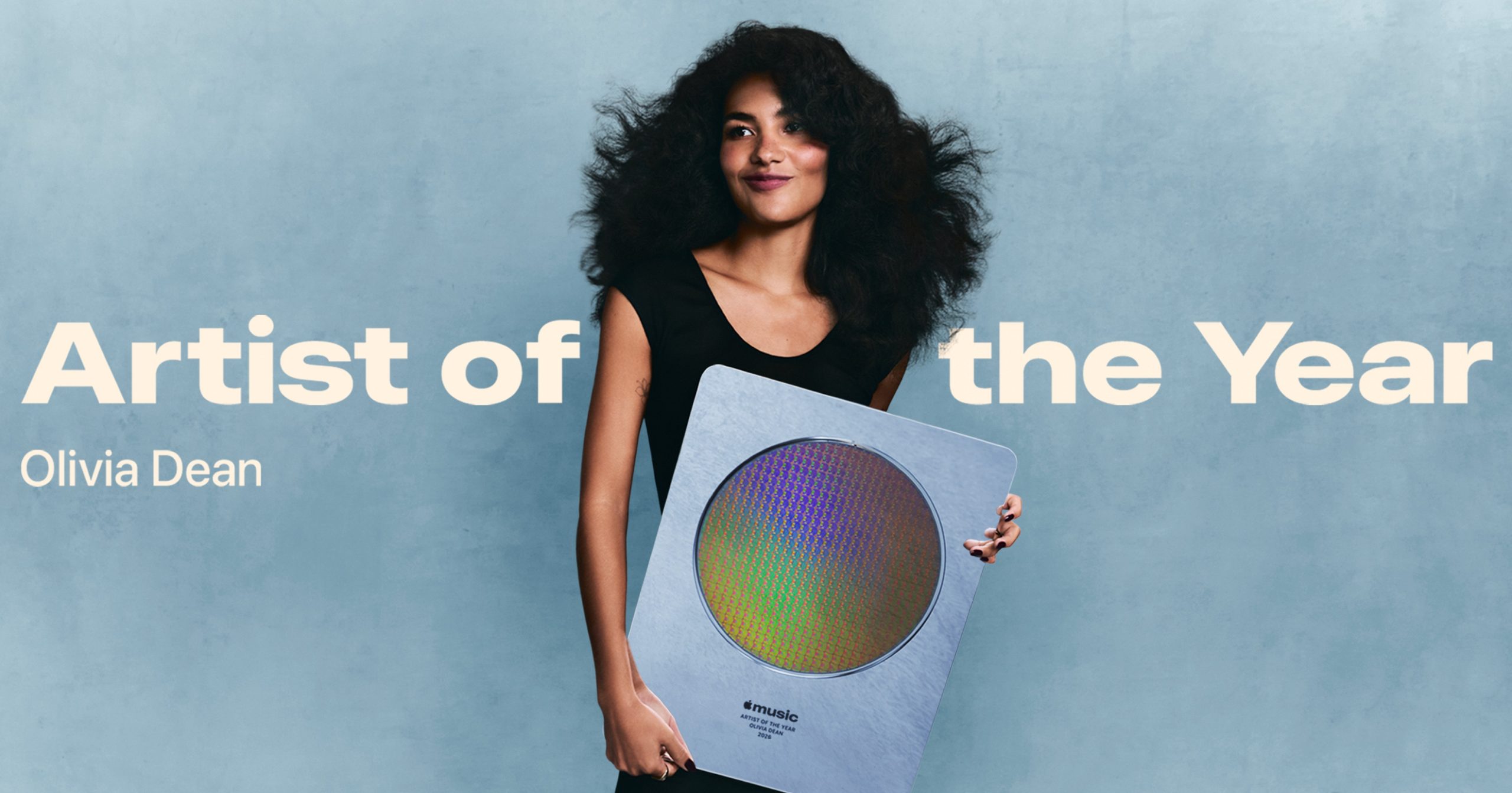
Apple Music's 2026 Artist of the Year is Olivia Dean

Apple today announced that Olivia Dean is Apple Music's Artist of the Year in recognition of "her undeniable leap to stardom in what's been the defining feel-good music story of 2026." Dean is the first music artist from the UK to receive this honor, and she will receive a physical Apple Music Award featuring a custom silicon wafer.

Apple Music has highlighted Dean's music and released a video in which she shared her thoughts on being named the service's Artist of the Year.
This article, "Apple Music's 2026 Artist of the Year is Olivia Dean" first appeared on MacRumors.com

Discuss this article in our forums

  •  

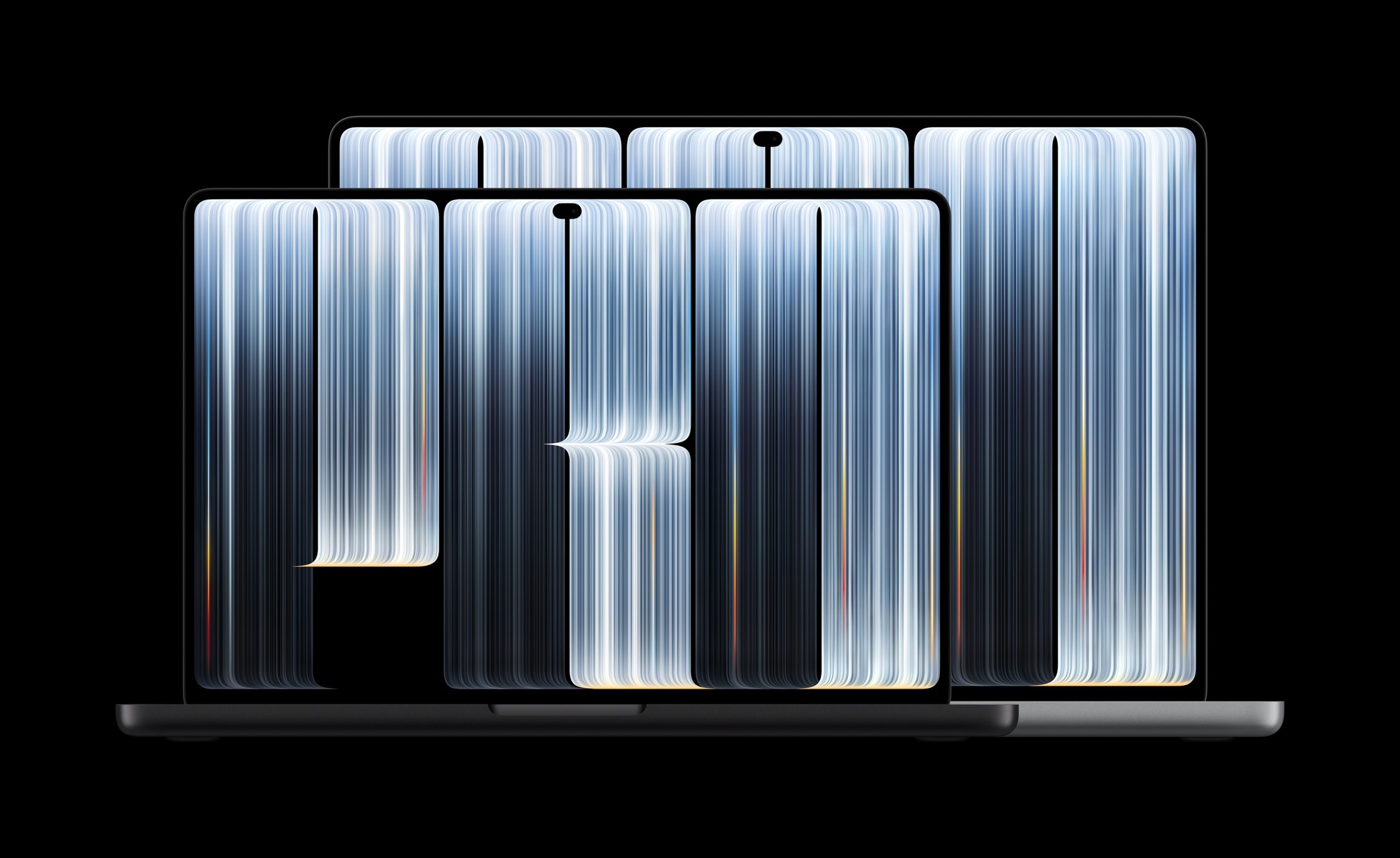
MacBook Pro With PROLED XDR Display: Details You Might Have Missed

The new MacBook Pro models with PROLED XDR displays began arriving to customers on Friday, and various details about the laptops continue to surface.


Given these models are available with the same M5 Pro and M5 Max chips that power the models with mini-LED displays, performance was expected to be virtually identical across the board, and benchmark results confirm that is the case.

Average scores for multi-core CPU performance in the Geekbench 7 database:
  • 16-inch MacBook Pro (Mini-LED, M5 Max): 34,988

  • 16-inch MacBook Pro (PROLED XDR, M5 Max): 34,904
The chip has an 18-core CPU in both models.

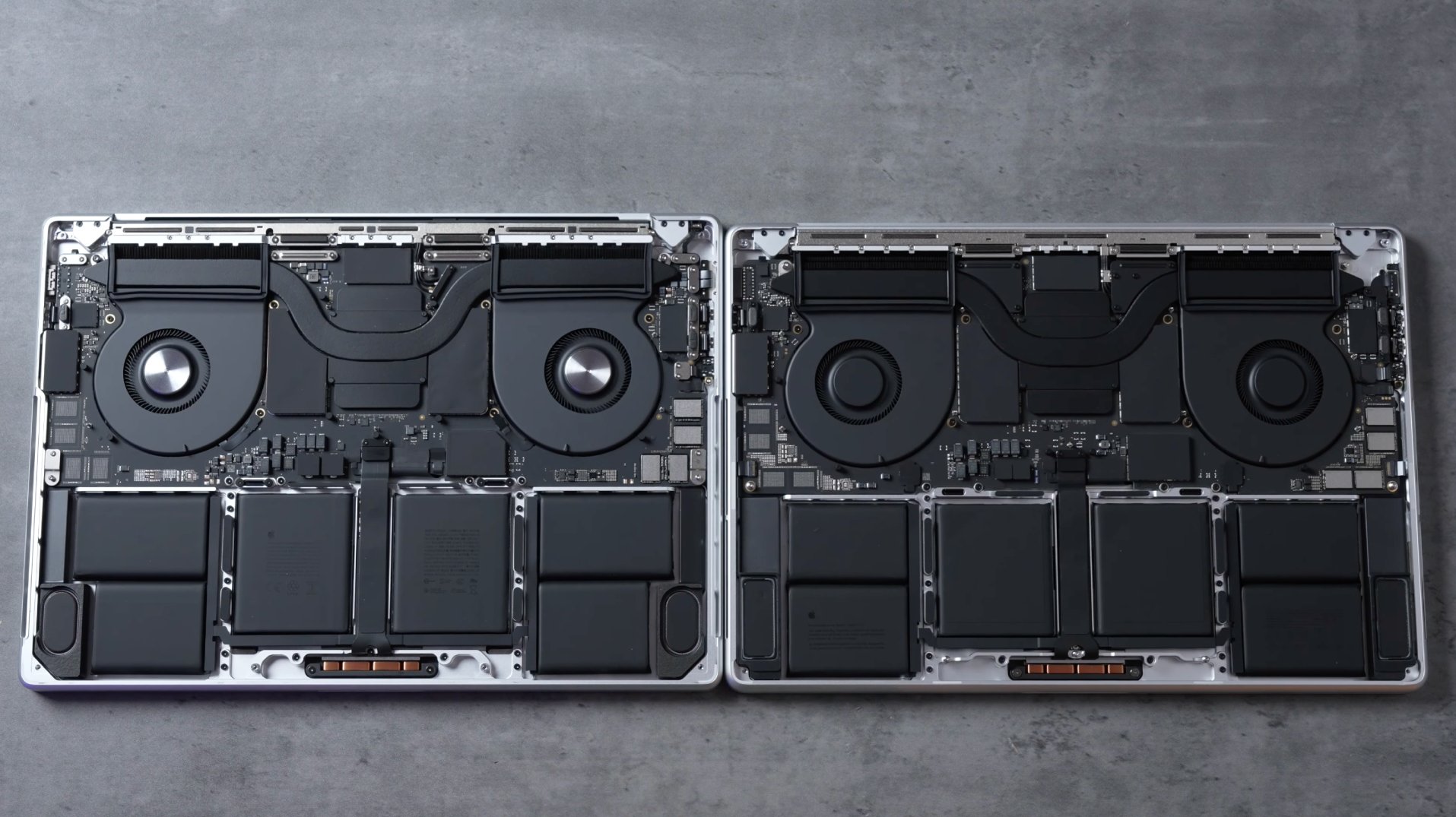
YouTube channel Max Tech noted that the bottom cover on the new MacBook Pro models has slightly recessed feet, and there are now only four pentalobe screws holding it in place, compared to eight on previous models.

Under the bottom cover sit larger speakers, which provide 50% deeper bass according to Apple.

16-inch/Mini-LED on left, 16-inch/PROLED on right
While the MacBook Neo's keyboard can be replaced individually, this is not the case for the new MacBook Pro models, as Apple's repair manuals show the laptops continue to have an all-in-one "Top Case with Battery and Keyboard" part.

In case you missed it, the bottom corners of the display are now rounded on the new models, whereas only the top corners are rounded on the mini-LED displays. This small change results in a much more uniform design.


As we noted over the weekend, Daring Fireball's John Gruber confirmed that the illuminated Apple logo on the new MacBook Pro lids uses a custom light source — seemingly a white LED. On older MacBooks released in 2015 and earlier, the Apple logo was illuminated by the LCD's backlight, but OLED displays do not have a backlight.

Why did Apple bring back the illuminated logo? Gruber shared Apple's answer. "Because it's awesome," he heard an Apple representative say.
Related Roundup: MacBook Pro
Buyer's Guide: MacBook Pro (Buy Now)
Related Forum: MacBook Pro

This article, "MacBook Pro With PROLED XDR Display: Details You Might Have Missed" first appeared on MacRumors.com

Discuss this article in our forums

  •  

Apple Store Subscription Sign-Up Controversy Exposed

In a series of YouTube videos shared over the past two weeks, electronics technician and consumer rights advocate Louis Rossmann has exposed a controversy in which some Apple Store employees have allegedly signed up customers for auto-renewing subscription trials for Apple One and other services without their informed consent.


Here is how the process works at Apple Stores in the United States:
  • A customer visits an Apple Store.

  • An employee at the store asks if the customer would like to scan a QR code for a personalized shopping experience ("Connect and Personalize").

  • If the customer agrees, the employee can view some of the customer's information on their company-issued device, including which Apple devices they own, which Apple services they are subscribed to, and which Apple subscription offers are available to them based on their recent purchases.

  • The employee can proceed to show the customer their available subscription offers, presented with "Agree" and "Decline" buttons on the employee's device. The default payment method associated with the customer's Apple Account is automatically available for subscription sign-ups, so long as it has not expired.
The problem is that some employees allegedly activated these trials without adequately explaining to the customers that they would be automatically charged at a later date, according to tipsters who contacted Rossmann. For example, some employees would allegedly rush through the process or were even told to position the trials as "gifts."

Until early last week, Apple was tracking a metric known as the "services attach rate," with a target of 40% for each retail employee at at least some U.S. stores. In other words, employees were encouraged to get at least four out of every 10 customers they assisted with a device purchase to also sign up for at least one subscription.

In some cases, employees allegedly even tapped the "Agree" button themselves without receiving the customer's informed consent, seemingly in an attempt to ensure that their "services attach rate" was as high as possible.

"Top performers in my store and market just include them and don't show the customer the accept/decline screen during checkout," one anonymous person alleged. "I've confirmed with others that this happens at other stores, and I've had many employees admit to me that they do this. It is unfortunate that this is our culture now."

Apple does email customers when a new trial has been activated on their accounts, but unsuspecting customers might not pay attention or realize that the email pertains to a subscription that will automatically renew later.

Metric Removed, Reminder Issued


MacRumors has confirmed that Apple removed the services metric for employees early last week, just days after Rossmann's videos were published. However, the official explanation we were given for the metric's removal is that it is less relevant during the holiday season, when customers are often purchasing Apple products as gifts for others.

Later in the week, Apple issued an internal memo to retail employees reminding them of the importance of respecting customer privacy and obtaining consent, including when offering subscription trials and using the "Connect and Personalize" system, but also for things such as Apple Upgrade sign-ups and Genius Bar work authorizations.

The memo was issued ahead of the first weekend of Apple's holiday shopping season, which kicked off on Friday. During the holidays, Apple hires additional employees to help assist with an influx of customers, so the reminder was timely for new staff.

Whether these actions were timed solely around the holiday shopping season or were also influenced by Rossmann's videos, we cannot say for sure. In any case, the actions conveniently address some of the concerns highlighted by Rossmann.

How to Check Your Subscriptions


On an iPhone, open the Settings app and tap on your name at the top of the screen. Next, tap on "Subscriptions" and you will see a list of any subscriptions that are active on your Apple Account, including trials. You can tap on any individual subscription and tap on the "Cancel Subscription" or "Cancel All Services" button to cancel.

If you wish to dispute a transaction with Apple, go to reportaproblem.apple.com, select the "Request a refund" option, and follow the steps.

As always, regularly review your credit card or bank statements to ensure that you have not been charged for any subscriptions unexpectedly.
This article, "Apple Store Subscription Sign-Up Controversy Exposed" first appeared on MacRumors.com

Discuss this article in our forums

  •  
❌