❌

Lese-Ansicht

iPhone Duo Could Get More Lock Screen Widgets, Leak Suggests

An experimental iPhone Duo interface tested by Apple would allow widgets to occupy two separate areas of the Lock Screen, according to findings shared by the leaker known as "pdfu."
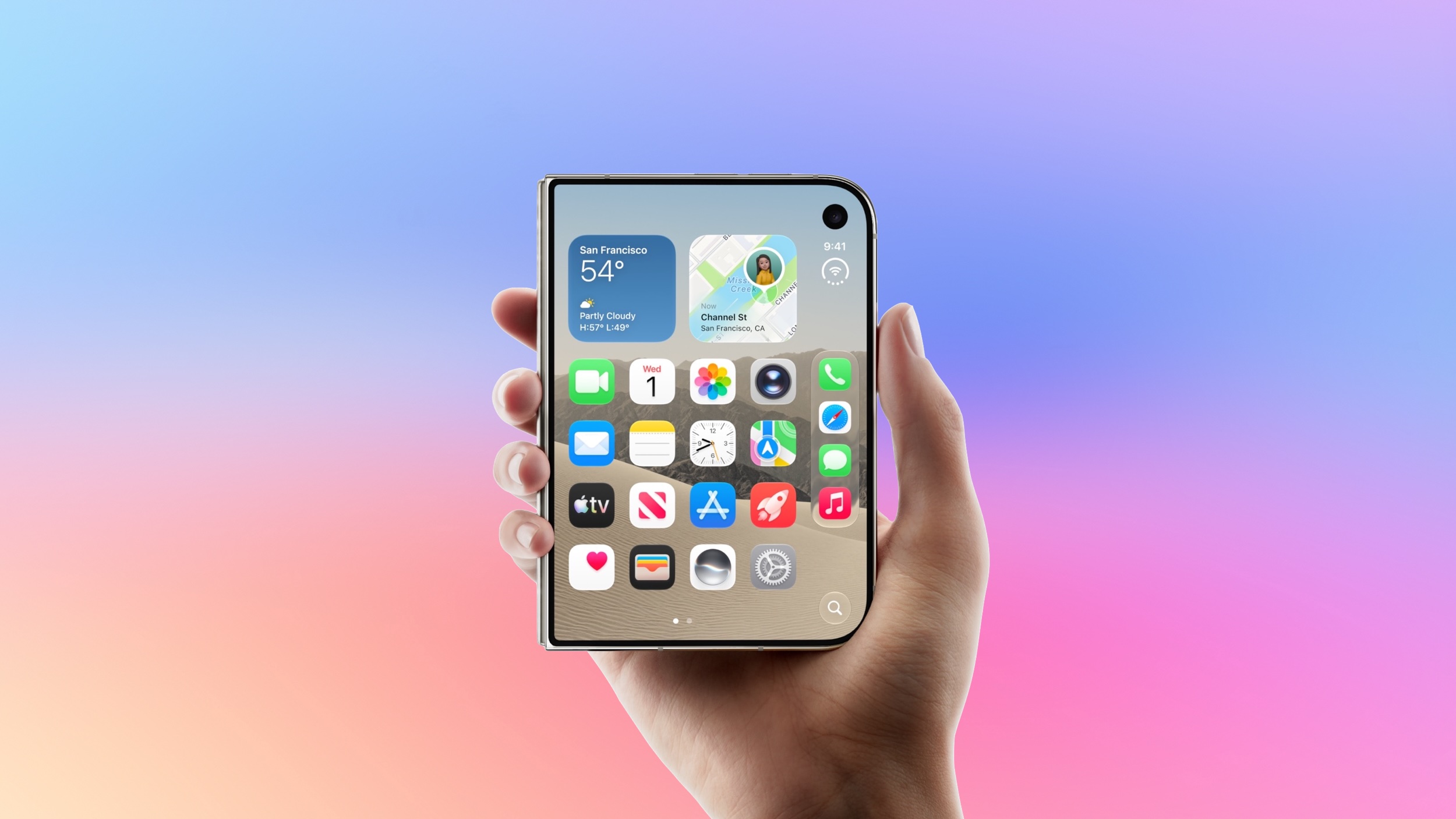

The unreleased layout adds a vertical pair of circular widgets on the right side of the screen. Crucially, pdfu says this arrangement can be used together with the existing bottom row, giving users access to more information.

Apple has tested a "complication column" for iPhone Duo's Lock Screen. It fits two circular widgets along the right edge.

— pdfu (@itspdfu) November 22, 2026


Called a "Complication Column," the additional widget area sits above the customizable shortcuts normally assigned to the flashlight and camera. Network status indicators remain above it, with the widgets making use of the intervening space.

The widget column is disabled for now. According to pdfu, it is controlled by an internal "SpringBoard/Ionic" setting and was first identified in iOS 27.1. No subsequent changes to its code have been spotted, so it is not clear whether Apple is still developing it or plans to make it available in the future.
Related Roundup: iPhone Duo
Tags: pdfu, Widgets
Buyer's Guide: iPhone Duo (Buy Now)
Related Forum: iPhone

This article, "iPhone Duo Could Get More Lock Screen Widgets, Leak Suggests" first appeared on MacRumors.com

Discuss this article in our forums
  •  

Apple Tests Bringing Back a Softer Side of Liquid Glass

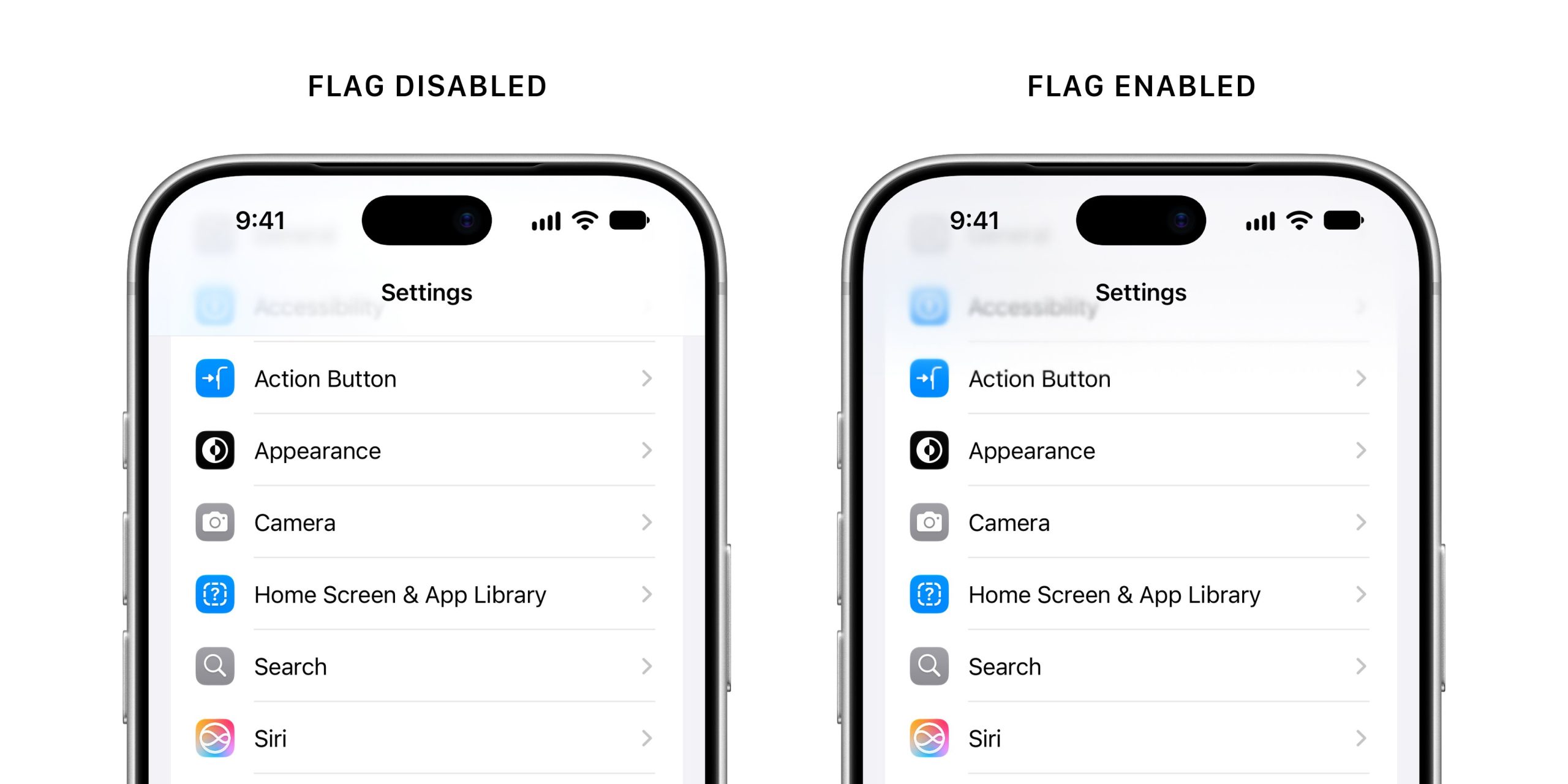
Apple is testing a softer appearance for iPhone navigation bars that would bring back part of the look used in iOS 26, according to a new finding shared by pdfu on X (Twitter).

The gradual fade nav bar effect is disabled by default in iOS 27.3 beta 2

The change affects how content fades out as it scrolls beneath the bar at the top of an app, so that text and other elements disappear into a gentler blur, rather than meeting a more sharply defined boundary.

In the side-by-side comparison above, shared by pdfu, the difference is shown with the test feature switched off – the navigation bar has a distinct lower edge separating it from the list below. With the feature enabled (as shown on the right), the boundary is replaced by a softer, more gradual transition.

According to pdfu, the effect is designed to appear when Liquid Glass tint is set to 25 percent or lower, and it only applies to navigation bars that use the default style. The gentler fade is currently disabled behind an internal feature flag in the latest iOS 27.3 developer beta, so it's not at a stage where users can simply turn on the change via Settings.

Apple reworked Liquid Glass in iOS 27 with changes aimed at improving readability, including a more uniform background behind content at the top of apps. It also replaced the earlier Clear and Tinted presets with a continuous transparency slider, offering users finer control over the Liquid Glass appearance.

Whether Apple will bring back the softer look for navigation bars or make it an optional setting in a future update remains to be seen.
Tag: pdfu

This article, "Apple Tests Bringing Back a Softer Side of Liquid Glass" first appeared on MacRumors.com

Discuss this article in our forums
  •  

New Apple TV 4K's A19 Chip Has One Core Switched Off

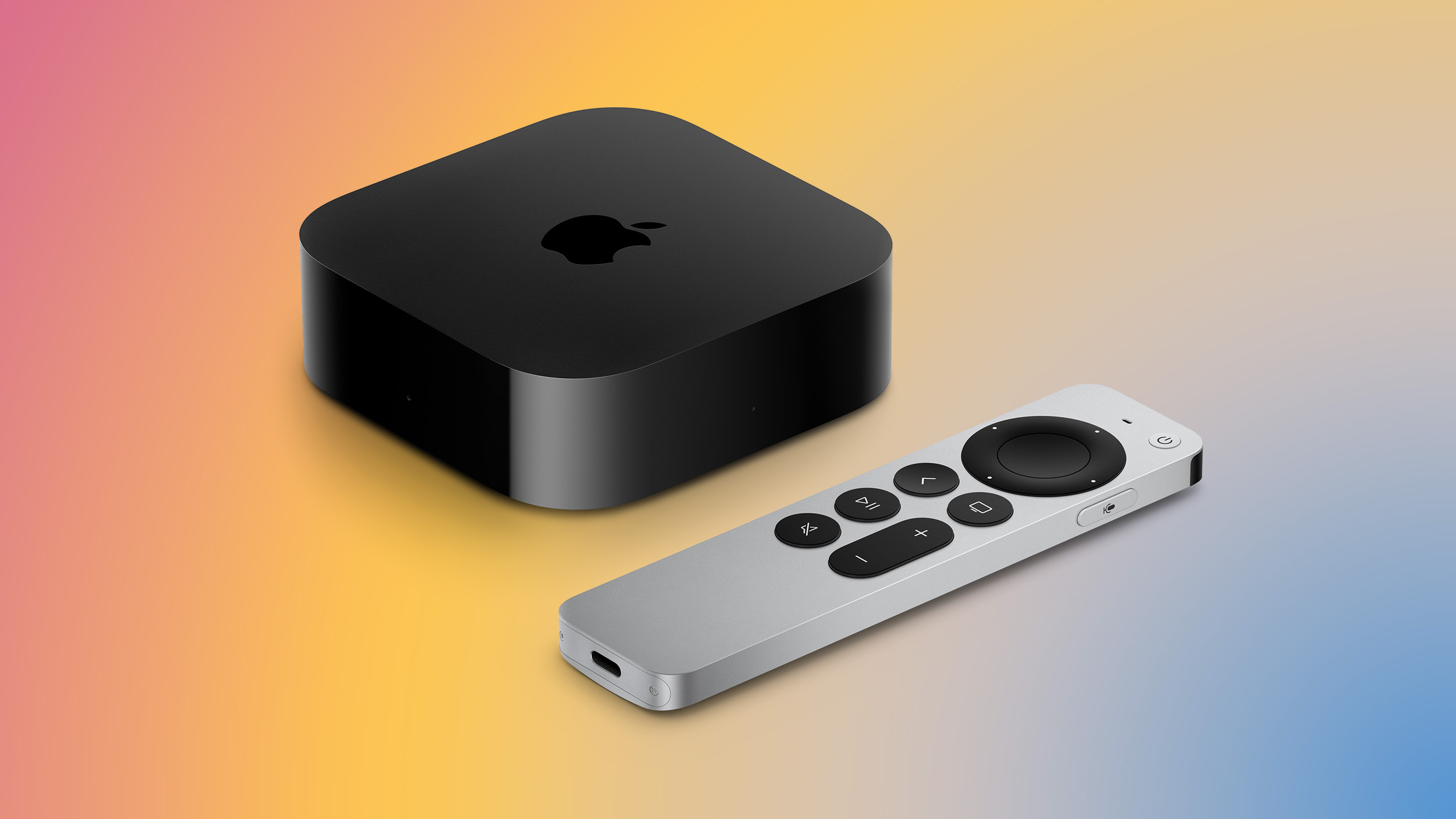
Apple's new Apple TV 4K uses an A19 chip with one efficiency core disabled, according to system diagnostic data shared by code explorer pdfu. That suggests a five-core CPU with two performance cores and three efficiency cores, compared with the six-core CPU in the iPhone 17.

The reported maximum clock speeds are 4.26GHz for performance cores and 2.592GHz for efficiency cores, with a five-core GPU reaching 1.47GHz. (These are maximum frequencies, not measurements of sustained performance.) Apple is likely using binned chips, where the disabled core is defective. The company used a similar configuration in the 2022 Apple TV 4K, whose A15 chip also had one CPU core disabled.
Related Roundup: Apple TV
Tag: pdfu
Buyer's Guide: Apple TV (Buy Now)

This article, "New Apple TV 4K's A19 Chip Has One Core Switched Off" first appeared on MacRumors.com

Discuss this article in our forums

  •  

Apple Maps Could Factor Parking Into Your Arrival Time

Apple may be working on a way for Maps arrival estimates that account for parking as well as the walk to your destination, according to findings shared by code explorer pdfu. A new "TimeToPark" flag in the iOS 27.3 beta apparently allows the system to measure time spent near a destination before parking, plus walking time afterwards.
The measurements use background location and motion data, with results saved per trip and grouped by weekday and hour. However, pdfu says the feature can only be enabled on internal installations, and no Maps feature uses the data yet. In other words, watch this space – parking-aware ETAs could yet become a thing.
This article, "Apple Maps Could Factor Parking Into Your Arrival Time" first appeared on MacRumors.com

Discuss this article in our forums

  •  

Apple to Give You More Control Over When Your Mac Passwords Lock

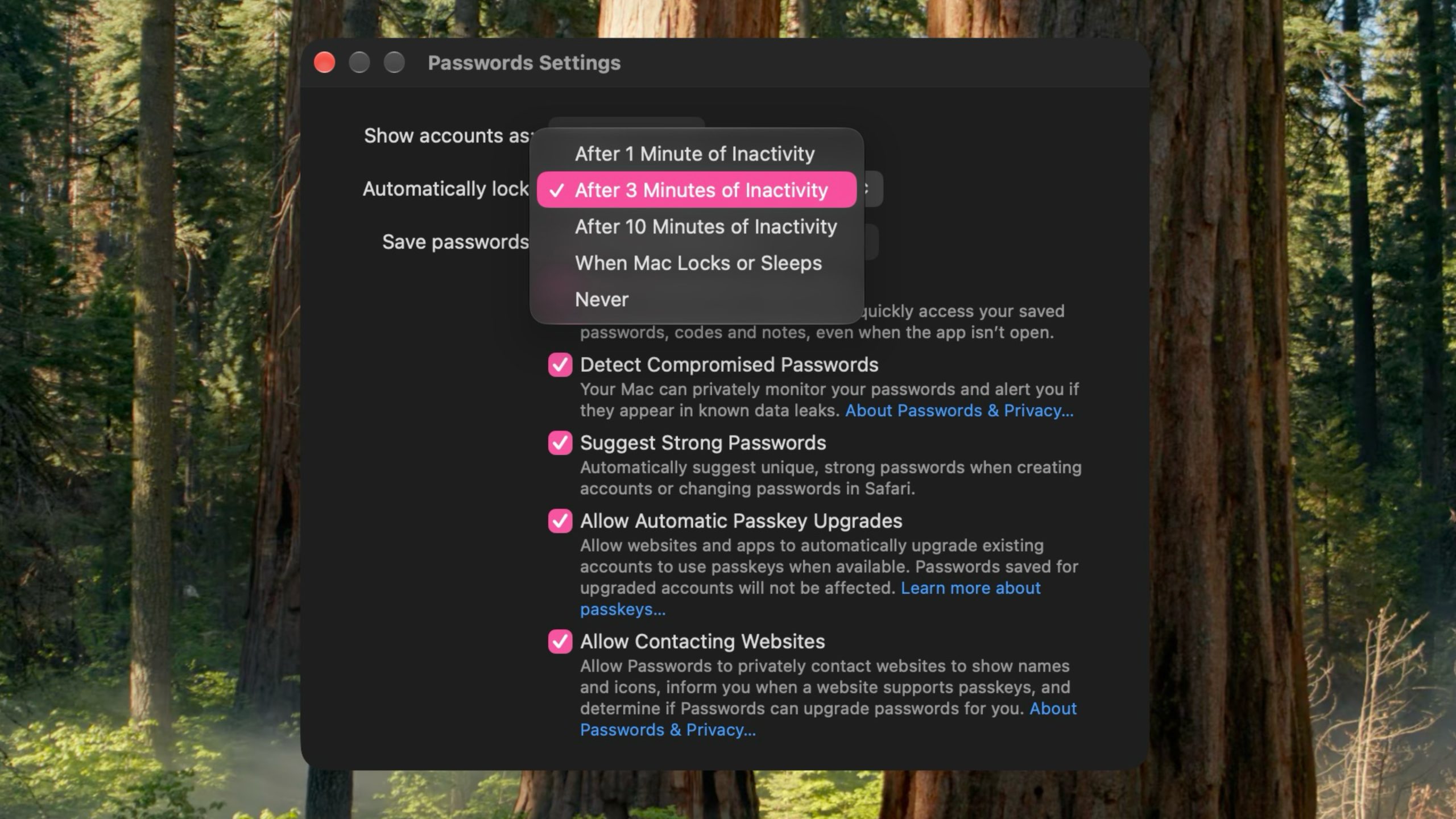
Apple's Passwords app on Mac will soon let you choose when it automatically locks. Spotted by code explorer pdfu, a new menu in macOS 27.3 beta offers one, three, or 10 minutes of inactivity, alongside options to lock when the Mac itself locks or sleeps, or for it to never automatically lock.


In the current macOS 27.2 general release and in earlier versions of Apple's Mac operating system, the Passwords app uses a fixed three-minute inactivity timeout. So when the update arrives in December, you'll have more control over how long the app stays unlocked, rather than have to rely on the default timeout.

Apple added a dedicated Passwords app for managing your iCloud passwords and logins with the release of macOS Sequoia in September 2024.
Tag: pdfu

This article, "Apple to Give You More Control Over When Your Mac Passwords Lock" first appeared on MacRumors.com

Discuss this article in our forums

  •  

Siri Is Getting a Better Memory

Apple is building a personal memory system that could help Siri retain information about users' lives, based on new code findings shared by code explorer pdfu.


In Apple's iOS 27.3 beta release, the system includes a "memory graph" that's designed to organize information about relationships, places, routines, health, workouts, and what motivates users or holds them back, according to the findings. It also identifies "memory atoms" for facts, opinions, intentions, and events, including details about the people, places, times, and topics involved.

According to pdfu, the graph uses two kinds of processes to gather info. One turns structured data into insights – like reading the name fields in a user's own contact card. The other uses an on-device AI model or Private Cloud Compute to extract insights by querying sources including Siri conversations, messages, photos, and health data.

Apparently, only one of these AI-driven processes is present so far: pdfu believes it's designed to identify motivations, barriers, and resources using a set of 60 built-in questions, including questions about routines that might interfere with adequate sleep.

From what's been uncovered so far, it's still an unfinished system – pdfu says there's no process that creates memory atoms yet, for example. In a follow-up explanation, the code sleuth also distinguished the graph from a separate store for explicit memories. The latter store has space for records in Apple's search system, but nothing writes the records yet.

Both systems reportedly use Apple's version of the Kuzu graph database. Apple acquired Kuzu in 2025, but its plans for the technology were unclear when the acquisition emerged earlier this year.

Siri already offers personal context understanding, allowing the assistant to find information about the user's life in apps like Mail, Messages, and Photos. Nothing that's been uncovered so far tells us when the unfinished memory system will become available or how users will have control over their data.
Tags: pdfu, Siri, Siri AI

This article, "Siri Is Getting a Better Memory" first appeared on MacRumors.com

Discuss this article in our forums

  •  

HomeView Code Suggests Future Support for AI Chatbot Apps, Anti-Spoofing Protection

Code discovered in the iOS 27.3 beta suggests Apple is laying the groundwork for chatbot apps on its upcoming HomeView smart home hub, according to the code investigator known as pdfu.


The software HomeView uses to display apps from a connected iPhone or iPad is said to have gained a "Conversational Apps" category in the latest beta. The update also reportedly adds preparations for two-way audio routing, session management, and interruptions, but pdfu notes that it is "still not fully wired up."

Apple hasn't announced chatbot apps for HomeView, and the code doesn't show which apps could use the category or when it could launch, so support for ChatGPT, Claude, or other chatbots is unconfirmed. It's not the first time the possibility has been floated: pdfu suggested on Sunday that chatbot apps might follow based on an unused flag in HomeView's software.

Anti-Spoofing Protection


In a separate finding, pdfu also discovered that HomeView includes anti-spoofing protection. Apparently, after three spoof attempts for a profile, the user must authenticate with an iPhone to see personal data, and the protection is enabled in HomeView software 27.2.

Apple is also said to be working on a lockout cooldown system, similar to what happens when you enter the wrong passcode on an iPhone. A first lockout can be cleared immediately, but a second lockout brings a one-hour wait, a third a four-hour wait, and a fourth (or any further) lockout an eight-hour wait.

pdfu adds that the lockout cooldown periods are still in development, so for now any lockout can be cleared immediately by authenticating with an iPhone. Apple hasn't described either feature in its press materials.

HomeView Launches Next Week


HomeView launches on November 13 for $299, in both desktop and wall-mounted versions. Here's what Apple has announced so far:

  • 7-inch Liquid Retina display, in a tabletop model with a speaker base and a wall-mounted model.

  • Face recognition for up to six users, each with a personal Home Screen with apps and widgets.

  • Siri AI, with conversations that continue in the Siri app on other Apple devices.

  • Personal content from Messages, FaceTime, Calendar, Reminders, and Find My, shown when the enrolled user is recognized and their iPhone or iPad is nearby and recently unlocked.

  • Faces including Photos, Flow, Snoopy, Home Modular, and Home Camera.

  • Apple Music, Podcasts, News, and Apple TV, plus compatible third-party audio and video apps.

  • Handoff from iPhone, and multiroom audio with HomePod, HomePod mini, and AirPlay speakers.

  • FaceTime with Center Stage, Messages by voice or keyboard, and Intercom.

  • Step-by-step recipes from the web with hands-free timers.

  • Smart home controls, including a Home Camera face that shows up to nine live camera feeds.

  • With a supported iCloud+ subscription, recognition of people, pets, packages, and vehicles from compatible cameras.

  • Smoke and carbon monoxide alarm sound detection.

  • Support for Apple Home Collection accessories, other "Works with Apple Home" accessories, and Matter.

HomeView won't have an App Store. However, as we reported last month, it shows CarPlay-style third-party audio and video apps from a connected iPhone or iPad. HomeView isn't on sale in the European Union because Siri AI is currently unavailable in iOS there, and Apple says it is still working with the EU to find a path forward to make it available in the bloc.
Related Roundup: Apple HomeView
Tag: pdfu
Buyer's Guide: HomeView (Buy Now)

This article, "HomeView Code Suggests Future Support for AI Chatbot Apps, Anti-Spoofing Protection" first appeared on MacRumors.com

Discuss this article in our forums

  •  
❌