Anmelden

Is It Worth Buying a Ceramic Apple Watch?
The Apple Watch Series 12's ceramic casing option is its most luxurious, offering a distinctive finish and highly scratch-resistant material at a price above both aluminum and titanium. Is it worth choosing?
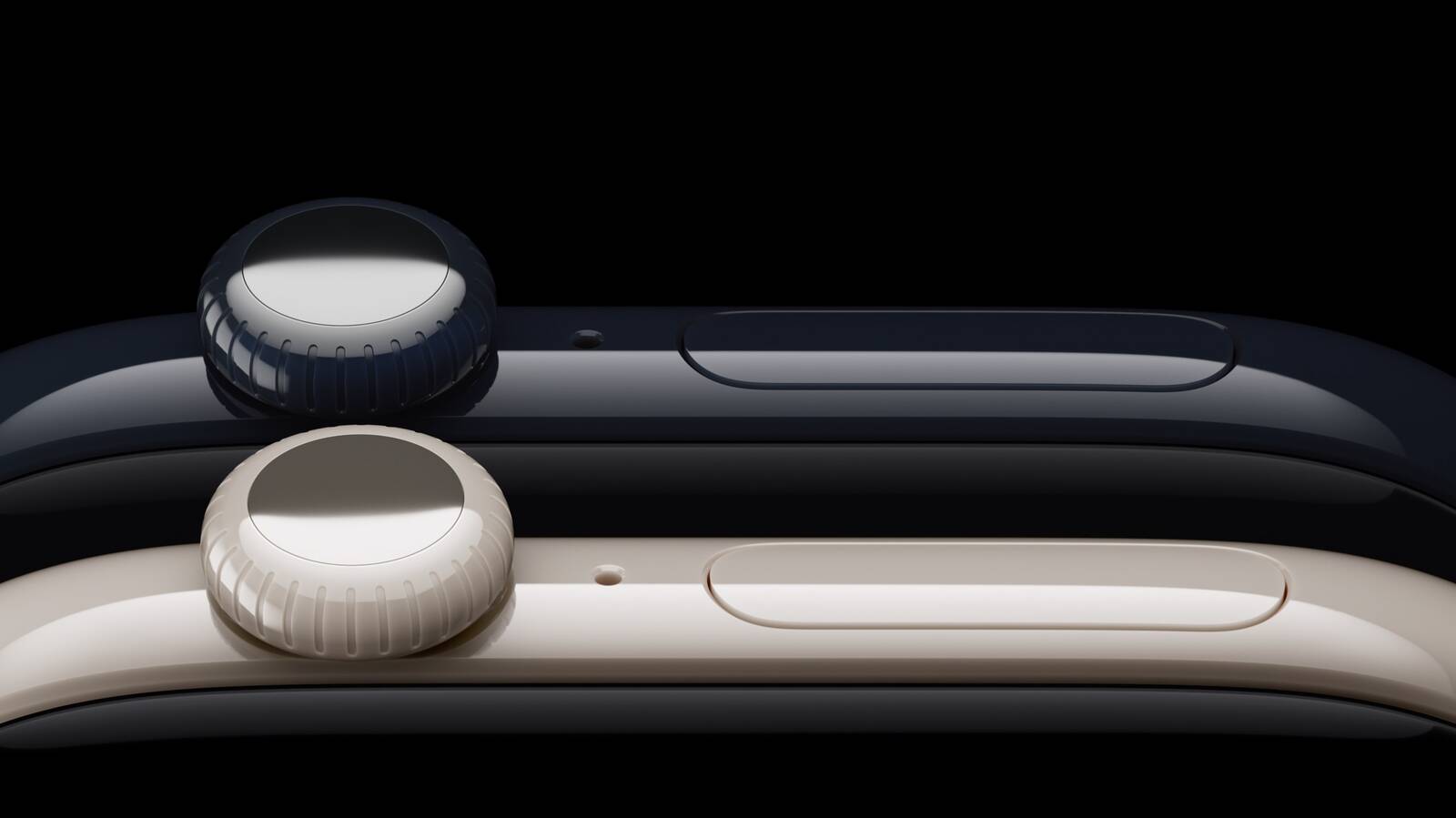
The ceramic Apple Watch starts at $899, compared to $399 for aluminum and $699 for titanium. Available in Pearl White and Night Blue, it brings ceramic back to the lineup for the first time since the Series 5. It is aimed at buyers who want a more unusual and special Apple Watch, and are willing to pay for the material and appearance rather than additional features.
Pearl White is particularly distinctive, with a lustrous, nonmetallic finish unlike anything offered in aluminum or titanium. For earlier ceramic Apple Watch models, Apple described a manufacturing process that combined zirconia powder with alumina before molding the case, heating it to form a dense solid, and polishing it with a diamond slurry. That process produced the smooth surface and rich white appearance that helped make the ceramic Apple Watch Edition so distinctive.
The included band is part of that appeal. Apple pairs the ceramic watches with exclusive Sand and Navy Blue Sport Bands featuring ceramic pin-and-tuck closures that match their respective cases. The Sand band gives the Pearl White model a distinctive overall appearance, with the matching ceramic closure providing a detail absent from ordinary Sport Bands.
Ceramic also offers a different look when paired with other bands. Pearl White creates a striking contrast with darker rubber or woven bands, while Night Blue offers a more understated combination. Metal bracelets remain an option, although their connectors will contrast with the ceramic case; buyers who prefer a coordinated metallic appearance may favor titanium with a Link Bracelet or Milanese Loop.
Ceramic also offers a practical benefit beyond its appearance: resistance to cosmetic wear. Earlier ceramic Apple Watch models were known for cases that were exceptionally difficult to scratch, helping preserve their finish throughout years of use. Polished titanium can pick up visible surface scratches, so buyers concerned about their watch retaining its original appearance have a good reason to consider ceramic.
Ceramic can still chip or crack under forceful impact, even though it resists scratches very well. It is a luxury case material with useful durability characteristics, rather than a substitute for the Apple Watch Ultra's rugged design.
Like titanium, the ceramic Series 12 features a sapphire front crystal that is highly resistant to scratches. Aluminum models instead feature Ceramic Shield 2, which refers to the front cover rather than a ceramic case. Titanium provides sapphire for $200 less, but it does not replicate the ceramic casing's distinctive finish or material qualities.
The ceramic models also include cellular connectivity as standard, while aluminum models offer a choice of GPS or GPS and Cellular. The $500 difference between their starting prices therefore covers more than the case material and front crystal, although ceramic remains a substantial premium even when comparing equivalent configurations.
There is a compromise in weight and proportions. Ceramic models are larger and heavier than their aluminum and titanium counterparts, without providing a larger display. The larger ceramic model weighs 51.3 grams in Pearl White and 52.9 grams in Night Blue, compared to 44.9 grams for titanium.
Internally, the ceramic Apple Watch Series 12 offers the exact same chip, sensors, display technology, and battery life as the aluminum and titanium versions. It also starts at $100 more than the Apple Watch Ultra 4, despite the Ultra offering longer battery life and additional capabilities.
Aluminum remains the stronger choice for buyers focused on features and value, while titanium offers a premium metallic finish and sapphire crystal at a lower price. Ceramic is for buyers who place greater importance on the material, finish, and sense of wearing something more unusual. If Pearl White is the Apple Watch you particularly want, neither titanium nor the Apple Watch Ultra offers a comparable substitute, regardless of their practical advantages.
Do you think the ceramic Apple Watch models are worth buying? Let us know in the comments.
This article, "Is It Worth Buying a Ceramic Apple Watch?" first appeared on MacRumors.com
Discuss this article in our forums
The ceramic Apple Watch starts at $899, compared to $399 for aluminum and $699 for titanium. Available in Pearl White and Night Blue, it brings ceramic back to the lineup for the first time since the Series 5. It is aimed at buyers who want a more unusual and special Apple Watch, and are willing to pay for the material and appearance rather than additional features.
Pearl White is particularly distinctive, with a lustrous, nonmetallic finish unlike anything offered in aluminum or titanium. For earlier ceramic Apple Watch models, Apple described a manufacturing process that combined zirconia powder with alumina before molding the case, heating it to form a dense solid, and polishing it with a diamond slurry. That process produced the smooth surface and rich white appearance that helped make the ceramic Apple Watch Edition so distinctive.
The included band is part of that appeal. Apple pairs the ceramic watches with exclusive Sand and Navy Blue Sport Bands featuring ceramic pin-and-tuck closures that match their respective cases. The Sand band gives the Pearl White model a distinctive overall appearance, with the matching ceramic closure providing a detail absent from ordinary Sport Bands.
Ceramic also offers a different look when paired with other bands. Pearl White creates a striking contrast with darker rubber or woven bands, while Night Blue offers a more understated combination. Metal bracelets remain an option, although their connectors will contrast with the ceramic case; buyers who prefer a coordinated metallic appearance may favor titanium with a Link Bracelet or Milanese Loop.
Ceramic also offers a practical benefit beyond its appearance: resistance to cosmetic wear. Earlier ceramic Apple Watch models were known for cases that were exceptionally difficult to scratch, helping preserve their finish throughout years of use. Polished titanium can pick up visible surface scratches, so buyers concerned about their watch retaining its original appearance have a good reason to consider ceramic.
Ceramic can still chip or crack under forceful impact, even though it resists scratches very well. It is a luxury case material with useful durability characteristics, rather than a substitute for the Apple Watch Ultra's rugged design.
Like titanium, the ceramic Series 12 features a sapphire front crystal that is highly resistant to scratches. Aluminum models instead feature Ceramic Shield 2, which refers to the front cover rather than a ceramic case. Titanium provides sapphire for $200 less, but it does not replicate the ceramic casing's distinctive finish or material qualities.
The ceramic models also include cellular connectivity as standard, while aluminum models offer a choice of GPS or GPS and Cellular. The $500 difference between their starting prices therefore covers more than the case material and front crystal, although ceramic remains a substantial premium even when comparing equivalent configurations.
There is a compromise in weight and proportions. Ceramic models are larger and heavier than their aluminum and titanium counterparts, without providing a larger display. The larger ceramic model weighs 51.3 grams in Pearl White and 52.9 grams in Night Blue, compared to 44.9 grams for titanium.
Internally, the ceramic Apple Watch Series 12 offers the exact same chip, sensors, display technology, and battery life as the aluminum and titanium versions. It also starts at $100 more than the Apple Watch Ultra 4, despite the Ultra offering longer battery life and additional capabilities.
Aluminum remains the stronger choice for buyers focused on features and value, while titanium offers a premium metallic finish and sapphire crystal at a lower price. Ceramic is for buyers who place greater importance on the material, finish, and sense of wearing something more unusual. If Pearl White is the Apple Watch you particularly want, neither titanium nor the Apple Watch Ultra offers a comparable substitute, regardless of their practical advantages.
Do you think the ceramic Apple Watch models are worth buying? Let us know in the comments.
Related Roundup: Apple Watch 12
Buyer's Guide: Apple Watch (Buy Now)
Related Forum: Apple Watch
This article, "Is It Worth Buying a Ceramic Apple Watch?" first appeared on MacRumors.com
Discuss this article in our forums