❌

Lese-Ansicht

HomeView Tidbits: Mirror, Sleep Timer, and Other Details

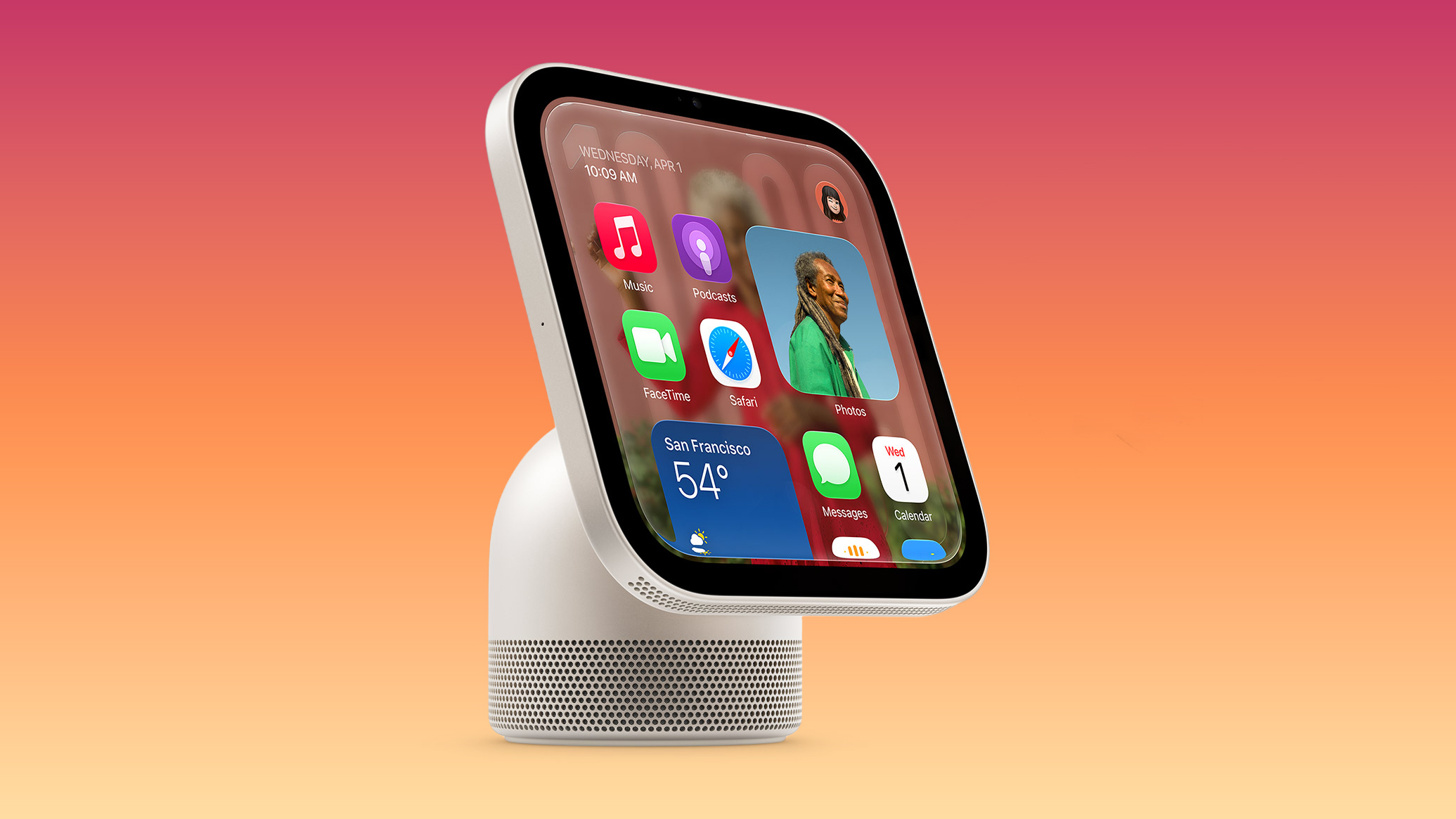
Apple's HomeView is out today, and we're finally learning all the little details about the new hub. We've rounded up a list of tidbits for those setting up a HomeView or thinking about getting one.

Sunglasses


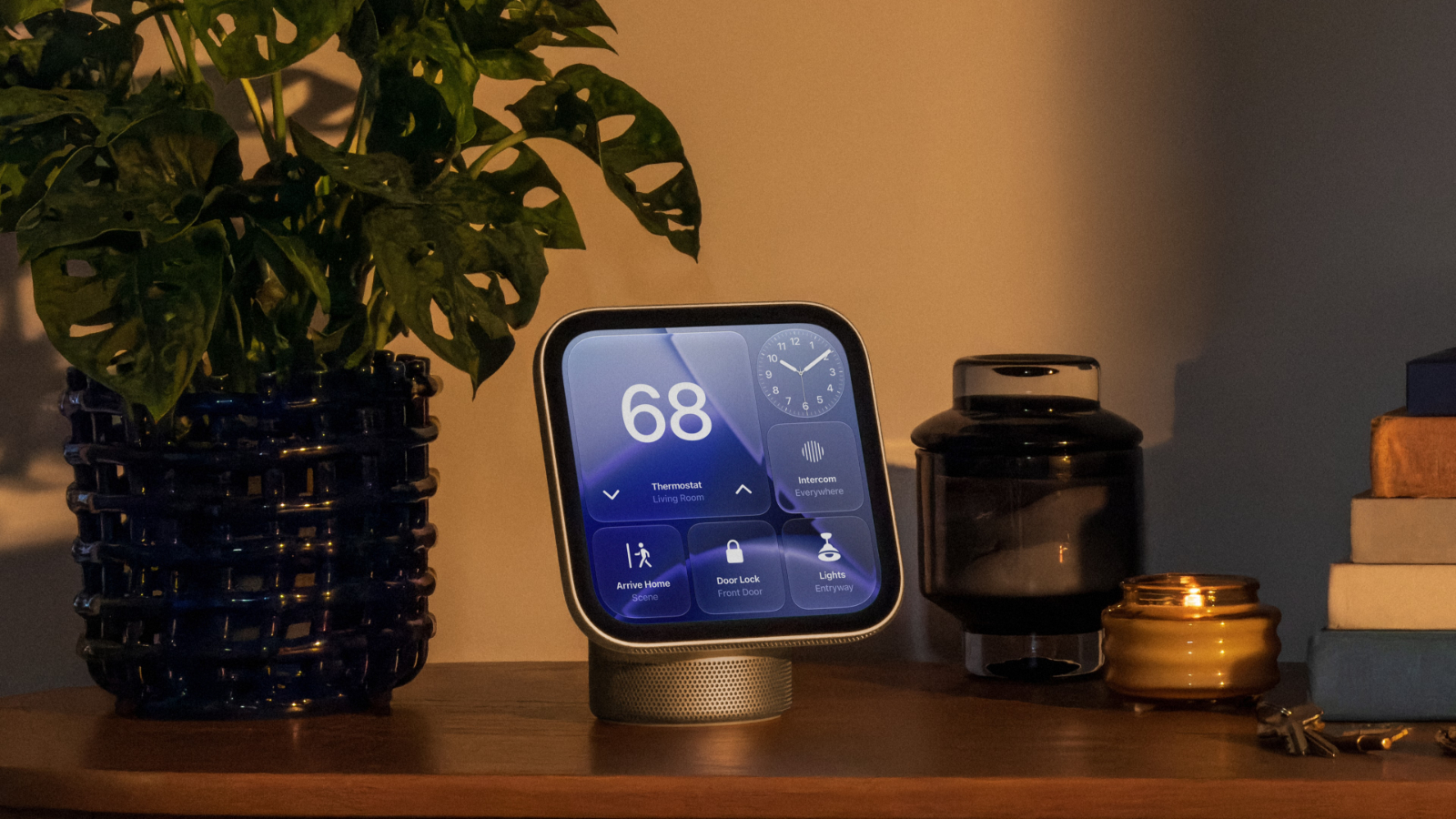
Apple says the HomeView probably won't recognize you if you have your face covered, including when wearing sunglasses. If HomeView isn't identifying you, Apple suggests removing anything that would block the camera from seeing your face.

The HomeView's screen needs to be angled toward your face, you need to be centered in the frame and closest to the camera if other people are around, and the HomeView can't be blocked by overhanging shelves and cabinets. Apple says the HomeView needs front-facing, even light.

Mirror


There's a "Mirror" in the HomeView Control Center that lets you use the camera to see yourself. There's an option to turn on an edge light for face illumination, along with 1x and 2x zoom.

Guest Controls


The HomeView owner has multiple options for what guests can access.

  • Safari can be turned on or off, or adult websites can be blocked.

  • By default, guests can use Siri for general knowledge, writing help, and math help, but ‌Siri‌ features can be turned off.

  • Explicit content can be turned on or off.

  • There's an option to choose which Apple Music subscription supplies music for an unrecognized user.


Wi-Fi/Cellular


The HomeView authenticates people through face recognition and by making sure their iOS device is nearby, recently unlocked, and on the same Wi-Fi network as the HomeView. If there's a Wi-Fi outage, Apple says cellular can also be used to unlock personal content as long as it's in the same location and was recently on the Wi-Fi network.

Sleep Timer


You can set a sleep timer on HomeView to pause whatever media is playing when the timer goes off.

No Buttons


There is no button to turn the HomeView on or off, or restart it. It can be restarted from the Settings app or by briefly unplugging it.

Logins


You can log into websites and apps using your iPhone, similar to how the Apple TV works.

Notifications


The HomeView only has notifications for phone calls and home devices, with an option to toggle on critical notifications. There are no other notification settings or options.

Liquid Glass


The transparency of the Liquid Glass interface can be adjusted from clear to opaque like on iPhone, iPad, and Mac.

Personal Data Lockouts


If someone tries to repeatedly access personal content on HomeView that needs authentication, facial recognition via the camera is disabled and you'll need to prove identity with a registered device.
Related Roundup: Apple HomeView
Buyer's Guide: HomeView (Buy Now)

This article, "HomeView Tidbits: Mirror, Sleep Timer, and Other Details" first appeared on MacRumors.com

Discuss this article in our forums
  •  

The MacRumors Show: HomeView and Apple TV 4K First Impressions

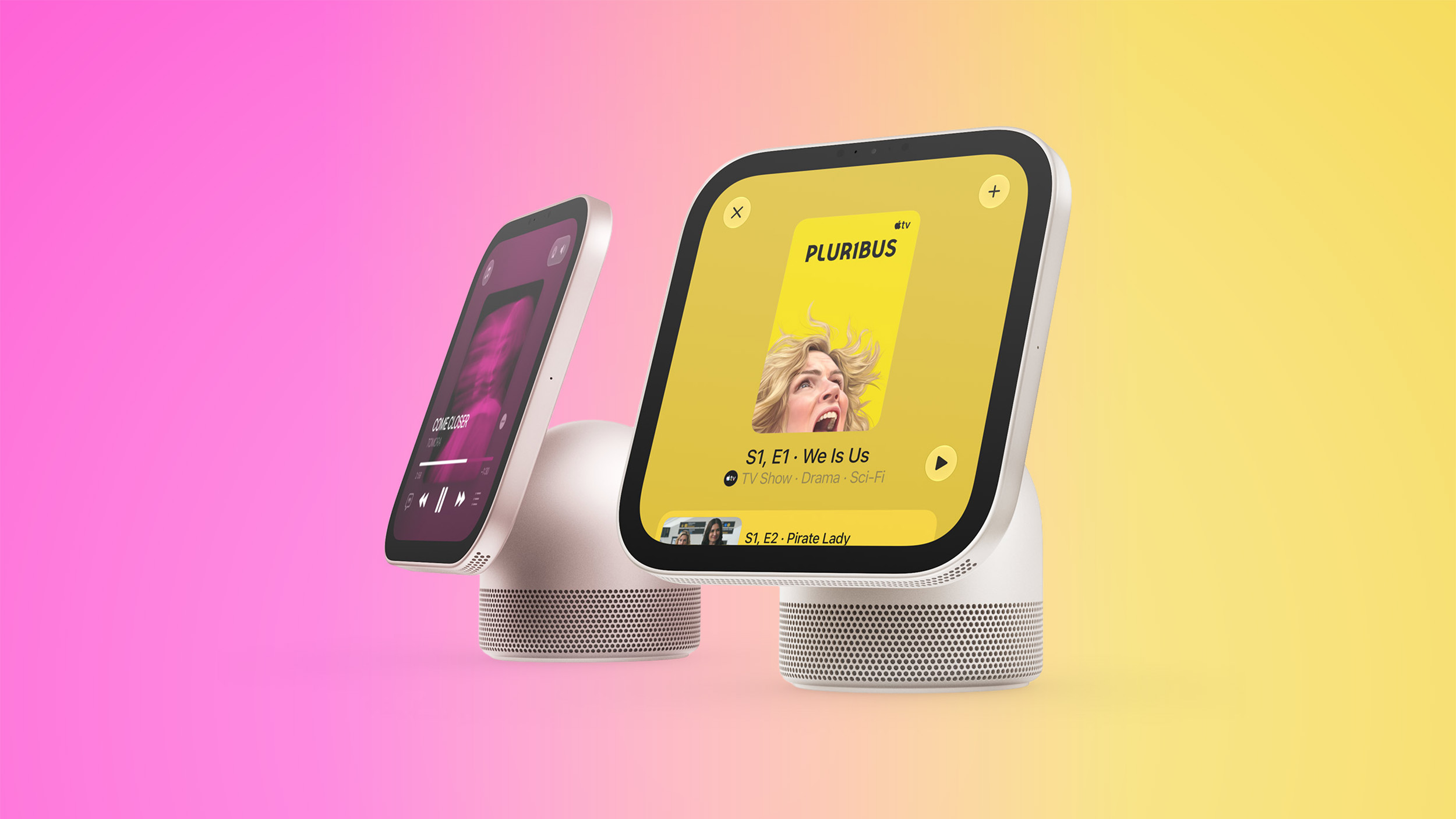
On this week's episode of The MacRumors Show, we share first impressions of Apple's new HomeView and Apple TV 4K, including their hardware, everyday usefulness, and experiences with Siri AI.

Subscribe to The MacRumors Show YouTube channel for more videos

Following a week with the HomeView, Apple's new smart home device makes a strong impression with its build quality and sound, but leaves questions about how much it adds to a household already filled with Apple products. Its overlap with existing devices has already prompted some skepticism.

The 7-inch display may feel smaller in person, with its square aspect ratio and thick bezels contributing to an appearance reminiscent of a large Apple Watch. Sound quality from the tabletop model is a highlight, falling between the HomePod mini and full-sized ‌HomePod‌. That also raises questions about the value of the wall-mounted version, which costs the same $299 before mounting accessories but lacks the larger speaker base.

In the kitchen, setting timers, playing music, answering questions, and controlling smart home accessories provide straightforward reasons to use the HomeView. Turning web recipes into clean, step-by-step instructions with ingredient checklists is a particularly useful example of where the software is designed around its setting. Elsewhere in the home, its purpose can be less obvious, especially at a desk already surrounded by screens.


Personalization is another promising part of the experience. The HomeView's face recognition can switch quickly between household members, bringing up the correct person's apps and information even when two people are standing beside one another.

The interface combines familiar elements from Apple's other platforms, but that familiarity also invites questions about whether it feels sufficiently tailored to the home. Messaging and browsing are available, yet typing on a stationary display may be something users do only occasionally. The HomeView has no App Store, instead supporting compatible third-party audio and video apps through a connected iPhone or iPad, just like CarPlay.

Video playback offers some flexibility for watching something at a kitchen counter, bedside, or desk, although widescreen content occupies a small portion of the square display.


The fourth-generation Apple TV 4K provides noticeably faster navigation and animations thanks to the A19 chip. Its built-in microphones make hands-free ‌Siri‌ convenient when the remote is missing, including while TV audio is playing. The updated ‌Siri‌ Remote's speaker also makes finding it around the room easier.

Support for four-speaker ‌HomePod‌ surround sound provides another reason to consider the new ‌Apple TV‌, particularly for users who already own compatible speakers. We weigh up the appeal of expanding an existing ‌HomePod‌ setup against buying a dedicated home theater system, and consider whether these additions justify the ‌Apple TV‌'s new, higher starting price of $299.

‌Siri‌ AI is a major part of both new products, and its expanded capabilities come with familiar frustrations. More complex questions and requests involving personal context can work, but long waits and inconsistent results can interrupt the experience. Our discussion also touches on occasions when simple tasks, such as adding reminders, prove less reliable than expected, despite the assistant's broader abilities.

The MacRumors Show has its own YouTube channel, so make sure you're subscribed to keep up with new episodes and clips.

You can also listen to ‌The MacRumors Show‌ on Apple Podcasts, Spotify, Overcast, or other podcast apps. You can also copy our RSS feed directly into your player.


If you haven't already listened to the previous episode of The MacRumors Show, catch up to hear our discussion about Apple's first 27.3 betas, which bring expanded ‌Siri‌ AI actions, a redesigned Health app, and new Fitness+ features, alongside conversation summaries on the Apple Watch.

Subscribe to ‌The MacRumors Show‌ for new episodes every week, where we discuss some of the topical news breaking here on MacRumors, often joined by familiar guests such as Tyler Stalman, Michael Fisher, Kayci Lacob, Kevin Nether, John Gruber, Mark Gurman, Jon Prosser, Luke Miani, Matthew Cassinelli, Brian Tong, Quinn Nelson, Jared Nelson, Eli Hodapp, Mike Bell, Sara Dietschy, iJustine, Jon Rettinger, Andru Edwards, Arnold Kim, Ben Sullins, Marcus Kane, Christopher Lawley, Frank McShan, David Lewis, Sam Kohl, Federico Viticci, Thomas Frank, Jonathan Morrison, Ross Young, Ian Zelbo, and Rene Ritchie.

‌The MacRumors Show‌ is on X @MacRumorsShow, so be sure to give us a follow to keep up with the podcast. You can also email us at podcast@macrumors.com or head over to The MacRumors Show forum thread. Remember to rate and review the podcast, and let us know what subjects and guests you would like to see in the future.
Related Roundups: Apple TV, Apple HomeView

This article, "The MacRumors Show: HomeView and Apple TV 4K First Impressions" first appeared on MacRumors.com

Discuss this article in our forums
  •  

Apple Shares HomeView 27.2 Release Notes With List of Features

Apple's new HomeView smart home display launched today and the release notes for HomeView software version 27.2 are now available in a support document.


Since these are the first HomeView release notes that Apple has publicly shared, they go over a lot of the device's basic features and functionality:
HomeView software delivers powerful, personalized experiences to enjoy entertainment, stay connected, and manage your smart home. It features a conversational Siri AI that helps you find what you need and get things done. And with multiuser recognition, customizable faces, and deep Apple ecosystem integration, up to six members of your household get content and controls tailored just for them.

Siri AI

  • A more capable and conversational version of Siri that helps you find what you need and get more done

  • Personal context understanding draws on your Apple Intelligence-enabled iPhone to help you find what you're looking for, like that recipe your mother emailed you

  • Broad world knowledge lets you ask questions about virtually any topic and get a detailed answer

  • Rich content discovery makes it easy to find new music and podcasts using natural language

  • HomeView and Siri AI on HomeView are available in English, and require your paired iPhone or iPad to be set to the same English variant¹,²


Entertainment

  • Apple Music lets you enjoy your favorite songs with animated lyrics and Spatial Audio support, alongside easy search and browse capabilities

  • Podcasts lets you enjoy audio and video shows with transcripts and personalized recommendations

  • Apple TV, Apple News, and Audiobooks let you use your iPhone to enjoy your favorite shows, catch up on daily audio stories, or get lost in a good book

  • Supported third-party audio and video apps installed on your iPhone automatically appear on HomeView

  • Multiroom audio allows you to play and control music in sync across multiple HomeView, HomePod, and AirPlay speakers


Connection

  • FaceTime makes it easy to connect with loved ones hands-free, using Center Stage to keep you perfectly framed even as you move around the room

  • Messages lets you easily read and reply to texts using Siri, the onscreen keyboard, or Tapback

  • Intercom allows you to broadcast messages across your home, to specific rooms, or to personal Apple devices

  • Safari lets you browse the web and includes a new Cooking experience that auto-detects supported recipes, reformatting them with step-by-step instructions and inline timers

  • Find My lets you view the location of friends and family, or locate misplaced Apple devices and AirTags

  • Handoff makes it easy to seamlessly move audio, video, websites, or calls directly from your iPhone to HomeView


Home Control

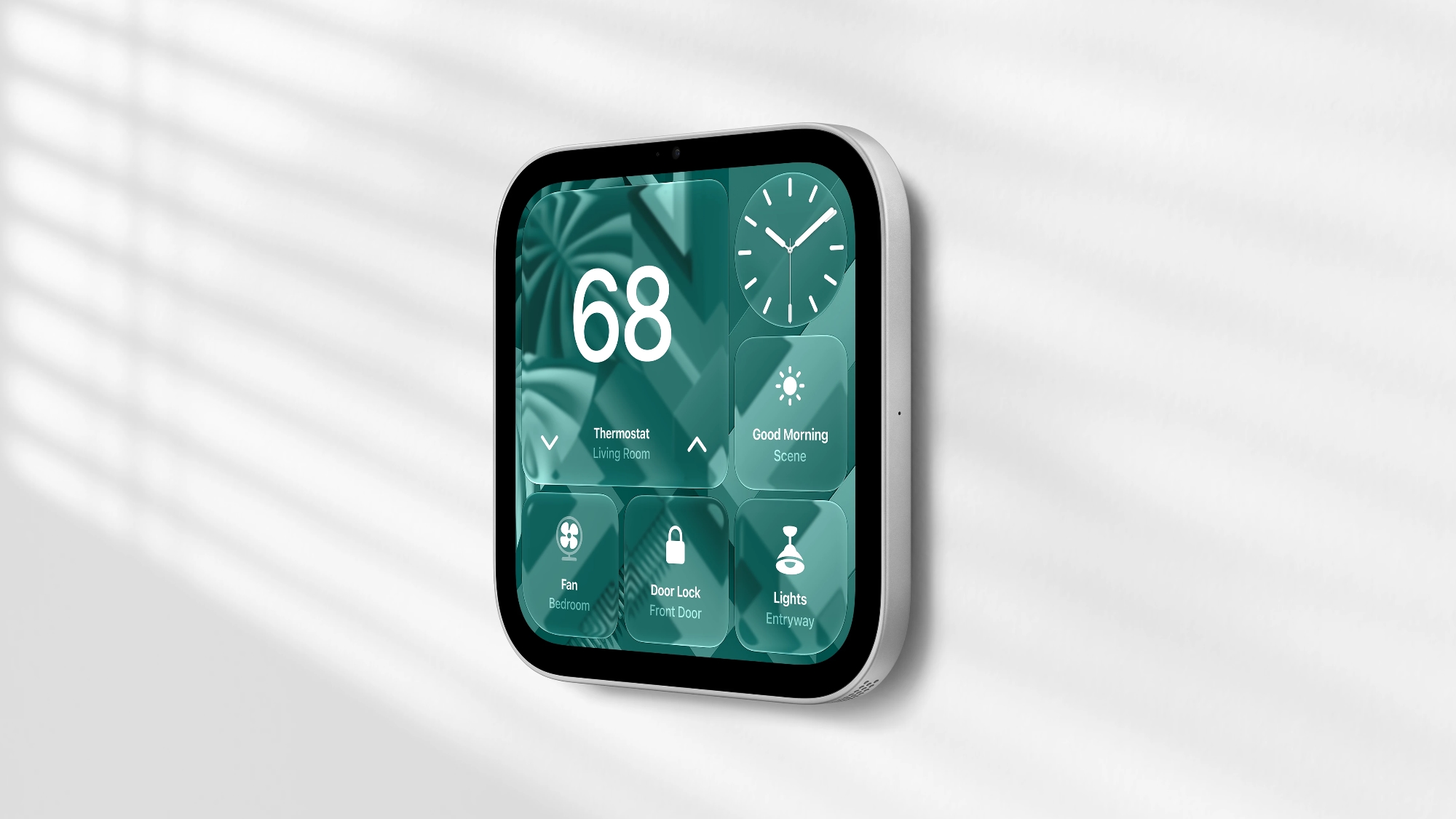
  • Home Modular face offers a concise, glanceable look at your home accessories

  • Home Camera face allows you to livestream up to nine simultaneous camera feeds

  • Home app gives you a dedicated dashboard to control accessories and activate scenes across your entire house

  • Home hub capabilities keep you connected to your HomeKit and Matter accessories, allow you to control your home while away, and enable automations

  • Sound Recognition detects the sounds of smoke and carbon monoxide alarms and alerts you on personal devices like your iPhone, iPad, or Apple Watch


Personalized Experiences

  • Customizable faces let you personalize your space with curated photos, modular home controls, and playful animations like Snoopy

  • Seamless recognition identifies up to six different users by face and voice, instantly displaying their specific Home Screen layout, widgets, and personal content

  • Personal content³ like Messages and Calendar is designed to stay private and be displayed when an enrolled user is recognized, and their recently unlocked iPhone or iPad is present and on the same network

  • Guest experience lets unrecognized people play media and control smart home accessories without accessing a user's personal content


1. Available in English. Spanish language support to come.
2. Some features may not be available in all regions or languages. Some devices may not be available in all regions. Siri AI is available in beta in HomeView software version 27.2. Personal context requests require a paired Apple Intelligence–enabled iPhone or iPad running the latest software version with Siri AI turned on and set to a supported language. Certain Apple Intelligence features that rely on server-side models are subject to daily usage limits. Expanded access to such features will be available for a fee in the future. Use of these features is subject to the Apple Intelligence Terms and Conditions. Learn more.
3. Requires the user to be recognized by their face, and the paired iPhone or iPad must be recently unlocked and connected to the same Wi-Fi network. If disconnected from Wi-Fi, the device must have an active cellular connection in the same location and have recently connected to the same network.
Related Roundup: Apple HomeView
Buyer's Guide: HomeView (Buy Now)

This article, "Apple Shares HomeView 27.2 Release Notes With List of Features" first appeared on MacRumors.com

Discuss this article in our forums

  •  

HomeView in Québec: Apple Says Canadian French Support to Arrive in Software Update

Apple's new HomeView smart home display is available starting today. If you use Canadian French, which is most widely spoken in Québec but also elsewhere, Apple today reiterated that the HomeView will be gaining support for the regional language in a future software update, but it did not provide a timeframe for the update's release.
Related Roundup: Apple HomeView
Buyer's Guide: HomeView (Buy Now)

This article, "HomeView in Québec: Apple Says Canadian French Support to Arrive in Software Update" first appeared on MacRumors.com

Discuss this article in our forums

  •  

Apple Says HomeView Sets New Record in Design-Focused Interview

TechRadar's Jacob Krol interviewed Apple's Vice President of Hardware Engineering Matthew Costello about Apple's all-new HomeView smart home display, which is available starting today. The discussion was largely focused on the HomeView's design, with Costello touching on the device achieving a display-related record for Apple products.


Specifically, the HomeView's display brightness can automatically go down to just 0.3 nits, which is a record low for any Apple product. This ultra-low brightness makes the HomeView especially ideal for a bedside table at night.

"I really love the fact that this is the lowest light performance we've ever engineered into a product, so it's down to 0.3 nits," said Costello.

"So officially, I represent the most dim product ever inside of Apple," he quipped.

For comparison, some other Apple products like the latest iPhones and iPad mini are advertised as having a minimum 1-nit display brightness.

HomeView's maximum display brightness is 500 nits.

Unsurprisingly, Costello said the HomeView is designed for the home (truly shocking) and Siri AI.

"It really was constructed around Siri," he said.

"We really custom-built this user interface for the home, so the apps and experiences that matter most in the home setting are really front and center," he added.

"There's no logging in, logging out, which is super cool. It recognizes you and your information, and when you step away, it's gone."

Read more on TechRadar: 'A really fun, hard-fought journey' — I spoke with Apple about the engineering behind HomeView and why it took so long
Related Roundup: Apple HomeView
Buyer's Guide: HomeView (Buy Now)

This article, "Apple Says HomeView Sets New Record in Design-Focused Interview" first appeared on MacRumors.com

Discuss this article in our forums

  •  

Select 'Apple Home Collection' Accessories Now Available to Order

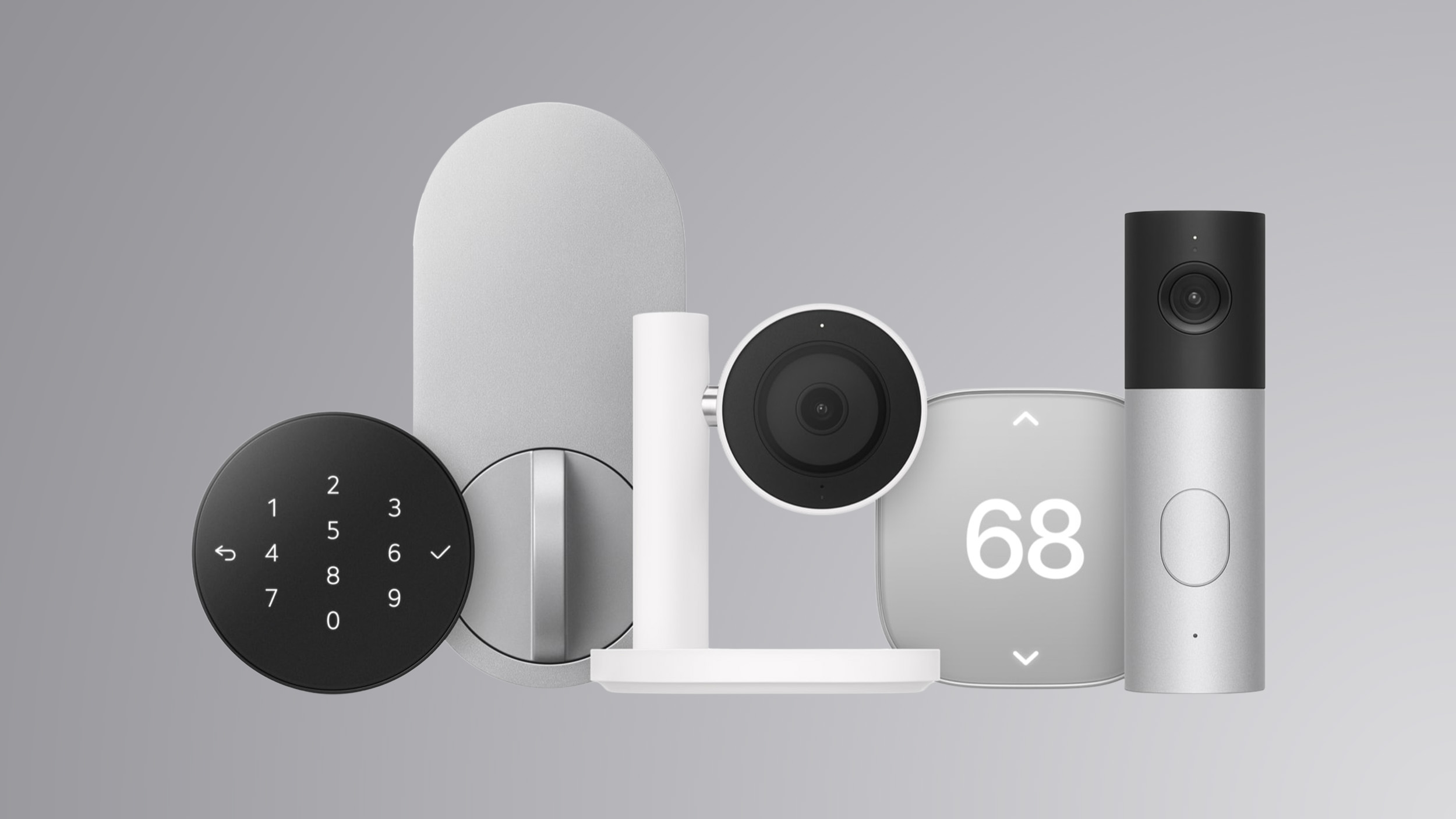
The first three HomeView-compatible smart home accessories in the Apple Home Collection are available to order starting today, including the LG Indoor Cam ($199.95), LG Outdoor Cam ($299.95), and LG Video Doorbell ($249.95). The remaining accessories from LG and Schneider Home are expected to launch by early 2027.
Related Roundup: Apple HomeView
Buyer's Guide: HomeView (Buy Now)

This article, "Select 'Apple Home Collection' Accessories Now Available to Order" first appeared on MacRumors.com

Discuss this article in our forums

  •  

HomeView Launch Kicks Off as First Orders Reach Customers

Apple announced an all-new home product a month ago, and it's now starting to arrive to customers. It's Friday, November 13, in Australia and New Zealand, which means it's the HomeView launch day.


Customers who pre-ordered Apple's new home hub will soon be sharing pictures and first impressions on the MacRumors forums, Reddit, Instagram, and other social media networks. If you got a HomeView, let us know what you think in the comments below.

Apple sees HomeView as the center of the home, and functionally, it's a cross between a small iPad and a HomePod. It has a 7-inch square display and the tabletop model has a speaker base, though there's also a wall-mount version.

With a camera and voice recognition, it can identify up to six people in a home, showing personal information customized to each user. There is no HomeView App Store, but it has pre-installed Apple apps and can show widgets from your iPhone. It can be used for making video calls, watching videos, viewing calendar events, getting the weather, listening to music, and controlling smart home devices.

It is built around Siri AI, Apple's smarter voice assistant that debuted in iOS 27. The HomeView is priced at $299, but if you want the wall-mounted version, you need to buy extra mounting hardware.

There are no Apple Stores in New Zealand, so customers in Australia will be the first to walk into an Apple Store to purchase the new device. We are not expecting shortages.

The new Apple TV 4K is also launching on November 13, and it can be purchased for $299. The latest ‌Apple TV‌ has an A19 chip, 128GB of storage, Wi-Fi 7 support, and the option to connect four HomePods for surround sound. It also supports ‌Siri‌ AI.

HomeView is launching in Australia, Canada, India, New Zealand, Singapore, South Africa, the UK, and the United States. It is not available in the European Union because ‌Siri‌ AI is unavailable.

‌Apple TV‌ 4K is launching in the U.S. and 29 other countries and regions.
Related Roundup: Apple HomeView
Buyer's Guide: HomeView (Buy Now)

This article, "HomeView Launch Kicks Off as First Orders Reach Customers" first appeared on MacRumors.com

Discuss this article in our forums

  •  
❌