
❌

Normale Ansicht

Siri AI Still Not Enabled on HomePod Mini 2 With Latest Software Update

Apple today released HomePod software version 27.2.1, but it does not enable Siri AI on the HomePod mini 2. Apple's website continues to say the feature is "coming in a future software update," but it has not provided a timeframe.
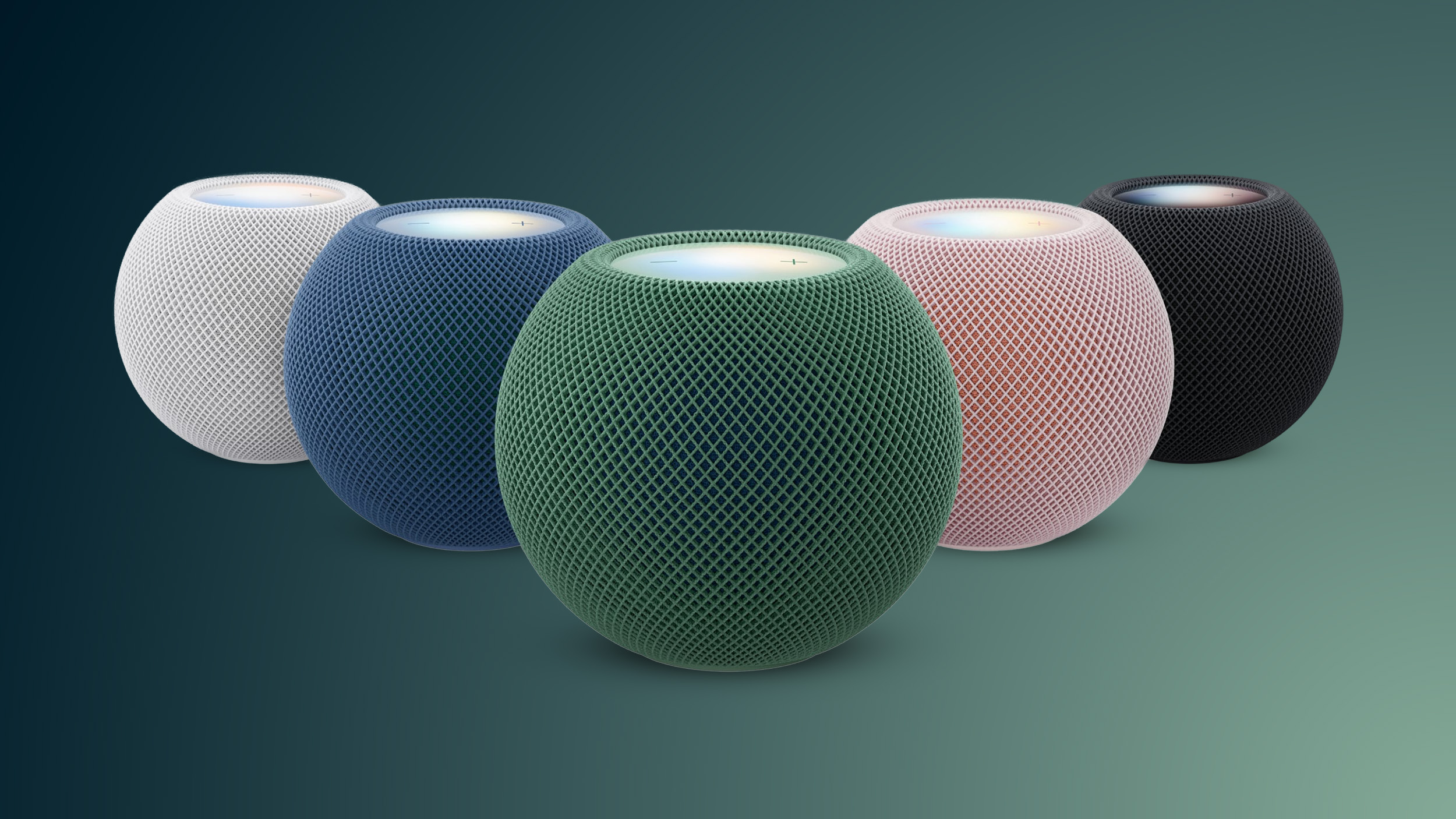

Due to the HomePod mini 2 having only 2GB of RAM, well below the minimum 8GB of RAM required for dedicated Siri AI, personal context requests will require a paired Apple Intelligence–enabled iPhone or iPad with Siri AI turned on.

tvOS 27.2.1 was also released today, and it enables Siri AI on the Apple TV 4K (2nd generation) and Apple TV 4K (3rd generation). Siri AI is an opt-in feature on these devices, so after installing the update you will need to open the Settings app and tap on General → Siri → Siri AI (Beta). This will initiate a download with support.

If you update to tvOS 27.2.1 and take no further action, Siri Classic remains enabled by default.
Related Roundup: HomePod mini 2
Tags: Siri, Siri AI
Buyer's Guide: HomePod Mini (Buy Now)

This article, "Siri AI Still Not Enabled on HomePod Mini 2 With Latest Software Update" first appeared on MacRumors.com

Discuss this article in our forums
  •  

YouTube App Not Working on Your New Apple TV? Here's the Fix

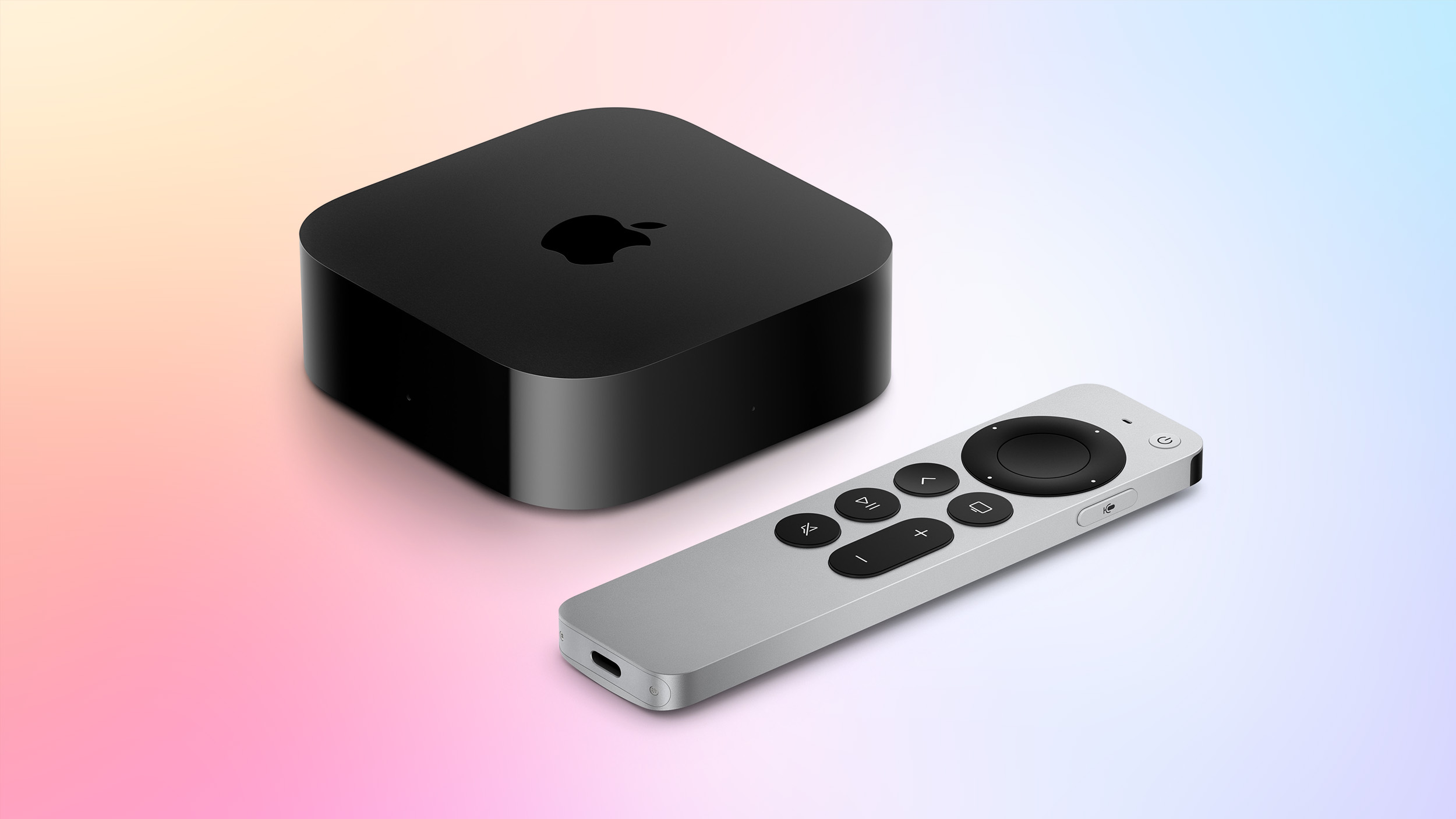
The fourth-generation Apple TV 4K began arriving to customers today, and some users noticed the YouTube app is not working. If you have encountered this issue, make sure tvOS 27.2 is installed via Settings → System → Software Updates. If it already is, you may need to restart the Apple TV via Settings → System → Restart. Last, you may need to uninstall and reinstall the YouTube app.

Update: YouTube appears to have implemented a server-side fix.
Related Roundup: Apple TV
Tag: YouTube
Buyer's Guide: Apple TV (Buy Now)

This article, "YouTube App Not Working on Your New Apple TV? Here's the Fix" first appeared on MacRumors.com

Discuss this article in our forums
  •  

Apple Shares HomeView 27.2 Release Notes With List of Features

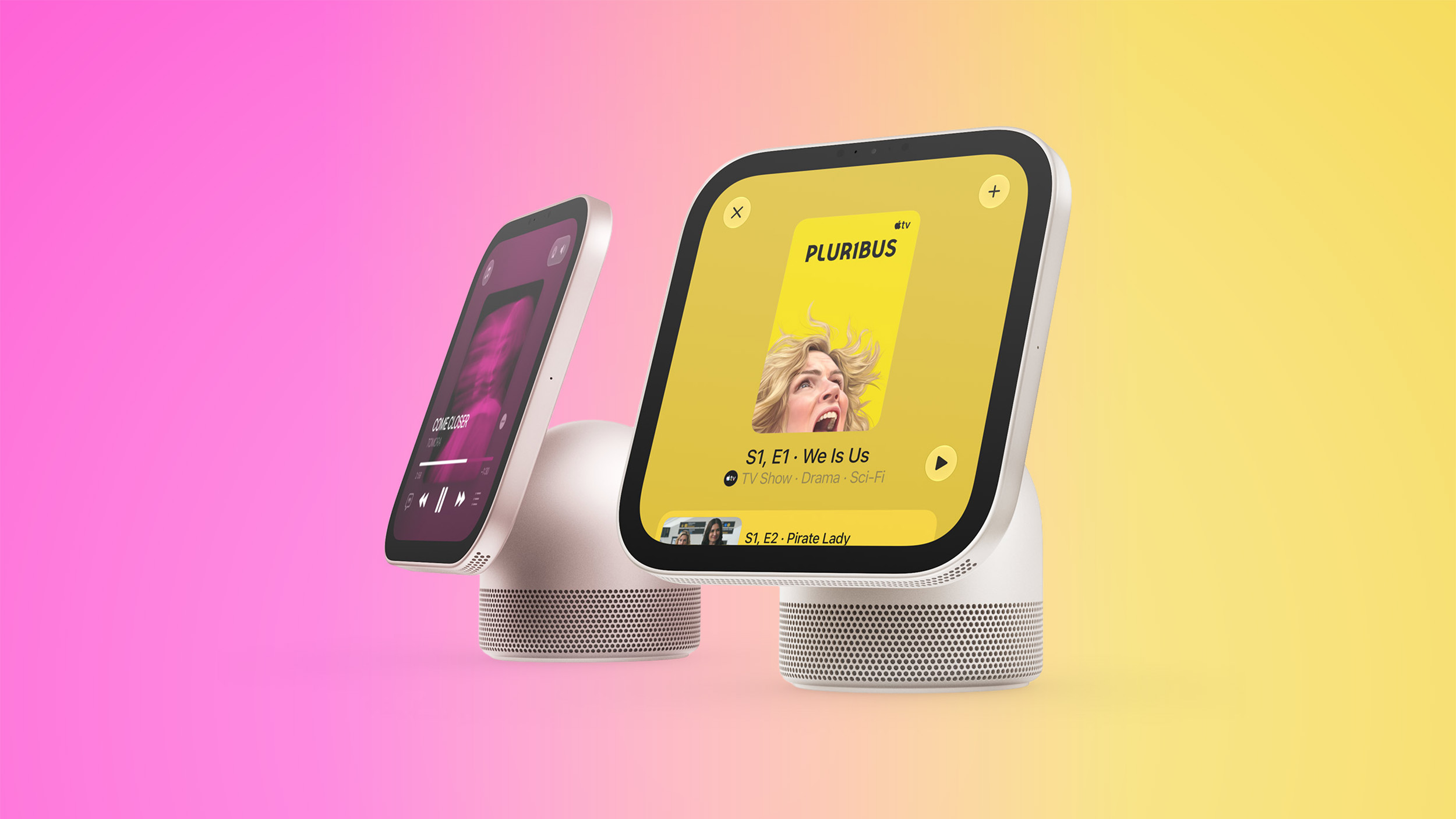
Apple's new HomeView smart home display launched today and the release notes for HomeView software version 27.2 are now available in a support document.


Since these are the first HomeView release notes that Apple has publicly shared, they go over a lot of the device's basic features and functionality:
HomeView software delivers powerful, personalized experiences to enjoy entertainment, stay connected, and manage your smart home. It features a conversational Siri AI that helps you find what you need and get things done. And with multiuser recognition, customizable faces, and deep Apple ecosystem integration, up to six members of your household get content and controls tailored just for them.

Siri AI

  • A more capable and conversational version of Siri that helps you find what you need and get more done

  • Personal context understanding draws on your Apple Intelligence-enabled iPhone to help you find what you're looking for, like that recipe your mother emailed you

  • Broad world knowledge lets you ask questions about virtually any topic and get a detailed answer

  • Rich content discovery makes it easy to find new music and podcasts using natural language

  • HomeView and Siri AI on HomeView are available in English, and require your paired iPhone or iPad to be set to the same English variant¹,²


Entertainment

  • Apple Music lets you enjoy your favorite songs with animated lyrics and Spatial Audio support, alongside easy search and browse capabilities

  • Podcasts lets you enjoy audio and video shows with transcripts and personalized recommendations

  • Apple TV, Apple News, and Audiobooks let you use your iPhone to enjoy your favorite shows, catch up on daily audio stories, or get lost in a good book

  • Supported third-party audio and video apps installed on your iPhone automatically appear on HomeView

  • Multiroom audio allows you to play and control music in sync across multiple HomeView, HomePod, and AirPlay speakers


Connection

  • FaceTime makes it easy to connect with loved ones hands-free, using Center Stage to keep you perfectly framed even as you move around the room

  • Messages lets you easily read and reply to texts using Siri, the onscreen keyboard, or Tapback

  • Intercom allows you to broadcast messages across your home, to specific rooms, or to personal Apple devices

  • Safari lets you browse the web and includes a new Cooking experience that auto-detects supported recipes, reformatting them with step-by-step instructions and inline timers

  • Find My lets you view the location of friends and family, or locate misplaced Apple devices and AirTags

  • Handoff makes it easy to seamlessly move audio, video, websites, or calls directly from your iPhone to HomeView


Home Control

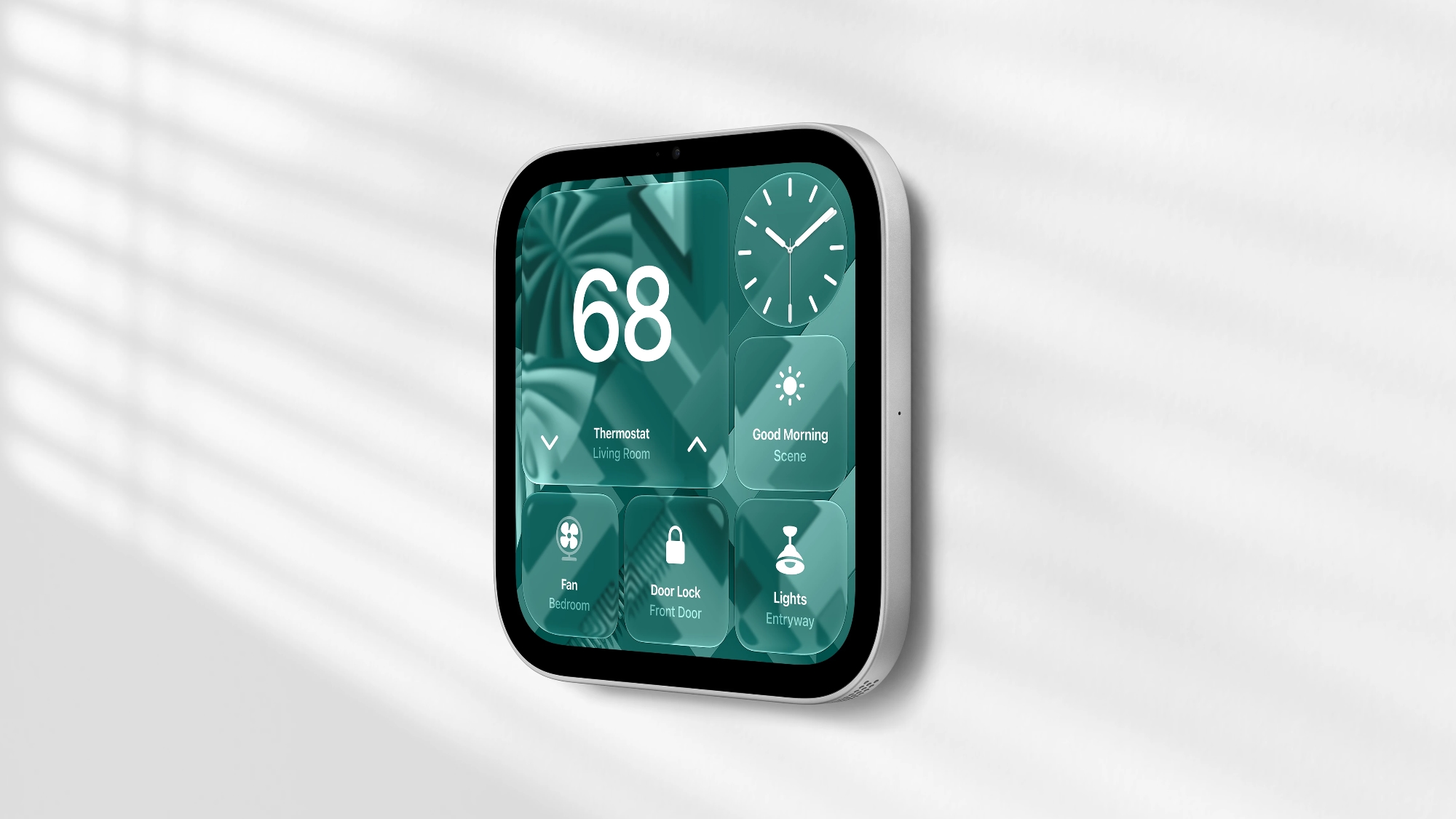
  • Home Modular face offers a concise, glanceable look at your home accessories

  • Home Camera face allows you to livestream up to nine simultaneous camera feeds

  • Home app gives you a dedicated dashboard to control accessories and activate scenes across your entire house

  • Home hub capabilities keep you connected to your HomeKit and Matter accessories, allow you to control your home while away, and enable automations

  • Sound Recognition detects the sounds of smoke and carbon monoxide alarms and alerts you on personal devices like your iPhone, iPad, or Apple Watch


Personalized Experiences

  • Customizable faces let you personalize your space with curated photos, modular home controls, and playful animations like Snoopy

  • Seamless recognition identifies up to six different users by face and voice, instantly displaying their specific Home Screen layout, widgets, and personal content

  • Personal content³ like Messages and Calendar is designed to stay private and be displayed when an enrolled user is recognized, and their recently unlocked iPhone or iPad is present and on the same network

  • Guest experience lets unrecognized people play media and control smart home accessories without accessing a user's personal content


1. Available in English. Spanish language support to come.
2. Some features may not be available in all regions or languages. Some devices may not be available in all regions. Siri AI is available in beta in HomeView software version 27.2. Personal context requests require a paired Apple Intelligence–enabled iPhone or iPad running the latest software version with Siri AI turned on and set to a supported language. Certain Apple Intelligence features that rely on server-side models are subject to daily usage limits. Expanded access to such features will be available for a fee in the future. Use of these features is subject to the Apple Intelligence Terms and Conditions. Learn more.
3. Requires the user to be recognized by their face, and the paired iPhone or iPad must be recently unlocked and connected to the same Wi-Fi network. If disconnected from Wi-Fi, the device must have an active cellular connection in the same location and have recently connected to the same network.
Related Roundup: Apple HomeView
Buyer's Guide: HomeView (Buy Now)

This article, "Apple Shares HomeView 27.2 Release Notes With List of Features" first appeared on MacRumors.com

Discuss this article in our forums
  •  

HomeView in Québec: Apple Says Canadian French Support to Arrive in Software Update

Apple's new HomeView smart home display is available starting today. If you use Canadian French, which is most widely spoken in Québec but also elsewhere, Apple today reiterated that the HomeView will be gaining support for the regional language in a future software update, but it did not provide a timeframe for the update's release.
Related Roundup: Apple HomeView
Buyer's Guide: HomeView (Buy Now)

This article, "HomeView in Québec: Apple Says Canadian French Support to Arrive in Software Update" first appeared on MacRumors.com

Discuss this article in our forums
  •  

Apple Says HomeView Sets New Record in Design-Focused Interview

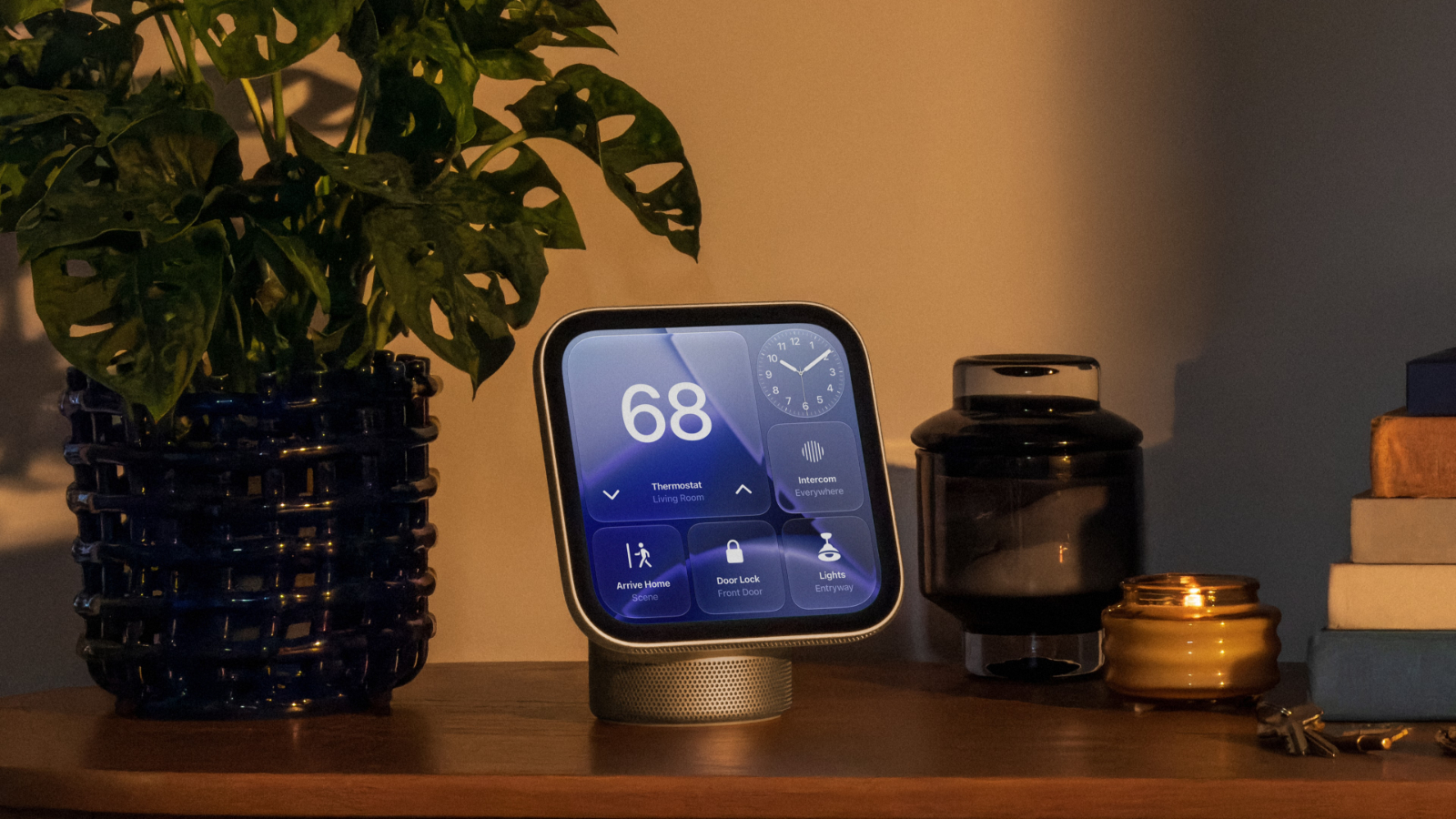
TechRadar's Jacob Krol interviewed Apple's Vice President of Hardware Engineering Matthew Costello about Apple's all-new HomeView smart home display, which is available starting today. The discussion was largely focused on the HomeView's design, with Costello touching on the device achieving a display-related record for Apple products.


Specifically, the HomeView's display brightness can automatically go down to just 0.3 nits, which is a record low for any Apple product. This ultra-low brightness makes the HomeView especially ideal for a bedside table at night.

"I really love the fact that this is the lowest light performance we've ever engineered into a product, so it's down to 0.3 nits," said Costello.

"So officially, I represent the most dim product ever inside of Apple," he quipped.

For comparison, some other Apple products like the latest iPhones and iPad mini are advertised as having a minimum 1-nit display brightness.

HomeView's maximum display brightness is 500 nits.

Unsurprisingly, Costello said the HomeView is designed for the home (truly shocking) and Siri AI.

"It really was constructed around Siri," he said.

"We really custom-built this user interface for the home, so the apps and experiences that matter most in the home setting are really front and center," he added.

"There's no logging in, logging out, which is super cool. It recognizes you and your information, and when you step away, it's gone."

Read more on TechRadar: 'A really fun, hard-fought journey' — I spoke with Apple about the engineering behind HomeView and why it took so long
Related Roundup: Apple HomeView
Buyer's Guide: HomeView (Buy Now)

This article, "Apple Says HomeView Sets New Record in Design-Focused Interview" first appeared on MacRumors.com

Discuss this article in our forums
  •  

Select 'Apple Home Collection' Accessories Now Available to Order

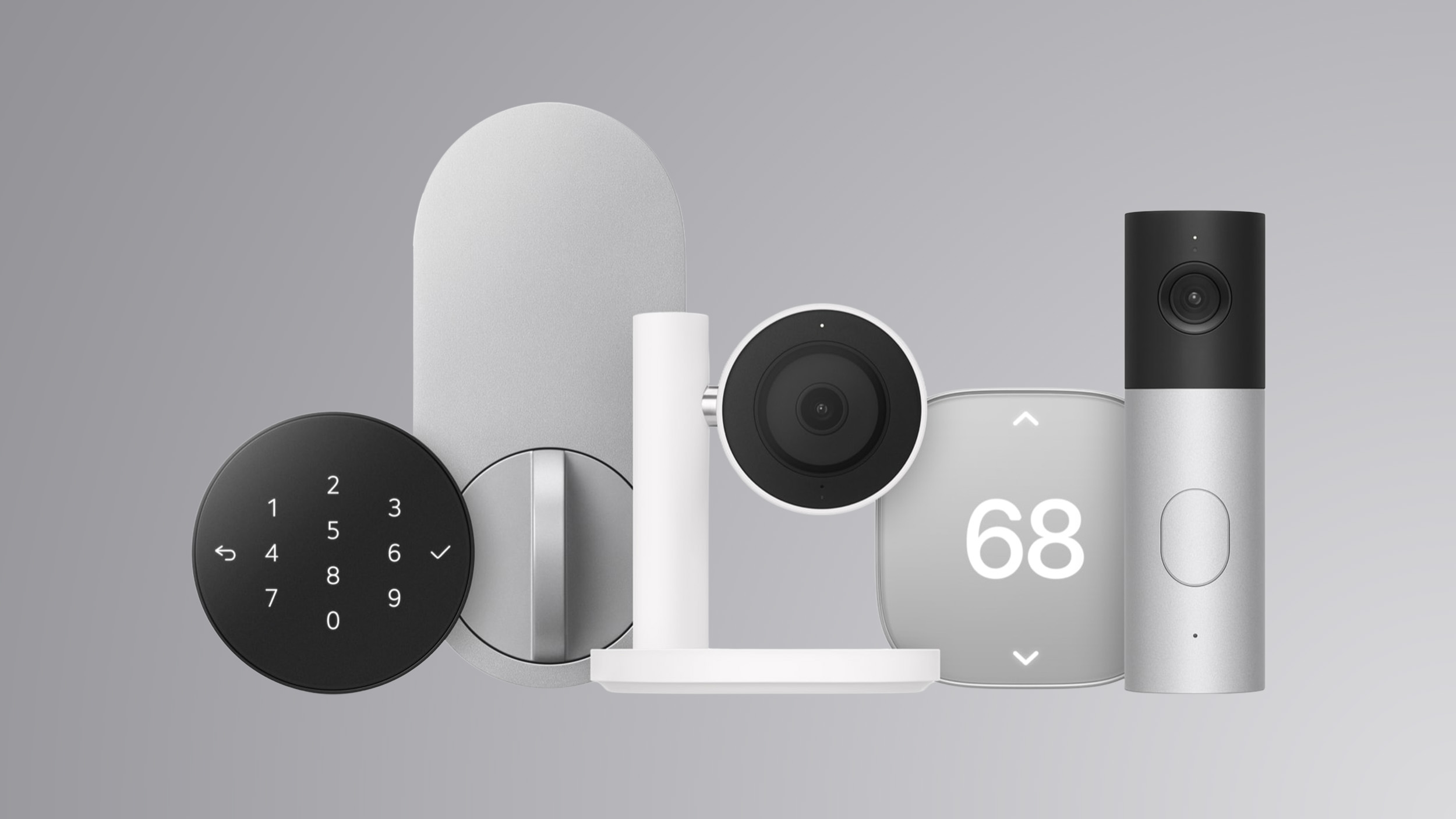
The first three HomeView-compatible smart home accessories in the Apple Home Collection are available to order starting today, including the LG Indoor Cam ($199.95), LG Outdoor Cam ($299.95), and LG Video Doorbell ($249.95). The remaining accessories from LG and Schneider Home are expected to launch by early 2027.
Related Roundup: Apple HomeView
Buyer's Guide: HomeView (Buy Now)

This article, "Select 'Apple Home Collection' Accessories Now Available to Order" first appeared on MacRumors.com

Discuss this article in our forums
  •  

Apple Continues to Move Up iPhone Duo Delivery Dates

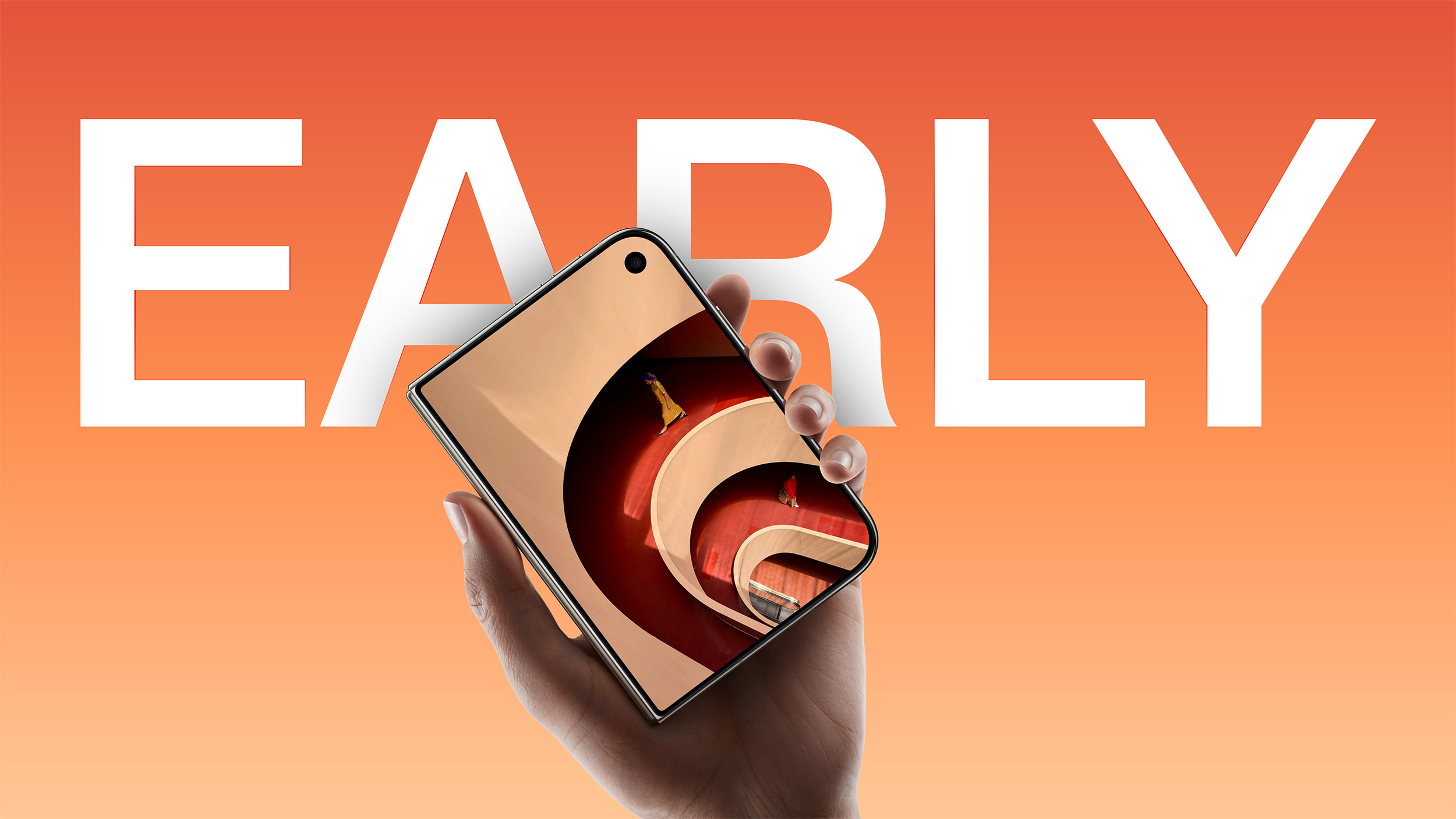
It's a Christmas miracle: some customers who ordered the iPhone Duo through Apple and received an estimated January 25 delivery date saw their delivery windows move up to December 14 to December 21 today, according to comments posted in the MacRumors Forums and on X. A few customers have even seen their delivery date move from January 25 to December 12 to December 14.

Apple's online store still shows a January 25 delivery date for iPhone Duo orders placed today.
Related Roundup: iPhone Duo
Buyer's Guide: iPhone Duo (Buy Now)
Related Forum: iPhone

This article, "Apple Continues to Move Up iPhone Duo Delivery Dates" first appeared on MacRumors.com

Discuss this article in our forums
  •  

Apple Sports App Now Features UFC

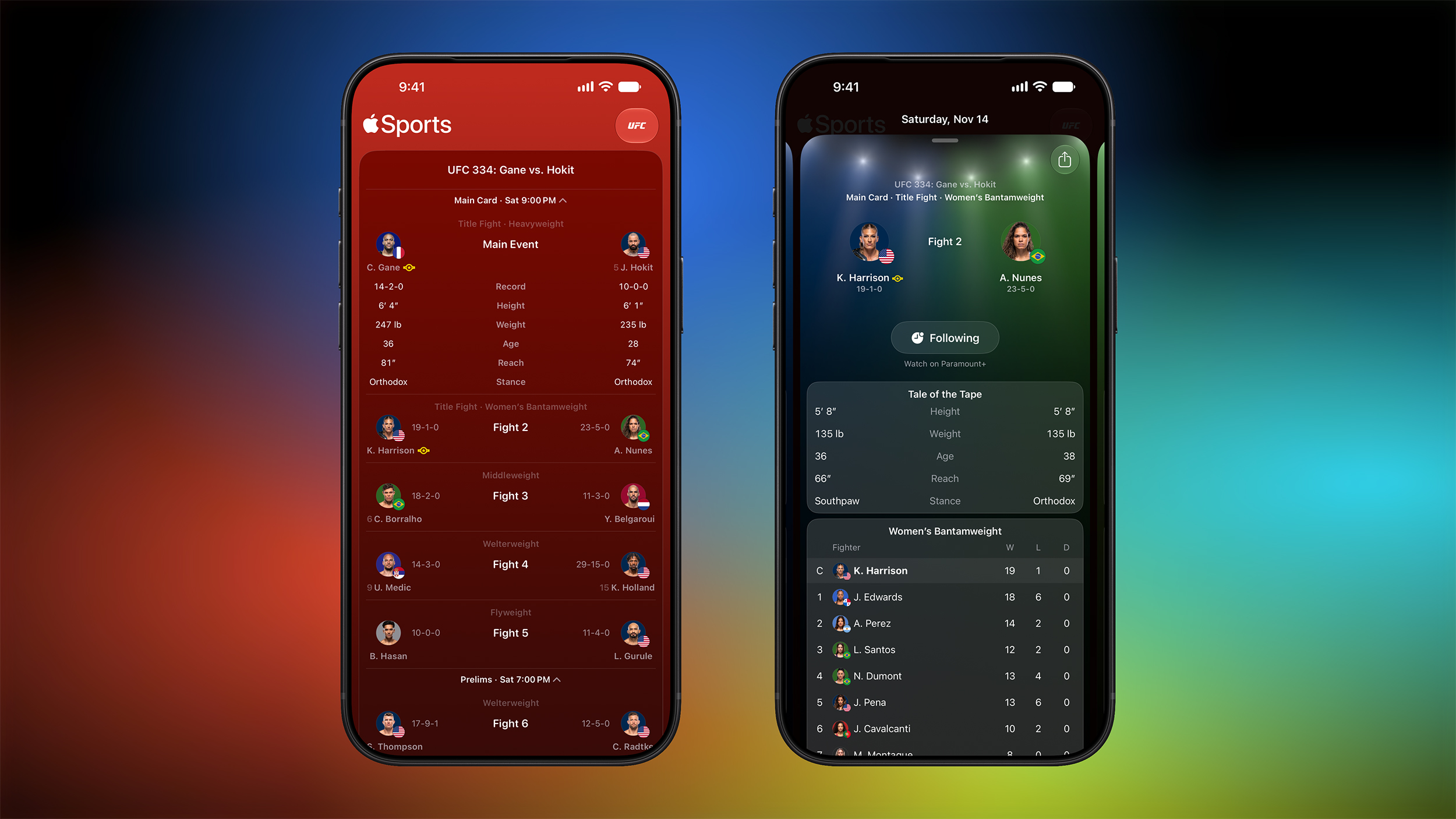
Apple Sports was updated today with support for the UFC, allowing mixed martial arts (MMA) fans to keep track of fights in the free iPhone app.


The latest version of the Apple Sports app provides live, real-time stats for UFC fights. The app displays full cards of men's and women's fights, round-by-round updates, a heat map of strikes during fights, and more.

The app also gained support for three more soccer leagues today: China's Super League, Russia's Premier League, and Sweden's Allsvenskan.

Launched in 2024, the Apple Sports app shows scores, stats, standings, and more for a variety of leagues and events, including the NFL, MLB, NBA, NHL, NASCAR, F1, Premier League, PGA TOUR, and more. The app remains available on the iPhone only.
This article, "Apple Sports App Now Features UFC" first appeared on MacRumors.com

Discuss this article in our forums

  •  

Trump Says Tim Cook Should Be Nvidia CEO as Jensen Huang Resigns

In a post on his Truth Social platform today, U.S. President Donald Trump said he thinks that Apple's chairman Tim Cook should become Nvidia's CEO.


Nvidia today announced that Jensen Huang has resigned as the company's CEO effective immediately following reports that he had two extramarital affairs, including one that the U.S. government believes involved a spy working for the Chinese government. Nvidia has appointed its CFO Colette Kress as interim CEO.

Nvidia's board of directors has initiated a search for a new CEO and said that it will consider both internal and external candidates.

Cook stepped down as Apple's CEO on September 1 as part of a planned transition, and he now serves as the company's executive chairman.

There is no indication that Cook actually wants to be Nvidia's CEO.

Semafor on Wednesday reported that Apple's longtime chipmaking chief Johny Srouji is among the people that Nvidia is considering for CEO, but it is likewise unclear if Srouji has any interest in the role. Srouji was named Apple's Chief Hardware Officer in April, at the same time as Apple announced John Ternus would become its next CEO.
This article, "Trump Says Tim Cook Should Be Nvidia CEO as Jensen Huang Resigns" first appeared on MacRumors.com

Discuss this article in our forums
  •  

Apple Releases Emotional 2026 Holiday Ad Featuring MacBook Neo

Apple today shared its annual holiday season ad, in which a young man rediscovers his creativity after receiving a MacBook Neo as a gift from his parents.


The short film, titled The Dreamer, is directed by Melina Matsoukas.

"Watch the new Apple Holiday Film about a parents' gift that helps their son rediscover his creativity," said Apple, in the video's description. "Sometimes all it takes to remember what makes us special, is someone who believes in us. A celebration of creativity and the people who inspire it, featuring MacBook Neo."
Related Roundup: MacBook Neo
Buyer's Guide: MacBook Neo (Neutral)
Related Forum: MacBook Neo

This article, "Apple Releases Emotional 2026 Holiday Ad Featuring MacBook Neo" first appeared on MacRumors.com

Discuss this article in our forums

  •  

Apple Says HomeView Software Update Coming Next Month With Siri Fix

In her HomeView review shared in a free edition of her New Things newsletter today, tech journalist Joanna Stern said Siri AI once told her "I don't have a camera to see you," even though the device has a camera. Apple confirmed to Stern that it plans to release a software update in December with a fix for this issue.


Siri AI also refused to open Stern's garage door or unlock her front door, even though the HomeView recognized her. Apple told her that the software update coming next month will enable this functionality. In the meantime, you can unlock door locks and garage doors by opening the Home app on the HomeView and tapping on-screen controls.


"Today users recognized by HomeView can unlock security accessories, including door locks and garage doors, directly on their HomeView screen," an Apple spokesperson told Stern. "With a software update next month, this will extend to Siri AI, giving users more ways to manage security accessories once they've been recognized."

HomeView launches this Friday, with U.S. pricing starting at $299. We also shared our own hands-on review video with our own impressions.
Related Roundup: Apple HomeView
Tags: Siri, Siri AI
Buyer's Guide: HomeView (Buy Now)

This article, "Apple Says HomeView Software Update Coming Next Month With Siri Fix" first appeared on MacRumors.com

Discuss this article in our forums

  •  

Review: Is Apple's All-New HomeView Smart Home Hub Worth $299?

On our YouTube channel today, Dan Barbera shared a review of Apple's all-new HomeView smart home hub ahead of the device launching on Friday.


Barbera spent the past week testing the HomeView and has shared his impressions, so be sure to watch our video above to hear what he thinks.

As a refresher, the HomeView features a 7-inch square display connected to an aluminum speaker base by a stainless steel tilting hinge. Apple says it is ideal for a kitchen counter, nightstand, or side table. You can use the device to interact with Siri AI, control smart home accessories, go on FaceTime video calls, listen to music, and more.

Preinstalled apps on the HomeView include Alarms, Calendar, FaceTime, Find My, Home, Intercom, Messages, Music, Podcasts, Reminders, Safari, Settings, Timers, Weather, and World Clock. The device does not have an App Store, but it does support CarPlay-enabled audio and video apps, such as Apple TV, Spotify, and Apple Music Classical.

In the U.S., both the tabletop and wall-mounted versions of the HomeView are priced at $299, but you will also need to purchase a mount if you opt for the wall-mounted version. Apple sells three mounts priced between $59.95 and $129.95.
Related Roundup: Apple HomeView
Buyer's Guide: HomeView (Buy Now)

This article, "Review: Is Apple's All-New HomeView Smart Home Hub Worth $299?" first appeared on MacRumors.com

Discuss this article in our forums
  •  

Apple Home Collection: Select Accessories Available to Order This Friday

Apple today announced that select Apple Home Collection accessories will be available to order starting Friday, November 13, with availability beginning in December. Apple did not say exactly which accessories can be ordered tomorrow, so stay tuned.


Introduced alongside Apple's new HomeView smart home hub last month, the Apple Home Collection is a new lineup of smart home accessories that LG and Schneider Electric designed in collaboration with Apple. There are indoor and outdoor cameras, thermostats, temperature sensors, a video doorbell, and a door lock.

All of the Apple Home Collection accessories work with the HomeView:

  • LG Video Doorbell ($249.95) - The Video Doorbell has dual cameras that capture views of visitors and packages. The front camera has a 2.5K resolution and the bottom camera is full HD resolution. It has a built-in spotlight and a chime that plays through HomeView, HomePod, or HomePod mini.

  • LG Outdoor Cam ($299.95) - The Outdoor Cam has low-light color night vision and can be angled in multiple positions.

  • LG Indoor Cam ($199.95) - The Indoor Cam has a privacy-preserving feature that allows it to tilt up when people are in the home so it's not recording, and down when people leave for keeping an eye on the home. The tilt function works based on geofencing, but can also be controlled in the Home app or manually.

  • LG Floodlight Cam ($399.95) - The Floodlight Cam has dual floodlights that activate when motion is detected and low-light color night vision.

  • LG Smart Deadbolt Lock ($349.95) - The lock has Ultra Wideband and can unlock automatically when the homeowner approaches, with no tap required. It also supports unlocking via PIN or a hidden backup key slot, and there is detection for whether the door is opened, closed, or has been tampered with. The doorbell and lock can work together as one, letting users see who is at the door and unlocking it if needed.

  • LG Thermostat ($199.95) - The thermostat supports Adaptive Temperature and in the U.S., heating and cooling can be activated during lower-cost periods for users with a compatible utility plan. The thermostat can read temperature and humidity across multiple rooms using separate temperature and humidity sensors. Sensors are priced at $39.95.

  • Schneider Electric Thermostat ($199.95) - Also supports Adaptive Temperature and can be used with temperature and humidity sensors. Sensors are priced at $39.95.

For more details about the accessories, read our previous coverage.

Apple previously announced that some of the accessories will not be released until early 2027, so not everything will be available to order tomorrow.
Related Roundup: Apple HomeView
Buyer's Guide: HomeView (Buy Now)

This article, "Apple Home Collection: Select Accessories Available to Order This Friday" first appeared on MacRumors.com

Discuss this article in our forums
  •  

Apple Support Community Deserved a Proper Goodbye

Apple on Tuesday abruptly placed the Apple Support Community into a read-only state and announced that the forums will be permanently closing on Friday, November 20. Those who contributed to the site — some for more than two decades — were blindsided by this decision and had no chance to post farewell messages.


Even if you felt the Apple Support Community contained too many generic or unhelpful answers from users trying to boost their post counts and earn points, the people volunteering their time to the site still deserved a proper goodbye.

Below, we have highlighted some of those people and their experiences.

Jeff Donald from Florida was a member of the Apple Support Community since November 2000, when the forums were still known as Apple Discussions. This past year, Apple recognized his efforts by inviting him to the Apple Community+ program, which launched in 2022 and provided members with a few extra perks and experiences.

Leroy Douglas was a member since July 2009. He said he was a bit shocked to see Apple's sudden announcement, but he saw the writing on the wall.

Here is a fun fact that you might not have known: In addition to English, Tobias Steen in Germany said there were also Apple Support Communities in Chinese, French, German, Japanese, Korean, Portuguese, and Spanish. For some reason, the French and German versions do not have closure notices, but we are told they will meet the same fate.

The forums brought together people of all ages, from 16-year-old Evan Bato Rousseau in France to 83-year-old Nobel Prize winner Sir Tim Hunt in England, who told us he found it to be a helpful resource, even if some of the answers were wonky.

John Daniel, the Canadian developer of macOS diagnostic tool EtreCheck, said he was active in the Apple Support Community for more than two decades. Users like him who reached "Level 6" or higher based on their contributions received access to The Lounge, a private category of forums where Apple employees sometimes participated.

Prior to 2020, John said Apple occasionally hosted in-person meetups for Support Community members, including a special visit to Apple Park.

"I don't agree with comments that so many are making about the Apple Support Community right now," he said, in response to those who described it as useless. "We regularly solved problems, identified significant issues with Apple projects, traced the cause of bugs and fixed them, and always learned new things. That's what I'm going to miss."

Elías Rojano Núñez of Chile participated in the Spanish forums. He told us that he found it deeply satisfying when he was able to help others, and he was saddened that the Spanish forums were shuttered without any advanced notice, but he is grateful for the opportunity that he had and will always value the interactions he had with fellow contributors.

Rojano Núñez shared a photo of some of the items he received from Apple over the years, including a 5-year Apple Support Community anniversary pin. There were also 10-year, 15-year, and 20-year pins. Over the years, merchandise given out included Apple-branded hats, shirts, tote bags, and even umbrellas once.


Whatever its shortcomings, the Apple Support Community was more than just a place to ask questions. For some, it was a place to belong.

To that, we say goodbye and thank you, not good riddance.
This article, "Apple Support Community Deserved a Proper Goodbye" first appeared on MacRumors.com

Discuss this article in our forums

  •  

Apple on Fatal Vehicle Crash Near Apple Park: 'Our Hearts Are Broken'

Apple employee Eric Chen Su was arrested and charged with suspicion of gross vehicular manslaughter last week following a fatal collision near the intersection of North Tantau Avenue and Pruneridge Avenue, right next to the Apple Park Visitor Center, according to the Santa Clara County Sheriff's Office and the San Francisco Chronicle.


Shortly after noon on Friday, Su was reportedly traveling between 90 and 100 miles per hour when he struck the back of a stopped vehicle occupied by a two-year-old girl and her babysitter, an adult woman. Both were seriously injured and transported to a nearby hospital, where tragically the child later died despite lifesaving efforts.

Su suffered minor injuries, according to authorities. His charges have since been upgraded to murder and assault with a deadly weapon.

Apple responded to the incident in a statement shared with MacRumors today.

"Our hearts are broken by the tragic accident that happened outside of Apple Park Visitor Center," an Apple spokesperson said. "Our thoughts are with all of those grieving, and we are grateful for the care and support of the first responders."

Apple did not immediately respond when asked if the employee has been terminated or placed on leave. The case is now before the court.
This article, "Apple on Fatal Vehicle Crash Near Apple Park: 'Our Hearts Are Broken'" first appeared on MacRumors.com

Discuss this article in our forums

  •  

Apple Invites App Updated With Two New Features

The free Apple Invites app for the iPhone was updated today with two new features: hosts can now add polls to invitations so guests can vote on details such as a party's theme and food, and hosts can now add an "emoji effect" that floats across invitations.

Released in February 2025, the Apple Invites app makes it easy to invite people to events, such as birthday parties and baby showers. The ability to create an event in the app requires subscribing to an iCloud+ plan with at least 50GB of storage for $0.99 per month, but anyone who receives an event link can RSVP for free on any device.
This article, "Apple Invites App Updated With Two New Features" first appeared on MacRumors.com

Discuss this article in our forums
  •  

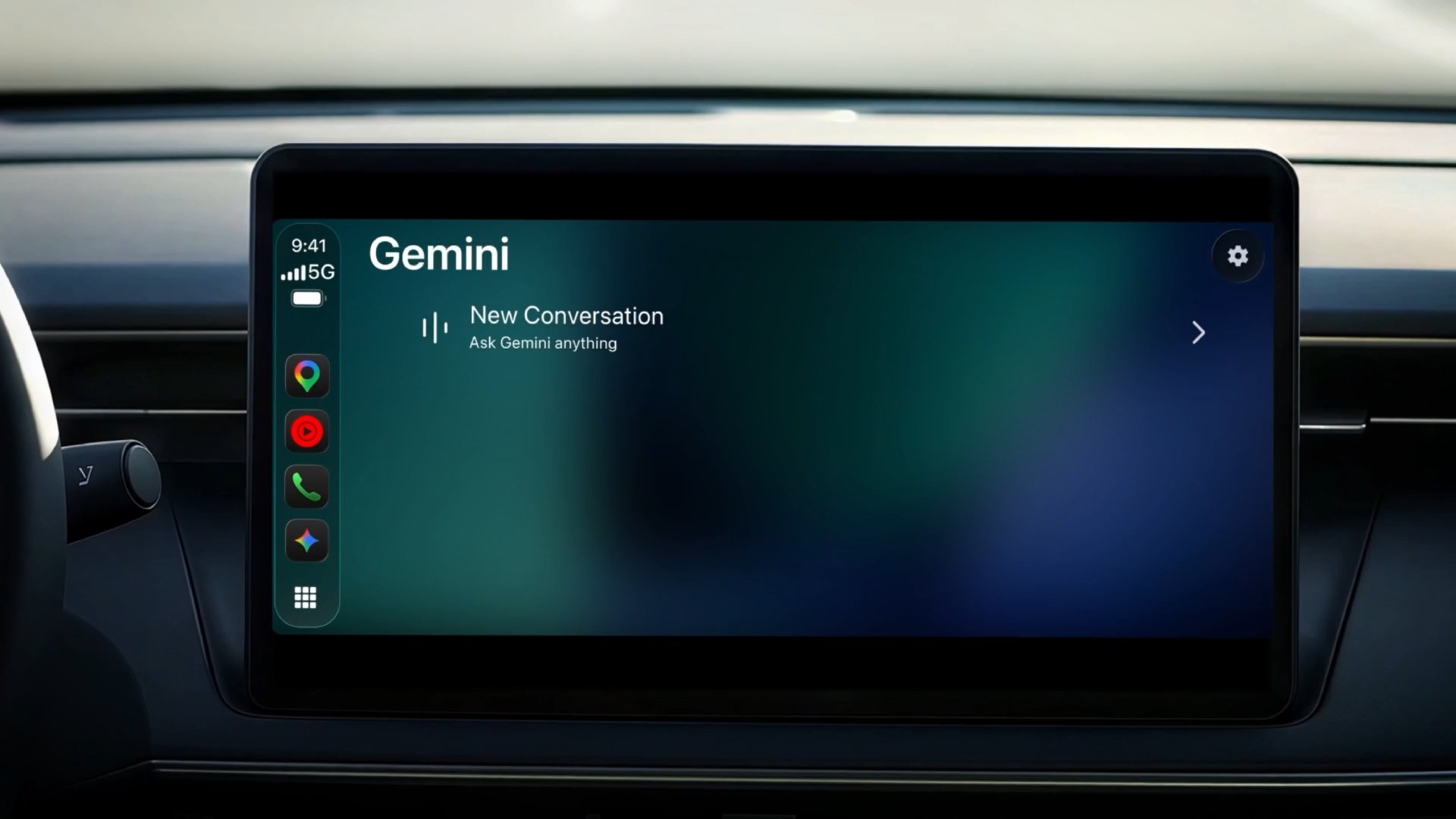
Google Says Gemini App Rolling Out on Apple CarPlay Starting Today

Google has announced that a dedicated Gemini app on Apple CarPlay is rolling out around the world in several languages starting today, allowing you to have conversations with the AI assistant right from your vehicle's dashboard.


Gemini conversations on your iPhone automatically sync to CarPlay, so you can continue a previous conversation or start a new one.

For example, you can ask Gemini to "Give me my daily brief for today" and it can give you a personalized answer based on your information in apps such as Gmail and Google Calendar. Or if you are driving around and looking for a restaurant, you could ask "What's a quick lunch spot in downtown Austin that's easy to get in and out of?"

To get started, make sure you have the latest version of the Gemini app on your iPhone. Then, tap on the Gemini icon on CarPlay to start a conversation.

CarPlay gained support for voice-based conversational AI apps starting with iOS 26.4. AI apps that have already rolled out CarPlay support include OpenAI's ChatGPT, Anthropic's Claude, X's Grok, Microsoft's Copilot, Perplexity, and others. iOS 27 also added Siri AI support to CarPlay, complete with a Siri app.

Gemini was already available within the Google Maps app on CarPlay.
Related Roundup: CarPlay
Tags: Gemini, Google

This article, "Google Says Gemini App Rolling Out on Apple CarPlay Starting Today" first appeared on MacRumors.com

Discuss this article in our forums

  •  

'Apple Support Community' Permanently Closing on November 20

Apple today announced that the long-running Apple Support Community discussion forums will be permanently closing on Friday, November 20.


Effectively immediately, the Apple Support Community forums are in a read-only state, with new posts no longer being accepted. The final message posted to the site appears to have been submitted at 5:49 p.m. Pacific Time today.

There is still a sign-in button, but it leads to an internal portal for Apple's corporate employees.

Apple's full notice added to the site:
The Apple Support Community will permanently close on November 20, 2026. Starting today, the site will no longer accept new posts and is available in a read-only state.

You can continue to find trusted guidance and support on the official Apple Support site.

We want to thank the community members who have contributed their time and expertise to help others with their Apple products.
It is the end of an era. Apple offered an online discussion forum for user-to-user technical support since 1998, when it launched the Apple Tech Exchange. The forums were renamed to Apple Discussions in 2000, and then to the Apple Support Communities in 2011, before taking on their current Apple Support Community name in 2022.

Apple informed MacRumors that it decided to sunset the Apple Support Community after a careful evaluation of strategy and customer needs.

Alternatives to the Apple Support Community include the MacRumors Forums and Reddit, and customers can continue to contact Apple Support.
This article, "'Apple Support Community' Permanently Closing on November 20" first appeared on MacRumors.com

Discuss this article in our forums

  •  

Next iPad Air Likely to Have These 10 New Features

Earlier today, it was once again reported that the next-generation iPad Air will be equipped with an OLED display, albeit with a 60Hz refresh rate. That is not all, of course, with the new iPad mini announced last month likely providing us with a preview of some other upgrades coming to the iPad Air in the first half of 2027.


Below, we have outlined 10 new features that are likely for the next iPad Air:
  • OLED display with more vivid colors and increased contrast ratio, but likely 60Hz still

  • Thinner bezels around the display

  • Nano-texture display option for reduced glare

  • M5 chip: up to 20% faster performance compared to the M4 chip in the current model

  • Approximately 15% thinner and 15% lighter design compared to the current model

  • Acoustic Display: screen vibrations produce sound, no speaker holes

  • IP67-rated water and dust resistance

  • Apple's C2 modem in cellular models with "meaningfully faster uploads" compared to Apple's previous C1X modem

  • Adaptive True Tone flash for improved photos and document scanning

  • Fast-charging support: up to 50% in 30 minutes with a 35W or higher adapter
A specific timeframe for the next iPad Air has yet to be rumored, but an announcement in March or April next year is a reasonable guess.
Related Roundup: iPad Air
Buyer's Guide: iPad Air (Neutral)
Related Forum: iPad

This article, "Next iPad Air Likely to Have These 10 New Features" first appeared on MacRumors.com

Discuss this article in our forums

  •  

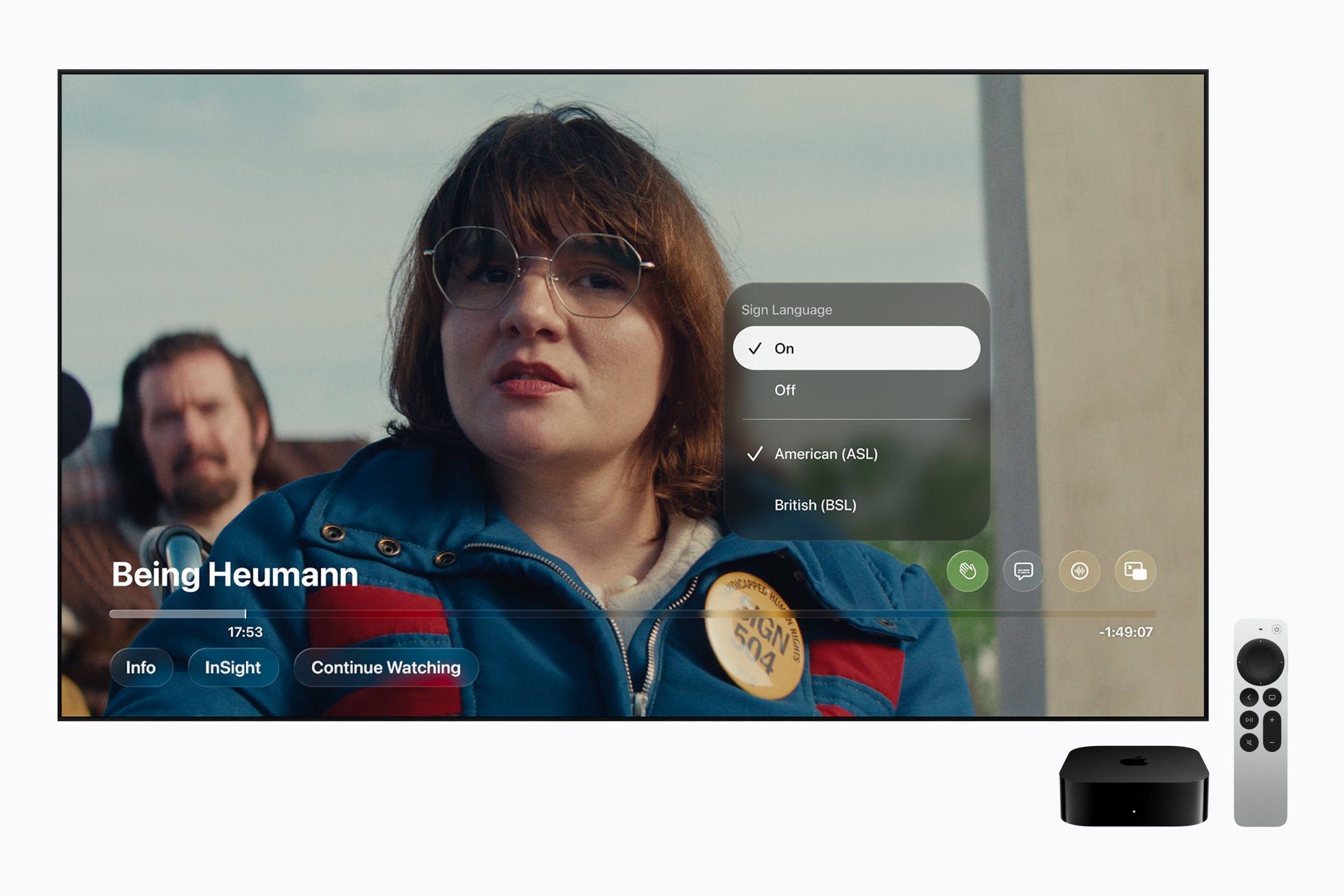
New Apple TV Sign Language Feature Announced

Apple today announced a new accessibility feature for the Apple TV app that gives viewers the option to watch supported movies and shows with on-screen sign language interpretation. An interpreter will appear in the bottom-right corner of the screen, with the experience said to have been designed and tested by Deaf and native signers.


The feature is available in the Apple TV app on devices running iOS 27.2, iPadOS 27.2, macOS 27.2, tvOS 27.2, and visionOS 27.2 or later.

American Sign Language (ASL) and British Sign Language (BSL) interpretation will be available for Being Heumann, which chronicles the story of disability rights activist Judy Heumann. The movie begins streaming in the Apple TV app on Friday.

Apple said sign language interpretation will also be available for the movie F1, and for the movies Way of the Warrior Kid and Greyhound later this year. Over time, the option will expand to additional Apple Original films and series.

"Each performance is carefully crafted to fit and complement the Apple Original film it interprets," said Apple.

Titles with sign language interpretation will be labeled with a Sign Language icon. Viewers can enable the feature in the Apple TV app's settings, and then press the Sign Language button while watching a supported movie or show. Search will also make it easier to find titles that feature sign language with simple phrases like "with ASL."


As sign language interpretation becomes more widely available across streaming services, a new "Movies & Shows with American Sign Language" collection will be added to the Apple TV app. Apple mentioning plural "streaming services" suggests that the option will eventually be available for more than just Apple Originals.

"At Apple, we believe everyone should be able to enjoy great stories and entertainment," said Sarah Herrlinger, Apple's Senior Director of Global Accessibility Policy and Initiatives. "Bringing sign language interpretation to Apple TV is an exciting step forward in making the viewing experience more accessible and inclusive for Deaf audiences."
Related Roundup: Apple TV
Buyer's Guide: Apple TV (Buy Now)

This article, "New Apple TV Sign Language Feature Announced" first appeared on MacRumors.com

Discuss this article in our forums

  •  
❌