❌

Normale Ansicht

Empfangen — 05. November 2026 ⏭ MacRumors: Mac News and Rumors - All Stories

Apple Arcade Adds Crossy Road Rush and NBA 2K27

Apple today added several new games to Apple Arcade, including Crossy Road Rush, NBA 2K27 Arcade Edition, Kami 2+, and Food Stylist - Design Game+.


Crossy Road Rush is the latest game in the popular Crossy Road series. Players will make their way across an island obstacle course and unlock fun characters. The game supports up to four players in local or online multiplayer, as well as solo play.

NBA 2K27 adds the WNBA, which is a first for the Arcade Edition. The game has all 15 WNBA teams and 180 active players, though they're limited to Quick Match and Blacktop modes. The new edition also has faster, deeper progression for the MyCAREER journey and a refreshed Neighborhood.

Kami 2+ is a puzzle game where players fold colorful paper patterns, and Food Stylist lets players create virtual dishes and tablescapes inspired by cuisines around the world.

Apple Arcade is Apple's subscription gaming service, priced at $6.99 per month. Up to six family members can share a subscription, and there are no ads or in-app purchases.
This article, "Apple Arcade Adds Crossy Road Rush and NBA 2K27" first appeared on MacRumors.com

Discuss this article in our forums

  •  

Apple's New HomeView Smart Home Hub: Here's How Much RAM It Has

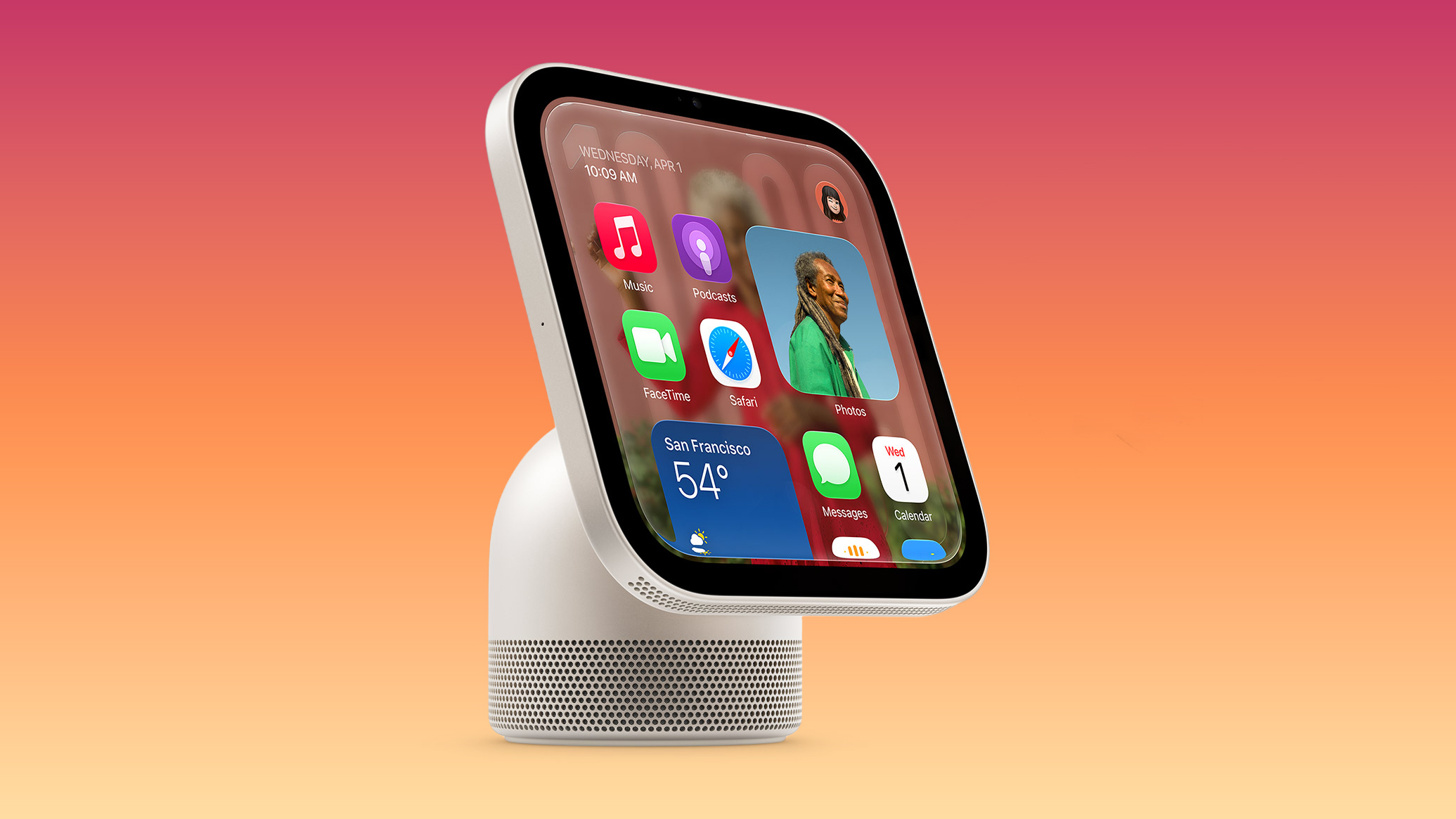
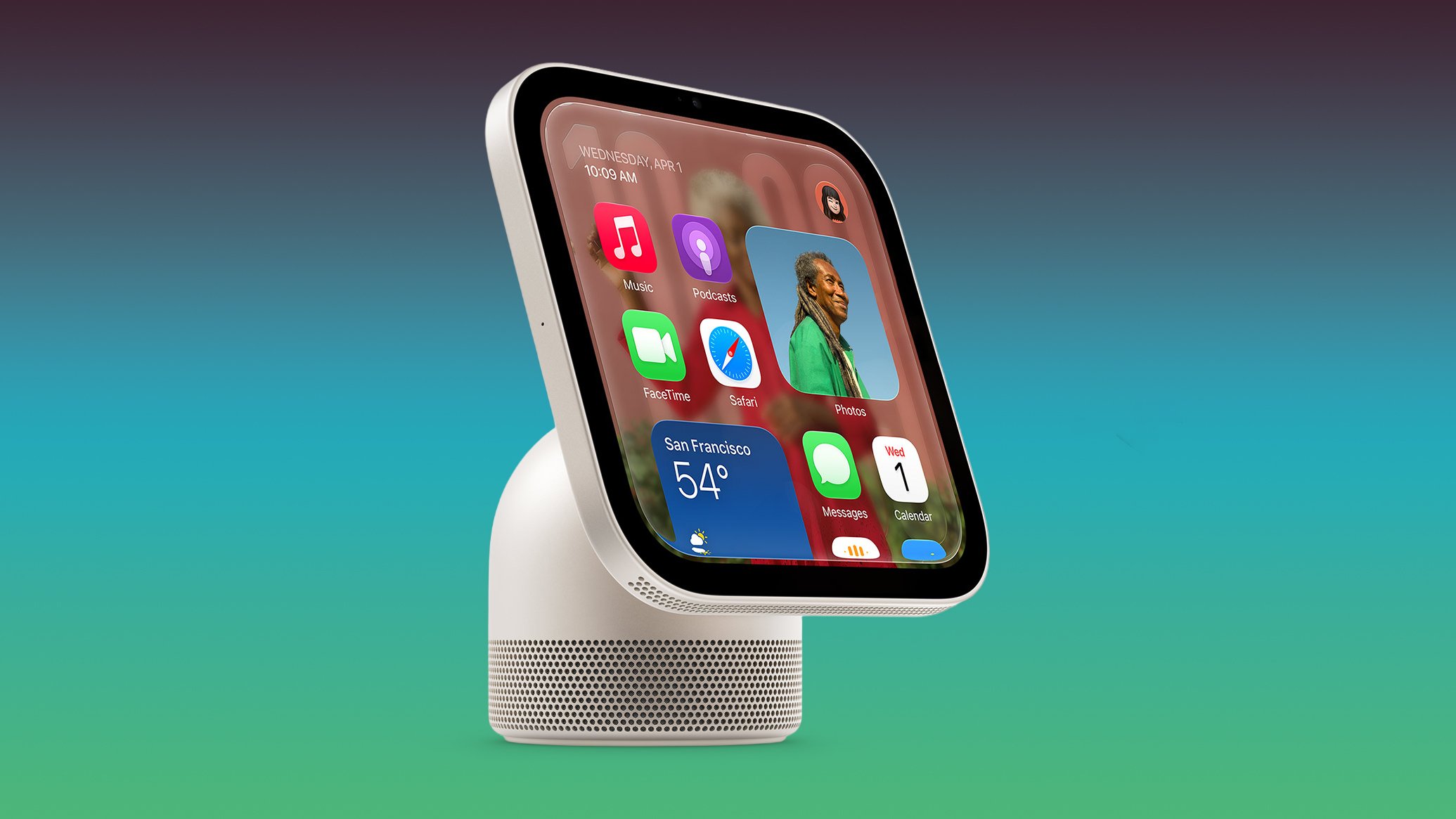
MacRumors has confirmed that the A18 chip in Apple's new HomeView smart home hub is paired with 8GB of RAM. This is not very surprising given the A18 chip also has 8GB of RAM in all iPhone 16 models and the MacBook Neo, but Apple does not list this information in the HomeView's tech specs, so it is worth documenting.
Related Roundup: Apple HomeView
Buyer's Guide: HomeView (Buy Now)

This article, "Apple's New HomeView Smart Home Hub: Here's How Much RAM It Has" first appeared on MacRumors.com

Discuss this article in our forums

  •  

iPad Mini vs. iPad Air Buyer's Guide: Now Just $50 Apart

Apple refreshed both the iPad mini and iPad Air this year, but the choice is now less straightforward and there is just a $50 price difference between them, so which should you choose?
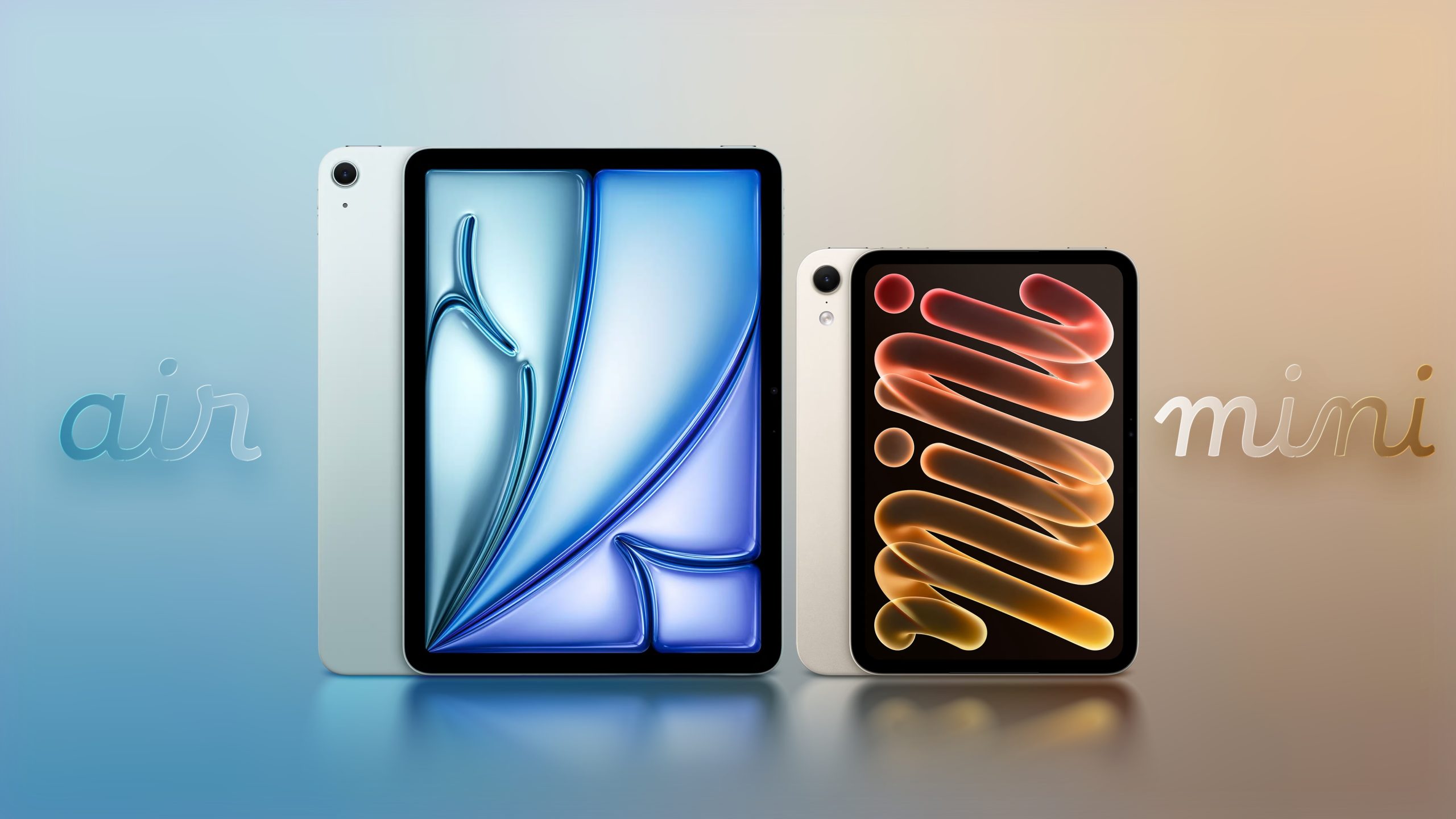

The eighth-generation ‌iPad Air‌ arrived in March with the M4 chip, 12GB of unified memory, Apple's N1 wireless chip, and the C1X modem on cellular models. It remains available in 11-inch and 13-inch sizes. Following Apple's June price increases, the two size options now start at $749 and $949, respectively.

In October, Apple announced the eighth-generation ‌iPad mini‌, introducing a larger 8.5-inch display with OLED technology, a thinner and lighter design, the A20 chip, an optional nano-texture finish, a landscape front camera, and more. The changes give Apple's smallest tablet several advantages over the ‌iPad Air‌, even as the Air retains a larger screen and support for Apple's Magic Keyboard.

Both devices offer Touch ID in the top button, Apple Pencil Pro and ‌Apple Pencil‌ (USB-C) support, ‌Apple Pencil‌ hover, landscape 12MP Center Stage front cameras with ƒ/2.0 apertures, Apple's N1 wireless chip, Wi-Fi 7, Bluetooth 6, Thread networking technology, and USB-C ports with transfer speeds of up to 10Gb/s. The new ‌iPad mini‌ also features 12GB of unified memory, matching the Air. Advertised battery life is the same, with up to 10 hours of web browsing over Wi-Fi or watching video, or up to nine hours of web browsing over cellular. Despite the ‌iPad mini‌'s move to ‌OLED‌, neither model offers ProMotion.

Our guide helps to answer the question of how to decide which of these two iPads is best for you.


‌iPad mini‌ (eighth generation, 2026) ‌iPad Air‌ (eighth generation, 2026)
8.5-inch display 11-inch or 13-inch display
2316-by-1512 resolution 11-inch: 2360-by-1640 resolution
13-inch: 2732-by-2048 resolution
326 ppi 264 ppi
Super Retina XDR ‌OLED‌ display with 2,000,000:1 contrast ratio Liquid Retina display with LED backlighting and IPS technology
600 nits maximum SDR and full-screen HDR brightness; 1,200 nits peak HDR brightness and 1 nit minimum brightness 11-inch: 500 nits maximum SDR brightness
13-inch: 600 nits maximum SDR brightness
Optional nano-texture display glass on 256GB and 512GB models for an additional $100, supplied with a polishing cloth
A20 Pro chip M4 chip
128GB and 256GB: 5-core CPU with 2 super cores and 3 efficiency cores
512GB: 6-core CPU with 2 super cores and 4 efficiency cores
8-core CPU with 3 performance cores and 5 efficiency cores
7-core GPU with dedicated Neural Accelerators 9-core GPU
128GB and 256GB: 16-core Neural Engine
512GB: Dual 16-core Neural Engine, totaling 32 cores
16-core Neural Engine
115.2 GB/s memory bandwidth 120 GB/s memory bandwidth
Volume buttons on top Volume buttons on right side
Acoustic Display audio system with display-coupled woofers and concealed tweeters Landscape stereo speakers
IP67 water and dust resistance, rated for a maximum depth of 1 meter for up to 30 minutes
Adaptive True Tone rear flash
Apple C2 modem (cellular models) Apple C1X modem (cellular models)
U.S. cellular model (A3596) supports LTE band 106 U.S. cellular models (A3460) and (A3462) do not support LTE band 106
UMTS/HSPA/HSPA+ cellular support UMTS/HSPA/HSPA+/DC-HSDPA cellular support
Supports one external display at up to 4K resolution at 60Hz, with extended external display mode Supports one external display at up to 6K resolution at 60Hz, with extended external display mode
Compatible with Bluetooth keyboards Smart Connector for compatible keyboard accessories, including Apple's Magic Keyboard
18.9Wh battery 11-inch: 28.93Wh battery
13-inch: 36.59Wh battery
Fast charging up to 50% in around 30 minutes with a 35W or higher USB-C power adapter
128GB, 256GB, or 512GB of storage 128GB, 256GB, 512GB, or 1TB of storage
Available in Midnight and Starlight Available in Space Gray, Starlight, Purple, and Blue
Starts at $699 (Wi-Fi) or $849 (Wi-Fi + Cellular) 11-inch: Starts at $749 (Wi-Fi) or $899 (Wi-Fi + Cellular)
13-inch: Starts at $949 (Wi-Fi) or $1,099 (Wi-Fi + Cellular)


Beyond their features, the physical differences between the two devices are substantial. The ‌iPad mini‌ is thinner and weighs almost half as much as the 11-inch ‌iPad Air‌, making it easier to hold for extended periods and carry in a small bag. The ‌iPad Air‌'s larger dimensions accommodate a more spacious display, but even the smaller model represents a noticeable step up in size and weight:


‌iPad mini‌ 11-inch ‌iPad Air‌ 13-inch ‌iPad Air‌
Height 7.69 inches (195.3 mm) 9.74 inches (247.6 mm) 11.04 inches (280.6 mm)
Width 5.22 inches (132.6 mm) 7.02 inches (178.5 mm) 8.46 inches (214.9 mm)
Thickness 0.21 inch (5.4 mm) 0.24 inch (6.1 mm) 0.24 inch (6.1 mm)
Weight (Wi-Fi) 0.56 pound (255 grams) 1.02 pounds (464 grams) 1.36 pounds (616 grams)
Weight (Wi-Fi + Cellular) 0.58 pound (263 grams) 1.03 pounds (465 grams) 1.36 pounds (617 grams)


The latest ‌iPad mini‌ changes the balance between these two devices. The ‌iPad Air‌ retains the core design introduced in 2020, while the ‌iPad mini‌ has just received a substantial redesign with an ‌OLED‌ display, a thinner and lighter enclosure, and several features unavailable on the Air. With the mini also costing $50 less, the current ‌iPad Air‌ is harder to recommend unless you specifically need its larger workspace and keyboard support and cannot wait for its successor.

For most buyers looking for a handheld tablet to complement a laptop or desktop computer, the ‌iPad mini‌ is now the more compelling choice. Its portability advantage is substantial: the Wi-Fi model weighs 255 grams, compared with 464 grams for the 11-inch Air, and its smaller footprint makes it much easier to hold and carry. Combined with its ‌OLED‌ display, water and dust resistance, and fast charging, this makes it particularly well suited to reading, watching videos, playing handheld games, and taking notes on the go.

The ‌iPad Air‌ remains the better choice for productivity. Even the 11-inch model provides considerably more screen space for documents, drawing, and working across multiple apps. Support for Apple's Magic Keyboard makes the ‌iPad Air‌ a much more practical potential laptop replacement. The ‌iPad mini‌ has ample processing power for many of the same tasks and supports Bluetooth keyboards, but its smaller display and lack of an equivalent integrated keyboard accessory make it less suitable as a productivity device.

These are meaningful reasons to choose the ‌iPad Air‌ if you need a tablet immediately. The 11-inch model's $50 premium buys a larger workspace and keyboard support, although the Magic Keyboard costs extra and whether the combination can replace your laptop depends on your apps and workflows being supported by iPadOS. Its older design does not diminish that clear utility, but buying one now means accepting an LCD display and missing several of the ‌iPad mini‌'s newer features.

The 13-inch ‌iPad Air‌ provides the clearest distinction from the ‌iPad mini‌, with substantially more room for side-by-side documents, drawing, and multitasking. Its $250 premium over the base ‌iPad mini‌ is worth considering if you regularly need that added display area, although its larger dimensions and weight make it much less convenient for handheld use. The 11-inch Air offers a more portable balance for switching between tablet and keyboard use, but neither approaches the ‌iPad mini‌'s ease of carrying and holding.

For prospective ‌iPad Air‌ buyers who do not need a new device immediately, we recommend waiting. A new ‌iPad Air‌ with an ‌OLED‌ display is expected in the first half of 2027. This would address one of the current ‌iPad Air‌'s most significant disadvantages compared with the ‌iPad mini‌, likely along with other new features to bring it up to par. With the ‌iPad mini‌ newly refreshed and a consequential ‌iPad Air‌ update expected in the not-too-distant future, postponing a nonessential ‌iPad Air‌ purchase is the more sensible choice.
Related Roundups: iPad Air , iPad mini
Related Forum: iPad

This article, "iPad Mini vs. iPad Air Buyer's Guide: Now Just $50 Apart" first appeared on MacRumors.com

Discuss this article in our forums

  •  

First iOS 27.3 and macOS Golden Gate 27.3 Public Betas Now Available

Apple today seeded the first betas of iOS 27.3, iPadOS 27.3, macOS Golden Gate 27.3, tvOS 27.3, and watchOS 27.3. The new software comes two days after Apple released the betas for developers.


iOS 27.3 is a major update that adds a Vertical Tabs layout option and Adaptive Dark Mode for Safari. Siri AI can do more in and across Apple's apps, and developers are now able to create actions for ‌Siri‌ to carry out.

The redesigned Health app is now available with custom Insights and Longevity information, and the iPhone Duo supports Reachability. There's a new Selfie Sing feature in Apple Music, plus changes to StandBy on non-Duo iPhones. A full list of what's new in the beta can be found in our guide.

On the Apple Watch Series 12 and Ultra 4, Audio Intelligence features Live Rewind and ‌Siri‌ Recap are available for testing. Live Rewind creates a transcript of the last 15 seconds of speech, and ‌Siri‌ Recap offers a high-level summary of conversations throughout the day.

‌macOS Golden Gate‌ 27.3 has the same Safari features, and it brings Live Activities to Macs without a Dynamic Island.

To get the new betas, you can sign up on Apple's beta testing website. After you're signed up, the betas can be installed through the Software Update section in the Settings app on each device.

We're expecting all of Apple's updates to launch in December.
Related Roundups: iOS 27, iPadOS 27, macOS Golden Gate
Related Forums: iOS 27, macOS Golden Gate

This article, "First iOS 27.3 and macOS Golden Gate 27.3 Public Betas Now Available" first appeared on MacRumors.com

Discuss this article in our forums

  •  

Apple Announces a New Mac Sales Record

On an earnings call earlier this week, Apple CEO John Ternus announced that the company sold more Macs in its 2026 fiscal year than any previous fiscal year. "We have never sold more Macs in a fiscal year than we did this time, which is a truly remarkable testament to these incredible products," he said.

This record is all the more impressive given that several Mac models have faced supply constraints this year. Apple's CFO Kevan Parekh said Mac sales have been driven by the popularity of the MacBook Neo and MacBook Pro lately.
Related Roundups: MacBook Neo, MacBook Pro
Related Forums: MacBook Neo, MacBook Pro

This article, "Apple Announces a New Mac Sales Record" first appeared on MacRumors.com

Discuss this article in our forums

  •  

Paid $200 for Logic Pro? Apple Says You Won't Get This New Feature

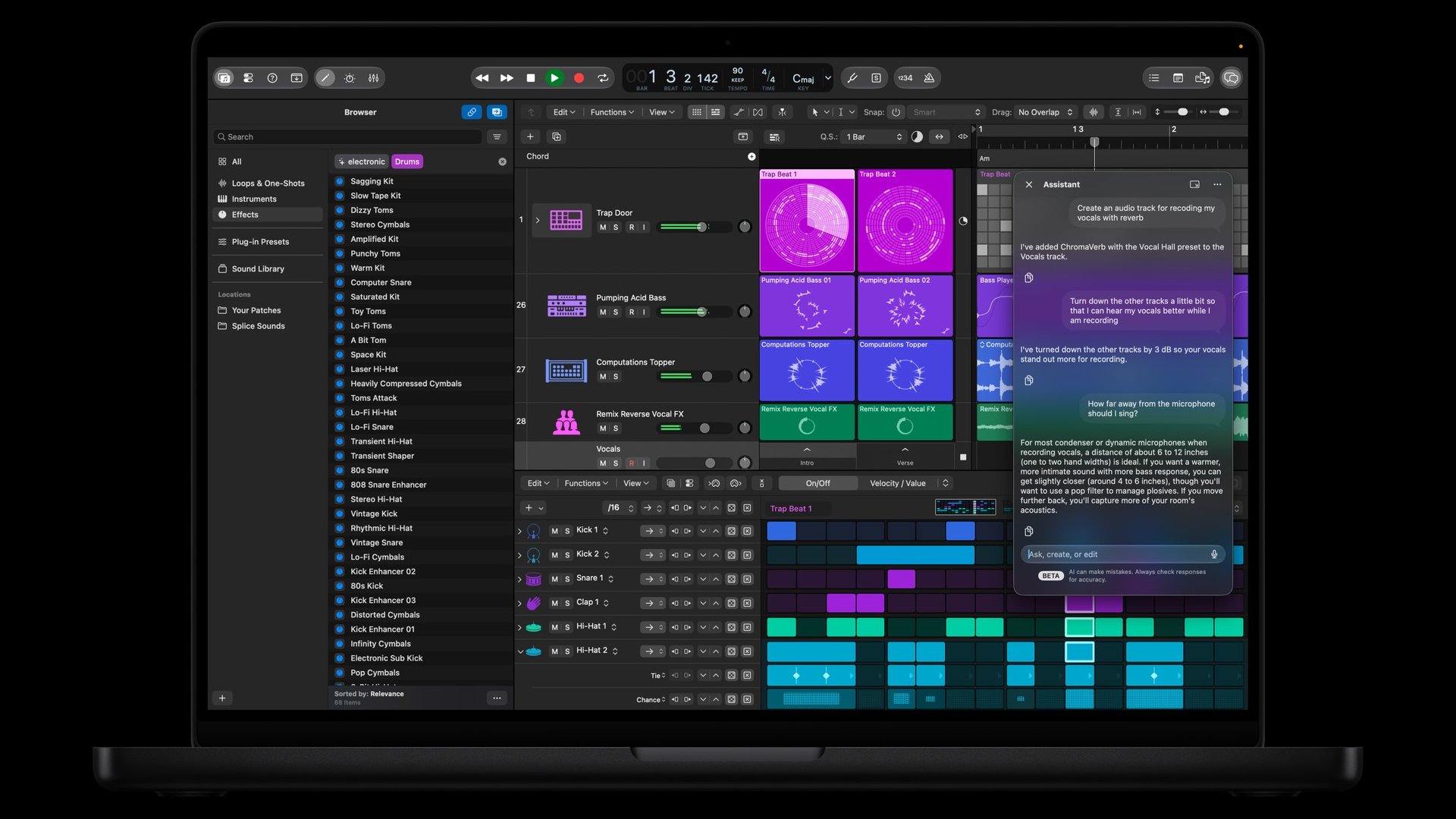
According to Apple's full release notes for version 13.0 of Logic Pro for Mac, released today, the new AI-powered Intelligent Assistant feature requires an Apple Creator Studio subscription for $12.99 per month or $129 per year. In other words, the feature is not available in the $199.99 one-time purchase version of Logic Pro.


Apple's fine print on the Logic Pro release notes page:
The intelligent assistant (beta) requires an Apple Creator Studio subscription, a Mac with Apple silicon, and macOS 27 or later.
Indeed, the release notes for the one-time purchase version of Logic Pro for Mac version 13.0 do not mention Intelligent Assistant.

The subscription requirement was not mentioned in Apple's announcement last month:
The assistant (beta) in Logic Pro for Mac requires macOS 27 Golden Gate or later on an Apple Intelligence-capable Mac and is available in U.S. English only.
Apple customers who are growing tired of features being locked behind a subscription will obviously be disappointed to learn this news.

Logic Pro's Intelligent Assistant likely requires a Creator Studio subscription because it uses cloud AI models. In a support document, Apple said the feature will have monthly usage limits, with expanded usage available for a fee.

Apple says the Intelligent Assistant is powered by a combination of Apple-built and third-party AI models. The feature is designed to help creators "navigate production workflows, start a new song, set up a vocal track from a single prompt, or refine an active project." Except for creators who opted to pay $199.99 upfront for Logic Pro, that is.
This article, "Paid $200 for Logic Pro? Apple Says You Won't Get This New Feature" first appeared on MacRumors.com

Discuss this article in our forums

  •  

Instagram's Edits Video Editor is Now Available on Mac

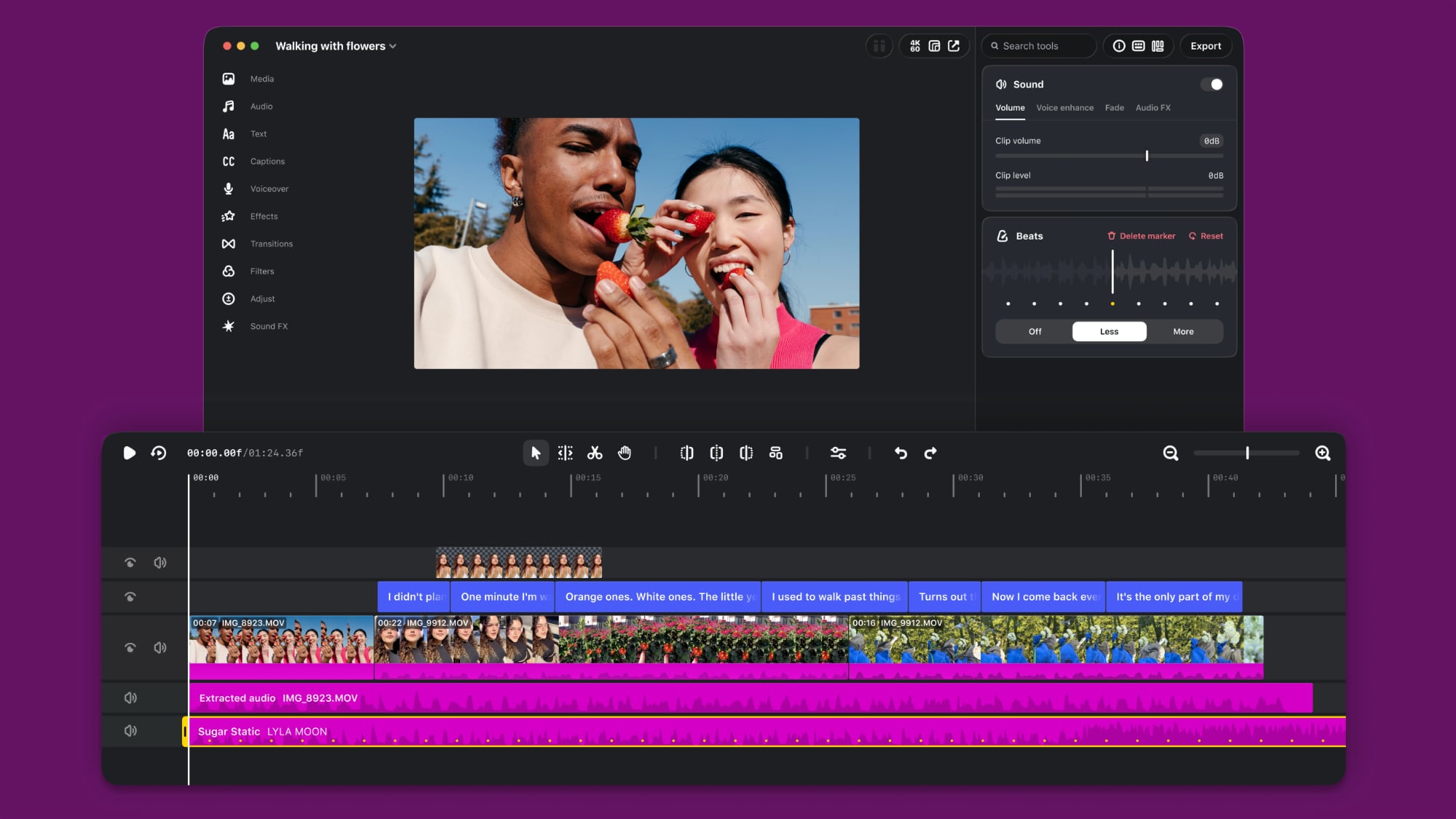
Instagram today expanded its Edits video editing app to the Mac. Edits for Mac is intended for larger projects that benefit from a big screen and the control of a mouse and keyboard.


The app includes Instagram's licensed and royalty-free audio libraries, sound and video effects, and unlimited automatic captions.

Edits for Mac has a full multi-track timeline, keyframes for dynamic transitions, and precise audio waveforms for accurate cuts. There is an option to import LUTs or font files, along with support for Model Context Protocol so AI agents can use the app. The Edits team says splitting, cutting, and trimming are easier.

Videos created with the app can be published directly to Instagram or downloaded to share on other platforms. Multiple horizontal and vertical aspect ratios are included, and Edits offers 4K watermark-free export.

Edits for Mac can be downloaded from the Instagram website.
This article, "Instagram's Edits Video Editor is Now Available on Mac" first appeared on MacRumors.com

Discuss this article in our forums

  •  

Prevent Siri and Search From Accessing Specific iPhone Apps

In iOS 27.2, Apple has a new settings menu that lets you choose which apps Siri, Search, and suggestions can access, all from one list. Here's what's changed and how to use the new menu.


With iOS 27.2, Apple has replaced the old App Access controls with a redesigned Excluded Apps feature that makes it a lot simpler to keep specific apps away from Siri, Search, and suggestions.

It's actually a bigger change than it might sound. Previously, excluding an app in iOS meant opening Settings ➝ Apple Intelligence & Siri ➝ Apps and adjusting each app's toggles individually. This included a switch that let Siri "Learn from this App," and several suggestion options that appeared in Search and widgets.

What was confusing is that some of these switches controlled on-device personalization, rather than access to an app's contents. Moreover, fully keeping an app's content out of search results also required toggling off a separate "Show Content in Search" switch that was buried in each app menu in Settings ➝ Apps.

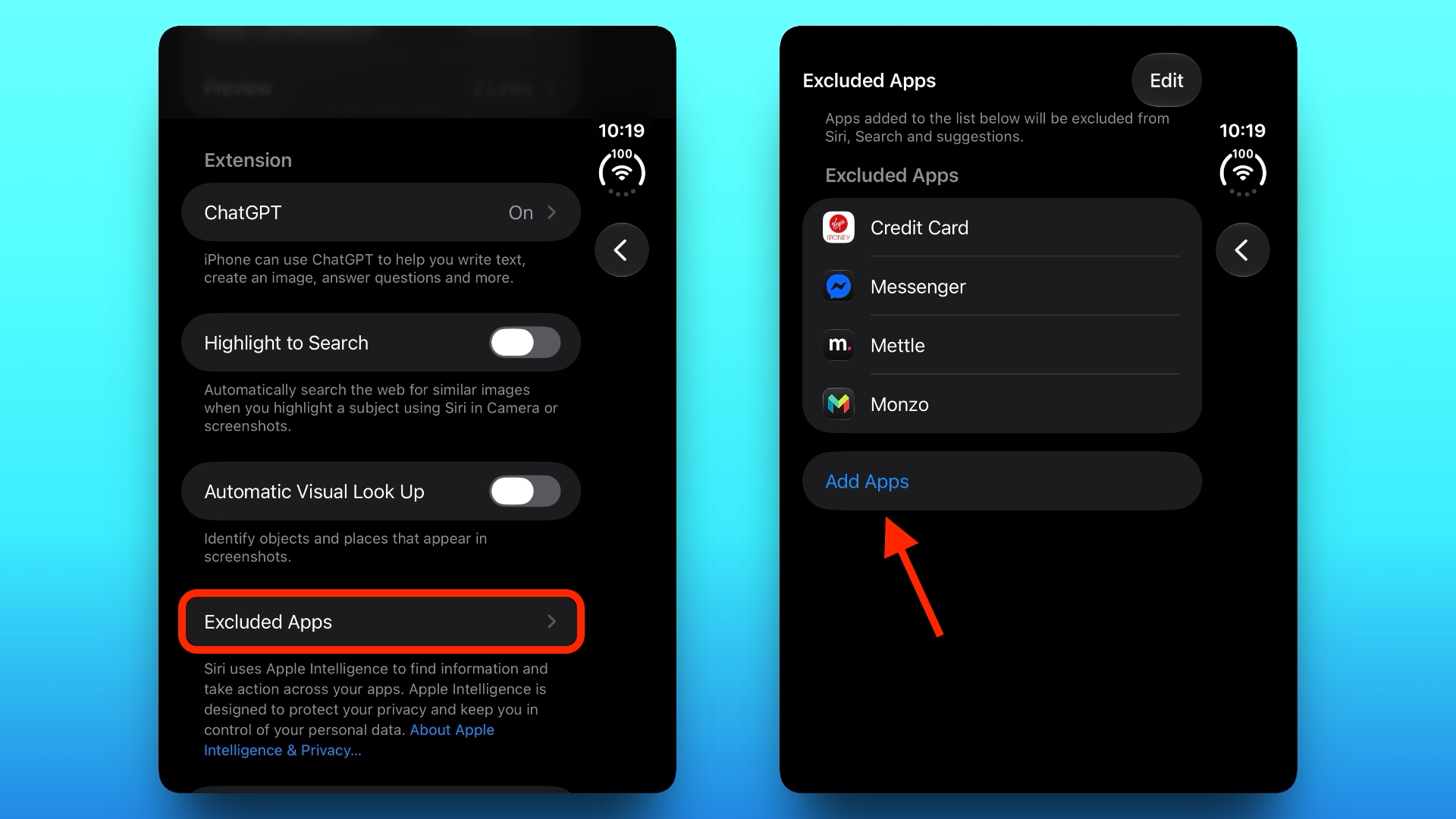
Thankfully, in iOS 27.2, Excluded Apps consolidates all of this into a single multi-select list, where you can add an app once and make it unavailable to Siri, Search, and suggestions. Here's where to find it.

How to Exclude Apps From Siri and Search


  1. Open the Settings app on your iPhone.

  2. Tap Siri.

  3. Tap Excluded Apps.

  4. Tap Add Apps, select the apps you want to exclude, then confirm your selection.


Bear in mind that excluding an app can disable some Siri features for it. For example, the Electronic Freedom Foundation found that excluding Messages stops Siri AI from reading or replying to messages. Also, onscreen awareness – where you invoke Siri and ask it for information about what you're currently looking at – will no longer work in any app you exclude.

Let an App Back Into Siri and Search


To return individual app access to Siri and Search, simply tap the Edit button in the Excluded Apps menu, then tap the minus button next to the app in question and hit the checkmark at the top to confirm.
Tag: Siri

This article, "Prevent Siri and Search From Accessing Specific iPhone Apps" first appeared on MacRumors.com

Discuss this article in our forums

  •  

MacBook Pro PROLED XDR Reviews Are In: Is the Touchscreen Worth It?

The first reviews of the new 14-inch and 16-inch MacBook Pro models with PROLED XDR displays have been published ahead of the laptops launching on Friday.


One of the key new features is a touchscreen. Is it worth it, though? Here's what reviews say.

The Verge's David Pierce said that, in his testing so far, touch input has not been something that "meaningfully changes the laptop experience." He recommends the new MacBook Pro models regardless for the OLED display and other upgrades.

Pierce did mention some examples where touch proved useful:
That's not to say the touchscreen doesn't come in handy, though. It does more often than I expected. When I'm editing photos, reaching out and spreading my fingers to zoom in on the section I want to see is vastly easier than clicking and dragging with the trackpad. When I'm watching a movie, I can just tap the video rather than wiggling the mouse to find the cursor. My favorite touch use so far has been when I'm showing somebody something on my computer — now we can both swipe between options or tap to make an edit rather than having to crowd around the trackpad.
He also pointed out a few limitations:
There's no onscreen keyboard that appears when you tap a text box; you don't get the copy / paste / select all pop-up when you tap on words. No radius of tools appears when you tap the Apple Pencil on the screen in Procreate, because, oh wait, the Apple Pencil doesn't work at all.
Gizmodo's Kyle Barr said touch input is beneficial for the iPhone Mirroring feature on the Mac:
The touchscreen is occasionally useful. It's not the end-all-be-all. But it sure is handy.

If you're one to use the iPhone mirroring feature on MacBook Pro, the touchscreen makes it more intuitive. Instead of having to click on the bottom bar to minimize an app, you can simply swipe up from the bottom of the mirrored iPhone, like normal. Using the touchscreen on the mirrored iPhone isn't as snappy as the real deal. It's obvious though that Apple has been working towards this touchscreen design for a while, as more and more macOS features start to make better sense with the touchscreen in tow.
WIRED's Luke Larsen often forgot about the touchscreen, but he too pointed out a few examples where it proved to be useful in his testing:
In the time I've had with the touchscreen MacBook Pro so far, I tried to remind myself of its new powers. But when I'm deep in work, I completely forget the touchscreen. It just has no place in my workflows. That doesn't mean it's not ever useful, though. Sometimes, swiping away a notification with a finger feels intuitive. Or if you're lounging on the couch and use your thumb to scroll through your Instagram feed as you would on an iPad, it works. But those times are few and far between. I'm certainly not going to be poking three fingers up at the screen to swipe between Spaces when I could do that on a trackpad without even lifting my hand.
With an OLED display, the new MacBook Pro models deliver more vivid colors and increased contrast ratio compared to the previous models with mini-LED displays. The laptops also achieve up to 2,000 nits of brightness for HDR content. OLED displays do not have a backlight, and individual pixels turn off completely for the color black.

Bloomberg's Chris Welch said the OLED display is "genuinely striking":
The new MacBook Pro's dual-layer tandem OLED panel is genuinely striking and can get noticeably brighter than LCD models. Since each pixel is individually controlled and can fully shut off for dark content, this screen provides meaningfully superior contrast compared with the Mini LED models, which were already impressive in their own right. Any concerns I had about display uniformity, which can be an issue with some OLED devices, quickly vanished once I began using the machine. From corner to corner, the 16.3-inch panel is punchy, vibrant and can display an even wider range of colors than before — a win for photographers.
Mashable's Timothy Beck Werth said the OLED display "absolutely slaps":
This laptop absolutely slaps, and the incredible PROLED XDR display is the headline. It's stunning.
His expanded thoughts:
I'm not going to waste time explaining exactly how tandem OLED technology works; instead, you'll have to trust me that it means a brighter display that lasts longer. The blacks on the display are deep, the colors pop, and the shadows and highlights provide incredibly detailed contrast.
Other display-related upgrades include a Dynamic Island instead of a notch, slimmer bezels, and a redesigned hinge with improved stability.

Six Colors' Jason Snell on the Dynamic Island:
Spotlight and Siri AI are now animated as emerging from the black blob that is the Dynamic Island. Now Playing appears up there, too, and you can click or tap on the Dynamic Island to expand it and get playback controls. Shared Live Activities from your paired iPhone should also appear up there, rather than in the menu bar itself, as they do on other Macs.

I'm a big fan of subtle, ambient information presentations that inform you about things happening on your devices. That's why the Dynamic Island was such a fun approach to turning a problem (an unsightly camera cut-out) into a useful feature. The notch never really did anything—it was just a dead zone. The Dynamic Island serves a purpose and the MacBook Pro is better for it.
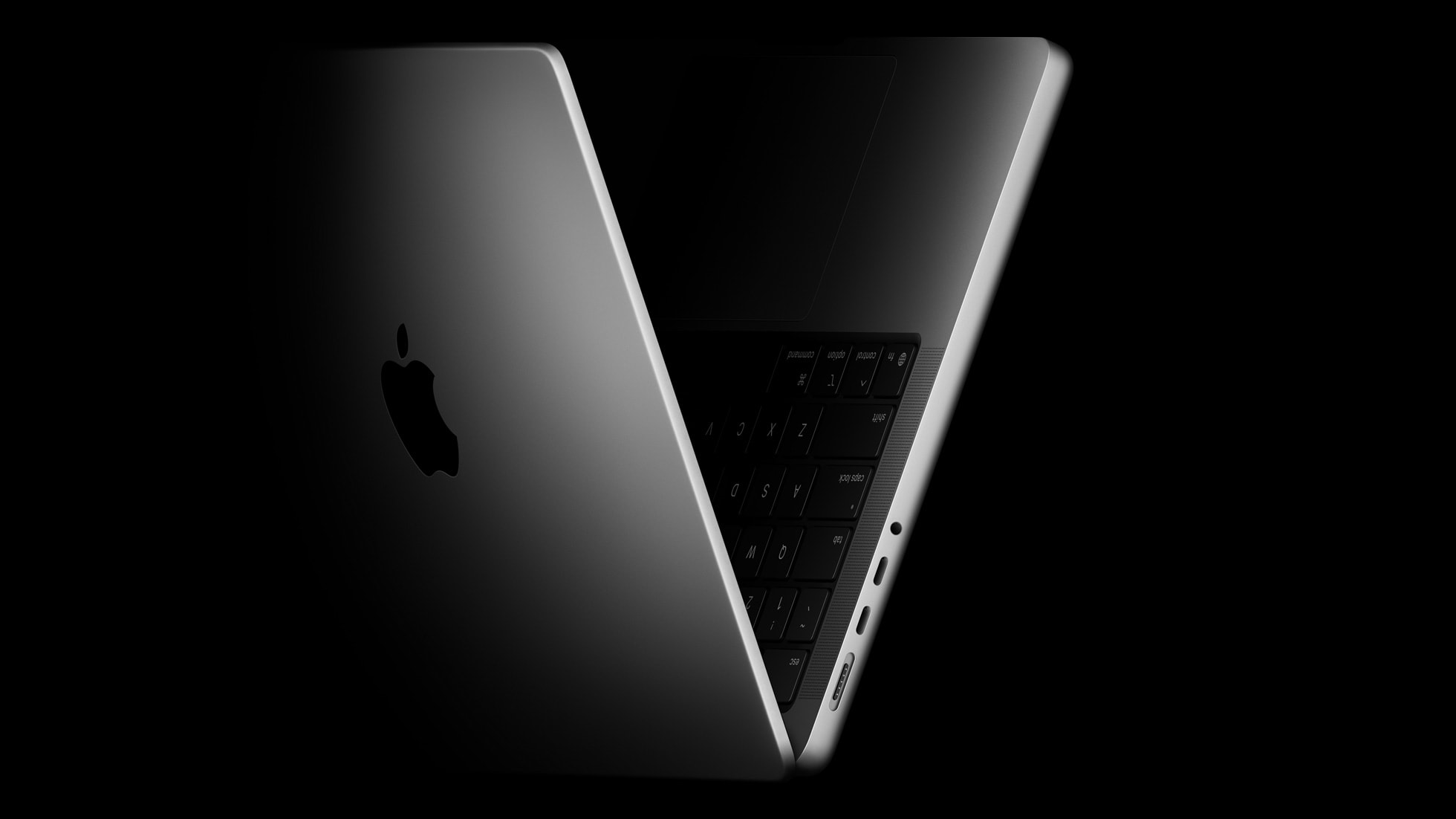
The new MacBook Pro models also feature improved speakers, a new 16TB storage option, a redesigned cooling system, and a lighter and slightly thinner design. And there is a fun bonus: the glowing Apple logo on the lid has returned.

Apple said the improved speakers deliver 50% deeper bass, but Bloomberg's Chris Welch actually found this upgrade can be "detrimental":
[...] The revamped MacBook Pro has left me with mixed feelings in one area that I wasn't expecting: sound. Since the first 16-inch model debuted in 2019, it's offered fantastic, well-balanced audio with a surprising degree of immersion. These are widely considered the best speakers on any laptop. For the new PROLED series, Apple has introduced a redesigned six-speaker system that it says offers 50% deeper bass. And that's true — to a point where it's sometimes detrimental.

The added low-end impact makes these laptops tremendous entertainment machines for movies and TV shows, but when listening to music or podcasts or even watching YouTube videos, the sound is often too boomy and bass-forward. The balance has been thrown off, and there's also no easy way of dialing back deeper tones.
9to5Mac's Chance Miller appreciates the reduced weight:
You notice the lighter weight of the new MacBook Pro immediately when you pick it up. My review unit is the 16-inch MacBook Pro, and I'm genuinely surprised at how nice it feels. It's not light, but it feels less like a tank.

I've always used the smaller of the two MacBook Pro models for portability, most recently a 14-inch M4 Pro. The weight of the new 16-inch MacBook Pro has me reconsidering that preference, though. It feels remarkably nice for a laptop with such a large display, and I've really enjoyed having the extra screen space without feeling like I'm sacrificing too much portability.
Who doesn't love the glowing Apple logo? As we previously highlighted, the logo's brightness level is tied to the display's brightness level, and Miller revealed that the feature also takes ambient brightness into consideration:
The logo's brightness is still tied to the display brightness, just like it was a decade ago. The higher your display brightness, the brighter the Apple logo on the back. It also factors in your environment's ambient brightness.

When the MacBook Pro is closed, the logo looks like polished metal, just like it has since the 2016 redesign. Open it up, and it glows. It's unnecessary, but I'm so thrilled it's back.
The laptops use the same M5 Pro and M5 Max chips that remain available in the MacBook Pro models with mini-LED displays, so performance is similar.

In the U.S., the 14-inch model starts at $2,899 and the 16-inch model starts at $3,399.

Videos


Related Roundup: MacBook Pro
Buyer's Guide: MacBook Pro (Buy Now)
Related Forum: MacBook Pro

This article, "MacBook Pro PROLED XDR Reviews Are In: Is the Touchscreen Worth It?" first appeared on MacRumors.com

Discuss this article in our forums

  •  

Best Early Black Friday Deals on iPhone 18 Pro and iPhone Duo

Cellular carriers have always offered big savings on the newest iPhone models during the holidays, and Black Friday 2026 sales have kicked off at AT&T and T-Mobile, as well as Best Buy. Right now we're tracking notable offers on the iPhone 18 Pro, iPhone 18 Pro Max, and iPhone Duo. For even more savings, keep an eye on older models during the holiday shopping season.

Note: MacRumors is an affiliate partner with some of these vendors. When you click a link and make a purchase, we may receive a small payment, which helps us keep the site running.

If you're looking for something other than iPhones, be sure to visit our Black Friday Roundup for all of the best deals and discounts happening this season. For more Apple-specific devices currently on sale, our main post on the best Apple Black Friday deals is the best place to look.

T-Mobile


  • iPhone 18 Pro and iPhone 18 Pro Max: Up to $1,200 off with eligible trade-in

  • iPhone Duo: Up to $1,200 off with eligible trade-in

  • Apple Watch SE 3: No cost (up to $300) when adding a watch line on a qualifying plan, or get $250 off any Apple Watch when picking up another Apple Watch


T-Mobile is offering the iPhone 18 Pro and iPhone 18 Pro Max for up to $1,200 off when you trade in an old device (in any condition) and purchase the new device on an eligible unlimited plan. You can also get this offer if you switch a line to Experience Beyond 2.0, Experience Beyond, or Go5G Next.


For anyone shopping for the iPhone Duo, you can get up to $1,200 off the iPhone Duo with any condition trade-in on an Experience Beyond plan. This discount will appear in the form of bill credits over the course of 36 months.

Similarly, if you're on the Experience More or Experience Beyond plan, you can get up to $830 off with a trade-in, and up to $730 off with a new line on most other plans. All of these offers have the same payout schedule over the course of 36 months.

AT&T


Over at AT&T, you can get the iPhone 18 Pro and iPhone 18 Pro Max for up to $1,200 off with an iPhone trade-in in any condition. You'll need to upgrade with AT&T Next Up Anytime or switch to get this offer.


Additionally, new and existing customers can get up to $1,200 off the iPhone Duo with an eligible trade-in. If you're switching to AT&T, the carrier will give you up to $800 to pay off your current device balance, and you can save $200 per line when ordering the smartphone online.

In regards to the main offer of up to $1,200 off the iPhone Duo, AT&T says this requires an eligible trade-in of $230 or more, alongside activation of a new line or upgrading an existing line. You'll get this credit over the course of 36 months on your AT&T bill.

You can find the breakdown of each plan tier from AT&T below, and remember that they each require a trade-in as well.

  • Up to $1,200 off iPhone Duo: requires AT&T Premium 2.0 plan or higher / trade-in value of $230 or more

  • Up to $930 off iPhone Duo: requires AT&T Extra 2.0 plan or higher / trade-in value of $130 or more

  • Up to $500 off iPhone Duo: requires Value 2.0 plan / trade-in value of $130 or more

  • Up to $350 off iPhone Duo: requires any eligible unlimited plan / trade-in value of $35-$129


If you switch to AT&T from a different carrier, AT&T will pay off your phone balance at up to $800 off per line. With the $1,200 offer, AT&T is offering the 256GB iPhone 18 Pro at no cost.

Best Buy


Carriers aren't the only place you can save on iPhones this year, with Best Buy offering the same discounts as AT&T and T-Mobile with activation through these carriers at the time of purchase. This is a great option for anyone who shops at Best Buy a lot and likes to rack up member reward points.


Similar to the carriers, you can get the iPhone 18 Pro models and iPhone Duo for up to $1,200 off with qualified activation on cellular plans and a trade-in of an older device. Best Buy supports activation through AT&T and Verizon.

If you're on the hunt for more discounts, be sure to visit our Apple Deals roundup where we recap the best Apple-related bargains of the past week.


Deals Newsletter


Interested in hearing more about the best deals you can find during the holidays? You can sign up for our Deals Newsletter and we'll keep you updated so you don't miss the biggest deals of the season!


Related Roundups: Apple Black Friday, Apple Deals
Related Forum: Community Discussion

This article, "Best Early Black Friday Deals on iPhone 18 Pro and iPhone Duo" first appeared on MacRumors.com

Discuss this article in our forums

  •  

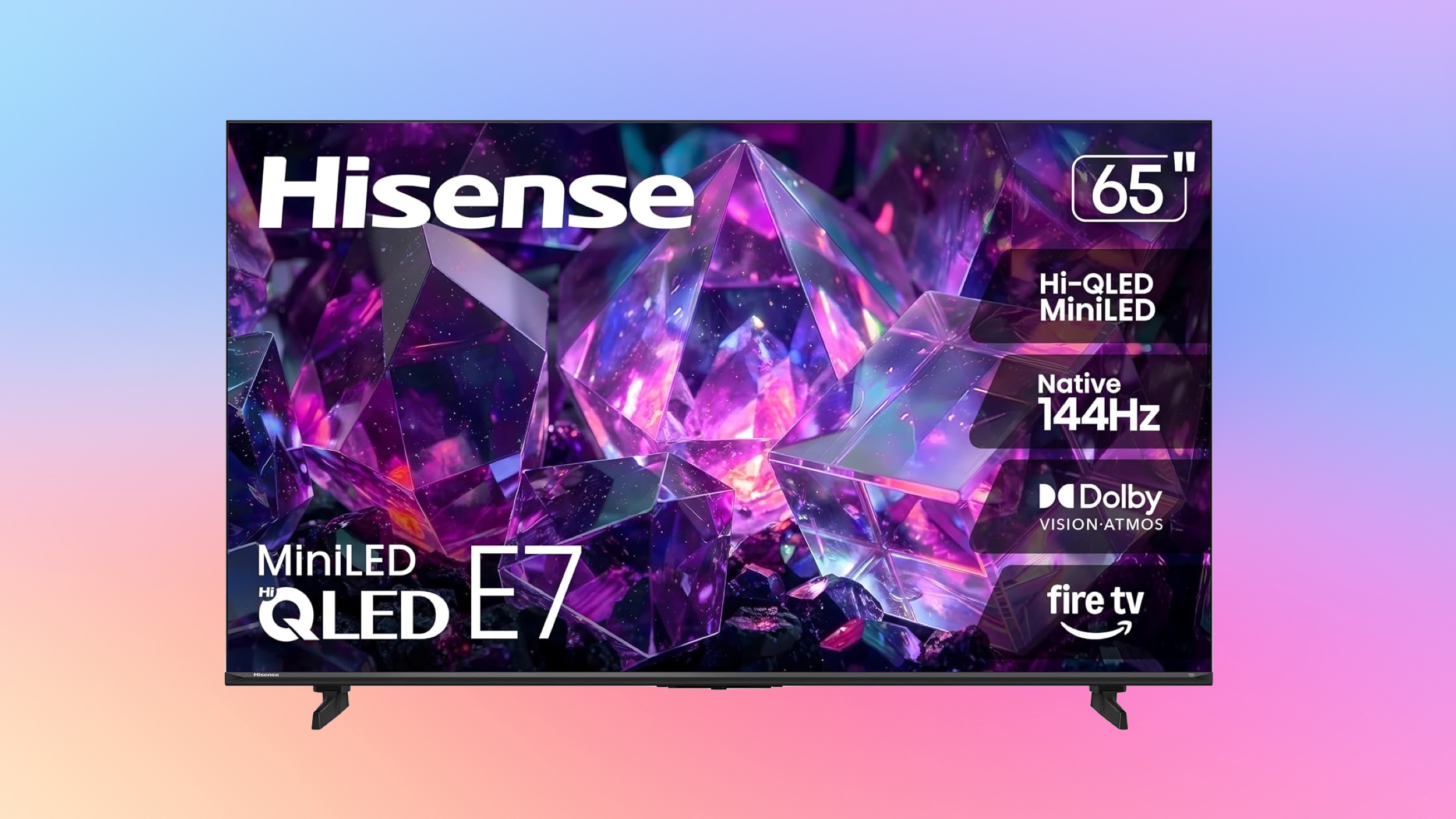
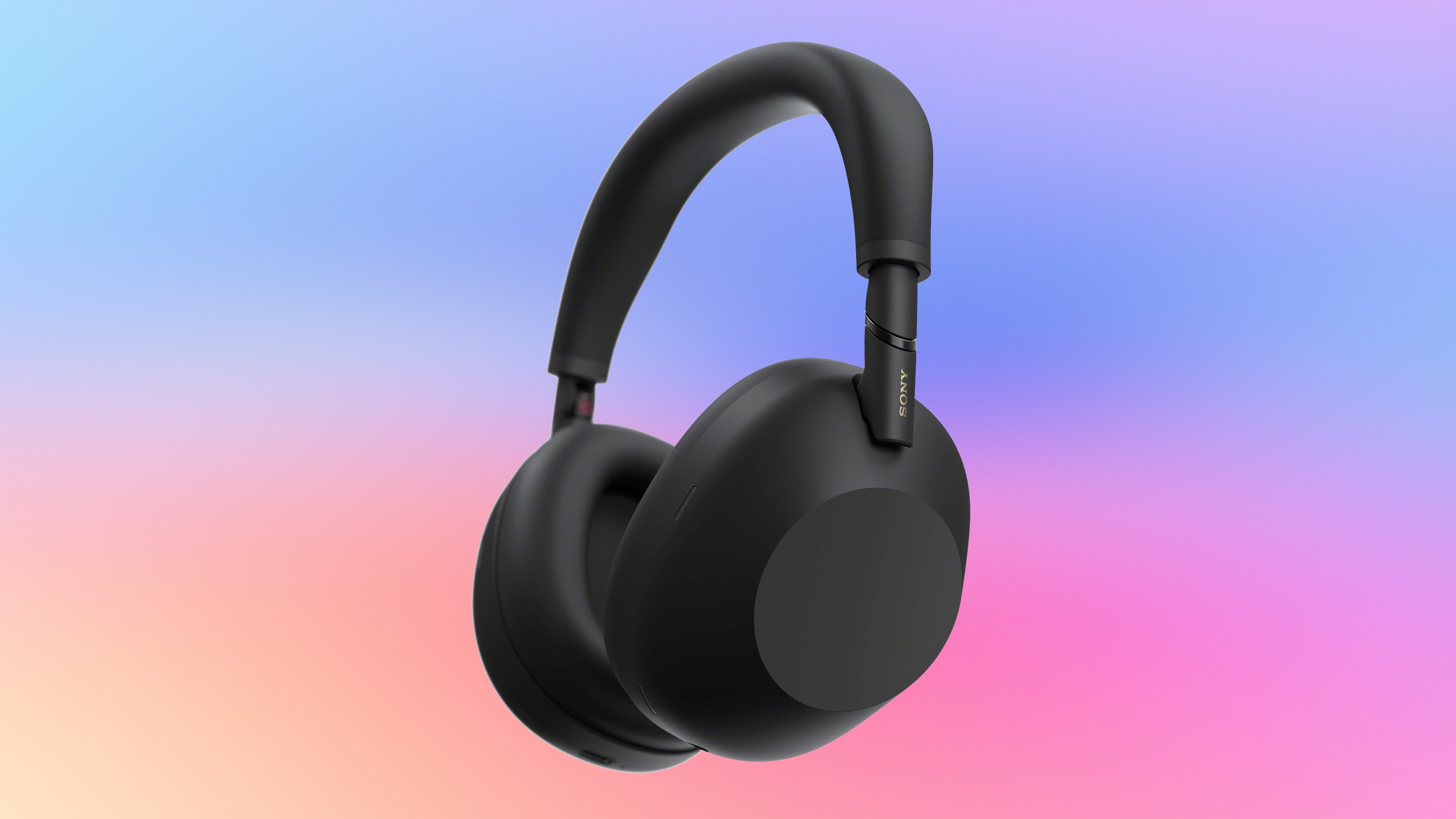
Early Black Friday Accessory Deals at Amazon Include TVs, Headphones, and Charging Devices

Earlier this week we highlighted some of the best early Black Friday Apple deals, and today we're focusing on third-party accessory markdowns available to purchase right now on Amazon. In this article you'll find all the best accessories for charging, smart homes, smartphones, and more.

Note: MacRumors is an affiliate partner with some of these vendors. When you click a link and make a purchase, we may receive a small payment, which helps us keep the site running.

TVs and Monitors


Chargers


Audio


Cases and Screen Protectors


Home


Mac


If you're on the hunt for more discounts, be sure to visit our Apple Deals roundup where we recap the best Apple-related bargains of the past week.


Deals Newsletter


Interested in hearing more about the best deals you can find during the holidays? You can sign up for our Deals Newsletter and we'll keep you updated so you don't miss the biggest deals of the season!


Related Roundups: Apple Black Friday, Apple Deals
Related Forum: Community Discussion

This article, "Early Black Friday Accessory Deals at Amazon Include TVs, Headphones, and Charging Devices" first appeared on MacRumors.com

Discuss this article in our forums

  •  

Apple Creator Studio App Updates Rolling Out, Starting With Logic Pro

Apple today began rolling out the Creator Studio app updates that it announced last month. Both the Creator Studio version and standalone version of Logic Pro for the Mac were updated today, and the remaining app updates will come out later in November.


MacStories editor John Voorhees tested the updated Creator Studio apps over the past week and has shared his impressions of the new features.

Logic Pro for Mac has received a new Liquid Glass design, an AI-powered Intelligent Assistant feature that can help you build beats using natural language, a redesigned browser that centralizes things from loops and instruments to patches and plug-in presets, an enhanced Stem Splitter that now separates drums, and more.

Sidecar support will turn an iPad into a multi-touch controller for Logic Pro on the Mac.

Apple says Intelligent Assistant requires a Creator Studio subscription, so that feature will not be available in the one-time purchase version.

Here are the Logic Pro version 13.0 release notes for the one-time purchase version, which costs $199.99:
Version 13.0 - Unified Browser

• Find the perfect sound faster with a redesigned browser that brings your entire library into one place — loops, one-shots, instrument and effect patches, and plug-in presets

• Add your own custom or third-party sound to the browser and Logic Pro uses music understanding to analyze and classify them, applying tags that make even massive sample libraries easily searchable

• Narrow results with dynamic tag filtering, or describe what you're looking for in plain terms like "atmospheric pad" or "lo-fi kick"

• Find similar sounds or samples across your entire collection with ease

• Browse your licensed Splice sounds alongside the rest of your library

• Add any folder on your Mac as a Browser location for instant access to your personal collection

Enhanced Stem Splitter

• Break the drum stem into individual tracks — kick, snare, hi-hat, toms, cymbals, and other percussion

• Rebalance your entire drum mix without ever needing the original multitracks

All-New Liquid Glass Design

• Bring clarity to your workflow with translucent surfaces and deeper contrast — menus, toolbars, and windows feel lighter and more refined

Sidecar Support

• Transform your iPad into a Multi-Touch controller for Logic Pro on your Mac

• Tap to trigger cells in Live Loops, populate Step Sequencer patterns, adjust plug-ins and instruments, and control multiple mixer channels at once

Play Surface

• Play instruments with a resizable performance window — trigger drum and chord pads with your typing keyboard and mouse, or tap your iPad using Sidecar

• Play a musical keyboard with controls for velocity, modulation, and polyphonic pitch glide

• Make beats by triggering drum pads and use note repeat to add rolls — perfect for trap hats

• Customize Chord pads to follow the Chord track in realtime, so every chord and note you play fits perfectly

Step Sequencer Multi-Select

• Select a range of steps with a drag or Shift-click, then adjust velocity, note repeat, or any parameter for the entire selection at once

• Copy and paste groups of steps to new positions or rows, and use dedicated key commands to select all steps in a row, invert a selection, or nudge selected steps
Apple has more detailed Logic Pro release notes in a support document.

For $12.99 per month or 129 per year in the U.S., a Creator Studio subscription provides access to full-featured versions of Final Cut Pro, Logic Pro, Pixelmator Pro, Motion, Compressor, MainStage, Keynote, Pages, Numbers, and Freeform.

One-time-purchase versions of Final Cut Pro, Logic Pro, Pixelmator Pro, Motion, Compressor, and MainStage remain available on the Mac App Store.

Free versions of Keynote, Pages, Numbers, and Freeform continue to be available, but they do not receive all of the new Creator Studio features.

When the remaining updates are released, we will let you know.
This article, "Apple Creator Studio App Updates Rolling Out, Starting With Logic Pro" first appeared on MacRumors.com

Discuss this article in our forums

  •  

Siri AI Waitlist Now Limited to Times of 'High Demand,' Says Apple

Apple has largely stopped making users join a waitlist to access its Siri AI assistant. According to an updated Apple support document, Siri AI "will begin to download automatically" once users opt in, but the waitlist is now reserved "during time of high demand," and wait times can vary.

The document previously said that enabling the assistant "will add you to a waitlist," as noted by 9to5Mac. The document was updated on November 2, likely following two months of Apple testing server load. Released in September, Siri AI remains in beta across iPhone, iPad, Mac, Apple Watch, and Vision Pro.
Tags: Siri, Siri AI

This article, "Siri AI Waitlist Now Limited to Times of 'High Demand,' Says Apple" first appeared on MacRumors.com

Discuss this article in our forums

  •  

See Apple's Touchscreen MacBook Pro in Action

Apple enlisted British musician Labrinth to create a new song during an overnight livestream, demonstrating the new touchscreen MacBook Pro and Logic Pro at Apple Tower Theatre in downtown Los Angeles.


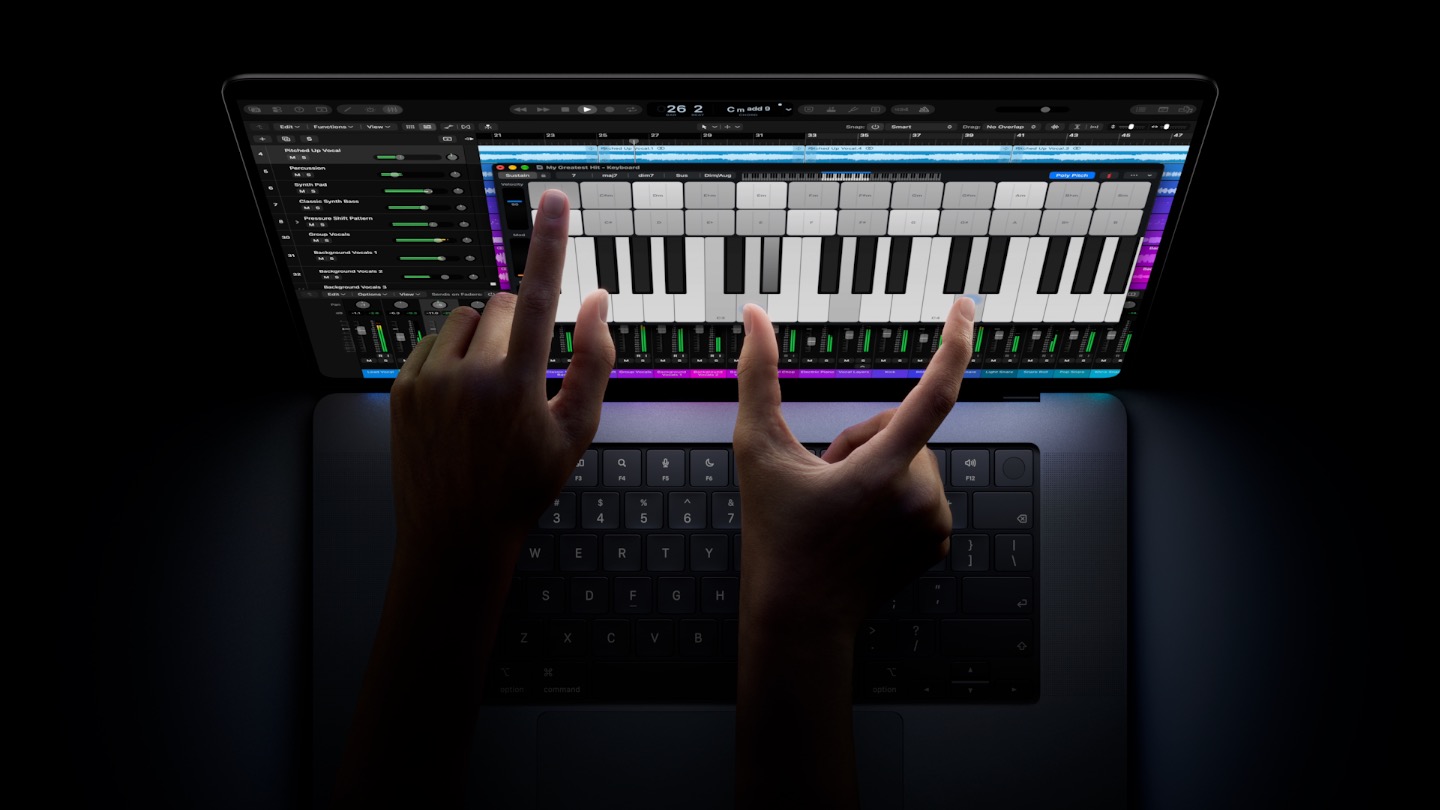
The session, titled "Labrinth Live on Mac," is now available to watch as a replay lasting almost four hours. It started on November 4 at 8 p.m. Pacific, or 11 p.m. Eastern, with Labrinth tasked with creating a song from scratch. He can be seen reaching onto the ‌MacBook Pro‌'s display to manipulate Logic Pro's mixer controls, with a multitrack arrangement visible onscreen. Viewers were invited to submit questions as he worked, and the finished song is due for release on Apple Music next week.

Apple initially teased the collaboration on TikTok with a white box bearing Labrinth's name and instructions to leave it unopened until November 4.

Music production was among the uses Apple demonstrated when it unveiled the new MacBook Pro last week. Logic Pro includes an onscreen keyboard, chord pads, and drum pads that musicians can play by touch, including playing multiple notes at once.

Labrinth is a singer, songwriter, and producer known for solo releases including "Jealous" and "Earthquake," as well as his music for HBO's "Euphoria." He also forms the group LSD with Sia and Diplo.

The ‌MacBook Pro‌ with PROLED XDR Display features a tandem OLED touchscreen and M5 Pro or M5 Max chips in 14-inch and 16-inch sizes. The machines launch on Friday, November 6, with U.S. prices starting at $2,899 for the 14-inch model and $3,399 for the 16-inch model.
Related Roundup: MacBook Pro
Buyer's Guide: MacBook Pro (Buy Now)
Related Forum: MacBook Pro

This article, "See Apple's Touchscreen MacBook Pro in Action" first appeared on MacRumors.com

Discuss this article in our forums

  •  

MacBook Neo Shipments Expected to Double in 2027

Apple wants suppliers to make 16 million MacBook Neo laptops in 2027, or double the amount expected for this year, according to supply chain sources (via DigiTimes).


Apple released its first MacBook Neo in March 2026, featuring an A18 Pro chip with 8GB of RAM, and coming in Silver, Blush, Citrus, and Indigo colors. The laptop originally started at $599, but Apple raised the price to $699 in June as part of a broader re-pricing of its Mac and iPad lineup. Apple still offers a $100 discount to college students and educational staff.

In September, Bloomberg's Mark Gurman reported that Apple plans to release a second-generation MacBook Neo in 2027 with an A19 Pro chip, 12GB of RAM, and new color options. Today's report doesn't mention a second-generation MacBook Neo, but if Apple decides to refresh the laptop in March – approximately one year since it launched – then the supply chain forecast could still make sense.

During his first earnings call as Apple CEO, John Ternus said the company has sold more Macs in fiscal 2026 than in any previous year. Apple doesn't break out Mac sales by model, but supply chain sources cited in today's report suggest MacBook Neo shipments were the overriding reason for the growth.
Related Roundup: MacBook Neo
Buyer's Guide: MacBook Neo (Neutral)
Related Forum: MacBook Neo

This article, "MacBook Neo Shipments Expected to Double in 2027" first appeared on MacRumors.com

Discuss this article in our forums

  •  

HomeView Code Suggests Future Support for AI Chatbot Apps, Anti-Spoofing Protection

Code discovered in the iOS 27.3 beta suggests Apple is laying the groundwork for chatbot apps on its upcoming HomeView smart home hub, according to the code investigator known as pdfu.


The software HomeView uses to display apps from a connected iPhone or iPad is said to have gained a "Conversational Apps" category in the latest beta. The update also reportedly adds preparations for two-way audio routing, session management, and interruptions, but pdfu notes that it is "still not fully wired up."

Apple hasn't announced chatbot apps for HomeView, and the code doesn't show which apps could use the category or when it could launch, so support for ChatGPT, Claude, or other chatbots is unconfirmed. It's not the first time the possibility has been floated: pdfu suggested on Sunday that chatbot apps might follow based on an unused flag in HomeView's software.

Anti-Spoofing Protection


In a separate finding, pdfu also discovered that HomeView includes anti-spoofing protection. Apparently, after three spoof attempts for a profile, the user must authenticate with an iPhone to see personal data, and the protection is enabled in HomeView software 27.2.

Apple is also said to be working on a lockout cooldown system, similar to what happens when you enter the wrong passcode on an iPhone. A first lockout can be cleared immediately, but a second lockout brings a one-hour wait, a third a four-hour wait, and a fourth (or any further) lockout an eight-hour wait.

pdfu adds that the lockout cooldown periods are still in development, so for now any lockout can be cleared immediately by authenticating with an iPhone. Apple hasn't described either feature in its press materials.

HomeView Launches Next Week


HomeView launches on November 13 for $299, in both desktop and wall-mounted versions. Here's what Apple has announced so far:

  • 7-inch Liquid Retina display, in a tabletop model with a speaker base and a wall-mounted model.

  • Face recognition for up to six users, each with a personal Home Screen with apps and widgets.

  • Siri AI, with conversations that continue in the Siri app on other Apple devices.

  • Personal content from Messages, FaceTime, Calendar, Reminders, and Find My, shown when the enrolled user is recognized and their iPhone or iPad is nearby and recently unlocked.

  • Faces including Photos, Flow, Snoopy, Home Modular, and Home Camera.

  • Apple Music, Podcasts, News, and Apple TV, plus compatible third-party audio and video apps.

  • Handoff from iPhone, and multiroom audio with HomePod, HomePod mini, and AirPlay speakers.

  • FaceTime with Center Stage, Messages by voice or keyboard, and Intercom.

  • Step-by-step recipes from the web with hands-free timers.

  • Smart home controls, including a Home Camera face that shows up to nine live camera feeds.

  • With a supported iCloud+ subscription, recognition of people, pets, packages, and vehicles from compatible cameras.

  • Smoke and carbon monoxide alarm sound detection.

  • Support for Apple Home Collection accessories, other "Works with Apple Home" accessories, and Matter.

HomeView won't have an App Store. However, as we reported last month, it shows CarPlay-style third-party audio and video apps from a connected iPhone or iPad. HomeView isn't on sale in the European Union because Siri AI is currently unavailable in iOS there, and Apple says it is still working with the EU to find a path forward to make it available in the bloc.
Related Roundup: Apple HomeView
Tag: pdfu
Buyer's Guide: HomeView (Buy Now)

This article, "HomeView Code Suggests Future Support for AI Chatbot Apps, Anti-Spoofing Protection" first appeared on MacRumors.com

Discuss this article in our forums

  •  

Got an iPhone Duo on Launch Day? Today Could Be Your Last Chance to Return It

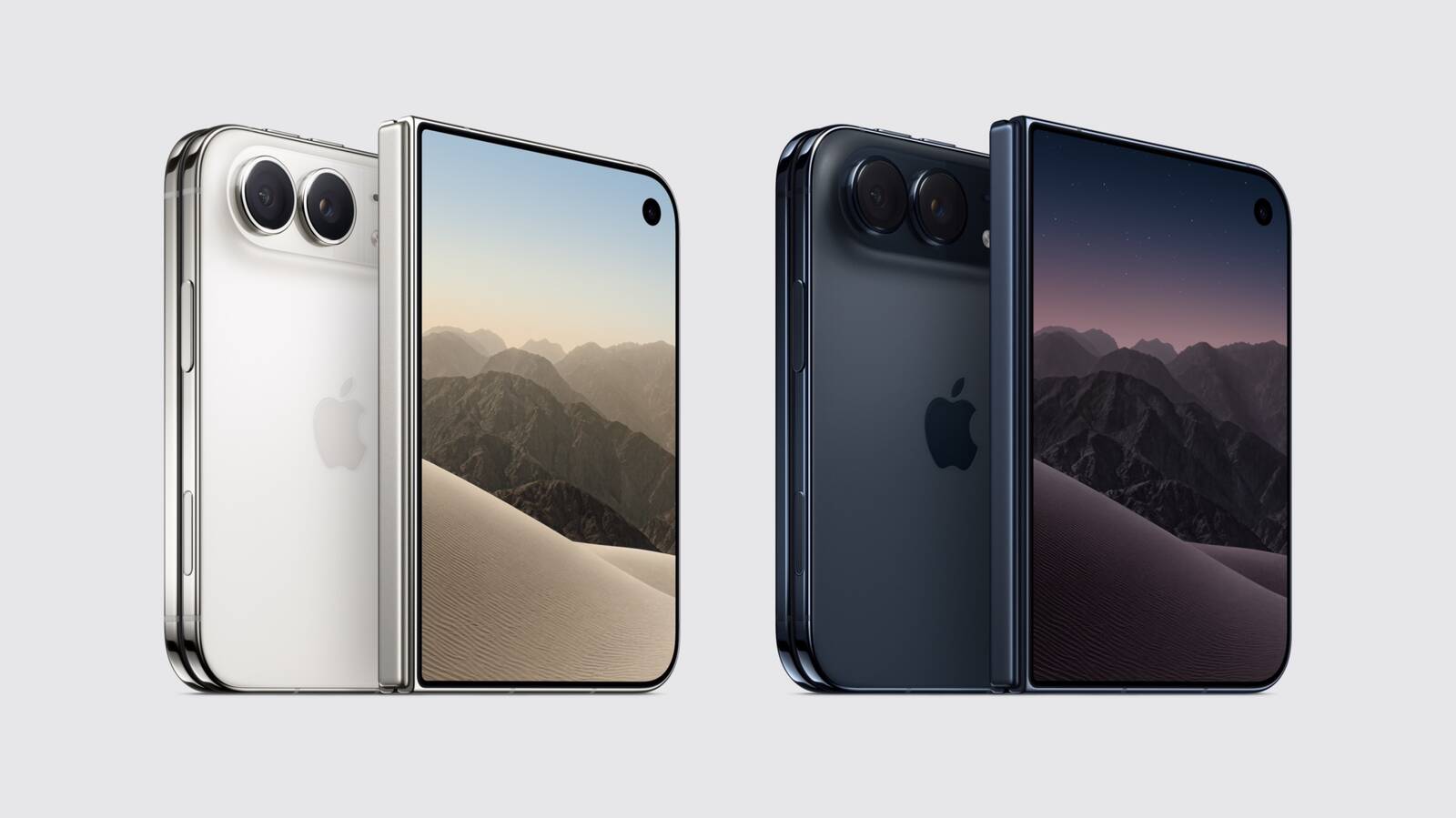
If you purchased an iPhone Duo on launch day and are having second thoughts about keeping Apple's first foldable iPhone, today could be your last chance to return it for a full refund.


Apple officially launched the iPhone Duo on Friday, October 23, so the standard 14-day return window for customers who purchased and received the device that day expires on Friday, November 6.

Under Apple's U.S. return policy, customers have 14 calendar days from receiving a product to return it, whether they purchased it online or at an Apple retail store. A similar standard return period applies in the UK and across much of the rest of Europe.

If you bought the iPhone Duo in Canada, then you have slightly longer. Under Apple's Canadian return policy, buyers have 15 calendar days from receiving their device to initiate a return, so if you got your device on launch day then you have until Saturday, November 7 to return it.

UK and EU Online Customers Have More Time to Send It Back


There's an important distinction to note if you're in the UK or the European Union and you purchased your iPhone Duo online. Under consumer protection laws, you have 14 days from receiving the device to notify Apple that you intend to return it. Once you've made that notification, you have a further 14 days to send the device back or arrange a collection.

In other words, if you're a UK or EU customer who received the iPhone Duo on October 23 and you request a return today, then you could have until November 20 to dispatch it. This also applies to devices ordered online and collected at an Apple Store. However, if you actually purchased your device directly at a physical Apple Store – which probably means you waited in a separate line to collections – then you generally need to return it within the initial 14-day window.

Note that the November 6 deadline doesn't apply to everyone who pre-ordered the iPhone Duo. Apple's return period is calculated from when customers received their devices, rather than when they placed their orders, so if your iPhone Duo arrived after launch day, you have more time to return it for a refund – if that's your preference.

What to Know Before Returning Your iPhone Duo


Apple asks customers to return their devices with the original packaging and included accessories. Also, remember to disable Find My for the iPhone Duo before returning the device. Returns can be initiated through Apple's online Order Status page or, in the US, at an Apple retail store.

Keep in mind that these policies apply only to purchases made directly from Apple – if you bought an iPhone Duo through a carrier or third-party retailer, you'll be subject to that seller's return policy.

Lastly, if you signed up for a new cellular plan with the iPhone Duo, returning the device may not automatically cancel that service. Apple advises contacting your carrier about cancellation requirements and any associated fees. Do you plan on returning your iPhone Duo? Let us know in the comments.
Related Roundup: iPhone Duo
Buyer's Guide: iPhone Duo (Buy Now)
Related Forum: iPhone

This article, "Got an iPhone Duo on Launch Day? Today Could Be Your Last Chance to Return It" first appeared on MacRumors.com

Discuss this article in our forums

  •  

Apple Launching Five New Products Tomorrow

Apple is releasing five new products this Friday, November 6, following pre-orders that opened last week, including its first touchscreen MacBook Pro models.

The following new products will be available from tomorrow:


The iPad mini starts at $699, the iMac starts at $1,499, and the M6 MacBook Pro at $1,999. Pricing for the MacBook Pro with OLED touchscreen starts at $2,899 for the 14-inch model and $3,399 for the 16-inch model. All five remain available to pre-order, with shipping dates generally looking good for launch-day delivery. The only exception is the base 14-inch touchscreen MacBook Pro – Space Black ships in 3-4 weeks, while Silver ships in 7-10 business days.
This article, "Apple Launching Five New Products Tomorrow" first appeared on MacRumors.com

Discuss this article in our forums

  •  

Apple Releases Safari Technology Preview 256 With Bug Fixes and Performance Improvements

Apple today released a new update for Safari Technology Preview, the experimental browser that was first introduced in March 2016. Apple designed ‌Safari Technology Preview‌ to allow users to test features that are planned for future release versions of the Safari browser.


‌Safari Technology Preview‌ 256 includes fixes and updates for Accessibility, Animations, CSS, Editing, Forms, HTML, JavaScript, Media, Networking, Rendering, SVG, Security, Web API, Web Extensions, Web Inspector, WebGL, and WebRTC.

The current ‌Safari Technology Preview‌ release is compatible with machines running macOS Tahoe and macOS Golden Gate, the newest version of macOS.

The ‌Safari Technology Preview‌ update is available through the Software Update mechanism in System Preferences or System Settings to anyone who has downloaded the browser from Apple's website. Complete release notes for the update are available on the Safari Technology Preview website.

Apple's aim with ‌Safari Technology Preview‌ is to gather feedback from developers and users on its browser development process. ‌Safari Technology Preview‌ can run side-by-side with the existing Safari browser and while it is designed for developers, it does not require a developer account to download and use.
This article, "Apple Releases Safari Technology Preview 256 With Bug Fixes and Performance Improvements" first appeared on MacRumors.com

Discuss this article in our forums

  •  

Apps Can Now Try to Stop You From Canceling Subscriptions

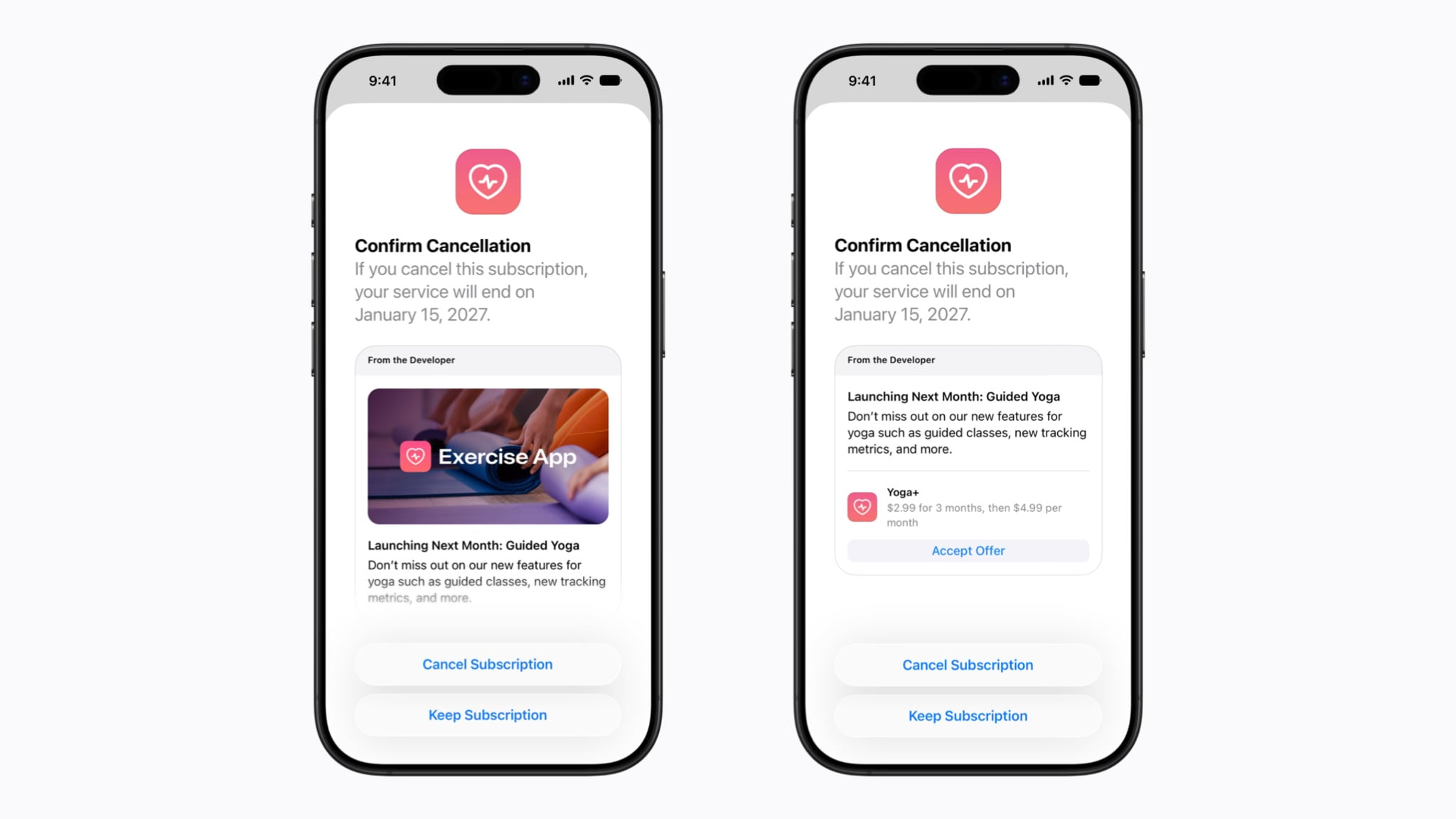
Apple today added a new subscription retention feature for developers, allowing them to show retention messages when a subscriber goes to cancel.


Apple says retention messages will appear in the subscription cancellation flow and can include text, images, or a special offer. Retention messages can be added in App Store Connect for auto-renewable subscriptions, with options for subscriber eligibility and wait time between messages.

Through a separate Retention Messaging API, developers can choose which messages to show a subscriber based on their subscription details. API access is by request.

‌App Store‌ users may see offers for discounts or reasons to keep a subscription before canceling.
This article, "Apps Can Now Try to Stop You From Canceling Subscriptions" first appeared on MacRumors.com

Discuss this article in our forums

  •  
❌