❌

Normale Ansicht

MacRumors Giveaway: Win a 512GB OLED iPad Mini and a Year of Astropad Workbench

For this week's giveaway, we've teamed up with Astropad to offer MacRumors readers a chance to win a high-end 512GB OLED iPad mini with full A20 Pro chip and a free year of the Astropad Workbench software to go along with it.
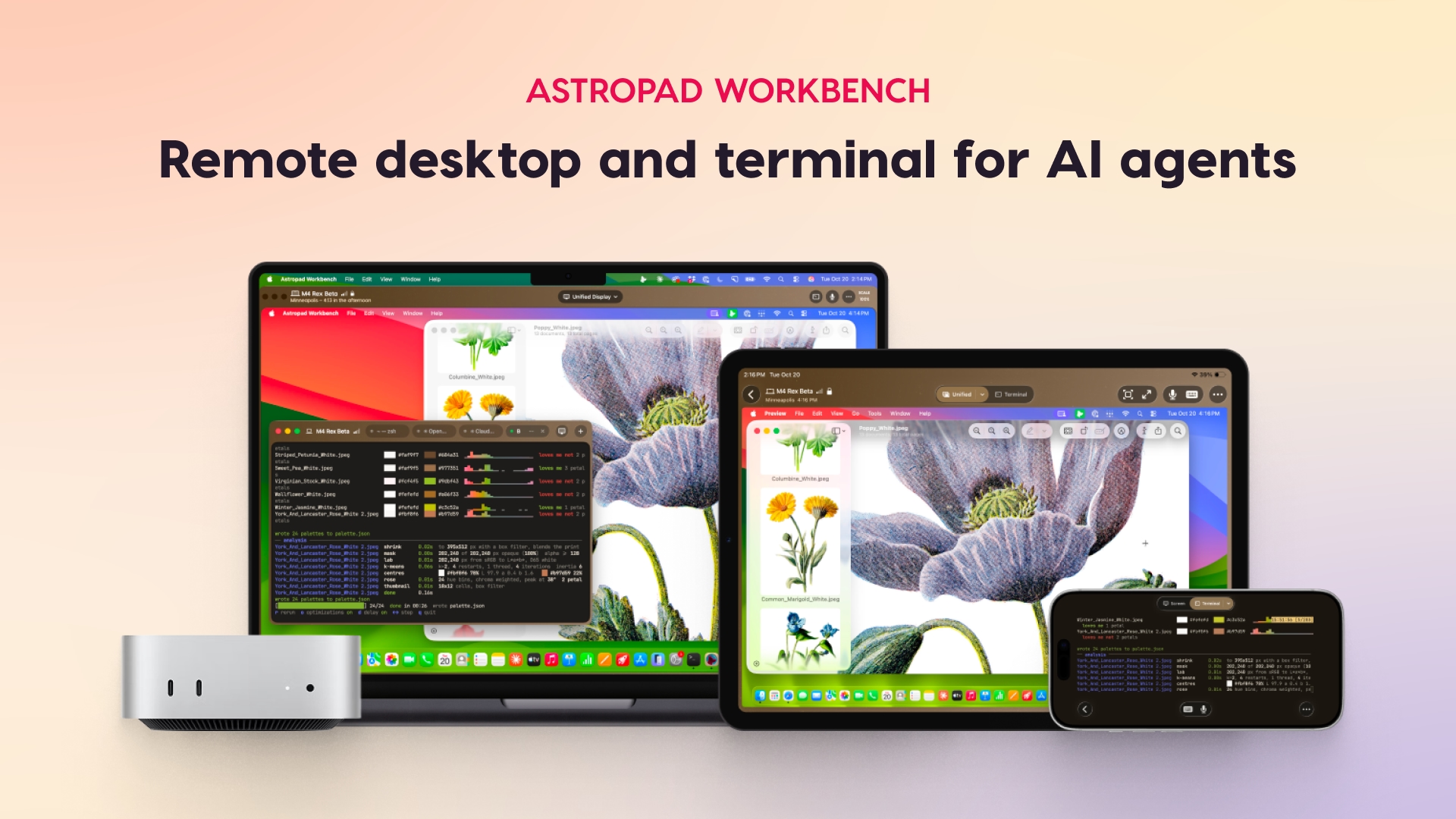

Astropad Workbench is a remote desktop app and terminal built for using AI agents. It lets you control and monitor AI agents remotely, so it is a good fit for people who have a local AI setup or a service that gives an AI agent access to a Mac. Workbench supports everything from local LLMs to Claude Code, Codex, Xcode, and Cursor. With Workbench 1.4, the latest update, you can switch from the Terminal to the full desktop from the toolbar without needing to reconnect.

There are Astropad Workbench apps for Mac, iPad, and iPhone, so you can use your iPhone or ‌iPad‌ to interface with your Mac desktop and give commands to AI agents from wherever you are. Setup is simple, without the need for network configuration. Apps run natively on all supported devices, including the iPhone Duo.
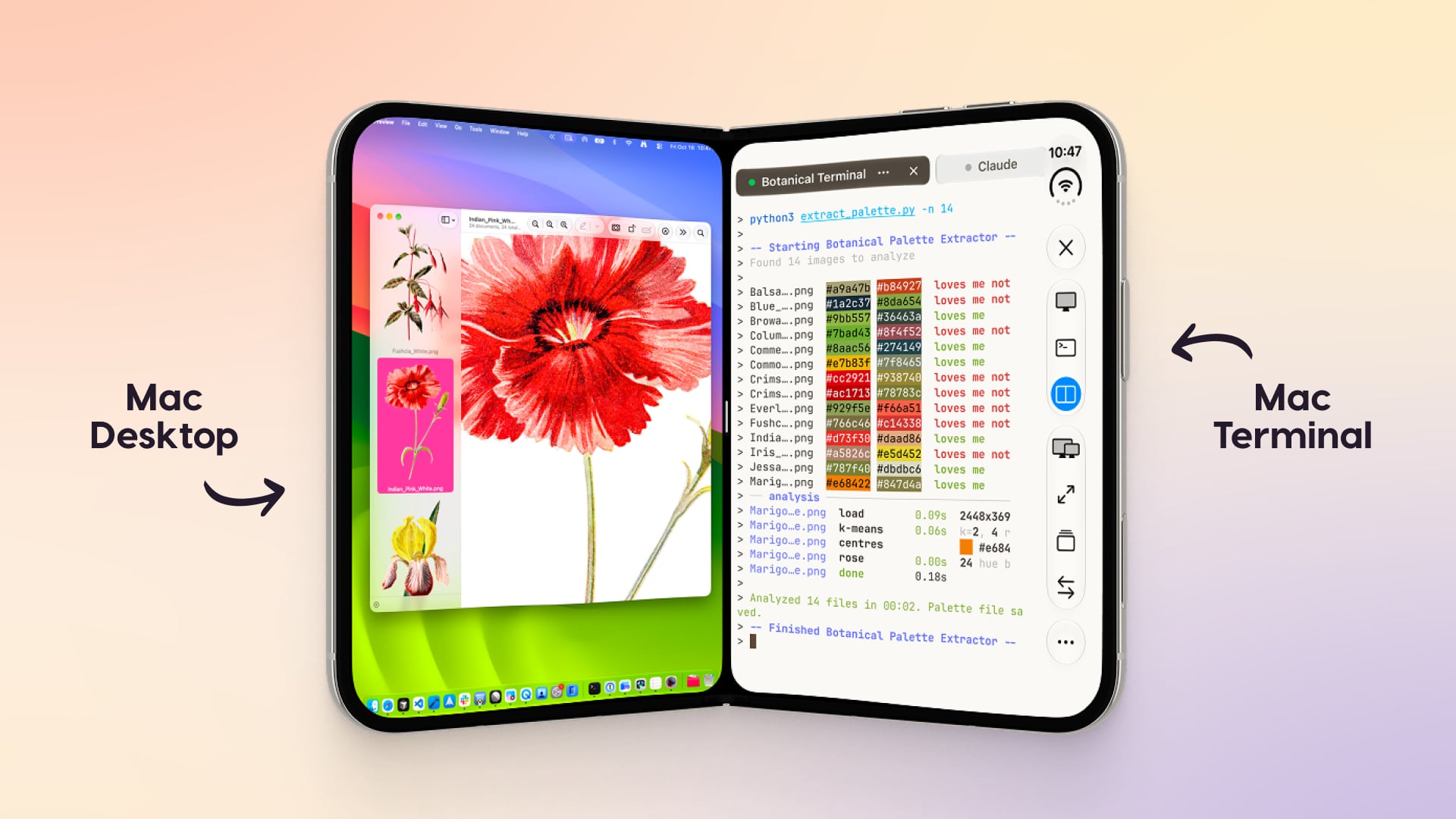

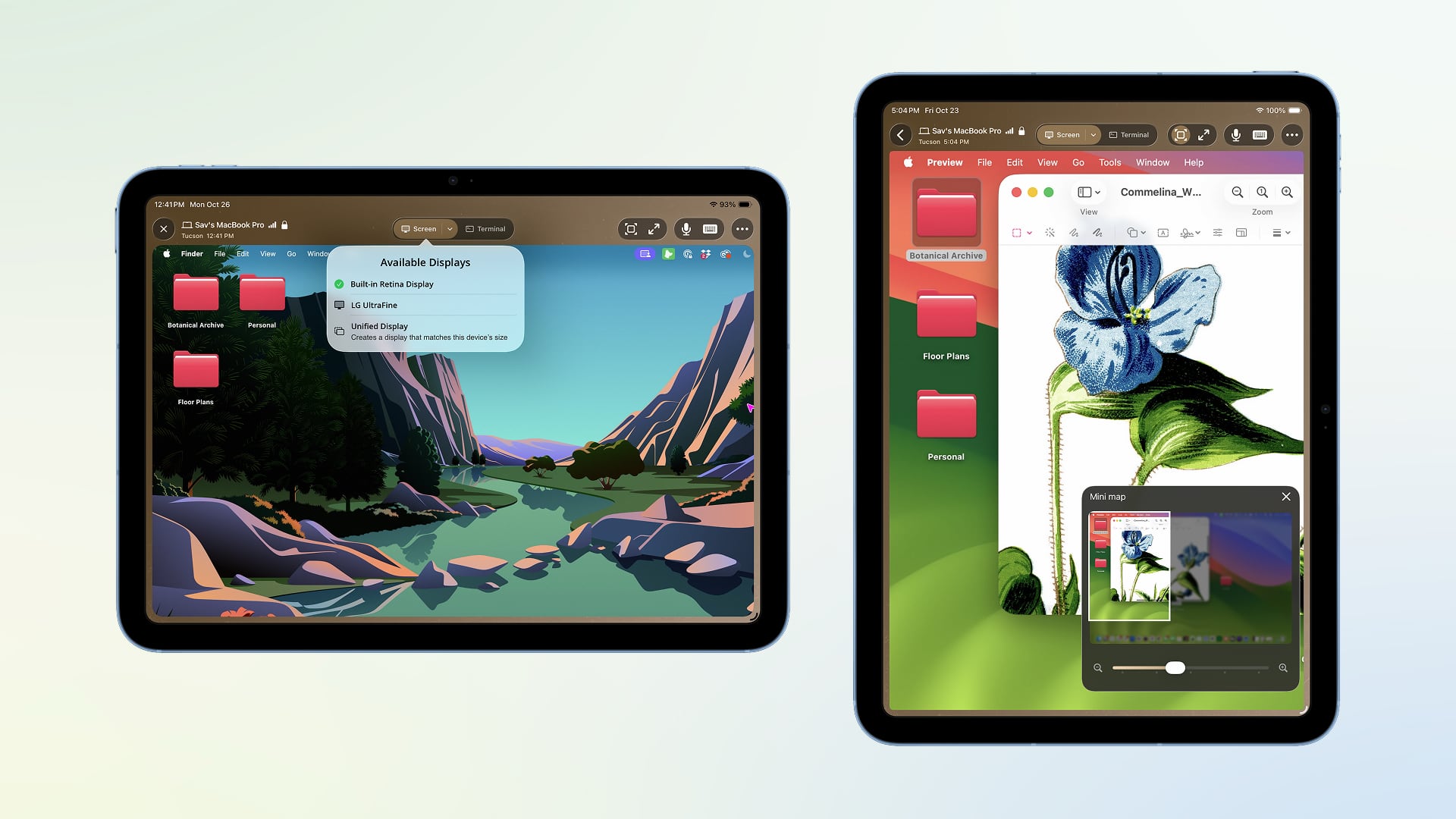
You can even set Workbench up on a headless Mac mini with no display attached and access content from your iPhone or ‌iPad‌. Workbench also combines multiple Mac displays into one screen that matches the resolution of a remote device.
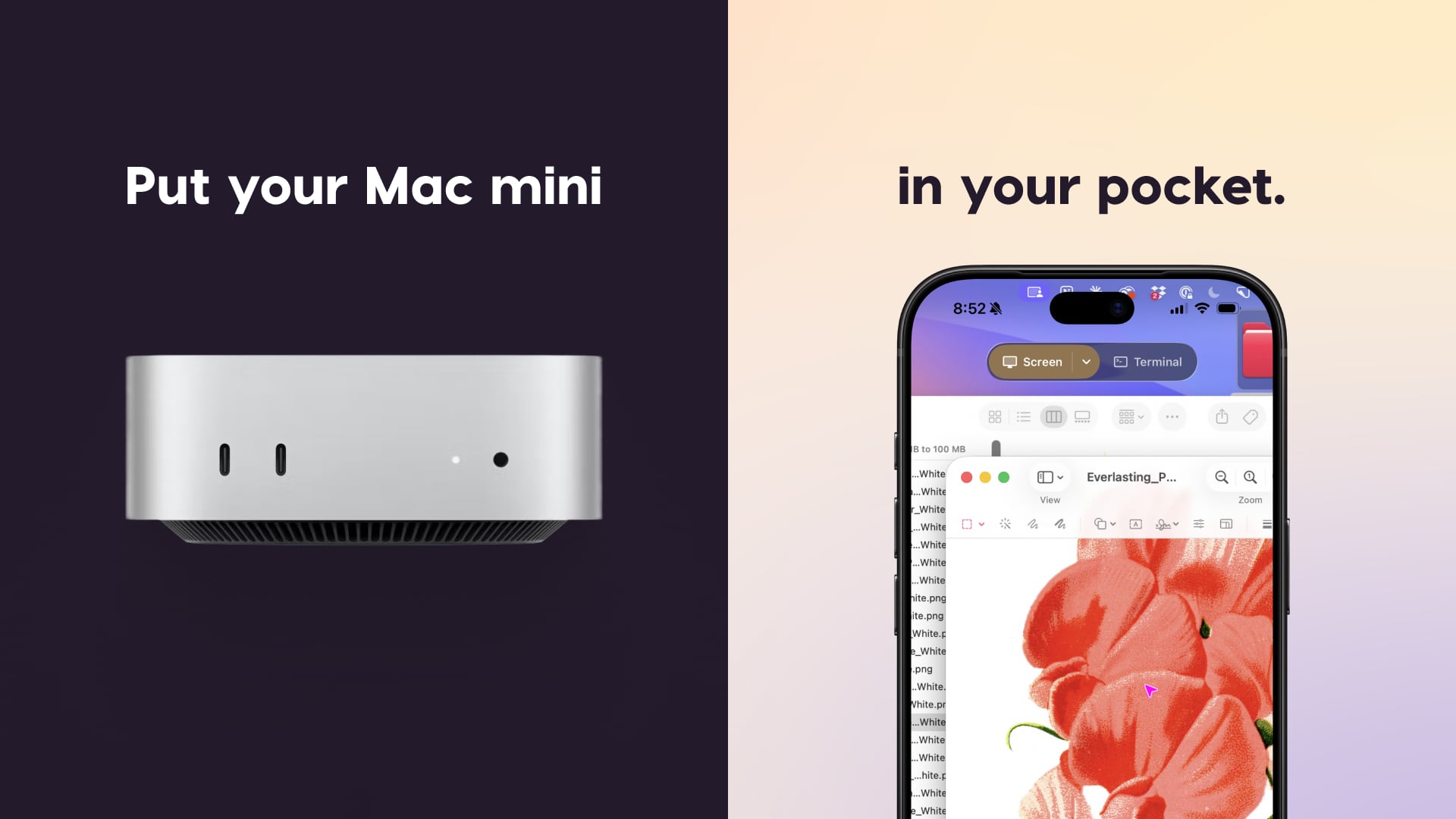

It's easy to check logs and output to verify agent work, restart failed tasks, and reconnect to long-running jobs. Multiple Macs are supported and you can switch between several machines connected to a single Workbench account. Intelligent sleep management makes sure your Mac is awake when you need it. Terminal sessions continue running after you disconnect, so you can start a session on one device like an ‌iPad‌ and then check in on it later from another device.

The app supports high-fidelity streaming for accurate colors and crisp text, an interactive mini-map for quick navigation, low latency, speech-to-text input, drag-and-drop file transfers, and on the ‌iPad‌, Apple Pencil support. There are no display recordings saved, and end-to-end AES–256 encryption is included. You can also veil your Mac's screen while a remote session is in progress so no one can see what you're doing.
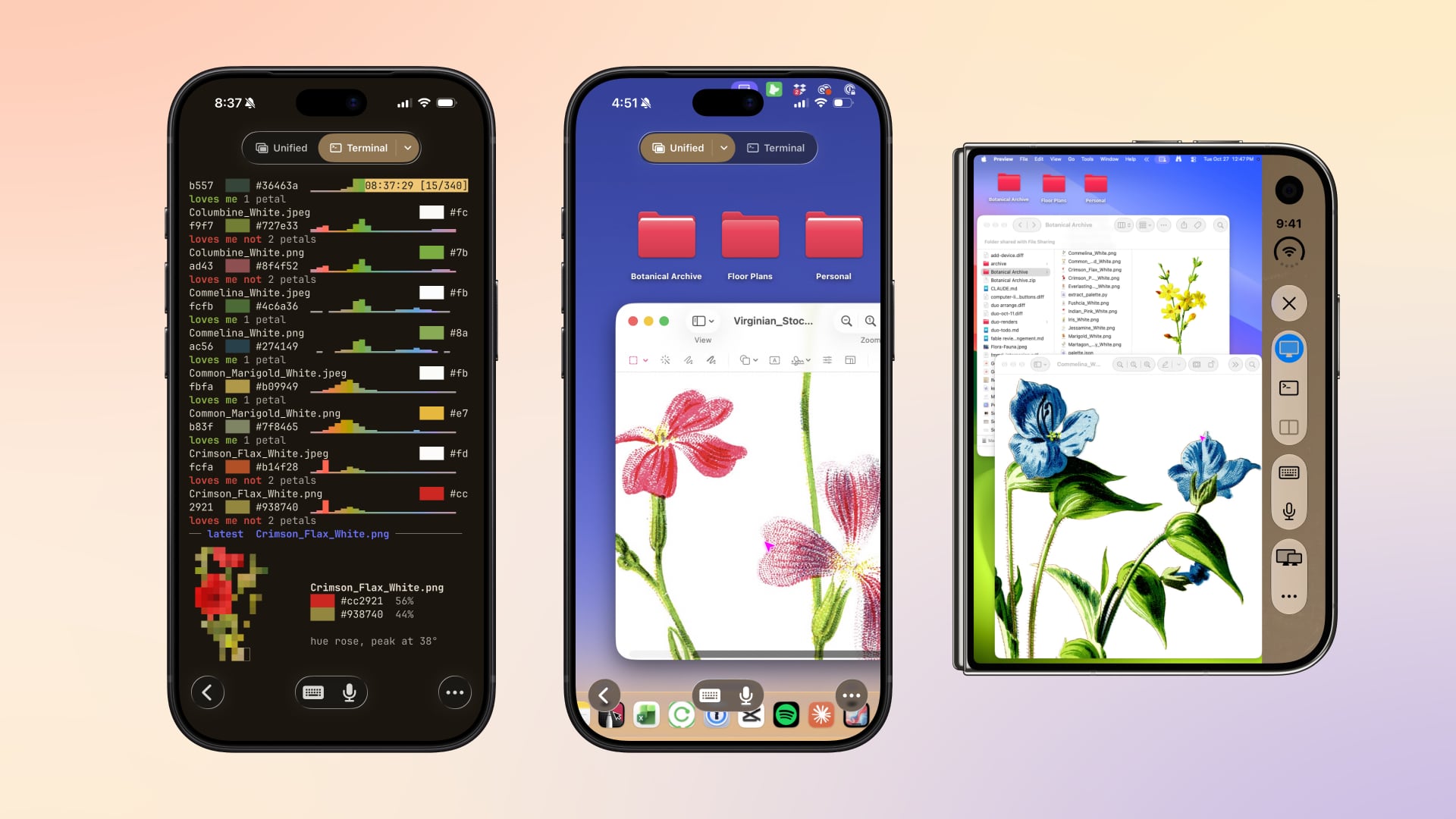

Workbench is free for 20 minutes of daily access, with paid plans available at $14.99 per month or $79.99 per year. The app requires macOS 15 or later, iOS 26 or later, and iPadOS 26 or later. It works best with an Apple silicon Mac, though there is limited support for Intel Macs.

We have a free year of Astropad Workbench and a 512GB ‌OLED‌ ‌iPad mini‌ with Wi-Fi for one lucky MacRumors reader. To enter to win, use the widget below and enter an email address. Email addresses will be used solely for contact purposes to reach the winner(s) and send the prize(s). You can earn additional entries by subscribing to our weekly newsletter, subscribing to our YouTube channel, following us on Twitter, following us on Instagram, following us on Threads, or visiting the MacRumors Facebook page.

Due to the complexities of international laws regarding giveaways, only U.S. residents who are 18 years or older, UK residents who are 18 years or older, and Canadian residents who have reached the age of majority in their province or territory are eligible to enter. All federal, state, provincial, and/or local taxes, fees, and surcharges are the sole responsibility of the prize winner. To offer feedback or get more information on the giveaway restrictions, please refer to our Site Feedback section, as that is where discussion of the rules will be redirected.


Astropad Giveaway
The contest will run from today (November 20) at 9:00 a.m. Pacific Time through 9:00 a.m. Pacific Time on November 27. The winner will be chosen randomly on or shortly after November 27 and will be contacted by email. The winner will have 48 hours to respond and provide a shipping address before a new winner is chosen.
Related Roundup: iPad mini
Tags: Giveaway, OLED
Buyer's Guide: iPad Mini (Buy Now)
Related Forum: iPad

This article, "MacRumors Giveaway: Win a 512GB OLED iPad Mini and a Year of Astropad Workbench" first appeared on MacRumors.com

Discuss this article in our forums
  •  

„Entsperren per Gesicht“ ungleich Face ID

17. November 2026 um 16:02

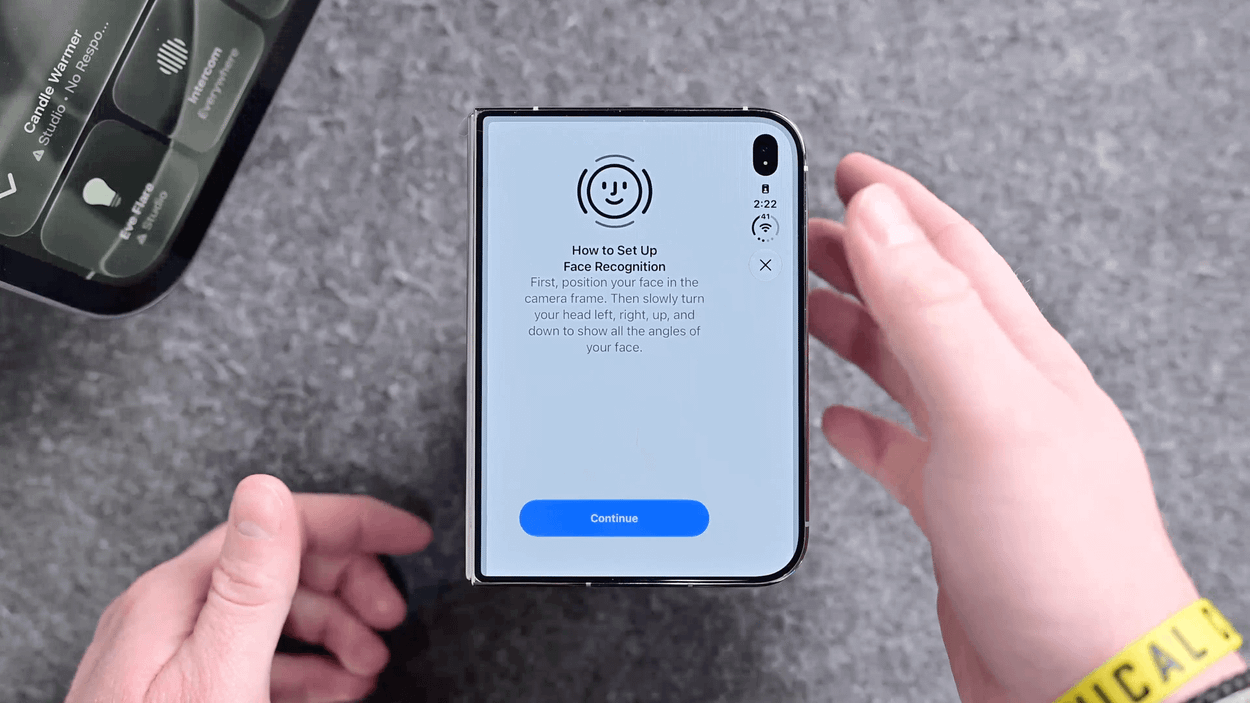
„Entsperren per Gesichtserkennung“ – ähnlich wie beim HomeView – erreicht das iPhone Duo … unerwartet.

A person holds a foldable smartphone displaying a screen with instructions on how to set up face recognition. The device shows a smiley face icon and a blue continue button, and both of the person's hands are visible around the phone on a grey surface.

via @AppleInsider

Apple beziffert die Wahrscheinlichkeit einer fälschlichen Authentifizierung bei Face ID auf 1:1.000.000 und bei Touch ID auf 1:50.000. Für „Face Unlock“ fehlt bislang eine entsprechende Angabe in ihrer Sicherheitsdokumentation.

Apple told Gizmodo over email that the “Unlock with Front Camera” does not have the same protections as Face ID or Touch ID. Apple also says that the camera-based unlock is about as accurate as Touch ID’s 1 in 50,000 probability, and also added that it’s one of the most secure RGB camera face unlock features.

Gizmodo | Raymond Wong

Es ist eine überraschend flotte und praxisnahe Reaktion direkt nach Release des Telefons. Apples Secure Exclaves schützen die Verarbeitung sensibler Kameradaten vor dem Zugriff des Betriebssystems. Wie gut die biometrischen Daten abgeschottet sind und wie zuverlässig die biometrische Authentifizierung ist, sind allerdings zwei sehr unterschiedliche Sicherheitsfragen.

Und genau diese Differenzierung verkompliziert, was sichere Authentifizierung bedeutet. Wir lernten in den letzten Jahren, dass ein Blick aufs iPhone eine sichere Authentifizierung ist. Jetzt ist ein Blick aufs iPhone nicht gleich einem Blick aufs iPhone.

Klar, das Face-ID-System war für HomeView schlicht zu teuer. Und zugegeben: Im eigenen Zuhause ist es mitunter Overkill. Trotzdem ist die Erklärung der sehr unterschiedlichen biometrischen Authentifizierungsverfahren … schwierig.

Verständlicher wird’s, wenn Kund:innen erleben, dass „Face Unlock“ nicht bei Dunkelheit funktioniert, nach 45 Minuten Inaktivität erneut nach Touch ID verlangt, grundsätzlich kein Apple Pay erlaubt oder die Passwörter-App nicht öffnet.

Die Nachrüstung per Software ist mit Sicherheit sicher genug für die meisten Nutzer:innen. Aber sollte das die Messlatte sein, nachdem Apple die unterschiedlichen Sicherheitsniveaus in den letzten Jahren derart prominent kommuniziert hat? Ist es „sicher“ oder „sicher genug“?

Und dann bleibt die Frage, ob’s eine gute Erklärung gibt, warum das Feature für Kund:innen von – sagen wir PROLEDs oder vom iPad mini – nicht zur Auswahl steht. Immerhin benötigt das Entsperren per Gesicht jetzt zwangsläufig kein Face ID mehr, sondern lässt sich per Software nachrüsten.

Face Unlock is an astounding feature to introduce in the second beta of a December point release. Touch ID defined a generation of products. Face ID defined another generation since. Entire product lines have suffered terribly for years because they were never blessed with Face ID. It was the second-highest knock against the latest iPad mini (behind the missing 120Hz ProMotion its panel is purportedly capable of — are we going to get /that/ in a software update too?)

@stroughtonsmith

  •  

iPad Mini 2021 vs. 2026 Buyer's Guide: Is It Worth Upgrading?

Apple's eighth-generation iPad mini went on sale earlier this month with a larger OLED display, a thinner and lighter design, the A20 Pro chip, and water and dust resistance. If you still use the sixth-generation ‌iPad mini‌ from 2021, the upgrade also brings changes that debuted on the 2024 model, including Apple Intelligence, Apple Pencil Pro support, and twice the USB-C transfer speed.


The new ‌iPad mini‌ starts at $699 for 128GB with Wi-Fi or $849 with cellular in the United States. The discontinued 2021 model started at $499 and $649, respectively, with 64GB of storage. Both support iPadOS 27.2, have Touch ID in the top button, and are rated for up to 10 hours of web browsing over Wi-Fi or watching video. Both displays also run at 60Hz.

Display, Design, and Accessories


‌iPad mini‌ (sixth generation, 2021) ‌iPad mini‌ (eighth generation, 2026)
8.3-inch display 8.5-inch display
Liquid Retina display with LED backlighting and IPS technology Super Retina XDR ‌OLED‌ display with 2,000,000:1 contrast ratio
2266-by-1488 resolution at 326 ppi 2316-by-1512 resolution at 326 ppi
Wider display borders 24% thinner display borders
500 nits maximum brightness 600 nits maximum SDR and full-screen HDR brightness, with up to 1,200 nits peak HDR brightness and 1-nit minimum brightness
Standard antireflective glass Standard antireflective glass or optional nano-texture glass on 256GB and 512GB models for $100, with a polishing cloth included
IP67 water and dust resistance, rated for a maximum depth of 1 meter for up to 30 minutes
Available in Space Gray, Starlight, Pink, and Purple Available in Midnight and Starlight
Supports ‌Apple Pencil‌ (second generation) and ‌Apple Pencil‌ (USB-C) Supports ‌Apple Pencil‌ Pro and ‌Apple Pencil‌ (USB-C)
‌Apple Pencil‌ hover and ‌Apple Pencil‌ Pro features including squeeze, barrel roll, haptic feedback, and Find My
Polyurethane Smart Folio, also compatible with the 2024 ‌iPad mini‌ Two-panel TechWoven Smart Folio with adjustable viewing angles, available separately in Navy Blue and Taupe for $79
94% fiber-based packaging 100% fiber-based packaging and 35% recycled content overall


Dimensions and Weight


‌iPad mini‌ (2021) ‌iPad mini‌ (2026)
Height 7.69 inches (195.4 mm) 7.69 inches (195.3 mm)
Width 5.3 inches (134.8 mm) 5.22 inches (132.6 mm)
Thickness 0.25 inch (6.3 mm) 0.21 inch (5.4 mm)
Weight (Wi-Fi) 0.65 pound (293 grams) 0.56 pound (255 grams)
Weight (Wi-Fi + Cellular) 0.66 pound (297 grams) 0.58 pound (263 grams)


The 2026 model is about 14% thinner and 13% lighter in its Wi-Fi configuration. The cellular model is about 11% lighter.

A15 Bionic vs. A20 Pro


‌iPad mini‌ (2021) ‌iPad mini‌ (2026)
Chip A15 Bionic A20 Pro
Manufacturing process 5-nanometer (TSMC N5P) 2-nanometer (TSMC N2)
CPU 6 cores (2 performance cores and 4 efficiency cores) 128GB and 256GB: 5 cores (2 super cores and 3 efficiency cores)
512GB: 6 cores (2 super cores and 4 efficiency cores)
GPU 5 cores 7 cores
Graphics features Dynamic Caching, hardware-accelerated mesh shading, and hardware-accelerated ray tracing
Neural Accelerators Dedicated Neural Accelerators in each GPU core
Neural Engine 16 cores 128GB and 256GB: 16 cores
512GB: Dual 16-core Neural Engine (32 cores total)
Memory 4GB 12GB
‌Apple Intelligence‌ ‌Apple Intelligence‌ and Siri AI, with support for Apple's larger on-device model for more expressive ‌Siri‌ voices and improved dictation
Storage 64GB or 256GB 128GB, 256GB, or 512GB


Apple claims up to 2.2 times the CPU performance and up to four times the GPU performance of the 2021 ‌iPad mini‌ in its tests. Against the 2024 A17 Pro model, Apple says it delivers more than twice the unified memory bandwidth and up to 4.5 times the speed in large language model token generation.

Cameras and Audio


‌iPad mini‌ (2021) ‌iPad mini‌ (2026)
Front camera on the portrait edge Front camera on the landscape edge
12MP front camera with Center Stage and an ƒ/2.4 aperture 12MP front camera with Center Stage and an ƒ/2.0 aperture
Smart HDR 3 on the front and rear cameras Smart HDR 4 on the front and rear cameras
Retina Flash for the front camera Retina Flash with True Tone for the front camera
Quad-LED True Tone rear flash Adaptive True Tone rear flash
Automatic document detection and scanning in the Camera app, with adaptive flash to reduce shadows
Landscape stereo speakers with external speaker holes Acoustic Display stereo audio with display-coupled woofers and concealed tweeters, without external speaker holes
Dual microphones Updated dual microphones for clearer calls and recordings
HEVC, H.264, and ProRes playback, with Dolby Vision and HDR10 support Apple also lists AV1 playback and HDR10+ and HLG support


Connectivity, Charging, and Price


‌iPad mini‌ (2021) ‌iPad mini‌ (2026)
Third-party wireless networking chip Apple N1 wireless networking chip
Wi-Fi 6 Wi-Fi 7
Bluetooth 5.0 Bluetooth 6
Thread
Third-party 5G modem (cellular models) Apple C2 5G modem (cellular models)
U.S. cellular model A2568 supports LTE band 46 U.S. cellular model A3596 adds 5G bands n14, n26, n70, and n75 and LTE band 106, and drops LTE band 46
UMTS/HSPA/HSPA+/DC-HSDPA support UMTS/HSPA/HSPA+ support
Nano-SIM or eSIM (cellular models) eSIM only (cellular models)
USB-C with USB 3 speeds up to 5Gb/s USB-C with USB 3 speeds up to 10Gb/s
External display output up to 4K at 30Hz External display output up to 4K at 60Hz
Extended external display mode with iPadOS 27.2
19.3Wh battery 18.9Wh battery
Fast charging up to 50% in around 30 minutes with a 35W or higher USB-C power adapter, sold separately
Now discontinued Starts at $699 (Wi-Fi) or $849 (Wi-Fi + Cellular)


Both the 2021 and 2026 models are rated for up to nine hours of web browsing over cellular. Apple claims up to 50% faster cellular data speeds with the C2 modem compared with the 2024 ‌iPad mini‌.

Should You Upgrade?


If your 2021 model still feels responsive and lasts long enough for reading, browsing, and taking notes, keeping it makes sense for now, and if battery life is your only complaint, a battery service may be enough.

However, for many 2021 ‌iPad mini‌ owners, the 2026 model is a worthwhile upgrade. If you've had yours since launch, its battery has had five years to wear down, and 64GB can feel cramped if you keep games or downloaded video on it. The new model gives you a fresh battery and twice the storage if you're coming from the 64GB version. Apple still rates both models for up to 10 hours when new, but the 2026 model can charge to 50% in around 30 minutes with a 35W or higher adapter.

The ‌OLED‌ display and lighter design are the changes you're most likely to notice every day. The screen can get dimmer for reading in bed and brighter for HDR video, and the lower weight makes the ‌iPad mini‌ easier to hold one-handed for long stretches. Both displays run at 60Hz, with no ProMotion. The A20 Pro and extra memory matter more if you play demanding games, edit photos or video, or often find that apps reload when you switch back to them.

Some of the smaller changes matter more depending on where you use your ‌iPad mini‌. IP67 water and dust resistance is useful if you take it outdoors, read by the pool, or use it in the kitchen. The landscape front camera is better positioned for calls when the iPad is propped up horizontally, and extended display support lets you use a monitor as a separate workspace.

Which Model Should You Buy?


The discontinued 2024 iPad mini is a good middle ground if your 2021 model is showing its age and you're happy with its display. It gives you more base storage, ‌Apple Intelligence‌, faster USB-C transfers, and ‌Apple Pencil‌ Pro support, and you can reuse your existing Smart Folio. Apple lists the 128GB Wi-Fi model for $509 through its Certified Refurbished store when available, with a new battery and a one-year warranty. Remaining new stock from third-party retailers is also worth considering at a low enough price.

If prices are close at the same storage capacity, buy the 2026 model. At $699, it makes the most sense if you specifically want the ‌OLED‌ display, lighter body, or water resistance. If you use a Smart Folio, factor in $79 for the redesigned version. The USB-C ‌Apple Pencil‌ works with either newer model, while the second-generation ‌Apple Pencil‌ needs replacing. Both newer cellular models use eSIM, so check with your carrier if you currently use a physical SIM.

A used 2021 ‌iPad mini‌ is still a reasonable buy at around $300 or lower if you want a second device for reading, notes, or streaming and 64GB is enough. Battery condition matters more than cosmetic wear; if the price of a 256GB unit or the cost of a battery service brings it close to a refurbished 2024 model, the newer device is still the better buy.

If you're buying the 2026 model, 128GB at $699 is enough for most buyers. If you're already close to filling 128GB on your current ‌iPad‌, the $799 256GB model gives you room to grow. Nano-texture glass brings that configuration to $899 and is worth considering if you regularly contend with glare. The $999 512GB model makes the most sense if you need the extra space for games, media, or projects. It also gets an additional CPU core and a second Neural Engine, which are worth weighing if you use apps that can take advantage of them.
Related Roundup: iPad mini
Buyer's Guide: iPad Mini (Buy Now)
Related Forum: iPad

This article, "iPad Mini 2021 vs. 2026 Buyer's Guide: Is It Worth Upgrading?" first appeared on MacRumors.com

Discuss this article in our forums
  •  

„How to Use an External Monitor with the iPad mini (A20 Pro)“

09. November 2026 um 21:12
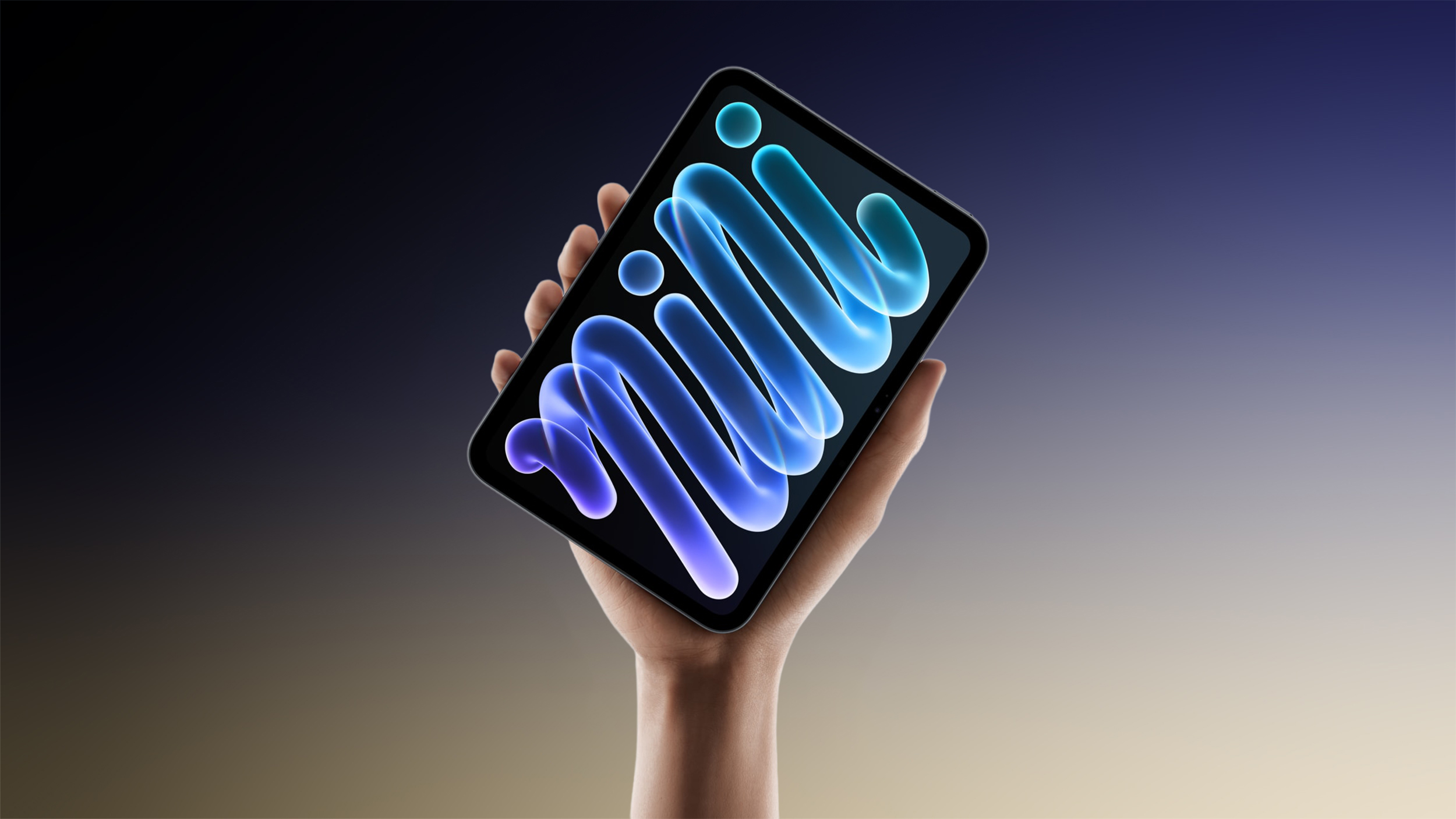
A close-up of an iPad screen showing a weather widget displaying 5 degrees and cloudy in Espoo, with detailed weather information below. An iPad pencil rests on top.

The new iPad mini (A20 Pro) is a big upgrade over its predecessor. While the OLED display is the headline feature, the more important improvement to me is the addition of extended display support. This is the first time the feature has come to an iPad without an M-series chip, and it increases the versatility of Apple’s pocket-sized tablet.

Using an iPad with a display isn’t something most people know about, so here’s a guide to using the new iPad mini with an external display.

Riley Hill

Was dem iPhone Duo fehlt, liefert das iPad mini: eine Unter­stüt­zung für ein externes Dis­play mit einer Auf­lösung von bis zu 4K bei 60 Hz. Es handelt sich um den erweiterten Desktop mit eigenständigen App-Fenstern auf dem externen Monitor, nicht nur ein schäbiges Mirroring. Das ist nicht nur ein sprichwörtliches Ass im (Jacken-)Ärmel, sondern eine signifikante Erweiterung des Einsatzzwecks von Apples kleinstem Tablet.

Zugegeben: Dann fehlen immer noch Tastatur und Trackpad. Es existieren zwar „All-in-one“-Cases, die limitierte Gehäusegröße ist aber eine zu große Einschränkung für eine sinnvolle Laptop-ähnliche Nutzung.

„Kleinzigartig“ ist gleichzeitig aber auch ein ausschlaggebender Vorteil: iPadOS avanciert mit Keyboard, Maus und Bildschirm zu einer vollwertigen Arbeitsumgebung – inklusive komfortablem Fernzugriff auf macOS.

Apples Telefone darf man abseits der schlichten Bildschirmspiegelung nicht von Monitor zu Monitor schleppen; iPad-Software liegt genau dafür seit Jahren angepasst vor.

Bemerkenswert ist allerdings nicht, dass das kleine Tablet zum großen Desktop wird, sondern dass sich mit minimalem Gepäck (255 Gramm!) an verschiedensten Orten eine vollständige Desktop-Arbeitsumgebung aufziehen lässt – vorausgesetzt ihr haltet Monitor, Tastatur und Maus vor.

  •  

OLED iPad Mini, M6 iMac, and New MacBook Pros Available From Today

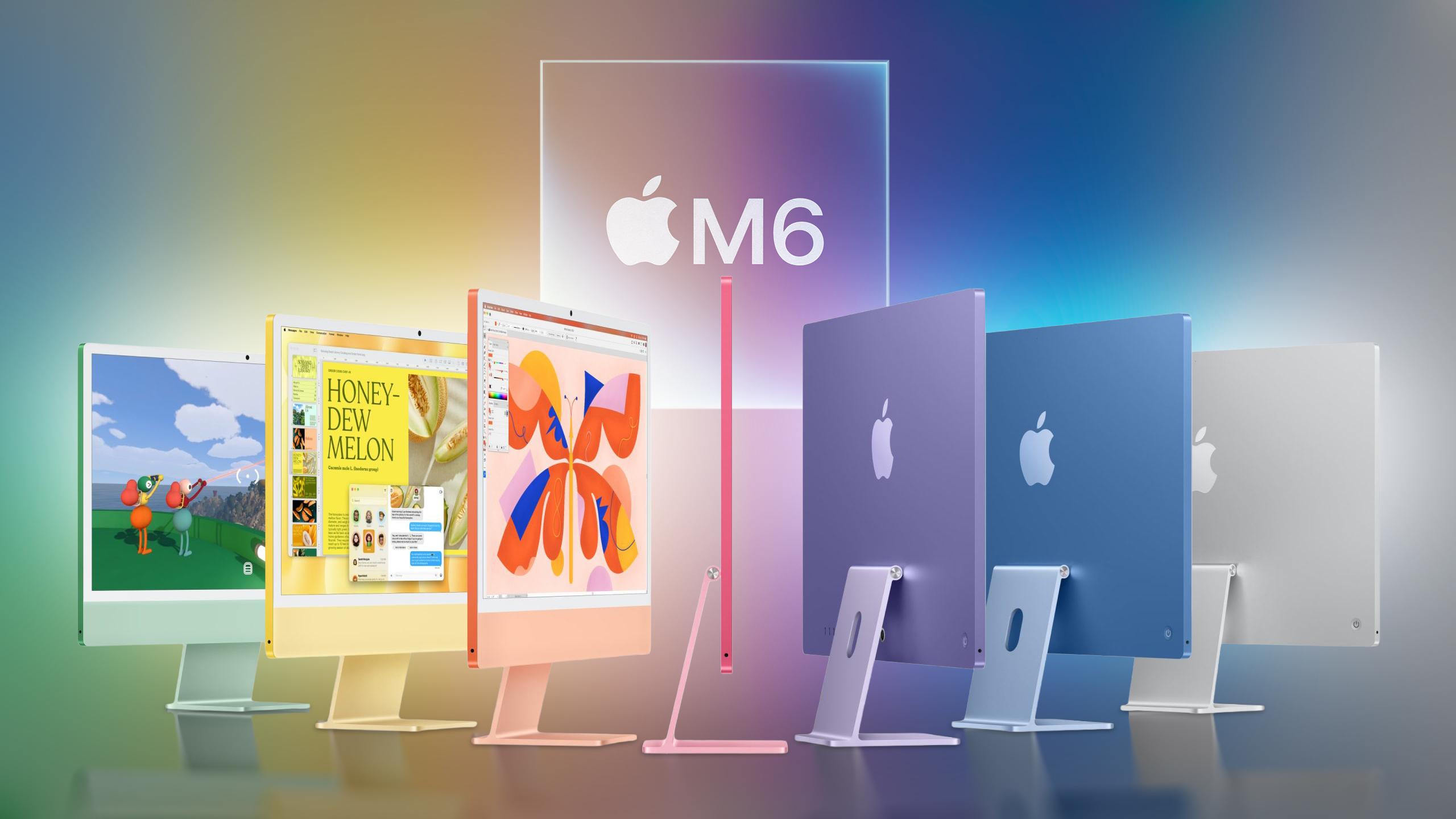
From today, Apple's new iPad mini with an OLED display, M6 iMac, and its latest MacBook Pro models are available to buy from Apple's online store and in the Apple Store app, with the first pre-orders also arriving to customers today and both devices reaching Apple Store locations and Apple Authorized Resellers.


OLED iPad Mini


The eighth-generation iPad mini is Apple's smallest tablet with an OLED display. The 8.5-inch Super Retina XDR display offers up to 1,200 nits of peak brightness, a 2,000,000:1 contrast ratio, and a 1-nit minimum brightness, with a nano-texture glass option on 256GB and 512GB models for the first time.

The device is powered by Apple's A20 Pro chip and the N1 wireless chip, enabling Wi-Fi 7 and Bluetooth 6. At 5.4mm thin and 255 grams, it's the lightest iPad Apple has made. It's also the first iPad with an IP67 water and dust resistance rating, aided by a new Acoustic Display that produces sound through the screen itself, so there are no speaker holes in the enclosure.

A 12MP Center Stage front camera is now located on the landscape side for video calls, and the device supports Apple Pencil Pro and Apple Pencil (USB-C). The display is limited to a 60Hz refresh rate with no ProMotion, which has been the main point of criticism in early reviews.

In the United States, the new iPad mini starts at $699 for the 128GB Wi-Fi model. The 256GB and 512GB configurations are priced at $799 and $999, with nano-texture glass adding $100 on those models, while Wi-Fi + Cellular models start at $849. Education pricing starts at $649.

M6 iMac


Meanwhile, the new iMac is the first update to Apple's all-in-one since the M4 model. The M6 chip brings up to a 12-core CPU and 12-core GPU, with Apple claiming up to 2x faster graphics than the previous generation, alongside Wi-Fi 7, Bluetooth 6, and an optional 2.5 Gigabit Ethernet port on the power adapter.

The iMac with M6 starts at $1,499 for the model with a 10-core CPU and 10-core GPU, while the version with a 12-core CPU and 12-core GPU starts at $1,699. Education pricing starts at $1,449.

Latest MacBook Pro Models


Also launching today are the new MacBook Pro models. The 14-inch MacBook Pro with M6 starts at $1,999 and features a 12-core CPU and 12-core GPU, alongside Wi-Fi 7 and Bluetooth 6 via Apple's N1 wireless chip.

The new 14-inch and 16-inch MacBook Pro models with touchscreen PROLED XDR displays are also available, starting at $2,899 and $3,399, respectively. Powered by M5 Pro or M5 Max chips, the touchscreen models replace the notch with a Dynamic Island and offer up to 2,000 nits of peak brightness for both SDR and HDR content.

Apple's online checkout system indicates many configurations of the 14-inch and 16-inch touchscreen MacBook Pro models in Space Black and Silver currently ship in 2-3 weeks, so anyone who wants one as soon as possible is likely to have more luck visiting their local Apple Store, where at least some base configurations are typically in stock.

For a full rundown of everything new, see our iPad mini, iMac, and MacBook Pro roundups.
Related Roundups: iMac, iPad mini, MacBook Pro
Tag: OLED
Related Forums: iMac, iPad, MacBook Pro

This article, "OLED iPad Mini, M6 iMac, and New MacBook Pros Available From Today" first appeared on MacRumors.com

Discuss this article in our forums
  •  

Apple's First Touchscreen Mac is Now Arriving to Customers

It's Friday, November 6 in Australia and New Zealand, which means customers who preordered a PROLED touchscreen MacBook Pro, OLED iPad mini, M6 ‌MacBook Pro‌, or M6 iMac are now starting to receive their devices.


People will soon be sharing photos and first impressions of the new products on the MacRumors forums, Reddit, Instagram, and other platforms, giving us a first look at what real-world users think of the ‌OLED‌ upgrade for the ‌iPad mini‌ and the PROLED and touchscreen update for the ‌MacBook Pro‌.

Apple's new high-end ‌MacBook Pro‌ models come with M5 Pro or M5 Max, and the major change is the display. It's touch-enabled and is the first Mac with an ‌OLED‌ display. The design has been updated, so the new machines are thinner and lighter than the mini-LED models, which Apple is still selling. Apple also brought back the glowing Apple logo, and replaced the notch with a Dynamic Island. Pricing on the PROLED ‌MacBook Pro‌ starts at $2,899 for the 14-inch model and $3,399 for the 16-inch model.

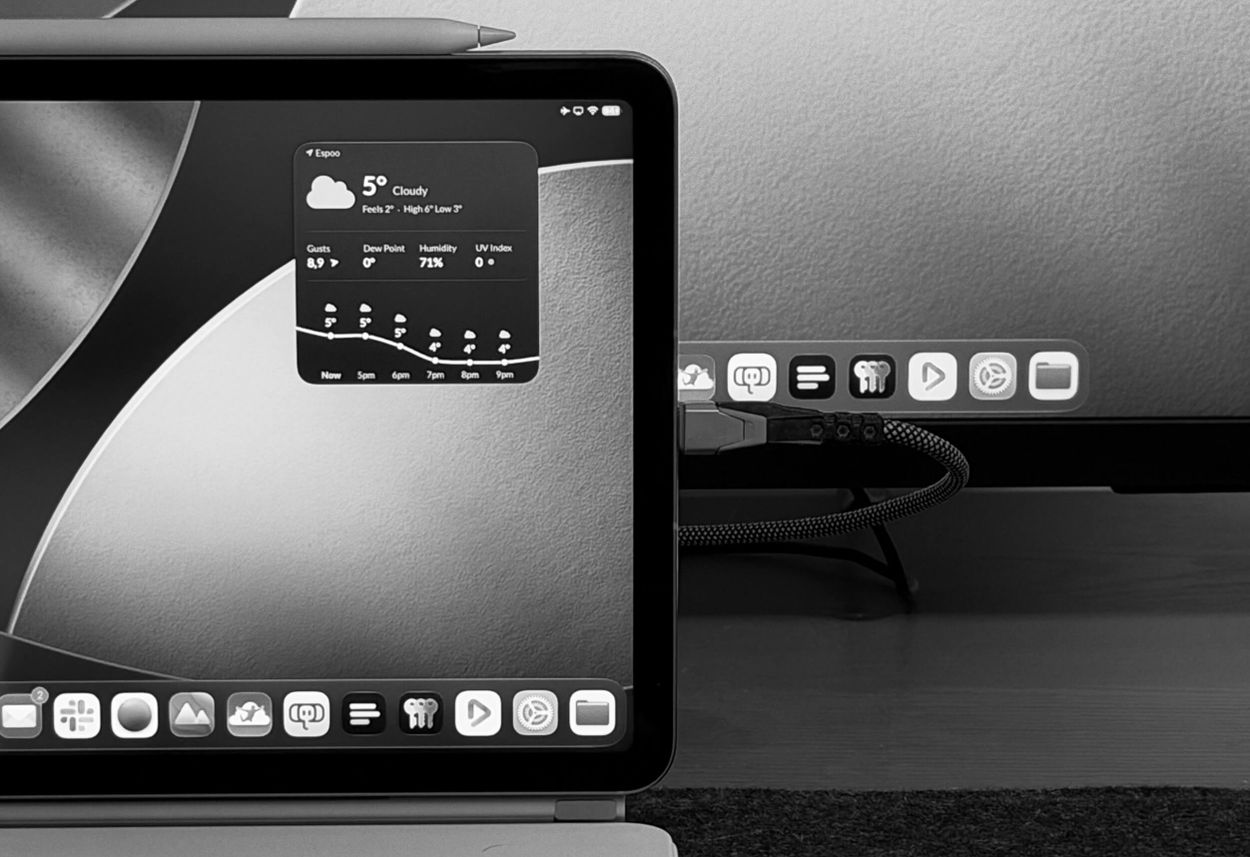
The ‌OLED‌ ‌iPad mini‌ is Apple's first smaller-screened iPad to get ‌OLED‌, and it's also the most affordable ‌OLED‌ ‌iPad‌. It's almost a millimeter thinner than the prior version and has an Acoustic Display that does away with speaker holes. Without them, the enclosure is sealed, making it the first ‌iPad‌ with a water and dust resistance rating (IP67). It uses Apple's A20 Pro chip. The ‌OLED‌ ‌iPad mini‌ starts at $699.

The 14-inch entry-level ‌MacBook Pro‌ and 24-inch ‌iMac‌ got little in the way of updates beyond an M6 chip. The ‌MacBook Pro‌ is priced starting at $1,999, and the ‌iMac‌ starts at $1,499.

Australia is the first country where customers can buy one of the new products in an Apple retail location. Online orders of the PROLED ‌MacBook Pro‌ don't ship until late November or early December, so it's possible in-store stock will be limited. The ‌OLED‌ ‌iPad mini‌, 14-inch ‌MacBook Pro‌, and ‌iMac‌ should be readily available.

After Australia and New Zealand, sales and deliveries of the new Macs and ‌iPad mini‌ will begin in Asia, the Middle East, Europe, and finally, North America.
Related Roundups: iMac, iPad mini, MacBook Pro
Related Forums: iMac, iPad, MacBook Pro

This article, "Apple's First Touchscreen Mac is Now Arriving to Customers" first appeared on MacRumors.com

Discuss this article in our forums
  •  

iPad Mini vs. iPad Air Buyer's Guide: Now Just $50 Apart

Apple refreshed both the iPad mini and iPad Air this year, but the choice is now less straightforward and there is just a $50 price difference between them, so which should you choose?


The eighth-generation ‌iPad Air‌ arrived in March with the M4 chip, 12GB of unified memory, Apple's N1 wireless chip, and the C1X modem on cellular models. It remains available in 11-inch and 13-inch sizes. Following Apple's June price increases, the two size options now start at $749 and $949, respectively.

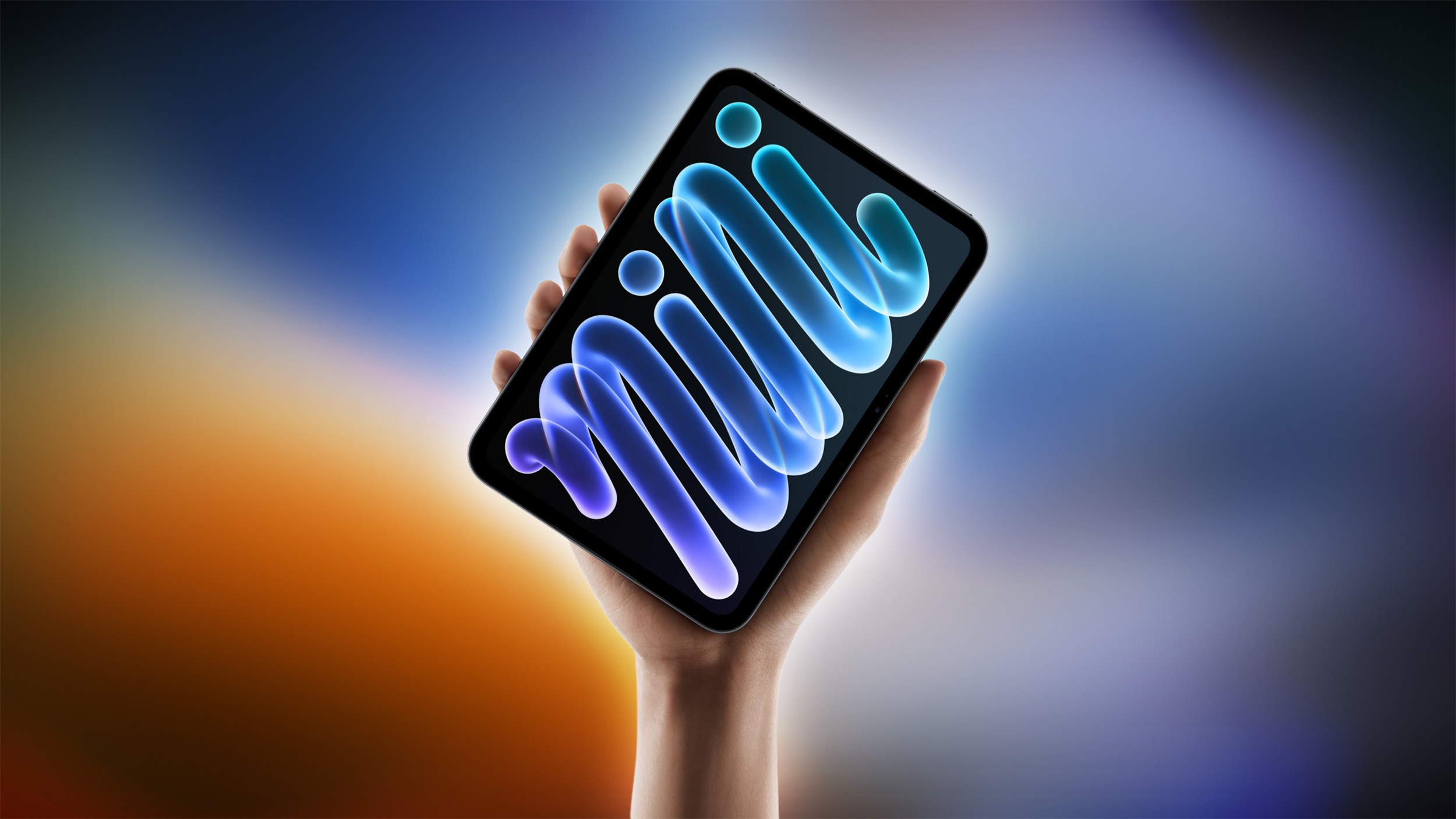
In October, Apple announced the eighth-generation ‌iPad mini‌, introducing a larger 8.5-inch display with OLED technology, a thinner and lighter design, the A20 chip, an optional nano-texture finish, a landscape front camera, and more. The changes give Apple's smallest tablet several advantages over the ‌iPad Air‌, even as the Air retains a larger screen and support for Apple's Magic Keyboard.

Both devices offer Touch ID in the top button, Apple Pencil Pro and ‌Apple Pencil‌ (USB-C) support, ‌Apple Pencil‌ hover, landscape 12MP Center Stage front cameras with ƒ/2.0 apertures, Apple's N1 wireless chip, Wi-Fi 7, Bluetooth 6, Thread networking technology, and USB-C ports with transfer speeds of up to 10Gb/s. The new ‌iPad mini‌ also features 12GB of unified memory, matching the Air. Advertised battery life is the same, with up to 10 hours of web browsing over Wi-Fi or watching video, or up to nine hours of web browsing over cellular. Despite the ‌iPad mini‌'s move to ‌OLED‌, neither model offers ProMotion.

Our guide helps to answer the question of how to decide which of these two iPads is best for you.


‌iPad mini‌ (eighth generation, 2026) ‌iPad Air‌ (eighth generation, 2026)
8.5-inch display 11-inch or 13-inch display
2316-by-1512 resolution 11-inch: 2360-by-1640 resolution
13-inch: 2732-by-2048 resolution
326 ppi 264 ppi
Super Retina XDR ‌OLED‌ display with 2,000,000:1 contrast ratio Liquid Retina display with LED backlighting and IPS technology
600 nits maximum SDR and full-screen HDR brightness; 1,200 nits peak HDR brightness and 1 nit minimum brightness 11-inch: 500 nits maximum SDR brightness
13-inch: 600 nits maximum SDR brightness
Optional nano-texture display glass on 256GB and 512GB models for an additional $100, supplied with a polishing cloth
A20 Pro chip M4 chip
128GB and 256GB: 5-core CPU with 2 super cores and 3 efficiency cores
512GB: 6-core CPU with 2 super cores and 4 efficiency cores
8-core CPU with 3 performance cores and 5 efficiency cores
7-core GPU with dedicated Neural Accelerators 9-core GPU
128GB and 256GB: 16-core Neural Engine
512GB: Dual 16-core Neural Engine, totaling 32 cores
16-core Neural Engine
115.2 GB/s memory bandwidth 120 GB/s memory bandwidth
Volume buttons on top Volume buttons on right side
Acoustic Display audio system with display-coupled woofers and concealed tweeters Landscape stereo speakers
IP67 water and dust resistance, rated for a maximum depth of 1 meter for up to 30 minutes
Adaptive True Tone rear flash
Apple C2 modem (cellular models) Apple C1X modem (cellular models)
U.S. cellular model (A3596) supports LTE band 106 U.S. cellular models (A3460) and (A3462) do not support LTE band 106
UMTS/HSPA/HSPA+ cellular support UMTS/HSPA/HSPA+/DC-HSDPA cellular support
Supports one external display at up to 4K resolution at 60Hz, with extended external display mode Supports one external display at up to 6K resolution at 60Hz, with extended external display mode
Compatible with Bluetooth keyboards Smart Connector for compatible keyboard accessories, including Apple's Magic Keyboard
18.9Wh battery 11-inch: 28.93Wh battery
13-inch: 36.59Wh battery
Fast charging up to 50% in around 30 minutes with a 35W or higher USB-C power adapter
128GB, 256GB, or 512GB of storage 128GB, 256GB, 512GB, or 1TB of storage
Available in Midnight and Starlight Available in Space Gray, Starlight, Purple, and Blue
Starts at $699 (Wi-Fi) or $849 (Wi-Fi + Cellular) 11-inch: Starts at $749 (Wi-Fi) or $899 (Wi-Fi + Cellular)
13-inch: Starts at $949 (Wi-Fi) or $1,099 (Wi-Fi + Cellular)


Beyond their features, the physical differences between the two devices are substantial. The ‌iPad mini‌ is thinner and weighs almost half as much as the 11-inch ‌iPad Air‌, making it easier to hold for extended periods and carry in a small bag. The ‌iPad Air‌'s larger dimensions accommodate a more spacious display, but even the smaller model represents a noticeable step up in size and weight:


‌iPad mini‌ 11-inch ‌iPad Air‌ 13-inch ‌iPad Air‌
Height 7.69 inches (195.3 mm) 9.74 inches (247.6 mm) 11.04 inches (280.6 mm)
Width 5.22 inches (132.6 mm) 7.02 inches (178.5 mm) 8.46 inches (214.9 mm)
Thickness 0.21 inch (5.4 mm) 0.24 inch (6.1 mm) 0.24 inch (6.1 mm)
Weight (Wi-Fi) 0.56 pound (255 grams) 1.02 pounds (464 grams) 1.36 pounds (616 grams)
Weight (Wi-Fi + Cellular) 0.58 pound (263 grams) 1.03 pounds (465 grams) 1.36 pounds (617 grams)


The latest ‌iPad mini‌ changes the balance between these two devices. The ‌iPad Air‌ retains the core design introduced in 2020, while the ‌iPad mini‌ has just received a substantial redesign with an ‌OLED‌ display, a thinner and lighter enclosure, and several features unavailable on the Air. With the mini also costing $50 less, the current ‌iPad Air‌ is harder to recommend unless you specifically need its larger workspace and keyboard support and cannot wait for its successor.

For most buyers looking for a handheld tablet to complement a laptop or desktop computer, the ‌iPad mini‌ is now the more compelling choice. Its portability advantage is substantial: the Wi-Fi model weighs 255 grams, compared with 464 grams for the 11-inch Air, and its smaller footprint makes it much easier to hold and carry. Combined with its ‌OLED‌ display, water and dust resistance, and fast charging, this makes it particularly well suited to reading, watching videos, playing handheld games, and taking notes on the go.

The ‌iPad Air‌ remains the better choice for productivity. Even the 11-inch model provides considerably more screen space for documents, drawing, and working across multiple apps. Support for Apple's Magic Keyboard makes the ‌iPad Air‌ a much more practical potential laptop replacement. The ‌iPad mini‌ has ample processing power for many of the same tasks and supports Bluetooth keyboards, but its smaller display and lack of an equivalent integrated keyboard accessory make it less suitable as a productivity device.

These are meaningful reasons to choose the ‌iPad Air‌ if you need a tablet immediately. The 11-inch model's $50 premium buys a larger workspace and keyboard support, although the Magic Keyboard costs extra and whether the combination can replace your laptop depends on your apps and workflows being supported by iPadOS. Its older design does not diminish that clear utility, but buying one now means accepting an LCD display and missing several of the ‌iPad mini‌'s newer features.

The 13-inch ‌iPad Air‌ provides the clearest distinction from the ‌iPad mini‌, with substantially more room for side-by-side documents, drawing, and multitasking. Its $250 premium over the base ‌iPad mini‌ is worth considering if you regularly need that added display area, although its larger dimensions and weight make it much less convenient for handheld use. The 11-inch Air offers a more portable balance for switching between tablet and keyboard use, but neither approaches the ‌iPad mini‌'s ease of carrying and holding.

For prospective ‌iPad Air‌ buyers who do not need a new device immediately, we recommend waiting. A new ‌iPad Air‌ with an ‌OLED‌ display is expected in the first half of 2027. This would address one of the current ‌iPad Air‌'s most significant disadvantages compared with the ‌iPad mini‌, likely along with other new features to bring it up to par. With the ‌iPad mini‌ newly refreshed and a consequential ‌iPad Air‌ update expected in the not-too-distant future, postponing a nonessential ‌iPad Air‌ purchase is the more sensible choice.
Related Roundups: iPad Air , iPad mini
Related Forum: iPad

This article, "iPad Mini vs. iPad Air Buyer's Guide: Now Just $50 Apart" first appeared on MacRumors.com

Discuss this article in our forums
  •  

„Apple gives iPad mini its biggest update ever“

26. Oktober 2026 um 14:15
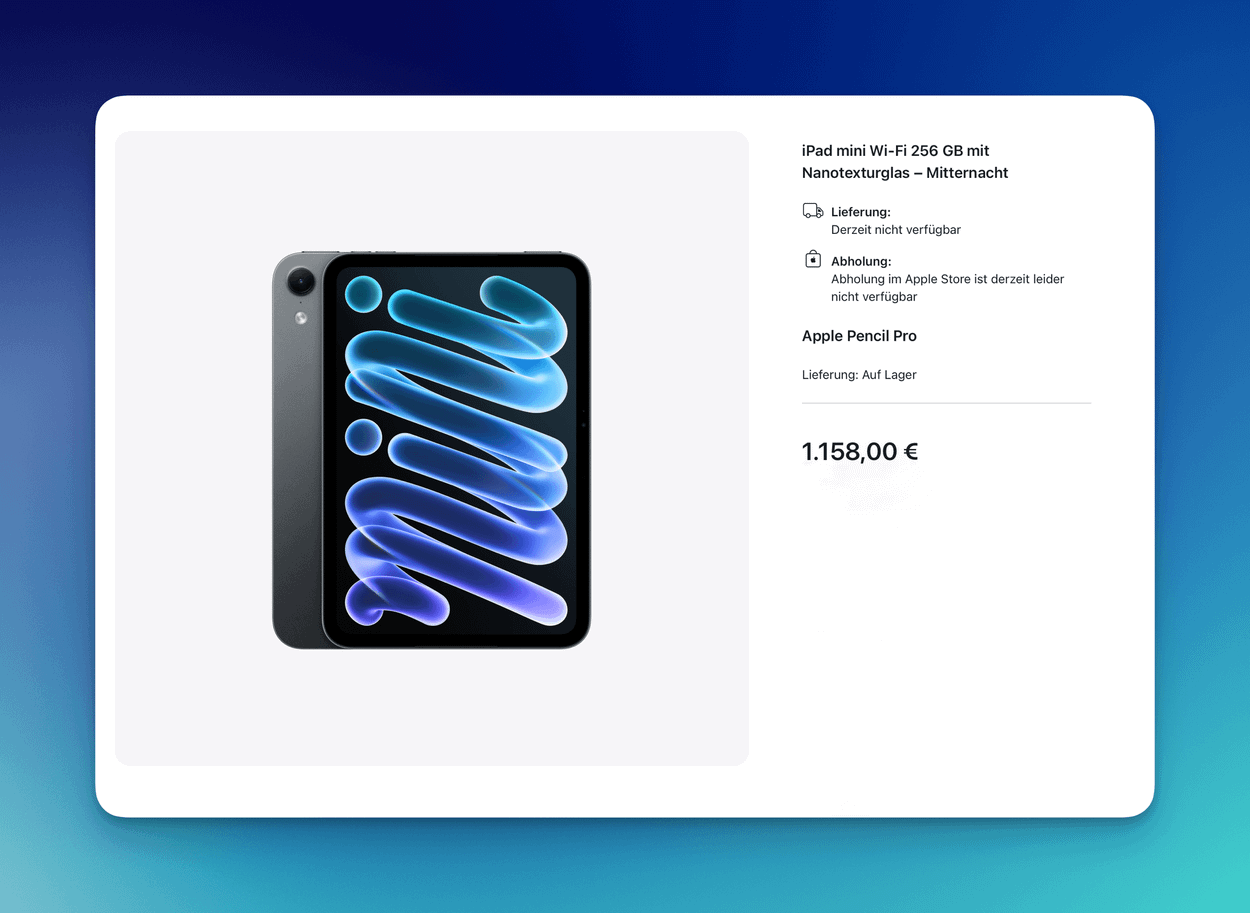
Product page showing an iPad mini Wi-Fi 256 GB with Nanotexture Glass in a dark color, displayed on the left. On the right, the product details and price of 1,158.00 euros are visible, along with availability notes regarding delivery and in-store pickup.

Featuring a stunning OLED display in an even thinner and lighter design, a huge leap in performance, faster wireless connectivity, and water and dust resistance.

Apple.com/Newsroom

Wenn nicht iPhone draufsteht, kostet es lediglich die Hälfte.

  •  
❌