Anmelden

iPad Mini vs. iPad Air Buyer's Guide: Now Just $50 Apart
05. November 2026 um 21:41
Apple refreshed both the iPad mini and iPad Air this year, but the choice is now less straightforward and there is just a $50 price difference between them, so which should you choose?
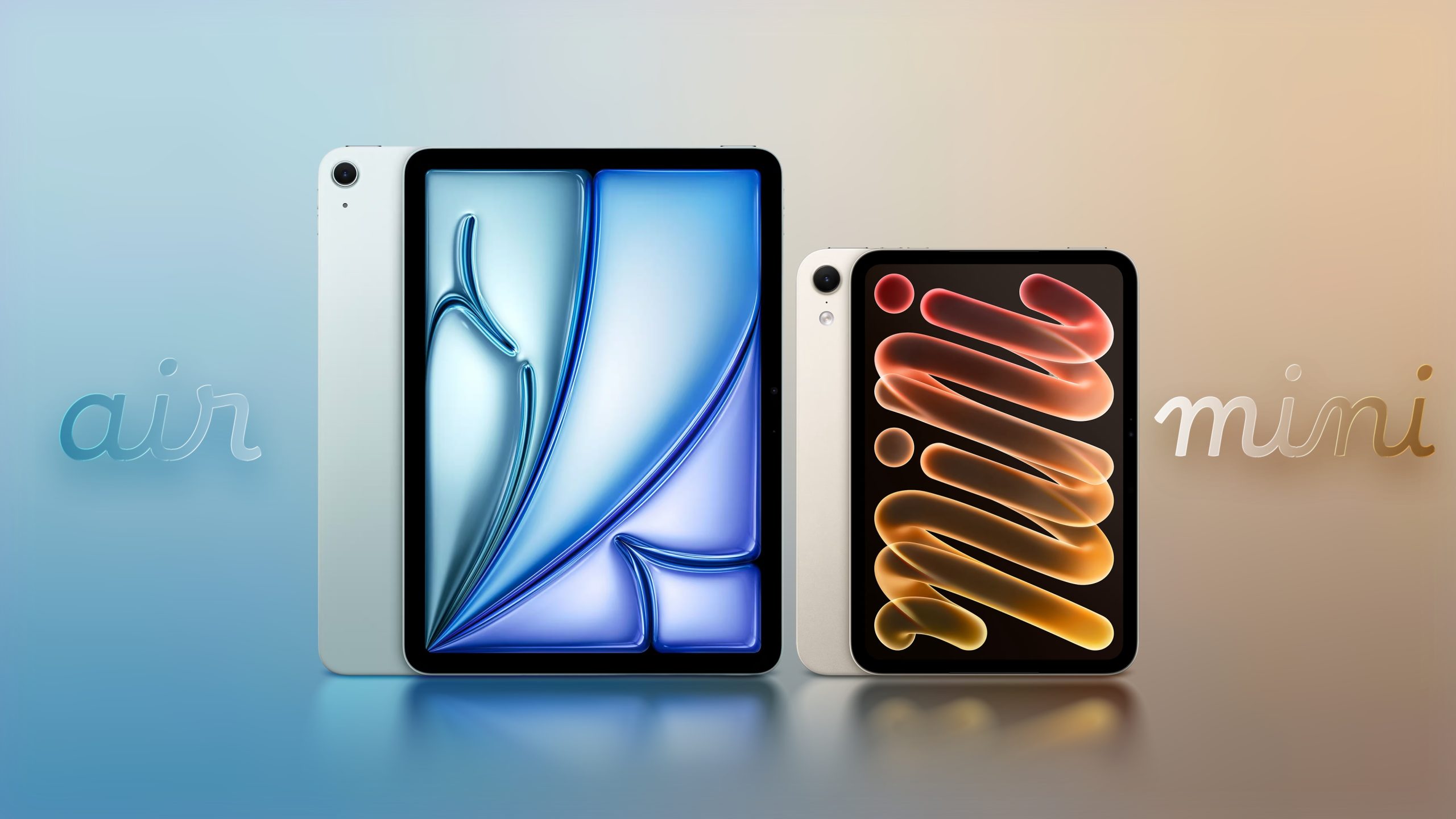
The eighth-generation iPad Air arrived in March with the M4 chip, 12GB of unified memory, Apple's N1 wireless chip, and the C1X modem on cellular models. It remains available in 11-inch and 13-inch sizes. Following Apple's June price increases, the two size options now start at $749 and $949, respectively.
In October, Apple announced the eighth-generation iPad mini, introducing a larger 8.5-inch display with OLED technology, a thinner and lighter design, the A20 chip, an optional nano-texture finish, a landscape front camera, and more. The changes give Apple's smallest tablet several advantages over the iPad Air, even as the Air retains a larger screen and support for Apple's Magic Keyboard.
Both devices offer Touch ID in the top button, Apple Pencil Pro and Apple Pencil (USB-C) support, Apple Pencil hover, landscape 12MP Center Stage front cameras with ƒ/2.0 apertures, Apple's N1 wireless chip, Wi-Fi 7, Bluetooth 6, Thread networking technology, and USB-C ports with transfer speeds of up to 10Gb/s. The new iPad mini also features 12GB of unified memory, matching the Air. Advertised battery life is the same, with up to 10 hours of web browsing over Wi-Fi or watching video, or up to nine hours of web browsing over cellular. Despite the iPad mini's move to OLED, neither model offers ProMotion.
Our guide helps to answer the question of how to decide which of these two iPads is best for you.
Beyond their features, the physical differences between the two devices are substantial. The iPad mini is thinner and weighs almost half as much as the 11-inch iPad Air, making it easier to hold for extended periods and carry in a small bag. The iPad Air's larger dimensions accommodate a more spacious display, but even the smaller model represents a noticeable step up in size and weight:
The latest iPad mini changes the balance between these two devices. The iPad Air retains the core design introduced in 2020, while the iPad mini has just received a substantial redesign with an OLED display, a thinner and lighter enclosure, and several features unavailable on the Air. With the mini also costing $50 less, the current iPad Air is harder to recommend unless you specifically need its larger workspace and keyboard support and cannot wait for its successor.
For most buyers looking for a handheld tablet to complement a laptop or desktop computer, the iPad mini is now the more compelling choice. Its portability advantage is substantial: the Wi-Fi model weighs 255 grams, compared with 464 grams for the 11-inch Air, and its smaller footprint makes it much easier to hold and carry. Combined with its OLED display, water and dust resistance, and fast charging, this makes it particularly well suited to reading, watching videos, playing handheld games, and taking notes on the go.
The iPad Air remains the better choice for productivity. Even the 11-inch model provides considerably more screen space for documents, drawing, and working across multiple apps. Support for Apple's Magic Keyboard makes the iPad Air a much more practical potential laptop replacement. The iPad mini has ample processing power for many of the same tasks and supports Bluetooth keyboards, but its smaller display and lack of an equivalent integrated keyboard accessory make it less suitable as a productivity device.
These are meaningful reasons to choose the iPad Air if you need a tablet immediately. The 11-inch model's $50 premium buys a larger workspace and keyboard support, although the Magic Keyboard costs extra and whether the combination can replace your laptop depends on your apps and workflows being supported by iPadOS. Its older design does not diminish that clear utility, but buying one now means accepting an LCD display and missing several of the iPad mini's newer features.
The 13-inch iPad Air provides the clearest distinction from the iPad mini, with substantially more room for side-by-side documents, drawing, and multitasking. Its $250 premium over the base iPad mini is worth considering if you regularly need that added display area, although its larger dimensions and weight make it much less convenient for handheld use. The 11-inch Air offers a more portable balance for switching between tablet and keyboard use, but neither approaches the iPad mini's ease of carrying and holding.
For prospective iPad Air buyers who do not need a new device immediately, we recommend waiting. A new iPad Air with an OLED display is expected in the first half of 2027. This would address one of the current iPad Air's most significant disadvantages compared with the iPad mini, likely along with other new features to bring it up to par. With the iPad mini newly refreshed and a consequential iPad Air update expected in the not-too-distant future, postponing a nonessential iPad Air purchase is the more sensible choice.
This article, "iPad Mini vs. iPad Air Buyer's Guide: Now Just $50 Apart" first appeared on MacRumors.com
Discuss this article in our forums
The eighth-generation iPad Air arrived in March with the M4 chip, 12GB of unified memory, Apple's N1 wireless chip, and the C1X modem on cellular models. It remains available in 11-inch and 13-inch sizes. Following Apple's June price increases, the two size options now start at $749 and $949, respectively.
In October, Apple announced the eighth-generation iPad mini, introducing a larger 8.5-inch display with OLED technology, a thinner and lighter design, the A20 chip, an optional nano-texture finish, a landscape front camera, and more. The changes give Apple's smallest tablet several advantages over the iPad Air, even as the Air retains a larger screen and support for Apple's Magic Keyboard.
Both devices offer Touch ID in the top button, Apple Pencil Pro and Apple Pencil (USB-C) support, Apple Pencil hover, landscape 12MP Center Stage front cameras with ƒ/2.0 apertures, Apple's N1 wireless chip, Wi-Fi 7, Bluetooth 6, Thread networking technology, and USB-C ports with transfer speeds of up to 10Gb/s. The new iPad mini also features 12GB of unified memory, matching the Air. Advertised battery life is the same, with up to 10 hours of web browsing over Wi-Fi or watching video, or up to nine hours of web browsing over cellular. Despite the iPad mini's move to OLED, neither model offers ProMotion.
Our guide helps to answer the question of how to decide which of these two iPads is best for you.
| iPad mini (eighth generation, 2026) | iPad Air (eighth generation, 2026) |
|---|---|
| 8.5-inch display | 11-inch or 13-inch display |
| 2316-by-1512 resolution | 11-inch: 2360-by-1640 resolution
13-inch: 2732-by-2048 resolution |
| 326 ppi | 264 ppi |
| Super Retina XDR OLED display with 2,000,000:1 contrast ratio | Liquid Retina display with LED backlighting and IPS technology |
| 600 nits maximum SDR and full-screen HDR brightness; 1,200 nits peak HDR brightness and 1 nit minimum brightness | 11-inch: 500 nits maximum SDR brightness
13-inch: 600 nits maximum SDR brightness |
| Optional nano-texture display glass on 256GB and 512GB models for an additional $100, supplied with a polishing cloth | |
| A20 Pro chip | M4 chip |
| 128GB and 256GB: 5-core CPU with 2 super cores and 3 efficiency cores
512GB: 6-core CPU with 2 super cores and 4 efficiency cores |
8-core CPU with 3 performance cores and 5 efficiency cores |
| 7-core GPU with dedicated Neural Accelerators | 9-core GPU |
| 128GB and 256GB: 16-core Neural Engine
512GB: Dual 16-core Neural Engine, totaling 32 cores |
16-core Neural Engine |
| 115.2 GB/s memory bandwidth | 120 GB/s memory bandwidth |
| Volume buttons on top | Volume buttons on right side |
| Acoustic Display audio system with display-coupled woofers and concealed tweeters | Landscape stereo speakers |
| IP67 water and dust resistance, rated for a maximum depth of 1 meter for up to 30 minutes | |
| Adaptive True Tone rear flash | |
| Apple C2 modem (cellular models) | Apple C1X modem (cellular models) |
| U.S. cellular model (A3596) supports LTE band 106 | U.S. cellular models (A3460) and (A3462) do not support LTE band 106 |
| UMTS/HSPA/HSPA+ cellular support | UMTS/HSPA/HSPA+/DC-HSDPA cellular support |
| Supports one external display at up to 4K resolution at 60Hz, with extended external display mode | Supports one external display at up to 6K resolution at 60Hz, with extended external display mode |
| Compatible with Bluetooth keyboards | Smart Connector for compatible keyboard accessories, including Apple's Magic Keyboard |
| 18.9Wh battery | 11-inch: 28.93Wh battery
13-inch: 36.59Wh battery |
| Fast charging up to 50% in around 30 minutes with a 35W or higher USB-C power adapter | |
| 128GB, 256GB, or 512GB of storage | 128GB, 256GB, 512GB, or 1TB of storage |
| Available in Midnight and Starlight | Available in Space Gray, Starlight, Purple, and Blue |
| Starts at $699 (Wi-Fi) or $849 (Wi-Fi + Cellular) | 11-inch: Starts at $749 (Wi-Fi) or $899 (Wi-Fi + Cellular)
13-inch: Starts at $949 (Wi-Fi) or $1,099 (Wi-Fi + Cellular) |
Beyond their features, the physical differences between the two devices are substantial. The iPad mini is thinner and weighs almost half as much as the 11-inch iPad Air, making it easier to hold for extended periods and carry in a small bag. The iPad Air's larger dimensions accommodate a more spacious display, but even the smaller model represents a noticeable step up in size and weight:
| iPad mini | 11-inch iPad Air | 13-inch iPad Air | |
|---|---|---|---|
| Height | 7.69 inches (195.3 mm) | 9.74 inches (247.6 mm) | 11.04 inches (280.6 mm) |
| Width | 5.22 inches (132.6 mm) | 7.02 inches (178.5 mm) | 8.46 inches (214.9 mm) |
| Thickness | 0.21 inch (5.4 mm) | 0.24 inch (6.1 mm) | 0.24 inch (6.1 mm) |
| Weight (Wi-Fi) | 0.56 pound (255 grams) | 1.02 pounds (464 grams) | 1.36 pounds (616 grams) |
| Weight (Wi-Fi + Cellular) | 0.58 pound (263 grams) | 1.03 pounds (465 grams) | 1.36 pounds (617 grams) |
The latest iPad mini changes the balance between these two devices. The iPad Air retains the core design introduced in 2020, while the iPad mini has just received a substantial redesign with an OLED display, a thinner and lighter enclosure, and several features unavailable on the Air. With the mini also costing $50 less, the current iPad Air is harder to recommend unless you specifically need its larger workspace and keyboard support and cannot wait for its successor.
For most buyers looking for a handheld tablet to complement a laptop or desktop computer, the iPad mini is now the more compelling choice. Its portability advantage is substantial: the Wi-Fi model weighs 255 grams, compared with 464 grams for the 11-inch Air, and its smaller footprint makes it much easier to hold and carry. Combined with its OLED display, water and dust resistance, and fast charging, this makes it particularly well suited to reading, watching videos, playing handheld games, and taking notes on the go.
The iPad Air remains the better choice for productivity. Even the 11-inch model provides considerably more screen space for documents, drawing, and working across multiple apps. Support for Apple's Magic Keyboard makes the iPad Air a much more practical potential laptop replacement. The iPad mini has ample processing power for many of the same tasks and supports Bluetooth keyboards, but its smaller display and lack of an equivalent integrated keyboard accessory make it less suitable as a productivity device.
These are meaningful reasons to choose the iPad Air if you need a tablet immediately. The 11-inch model's $50 premium buys a larger workspace and keyboard support, although the Magic Keyboard costs extra and whether the combination can replace your laptop depends on your apps and workflows being supported by iPadOS. Its older design does not diminish that clear utility, but buying one now means accepting an LCD display and missing several of the iPad mini's newer features.
The 13-inch iPad Air provides the clearest distinction from the iPad mini, with substantially more room for side-by-side documents, drawing, and multitasking. Its $250 premium over the base iPad mini is worth considering if you regularly need that added display area, although its larger dimensions and weight make it much less convenient for handheld use. The 11-inch Air offers a more portable balance for switching between tablet and keyboard use, but neither approaches the iPad mini's ease of carrying and holding.
For prospective iPad Air buyers who do not need a new device immediately, we recommend waiting. A new iPad Air with an OLED display is expected in the first half of 2027. This would address one of the current iPad Air's most significant disadvantages compared with the iPad mini, likely along with other new features to bring it up to par. With the iPad mini newly refreshed and a consequential iPad Air update expected in the not-too-distant future, postponing a nonessential iPad Air purchase is the more sensible choice.
Buyer's Guide: iPad Air (Neutral), iPad Mini (Buy Now)
Related Forum: iPad
This article, "iPad Mini vs. iPad Air Buyer's Guide: Now Just $50 Apart" first appeared on MacRumors.com
Discuss this article in our forums