Anmelden

Siri Recap Hands-On: Private, But Not Very Useful
With the watchOS 27.3 beta, Apple started testing Siri Recap. Siri Recap lets the Series 12 and Ultra 4 Apple Watch models listen to conversations to generate a brief summary of what was discussed. Actual audio is sectioned off from apps, Apple, and the rest of the OS, and then discarded after a summary is generated.
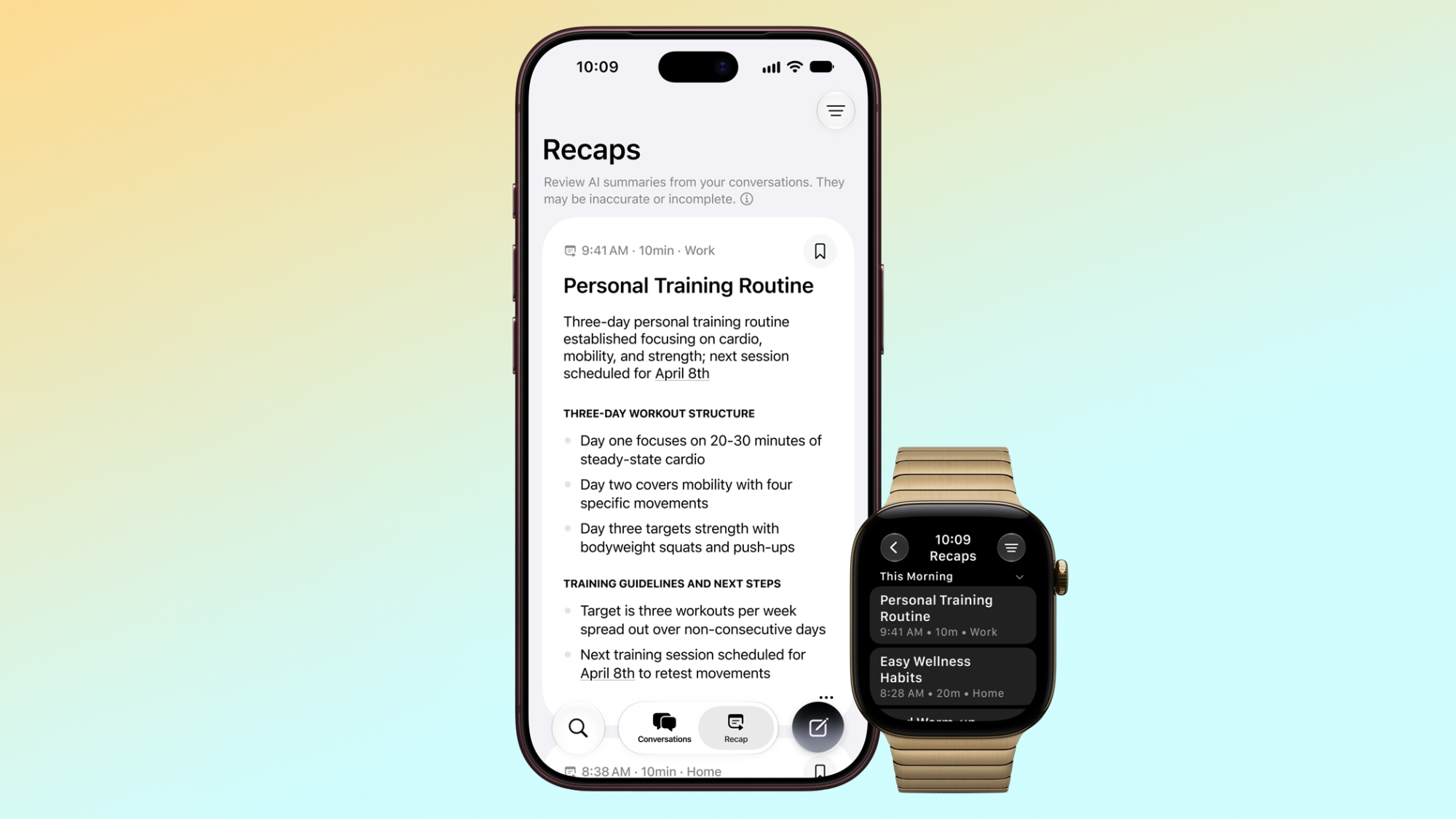
It's a privacy-forward way of tracking what's going on around you, but after two weeks of testing, it's clear that the privacy safeguards limit its usefulness. Overly brief summaries, lack of speaker labeling, and no original audio to compare against make Siri Recap unreliable.
Before I get into my experience, I want to make it clear that Siri Recap is a beta feature in beta software. It hasn't been released yet, Apple hasn't finished refining it, and it won't be available to the public until watchOS 27.3 launches in December. Still, the bones are in place. Some of the issues I encountered could improve before release, but others are the result of the way it's built.
My first recaps were from YouTube videos and Instagram Reels. Siri Recap can tell when I'm watching TV shows and movies, but it can't distinguish a YouTube video from a real-life conversation. I was surprised it summarized dialogue I wasn't involved in instead of waiting until it recognized my voice (which Siri can do). Listening in on ambient conversations makes it feel a little stalker-like. When Siri Recap is turned on, it's listening, and there's no indication for the people around you.
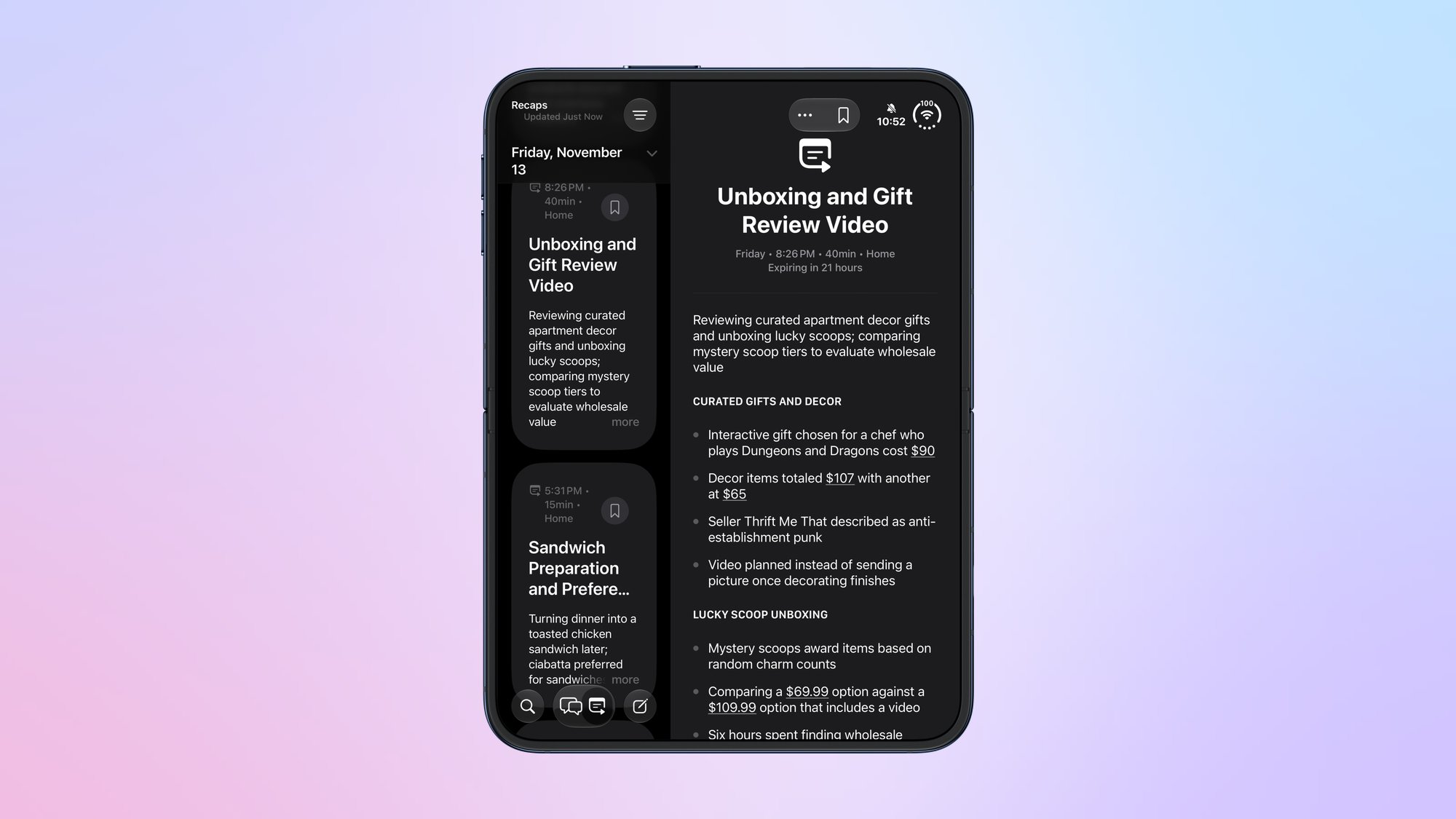
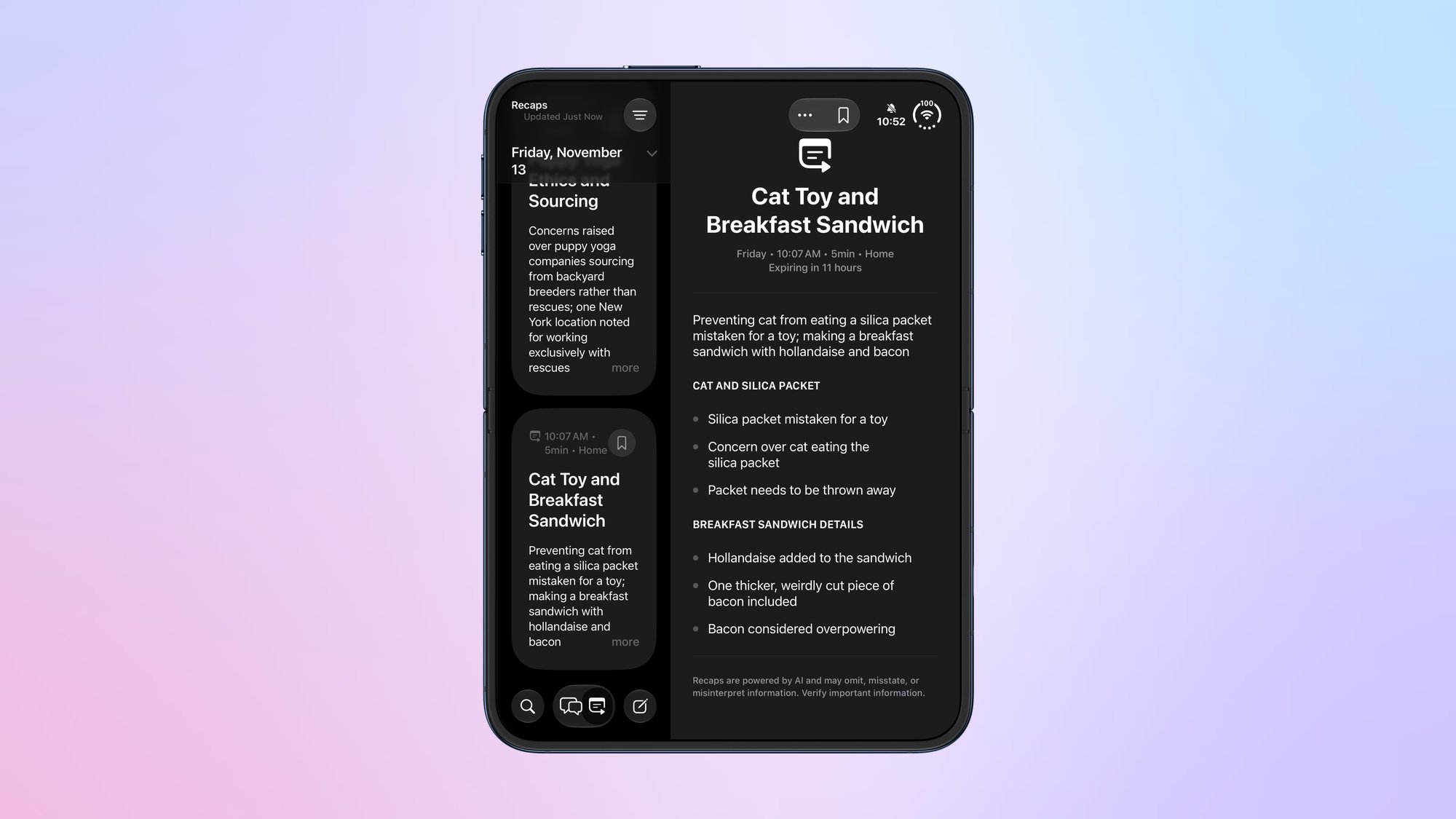
Most of my other recaps summarized short, inconsequential conversations with my partner that I don't need or want to revisit. I don't need to remember that my breakfast on Friday had one too many pieces of vegan bacon, or that my cat was playing with a silica packet. I don't need to remember discussions about Grand Theft Auto VI or that I saw a rabbit in the driveway the other day. There is an option to only have Siri Recap on at certain times of the day or in certain locations, which would eliminate that issue. Ironically, Siri did the best at summarizing shorter interactions I don't care about.
I've taken my cats to a few vet appointments recently, so I had an opportunity to test Siri Recap with genuinely important conversations where I get a flood of information. After the first visit, I learned Siri and I don't have the same opinion on the details that matter, and I found that summaries of longer conversations are just too concise and inaccurate to be helpful.
I told the vet my cat is picky and will only eat one kind of dry food, but stays hydrated because she drinks a lot of water. In a separate part of the conversation, I said she was gaining weight even though her prescription food isn't for kittens. Siri combined those two parts of the conversation into a summary that doesn't make sense, and I had that issue in almost every long conversation.
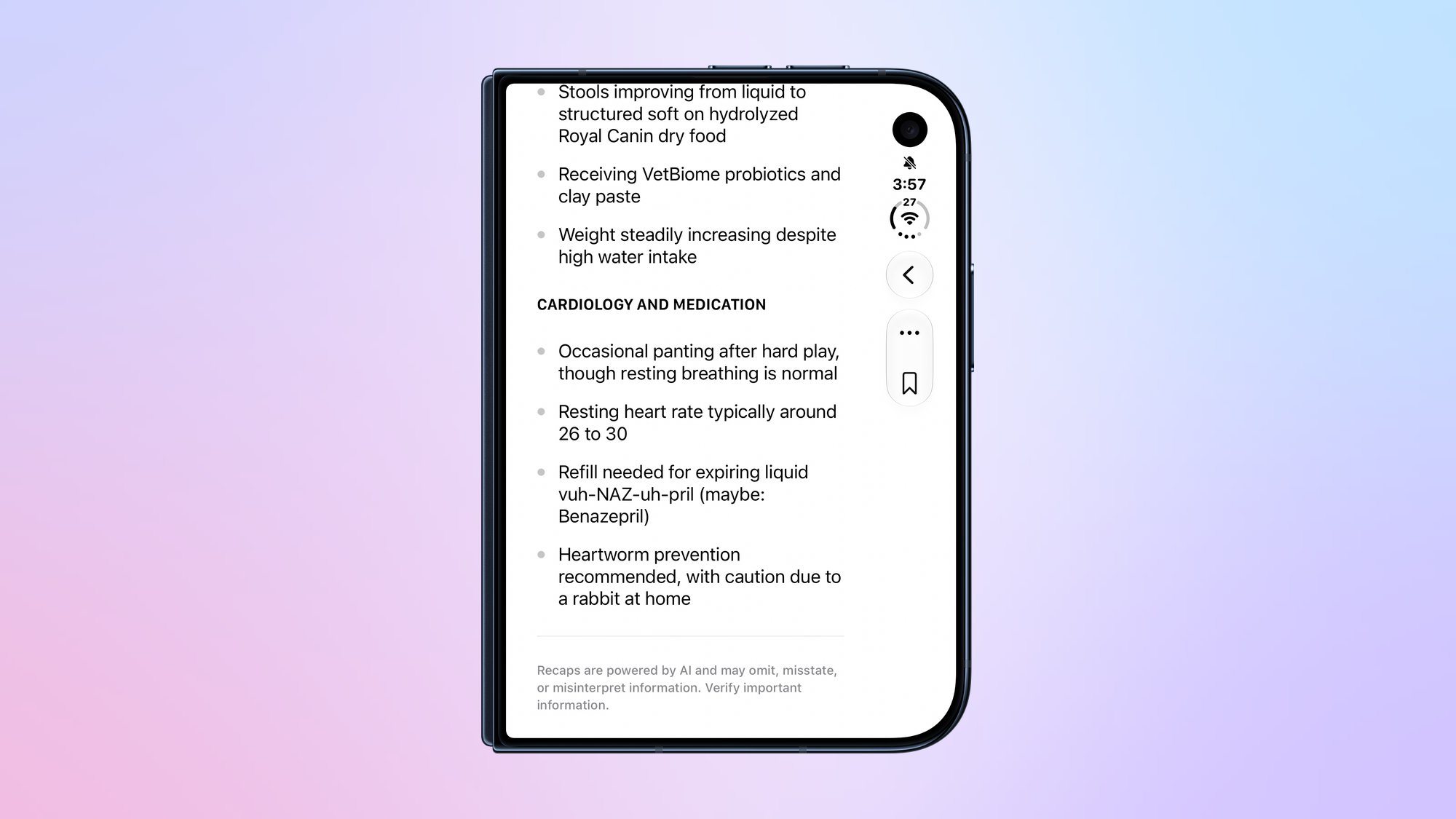
A few minutes later, I asked for a recommendation on heartworm medication because I've read about some problematic products that can make cats sick. The vet relayed a story about needing a particular brand for her cat because she has a rabbit at home, and rabbits are sensitive to a lot of medications. Siri Recap doesn't label speakers, so the summary of that conversation turned into a confusing amalgamation suggesting I have a rabbit at home. Inappropriately combining unrelated concepts is likely something that can be fixed, but the lack of speaker labels is intentional.
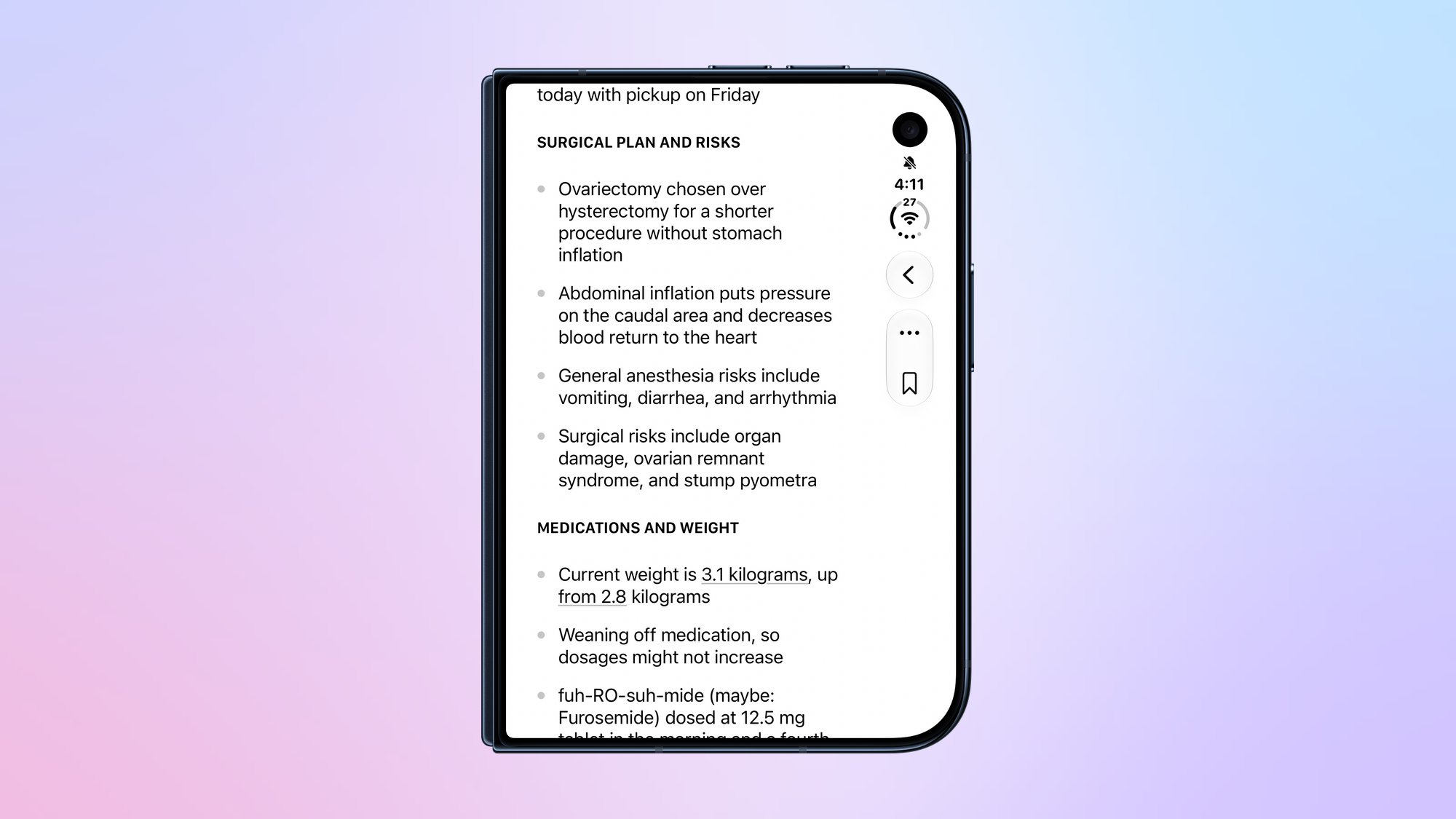
During a pre-surgery consultation, I think I ran into another limitation. Apple says potentially harmful content isn't summarized, which could cover a broad range of topics. Important parts of the conversation with the vet aren't in the summary, like some of the scarier surgical risks and resuscitation preferences. Siri doesn't say if anything was skipped because of the content, so I don't know if that information wasn't considered important or if it was filtered out.
Some of what Siri recapped was useful. If conversations were fact-heavy, Siri did a good job getting everything down, especially when dates were involved. I scheduled a follow-up appointment and Siri got the date right and the exact total of the bill when it was spoken aloud. Apple does say Siri Recap doesn't include financial info, so I'm not sure what counts. Siri is also surprisingly good at interpreting spoken medication names like benazepril and clopidogrel and correctly guessing what they're meant to be.
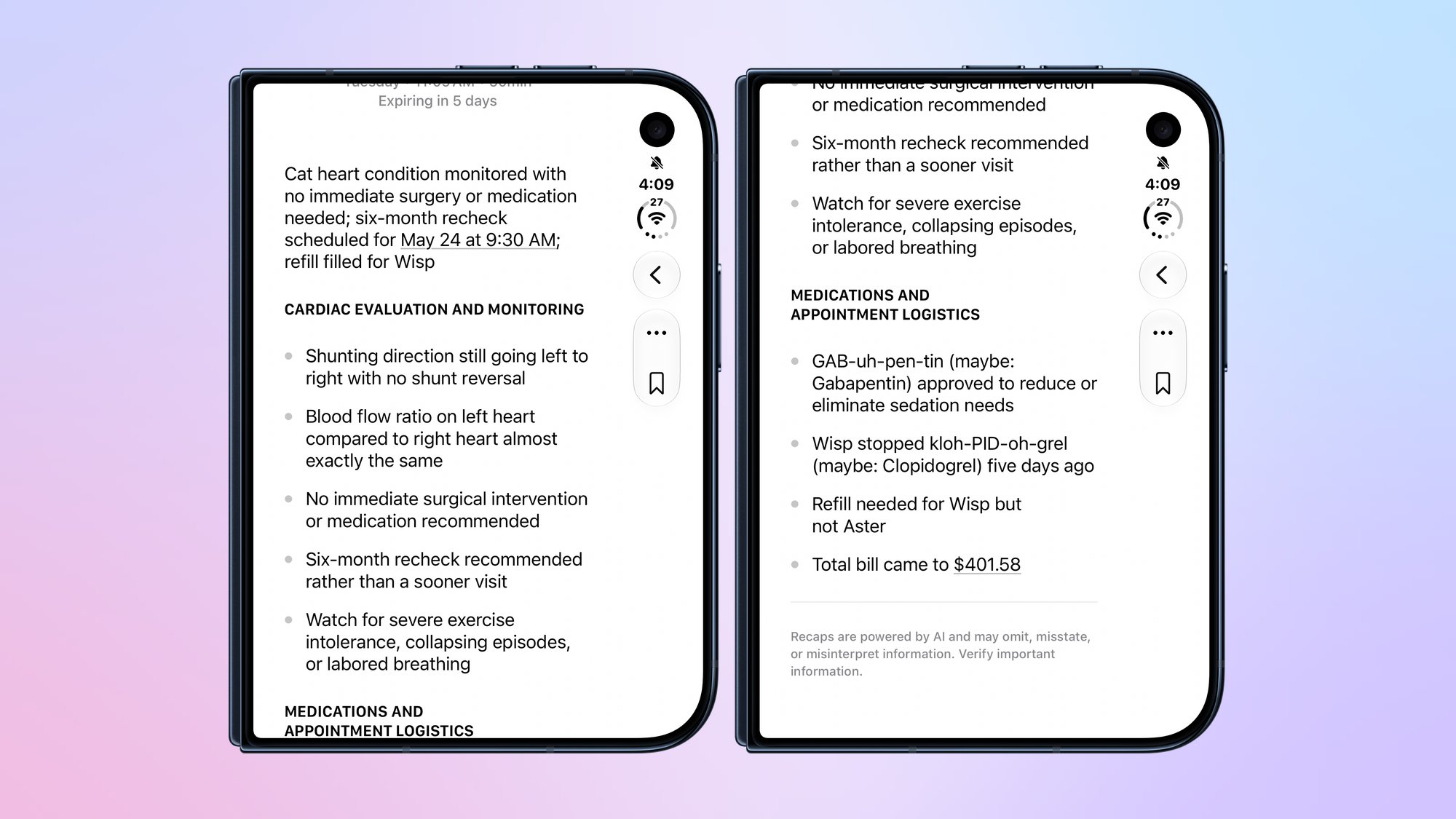
During a third vet visit, the recap did get many of the major points, but going over those notes made me realize this kind of summarization may not work, even when accurate. I had my own memory of the conversation and knew what I thought was important, but some of what Siri kept wasn't what mattered to me.
Those Siri details I re-read were cemented in my memory over other information when I revisited the conversation later in the week, subtly changing how I remember the appointment. I worry having notes that aren't my own will overwrite what I would have remembered without them. It's almost like having a picture of something that happened in my head, and then having someone tell me it happened differently.
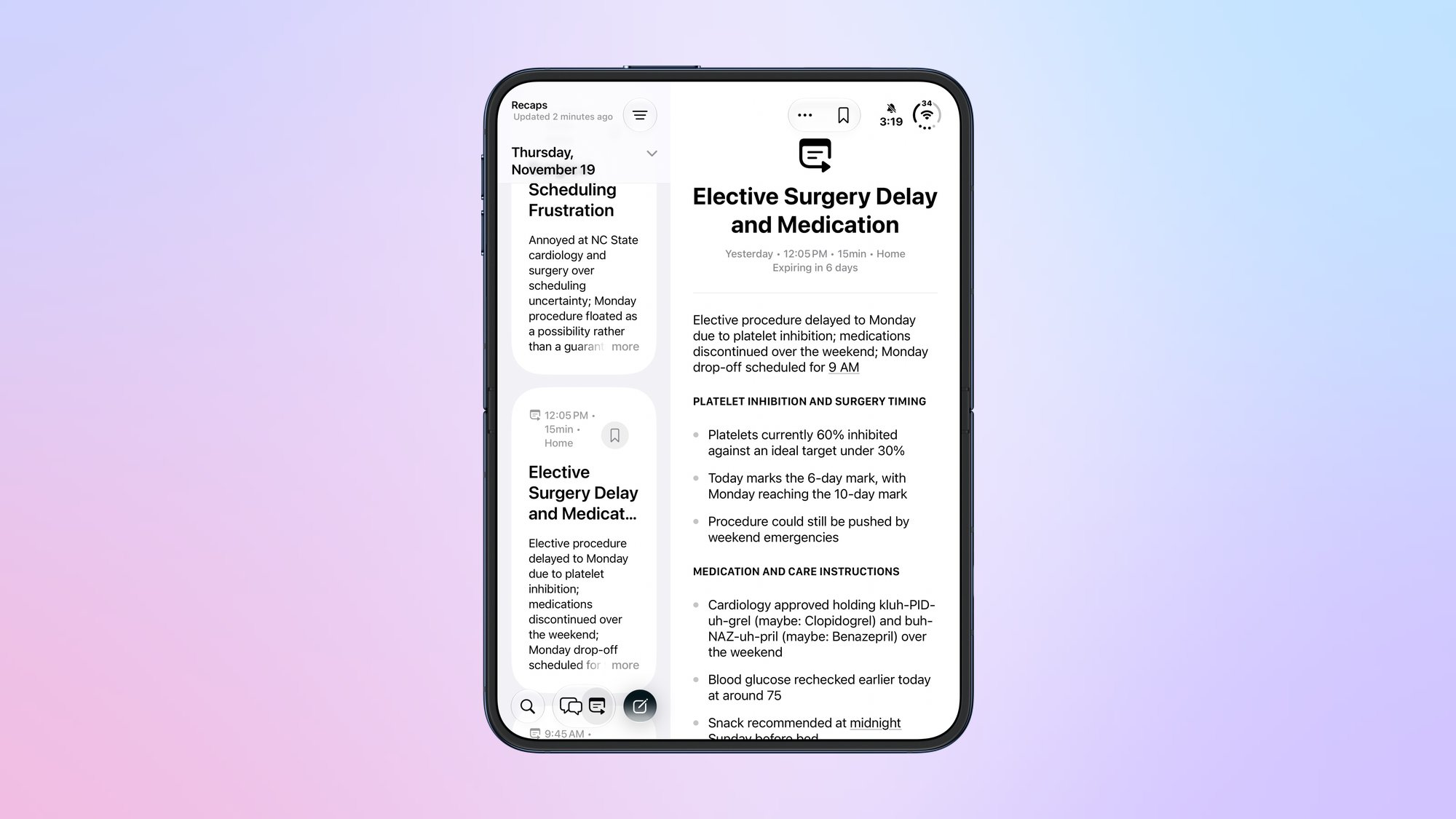
Siri Recap doesn't transcribe entire conversations for privacy reasons, but that leaves Siri to decide what's important enough to be written down in a discussion. I don't trust Siri to make that kind of decision, personally, and there's no option to check what Siri is leaving out since there are no raw files. I wouldn't want Siri Recap to record conversations in full because of the privacy concerns, but Apple's summarization alternative has shortcomings that affect its usefulness.
Siri picks and chooses what matters, and in my two-week test, Siri merged concepts and conversations in ways that were more confusing than helpful over and over again. Siri Recap isn't a feature I'm going to use, and it's not a feature I'd recommend to others.
This article, "Siri Recap Hands-On: Private, But Not Very Useful" first appeared on MacRumors.com
Discuss this article in our forums
It's a privacy-forward way of tracking what's going on around you, but after two weeks of testing, it's clear that the privacy safeguards limit its usefulness. Overly brief summaries, lack of speaker labeling, and no original audio to compare against make Siri Recap unreliable.
Before I get into my experience, I want to make it clear that Siri Recap is a beta feature in beta software. It hasn't been released yet, Apple hasn't finished refining it, and it won't be available to the public until watchOS 27.3 launches in December. Still, the bones are in place. Some of the issues I encountered could improve before release, but others are the result of the way it's built.
My first recaps were from YouTube videos and Instagram Reels. Siri Recap can tell when I'm watching TV shows and movies, but it can't distinguish a YouTube video from a real-life conversation. I was surprised it summarized dialogue I wasn't involved in instead of waiting until it recognized my voice (which Siri can do). Listening in on ambient conversations makes it feel a little stalker-like. When Siri Recap is turned on, it's listening, and there's no indication for the people around you.
Most of my other recaps summarized short, inconsequential conversations with my partner that I don't need or want to revisit. I don't need to remember that my breakfast on Friday had one too many pieces of vegan bacon, or that my cat was playing with a silica packet. I don't need to remember discussions about Grand Theft Auto VI or that I saw a rabbit in the driveway the other day. There is an option to only have Siri Recap on at certain times of the day or in certain locations, which would eliminate that issue. Ironically, Siri did the best at summarizing shorter interactions I don't care about.
I've taken my cats to a few vet appointments recently, so I had an opportunity to test Siri Recap with genuinely important conversations where I get a flood of information. After the first visit, I learned Siri and I don't have the same opinion on the details that matter, and I found that summaries of longer conversations are just too concise and inaccurate to be helpful.
I told the vet my cat is picky and will only eat one kind of dry food, but stays hydrated because she drinks a lot of water. In a separate part of the conversation, I said she was gaining weight even though her prescription food isn't for kittens. Siri combined those two parts of the conversation into a summary that doesn't make sense, and I had that issue in almost every long conversation.
A few minutes later, I asked for a recommendation on heartworm medication because I've read about some problematic products that can make cats sick. The vet relayed a story about needing a particular brand for her cat because she has a rabbit at home, and rabbits are sensitive to a lot of medications. Siri Recap doesn't label speakers, so the summary of that conversation turned into a confusing amalgamation suggesting I have a rabbit at home. Inappropriately combining unrelated concepts is likely something that can be fixed, but the lack of speaker labels is intentional.
During a pre-surgery consultation, I think I ran into another limitation. Apple says potentially harmful content isn't summarized, which could cover a broad range of topics. Important parts of the conversation with the vet aren't in the summary, like some of the scarier surgical risks and resuscitation preferences. Siri doesn't say if anything was skipped because of the content, so I don't know if that information wasn't considered important or if it was filtered out.
Some of what Siri recapped was useful. If conversations were fact-heavy, Siri did a good job getting everything down, especially when dates were involved. I scheduled a follow-up appointment and Siri got the date right and the exact total of the bill when it was spoken aloud. Apple does say Siri Recap doesn't include financial info, so I'm not sure what counts. Siri is also surprisingly good at interpreting spoken medication names like benazepril and clopidogrel and correctly guessing what they're meant to be.
During a third vet visit, the recap did get many of the major points, but going over those notes made me realize this kind of summarization may not work, even when accurate. I had my own memory of the conversation and knew what I thought was important, but some of what Siri kept wasn't what mattered to me.
Those Siri details I re-read were cemented in my memory over other information when I revisited the conversation later in the week, subtly changing how I remember the appointment. I worry having notes that aren't my own will overwrite what I would have remembered without them. It's almost like having a picture of something that happened in my head, and then having someone tell me it happened differently.
Siri Recap doesn't transcribe entire conversations for privacy reasons, but that leaves Siri to decide what's important enough to be written down in a discussion. I don't trust Siri to make that kind of decision, personally, and there's no option to check what Siri is leaving out since there are no raw files. I wouldn't want Siri Recap to record conversations in full because of the privacy concerns, but Apple's summarization alternative has shortcomings that affect its usefulness.
Siri picks and chooses what matters, and in my two-week test, Siri merged concepts and conversations in ways that were more confusing than helpful over and over again. Siri Recap isn't a feature I'm going to use, and it's not a feature I'd recommend to others.
Related Roundups: watchOS 26, watchOS 27
Tag: Siri
Related Forum: Apple Watch
This article, "Siri Recap Hands-On: Private, But Not Very Useful" first appeared on MacRumors.com
Discuss this article in our forums