❌

Lese-Ansicht

Gurman: Siri Layoffs Spared Newer AI Systems, But Problems Persist

Apple's recent Siri layoffs affected employees working on the assistant's older infrastructure rather than its newer AI systems, according to Bloomberg's Mark Gurman.

In his latest "Power On" newsletter, Gurman said employees have yet to notice a major difference in how Apple operates despite efforts to accelerate development and spread significant releases throughout the year. He added that the company faces growing competition from AI developers that update their models and services far more frequently than Apple's annual operating system cycle.

Within software engineering chief Craig Federighi's organization, Apple apparently follows an internal release calendar labeled A through G, with engineering work tied to specific software versions and launch windows. Depending on the release, the roadmap and features for a major operating system update are largely determined by late summer or early fall of the preceding year.

Gurman argued that this structure leaves Apple with limited flexibility to respond to competitors' breakthroughs during the subsequent development cycle. Gurman also criticized ‌Siri‌'s slow responses, limited third-party integration, and seemingly worsening dictation.

Apple is reportedly developing a more advanced AI agent, but Gurman does not expect it to arrive before late 2027. He warned that rival agents could become difficult to abandon as they accumulate users' preferences and connected accounts, although Apple's reputation for privacy and deeper platform access could help it compete. ‌Siri‌'s multistep control of Apple apps is expected to launch in December, with third-party app support following in 2027.
This article, "Gurman: Siri Layoffs Spared Newer AI Systems, But Problems Persist" first appeared on MacRumors.com

Discuss this article in our forums
  •  

Siri AI Settlement: Here's How Much Apple Will Pay You

In May, Apple agreed to pay $250 million to settle a U.S. class action lawsuit over Siri AI's delayed launch, and there is one month remaining to submit a claim through the settlement website. In a court document earlier this week, lawyers said that claimants will likely receive at least $61 per eligible iPhone, based on early participation data so far.


The exact payment amount per eligible iPhone will depend on the total number of valid claims submitted and other factors, up to a maximum of $95.

The lawyers representing the class members expect payouts of at least $61 per eligible iPhone, unless there is a significant uptick in claims submitted.

Apple denies all of the allegations made in the lawsuit. Apple agreed to the settlement to avoid the costs and risks of a trial.

Below, we have answered some key questions about the lawsuit.

Why Was Apple Sued?


In June 2024, Apple previewed new Siri capabilities powered by Apple Intelligence, including understanding of a user's personal context, on-screen awareness, and deeper per-app controls. For example, Apple showed an iPhone user asking Siri about their mother's flight and lunch reservation plans based on info from the Mail and Messages apps.

Apple advertised those Siri features in product presentations, on its website, in a TV commercial starring actor Bella Ramsey, and elsewhere.

In March 2025, Apple delayed the launch of the personalized version of Siri, leading to the company being hit with a class action lawsuit alleging false advertising.

In a statement, Apple touted a range of other Apple Intelligence features it had already released. Nevertheless, Apple agreed to settle the lawsuit "to stay focused" on "delivering the most innovative products and services to our users."

Apple finally announced Siri AI at WWDC 2026 in June. Siri AI is available on iPhone 15 Pro models and newer running iOS 27, which was released in September.


Siri AI is still considered a beta feature even though iOS 27 is no longer in beta.

Am I Eligible?


To be eligible to submit a claim, you must reside in the U.S. and have purchased one of the iPhone models listed below in the U.S. for purposes other than resale between June 10, 2024 and March 29, 2025.

The full list of eligible iPhone models:

  • iPhone 15 Pro

  • iPhone 15 Pro Max

  • iPhone 16

  • iPhone 16e

  • iPhone 16 Plus

  • iPhone 16 Pro

  • iPhone 16 Pro Max

Eligible customers should have already been notified about the settlement in an email, which contains a claim ID and a PIN code. But, the settlement website also offers an option to submit a claim without this information.

The claims form asks for your personal information and the eligible iPhone's serial number. If you indicate that you do not have the serial number, the form asks for your Apple Account email address and the eligible iPhone's phone number.

How Much Will Apple Pay Me?


According to the terms of the settlement, each person who files an eligible claim will receive a per-device payment of up to $95. The exact payout amount will depend on the total number of claims submitted.

On November 16, the lawyers representing the class members estimated that claimants will receive at least $61 per eligible iPhone.

Where and When Can I Submit a Claim?


You can submit a claim on the settlement website until December 21.

When Will I Receive Payment?


A final approval hearing is scheduled for February 24, 2027, so payments to customers are not expected to begin until some point next year.

What Else Should I Know?


The settlement website answers some common questions about opting out of the settlement and other important topics, so be sure to read it carefully.
This article, "Siri AI Settlement: Here's How Much Apple Will Pay You" first appeared on MacRumors.com

Discuss this article in our forums
  •  

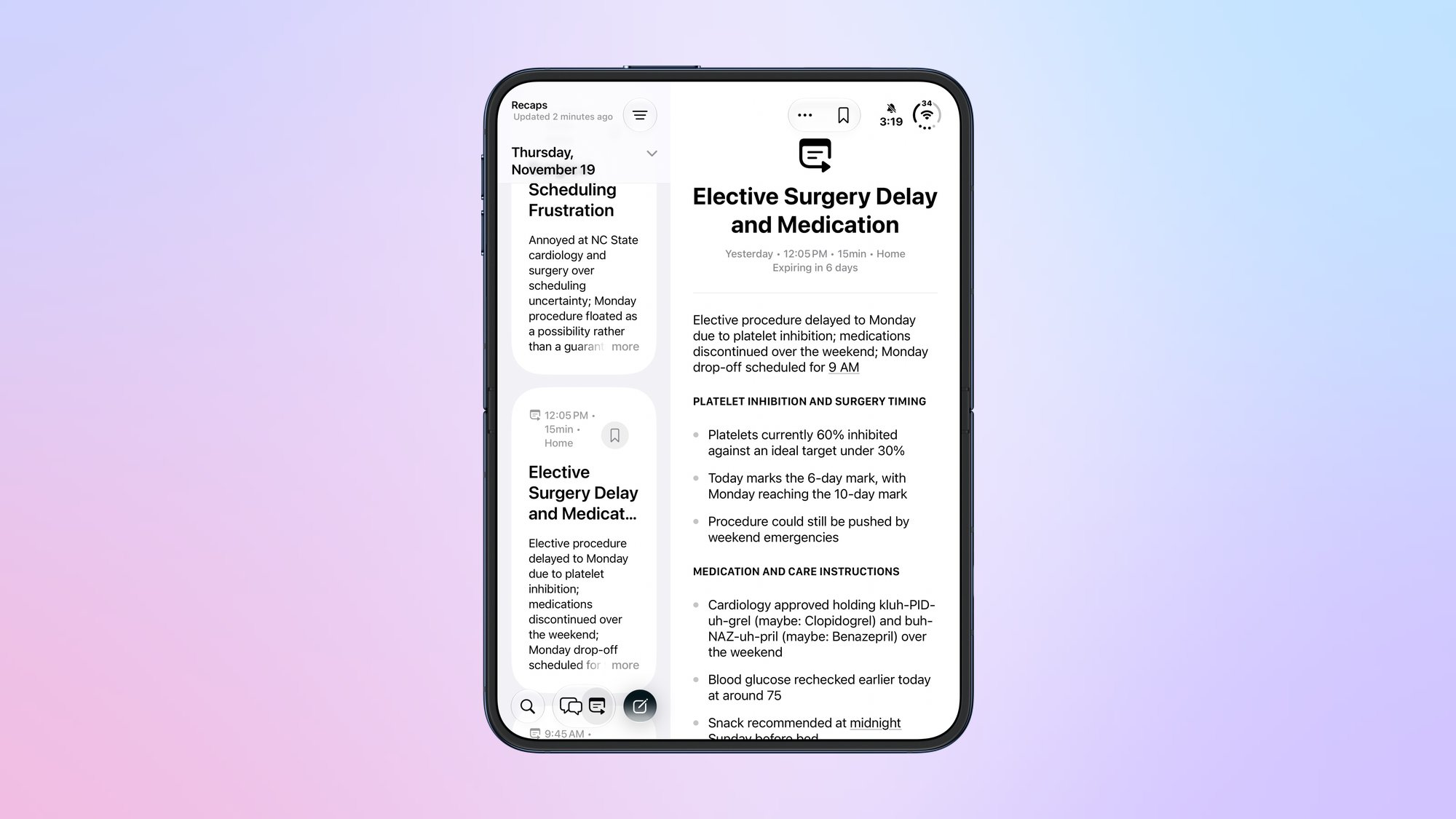
Siri Recap Hands-On: Private, But Not Very Useful

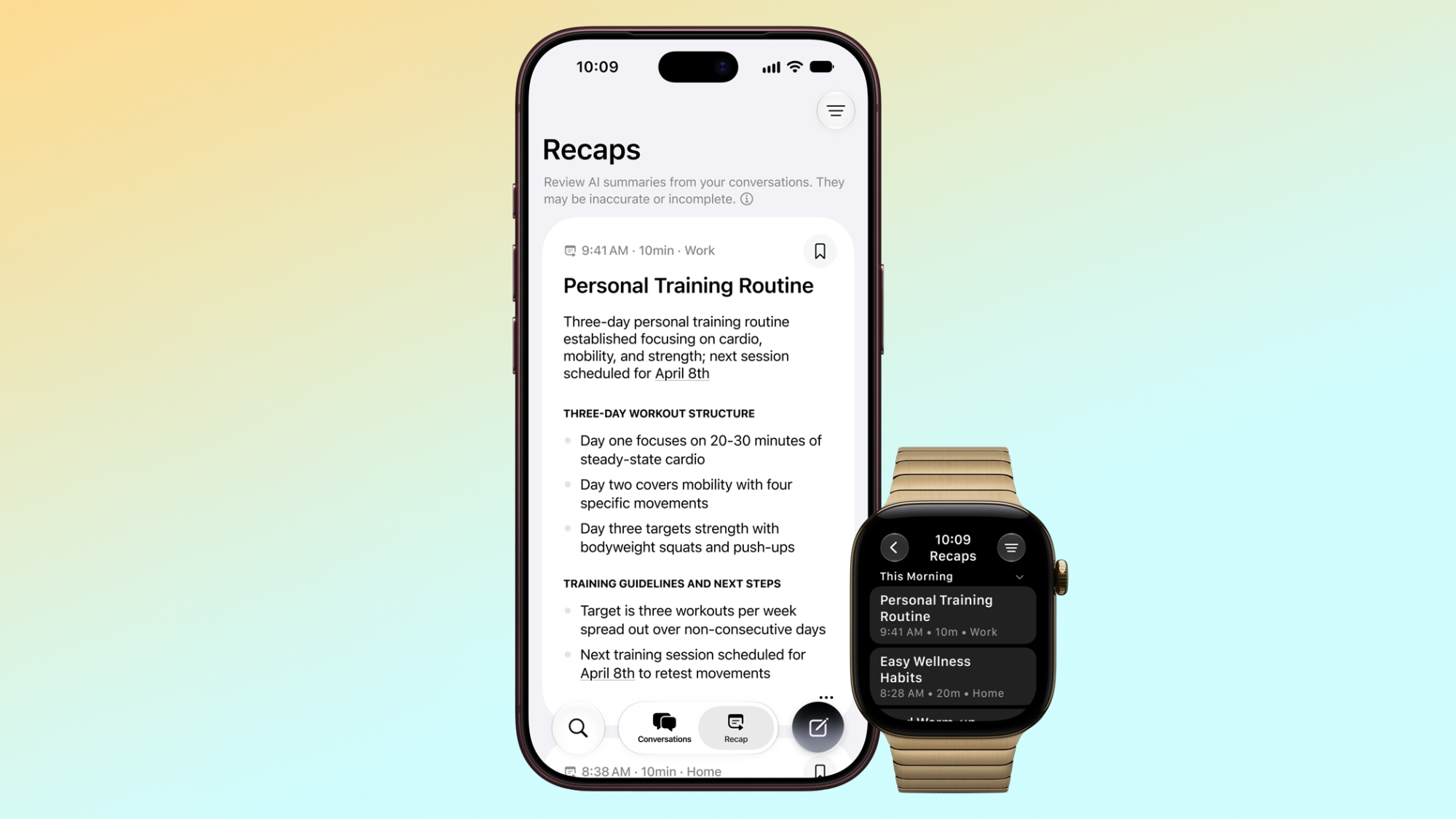
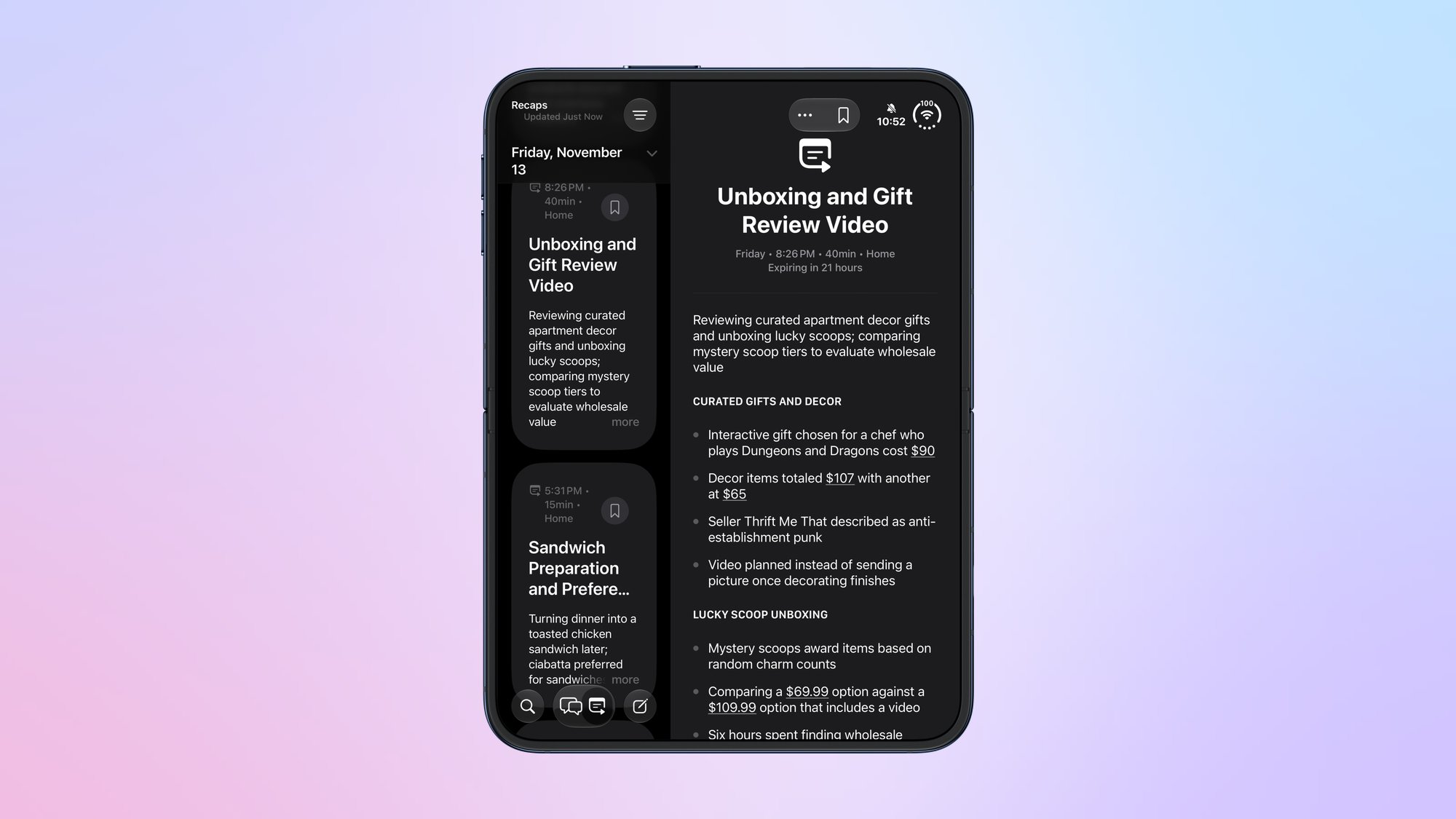
With the watchOS 27.3 beta, Apple started testing Siri Recap. ‌Siri‌ Recap lets the Series 12 and Ultra 4 Apple Watch models listen to conversations to generate a brief summary of what was discussed. Actual audio is sectioned off from apps, Apple, and the rest of the OS, and then discarded after a summary is generated.


It's a privacy-forward way of tracking what's going on around you, but after two weeks of testing, it's clear that the privacy safeguards limit its usefulness. Overly brief summaries, lack of speaker labeling, and no original audio to compare against make ‌Siri‌ Recap unreliable.

Before I get into my experience, I want to make it clear that ‌Siri‌ Recap is a beta feature in beta software. It hasn't been released yet, Apple hasn't finished refining it, and it won't be available to the public until watchOS 27.3 launches in December. Still, the bones are in place. Some of the issues I encountered could improve before release, but others are the result of the way it's built.

My first recaps were from YouTube videos and Instagram Reels. ‌Siri‌ Recap can tell when I'm watching TV shows and movies, but it can't distinguish a YouTube video from a real-life conversation. I was surprised it summarized dialogue I wasn't involved in instead of waiting until it recognized my voice (which ‌Siri‌ can do). Listening in on ambient conversations makes it feel a little stalker-like. When ‌Siri‌ Recap is turned on, it's listening, and there's no indication for the people around you.


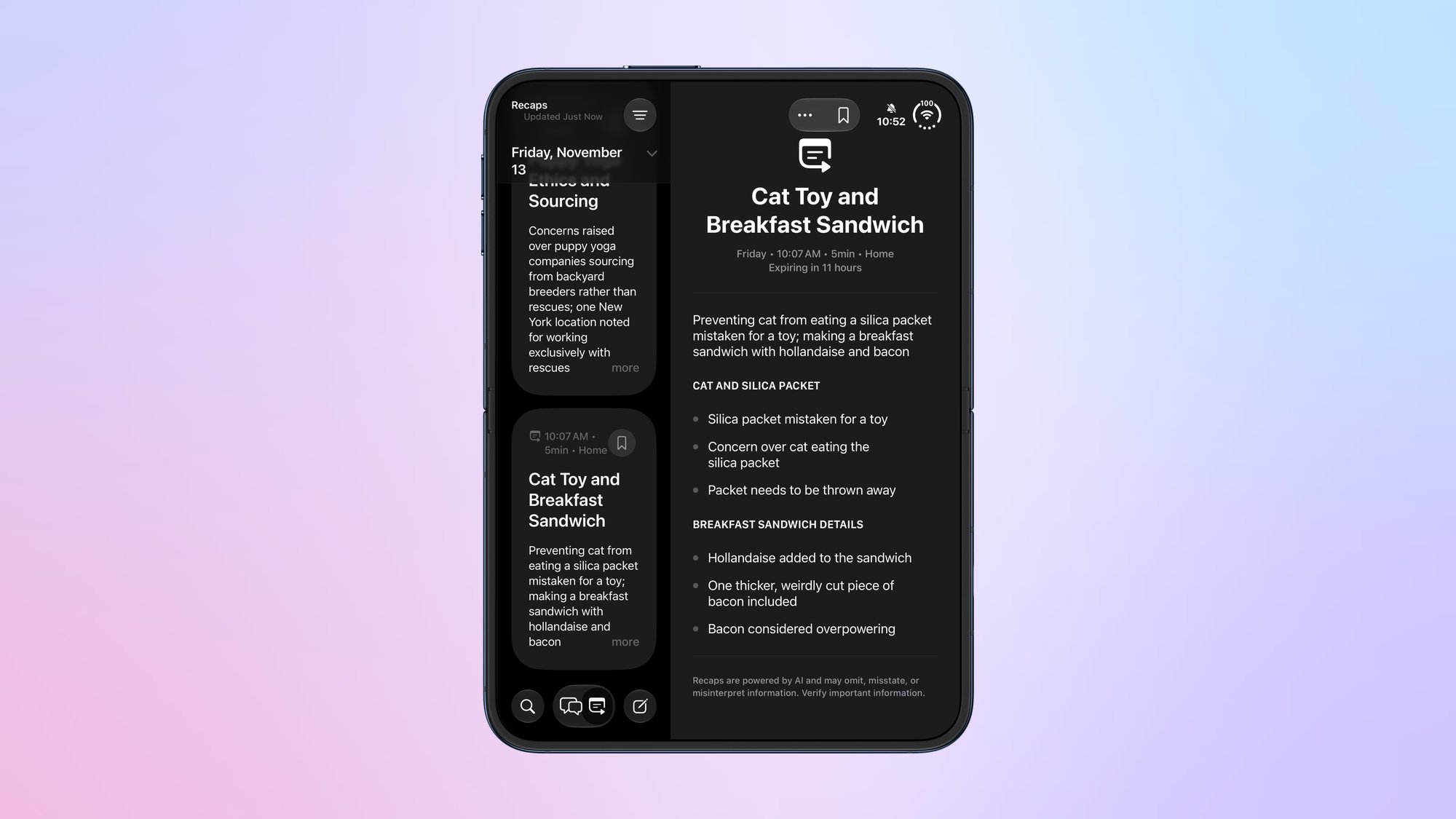
Most of my other recaps summarized short, inconsequential conversations with my partner that I don't need or want to revisit. I don't need to remember that my breakfast on Friday had one too many pieces of vegan bacon, or that my cat was playing with a silica packet. I don't need to remember discussions about Grand Theft Auto VI or that I saw a rabbit in the driveway the other day. There is an option to only have ‌Siri‌ Recap on at certain times of the day or in certain locations, which would eliminate that issue. Ironically, ‌Siri‌ did the best at summarizing shorter interactions I don't care about.


I've taken my cats to a few vet appointments recently, so I had an opportunity to test ‌Siri‌ Recap with genuinely important conversations where I get a flood of information. After the first visit, I learned ‌Siri‌ and I don't have the same opinion on the details that matter, and I found that summaries of longer conversations are just too concise and inaccurate to be helpful.

I told the vet my cat is picky and will only eat one kind of dry food, but stays hydrated because she drinks a lot of water. In a separate part of the conversation, I said she was gaining weight even though her prescription food isn't for kittens. ‌Siri‌ combined those two parts of the conversation into a summary that doesn't make sense, and I had that issue in almost every long conversation.

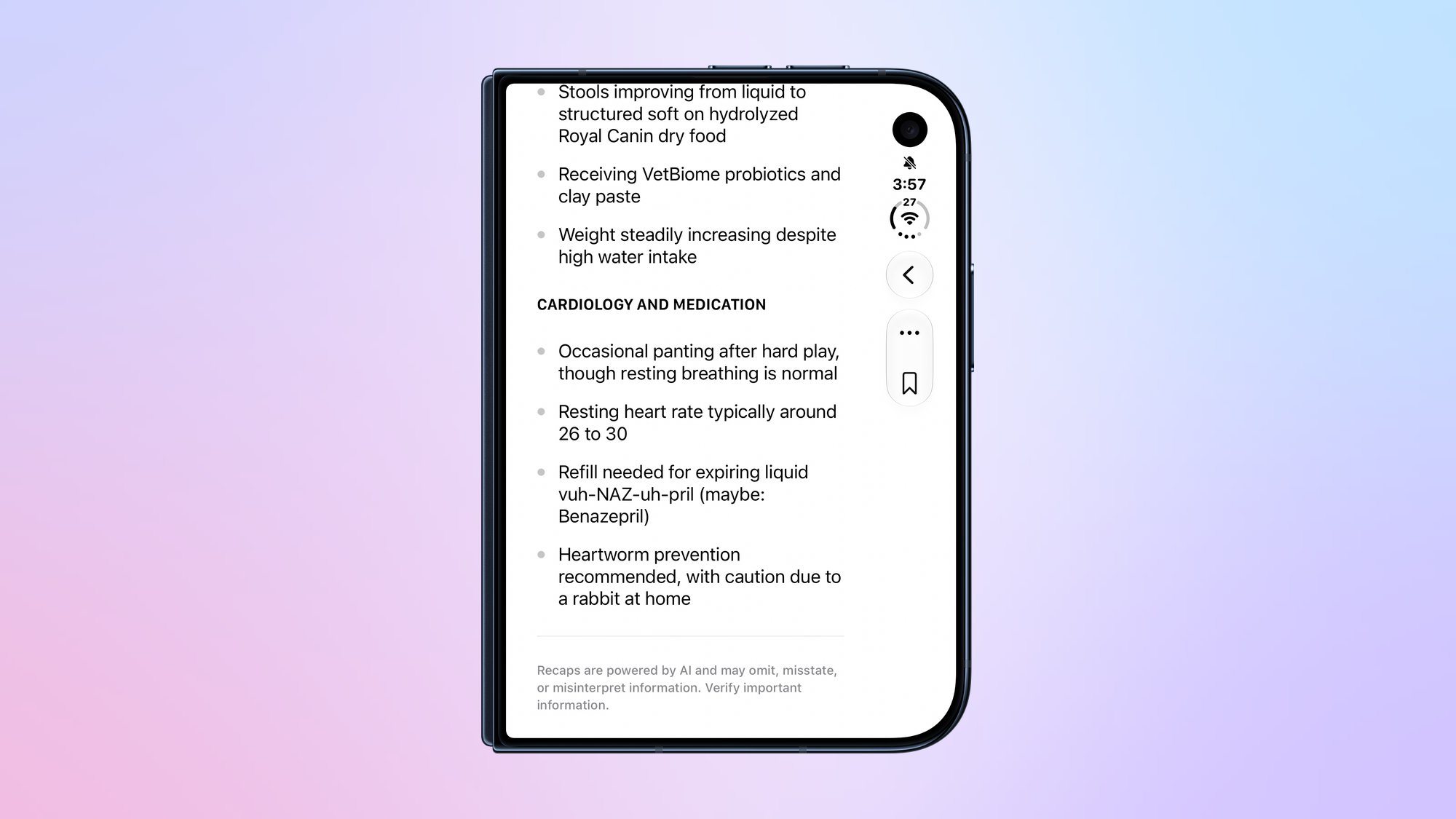
A few minutes later, I asked for a recommendation on heartworm medication because I've read about some problematic products that can make cats sick. The vet relayed a story about needing a particular brand for her cat because she has a rabbit at home, and rabbits are sensitive to a lot of medications. ‌Siri‌ Recap doesn't label speakers, so the summary of that conversation turned into a confusing amalgamation suggesting I have a rabbit at home. Inappropriately combining unrelated concepts is likely something that can be fixed, but the lack of speaker labels is intentional.


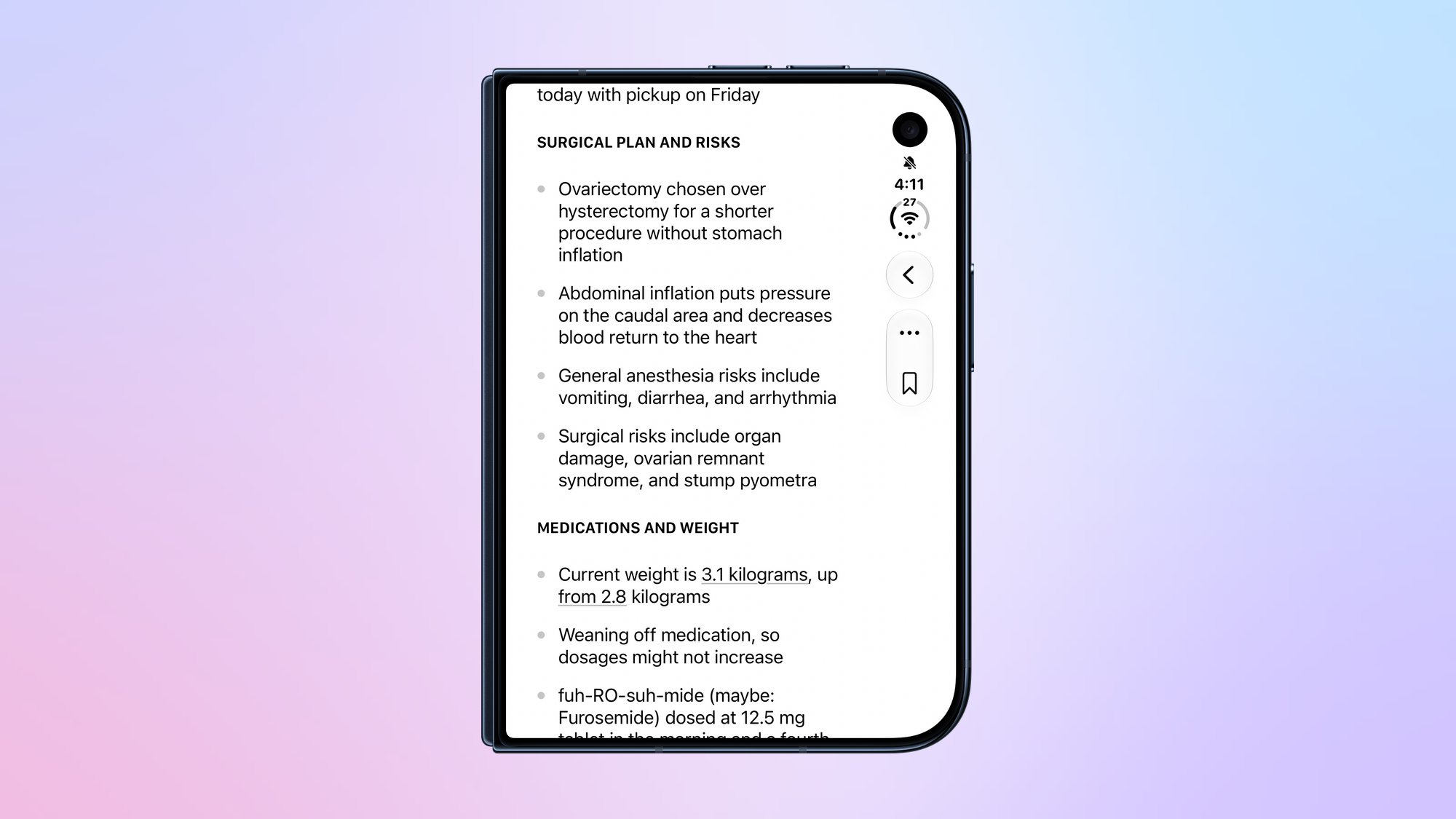
During a pre-surgery consultation, I think I ran into another limitation. Apple says potentially harmful content isn't summarized, which could cover a broad range of topics. Important parts of the conversation with the vet aren't in the summary, like some of the scarier surgical risks and resuscitation preferences. ‌Siri‌ doesn't say if anything was skipped because of the content, so I don't know if that information wasn't considered important or if it was filtered out.


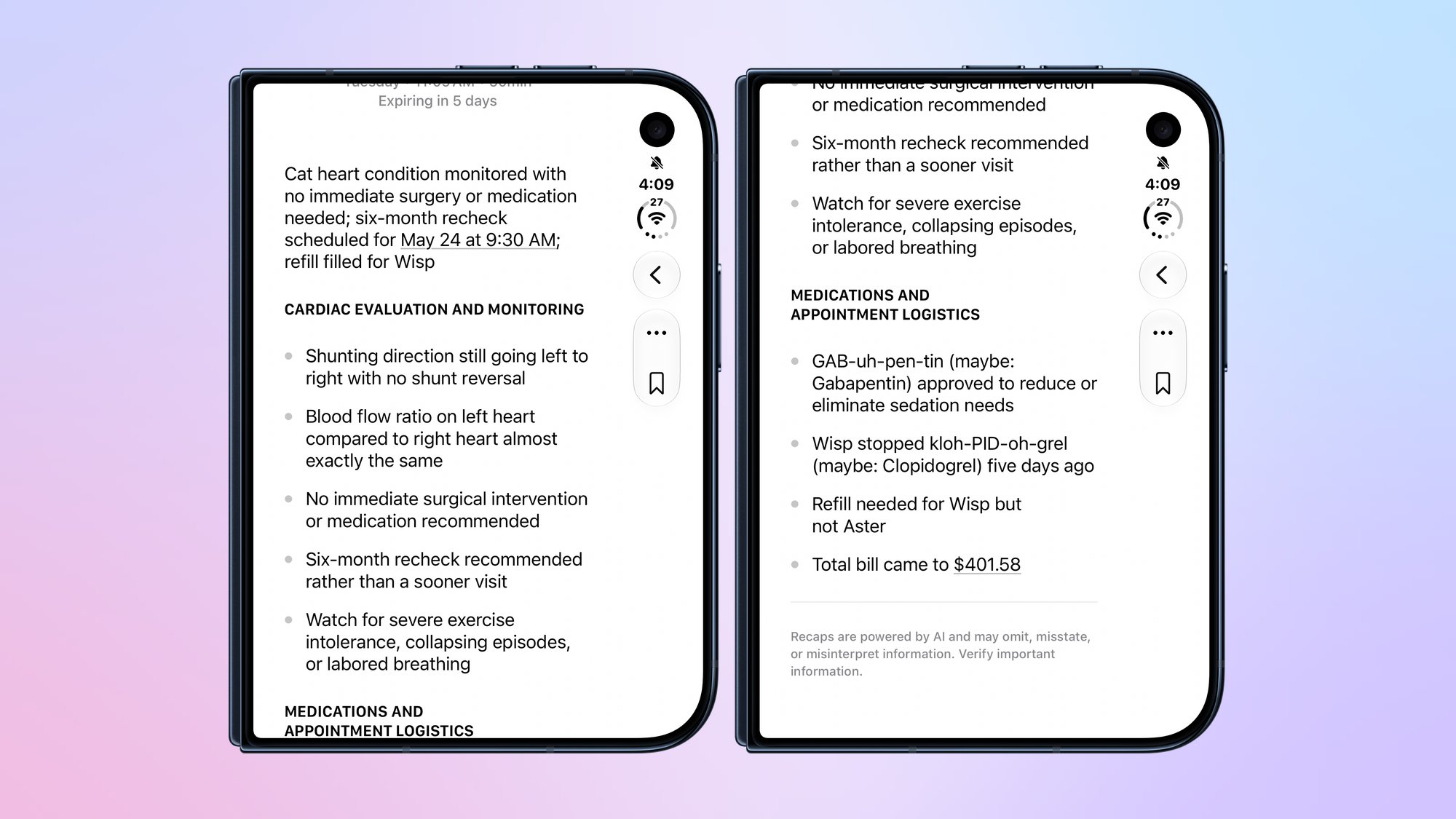
Some of what ‌Siri‌ recapped was useful. If conversations were fact-heavy, ‌Siri‌ did a good job getting everything down, especially when dates were involved. I scheduled a follow-up appointment and ‌Siri‌ got the date right and the exact total of the bill when it was spoken aloud. Apple does say ‌Siri‌ Recap doesn't include financial info, so I'm not sure what counts. ‌Siri‌ is also surprisingly good at interpreting spoken medication names like benazepril and clopidogrel and correctly guessing what they're meant to be.


During a third vet visit, the recap did get many of the major points, but going over those notes made me realize this kind of summarization may not work, even when accurate. I had my own memory of the conversation and knew what I thought was important, but some of what ‌Siri‌ kept wasn't what mattered to me.

Those ‌Siri‌ details I re-read were cemented in my memory over other information when I revisited the conversation later in the week, subtly changing how I remember the appointment. I worry having notes that aren't my own will overwrite what I would have remembered without them. It's almost like having a picture of something that happened in my head, and then having someone tell me it happened differently.


‌Siri‌ Recap doesn't transcribe entire conversations for privacy reasons, but that leaves ‌Siri‌ to decide what's important enough to be written down in a discussion. I don't trust ‌Siri‌ to make that kind of decision, personally, and there's no option to check what ‌Siri‌ is leaving out since there are no raw files. I wouldn't want ‌Siri‌ Recap to record conversations in full because of the privacy concerns, but Apple's summarization alternative has shortcomings that affect its usefulness.

‌Siri‌ picks and chooses what matters, and in my two-week test, ‌Siri‌ merged concepts and conversations in ways that were more confusing than helpful over and over again. ‌Siri‌ Recap isn't a feature I'm going to use, and it's not a feature I'd recommend to others.
Related Roundups: watchOS 26, watchOS 27
Tag: Siri
Related Forum: Apple Watch

This article, "Siri Recap Hands-On: Private, But Not Very Useful" first appeared on MacRumors.com

Discuss this article in our forums
  •  

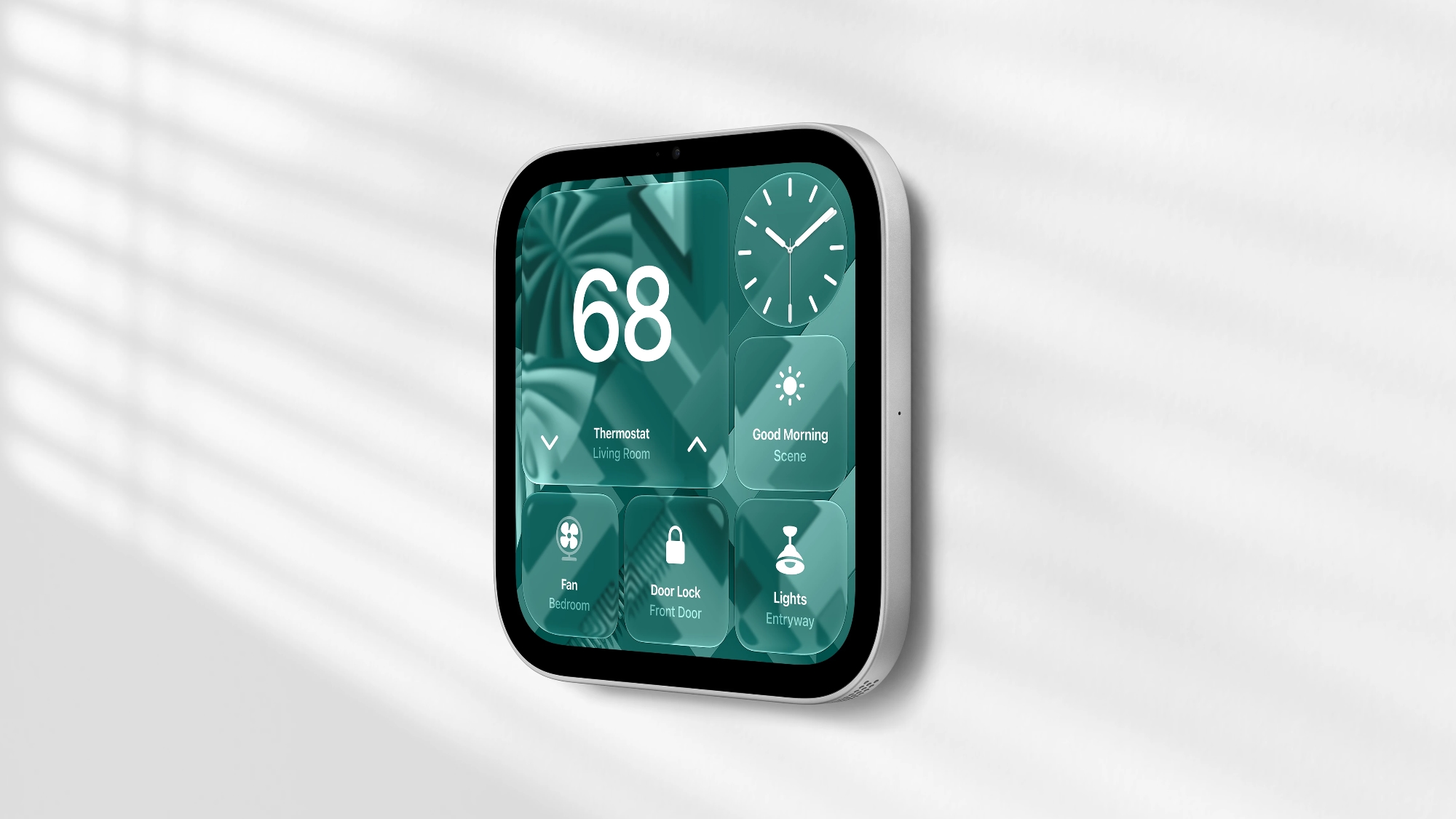
HomeView 27.2.1 Update Fixes Siri Bugs

Apple today released a new software update for the HomeView, and it fixes two Siri issues users were running into.


According to Apple, HomeView 27.2.1 fixes a bug that could cause ‌Siri‌ requests to fail if the HomeView is paired to an iPhone or iPad running the iOS 27.3 or iPadOS 27.3 betas.

It also addresses an issue that caused the HomeView to fail to download support for ‌Siri‌ when setting up a Shared Album on the Photos face.

A third fix prevents the HomeView from being removed from the home when connecting another home hub. From Apple's release notes:
This update provides important bug fixes for your HomeView, including fixes for the following issues:
- Setting up a Shared Album on the Photos face may prevent the device from downloading support for Siri, causing Siri to be unavailable
- Pairing with an iPhone or iPad running the iOS or iPadOS 27.3 beta may cause Siri requests to fail
- Connecting another home hub device may unexpectedly remove HomeView from your home

Shortly after the HomeView launched, complaints started rolling in. Users found the device would not set alarms or timers, and some users had problems downloading ‌Siri‌. Music commands failed in some cases, and there were also delays in ‌Siri‌ responses. Apple's notes don't mention alarms, timers, or music, but the ‌Siri‌ fixes may address some of the issues.

Reviewer Joanna Stern also ran into a bug that prevented ‌Siri‌ AI from unlocking door locks and garage doors by voice after authenticating with the camera. Apple said it will fix the bug in December.

New HomeView software can be installed in the Settings app on the device or through the Home app on a connected iPhone, ‌iPad‌, or Mac.
Related Roundup: Apple HomeView
Tag: Siri
Buyer's Guide: HomeView (Buy Now)

This article, "HomeView 27.2.1 Update Fixes Siri Bugs" first appeared on MacRumors.com

Discuss this article in our forums
  •  

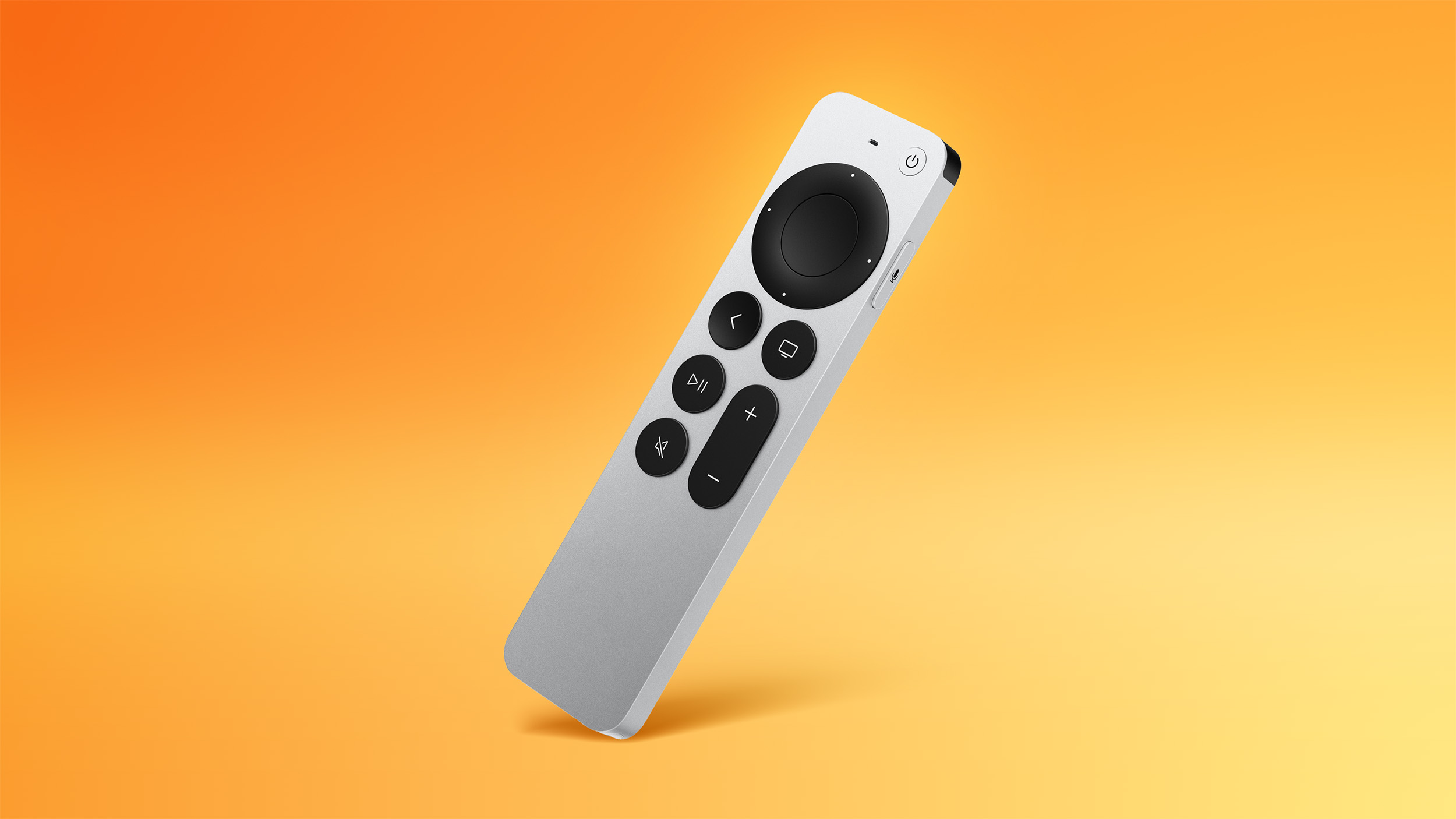
Apple Releases Siri Remote Firmware Update

Apple on Tuesday released a firmware update for the fourth-generation Siri Remote. The new version is 0001.0061.0000.0000, up from 0001.0057.0000.0000, according to AppleDB.

There is no way to manually install the update, so make sure your Siri Remote is charged and near your Apple TV and it should automatically install over time. To check, open the Settings app on tvOS and select Remotes and Devices → Remote. Apple does not provide Siri Remote firmware release notes.
Related Roundup: Apple TV
Buyer's Guide: Apple TV (Buy Now)

This article, "Apple Releases Siri Remote Firmware Update" first appeared on MacRumors.com

Discuss this article in our forums
  •  

Apple Says iCloud+ Plans Will Not Include Increased Siri AI Usage in UK

Apple on Monday announced that it is implementing daily usage limits on Siri AI and select other Apple Intelligence features that rely on "powerful server models" starting with iOS 27.3 and corresponding software updates, but increased access will be included with most iCloud+ plans at no additional cost in most countries, with one notable exception.


In a support document, Apple said increased access to these features with most iCloud+ plans will not be available in the UK. It is unclear if this means Brits will have no way of getting around the daily usage limits or if Apple plans to charge a separate fee for increased access to the features in the country. We have reached out to Apple for comment.

The limits will apply to features such as Siri AI, Image Playground, options like Clean Up and Extend in the Photos app, generating shortcuts with natural language in the Shortcuts app, and more. Apple says the limits may vary by feature category, request complexity, system demand, system policies, and other factors.

An overview of iCloud+ pricing in the U.S. and increased usage of Siri AI and select other Apple Intelligence features included with each plan:
  • 5GB (free): Standard limit

  • 50GB ($0.99/month): Standard limit

  • 200GB ($2.99/month): Up to 2× the standard limit

  • 2TB ($9.99/month): Up to 5×

  • 6TB ($29.99/month): Up to 10×

  • 12TB ($59.99/month): Up to 20×
iOS 27.3 is currently in beta. The update is expected to be released in December. For more details, read our previous coverage and Apple's support document.
This article, "Apple Says iCloud+ Plans Will Not Include Increased Siri AI Usage in UK" first appeared on MacRumors.com

Discuss this article in our forums
  •  

iOS 27.3 Beta Adds Daily Siri AI Limits and iCloud+ Upgrades

With the latest iOS 27.3, iPadOS 27.3, and macOS 27.3 betas, Apple is starting to test limits and paid upgrades for Siri AI and Apple Intelligence features.


Every Apple device gets a free daily access allowance for Siri AI and ‌Apple Intelligence‌ features that rely on server-side AI processing, such as Image Playground and Clean Up in Photos. When that limit is hit, there will be an option to extend usage with an iCloud+ plan. Here's what will be limited after the daily allowance has been reached:


  1. ‌Siri‌ AI for multi-step, personal context requests that rely on server-side processing, such as asking ‌Siri‌ what time you need to leave from home to make it to a location on time.

  2. Image generation and editing tools, including ‌Image Playground‌ and the AI options in ‌Photos‌ like Clean Up, Extend, and Spatial Reframing.

  3. Workflows and automations in Shortcuts that rely on AFM Cloud and AFM Cloud Pro.

  4. Third-party apps that use Apple Foundation Models in Private Cloud Compute for AI features.


While more complex, multi-step requests will be restricted, basic ‌Siri‌ commands will continue to be available even after a device limit is reached. Examples of basic ‌Siri‌ commands include those with a single ask, such as "set a timer for 30 minutes" or "text Eric I'm on my way."

Apple's existing ‌iCloud‌+ plans will include higher daily usage for ‌Siri‌ AI and ‌Apple Intelligence‌, with no change in pricing. If you already subscribe to an eligible ‌iCloud‌+ plan, you will have higher usage limits. Free limits are per device, not per account, and do not roll over.

More access starts with the 200GB ‌iCloud‌+ plan, which is priced at $2.99 per month. Users who subscribe to this plan have up to a 2x usage limit. Users who subscribe to the $9.99/month 2TB plan get up to 5x usage. The $29.99/month 6TB plan comes with up to 10x usage, and the $59.99/month 12TB plan offers up to 20x usage. Family members who share a plan will have a shared usage pool.

  • 50GB - No limit increase

  • 200GB - Up to 2x limit

  • 2TB - Up to 5x limit

  • 6TB - Up to 10x limit

  • 12TB - Up to 20x limit


Every Apple device will use the free daily limit first, and when that's reached, ‌Siri‌ AI and ‌Apple Intelligence‌ will use the ‌iCloud‌+ paid access. In a family group, a device that hits the free limit will start drawing from the shared pool on a first-come, first-served basis. Limits will reset at around 12:00 a.m. in the user's current time zone, and in families, the reset is based on the plan purchaser's time zone.

Each of the four categories has a different limit, and Apple will likely use the beta testing period to refine those limits and make sure people aren't hitting their caps too quickly. Limits depend on feature category, request complexity, and system demand, and they could change over time.

Apple plans to give warnings when people are approaching their limits, and a notification when the limit has been hit. From there, users will be able to purchase additional access through an ‌iCloud‌+ plan, or wait for their limit to reset.

Apple is not planning to offer additional usage beyond what's available with the 12TB ‌iCloud‌+ plan at this time.
Related Roundups: iOS 27, iPadOS 27
Tag: Siri
Related Forum: iOS 27

This article, "iOS 27.3 Beta Adds Daily Siri AI Limits and iCloud+ Upgrades" first appeared on MacRumors.com

Discuss this article in our forums
  •  

iOS 27.3 Adds 'Ask About Page' Siri AI Feature to Safari

The second beta of iOS 27.3 includes a new "Ask About Page" feature for Siri AI.


‌Siri‌ can see the entire content of a webpage, including content that isn't currently in view on the screen. If you're looking at a website with a long menu, for example, you can ask ‌Siri‌ to surface all of the options that are gluten-free. Or if you're getting ready for a trip, you can ask ‌Siri‌ to read through a long guide and put together a packing list based on what's on the page.

Right now, ‌Siri‌ has on-screen intelligence, but it relies on what's in view. Access to a full webpage will make ‌Siri‌ more useful for summarizing content.

In the first beta of iOS 27.3, Apple expanded what ‌Siri‌ can do in and across apps like Calendar, Files, Finder, Journal, Mail, Maps, Messages, Music, Notes, Photos, Preview, Reminders, Safari, Shortcuts, and Weather.

In Mail, for example, ‌Siri‌ can unsubscribe you from mailing lists and undo recently sent messages. In Weather, ‌Siri‌ can add locations to your weather list, or control weather notifications. In Safari, ‌Siri‌ can clear browsing history, manage tabs and windows, save articles to a Reading List, and close duplicate tabs. In Files, ‌Siri‌ can organize content, delete files you haven't accessed for a set period of time, and more.

Apple is also allowing third-party integration for ‌Siri‌ AI, so any app will be able to bring its contents and actions directly into ‌Siri‌ AI.
Related Roundups: iOS 27, iPadOS 27
Tag: Siri
Related Forum: iOS 27

This article, "iOS 27.3 Adds 'Ask About Page' Siri AI Feature to Safari" first appeared on MacRumors.com

Discuss this article in our forums
  •  

Apple's Smart Glasses Strategy Hinges on Siri and iPhone Apps

Apple plans to unveil its first smart glasses at WWDC in June 2027 and begin shipping them before the end of the year, according to Bloomberg's Mark Gurman.


In the latest edition of his "Power On" newsletter, Gurman shared new details about the glasses' design, charging system, and Siri features.

Current prototypes of the glasses, internally code-named "N50," are reportedly slightly thinner than Meta's second-generation Ray-Bans. Some test units have oval camera openings integrated into the frame without protruding housings. A front light indicates use or charging, while Apple is experimenting with additional privacy features.

Apple is apparently developing multiple styles and colors, with an emphasis on materials, sensors, and audio quality. Employees have described the sound as "industry-leading," with the glasses supporting music playback, calls, and FaceTime audio.

Testers can also charge the prototype glasses while wearing them. A flat, three-pin magnetic connector, "roughly the size of a Tic Tac," attaches near the end of the left temple arm. Gurman said it remains unclear whether Apple will use this charging system in the shipping product.

The first model will not display augmented reality imagery. Wearers will interact through ‌Siri‌, which will use the cameras to answer questions about their surroundings.

Planned uses include identifying buildings, suggesting meals based on ingredients in a refrigerator, providing directions, and translating signs and conversations. Apple also intends to support calls, messages, iPhone notifications, calendars, standard and visual reminders, music controls, and smart home controls.

To support the glasses, developers will need to let ‌Siri‌ control specific features in their iPhone apps. Apple envisions tasks such as booking restaurant tables, requesting rides, ordering coffee, shopping, and purchasing movie tickets working on the device.

Developers will not need to create separate apps for the glasses. Their software will run on a paired iPhone, with the two devices working together to fulfill requests. Current plans require a recent iPhone model, with no Android support. The paired phone will compensate for the glasses' limited processing power and memory.

Wi-Fi will allow certain functions outside third-party apps to remain available without a nearby iPhone. Gurman suggested audio playback could theoretically continue over Wi-Fi, although the glasses will not function as a fully independent device.

Internal prototypes purportedly run a reduced version of visionOS 28 and contain a processor derived from older Apple Watch chips. Other custom components handle wireless connectivity and process images as the cameras capture them.

Apple began introducing the necessary ‌Siri‌ controls in this month's first iOS 27.3 beta, enabling more precise control of app actions. Originally demonstrated in 2024, the capability has been rebuilt using newer AI models. Apple plans to release support for its own apps in December, followed by third-party support in 2027.

Apple wants developers to prepare those integrations before the glasses arrive and continues to target a WWDC announcement next year. The company sees access to its existing app ecosystem as a major selling point against rival smart glasses.

The device will also overlap with camera-equipped AirPods, which remain scheduled for launch in late 2027 and will also provide ‌Siri‌ with information about the user's surroundings. The glasses should offer longer battery life and accommodate more sensors, with Apple seeing the potential for them to be worn throughout the day.

Work on the glasses started in the early 2020s, and Apple is said to have largely settled on the hardware. The remaining obstacles involve software and AI, which Gurman said are running late and could delay the planned 2027 launch.
Related Roundup: AirPods Pro 3
Buyer's Guide: AirPods Pro (Neutral)
Related Forum: AirPods

This article, "Apple's Smart Glasses Strategy Hinges on Siri and iPhone Apps" first appeared on MacRumors.com

Discuss this article in our forums
  •  

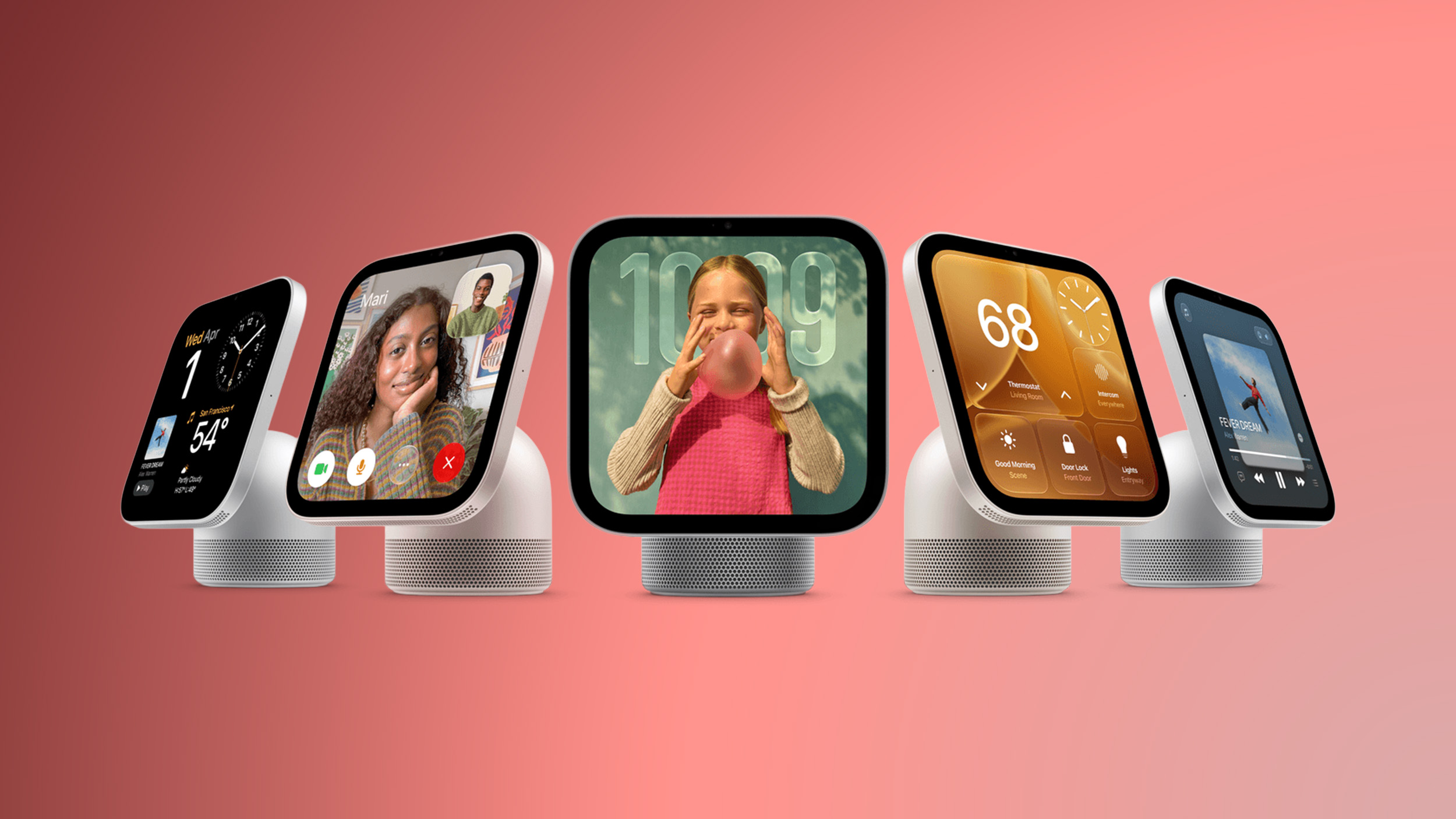
Siri AI Still Not Enabled on HomePod Mini 2 With Latest Software Update

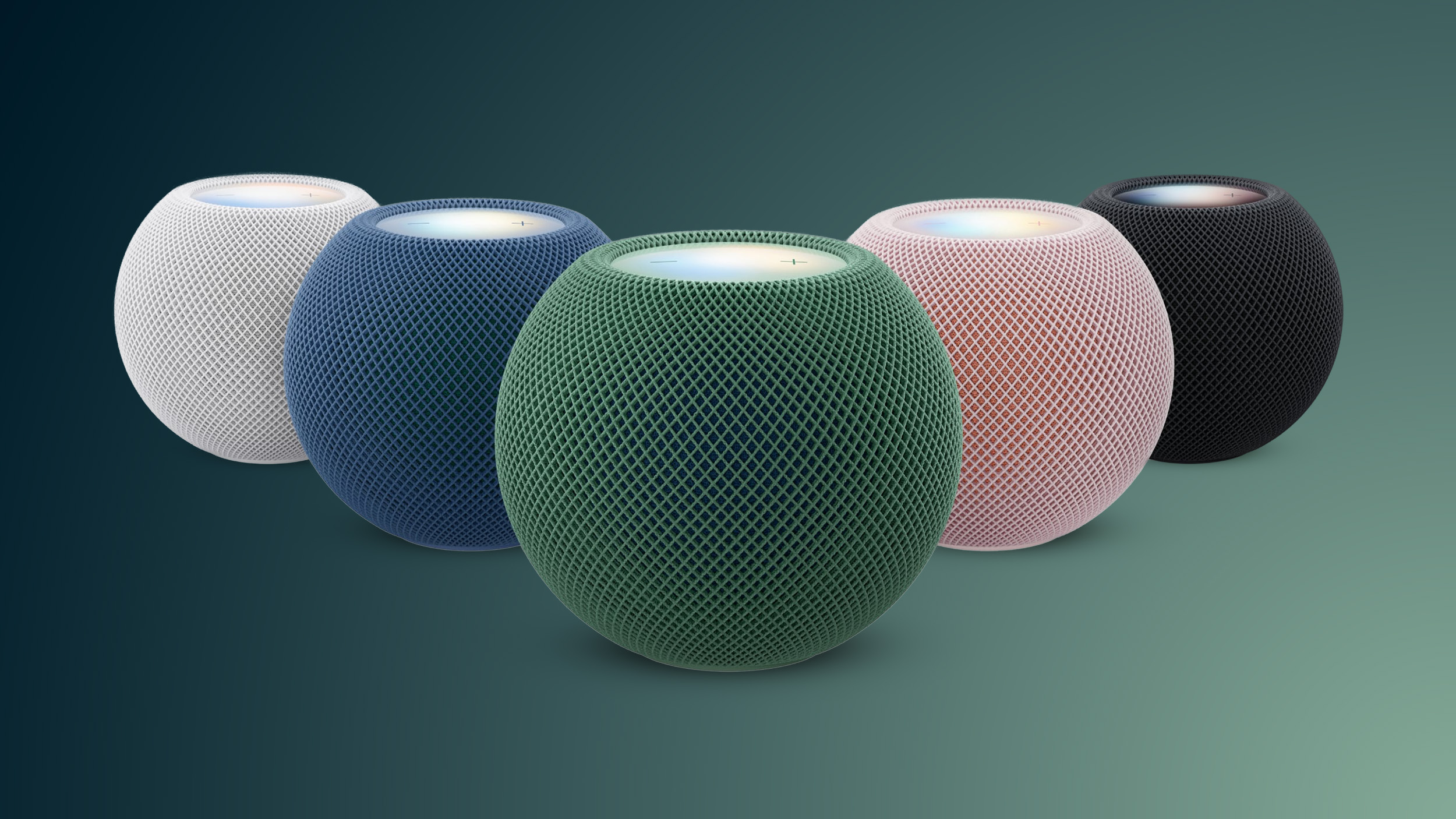
Apple today released HomePod software version 27.2.1, but it does not enable Siri AI on the HomePod mini 2. Apple's website continues to say the feature is "coming in a future software update," but it has not provided a timeframe.


Due to the HomePod mini 2 having only 2GB of RAM, well below the minimum 8GB of RAM required for dedicated Siri AI, personal context requests will require a paired Apple Intelligence–enabled iPhone or iPad with Siri AI turned on.

tvOS 27.2.1 was also released today, and it enables Siri AI on the Apple TV 4K (2nd generation) and Apple TV 4K (3rd generation). Siri AI is an opt-in feature on these devices, so after installing the update you will need to open the Settings app and tap on General → Siri → Siri AI (Beta). This will initiate a download with support.

If you update to tvOS 27.2.1 and take no further action, Siri Classic remains enabled by default.
Related Roundup: HomePod mini 2
Tags: Siri, Siri AI
Buyer's Guide: HomePod Mini (Buy Now)

This article, "Siri AI Still Not Enabled on HomePod Mini 2 With Latest Software Update" first appeared on MacRumors.com

Discuss this article in our forums
  •  

Apple Releases tvOS 27.2.1 With Siri AI for Older Apple TVs

Apple today released tvOS 27.2.1, an update to the tvOS 27 operating system that launched in September. tvOS 27.2.1 comes nearly three weeks after Apple released tvOS 27.2.


tvOS 27.2.1 brings Siri AI support to the 2nd- and 3rd-generation Apple TV 4K models, but it is available for all ‌Apple TV‌ 4K models that support tvOS 27.

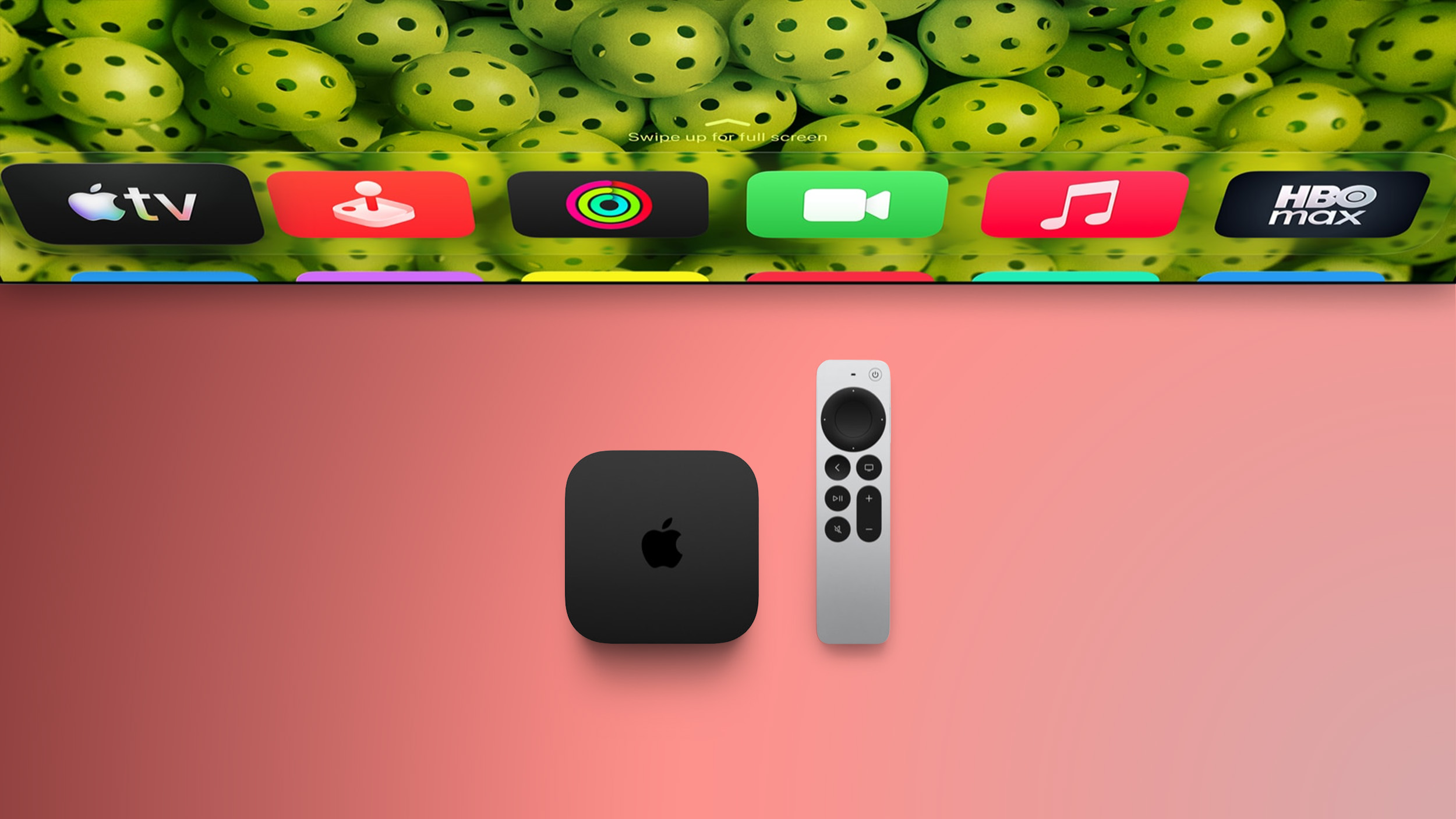
Apple announced ‌Siri‌ AI for the ‌Apple TV‌ when debuting the 4th-generation ‌Apple TV‌ 4K. A separate tvOS 27.2 build activates ‌Siri‌ AI on the newest set-top box, but the older ‌Apple TV‌ 4K models will need the tvOS 27.2.1 update to get access.

‌Siri‌ AI is the smarter, more capable version of ‌Siri‌ that Apple introduced earlier this year. ‌Siri‌ AI can play content, draw on personal context to offer suggestions, answer world knowledge questions, and complete tasks.

Using ‌Siri‌ AI on the ‌Apple TV‌ requires a paired Apple Intelligence-compatible iOS device, which includes the iPhone 15 Pro and later.

‌Apple TV‌ users can download tvOS 27.2.1 by going to Settings > System > Software Update. Apple has also released a new HomePod Software 27.2.1 update for the ‌HomePod‌ and ‌HomePod‌ mini.
Related Roundup: Apple TV
Tag: Siri
Buyer's Guide: Apple TV (Buy Now)

This article, "Apple Releases tvOS 27.2.1 With Siri AI for Older Apple TVs" first appeared on MacRumors.com

Discuss this article in our forums

  •  

Hands-On With the New Apple TV 4K and Siri AI

The 4th-generation Apple TV 4K with an A19 chip and Siri AI support is available starting on November 13, and we were able to spend some time with it ahead of launch.


‌Siri‌ AI is the headline feature, and while it's not perfect, it works better than the prior version of ‌Siri‌. ‌Siri‌ was able to pull up multiple movie and TV show recommendations and answer questions about content.

Apple says ‌Siri‌ AI is in beta, and there's more work to be done. ‌Siri‌ AI wasn't great at answering follow-up questions, and only did so part of the time.

There are far-field microphones in the set-top box, so you can just say "Hey ‌Siri‌" to activate ‌Siri‌ without having to use the remote. The ‌Apple TV‌ can recognize up to six people, so you can get personalized recommendations and context when talking to ‌Siri‌.

The person who sets up the ‌Apple TV‌ needs to have an iPhone or iPad that supports ‌Siri‌ AI for ‌Siri‌ AI to work on the ‌Apple TV‌, and personal context also requires each user to have their own ‌Siri‌ AI-compatible device. The 2nd- and 3rd-generation ‌Apple TV‌ 4K models will get ‌Siri‌ AI with the upcoming tvOS 27.2.1 update.

Apple didn't change the design of the ‌Apple TV‌ 4K or update the look of the ‌Siri‌ Remote, but the remote does have new capabilities. It has a speaker built in so you can have it play a sound when it's lost, and Precision Finding is available if you have an iPhone Air, iPhone Duo, or iPhone 17 and later (excluding iPhone 17e).

The tvOS interface feels faster with the A19 chip, and it should be better for games if you play Apple Arcade titles on your TV. You can also pair four HomePod speakers to the ‌Apple TV‌ for surround sound, a feature that's unique to the latest model.

Unfortunately, Apple is charging $299 for the 4th-generation ‌Apple TV‌ 4K. It's twice as expensive as the prior-generation version was at this same time last year, and that's a wild increase. It's probably not worth upgrading if you already have a 2nd- or 3rd-generation ‌Apple TV‌ 4K, but if you have something older, it might be worth paying the money to get the new features.
Related Roundup: Apple TV
Tag: Siri
Buyer's Guide: Apple TV (Buy Now)

This article, "Hands-On With the New Apple TV 4K and Siri AI" first appeared on MacRumors.com

Discuss this article in our forums

  •  

Siri AI Coming to Older Apple TV 4K Models in tvOS 27.2.1

An upcoming tvOS 27.2.1 update will bring Siri AI to the 2nd- and 3rd-generation Apple TV 4K models, according to Apple.


A support document outlining ‌Siri‌ AI requirements across Apple products says tvOS 27.2.1 supports ‌Siri‌ AI on the ‌Apple TV‌ 4K (2nd generation and later), but the software hasn't yet been released.

While older ‌Apple TV‌ models will need tvOS 27.2.1 for ‌Siri‌ AI, Apple appears to have a special ‌Siri‌ AI build of tvOS 27.2 for the 4th-generation ‌Apple TV‌ 4K. Reviewers were able to test ‌Siri‌ AI on review units, and we can confirm it's working on our own review unit running tvOS 27.2.

The 4th-generation ‌Apple TV‌ 4K ships with tvOS 27.0, and users are prompted to update it to tvOS 27.2 during the setup process.

Apple hasn't said when tvOS 27.2.1 will be released with ‌Siri‌ AI for older ‌Apple TV‌ 4K models, but it could come as soon as Friday.

The latest ‌Apple TV‌ is priced at $299, and it features an A19 chip and an updated ‌Siri‌ Remote that has a Find My speaker and Precision Finding support. ‌Siri‌ AI on the ‌Apple TV‌ requires a nearby paired ‌Siri‌ AI-enabled device like an iPhone 15 Pro or later.
Related Roundup: Apple TV
Tag: Siri
Buyer's Guide: Apple TV (Buy Now)

This article, "Siri AI Coming to Older Apple TV 4K Models in tvOS 27.2.1" first appeared on MacRumors.com

Discuss this article in our forums

  •  

Apple Says HomeView Software Update Coming Next Month With Siri Fix

In her HomeView review shared in a free edition of her New Things newsletter today, tech journalist Joanna Stern said Siri AI once told her "I don't have a camera to see you," even though the device has a camera. Apple confirmed to Stern that it plans to release a software update in December with a fix for this issue.


Siri AI also refused to open Stern's garage door or unlock her front door, even though the HomeView recognized her. Apple told her that the software update coming next month will enable this functionality. In the meantime, you can unlock door locks and garage doors by opening the Home app on the HomeView and tapping on-screen controls.


"Today users recognized by HomeView can unlock security accessories, including door locks and garage doors, directly on their HomeView screen," an Apple spokesperson told Stern. "With a software update next month, this will extend to Siri AI, giving users more ways to manage security accessories once they've been recognized."

HomeView launches this Friday, with U.S. pricing starting at $299. We also shared our own hands-on review video with our own impressions.
Related Roundup: Apple HomeView
Tags: Siri, Siri AI
Buyer's Guide: HomeView (Buy Now)

This article, "Apple Says HomeView Software Update Coming Next Month With Siri Fix" first appeared on MacRumors.com

Discuss this article in our forums

  •  

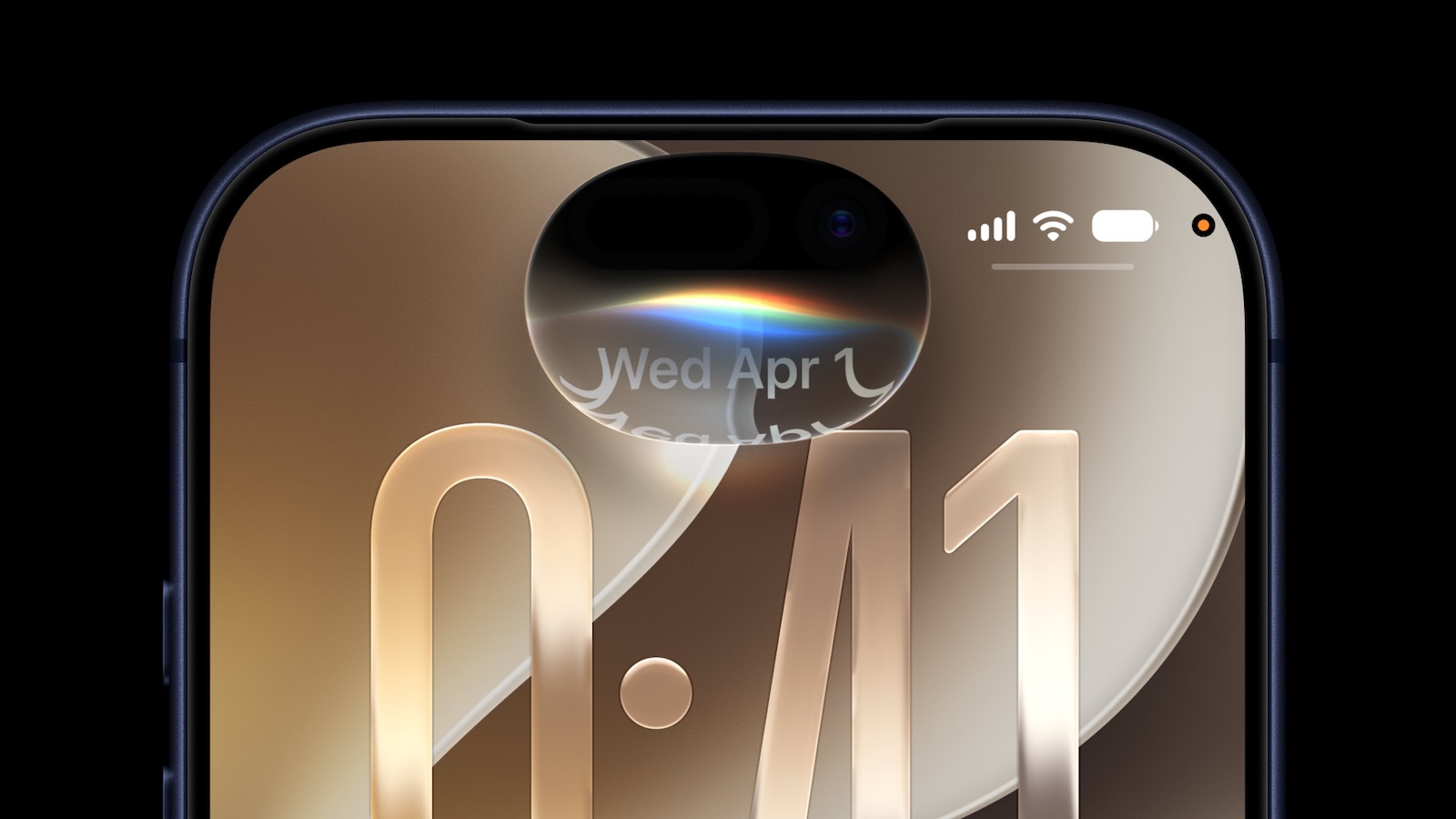
Siri Is Getting a Better Memory

Apple is building a personal memory system that could help Siri retain information about users' lives, based on new code findings shared by code explorer pdfu.


In Apple's iOS 27.3 beta release, the system includes a "memory graph" that's designed to organize information about relationships, places, routines, health, workouts, and what motivates users or holds them back, according to the findings. It also identifies "memory atoms" for facts, opinions, intentions, and events, including details about the people, places, times, and topics involved.

According to pdfu, the graph uses two kinds of processes to gather info. One turns structured data into insights – like reading the name fields in a user's own contact card. The other uses an on-device AI model or Private Cloud Compute to extract insights by querying sources including Siri conversations, messages, photos, and health data.

Apparently, only one of these AI-driven processes is present so far: pdfu believes it's designed to identify motivations, barriers, and resources using a set of 60 built-in questions, including questions about routines that might interfere with adequate sleep.

From what's been uncovered so far, it's still an unfinished system – pdfu says there's no process that creates memory atoms yet, for example. In a follow-up explanation, the code sleuth also distinguished the graph from a separate store for explicit memories. The latter store has space for records in Apple's search system, but nothing writes the records yet.

Both systems reportedly use Apple's version of the Kuzu graph database. Apple acquired Kuzu in 2025, but its plans for the technology were unclear when the acquisition emerged earlier this year.

Siri already offers personal context understanding, allowing the assistant to find information about the user's life in apps like Mail, Messages, and Photos. Nothing that's been uncovered so far tells us when the unfinished memory system will become available or how users will have control over their data.
Tags: pdfu, Siri, Siri AI

This article, "Siri Is Getting a Better Memory" first appeared on MacRumors.com

Discuss this article in our forums

  •  

Apple's Siri Boss May Leave - Here's Who Could Take Over

Mike Rockwell "continues to seriously consider stepping down" as Apple's vice president of Siri engineering and could leave the company altogether next year, according to Bloomberg's Mark Gurman. Gurman described the potential move as a major blow to Apple.


If Rockwell departs or moves to another role, responsibility for Siri would likely fall to one of two people. Amar Subramanya is a Google veteran hired last year to shore up Apple's AI efforts, and Sebastien Marineau, a deputy to software chief Craig Federighi, leads the teams integrating AI into iOS. Marineau is said to be seen by some inside Apple as a possible eventual successor to Federighi himself, and as someone "more all-in on the AI revolution."

As for Rockwell, he created the Vision Pro, before being put in charge of Siri's turnaround, but only after "an embarrassing two-year delay," as Gurman puts it. Reports of him weighing an exit from Apple first surfaced in April.

Hair Force One, however, isn't going anywhere, it seems. A succession to Federighi remains "a distant prospect," reckons Gurman. Federighi "maintains a firm grip" on Apple's software engineering organization and "has done little to prioritize succession planning or establish a clear path for a successor," according to his sources. Gurman adds that Federighi, who has led the organization for more than a decade, has given no indication that he is among Apple's senior leaders considering an exit in the coming years.
This article, "Apple's Siri Boss May Leave - Here's Who Could Take Over" first appeared on MacRumors.com

Discuss this article in our forums

  •  

Siri AI Rumored to Become 'More Like an Agent' as Early as Next Year

Siri AI is much more intelligent and personalized compared to classic Siri, but it is still not nearly as advanced as proactive, always-on agents like OpenAI's Dots and Meta's Muse. That may change, though, according to a new rumor.


In his Power On newsletter today, Bloomberg's Mark Gurman said he was told that Apple could make Siri function "more like an agent" as early as next year. However, if this plan moves forward, the exact implementation remains to be seen.

"Dots, Muse and Grok can keep track of goals, determine what needs to happen next and continue pursuing objectives without the user initiating every individual step," said Gurman. "Apple ultimately wants to go in this direction, I'm told, and I believe the company could make Siri more like an agent as early as next year."

Apple's AI ambitions could go beyond making Siri more agentic. In a closed-door meeting in recent weeks, Gurman said that Apple CEO John Ternus told Apple's software engineering chief Craig Federighi that Apple needs to "accelerate" its software roadmap and "move quickly beyond merely making necessary improvements to Siri."
This article, "Siri AI Rumored to Become 'More Like an Agent' as Early as Next Year" first appeared on MacRumors.com

Discuss this article in our forums

  •  

Prevent Siri and Search From Accessing Specific iPhone Apps

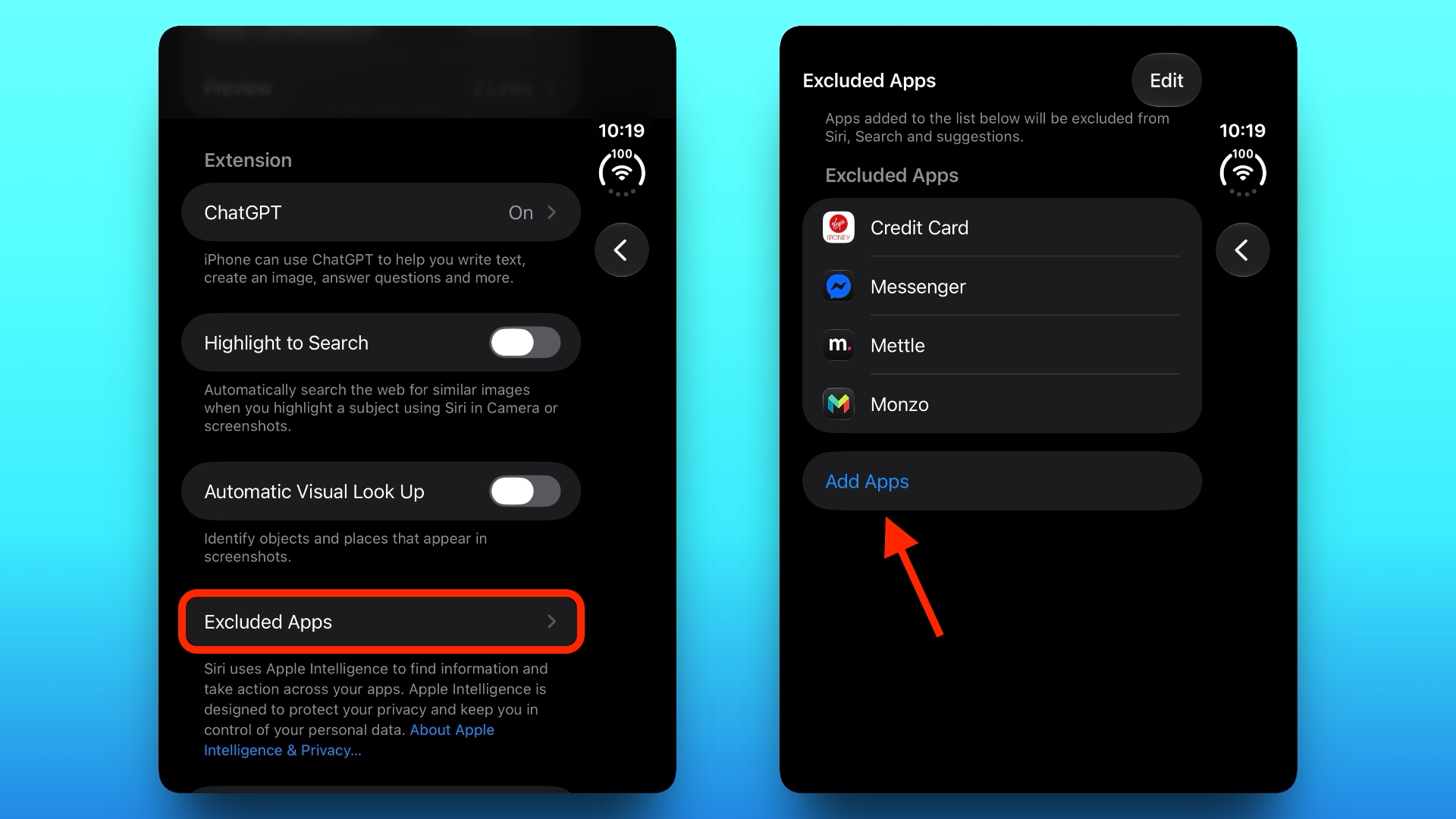
In iOS 27.2, Apple has a new settings menu that lets you choose which apps Siri, Search, and suggestions can access, all from one list. Here's what's changed and how to use the new menu.


With iOS 27.2, Apple has replaced the old App Access controls with a redesigned Excluded Apps feature that makes it a lot simpler to keep specific apps away from Siri, Search, and suggestions.

It's actually a bigger change than it might sound. Previously, excluding an app in iOS meant opening Settings ➝ Apple Intelligence & Siri ➝ Apps and adjusting each app's toggles individually. This included a switch that let Siri "Learn from this App," and several suggestion options that appeared in Search and widgets.

What was confusing is that some of these switches controlled on-device personalization, rather than access to an app's contents. Moreover, fully keeping an app's content out of search results also required toggling off a separate "Show Content in Search" switch that was buried in each app menu in Settings ➝ Apps.

Thankfully, in iOS 27.2, Excluded Apps consolidates all of this into a single multi-select list, where you can add an app once and make it unavailable to Siri, Search, and suggestions. Here's where to find it.

How to Exclude Apps From Siri and Search


  1. Open the Settings app on your iPhone.

  2. Tap Siri.

  3. Tap Excluded Apps.

  4. Tap Add Apps, select the apps you want to exclude, then confirm your selection.


Bear in mind that excluding an app can disable some Siri features for it. For example, the Electronic Freedom Foundation found that excluding Messages stops Siri AI from reading or replying to messages. Also, onscreen awareness – where you invoke Siri and ask it for information about what you're currently looking at – will no longer work in any app you exclude.

Let an App Back Into Siri and Search


To return individual app access to Siri and Search, simply tap the Edit button in the Excluded Apps menu, then tap the minus button next to the app in question and hit the checkmark at the top to confirm.
Tag: Siri

This article, "Prevent Siri and Search From Accessing Specific iPhone Apps" first appeared on MacRumors.com

Discuss this article in our forums

  •  

Siri AI Waitlist Now Limited to Times of 'High Demand,' Says Apple

Apple has largely stopped making users join a waitlist to access its Siri AI assistant. According to an updated Apple support document, Siri AI "will begin to download automatically" once users opt in, but the waitlist is now reserved "during time of high demand," and wait times can vary.

The document previously said that enabling the assistant "will add you to a waitlist," as noted by 9to5Mac. The document was updated on November 2, likely following two months of Apple testing server load. Released in September, Siri AI remains in beta across iPhone, iPad, Mac, Apple Watch, and Vision Pro.
Tags: Siri, Siri AI

This article, "Siri AI Waitlist Now Limited to Times of 'High Demand,' Says Apple" first appeared on MacRumors.com

Discuss this article in our forums

  •  

„Swipe Down for Search or Ask“

Ohne Spracheingabe bestand am iPhone nie die Möglichkeit, Spotlight außerhalb des Home- und Sperrbildschirms aufzurufen. Mit Siri AI geht das jetzt – nur nicht bei uns.

Wenn wir über fehlende Funktionen für iOS 27 in der EU sprechen, fehlt mir insbesondere diese Interaktion.

Spotlight, as you know it, is gone in iOS 27. Swiping down from the middle of the Home Screen now opens Search or Ask, where you can type or speak to Siri. Apple rebuilt the underlying search index at the same time, so returned results are more current.

via MacRumors

Für iPadOS existiert ein solcher Hack; fürs iPhone nicht. Apples Telefon benutzt sich signifikant besser, wenn man Spotlight auch aus geöffneten Apps heraus aufrufen kann.

  •  
❌