❌

Normale Ansicht

More Fun iPhone Duo Apps: 30 New Picks to Try

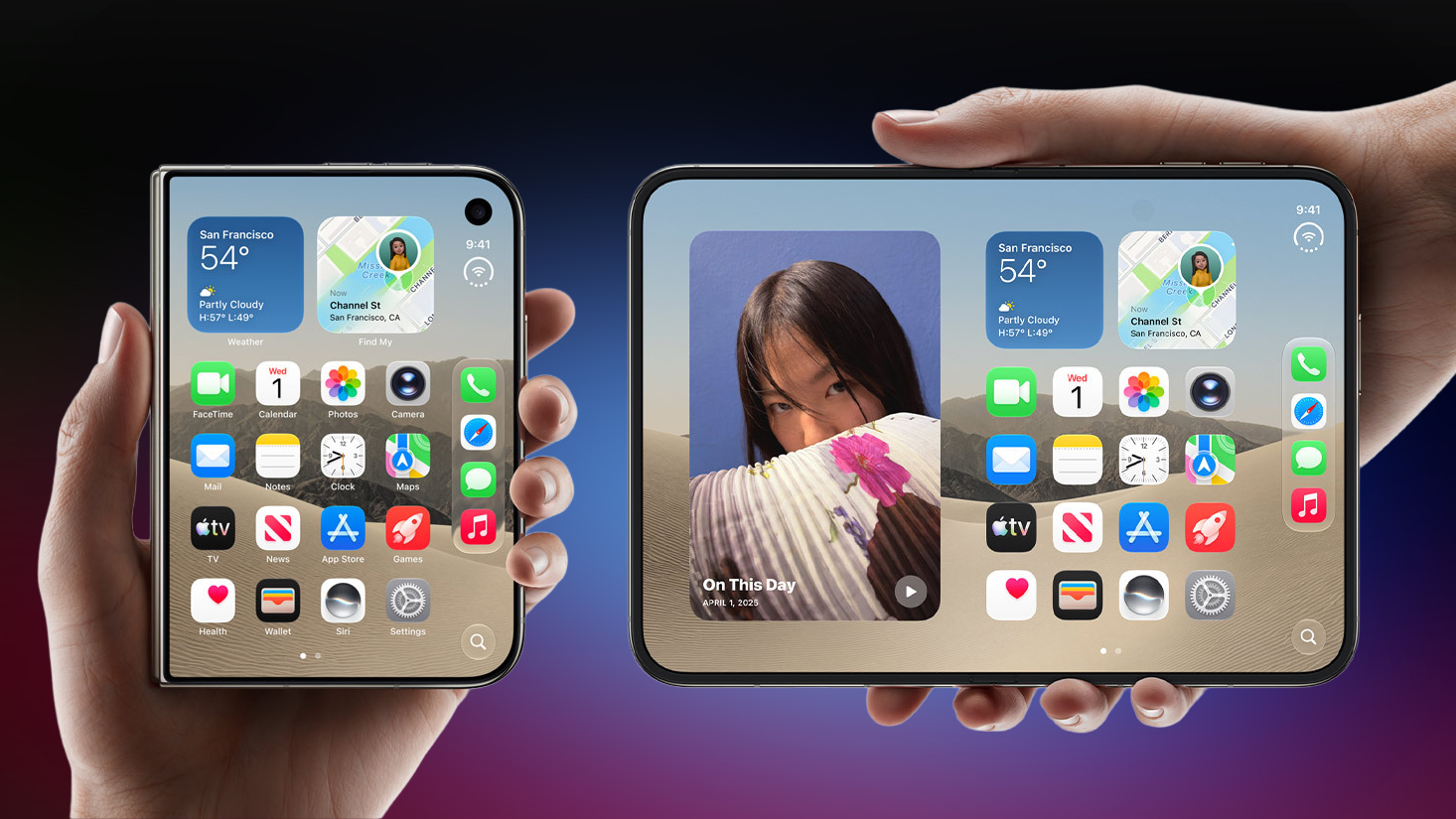
When the iPhone Duo launched, we shared a list of some of the fun apps developers created for the new form factor. Two weeks out, developers are continuing to come up with fresh ideas, so we thought we'd share some of our favorites.
Games


  • Marbles Unhinged ($2.99) - Marbles Unhinged is a marble maze designed for the Duo. When you fold it, the floor turns into a ramp. If you stand the top half up, you can bank a marble off of it. When you snap the hinge, the marble launches up.

  • Midnight Fridge ($2.99) - Midnight Fridge turns the ‌iPhone Duo‌ into a tiny refrigerator. It's a memory game where the idea is to look at the magnets on the fridge and then find the items inside.

  • Greens: Mini Golf ($2.99) - Greens is a mini-golf app made for the ‌iPhone Duo‌, and it's playable in any orientation. When folded like a laptop, you can putt on the half on the table, with the upright half serving as a caddie camera.

  • Chirpfold (Free) - Chirpfold is a Flappy Bird-style app where you fold the phone to cause your bird to flap its wings.

  • Valley Run ($0.99) - Valley Run is a neon-themed racing game where you fold the ‌iPhone Duo‌ to direct a marble down a series of challenging tracks.

  • PianoFold ($4.99) - PianoFold is a rhythm game you can play with the ‌iPhone Duo‌ positioned like a laptop. Press and hold on the keys to match the song that's playing. It's free to download, but the full unlock is $4.99.

  • Load Bearing ($5.00) - Load Bearing is a roguelite Tetris-style game that's meant to be played with the Duo half open. The controls are on the bottom, and the blocks fall at the top. It also has deck building elements, so you can put together a set of your preferred block pieces to beat each level.

  • Who's at the Door? (Free) - Who's at the Door? is an app that turns your ‌iPhone Duo‌ into a door. Open it up to see who is on the other side, and if it's something scary, make sure to slam the Duo shut quickly before it gets you.

  • Fold Match ($2.99) - Fold Match is a game where you're given a shape on one side of the Duo and a blank spot where the shape needs to go on the other side. The idea is to position the shape to get to that empty space, but you won't know how close you were until you close the iPhone.

  • Battlefleet Duo (Free) - Battlefleet Duo takes advantage of the Duo's design for a Battleship-style game. In laptop mode, you can see your fleet on the lower screen and the enemy's waters in front of you.


Simple But Clever


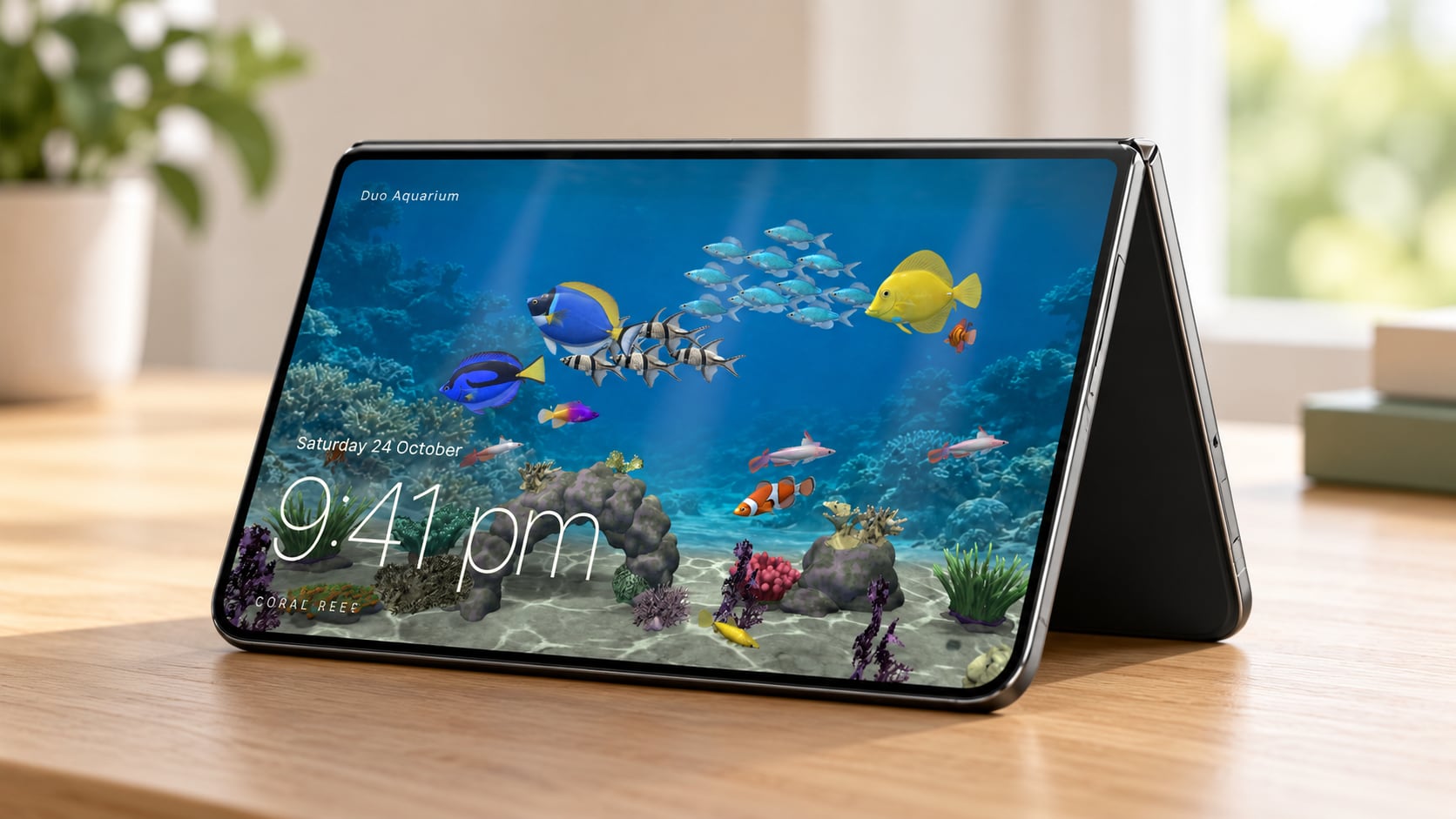
  • Duo Aquarium ($1.00) - As the name suggests, this app turns your ‌iPhone Duo‌ into an aquarium. When in tent mode, it serves as a virtual fish tank and clock. You can choose your fish and your add-ins, then feed them.

  • AltoPaint ($5.99) - AltoPaint is an app that turns the ‌iPhone Duo‌ into a tiny canvas with a paint palette. There are watercolor, oil, and gouache paints with mixable colors.

  • Post Club ($4.99) - Post Club is a cute app where you can pick a typewriter, fold the Duo like a laptop and type up a letter. There are 10 typewriters and 14 paper styles to choose from.

  • Halfpage ($2.99) - Halfpage is another app that turns the ‌iPhone Duo‌ into a typewriter when it's used in a MacBook-like orientation. The keys are at the bottom, and what you type is at the top. It has a simpler design than Post Club.

  • Callsign ($1.49+) - Callsign turns your ‌iPhone Duo‌ into a sign that lets people know if you're free or busy on a call. Just set it up, put it in tent mode, and people can know at a glance not to bother you. It's free to download, and there are different visual packs to unlock with one-off $1.49 purchases.

  • AskZine ($1.99) - AskZine is a Magic 8 Ball-like app where you ask a question, unfold the screen, and see your answer.

  • Lullabox (Free) - Lullabox turns the ‌iPhone Duo‌ into a music box where you can wind the key, lift the lid, and watch a porcelain ballerina spin while soft music plays. The music gets louder as the ‌iPhone Duo‌ is opened further.

  • DuoBook (Free) - DuoBook turns the ‌iPhone Duo‌ into a tiny Mac with a keyboard and trackpad that work like the Mac equivalent. You can also use it to send photos and files to the Mac.


Special Duo Features


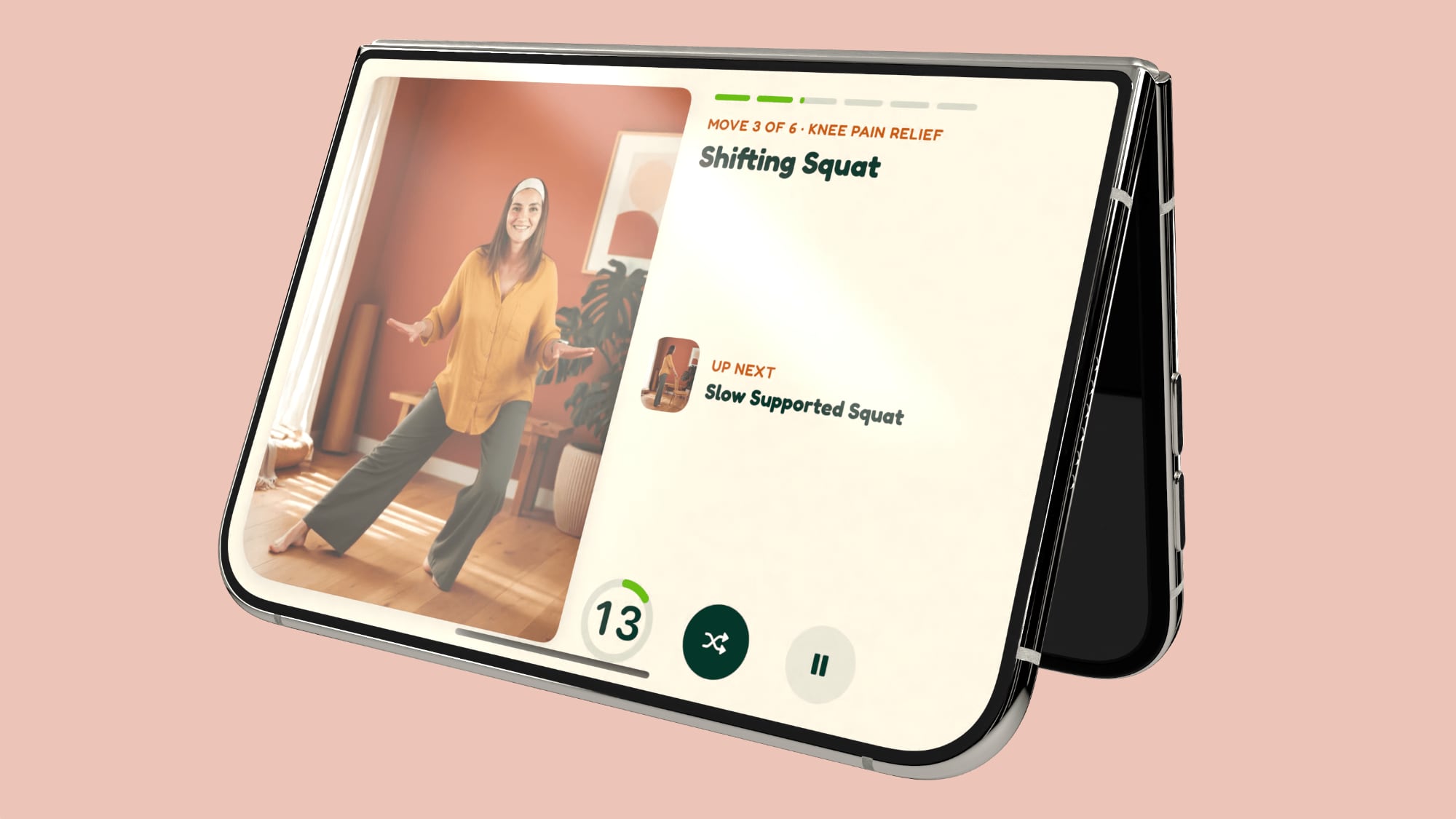
  • Wakeout ($59.99/year) - Fitness app Wakeout was Apple's App of the Year back in 2020. It offers up workout games you can do in just minutes a day. You can put your Duo in tent or laptop mode to follow along with workout moves, playing games with your body.

  • Faro (Free) - Faro is an app that helps you find movies to watch so you don't waste time browsing through Netflix without ever making a choice. On ‌iPhone Duo‌, you can see two films side by side to choose between them, or see your list of picks on one half of the display with details on each movie on the other half.

  • CalibReader (Free) - CalibReader is an EPUB and PDF reader that turns the ‌iPhone Duo‌ into a book. The outer screen shows the title's cover, and when you open it, there's a two-page spread with page-turning animations.

  • Retrocade (Apple Arcade) - Retrocade turns the ‌iPhone Duo‌ into a mini arcade machine and works on the Duo in multiple fold positions.

  • Blankie (Free) - Soundscape app Blankie has a dual view with Now Playing on one side and Sound Mixer on the other. When folded in tent mode, it shows a view of what's playing.


Camera Apps


  • IncrediBooth (Free) - IncrediBooth turns the ‌iPhone Duo‌ into a little photo booth. Press the red button to capture an image, and your photo strip appears on the outer display. It's free to download, with five strips available per day.

  • VNTG (Free) - VNTG is an instant camera app where you close the ‌iPhone Duo‌ to take a shot and then open it up to develop it. It's free to download, with in-app purchases to unlock camera lenses.

  • Flipcorder ($4.99) - Flipcorder is a video recording app that turns the ‌iPhone Duo‌ into a retro camcorder. It's designed to be used for daily video diaries, and each tape is displayed on a shelf in the app. To film, just unfold the Duo. Recordings have classic VHS-style effects.


Less Fun, More Serious


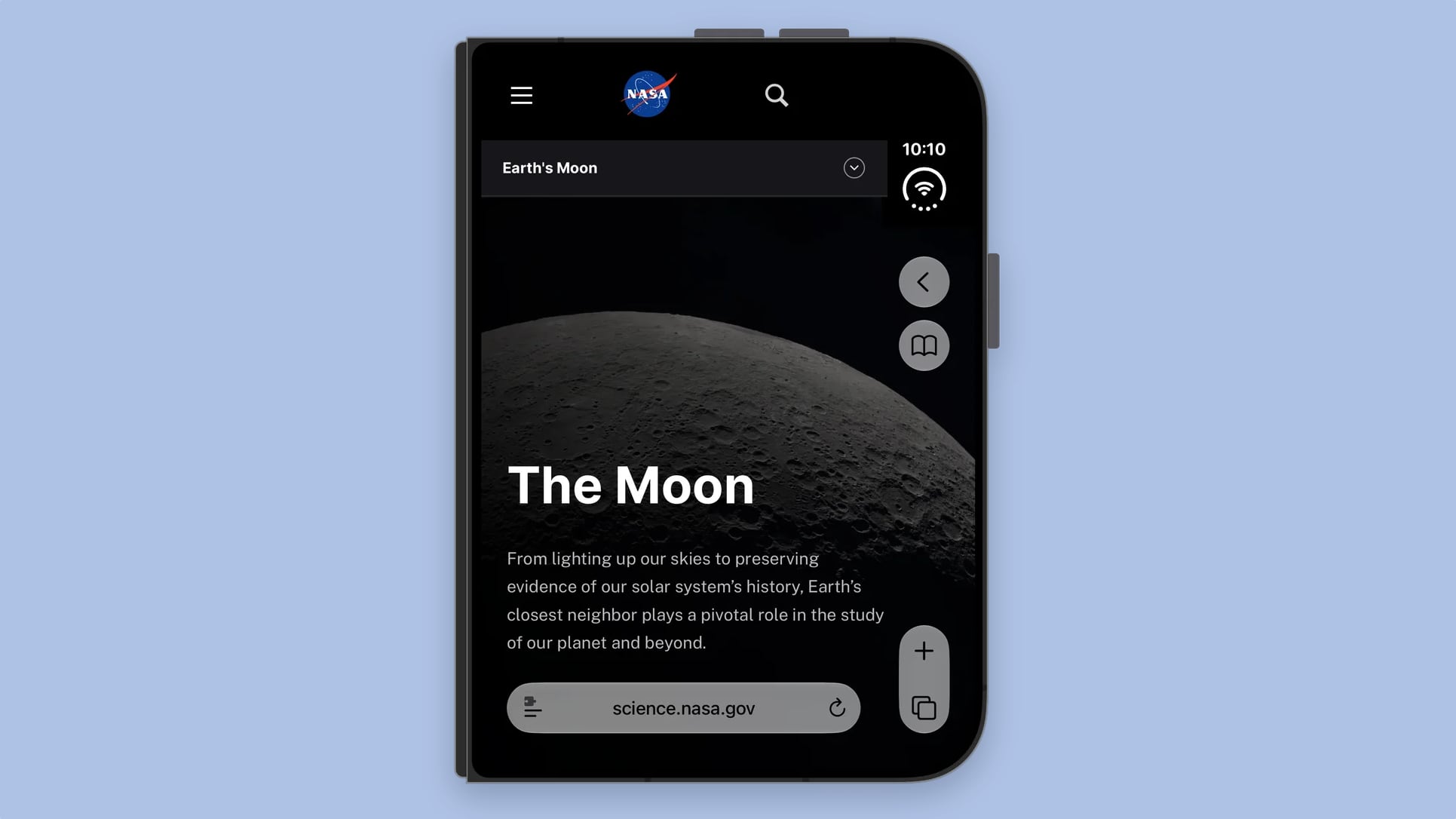
  • Widen ($3.99) - Widen is another extension that expands Safari to take up the width of the outer display. It also hides cookie banners and works in Split View. There are multiple settings, so you can set just pictures to take up the full screen, or opt to have pictures and text expand.

  • SPAN (Free) - SPAN is an app that turns the ‌iPhone Duo‌ into a project tracker and timer. It has different views for each ‌iPhone Duo‌ orientation. SPAN is free to use for the current week, with a $4.99/month pro subscription available for unlimited projects and full monthly and yearly reports.

  • BrainDrain (Free) - BrainDrain is a 60-second brain dump app that helps you sort your thoughts. On the ‌iPhone Duo‌, different Duo orientations have different purposes. You can use it like a laptop in a half fold, type thoughts with the Duo closed, or put it in tent mode to use voice capture.


More Apps


Know of some fun ‌iPhone Duo‌ apps not on our list? Let us know in the comments. Be sure to check out our first iPhone Duo app article too.
Related Roundup: iPhone Duo
Buyer's Guide: iPhone Duo (Buy Now)
Related Forum: iPhone

This article, "More Fun iPhone Duo Apps: 30 New Picks to Try" first appeared on MacRumors.com

Discuss this article in our forums
  •  

Hands-On With Apple's New OLED Touchscreen MacBook Pro

Happy touch your Mac day! Apple's new PROLED MacBook Pro is now in the hands of customers. We picked up one of the new machines to get our greasy fingerprints all over that pristine OLED display.


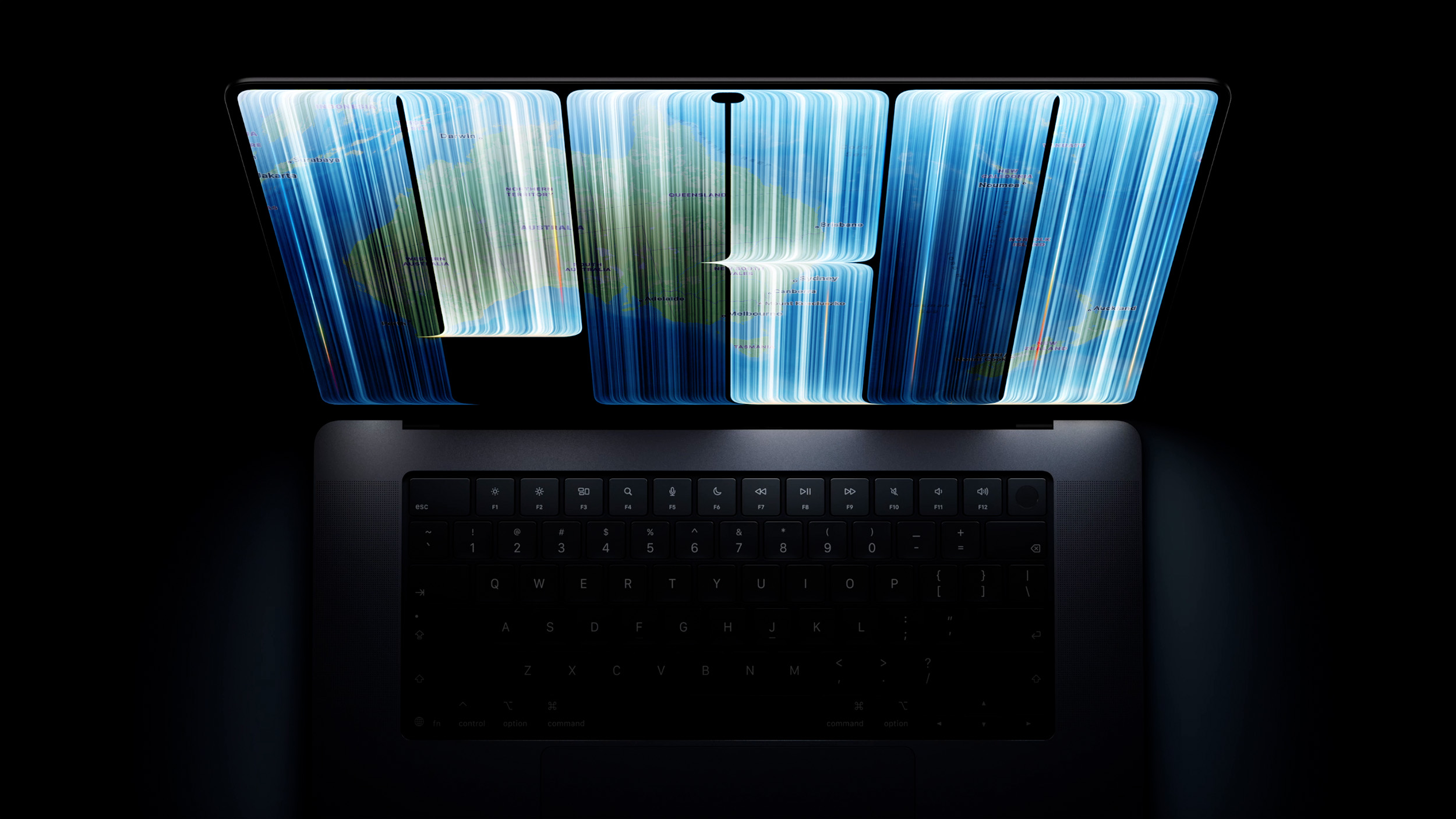
It's been five years since Apple last redesigned the ‌MacBook Pro‌, so it was due for an update. The PROLED ‌MacBook Pro‌ looks a lot like the mini-LED model, but it's thinner and lighter. The 14-inch model is about half a millimeter thinner and weighs just over three pounds, while the 16-inch model is almost a millimeter thinner and weighs four pounds. Apple shaved off about half a pound for the 14-inch model and 0.7 pounds for the 16-inch model, and while that doesn't sound like much, it makes a big difference. You can feel how much lighter it is the second you take it out of the box. Apple brought back the glowing logo for the PROLED ‌MacBook Pro‌, so everyone around you will know you have the fancy new ‌OLED‌ model.

The ‌OLED‌ display is the major new feature, and it looks as good as you would expect from a display in a laptop starting at $2,899. Blacks are true black, and since each pixel lights up individually, there's none of the bloom you get with mini-LED when viewing bright objects on a dark background. The PROLED ‌MacBook Pro‌ can get super bright too, and that brightness paired with the deep blacks, HDR content looks great. ‌OLED‌ sometimes isn't bright enough outdoors, but that's not the case here.

The display bezels are thinner, and the 16-inch machine is actually 16.3 inches instead of 16.2. There's also an iPhone-like Dynamic Island that replaces the notch and houses Siri AI, Live Activities, and more. The ‌Dynamic Island‌ makes sense because you can now touch the ‌MacBook Pro‌'s display. It works like touching an iPhone or iPad, so you can swipe through webpages, tap buttons, drag and drop, and pinch to zoom.

Touch isn't meant to replace the trackpad and keyboard, but it's there if you want it. Apple made some tweaks to macOS, so menu options expand a little more when you touch them than when you click them, and tiny window resizing buttons get larger. Apple put a sturdier hinge in the PROLED ‌MacBook Pro‌ so the display won't move as much when you tap it, but it's not perfect. It does still jiggle depending on where you tap.

The touch feature is fine, but it's probably not a reason to go out and get the PROLED ‌MacBook Pro‌. It has the potential to be useful in some situations, but it's not going to dramatically change the way most people use a laptop.

New chips weren't ready in time for the PROLED machines, so they use the same M5 Pro and M5 Max as the mini-LED models. That's a disappointment in a laptop that starts at almost $3,000. Since Apple is still selling the mini-LED models, you're basically paying a $400 premium for the higher-end ‌OLED‌ display, the thinner and lighter design, and the touch functionality.

The better display and the lighter weight are going to be worth the price for some people, and the touch is just a bonus.
Related Roundup: MacBook Pro
Tag: OLED
Buyer's Guide: MacBook Pro (Buy Now)
Related Forum: MacBook Pro

This article, "Hands-On With Apple's New OLED Touchscreen MacBook Pro" first appeared on MacRumors.com

Discuss this article in our forums
  •  

Apple Shares New 'Apple Card: Apply and Use in Minutes' Ad

Apple today shared a new Apple Card ad highlighting how quick it is to apply, get approved, and make purchases.


In the spot, a therapist is listening to a patient drone on when a cheap flight pops up on her iPhone. Her wallet is across the room and she can't get up to grab it, so she opens up the iPhone Wallet app, applies for an ‌Apple Card‌, and is able to purchase a flight within a couple of minutes.
Apple Card is built into iPhone, and you can apply in as little as a minute. No waiting for a physical credit card, no friction. All it takes is a few taps of your iPhone. You can earn unlimited daily cash back, and use it right away.

It's worth noting that the iPhone also has AutoFill for credit card information so there's often no need for access to a physical card when making web purchases, plus many sites support Apple Pay.

The ‌Apple Card‌ is limited to U.S. iPhone owners, and applying requires a soft credit check. Accepting the ‌Apple Card‌ offer results in a hard credit inquiry. Apple explains how ‌Apple Card‌ applications are approved or denied on its website.
This article, "Apple Shares New 'Apple Card: Apply and Use in Minutes' Ad" first appeared on MacRumors.com

Discuss this article in our forums
  •  

Apple Surveys iPhone Duo Buyers About Crease and Camera

Apple is sending email surveys to some iPhone Duo buyers to get feedback on display size, crease, under-display camera, and other features.


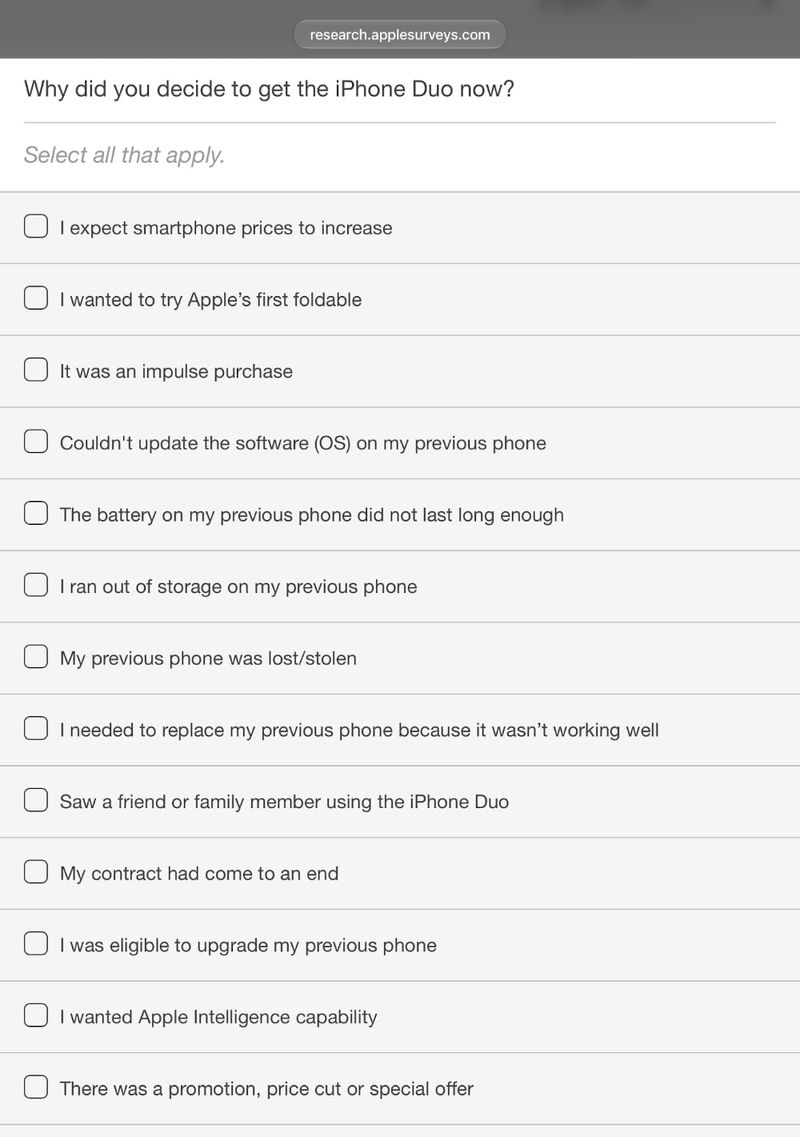
The first question asks why the buyer chose the ‌iPhone Duo‌ now, with answers like "I wanted to try Apple's first foldable," "It was an impulse purchase," and "I expect smartphone prices to increase."

Other questions ask about the size of the ‌iPhone Duo‌'s display when it's closed, how visible the crease is, whether the under-display camera is distracting, and the camera's image quality. The final question is open-ended and asks what the buyer would add or change about the ‌iPhone Duo‌.

View all 6 photos in the full article →


It's been about two weeks since the ‌iPhone Duo‌ launched, and it's not too unusual for Apple to conduct surveys following a new product's debut.

Some of the questions are about ‌iPhone Duo‌ compromises compared to standard iPhone models. The Duo's outer display is 5.4 inches, making it about the same size as the discontinued iPhone mini line. The inner display's under-screen camera is limited to 4MP, and it was one of the main complaints in reviews.

The survey does not ask about Touch ID, the experience of using unoptimized apps, or the display cracks some users have reported, all of which are also top Duo complaints,

(Thanks, Willy!)
Related Roundup: iPhone Duo
Buyer's Guide: iPhone Duo (Buy Now)
Related Forum: iPhone

This article, "Apple Surveys iPhone Duo Buyers About Crease and Camera" first appeared on MacRumors.com

Discuss this article in our forums
  •  

Apple's First Touchscreen Mac is Now Arriving to Customers

It's Friday, November 6 in Australia and New Zealand, which means customers who preordered a PROLED touchscreen MacBook Pro, OLED iPad mini, M6 ‌MacBook Pro‌, or M6 iMac are now starting to receive their devices.


People will soon be sharing photos and first impressions of the new products on the MacRumors forums, Reddit, Instagram, and other platforms, giving us a first look at what real-world users think of the ‌OLED‌ upgrade for the ‌iPad mini‌ and the PROLED and touchscreen update for the ‌MacBook Pro‌.

Apple's new high-end ‌MacBook Pro‌ models come with M5 Pro or M5 Max, and the major change is the display. It's touch-enabled and is the first Mac with an ‌OLED‌ display. The design has been updated, so the new machines are thinner and lighter than the mini-LED models, which Apple is still selling. Apple also brought back the glowing Apple logo, and replaced the notch with a Dynamic Island. Pricing on the PROLED ‌MacBook Pro‌ starts at $2,899 for the 14-inch model and $3,399 for the 16-inch model.

The ‌OLED‌ ‌iPad mini‌ is Apple's first smaller-screened iPad to get ‌OLED‌, and it's also the most affordable ‌OLED‌ ‌iPad‌. It's almost a millimeter thinner than the prior version and has an Acoustic Display that does away with speaker holes. Without them, the enclosure is sealed, making it the first ‌iPad‌ with a water and dust resistance rating (IP67). It uses Apple's A20 Pro chip. The ‌OLED‌ ‌iPad mini‌ starts at $699.

The 14-inch entry-level ‌MacBook Pro‌ and 24-inch ‌iMac‌ got little in the way of updates beyond an M6 chip. The ‌MacBook Pro‌ is priced starting at $1,999, and the ‌iMac‌ starts at $1,499.

Australia is the first country where customers can buy one of the new products in an Apple retail location. Online orders of the PROLED ‌MacBook Pro‌ don't ship until late November or early December, so it's possible in-store stock will be limited. The ‌OLED‌ ‌iPad mini‌, 14-inch ‌MacBook Pro‌, and ‌iMac‌ should be readily available.

After Australia and New Zealand, sales and deliveries of the new Macs and ‌iPad mini‌ will begin in Asia, the Middle East, Europe, and finally, North America.
Related Roundups: iMac, iPad mini, MacBook Pro
Related Forums: iMac, iPad, MacBook Pro

This article, "Apple's First Touchscreen Mac is Now Arriving to Customers" first appeared on MacRumors.com

Discuss this article in our forums

  •  

Claude Gets Personal Finance Feature With Bank Account Linking

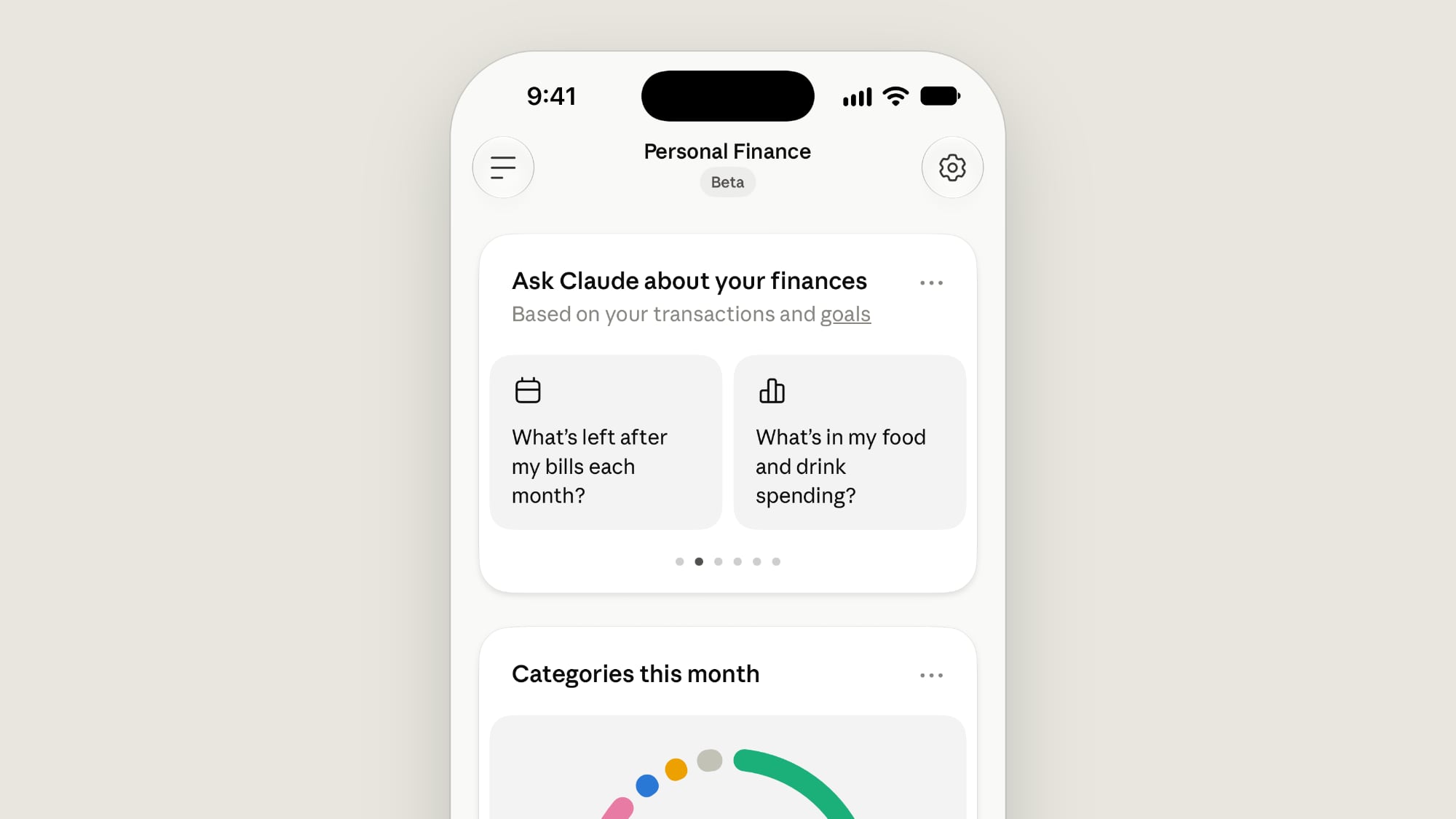
Anthropic today added Personal Finance to Claude, allowing users to connect their bank and card accounts for analysis.


Claude has read-only access to accounts, and there is no option for it to move, manage, or invest money. Anthropic says Claude gives answers in everyday language and can explain unfamiliar financial terms.

The feature can track spending across categories, upcoming bills, and out-of-the-ordinary purchases. It can look for unexpected fees, increasing bills, and subscriptions, plus it can create charts, calendars, and dashboards.

Financial accounts are connected to Claude through the Plaid service, so Claude does not see bank passwords. Claude has access to the bank name, account name and type, balances and credit limits, and up to two years of transactions for bank accounts. Personal Finance chats are not used for model training and are not added to Claude's shared memory.

OpenAI added a similar finance feature to ChatGPT back in May.

Personal Finance is rolling out in beta on the Pro, Max, and Ultra plans in the United States.
This article, "Claude Gets Personal Finance Feature With Bank Account Linking" first appeared on MacRumors.com

Discuss this article in our forums
  •  

Apple Arcade Adds Crossy Road Rush and NBA 2K27

Apple today added several new games to Apple Arcade, including Crossy Road Rush, NBA 2K27 Arcade Edition, Kami 2+, and Food Stylist - Design Game+.


Crossy Road Rush is the latest game in the popular Crossy Road series. Players will make their way across an island obstacle course and unlock fun characters. The game supports up to four players in local or online multiplayer, as well as solo play.

NBA 2K27 adds the WNBA, which is a first for the Arcade Edition. The game has all 15 WNBA teams and 180 active players, though they're limited to Quick Match and Blacktop modes. The new edition also has faster, deeper progression for the MyCAREER journey and a refreshed Neighborhood.

Kami 2+ is a puzzle game where players fold colorful paper patterns, and Food Stylist lets players create virtual dishes and tablescapes inspired by cuisines around the world.

Apple Arcade is Apple's subscription gaming service, priced at $6.99 per month. Up to six family members can share a subscription, and there are no ads or in-app purchases.
This article, "Apple Arcade Adds Crossy Road Rush and NBA 2K27" first appeared on MacRumors.com

Discuss this article in our forums
  •  

First iOS 27.3 and macOS Golden Gate 27.3 Public Betas Now Available

Apple today seeded the first betas of iOS 27.3, iPadOS 27.3, macOS Golden Gate 27.3, tvOS 27.3, and watchOS 27.3. The new software comes two days after Apple released the betas for developers.


iOS 27.3 is a major update that adds a Vertical Tabs layout option and Adaptive Dark Mode for Safari. Siri AI can do more in and across Apple's apps, and developers are now able to create actions for ‌Siri‌ to carry out.

The redesigned Health app is now available with custom Insights and Longevity information, and the iPhone Duo supports Reachability. There's a new Selfie Sing feature in Apple Music, plus changes to StandBy on non-Duo iPhones. A full list of what's new in the beta can be found in our guide.

On the Apple Watch Series 12 and Ultra 4, Audio Intelligence features Live Rewind and ‌Siri‌ Recap are available for testing. Live Rewind creates a transcript of the last 15 seconds of speech, and ‌Siri‌ Recap offers a high-level summary of conversations throughout the day.

‌macOS Golden Gate‌ 27.3 has the same Safari features, and it brings Live Activities to Macs without a Dynamic Island.

To get the new betas, you can sign up on Apple's beta testing website. After you're signed up, the betas can be installed through the Software Update section in the Settings app on each device.

We're expecting all of Apple's updates to launch in December.
Related Roundups: iOS 27, iPadOS 27, macOS Golden Gate
Related Forums: iOS 27, macOS Golden Gate

This article, "First iOS 27.3 and macOS Golden Gate 27.3 Public Betas Now Available" first appeared on MacRumors.com

Discuss this article in our forums
  •  

Instagram's Edits Video Editor is Now Available on Mac

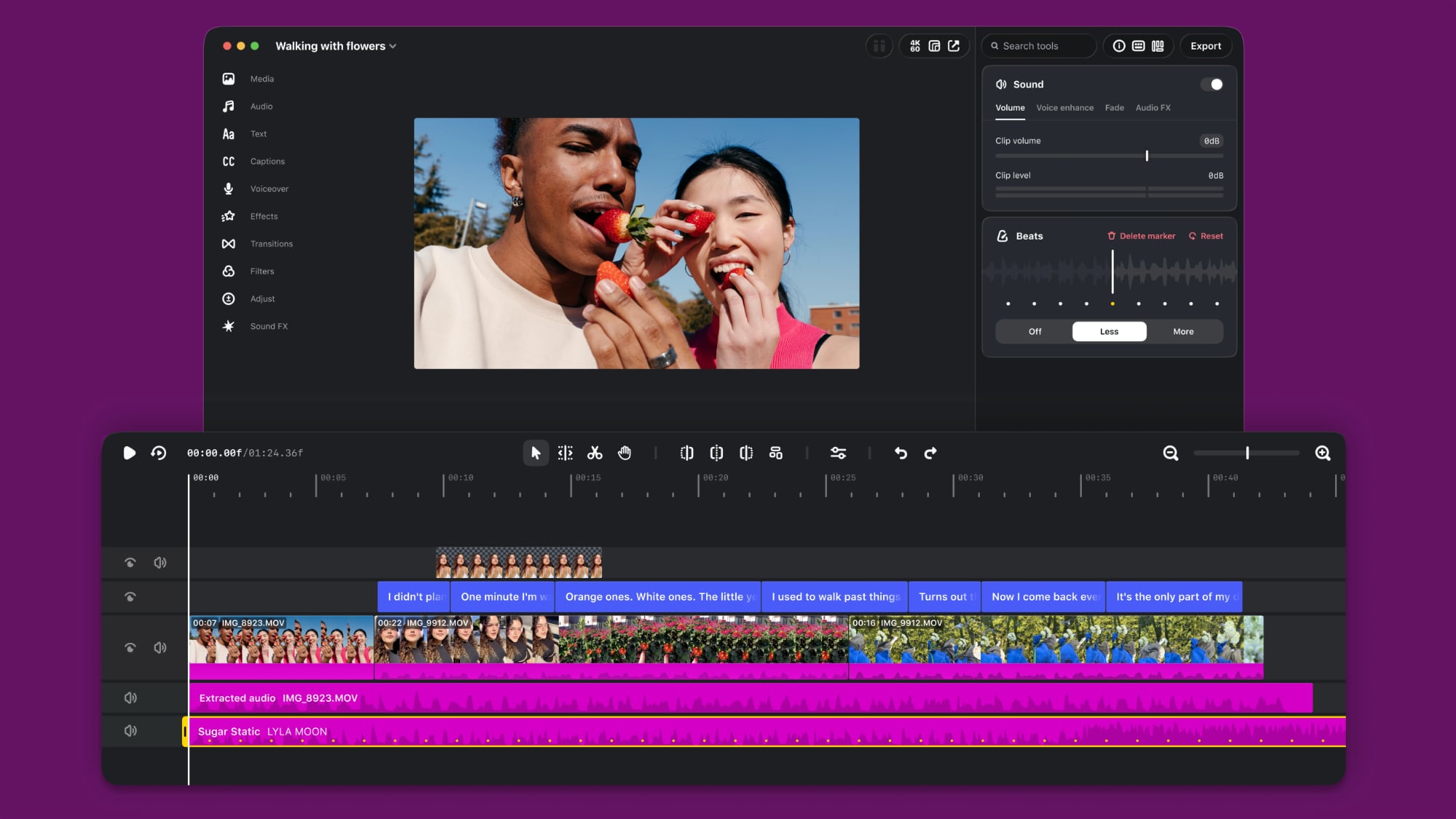
Instagram today expanded its Edits video editing app to the Mac. Edits for Mac is intended for larger projects that benefit from a big screen and the control of a mouse and keyboard.


The app includes Instagram's licensed and royalty-free audio libraries, sound and video effects, and unlimited automatic captions.

Edits for Mac has a full multi-track timeline, keyframes for dynamic transitions, and precise audio waveforms for accurate cuts. There is an option to import LUTs or font files, along with support for Model Context Protocol so AI agents can use the app. The Edits team says splitting, cutting, and trimming are easier.

Videos created with the app can be published directly to Instagram or downloaded to share on other platforms. Multiple horizontal and vertical aspect ratios are included, and Edits offers 4K watermark-free export.

Edits for Mac can be downloaded from the Instagram website.
This article, "Instagram's Edits Video Editor is Now Available on Mac" first appeared on MacRumors.com

Discuss this article in our forums
  •  

Apple Releases Safari Technology Preview 256 With Bug Fixes and Performance Improvements

Apple today released a new update for Safari Technology Preview, the experimental browser that was first introduced in March 2016. Apple designed ‌Safari Technology Preview‌ to allow users to test features that are planned for future release versions of the Safari browser.


‌Safari Technology Preview‌ 256 includes fixes and updates for Accessibility, Animations, CSS, Editing, Forms, HTML, JavaScript, Media, Networking, Rendering, SVG, Security, Web API, Web Extensions, Web Inspector, WebGL, and WebRTC.

The current ‌Safari Technology Preview‌ release is compatible with machines running macOS Tahoe and macOS Golden Gate, the newest version of macOS.

The ‌Safari Technology Preview‌ update is available through the Software Update mechanism in System Preferences or System Settings to anyone who has downloaded the browser from Apple's website. Complete release notes for the update are available on the Safari Technology Preview website.

Apple's aim with ‌Safari Technology Preview‌ is to gather feedback from developers and users on its browser development process. ‌Safari Technology Preview‌ can run side-by-side with the existing Safari browser and while it is designed for developers, it does not require a developer account to download and use.
This article, "Apple Releases Safari Technology Preview 256 With Bug Fixes and Performance Improvements" first appeared on MacRumors.com

Discuss this article in our forums

  •  

Apps Can Now Try to Stop You From Canceling Subscriptions

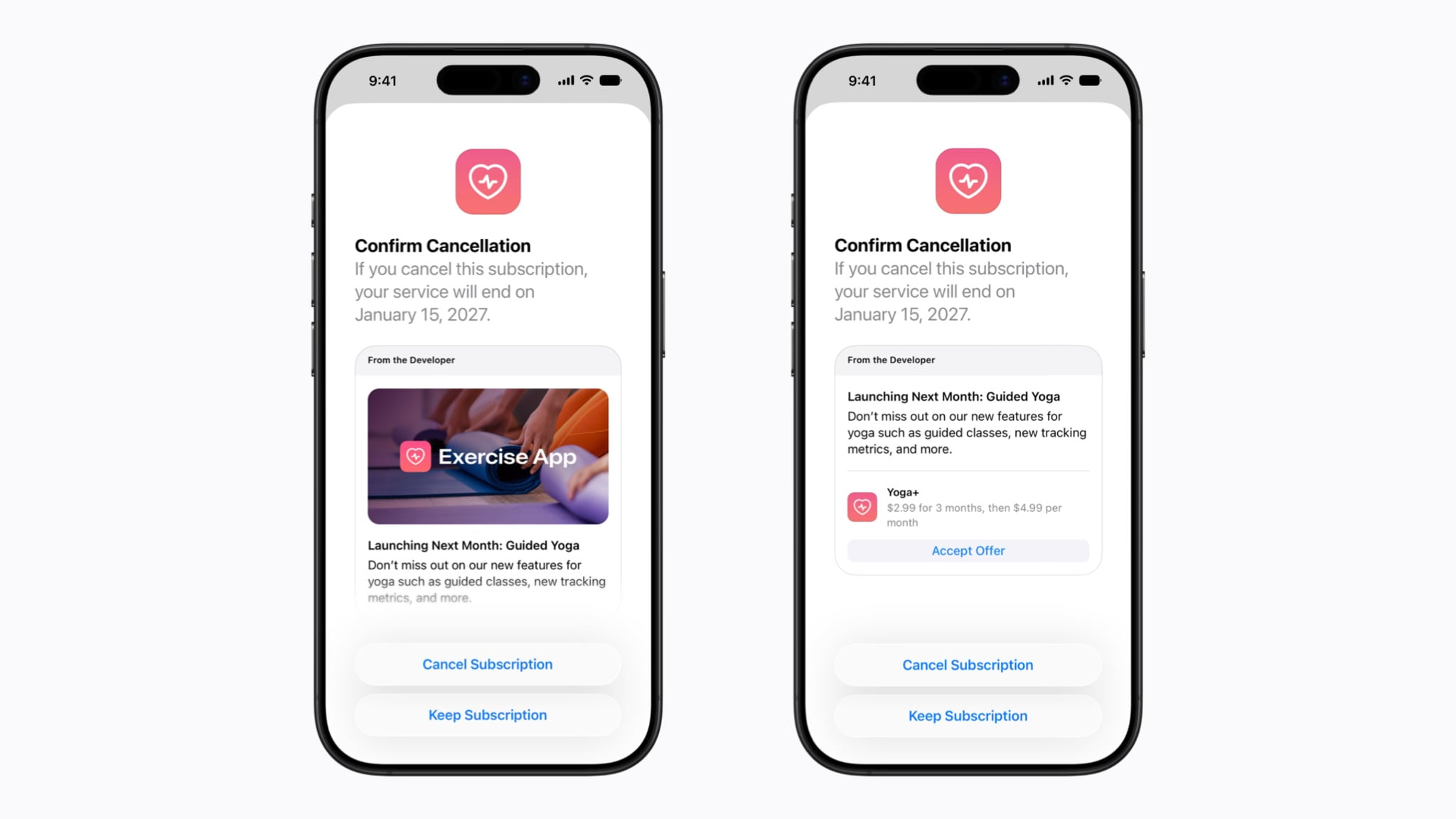
Apple today added a new subscription retention feature for developers, allowing them to show retention messages when a subscriber goes to cancel.


Apple says retention messages will appear in the subscription cancellation flow and can include text, images, or a special offer. Retention messages can be added in App Store Connect for auto-renewable subscriptions, with options for subscriber eligibility and wait time between messages.

Through a separate Retention Messaging API, developers can choose which messages to show a subscriber based on their subscription details. API access is by request.

‌App Store‌ users may see offers for discounts or reasons to keep a subscription before canceling.
This article, "Apps Can Now Try to Stop You From Canceling Subscriptions" first appeared on MacRumors.com

Discuss this article in our forums

  •  

'Super Mario Odyssey' Can Now Run on Apple TV Thanks to AI

A Reddit user was able to get Nintendo's "Animal Crossing: New Horizons" and "Super Mario Odyssey" to run natively on the Apple TV 4K, continuing a string of ports made possible with the use of AI (via Engadget).


TVPort, Reddit user FloatingFalafel's open-source project, is a fork of the nxnative toolkit used to recompile Switch and Switch 2 games for the Apple TV using a Mac. It was built using Claude Opus 5.5.

"Super Mario Odyssey" runs at 60fps according to FloatingFalafel, and "Animal Crossing" runs at 30fps. Other games haven't been tested, but the creator says people are welcome to use the open-source software to get other games to run. Game files are not included, and users will need to supply files from their own game cartridges, which requires a modified Nintendo Switch.


More intensive games like "The Legend of Zelda: Tears of the Kingdom" may not be able to run on the third-generation ‌Apple TV‌ 4K because of thermal throttling. The fourth-generation ‌Apple TV‌ 4K that launches November 13 may be able to run titles the third-generation model can't.

Nintendo often takes issue with unofficial ways to play its games, so TVPort may not survive long. In 2024, Nintendo sued the Yuzu emulator team, and the lawsuit led to a $2.4 million settlement and the sunsetting of the emulator.
Related Roundup: Apple TV
Buyer's Guide: Apple TV (Buy Now)

This article, "'Super Mario Odyssey' Can Now Run on Apple TV Thanks to AI" first appeared on MacRumors.com

Discuss this article in our forums

  •  
❌