❌

Lese-Ansicht

Siri Recap Hands-On: Private, But Not Very Useful

With the watchOS 27.3 beta, Apple started testing Siri Recap. ‌Siri‌ Recap lets the Series 12 and Ultra 4 Apple Watch models listen to conversations to generate a brief summary of what was discussed. Actual audio is sectioned off from apps, Apple, and the rest of the OS, and then discarded after a summary is generated.
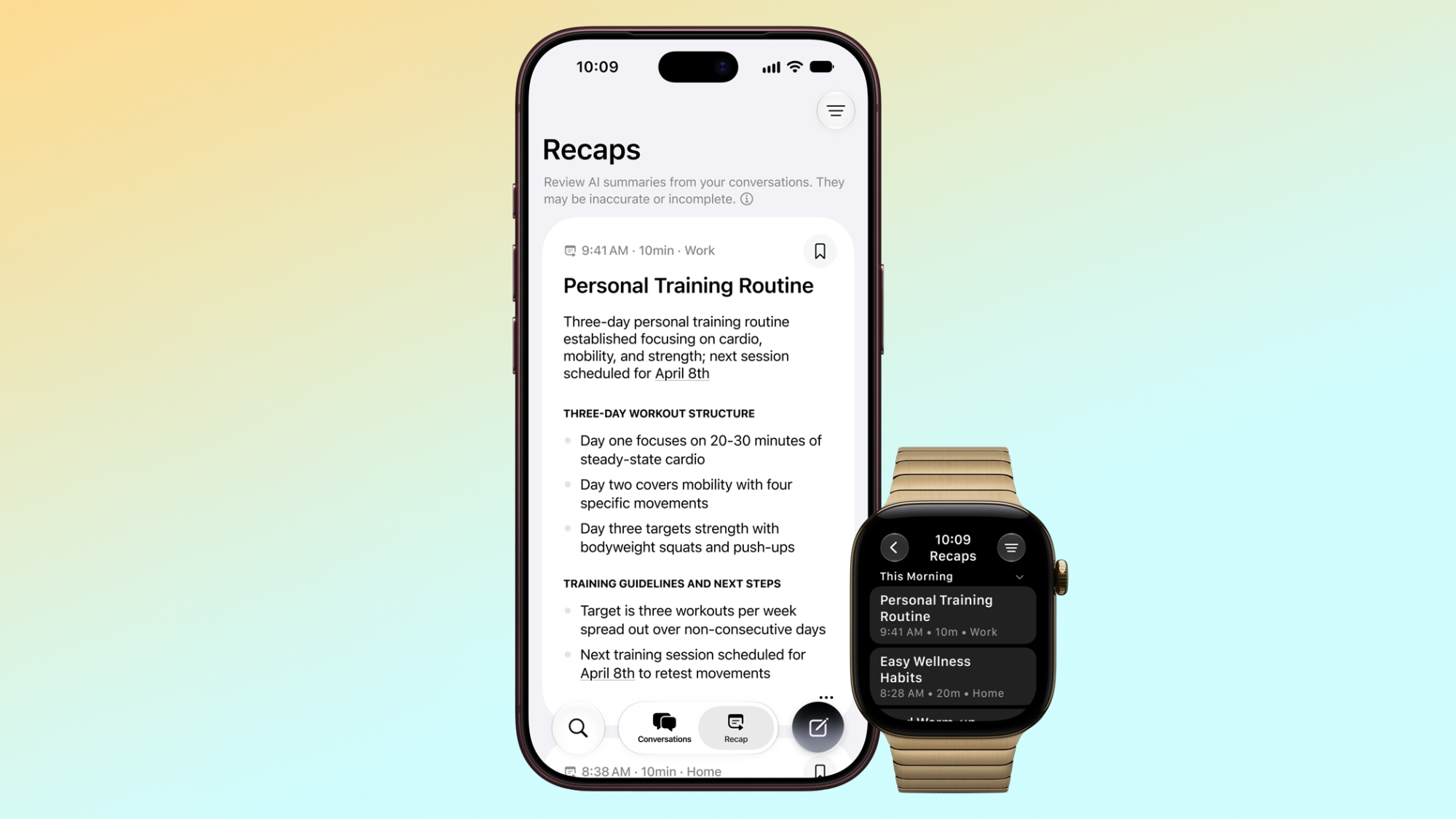

It's a privacy-forward way of tracking what's going on around you, but after two weeks of testing, it's clear that the privacy safeguards limit its usefulness. Overly brief summaries, lack of speaker labeling, and no original audio to compare against make ‌Siri‌ Recap unreliable.

Before I get into my experience, I want to make it clear that ‌Siri‌ Recap is a beta feature in beta software. It hasn't been released yet, Apple hasn't finished refining it, and it won't be available to the public until watchOS 27.3 launches in December. Still, the bones are in place. Some of the issues I encountered could improve before release, but others are the result of the way it's built.

My first recaps were from YouTube videos and Instagram Reels. ‌Siri‌ Recap can tell when I'm watching TV shows and movies, but it can't distinguish a YouTube video from a real-life conversation. I was surprised it summarized dialogue I wasn't involved in instead of waiting until it recognized my voice (which ‌Siri‌ can do). Listening in on ambient conversations makes it feel a little stalker-like. When ‌Siri‌ Recap is turned on, it's listening, and there's no indication for the people around you.
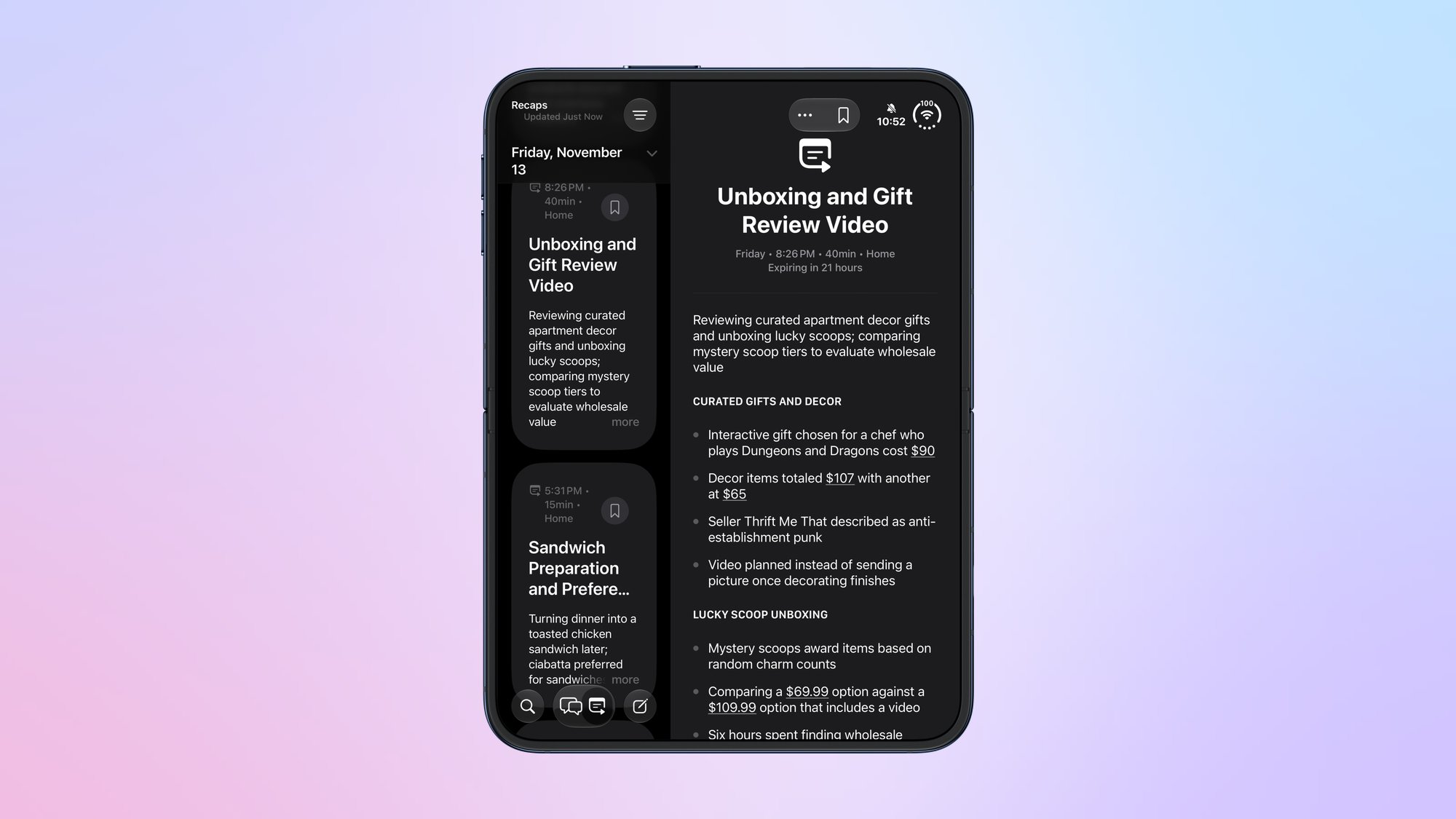

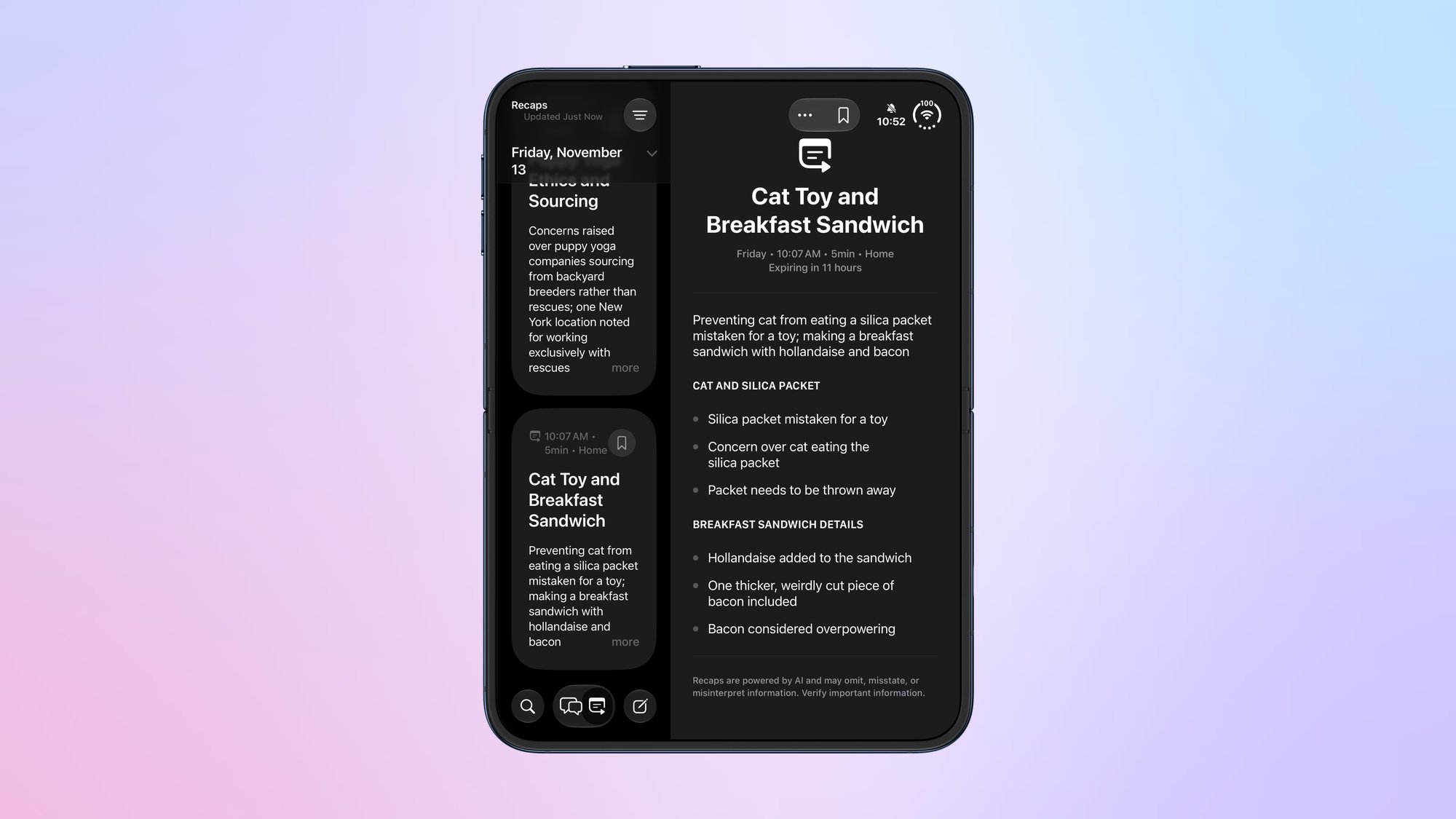
Most of my other recaps summarized short, inconsequential conversations with my partner that I don't need or want to revisit. I don't need to remember that my breakfast on Friday had one too many pieces of vegan bacon, or that my cat was playing with a silica packet. I don't need to remember discussions about Grand Theft Auto VI or that I saw a rabbit in the driveway the other day. There is an option to only have ‌Siri‌ Recap on at certain times of the day or in certain locations, which would eliminate that issue. Ironically, ‌Siri‌ did the best at summarizing shorter interactions I don't care about.

I've taken my cats to a few vet appointments recently, so I had an opportunity to test ‌Siri‌ Recap with genuinely important conversations where I get a flood of information. After the first visit, I learned ‌Siri‌ and I don't have the same opinion on the details that matter, and I found that summaries of longer conversations are just too concise and inaccurate to be helpful.

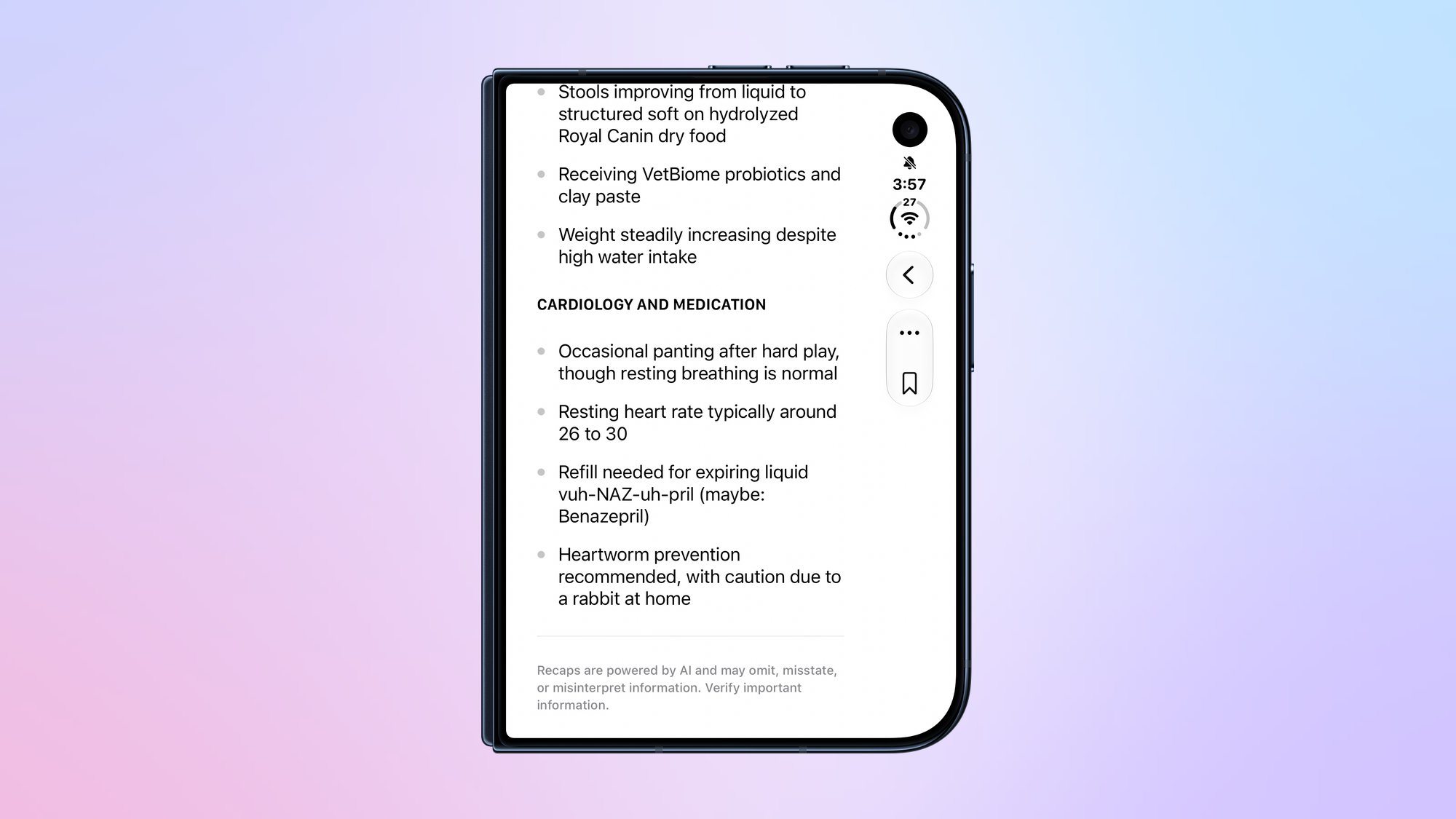
I told the vet my cat is picky and will only eat one kind of dry food, but stays hydrated because she drinks a lot of water. In a separate part of the conversation, I said she was gaining weight even though her prescription food isn't for kittens. ‌Siri‌ combined those two parts of the conversation into a summary that doesn't make sense, and I had that issue in almost every long conversation.

A few minutes later, I asked for a recommendation on heartworm medication because I've read about some problematic products that can make cats sick. The vet relayed a story about needing a particular brand for her cat because she has a rabbit at home, and rabbits are sensitive to a lot of medications. ‌Siri‌ Recap doesn't label speakers, so the summary of that conversation turned into a confusing amalgamation suggesting I have a rabbit at home. Inappropriately combining unrelated concepts is likely something that can be fixed, but the lack of speaker labels is intentional.

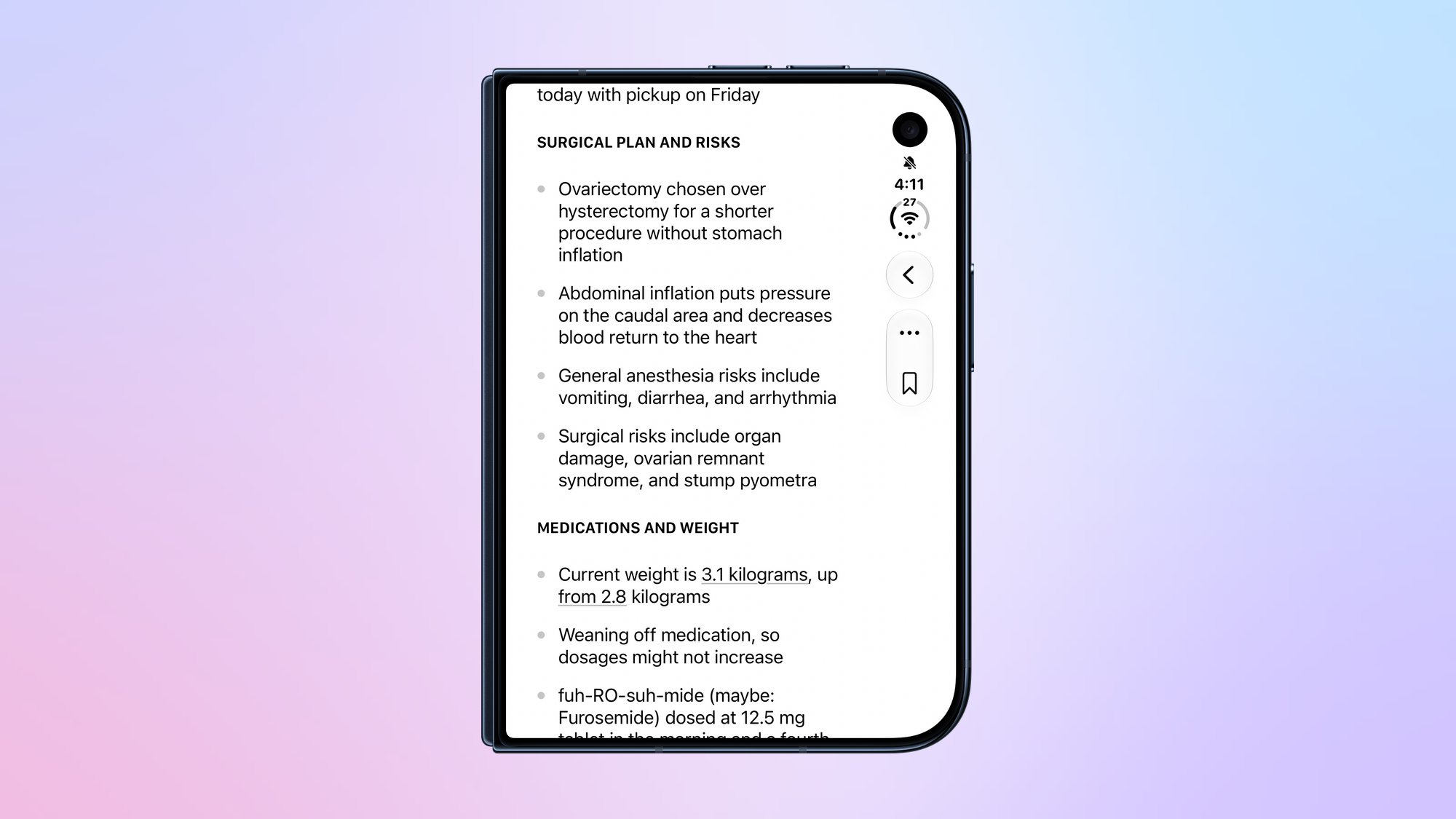
During a pre-surgery consultation, I think I ran into another limitation. Apple says potentially harmful content isn't summarized, which could cover a broad range of topics. Important parts of the conversation with the vet aren't in the summary, like some of the scarier surgical risks and resuscitation preferences. ‌Siri‌ doesn't say if anything was skipped because of the content, so I don't know if that information wasn't considered important or if it was filtered out.

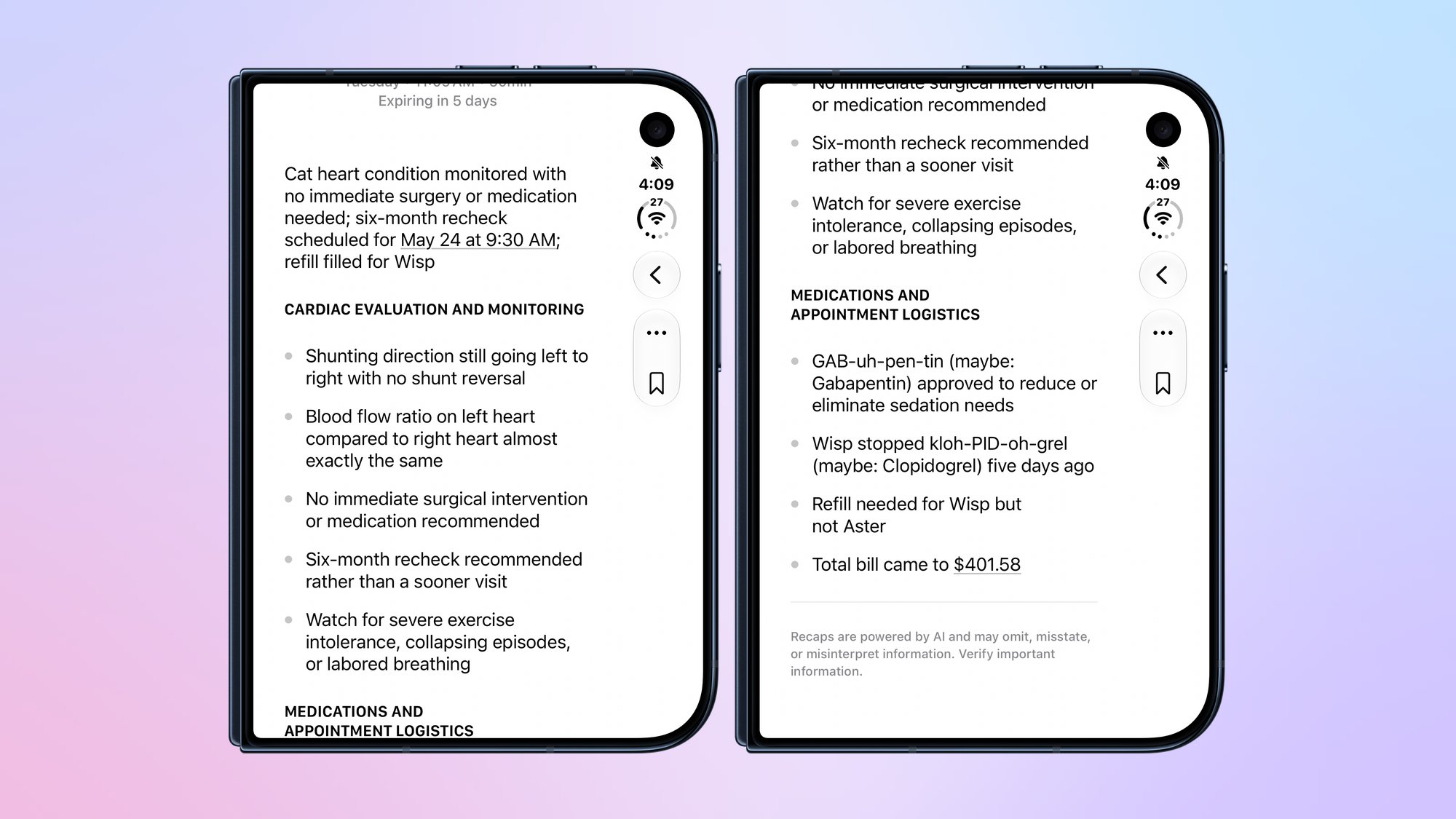
Some of what ‌Siri‌ recapped was useful. If conversations were fact-heavy, ‌Siri‌ did a good job getting everything down, especially when dates were involved. I scheduled a follow-up appointment and ‌Siri‌ got the date right and the exact total of the bill when it was spoken aloud. Apple does say ‌Siri‌ Recap doesn't include financial info, so I'm not sure what counts. ‌Siri‌ is also surprisingly good at interpreting spoken medication names like benazepril and clopidogrel and correctly guessing what they're meant to be.

During a third vet visit, the recap did get many of the major points, but going over those notes made me realize this kind of summarization may not work, even when accurate. I had my own memory of the conversation and knew what I thought was important, but some of what ‌Siri‌ kept wasn't what mattered to me.

Those ‌Siri‌ details I re-read were cemented in my memory over other information when I revisited the conversation later in the week, subtly changing how I remember the appointment. I worry having notes that aren't my own will overwrite what I would have remembered without them. It's almost like having a picture of something that happened in my head, and then having someone tell me it happened differently.
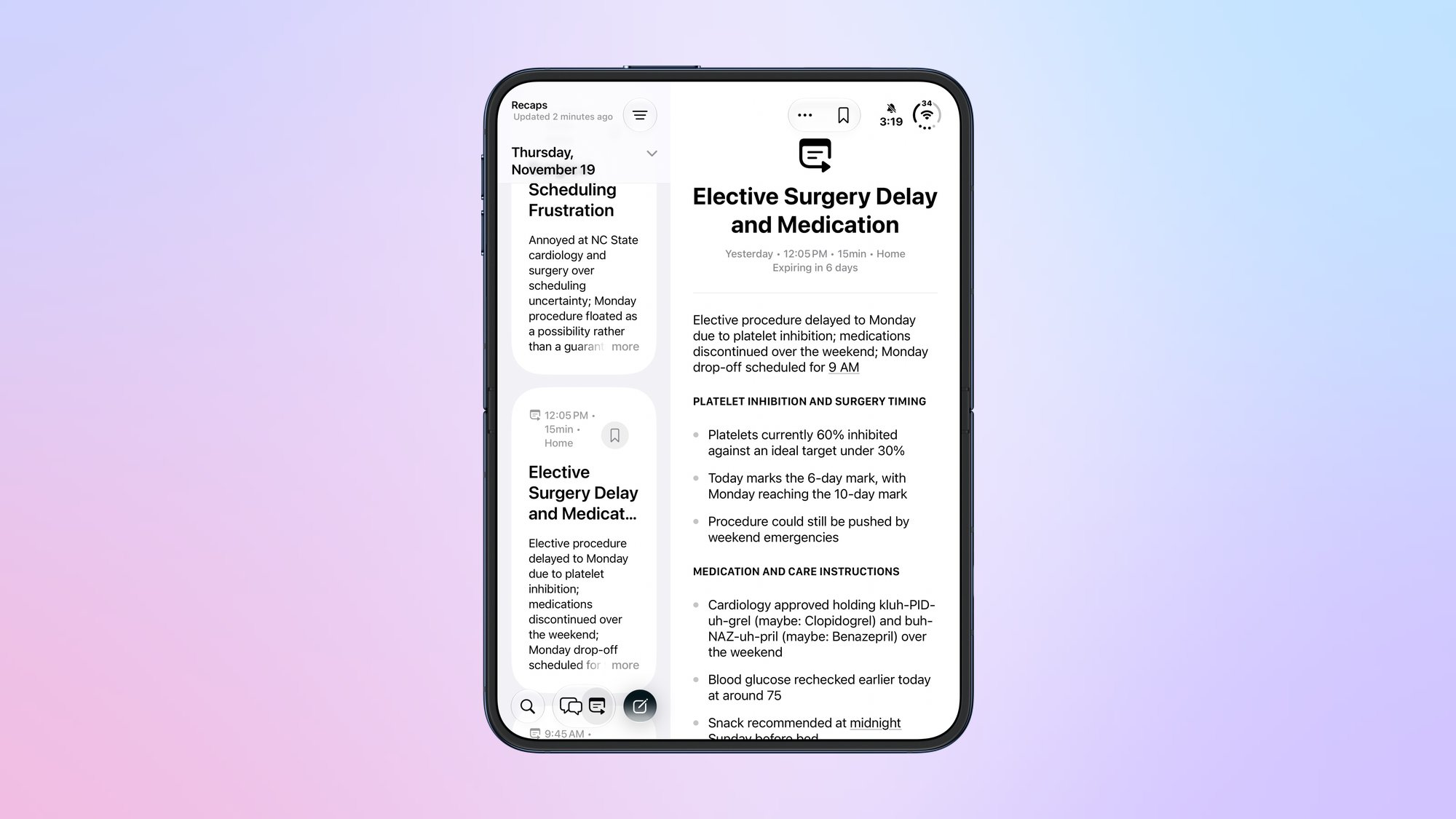

‌Siri‌ Recap doesn't transcribe entire conversations for privacy reasons, but that leaves ‌Siri‌ to decide what's important enough to be written down in a discussion. I don't trust ‌Siri‌ to make that kind of decision, personally, and there's no option to check what ‌Siri‌ is leaving out since there are no raw files. I wouldn't want ‌Siri‌ Recap to record conversations in full because of the privacy concerns, but Apple's summarization alternative has shortcomings that affect its usefulness.

‌Siri‌ picks and chooses what matters, and in my two-week test, ‌Siri‌ merged concepts and conversations in ways that were more confusing than helpful over and over again. ‌Siri‌ Recap isn't a feature I'm going to use, and it's not a feature I'd recommend to others.
Related Roundups: watchOS 26, watchOS 27
Tag: Siri
Related Forum: Apple Watch

This article, "Siri Recap Hands-On: Private, But Not Very Useful" first appeared on MacRumors.com

Discuss this article in our forums
  •  

MacRumors Giveaway: Win a 512GB OLED iPad Mini and a Year of Astropad Workbench

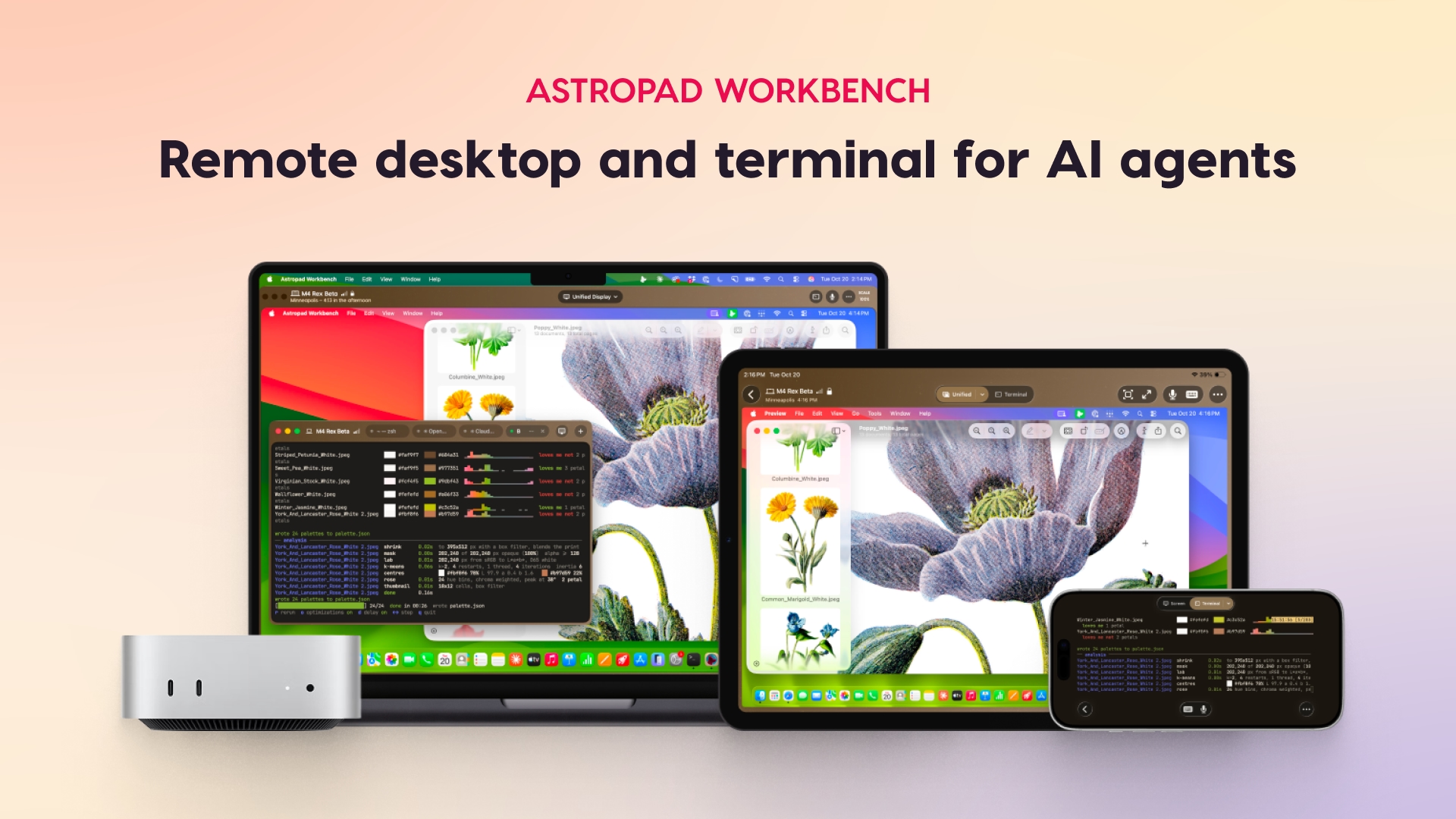
For this week's giveaway, we've teamed up with Astropad to offer MacRumors readers a chance to win a high-end 512GB OLED iPad mini with full A20 Pro chip and a free year of the Astropad Workbench software to go along with it.


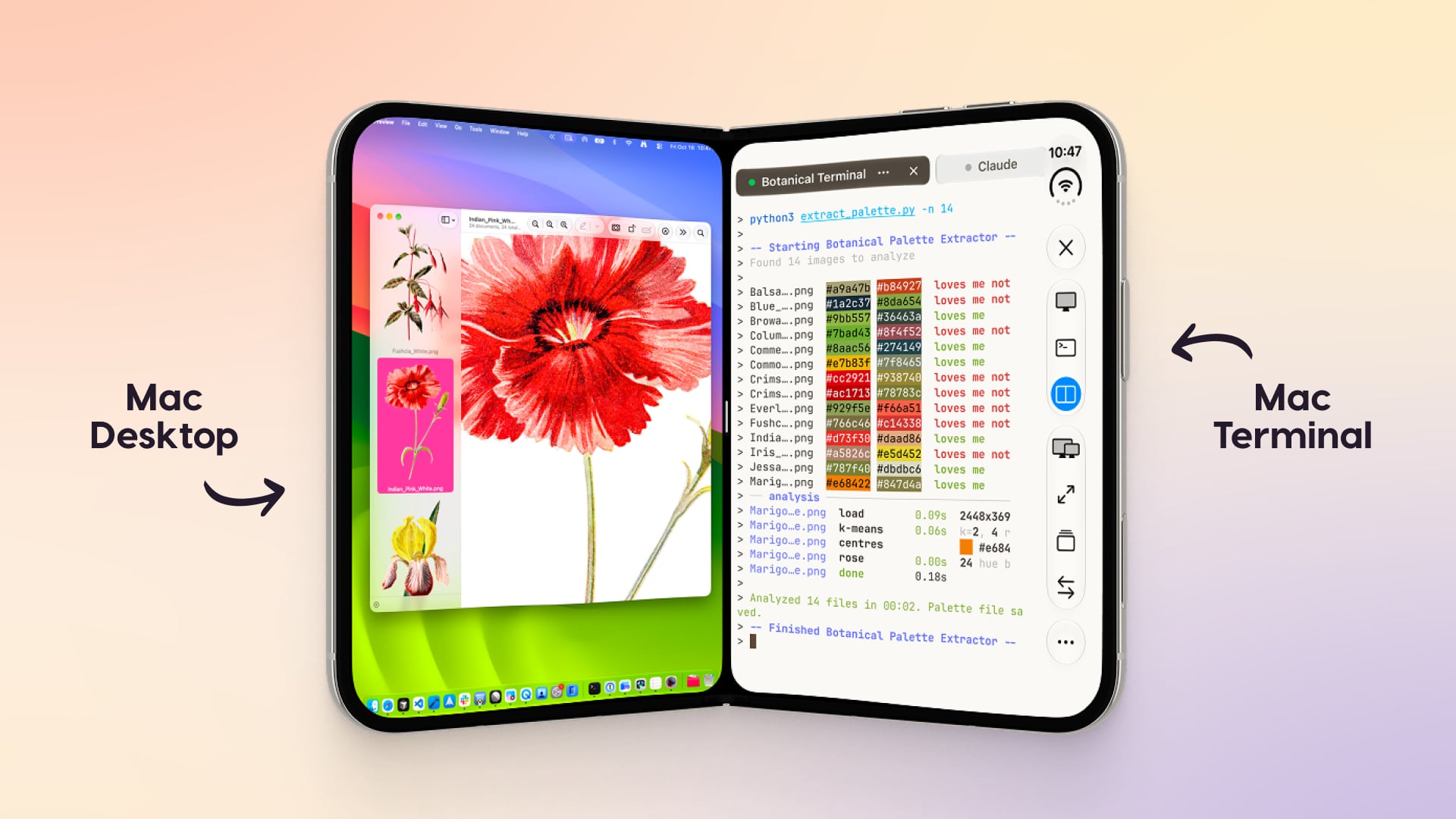
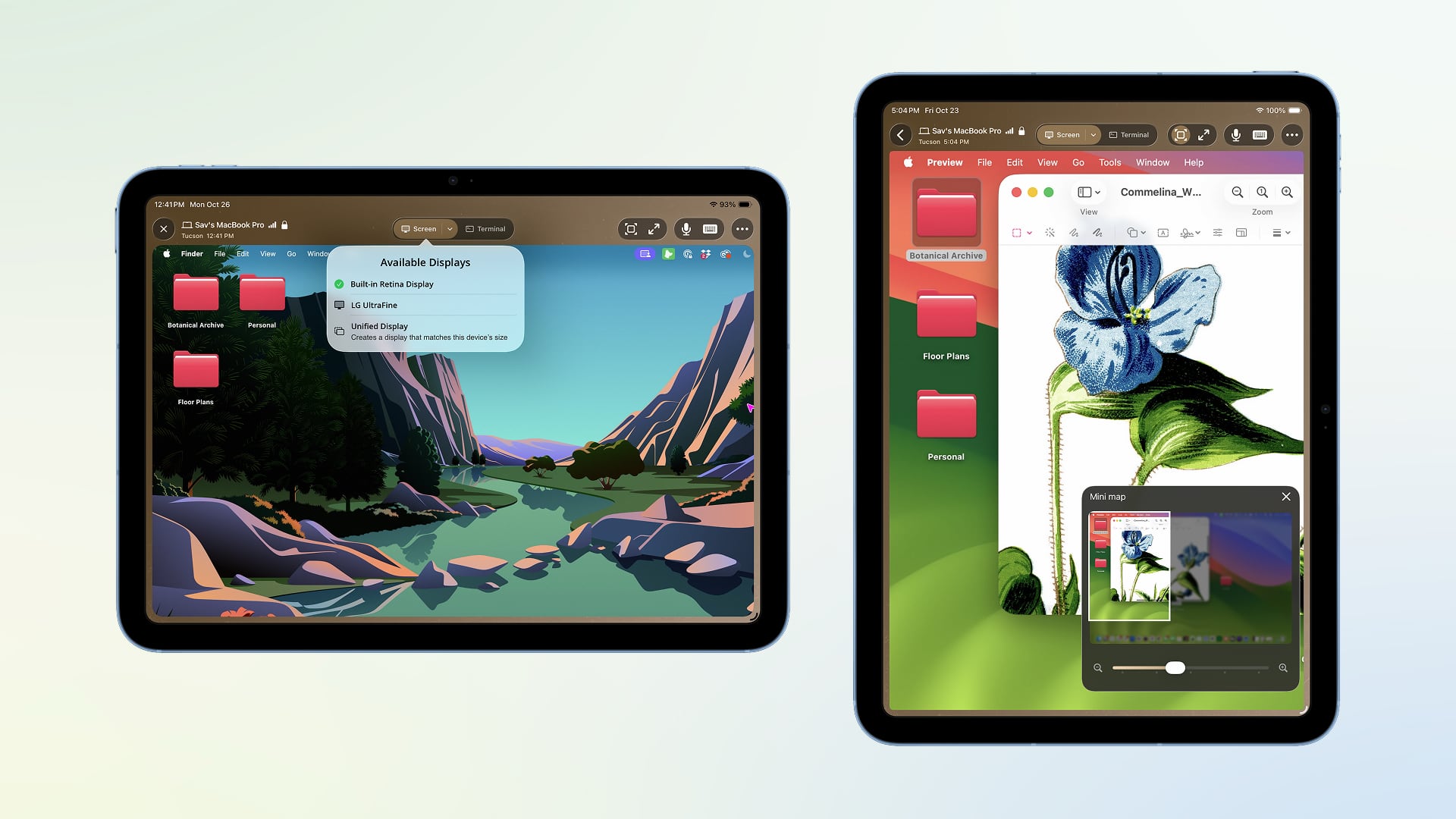
Astropad Workbench is a remote desktop app and terminal built for using AI agents. It lets you control and monitor AI agents remotely, so it is a good fit for people who have a local AI setup or a service that gives an AI agent access to a Mac. Workbench supports everything from local LLMs to Claude Code, Codex, Xcode, and Cursor. With Workbench 1.4, the latest update, you can switch from the Terminal to the full desktop from the toolbar without needing to reconnect.

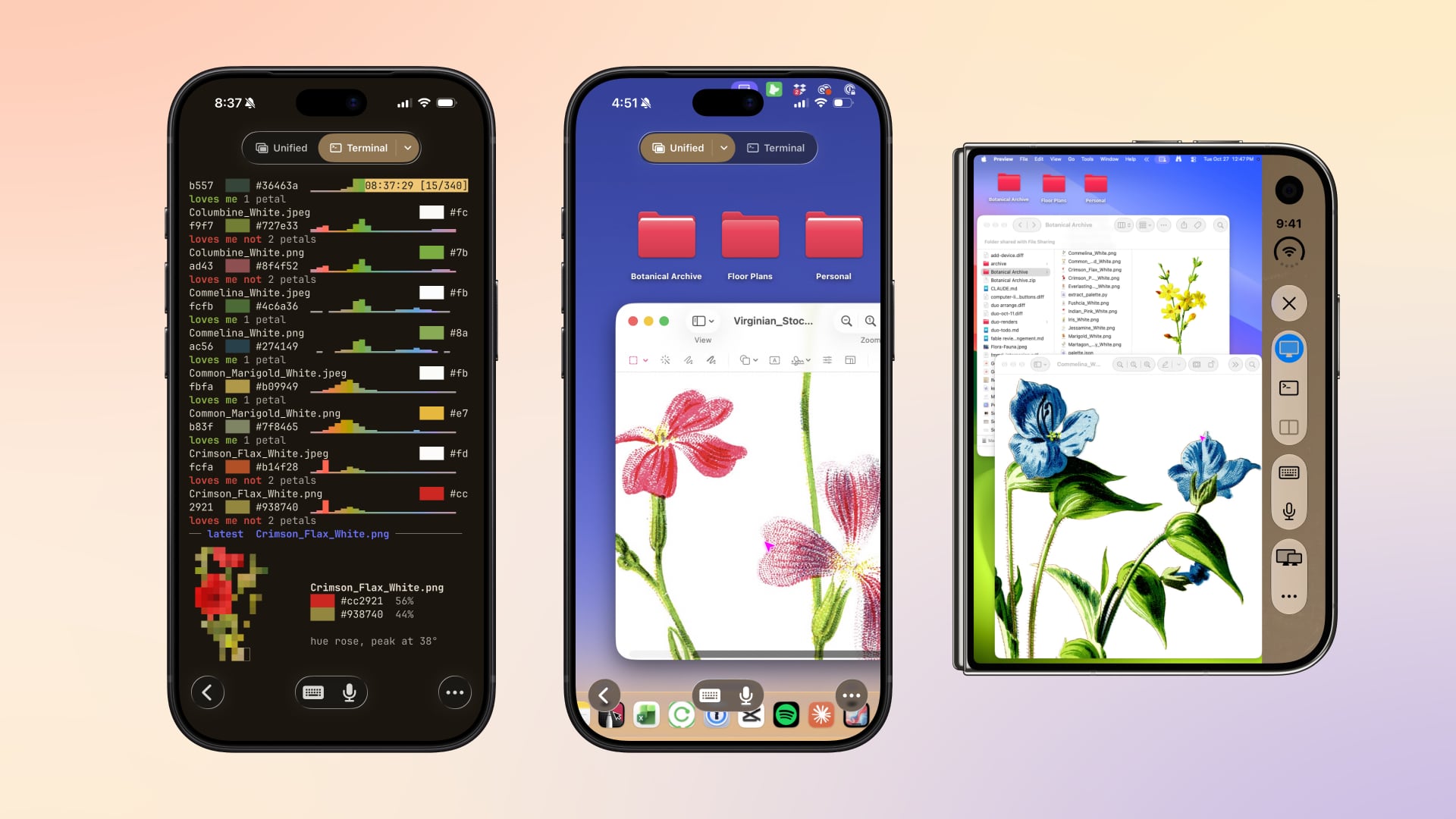
There are Astropad Workbench apps for Mac, iPad, and iPhone, so you can use your iPhone or ‌iPad‌ to interface with your Mac desktop and give commands to AI agents from wherever you are. Setup is simple, without the need for network configuration. Apps run natively on all supported devices, including the iPhone Duo.


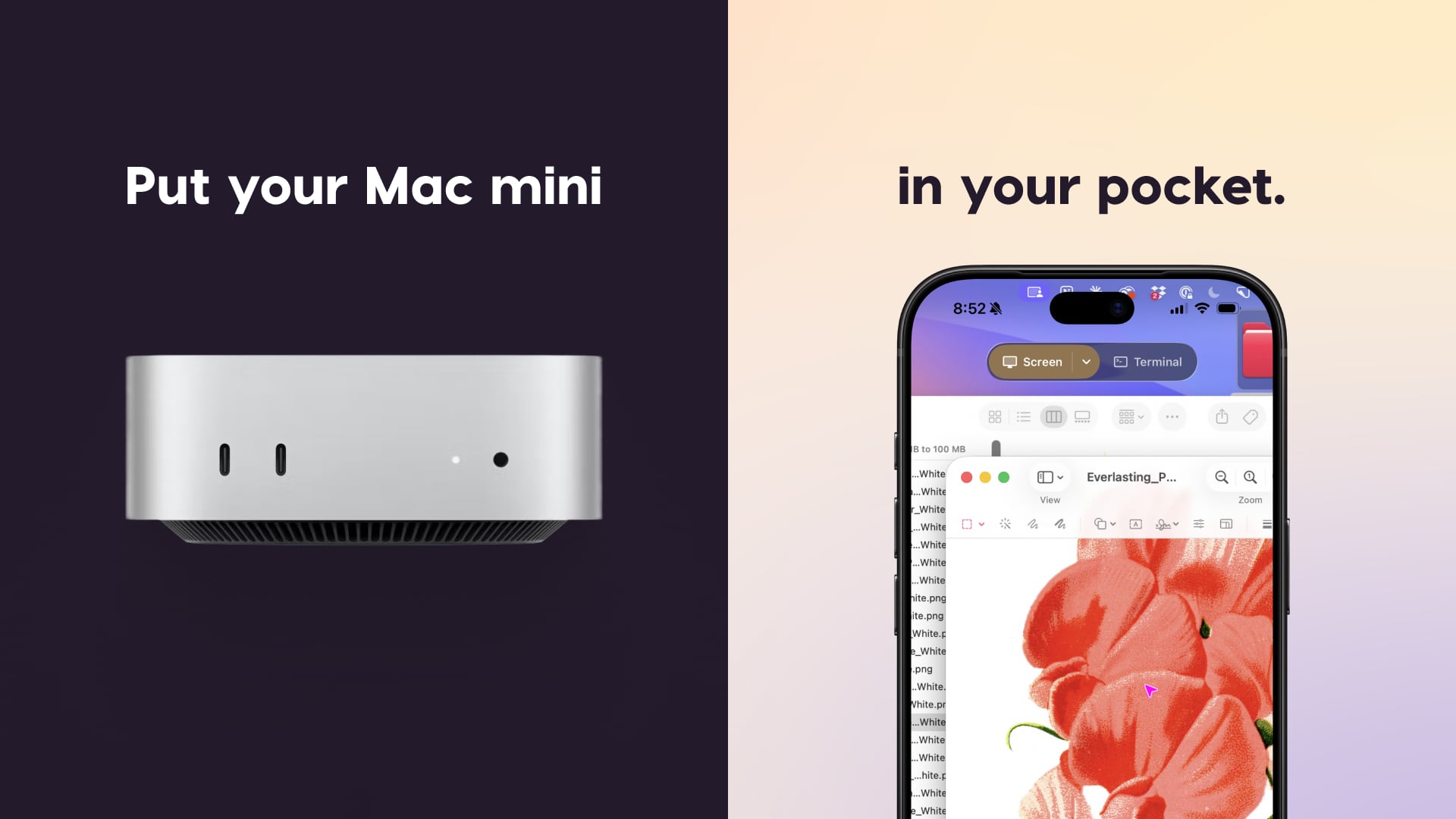
You can even set Workbench up on a headless Mac mini with no display attached and access content from your iPhone or ‌iPad‌. Workbench also combines multiple Mac displays into one screen that matches the resolution of a remote device.


It's easy to check logs and output to verify agent work, restart failed tasks, and reconnect to long-running jobs. Multiple Macs are supported and you can switch between several machines connected to a single Workbench account. Intelligent sleep management makes sure your Mac is awake when you need it. Terminal sessions continue running after you disconnect, so you can start a session on one device like an ‌iPad‌ and then check in on it later from another device.

The app supports high-fidelity streaming for accurate colors and crisp text, an interactive mini-map for quick navigation, low latency, speech-to-text input, drag-and-drop file transfers, and on the ‌iPad‌, Apple Pencil support. There are no display recordings saved, and end-to-end AES–256 encryption is included. You can also veil your Mac's screen while a remote session is in progress so no one can see what you're doing.


Workbench is free for 20 minutes of daily access, with paid plans available at $14.99 per month or $79.99 per year. The app requires macOS 15 or later, iOS 26 or later, and iPadOS 26 or later. It works best with an Apple silicon Mac, though there is limited support for Intel Macs.


We have a free year of Astropad Workbench and a 512GB ‌OLED‌ ‌iPad mini‌ with Wi-Fi for one lucky MacRumors reader. To enter to win, use the widget below and enter an email address. Email addresses will be used solely for contact purposes to reach the winner(s) and send the prize(s). You can earn additional entries by subscribing to our weekly newsletter, subscribing to our YouTube channel, following us on Twitter, following us on Instagram, following us on Threads, or visiting the MacRumors Facebook page.

Due to the complexities of international laws regarding giveaways, only U.S. residents who are 18 years or older, UK residents who are 18 years or older, and Canadian residents who have reached the age of majority in their province or territory are eligible to enter. All federal, state, provincial, and/or local taxes, fees, and surcharges are the sole responsibility of the prize winner. To offer feedback or get more information on the giveaway restrictions, please refer to our Site Feedback section, as that is where discussion of the rules will be redirected.


Astropad Giveaway
The contest will run from today (November 20) at 9:00 a.m. Pacific Time through 9:00 a.m. Pacific Time on November 27. The winner will be chosen randomly on or shortly after November 27 and will be contacted by email. The winner will have 48 hours to respond and provide a shipping address before a new winner is chosen.
Related Roundup: iPad mini
Tags: Giveaway, OLED
Buyer's Guide: iPad Mini (Buy Now)
Related Forum: iPad

This article, "MacRumors Giveaway: Win a 512GB OLED iPad Mini and a Year of Astropad Workbench" first appeared on MacRumors.com

Discuss this article in our forums
  •  

Apple is Building an AI Agent That Can Use Apps and Code

Apple is working on a proactive AI agent like Meta's Muse or OpenAI's Dots, according to job listings spotted by Bloomberg.


The listing describes an AI agent that can code, use apps, and browse the web.
Imagine an AI agent that can use a computer the way a capable person does. It browses the web, works across apps, runs commands, writes and debugs code, and calls services, and it chooses the right tool for each step. It does all this privately and with the polish people expect from Apple. Our team is building the foundation for that future, and we're looking for a senior engineering leader to make it real.

Apple's listing notes that safety, privacy, and security need to be "central to the design" of its agentic AI. Apple is seeking someone who can work across the Siri, UI frameworks, and Apple Foundation Models teams, joining a group already working on "general-purpose computer-use agents."
People already do their most valuable work by moving fluidly between tools: a browser, a document, a terminal, an editor, a service. We're building AI agents that can do the same. We're a team of engineers, AI applied researchers, and systems specialists working on general-purpose computer-use agents. These agents plan and carry out multi-step tasks across apps, browsers, command lines, code, and APIs, and they can coordinate specialized sub-agents along the way.

Bloomberg previously said Apple was aiming to make ‌Siri‌ "more like an agent" as soon as 2027. With almost every major AI company adopting proactive AI, it makes sense that Apple is rushing to create a competitive product.

Meta came out with its Muse agent in September, and the app quickly shot up the App Store charts. OpenAI followed with Dots, Anthropic launched Claude Duet, and Google turned its Gemini Spark agent into "Tasks" and added new features. All of the proactive agents offer to do tasks for users without being asked, which isn't something ‌Siri‌ AI is capable of.

New Apple CEO John Ternus has reportedly been pushing software engineering chief Craig Federighi to move faster on AI.
This article, "Apple is Building an AI Agent That Can Use Apps and Code" first appeared on MacRumors.com

Discuss this article in our forums
  •  

Second iOS 27.3 and macOS Golden Gate 27.3 Public Betas Now Available

Apple today seeded the second betas of iOS 27.3, iPadOS 27.3, macOS Golden Gate 27.3, tvOS 27.3, and watchOS 27.3. Apple also has revised betas of of iOS 27.3 and iPadOS 27.3 available for developers.


iOS 27.3 is a major update that adds a Vertical Tabs layout option and Adaptive Dark Mode for Safari. Siri AI can do more in and across Apple's apps, and developers are now able to create actions for ‌Siri‌ to carry out.

In the second developer beta, Apple introduced a facial unlock feature for the iPhone Duo that uses the front camera, along with an option to lock the ‌iPhone Duo‌ when it's closed.

The redesigned Health app is now available with custom Insights and Longevity information, and the ‌iPhone Duo‌ supports Reachability. There's a new Selfie Sing feature in Apple Music, plus changes to StandBy on non-Duo iPhones. Apple has started testing Apple Intelligence and ‌Siri‌ AI usage limits, with extra access available through iCloud+ plans. A full list of what's new in the beta can be found in our guide.

On the Apple Watch Series 12 and Ultra 4, Audio Intelligence features Live Rewind and ‌Siri‌ Recap are available for testing. Live Rewind creates a transcript of the last 15 seconds of speech, and ‌Siri‌ Recap offers a high-level summary of conversations throughout the day.

‌macOS Golden Gate‌ 27.3 has the same Safari features, and it brings Live Activities to Macs without a Dynamic Island.

To get the new betas, you can sign up on Apple's beta testing website. After you're signed up, the betas can be installed through the Software Update section in the Settings app on each device.

We're expecting all of Apple's updates to launch in December.
Related Roundups: iOS 27, iPadOS 27, macOS Golden Gate
Related Forums: iOS 27, macOS Golden Gate

This article, "Second iOS 27.3 and macOS Golden Gate 27.3 Public Betas Now Available" first appeared on MacRumors.com

Discuss this article in our forums
  •  

Google's Gemini Can Now Control Apps on Your Mac

Google today expanded Gemini's capabilities, allowing it to take full advantage of your Mac. Gemini for Mac can use apps, files, and websites to complete multi-step tasks in the background while you work in the foreground.


According to Google, Gemini can do repetitive work, handling clicking, typing, menus, and forms. It works in an isolated window with a live preview in the Gemini chat interface so you can keep an eye on what it's doing.

You can choose the apps that Gemini can use, and it will ask for approval before taking "key actions."

Google suggests Gemini's new feature is useful for batch editing photos, preparing listings for resale platforms, and turning metrics and screenshots into a presentation.

The new option for Gemini to take control of a Mac is available before macOS 27.3 launches, so the timing is convenient. With the update, Apple will warn users about the dangers of giving apps unrestricted access to their data, making it clearer exactly what AI agents will be able to see and do.

Apple will let users limit access to specific apps and folders and configure apps to get permission each time access is requested. There's also a transparency indicator that makes it clear when an app is controlling another app.

Users who install apps asking for Mac permissions now won't have to re-grant those permissions after macOS 27.3 is released, nor will users see the new explanation screens Apple is putting in place.

Gemini for Mac can be downloaded from the Google website. Computer use is available to Google AI Plus, Pro, and Ultra subscribers in the U.S., with the plans starting at $4.99 per month. The app requires an Apple silicon Mac.
Tags: Gemini, Google

This article, "Google's Gemini Can Now Control Apps on Your Mac" first appeared on MacRumors.com

Discuss this article in our forums
  •  

iPhone Duo vs. Samsung Galaxy Z Fold8: Which is Better?

A couple of months before the iPhone Duo came out, Samsung launched the Galaxy Z Fold8. It's Samsung's widest and shortest foldable to date, with Samsung adopting an aspect ratio closer to the ‌iPhone Duo‌'s than its previous foldable smartphones. Since the Z Fold8 was clearly designed to compete with the ‌iPhone Duo‌, we thought we'd compare the two devices.


The Galaxy Z Fold8 and ‌iPhone Duo‌ are similar in size, but the Fold8 is noticeably lighter. It's about 50 grams lighter than the ‌iPhone Duo‌, and it makes a difference when you're holding it. It's lighter because it's thinner than the ‌iPhone Duo‌ when folded and unfolded. The Z Fold8 is 6mm taller and around 3mm narrower, though both have a 7.6-inch inner display.

The ‌iPhone Duo‌ has a heftier feel and a more premium build, plus it has rounded corners that feel nicer in the hand than the Z Fold8's sharper, rectangular corners.

Apple used a matte nano-texture display for the ‌iPhone Duo‌, and that's likely something we're going to see Android smartphone makers imitate in their future foldables. The matte display goes a long way toward minimizing the visibility of the crease. Apple also put the camera on the inner display under the screen, which is something Samsung experimented with in earlier models and then abandoned.

Under-display front cameras are generally lower resolution than standard cameras, and there have been complaints about the quality of the ‌iPhone Duo‌'s inner front camera. The Z Fold8 has a more traditional hole-punch camera that's better quality.

Both smartphones use fingerprint recognition rather than facial recognition, but Samsung has long offered a face unlock feature that uses the front-facing camera. Apple just this week adopted a similar face unlock option, and it's coming in iOS 27.3. Face unlock is less secure than the Face ID system used for Apple's other iPhones, but it is more convenient than Touch ID for some users.

Neither smartphone has a telephoto camera, so both Apple and Samsung compromised on camera quality. The ‌iPhone Duo‌ has a 48-megapixel Main camera and a 48-megapixel Ultra Wide, while the Z Fold8 has 50-megapixel wide and ultra wide cameras. The main difference in image quality is the computational processing each smartphone offers, so which one is "better" comes down to your preference for white balance, saturation, tone, and similar factors.

The Z Fold8 supports 8K video recording and reverse wireless charging for accessories, plus it has a physical SIM while the Duo only has an eSIM. Samsung's smartphone is limited to IP48 dust and water resistance, while the ‌iPhone Duo‌ has IP68. Samsung uses the Qualcomm Snapdragon 8 Elite Gen 5, and the ‌iPhone Duo‌ has Apple's A20 Pro chip. The other big difference is stylus support. The ‌iPhone Duo‌ works with the USB-C Apple Pencil, but the Z Fold8 doesn't work with Samsung's S Pen options.

Since Samsung has been making foldable smartphones for years, developers have had more time to update their apps for the form factor. Most Android apps already work well, while we're still waiting for many developers to update their apps for the Duo. Samsung is also ahead on multitasking, with the option to use three apps at once and support for pop-up windows and a taskbar.

Samsung's Galaxy Z Fold8 is slightly cheaper than the ‌iPhone Duo‌, with pricing starting at $1,899.99 while the Duo starts at $1,999, but deciding between them will come down to your operating system preference and device ecosystem. If you're accustomed to iOS and have an Apple Watch, Mac, and other Apple devices, there's little reason to choose a Samsung smartphone. The same goes for Samsung users who have other Galaxy devices.

Do you prefer the ‌iPhone Duo‌ or the Galaxy Z Fold8? Let us know in the comments below.
Related Roundup: iPhone Duo
Tag: Samsung
Buyer's Guide: iPhone Duo (Buy Now)
Related Forum: iPhone

This article, "iPhone Duo vs. Samsung Galaxy Z Fold8: Which is Better?" first appeared on MacRumors.com

Discuss this article in our forums
  •  

Instagram Now Lets You Save Songs to Apple Music

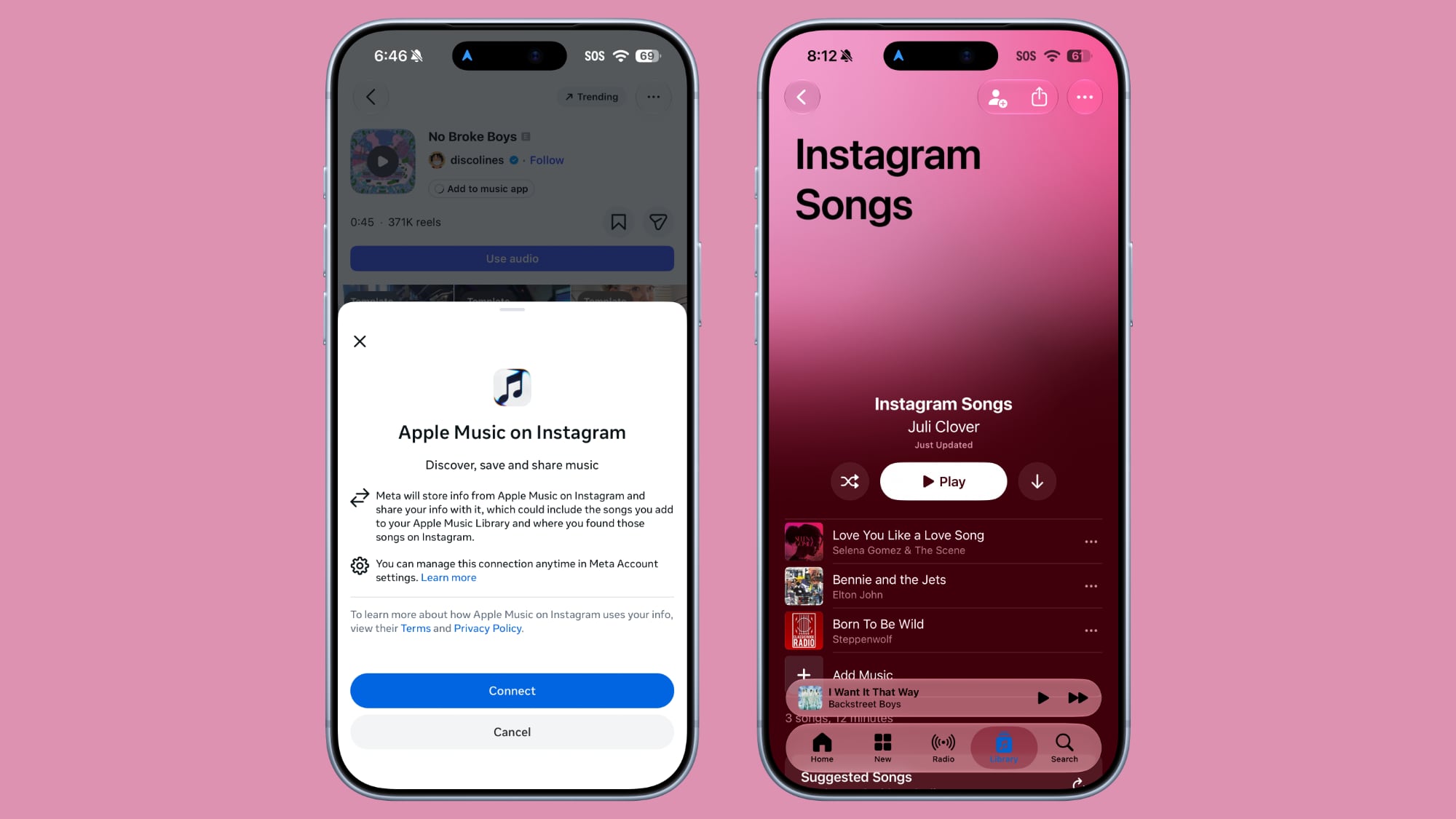
Sometime in the last week or two, Instagram added a new Apple Music feature. You can now connect an ‌Apple Music‌ account to the social network and save songs you come across to an ‌Apple Music‌ playlist.


If you tap a song link on a post or a story on Instagram, you'll see a prompt to connect Instagram to ‌Apple Music‌. Once your ‌Apple Music‌ account is linked to Instagram, you can tap a song name in a post and use the "Add to ‌Apple Music‌" button to save it.

Songs are saved in an "Instagram Songs" playlist in the Library section of the Music app.

Instagram previously supported sharing ‌Apple Music‌ songs in Stories and direct messages, but there was no option for saving content from Instagram to ‌Apple Music‌. Spotify also supports saving songs from Instagram to the Liked Songs section on the streaming service.
This article, "Instagram Now Lets You Save Songs to Apple Music" first appeared on MacRumors.com

Discuss this article in our forums
  •  

Apple Releases Safari Technology Preview 257 With Bug Fixes and Performance Improvements

Apple today released a new update for Safari Technology Preview, the experimental browser that was first introduced in March 2016. Apple designed ‌Safari Technology Preview‌ to allow users to test features that are planned for future release versions of the Safari browser.


‌Safari Technology Preview‌ 257 includes fixes and updates for Animations, CSS, Canvas, Editing, Forms, Images, JavaScript, Media, Networking, Performance, Rendering, SVG, Scrolling, Security. Web API, Web Extensions, Web Inspector, WebAssembly, Web Driver, WebGL, WebGPU, and WebRTC.

The current ‌Safari Technology Preview‌ release is compatible with machines running macOS Tahoe and macOS Golden Gate, the newest version of macOS.

The ‌Safari Technology Preview‌ update is available through the Software Update mechanism in System Preferences or System Settings to anyone who has downloaded the browser from Apple's website. Complete release notes for the update are available on the Safari Technology Preview website.

Apple's aim with ‌Safari Technology Preview‌ is to gather feedback from developers and users on its browser development process. ‌Safari Technology Preview‌ can run side-by-side with the existing Safari browser and while it is designed for developers, it does not require a developer account to download and use.
This article, "Apple Releases Safari Technology Preview 257 With Bug Fixes and Performance Improvements" first appeared on MacRumors.com

Discuss this article in our forums
  •  

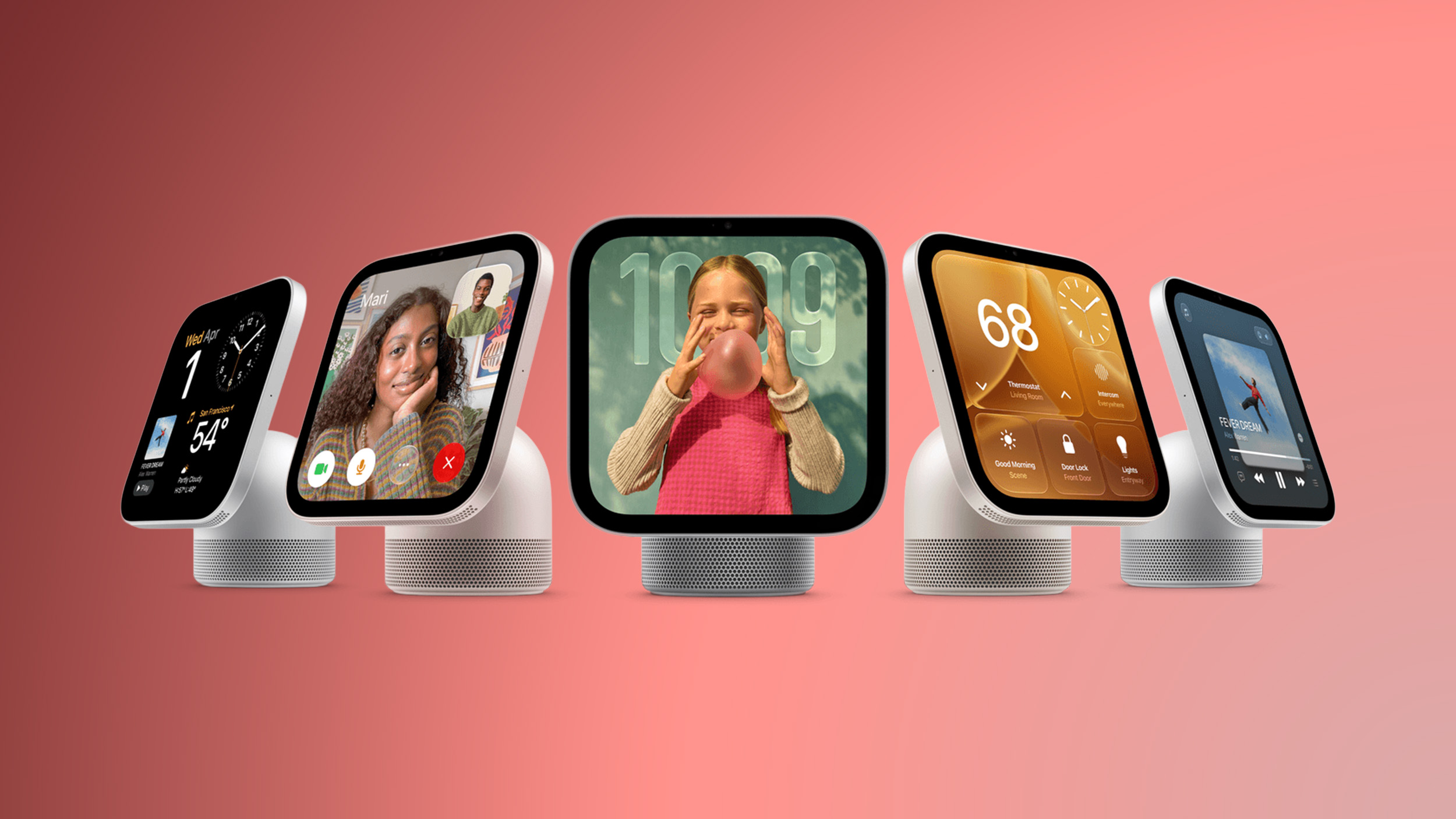
HomeView 27.2.1 Update Fixes Siri Bugs

Apple today released a new software update for the HomeView, and it fixes two Siri issues users were running into.


According to Apple, HomeView 27.2.1 fixes a bug that could cause ‌Siri‌ requests to fail if the HomeView is paired to an iPhone or iPad running the iOS 27.3 or iPadOS 27.3 betas.

It also addresses an issue that caused the HomeView to fail to download support for ‌Siri‌ when setting up a Shared Album on the Photos face.

A third fix prevents the HomeView from being removed from the home when connecting another home hub. From Apple's release notes:
This update provides important bug fixes for your HomeView, including fixes for the following issues:
- Setting up a Shared Album on the Photos face may prevent the device from downloading support for Siri, causing Siri to be unavailable
- Pairing with an iPhone or iPad running the iOS or iPadOS 27.3 beta may cause Siri requests to fail
- Connecting another home hub device may unexpectedly remove HomeView from your home

Shortly after the HomeView launched, complaints started rolling in. Users found the device would not set alarms or timers, and some users had problems downloading ‌Siri‌. Music commands failed in some cases, and there were also delays in ‌Siri‌ responses. Apple's notes don't mention alarms, timers, or music, but the ‌Siri‌ fixes may address some of the issues.

Reviewer Joanna Stern also ran into a bug that prevented ‌Siri‌ AI from unlocking door locks and garage doors by voice after authenticating with the camera. Apple said it will fix the bug in December.

New HomeView software can be installed in the Settings app on the device or through the Home app on a connected iPhone, ‌iPad‌, or Mac.
Related Roundup: Apple HomeView
Tag: Siri
Buyer's Guide: HomeView (Buy Now)

This article, "HomeView 27.2.1 Update Fixes Siri Bugs" first appeared on MacRumors.com

Discuss this article in our forums
  •  

Apple Card Offers New Users Double Daily Cash for a Year

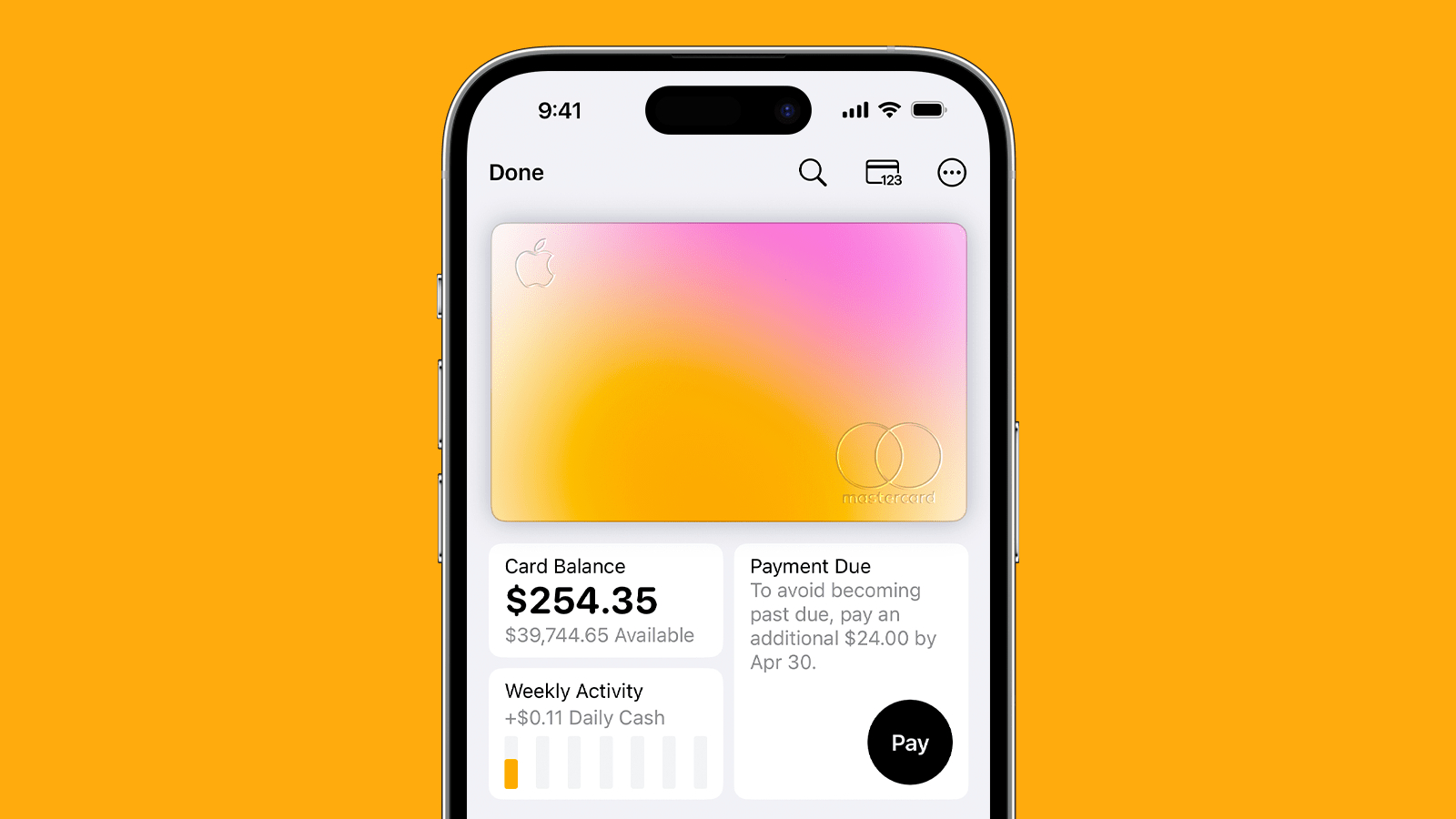
Apple is aiming to get people to sign up for the Apple Card over the holidays by offering a 2X Daily Cash bonus for new users.


iPhone users who sign up for an Apple Card by December 10 can earn up to six percent Daily Cash on purchases for the first year after opening the account, with Apple offering up to $1,000 total bonus Daily Cash.

The promo doubles the standard Daily Cash back rewards:

  • 6% - At Apple and participating merchants when using ‌Apple Card‌ with Apple Pay.

  • 4% - On purchases made using an ‌Apple Card‌ with ‌Apple Pay‌.

  • 2% - On purchases made with the physical ‌Apple Card‌ or virtual card number (no ‌Apple Pay‌).


After a year or when the $1,000 bonus Daily Cash limit is reached, Daily Cash will revert to the standard one, two, and three percent rewards. Getting the full bonus amount would require spending about $33,333 at six percent, $50,000 at four percent, or $100,000 at two percent, so for many users, the bonus cash earned will be less than Apple's maximum.

Those interested in the deal will need to apply through the promo website, as Apple says the deal may not be available elsewhere. The promotion is not available to current ‌Apple Card‌ holders or those who have had an ‌Apple Card‌ in the past.

‌Apple Card‌ continues to be available only in the U.S.
This article, "Apple Card Offers New Users Double Daily Cash for a Year" first appeared on MacRumors.com

Discuss this article in our forums
  •  

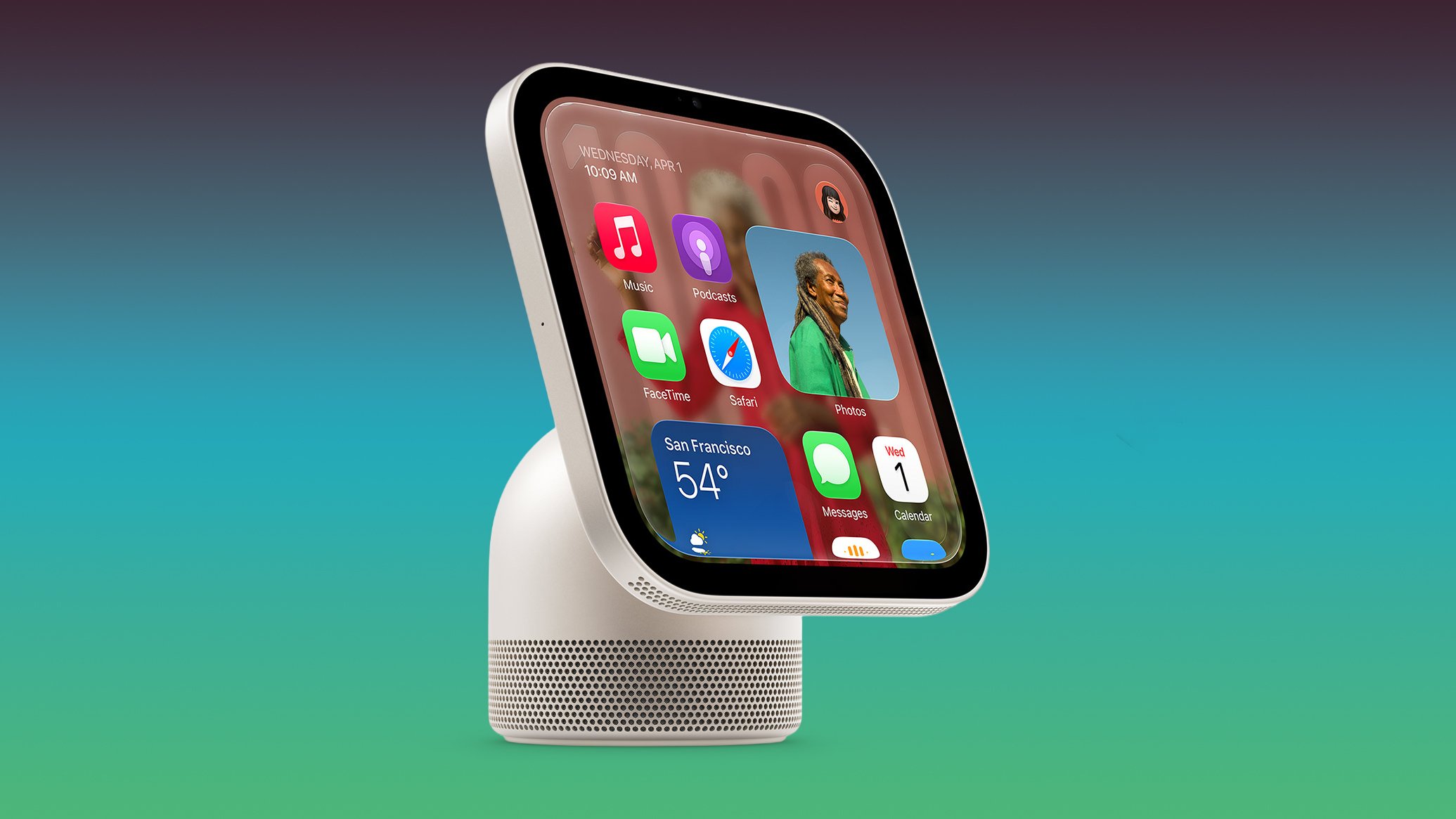
Apple Releases 27.2.1 HomeView Software Update

Apple today released new 27.2.1 software for the HomeView, marking the first post-release software update for the device.


There are no notes that mention what's new in the update, but Apple does have a HomeView software support document that should have details in the near future. The 27.2.1 updates for other platforms were primarily focused on security, but the HomeView Software 27.2.1 does not include any published CVE entries.

HomeView updates can be downloaded through the Settings app on the device itself or through the Home app.
Related Roundup: Apple HomeView
Buyer's Guide: HomeView (Buy Now)

This article, "Apple Releases 27.2.1 HomeView Software Update" first appeared on MacRumors.com

Discuss this article in our forums
  •  

Apple's Fall Creator Studio Updates Now Live

Apple today refreshed its suite of Creator Studio apps, launching the fall updates that it announced in October.


Final Cut Pro with MotionVFX integration is now available, letting users access MotionVFX templates, titles, themes, effects, layouts, and more right in Apple's video editing app. Timeline clips can be disconnected from the primary storyline, and there are new keyframe easing options. Apple also added royalty-free video clips to the Content Hub and a feature for quickly adjusting images in Pixelmator Pro and saving the edits in Final Cut Pro automatically.

Logic Pro has an updated Stem Splitter with the option to break the drum stem into individual tracks, a Liquid Glass design, and Quick Look for previewing audio snapshots.

MainStage has Sidecar support for turning the iPad into a multi-touch controller, while Motion can use MotionVFX for color grading, 3D camera tracking, and visual effects. Compressor gains support for encoding videos recorded in Cinematic mode.

Pixelmator Pro includes Generate Fill for images, taking advantage of AI for edits that blend in with surrounding content. Apple says the app can match lighting, perspective, and texture. There is a tool to circle an area to edit and improved precision for Magnetic Selection, Free Selection, and Quick Selection.

Pages, Keynote, and Numbers include an Intelligent Assistant that can create and edit content and give guidance on using in-app tools.

The new app features require a subscription to Apple Creator Studio, which is priced at $12.99 per month or $129 per year. Apple does offer standalone versions of its apps, but most of the additions are limited to Creator Studio subscribers.
This article, "Apple's Fall Creator Studio Updates Now Live" first appeared on MacRumors.com

Discuss this article in our forums
  •  

Aqara Debuts Six Matter Smart Lights That Work With Apple Home

Aqara today launched six new Matter-enabled smart lights that work with Apple's Home platform. The lights also include Thread and Zigbee support and can be used with Aqara sensors and switches.


The $120 Floor Lamp T1 is a rod-shaped light with a wall-wash effect. It has 18 controllable zones that can be set to different colors, with support for 2000K to 9000K white light at up to 1,000 lumens.

Aqara's $50 LED Downlight T2 has a slim profile for low ceilings or retrofitting. It supports 16 million colors and 2000K to 9000K white light. The $24 E12 LED Bulb T2 can be used in lamps that require smaller screw bases. It has adjustable white lighting and supports up to 16 million colors.

The trimmable LED Strip T2 has 108 LEDs per meter and is ideal for use under cabinets and along shelves. Aqara says it delivers even light without visible hotspots. The light strip has 18 controllable zones per three meters for smooth color gradients. It's priced starting at $66 for a 10-foot strand, with 16-foot and 32-foot options available as well.

The Outdoor String Lights H1 are priced at $130 for a 50-foot strand and $220 for a 100-foot strand. The lights have a temperature range of 2000K to 9000K and IP65 dust and water resistance. Aqara says the lights have independently controllable zones for color gradients and flowing animations.

Aqara's Permanent Outdoor Lights H1 start at $190 for a 50-foot strand. Each light can be independently controlled, with support for white light for everyday use and colors for holiday displays. The permanent outdoor lights are extendable and cuttable with multiple mounting options so they can be adapted to different rooflines.


To use the Aqara lights with Apple Home, you need a HomePod mini, ‌HomePod‌, or Apple TV that serves as a Thread border router and a Matter hub. Zigbee is a protocol that works with Aqara hubs and other platforms.

More information on the new lights can be found on Aqara's website.
This article, "Aqara Debuts Six Matter Smart Lights That Work With Apple Home" first appeared on MacRumors.com

Discuss this article in our forums
  •  

Disney+ and Hulu Will Fully Merge Into One App in December

Disney says its plans to merge Disney+ and Hulu will be completed in December, with subscribers able to have a "fully unified experience" on Disney+ with Hulu live TV and premium add-ons.


The detail was included in Disney's fourth quarter earnings report. Disney believes the unified app will make it easier for customers to find content across the Disney brands and franchises.

Disney first announced plans to combine Disney+ and Hulu into one streaming service in May 2023, so the process has taken over three years. Disney has controlled Hulu since 2019, and it paid about $9 billion to buy out Comcast in a deal that closed in 2025.

There's no word yet on whether Disney will eventually stop offering the standalone Hulu app. Disney still sells standalone Hulu and Disney+ plans, as well as a bundle with both. The ad-supported bundle is $12.99 per month, while the ad-free version is $21.99.
Tags: Disney, Hulu

This article, "Disney+ and Hulu Will Fully Merge Into One App in December" first appeared on MacRumors.com

Discuss this article in our forums

  •  

iFixit Says Apple's HomeView is Unnecessarily Hard to Repair

iFixit today tore down the Apple HomeView to see what's inside, and found that the device takes a step backward in repairability compared to the HomePod. Getting into it resulted in damage to internal components.


Strong adhesive holds the HomeView's display in place, and iFixit said it was difficult to remove. There's a mix of Phillips and Torx screws in different sizes securing internal components, necessitating several tools.

Speakers take up most of the internal space behind the display, with the logic board located behind them. The logic board has a shield that connects to the back of the aluminum enclosure, turning the entire thing into a heat sink to improve thermal performance. The thermal paste and adhesive attaching the shield to the casing made the logic board difficult to remove.

The speakers are held in place with a thick adhesive pad, and attempting to remove one caused it to snap in half. There are multiple cables connecting the display to the speaker base, and iFixit found the components of the wall-mounted and tabletop versions of the HomeView aren't interchangeable. The devices have different internal designs, with the wall-mounted version using a larger logic board and the tabletop model adopting larger speakers and a pivot mount.

The HomeView speaker base is designed similarly to a ‌HomePod‌, and iFixit found it easier to take apart. The USB-C port on the base is modular and can be replaced, as can the two passive speakers inside the enclosure. Because of how the HomeView is assembled, it isn't possible to separate the display from the base without going through the display side.

iFixit said Apple made several design choices that "made repairs unreasonably and unnecessarily difficult" with little thought for repair options.
Related Roundup: Apple HomeView
Tag: iFixit
Buyer's Guide: HomeView (Buy Now)

This article, "iFixit Says Apple's HomeView is Unnecessarily Hard to Repair" first appeared on MacRumors.com

Discuss this article in our forums

  •  

Final Cut Pro Now Includes MotionVFX for Creator Studio Users

Apple today updated Final Cut Pro (FCP), adding MotionVFX integration. Apple purchased the company earlier this year, so now the MotionVFX library is part of FCP. It includes the templates, titles, themes, effects, layouts, and transitions that are popular with creators.


MotionVFX graphics and effects can be dropped into a video timeline, and 3D titles and graphics can be added to a scene on moving surfaces or at a natural depth that matches camera movement. Masking improvements make it quicker to add outlines, accents, motion trails, and more to video subjects, and static photos and illustrations can be turned into animations.

There's a new Content Hub with access to stock video, photos, graphics, and backgrounds. Creators can also generate images in FCP with text descriptions, and then edit those images. Any image from an FCP project can be opened in Pixelmator Pro for editing, and then added back to FCP when editing is finished.

Apple added easing options for more precise control over animation, and there's a new timeline command for detaching a clip from the primary storyline to reposition it freely without affecting B-roll, titles, and audio.

The new features are included in the Creator Studio version of Final Cut Pro, so you will need a Creator Studio subscription to use them. Creator Studio is priced at $12.99 per month and includes access to Final Cut Pro, Logic Pro, Pixelmator Pro, Motion, Compressor, and special features in free apps like Pages, Keynote, and Numbers.

The one-time purchase version of Final Cut Pro does not include the new additions.

Update: Apple's outage today has delayed the release of the Final Cut Pro update, but it should be out shortly.
This article, "Final Cut Pro Now Includes MotionVFX for Creator Studio Users" first appeared on MacRumors.com

Discuss this article in our forums

  •  

Apple Blames Internal Update for Outage, Says It Wasn't a Cyberattack

Apple has largely resolved outages affecting iCloud accounts, retail stores, and more, the company said in a statement to Bloomberg. Apple said the outages were due to an unspecified "internal update" and were not caused by a cyberattack. The company is working to get remaining systems online "as soon as possible."


Issues started around 11:45 a.m. ET, with social media reports suggesting users were unable to access their Apple Accounts or sign in to services. Apple retail store systems were also offline, and customers in stores were not able to complete purchases.

The System Status page is still listing issues with ‌iCloud‌ Accounts and Sign In, AppleCare on Device, Apple Business, Apple School Manager, Schoolwork, ‌iCloud‌ Mail, and ‌iCloud‌ Web Apps. Services are listed as slow or unavailable.

The Apple outage follows other major outages over the last few days that caused an FAA nationwide ground stop and impacted Microsoft 365 services worldwide.
This article, "Apple Blames Internal Update for Outage, Says It Wasn't a Cyberattack" first appeared on MacRumors.com

Discuss this article in our forums
  •  

Google Wallet Available on iPhone, But Without Tap to Pay

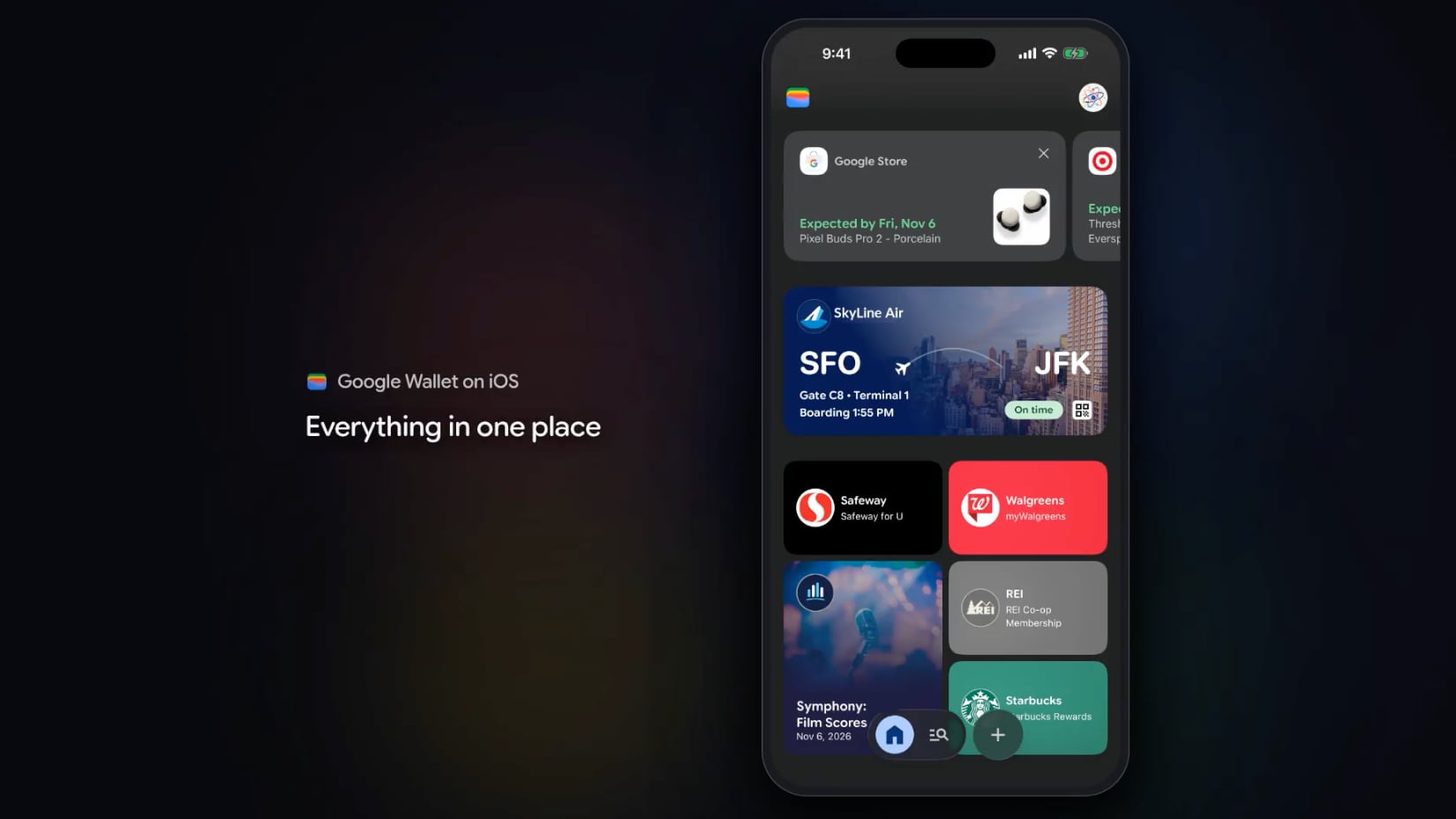
Google today said it is bringing Google Wallet to iOS in the United States, giving users a way to make payments and manage purchases across Google services.


Google Wallet cannot be used for tap-to-pay purchases in retail locations, but it otherwise serves as an alternative to Apple Wallet. It can store payment cards for online checkout with Google Pay, and it syncs with Gmail and other Google apps for features like package tracking and storing tickets and boarding passes.

As with Apple Wallet, Google Wallet lets users add loyalty and gym membership cards, so there's no need to use a physical card. Google says users can manage "agentic purchases made across Google," with easy access to order confirmations, receipts, and delivery updates.

Apple began allowing NFC contactless payments in third-party apps with iOS 18.1, but it requires a commercial agreement with Apple, so that may be why Google hasn't implemented support. Google could add contactless payments, but it would need to pay Apple's fees. NFC access is available to app developers in Australia, Brazil, Canada, Japan, New Zealand, the U.K., and the U.S.
This article, "Google Wallet Available on iPhone, But Without Tap to Pay" first appeared on MacRumors.com

Discuss this article in our forums
  •  

Apple Accounts, App Store and Apple Music Experiencing Issues

Apple Accounts and iCloud sign-ins appear to be experiencing issues, according to multiple social media reports and Apple's System Status page.


Apple says ‌iCloud‌ Account and Sign In may be slow or experiencing issues, but there are no other outages listed on the site.

There are also reports on social media about Apple retail stores and other services like Apple Music and Apple Pay experiencing issues. Anything related to an Apple Account seems to be malfunctioning, with users unable to sign in.

Update 1:10 p.m. ET: Apple's System Status page is listing outages for App Store, ‌Apple Music‌, and AppleCare on Device, along with the ‌iCloud‌ account issue.

The developer status page lists outages for Accounts, ‌App Store‌ Connect, the ‌Apple Music‌ API, ‌Apple Music‌ Connect, and Apple Podcasts Connect.
This article, "Apple Accounts, App Store and Apple Music Experiencing Issues" first appeared on MacRumors.com

Discuss this article in our forums
  •  

Everything New in iOS 27.3 Beta 2

Apple released the second beta of iOS 27.3 today, and like the first beta, it has several major new features. There are improvements to the iPhone Duo, tweaks to apps, new Siri features, and more.


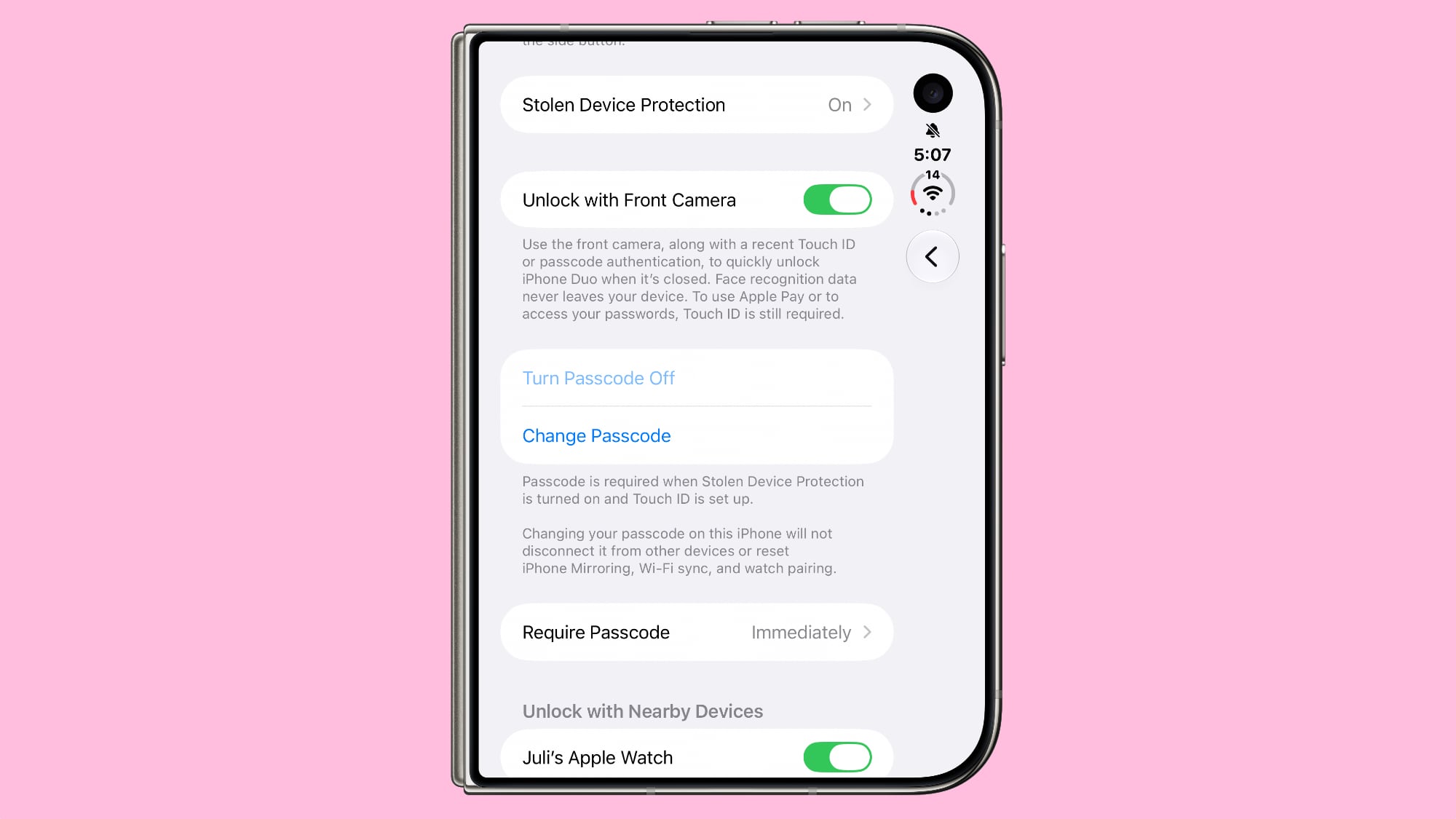
iPhone Duo Face Unlock


Apple added a new option to quickly unlock the iPhone Duo using the front-facing camera. The option is only available when the ‌iPhone Duo‌ is closed, and it can only be used on the Lock Screen.


Authenticating with Touch ID is required for Apple Pay purchases and for accessing passwords and logins. Unlocking with the camera requires recent ‌Touch ID‌ or passcode authentication, and ‌Touch ID‌ is required again after about 45 minutes of inactivity.

Unlocking with the front-facing camera does not work when the ‌iPhone Duo‌ is open, presumably because the under-display camera is not high enough quality. The face unlock feature can be turned on in the Settings app under ‌Touch ID‌ and Passcode.

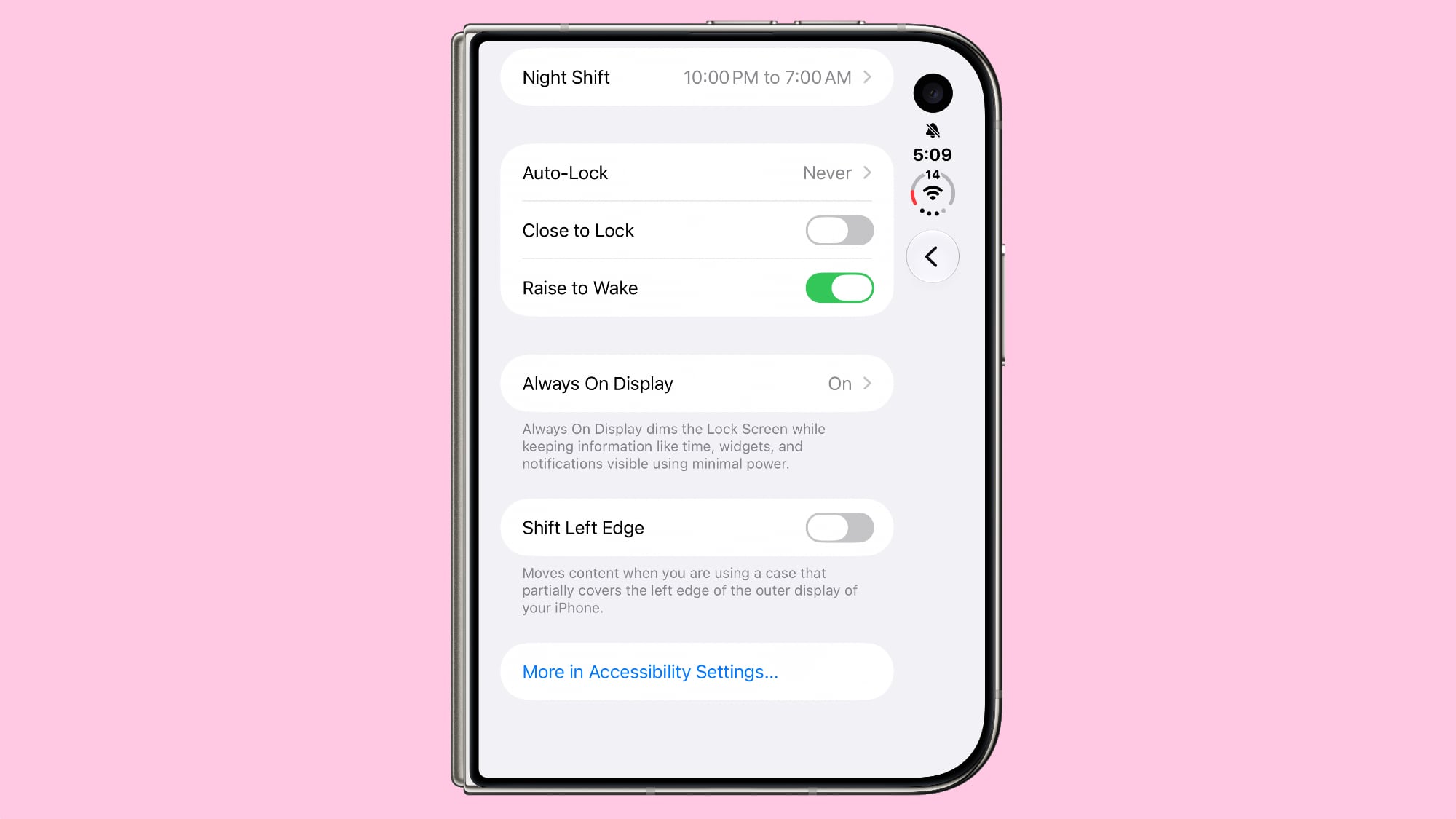
iPhone Duo Lock When Closed


Apple added an option to lock the ‌iPhone Duo‌ when it's closed instead of transferring content to the front display.


Close to Lock can be turned on in the Display and Brightness section of the Settings app.

Siri AI


There's a new "Ask About Page" feature for ‌Siri‌ AI that lets ‌Siri‌ see the entire content of a webpage, even if it's not currently in view on the screen.

‌Siri‌ AI can also now access Health data when given permission, and control over smart home products has improved.

Apple Intelligence and Siri AI Usage Limits


iOS 27.3 introduces the Apple Intelligence usage limits cxdApple has been warning about for months. ‌Siri‌ AI and ‌Apple Intelligence‌ features that use server-side processing will now have daily usage limits on a per-device basis.

Extra access is tied to 200GB and higher iCloud+ plans. The 200GB plan gives up to 2x usage, the 2TB plan is up to 5x, the 6TB plan is up to 10x, and the 12TB plan is up to 20x.

Limits apply to complex ‌Siri‌ AI requests that involve multiple steps, image generation and editing tools, AI workflows and automations in Shortcuts, and third-party apps that use Apple Foundation Models in Private Cloud Compute. More information can be found in our article on the new limits.

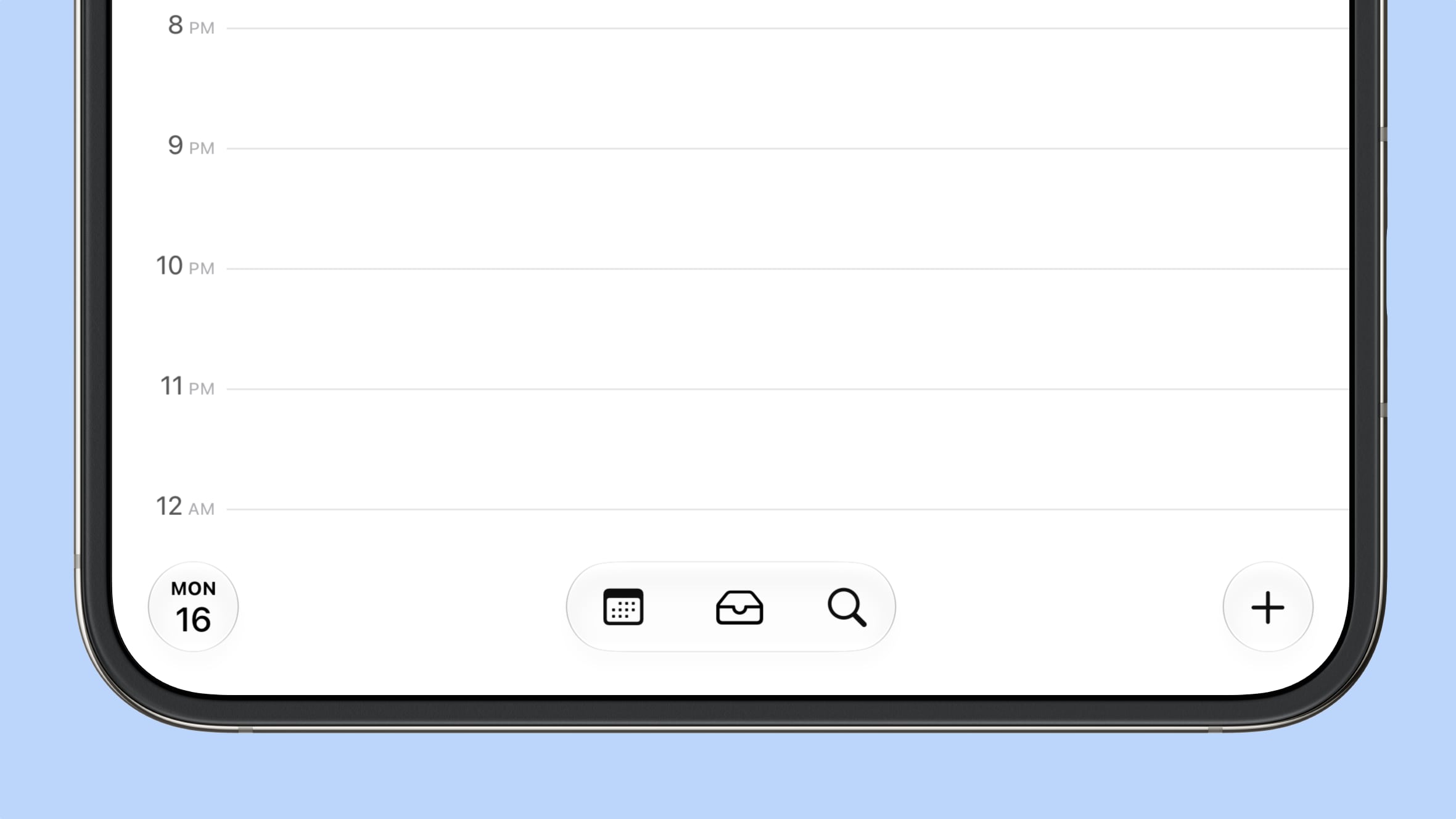
Calendar


The Calendar app has an updated layout with the options for searching and adding an event moved to the bottom of the app. The "Today" button that takes you to the current date has also been updated to show the date.


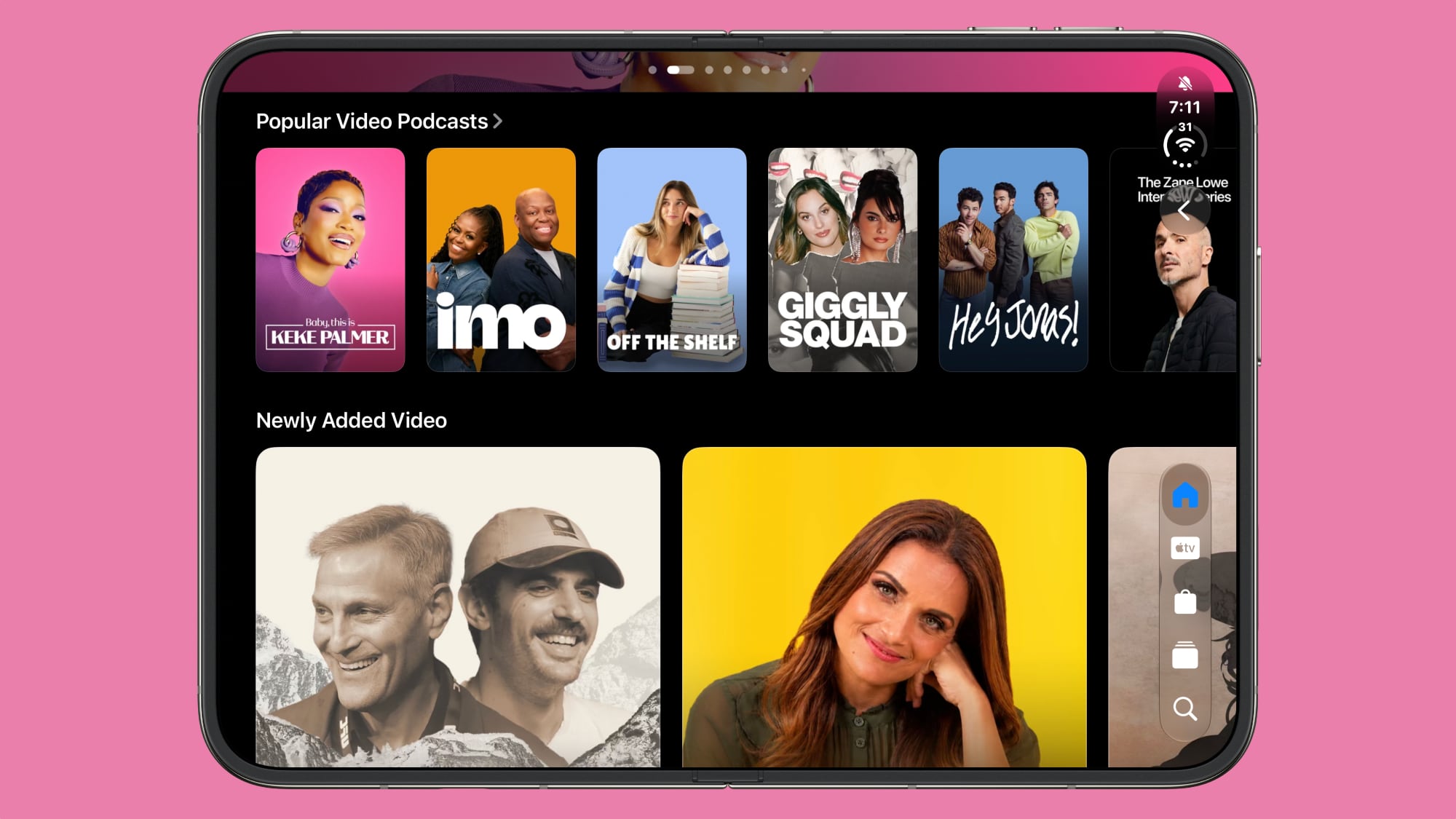
Apple TV App Podcasts


Video podcast episodes are now available in the Apple TV app. Only video podcasts that are free will show up in the ‌Apple TV‌ app.


Apple News+ Puzzles


Apple News+ Puzzles are expanding to Australian, UK, and French-Canadian ‌Apple News‌+ subscribers.

Subscribers in Australia get access to a daily quick crossword, crossword mini, Sudoku, Quartiles, and Emoji Game. UK subscribers get the daily quick crossword, crossword mini, and Sudoku, while French-Canadian subscribers can play Quartiles and Emoji Game.

Weather App


There are 10 new weather condition symbols in the Weather app, but Apple doesn't appear to be using them yet.

The Weather app gets 10 new weather-condition symbols in iOS 27.3 beta 2. https://t.co/1c5W4n5gKn

— pdfu (@itspdfu) November 16, 2026


Home App


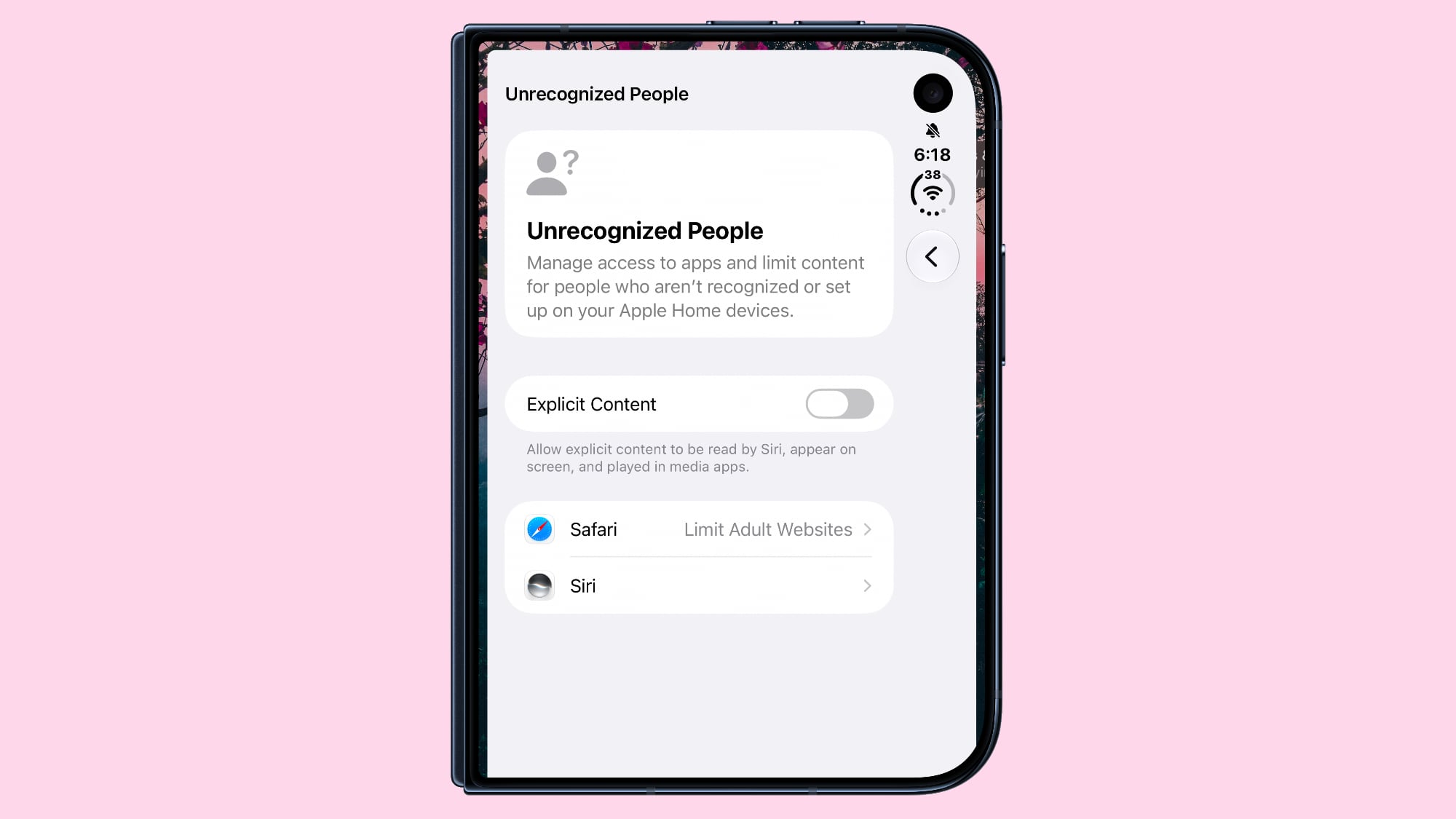
The Home app has an "Unrecognized People" section that limits how guests can use Safari and ‌Siri‌ on Apple home devices.


Apple Music


There's code in Apple Music for an album release countdown, but it doesn't appear to be active yet.
Related Roundups: iOS 27, iPadOS 27
Related Forum: iOS 27

This article, "Everything New in iOS 27.3 Beta 2" first appeared on MacRumors.com

Discuss this article in our forums
  •  
❌