
❌

Lese-Ansicht

iFixit's PROLED MacBook Pro Teardown Reveals Logo LEDs

iFixit today took apart Apple's touchscreen PROLED MacBook Pro to see how Apple shed weight, what powers the logo, and how it compares to the 14-inch M6 ‌MacBook Pro‌.


Apple added a glowing logo on the back of the PROLED ‌MacBook Pro‌, but since there's no backlight to illuminate it, Apple used four LEDs, a reflective layer, and a diffuser to create an even glow. When the light is off, the logo's two-way mirror coating gives it a shiny finish.

Getting to the logo for repairs isn't easy because it's behind the display, so if it breaks, the only repair option is removing the screen. iFixit ended up breaking the panel because the glass separated from the layers underneath, destroying the OLED.

Apple says the PROLED ‌MacBook Pro‌ has a hinge designed for touch, but iFixit said it's basically identical to the M6 ‌MacBook Pro‌'s hinge, just stiffer, so it better holds its angle when the display is tapped at the top.

The Thunderbolt/USB-C ports and fans are replaceable, but the logic board has to come out. The HDMI port and SDXC card slot are soldered to the logic board, so they're not as easily replaced. The SSD and memory are also soldered.

iFixit swapped logic boards between two PROLED ‌MacBook Pro‌ models, and after running Repair Assistant, all of the components worked, including the touchscreen and Touch ID. iFixit said the touchscreen didn't add any new parts pairing problems.

The PROLED ‌MacBook Pro‌'s trackpad is a little bit smaller than the M6 model's, and weight was shed by removing some aluminum from the lower chassis. The lower case weighs 364 grams vs. 456 grams for the M6 model. The display assembly is 101 grams lighter despite the touchscreen and the glowing Apple logo, and the battery is two grams lighter too.

The PROLED ‌MacBook Pro‌ earned a repairability score of 5 out of 10, which is a point higher than the M5 ‌MacBook Pro‌ and a point below the MacBook Neo.
Related Roundup: MacBook Pro
Tag: iFixit
Buyer's Guide: MacBook Pro (Buy Now)
Related Forum: MacBook Pro

This article, "iFixit's PROLED MacBook Pro Teardown Reveals Logo LEDs" first appeared on MacRumors.com

Discuss this article in our forums
  •  

10 Free iPhone Duo Apps Worth Downloading

We've done two rounds of iPhone Duo app picks so far, and now we're back with an overview of some of the best Duo apps you can get for free. MacRumors videographer Dan Barbera demos his suggestions for apps worth checking out.


Dan's list includes Delta Game Emulator, Bear, Fantastical, MD Vinyl, and several more. The apps are free or have a free component, though some do offer paid upgrades.

We have a list of fun iPhone Duo apps and a second list featuring even more titles. Have an ‌iPhone Duo‌ app you think we should check out? Let us know in the comments below.
Related Roundup: iPhone Duo
Buyer's Guide: iPhone Duo (Buy Now)
Related Forum: iPhone

This article, "10 Free iPhone Duo Apps Worth Downloading" first appeared on MacRumors.com

Discuss this article in our forums
  •  

Apple Releases New AirPods Firmware

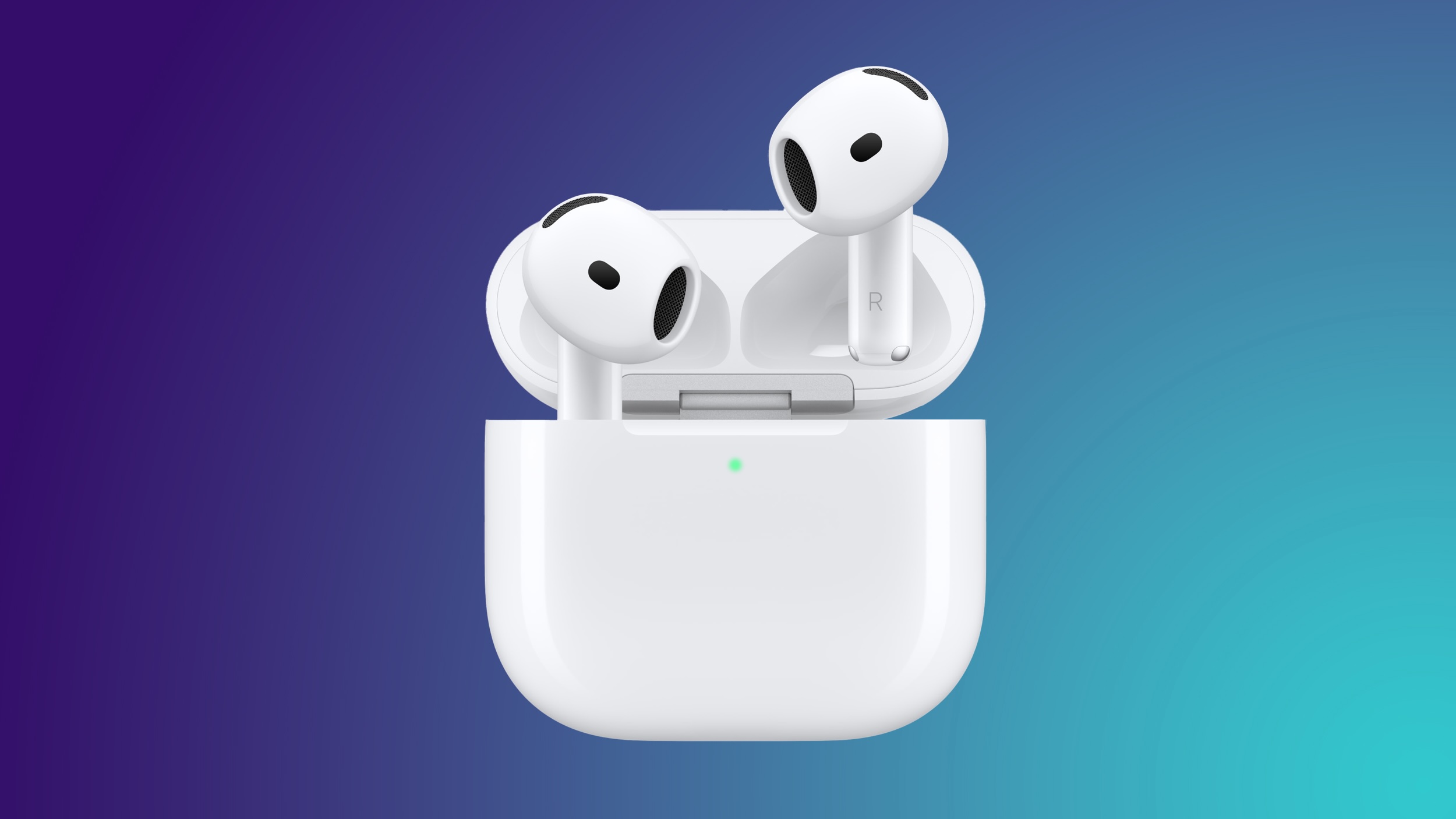
Apple today released new firmware for the AirPods Pro 2, AirPods Pro 3, AirPods 4, AirPods 5, and AirPods Max 2. The firmware has a build number of 9B47, up from 9A348/9A350.


Apple has been beta testing the new firmware for the last several weeks. In a support document, Apple merely mentioned the new firmware contains "bug fixes and other improvements."

Firmware updates can be downloaded by connecting the AirPods to an Apple device and connecting them to power. It can take a few hours for new firmware to be installed because there is no software update option like there is for other Apple devices.
Related Forum: AirPods

This article, "Apple Releases New AirPods Firmware" first appeared on MacRumors.com

Discuss this article in our forums

  •  

Apple Announces Swift Student Challenge Ahead of WWDC 2027

Apple today announced the Swift Student Challenge for 2027, with submissions set to be accepted from February 8 to February 28, 2027.


The Swift Student Challenge is an annual contest that gives young developers worldwide a chance to show off their creativity and app development skills by creating an app. Apple says students should submit an app built in Xcode or Swift Playground that can be experienced within three minutes.

Students can submit an app for any platform this year, which is new. In prior years, apps were designed for iOS devices.

Ahead of the contest, Apple is offering students tutorials and Meet with Apple online sessions to learn new coding intelligence features and get inspiration for their projects. There are also Develop in Swift tutorials covering Swift UI, AI and machine learning, and spatial computing.

Apple will select winners who "demonstrate excellence in innovation, creativity, social impact, or inclusivity." A group of Distinguished Winners will be invited to Apple Park in Cupertino, California to attend Apple's WWDC 2027 event. Rules and eligibility details can be found on the Swift Student Challenge website.

Apple hasn't announced dates for WWDC 2027, but the event is typically held in June. In 2027, Apple will announce iOS 28, iPadOS 28, macOS 28, and other '28 software updates.
This article, "Apple Announces Swift Student Challenge Ahead of WWDC 2027" first appeared on MacRumors.com

Discuss this article in our forums
  •  

Here's What Apple Fixed in iOS 27.2.1 and macOS 27.2.1

The iOS 27.2.1, iPadOS 27.2.1, and macOS 27.2.1 updates Apple released today fix a handful of security vulnerabilities. With the security fixes implemented, it's a good idea to update as soon as you can.


A bug with iMessage could let a remote attacker join a group chat to receive its messages, and another could let users see messages sent before they joined a group chat.

Most of the vulnerabilities involved AirPlay and Bluetooth. A malicious Bluetooth device could pair without user interaction, and another bug could let a nearby attacker corrupt process memory. Several bugs could allow an attacker to bypass the rate limit on ‌AirPlay‌ pairing code attempts.

Apple credits itself on four of the vulnerabilities, so they were found internally.

With the macOS update, Apple also addressed the eMudhra certificate vulnerability, adding protections for command-line tools.

Apple did not say that the flaws have been exploited in the wild, but with the details on each vulnerability now public, devices that are not running the new software could be more vulnerable to attack.
Related Roundups: iOS 27, iPadOS 27
Related Forum: iOS 27

This article, "Here's What Apple Fixed in iOS 27.2.1 and macOS 27.2.1" first appeared on MacRumors.com

Discuss this article in our forums
  •  

Webex Gets iPhone Duo Support

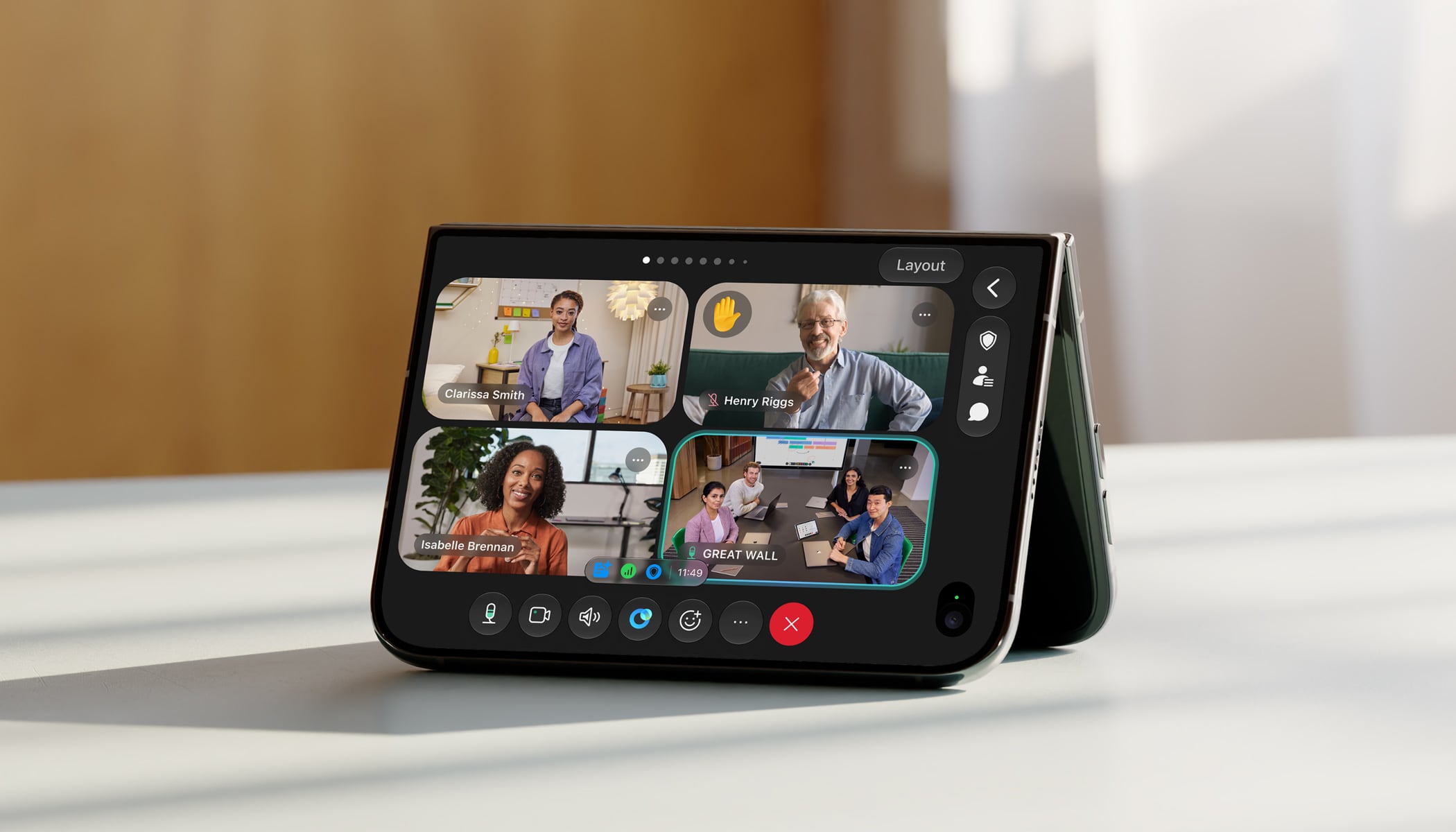
Popular video meeting app Webex was today updated with support for Apple's iPhone Duo. Webex works open or closed, in portrait or landscape mode, and even in a laptop or tent position.


When open, the ‌iPhone Duo‌ shows more meeting participants, keeps shared content visible, and gives access to a whiteboard. Multitasking support allows Webex to be used alongside another app with Split View.

Webex Mobile Camera Share lets users stream the iPhone's camera in a meeting when the ‌iPhone Duo‌ is open in a laptop position, so participants can view the live camera feed and annotate it.

Along with ‌iPhone Duo‌ support, Cisco has added the Webex Notetaker Agent to the iPhone app. It can transcribe and summarize in-person conversations and create action items.

Webex can be downloaded from the App Store for free. [Direct Link]
Related Roundup: iPhone Duo
Tag: Cisco
Buyer's Guide: iPhone Duo (Buy Now)
Related Forum: iPhone

This article, "Webex Gets iPhone Duo Support" first appeared on MacRumors.com

Discuss this article in our forums
  •  

Meta's Muse AI Agent Comes to Apple Watch

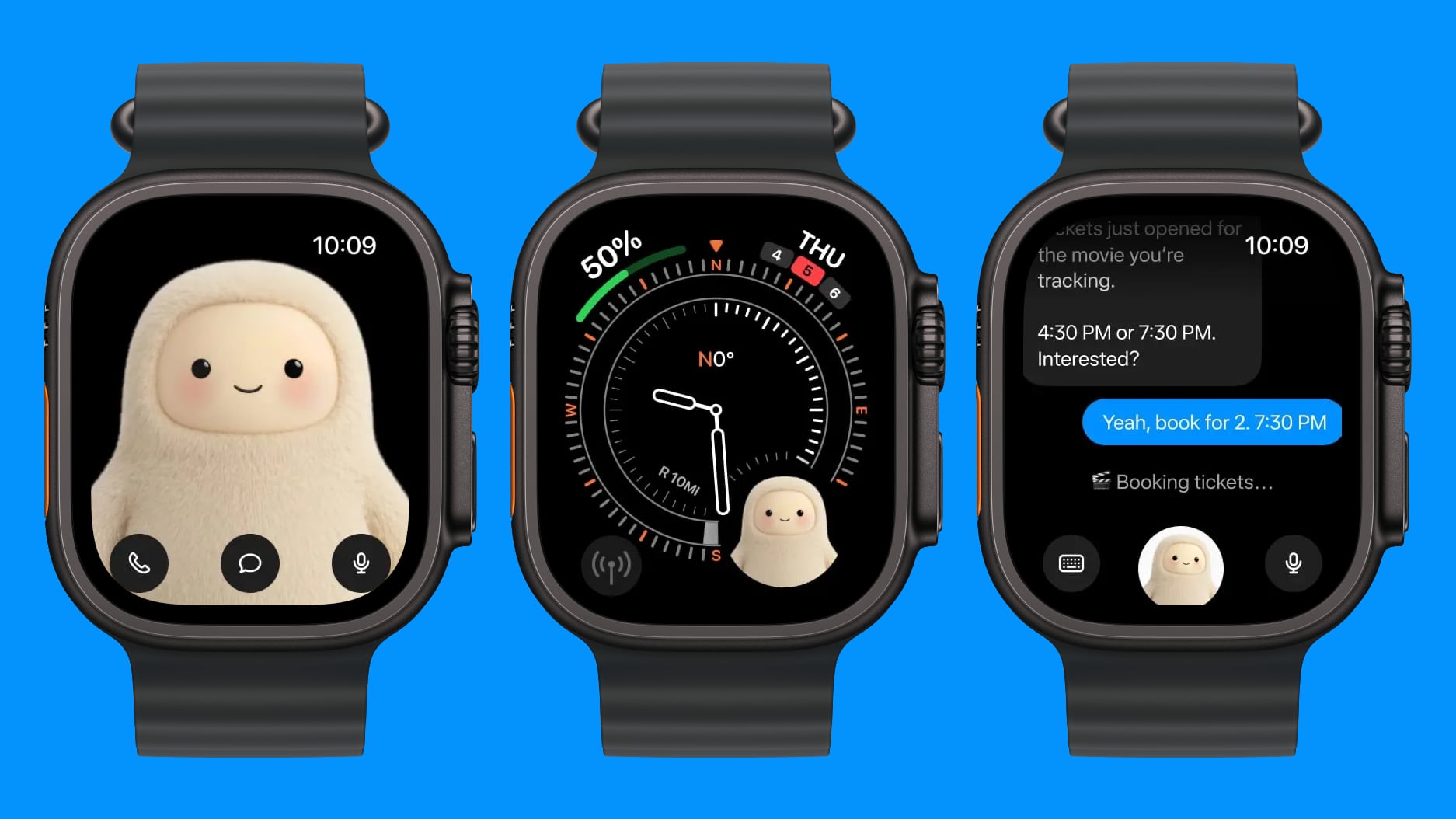
Meta today updated the Muse app for iOS to add Apple Watch support, which means Muse users can access the proactive AI agent from the watch.


The app adds the Muse character to the watch with an option to text it, dictate text to it, or call it. There's also a Muse complication for quick access.

Muse is Meta's personal AI agent that can complete tasks for users. It is available as a standalone app and is also built into Instagram, Facebook, and other Meta apps. The yeti-like character Meta designed to represent Muse has become popular, and it is front and center on the Apple Watch.

The watch app design is similar to the Muse Charm Meta announced as a companion device in September.
Related Roundup: Apple Watch 12
Tag: Meta
Buyer's Guide: Apple Watch (Buy Now)
Related Forum: Apple Watch

This article, "Meta's Muse AI Agent Comes to Apple Watch" first appeared on MacRumors.com

Discuss this article in our forums
  •  

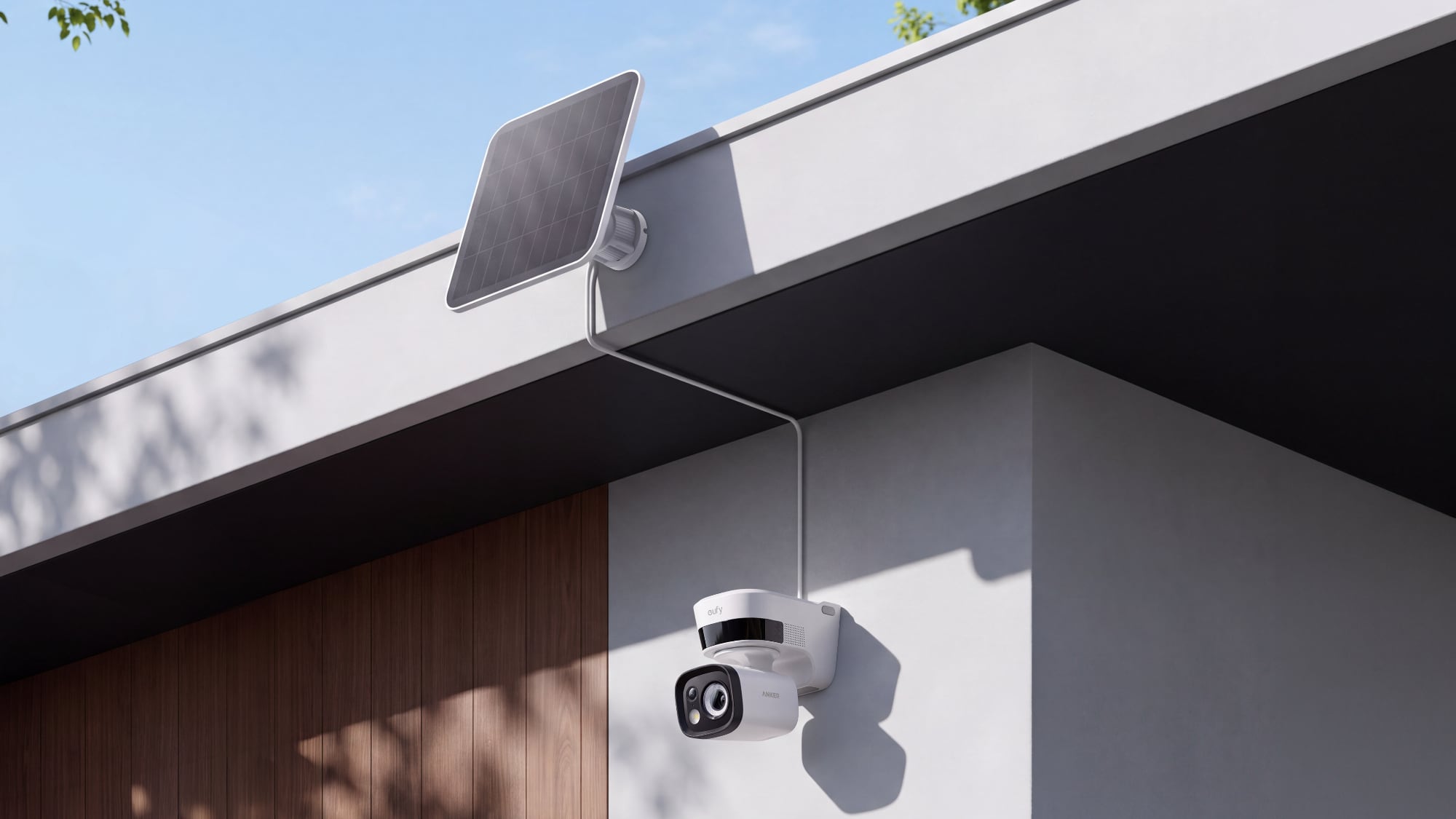
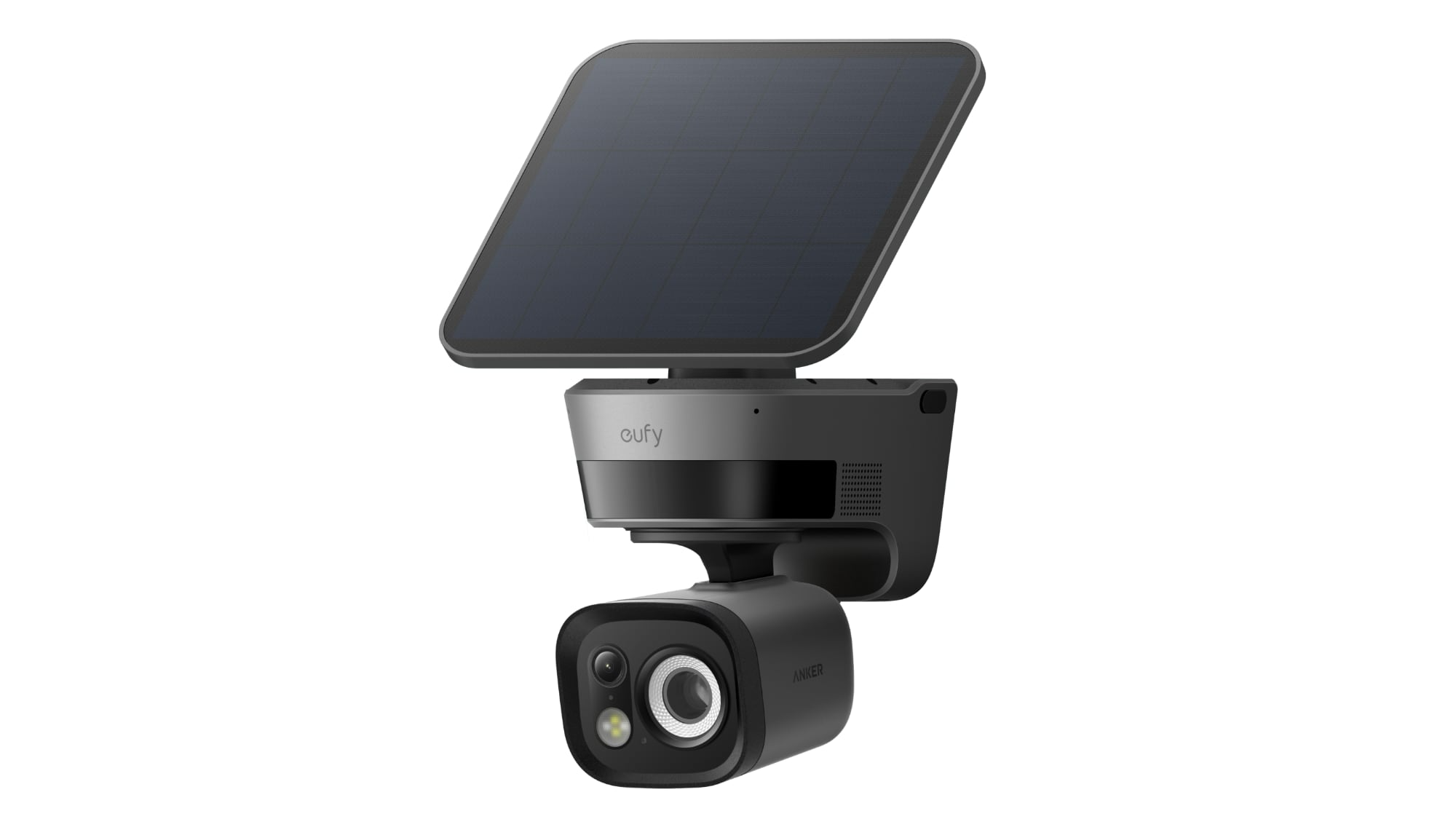
Anker Launches Eufy Security Cam With Auto-Tracking Light

Anker today launched the Eufy TrackLight Cam S1, which it says is the world's first outdoor security camera with an auto-tracking light for actively deterring intruders. The TrackLight Cam S1 is compatible with Apple Home when using the Anker HomeBase, so it can be used alongside other smart home devices in a HomeKit setup.


When a suspicious person is detected, the camera locks on and follows them with a light from up to 12 meters (40 feet) away. The light adjusts with distance, narrowing when someone is far away and broadening as they approach. The camera has 355 degrees of horizontal rotation and can track movement up to 87 degrees per second.

An optional tracking deterrence mode activates the light and a 105-decibel siren at the same time, plus there is a red and blue flashing light mode as an additional deterrent.

The camera records in 4K with 10x digital zoom and night vision to show strangers in the dark. There is a 120-degree floodlight that works alongside the TrackLight, and dual radars offer 180-degree detection up to 40 feet. A Family List in the app allows the homeowner to set known people, so they get a soft, welcoming light as they approach. The feature detects a known phone's Bluetooth.


There's a 15,000mAh battery and a 5.5-watt solar panel for continuous operation, and IP65 dust and water resistance offers protection from the elements. There is no built-in storage, and users will need to add a microSD card or connect to the HomeBase. No subscription is required.

Anker also recently launched its Window Camera E10, a 2.5K resolution camera with anti-reflection and 25 degrees of tilt. It's designed to be put in a window, covering a yard, driveway, or entry without needing to be outdoors.

The TrackLight Cam S1 can be purchased from Anker or from Amazon.com for $300. The Window Camera E10 is $80 from Anker or from Amazon.com. A bundle with the HomeBase is priced at $500.

Note: MacRumors is an affiliate partner with Anker. When you click a link and make a purchase, we may receive a small payment, which helps us keep the site running.
Tag: Anker

This article, "Anker Launches Eufy Security Cam With Auto-Tracking Light" first appeared on MacRumors.com

Discuss this article in our forums
  •  

macOS 27.2.1 Fixes eMudhra Certificate Flaw in Command-Line Tools

The macOS Golden Gate 27.2.1 update Apple released today addresses the eMudhra certificate vulnerability, and Apple recommends users update to the latest software.


For Macs that run macOS 26 or macOS 15, Apple has released macOS 26.7.3 and macOS 15.8.3.

Apple previously blocked the compromised certificates in Safari, Mail, and apps that use Apple frameworks in October to protect most users, but command-line tools like curl and git were still able to accept them. With macOS 27.2.1, command-line tools will no longer accept the certificates.

Prior to releasing the macOS 27.2.1 update, Apple offered instructions for those who wanted to protect themselves from the compromised eMudhra certificates when using command-line tools, directing users to manually remove the affected root certificates from their Mac's "/etc/ssl/cert.pem" file.

Apple still has those instructions available for users who are unable to update their Macs.

The compromised security certificates were issued by certificate authority eMudhra. An investigation launched by Mozilla found the certificates used private key values below 256, making them trivial to recover. Attackers could use the keys to create fraudulent certificates that appeared valid for any website.

Apple also fixed the issue in the macOS Golden Gate 27.3 beta, but with the fix also included in macOS 27.2.1, users won't need to wait until December for protection.
Related Roundup: macOS Golden Gate
Related Forum: macOS Golden Gate

This article, "macOS 27.2.1 Fixes eMudhra Certificate Flaw in Command-Line Tools" first appeared on MacRumors.com

Discuss this article in our forums
  •  

Anthropic Launches Claude Fable 5.2 and Mythos 5.2

Anthropic today introduced its latest models, Claude Fable 5.2 and Claude Mythos 5.2, which have improvements in coding, reasoning, and vision.


Anthropic says Fable 5.2 and Mythos 5.2 communicate more clearly than the 5.1 versions, with outputs generated up to 30 percent faster. Fable 5.2 uses fewer tokens than Fable 5.1 on challenging tasks when set to medium effort.

The company suggests using Fable and Mythos for "the most ambitious, open-ended technical work." Anthropic recommends starting with Opus 5.5 for most coding and knowledge tasks, then switching to a model like Fable or Mythos that can handle more complex requests, or stepping down to a more affordable model like Sonnet or Haiku 5.5.

Benchmarks suggest Fable and Mythos 5.2 outperform Opus 5.5 for computer use, knowledge work, cybersecurity, agentic scientific research, agentic coding, multidisciplinary reasoning, and more.

Both use the same underlying model, but the public-facing Fable 5.2 model has cybersecurity and biology safeguards to prevent misuse. Compared to Fable 5.1, Fable 5.2 has approximately 55 percent fewer blocks. Mythos does not have the same limitations as Fable, and it is available through Anthropic's Life Sciences and Cyber Verification Programs as well as through Claude Security on Enterprise plans.

Fable 5.2 is available today on all platforms. Subscribers on eligible paid plans have extra Fable usage this week, with one to three Fable resets based on subscription length. Fable is included for up to 50 percent of weekly usage limits for Pro plans and standard seats on the Team plan. A fast mode that speeds up token generation by up to 2.5 times is available on Claude Code, the Claude Platform, Claude Models on Google Cloud, and Microsoft Foundry.
This article, "Anthropic Launches Claude Fable 5.2 and Mythos 5.2" first appeared on MacRumors.com

Discuss this article in our forums
  •  

Apple Releases iOS 27.2.1 With Bug Fixes

Apple today released iOS 27.2.1, a minor update to the iOS 27 operating system. iOS 27.2.1 comes two weeks after the launch of iOS 27.2.


iOS 27.2.1 includes addresses bugs and patches security vulnerabilities according to Apple's release notes for the update.

You can download iOS 27.2.1 over the air by going to Settings > General > Software Update.

Apple has also released iOS 26.7.3 and iOS 18.7.12 updates for devices not running ‌iOS 27‌.
Related Roundups: iOS 27, iPadOS 27
Related Forum: iOS 27

This article, "Apple Releases iOS 27.2.1 With Bug Fixes" first appeared on MacRumors.com

Discuss this article in our forums
  •  

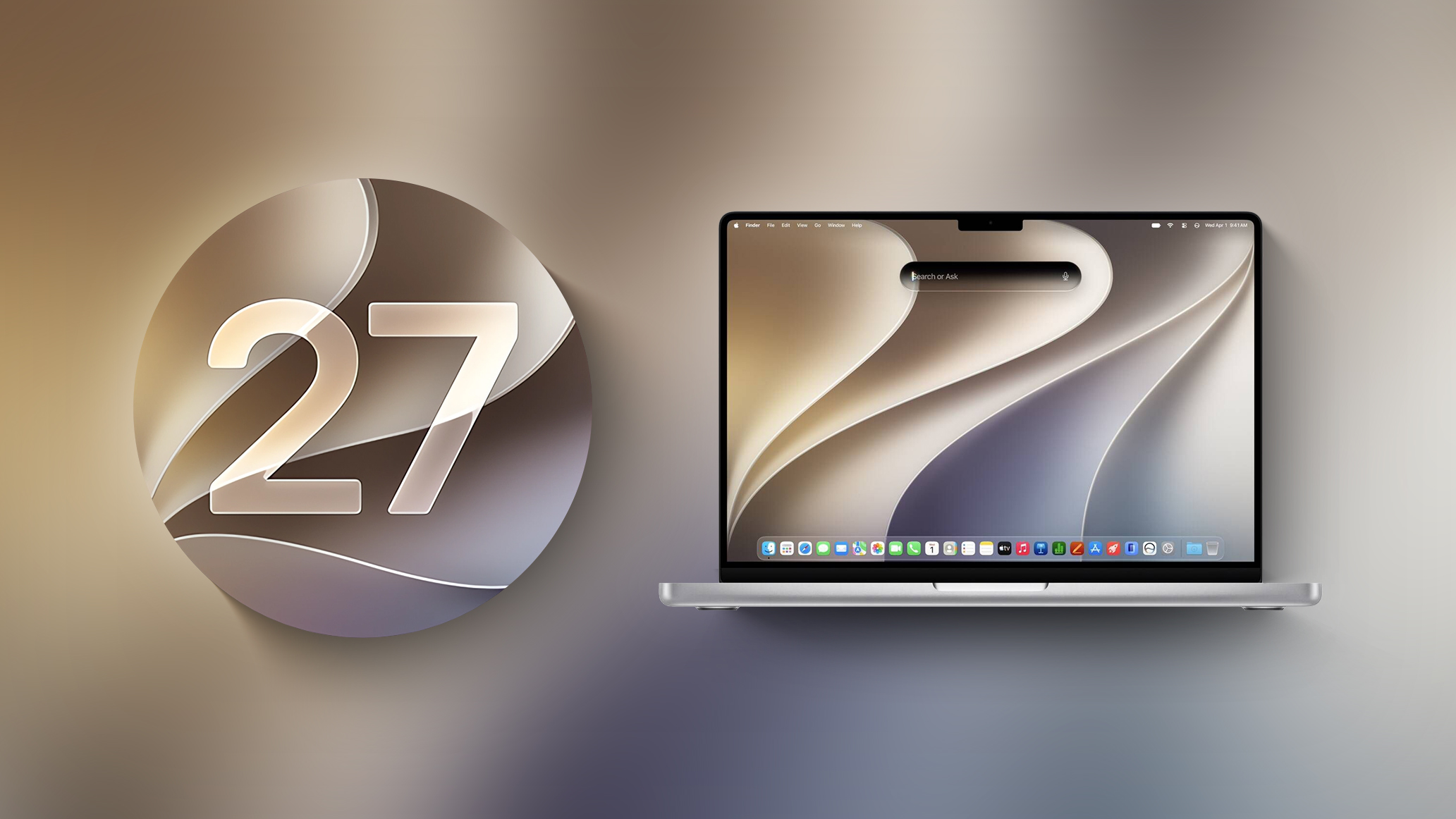
Apple Releases macOS Golden Gate 27.2.1

Apple today released macOS Golden Gate 27.2.1, a minor update for the ‌macOS Golden Gate‌ operating system.


‌macOS Golden Gate‌ includes bug fixes and security updates, according to Apple's release notes. The update likely includes a fix to prevent command-line tools from accepting eMudhra's compromised web certificates.

Apple already blocked the compromised certificates on October 19, so most users are already protected.

You can download ‌macOS Golden Gate‌ 27.2.1 over the air through the Software Update section of the System Settings app.
Related Roundup: macOS Golden Gate
Related Forum: macOS Golden Gate

This article, "Apple Releases macOS Golden Gate 27.2.1" first appeared on MacRumors.com

Discuss this article in our forums
  •  

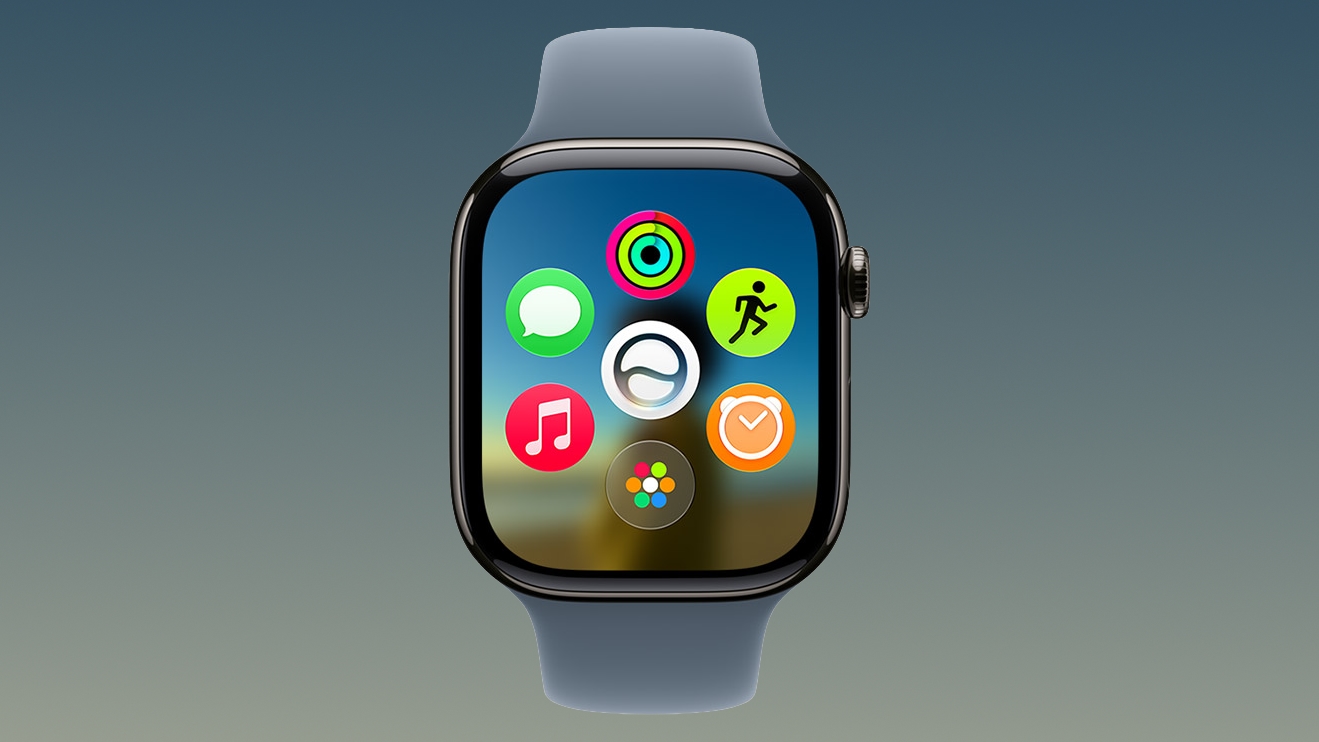
Apple Releases watchOS 27.2.1 and visionOS 27.2.1 With Security Fixes

Apple today released new watchOS 27.2.1 and visionOS 27.2.1 updates, with the software coming two weeks after the launch of watchOS 27.2 and visionOS 27.2.


According to Apple's release notes, the watchOS update includes security fixes, while the visionOS 27.2.1 update includes security updates and bug fixes.

The new software can be installed using the Settings app on each device.
Buyer's Guide: Vision Pro (Neutral)
Related Forums: Apple Vision Pro, Apple Watch

This article, "Apple Releases watchOS 27.2.1 and visionOS 27.2.1 With Security Fixes" first appeared on MacRumors.com

Discuss this article in our forums
  •  

Apple Pay Ad Features Martial Arts Convenience Store Food Fight

Apple today shared a humorous new Apple Pay ad that promotes the benefit of the on-device payment option over cash and physical cards.


The spot features a martial-arts-style food fight where a man runs into a convenience store to grab a weapon. He's followed by the other combatants, and everyone involved grabs a different food or beverage to fight with.

The cashier makes everyone stop to pay, and the protagonist is able to make his purchases quickly with ‌Apple Pay‌ on his iPhone while the fighters he's facing off against struggle with their wallets. In the course of the fight, one of the fighters grabs the protagonist's iPhone and tries to make a purchase, but can't because Face ID verification is required. The protagonist wins when he purchases a swordfish, causing his opponents to flee.
Apple Pay is a fast, easy, and secure way to pay with iPhone. No digging for cards. Just double-click the side button, glance at your iPhone to authenticate with Face ID, then hold it near the reader. A ding confirms your payment. The built-in security of iPhone makes paying with Apple Pay more secure than using a physical credit or debit card. Use it anywhere you see a contactless payment symbol — from big box retailers to your local corner market.

‌Apple Pay‌ is a popular contactless payment option available in many countries around the world. It works in retail shops on iPhone and Apple Watch. ‌Apple Pay‌ also works in apps and on the web, and on iPad and Mac for online purchases.
Related Roundup: Apple Pay

This article, "Apple Pay Ad Features Martial Arts Convenience Store Food Fight" first appeared on MacRumors.com

Discuss this article in our forums
  •  

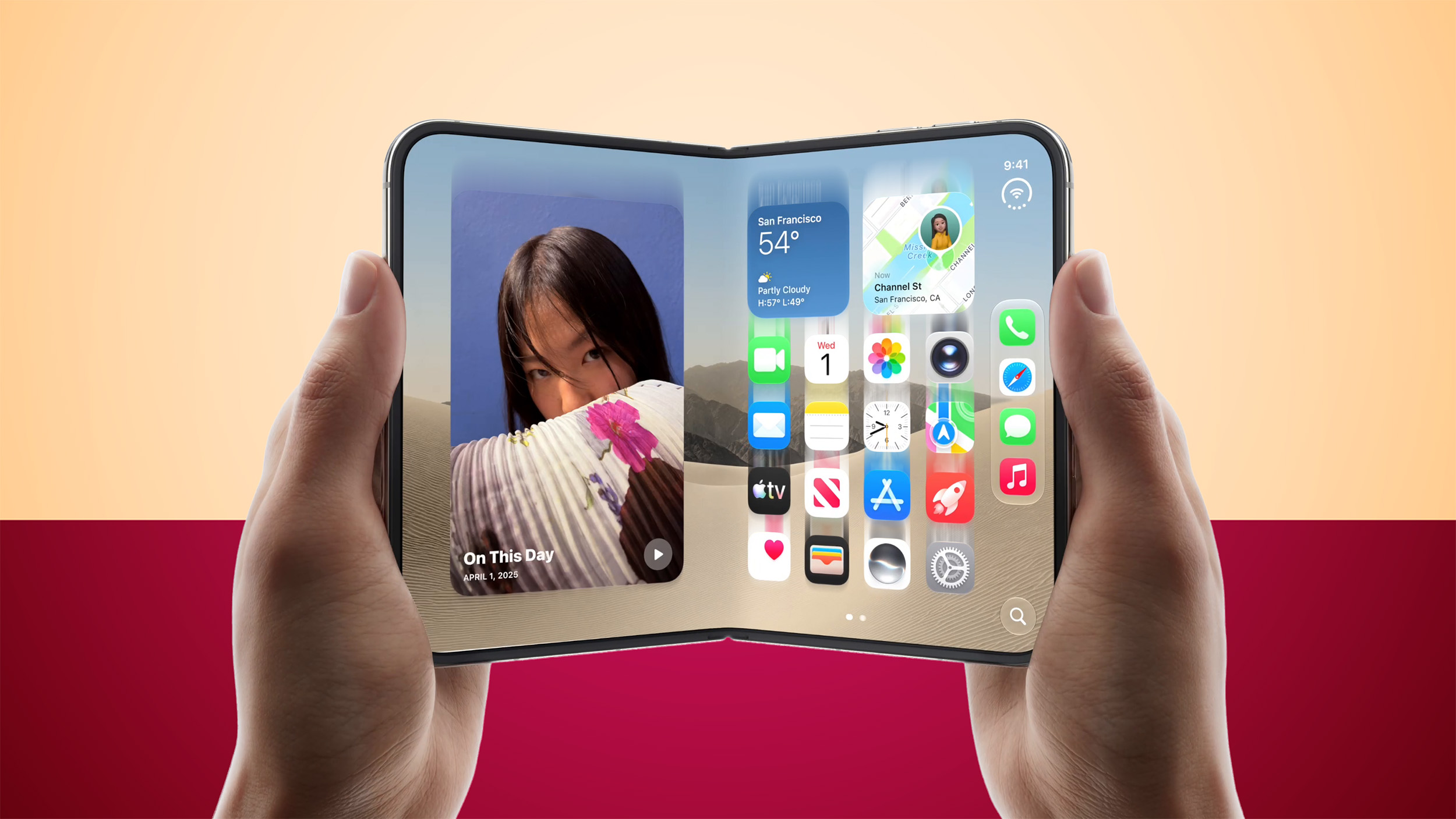
More Fun iPhone Duo Apps: 30 New Picks to Try

When the iPhone Duo launched, we shared a list of some of the fun apps developers created for the new form factor. Two weeks out, developers are continuing to come up with fresh ideas, so we thought we'd share some of our favorites.


Games


  • Marbles Unhinged ($2.99) - Marbles Unhinged is a marble maze designed for the Duo. When you fold it, the floor turns into a ramp. If you stand the top half up, you can bank a marble off of it. When you snap the hinge, the marble launches up.

  • Midnight Fridge ($2.99) - Midnight Fridge turns the ‌iPhone Duo‌ into a tiny refrigerator. It's a memory game where the idea is to look at the magnets on the fridge and then find the items inside.

  • Greens: Mini Golf ($2.99) - Greens is a mini-golf app made for the ‌iPhone Duo‌, and it's playable in any orientation. When folded like a laptop, you can putt on the half on the table, with the upright half serving as a caddie camera.

  • Chirpfold (Free) - Chirpfold is a Flappy Bird-style app where you fold the phone to cause your bird to flap its wings.

  • Valley Run ($0.99) - Valley Run is a neon-themed racing game where you fold the ‌iPhone Duo‌ to direct a marble down a series of challenging tracks.

  • PianoFold ($4.99) - PianoFold is a rhythm game you can play with the ‌iPhone Duo‌ positioned like a laptop. Press and hold on the keys to match the song that's playing. It's free to download, but the full unlock is $4.99.

  • Load Bearing ($5.00) - Load Bearing is a roguelite Tetris-style game that's meant to be played with the Duo half open. The controls are on the bottom, and the blocks fall at the top. It also has deck building elements, so you can put together a set of your preferred block pieces to beat each level.

  • Who's at the Door? (Free) - Who's at the Door? is an app that turns your ‌iPhone Duo‌ into a door. Open it up to see who is on the other side, and if it's something scary, make sure to slam the Duo shut quickly before it gets you.

  • Fold Match ($2.99) - Fold Match is a game where you're given a shape on one side of the Duo and a blank spot where the shape needs to go on the other side. The idea is to position the shape to get to that empty space, but you won't know how close you were until you close the iPhone.

  • Battlefleet Duo (Free) - Battlefleet Duo takes advantage of the Duo's design for a Battleship-style game. In laptop mode, you can see your fleet on the lower screen and the enemy's waters in front of you.


Simple But Clever


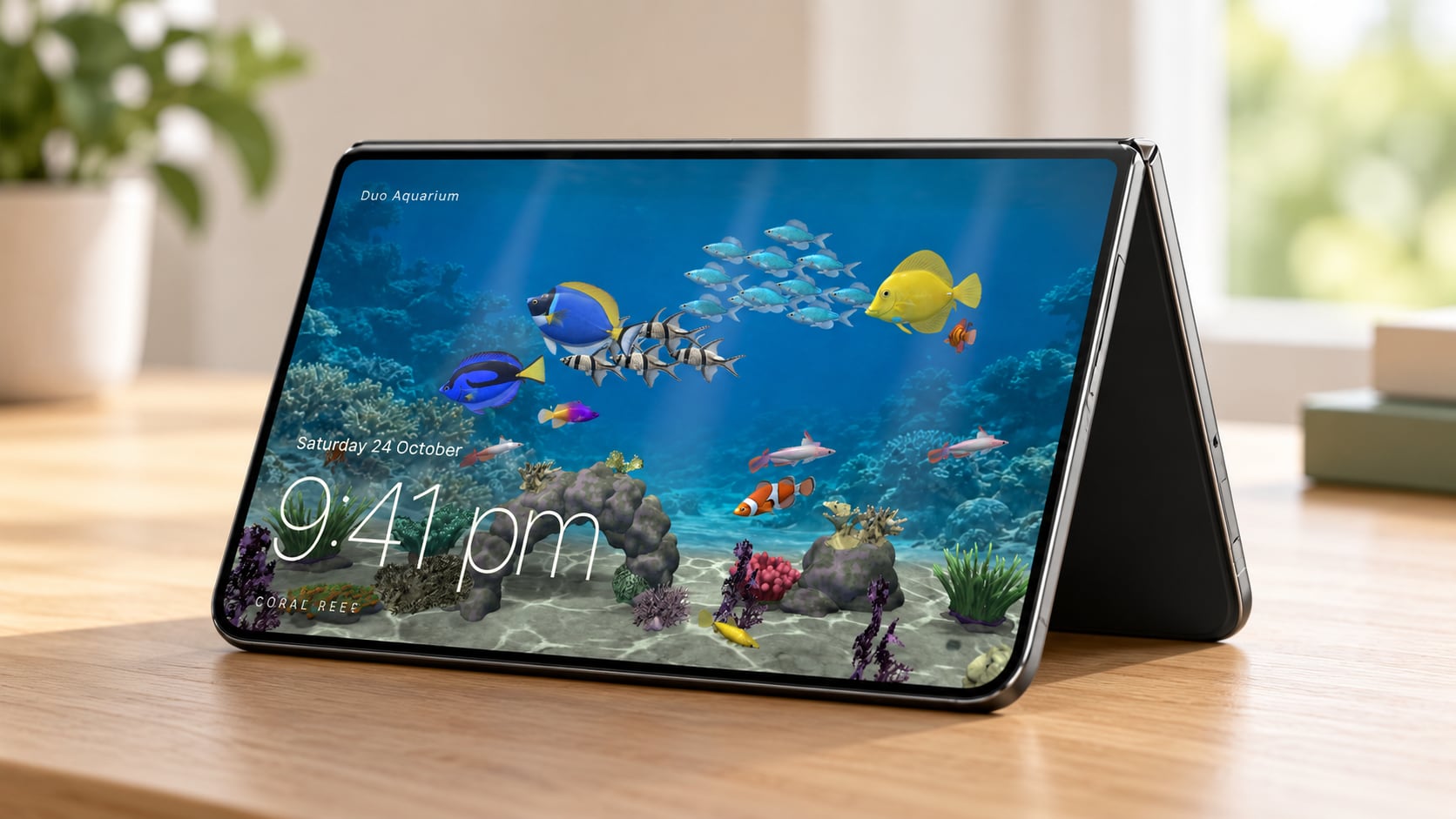
  • Duo Aquarium ($1.00) - As the name suggests, this app turns your ‌iPhone Duo‌ into an aquarium. When in tent mode, it serves as a virtual fish tank and clock. You can choose your fish and your add-ins, then feed them.

  • AltoPaint ($5.99) - AltoPaint is an app that turns the ‌iPhone Duo‌ into a tiny canvas with a paint palette. There are watercolor, oil, and gouache paints with mixable colors.

  • Post Club ($4.99) - Post Club is a cute app where you can pick a typewriter, fold the Duo like a laptop and type up a letter. There are 10 typewriters and 14 paper styles to choose from.

  • Halfpage ($2.99) - Halfpage is another app that turns the ‌iPhone Duo‌ into a typewriter when it's used in a MacBook-like orientation. The keys are at the bottom, and what you type is at the top. It has a simpler design than Post Club.

  • Callsign ($1.49+) - Callsign turns your ‌iPhone Duo‌ into a sign that lets people know if you're free or busy on a call. Just set it up, put it in tent mode, and people can know at a glance not to bother you. It's free to download, and there are different visual packs to unlock with one-off $1.49 purchases.

  • AskZine ($1.99) - AskZine is a Magic 8 Ball-like app where you ask a question, unfold the screen, and see your answer.

  • Lullabox (Free) - Lullabox turns the ‌iPhone Duo‌ into a music box where you can wind the key, lift the lid, and watch a porcelain ballerina spin while soft music plays. The music gets louder as the ‌iPhone Duo‌ is opened further.

  • DuoBook (Free) - DuoBook turns the ‌iPhone Duo‌ into a tiny Mac with a keyboard and trackpad that work like the Mac equivalent. You can also use it to send photos and files to the Mac.


Special Duo Features


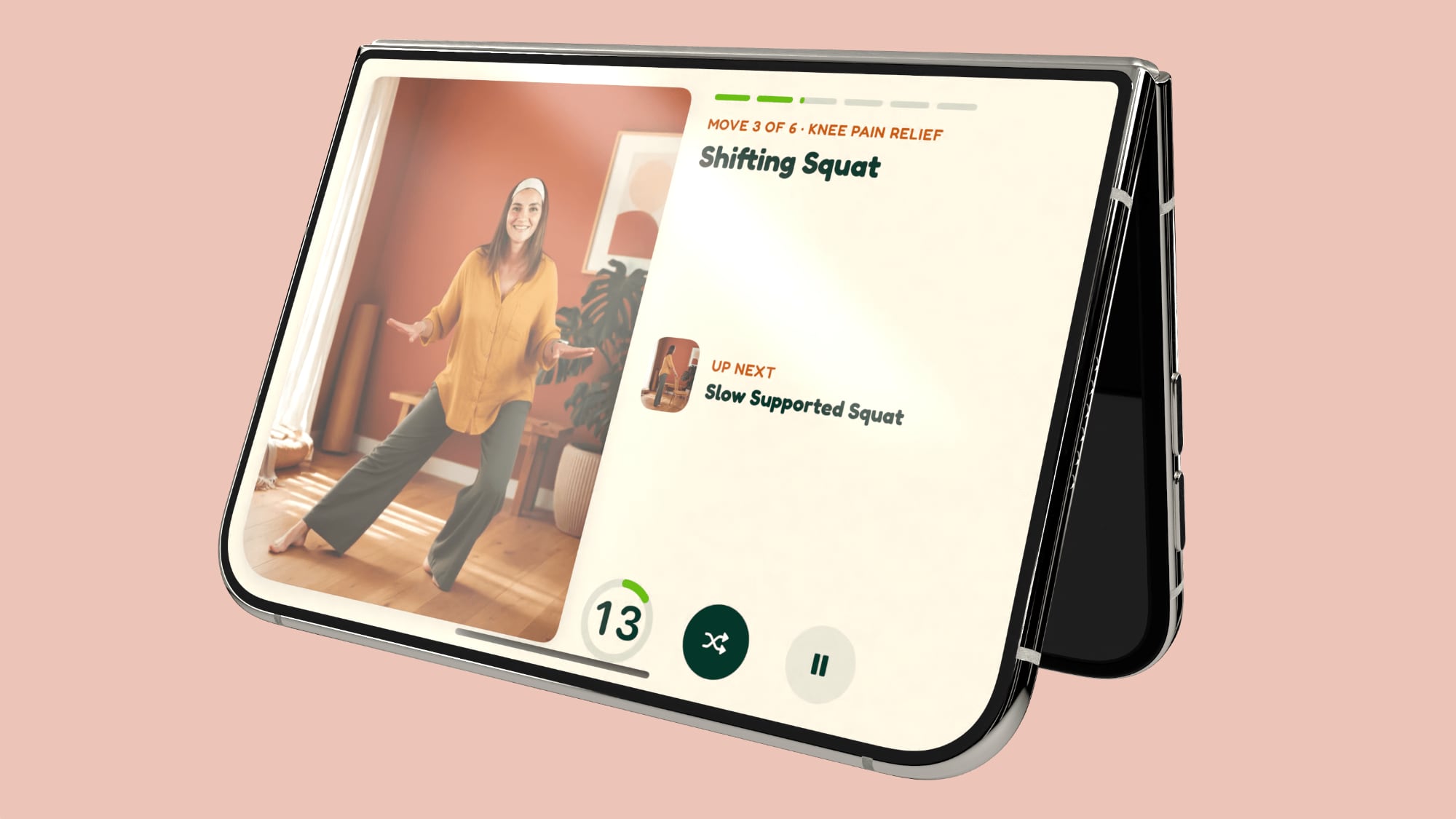
  • Wakeout ($59.99/year) - Fitness app Wakeout was Apple's App of the Year back in 2020. It offers up workout games you can do in just minutes a day. You can put your Duo in tent or laptop mode to follow along with workout moves, playing games with your body.

  • Faro (Free) - Faro is an app that helps you find movies to watch so you don't waste time browsing through Netflix without ever making a choice. On ‌iPhone Duo‌, you can see two films side by side to choose between them, or see your list of picks on one half of the display with details on each movie on the other half.

  • CalibReader (Free) - CalibReader is an EPUB and PDF reader that turns the ‌iPhone Duo‌ into a book. The outer screen shows the title's cover, and when you open it, there's a two-page spread with page-turning animations.

  • Retrocade (Apple Arcade) - Retrocade turns the ‌iPhone Duo‌ into a mini arcade machine and works on the Duo in multiple fold positions.

  • Blankie (Free) - Soundscape app Blankie has a dual view with Now Playing on one side and Sound Mixer on the other. When folded in tent mode, it shows a view of what's playing.


Camera Apps


  • IncrediBooth (Free) - IncrediBooth turns the ‌iPhone Duo‌ into a little photo booth. Press the red button to capture an image, and your photo strip appears on the outer display. It's free to download, with five strips available per day.

  • VNTG (Free) - VNTG is an instant camera app where you close the ‌iPhone Duo‌ to take a shot and then open it up to develop it. It's free to download, with in-app purchases to unlock camera lenses.

  • Flipcorder ($4.99) - Flipcorder is a video recording app that turns the ‌iPhone Duo‌ into a retro camcorder. It's designed to be used for daily video diaries, and each tape is displayed on a shelf in the app. To film, just unfold the Duo. Recordings have classic VHS-style effects.


Less Fun, More Serious


  • Widen ($3.99) - Widen is another extension that expands Safari to take up the width of the outer display. It also hides cookie banners and works in Split View. There are multiple settings, so you can set just pictures to take up the full screen, or opt to have pictures and text expand.

  • SPAN (Free) - SPAN is an app that turns the ‌iPhone Duo‌ into a project tracker and timer. It has different views for each ‌iPhone Duo‌ orientation. SPAN is free to use for the current week, with a $4.99/month pro subscription available for unlimited projects and full monthly and yearly reports.

  • BrainDrain (Free) - BrainDrain is a 60-second brain dump app that helps you sort your thoughts. On the ‌iPhone Duo‌, different Duo orientations have different purposes. You can use it like a laptop in a half fold, type thoughts with the Duo closed, or put it in tent mode to use voice capture.


More Apps


Know of some fun ‌iPhone Duo‌ apps not on our list? Let us know in the comments. Be sure to check out our first iPhone Duo app article too.
Related Roundup: iPhone Duo
Buyer's Guide: iPhone Duo (Buy Now)
Related Forum: iPhone

This article, "More Fun iPhone Duo Apps: 30 New Picks to Try" first appeared on MacRumors.com

Discuss this article in our forums
  •  

Hands-On With Apple's New OLED Touchscreen MacBook Pro

Happy touch your Mac day! Apple's new PROLED MacBook Pro is now in the hands of customers. We picked up one of the new machines to get our greasy fingerprints all over that pristine OLED display.


It's been five years since Apple last redesigned the ‌MacBook Pro‌, so it was due for an update. The PROLED ‌MacBook Pro‌ looks a lot like the mini-LED model, but it's thinner and lighter. The 14-inch model is about half a millimeter thinner and weighs just over three pounds, while the 16-inch model is almost a millimeter thinner and weighs four pounds. Apple shaved off about half a pound for the 14-inch model and 0.7 pounds for the 16-inch model, and while that doesn't sound like much, it makes a big difference. You can feel how much lighter it is the second you take it out of the box. Apple brought back the glowing logo for the PROLED ‌MacBook Pro‌, so everyone around you will know you have the fancy new ‌OLED‌ model.

The ‌OLED‌ display is the major new feature, and it looks as good as you would expect from a display in a laptop starting at $2,899. Blacks are true black, and since each pixel lights up individually, there's none of the bloom you get with mini-LED when viewing bright objects on a dark background. The PROLED ‌MacBook Pro‌ can get super bright too, and that brightness paired with the deep blacks, HDR content looks great. ‌OLED‌ sometimes isn't bright enough outdoors, but that's not the case here.

The display bezels are thinner, and the 16-inch machine is actually 16.3 inches instead of 16.2. There's also an iPhone-like Dynamic Island that replaces the notch and houses Siri AI, Live Activities, and more. The ‌Dynamic Island‌ makes sense because you can now touch the ‌MacBook Pro‌'s display. It works like touching an iPhone or iPad, so you can swipe through webpages, tap buttons, drag and drop, and pinch to zoom.

Touch isn't meant to replace the trackpad and keyboard, but it's there if you want it. Apple made some tweaks to macOS, so menu options expand a little more when you touch them than when you click them, and tiny window resizing buttons get larger. Apple put a sturdier hinge in the PROLED ‌MacBook Pro‌ so the display won't move as much when you tap it, but it's not perfect. It does still jiggle depending on where you tap.

The touch feature is fine, but it's probably not a reason to go out and get the PROLED ‌MacBook Pro‌. It has the potential to be useful in some situations, but it's not going to dramatically change the way most people use a laptop.

New chips weren't ready in time for the PROLED machines, so they use the same M5 Pro and M5 Max as the mini-LED models. That's a disappointment in a laptop that starts at almost $3,000. Since Apple is still selling the mini-LED models, you're basically paying a $400 premium for the higher-end ‌OLED‌ display, the thinner and lighter design, and the touch functionality.

The better display and the lighter weight are going to be worth the price for some people, and the touch is just a bonus.
Related Roundup: MacBook Pro
Tag: OLED
Buyer's Guide: MacBook Pro (Buy Now)
Related Forum: MacBook Pro

This article, "Hands-On With Apple's New OLED Touchscreen MacBook Pro" first appeared on MacRumors.com

Discuss this article in our forums
  •  

Apple Shares New 'Apple Card: Apply and Use in Minutes' Ad

Apple today shared a new Apple Card ad highlighting how quick it is to apply, get approved, and make purchases.


In the spot, a therapist is listening to a patient drone on when a cheap flight pops up on her iPhone. Her wallet is across the room and she can't get up to grab it, so she opens up the iPhone Wallet app, applies for an ‌Apple Card‌, and is able to purchase a flight within a couple of minutes.
Apple Card is built into iPhone, and you can apply in as little as a minute. No waiting for a physical credit card, no friction. All it takes is a few taps of your iPhone. You can earn unlimited daily cash back, and use it right away.

It's worth noting that the iPhone also has AutoFill for credit card information so there's often no need for access to a physical card when making web purchases, plus many sites support Apple Pay.

The ‌Apple Card‌ is limited to U.S. iPhone owners, and applying requires a soft credit check. Accepting the ‌Apple Card‌ offer results in a hard credit inquiry. Apple explains how ‌Apple Card‌ applications are approved or denied on its website.
This article, "Apple Shares New 'Apple Card: Apply and Use in Minutes' Ad" first appeared on MacRumors.com

Discuss this article in our forums
  •  

Apple Surveys iPhone Duo Buyers About Crease and Camera

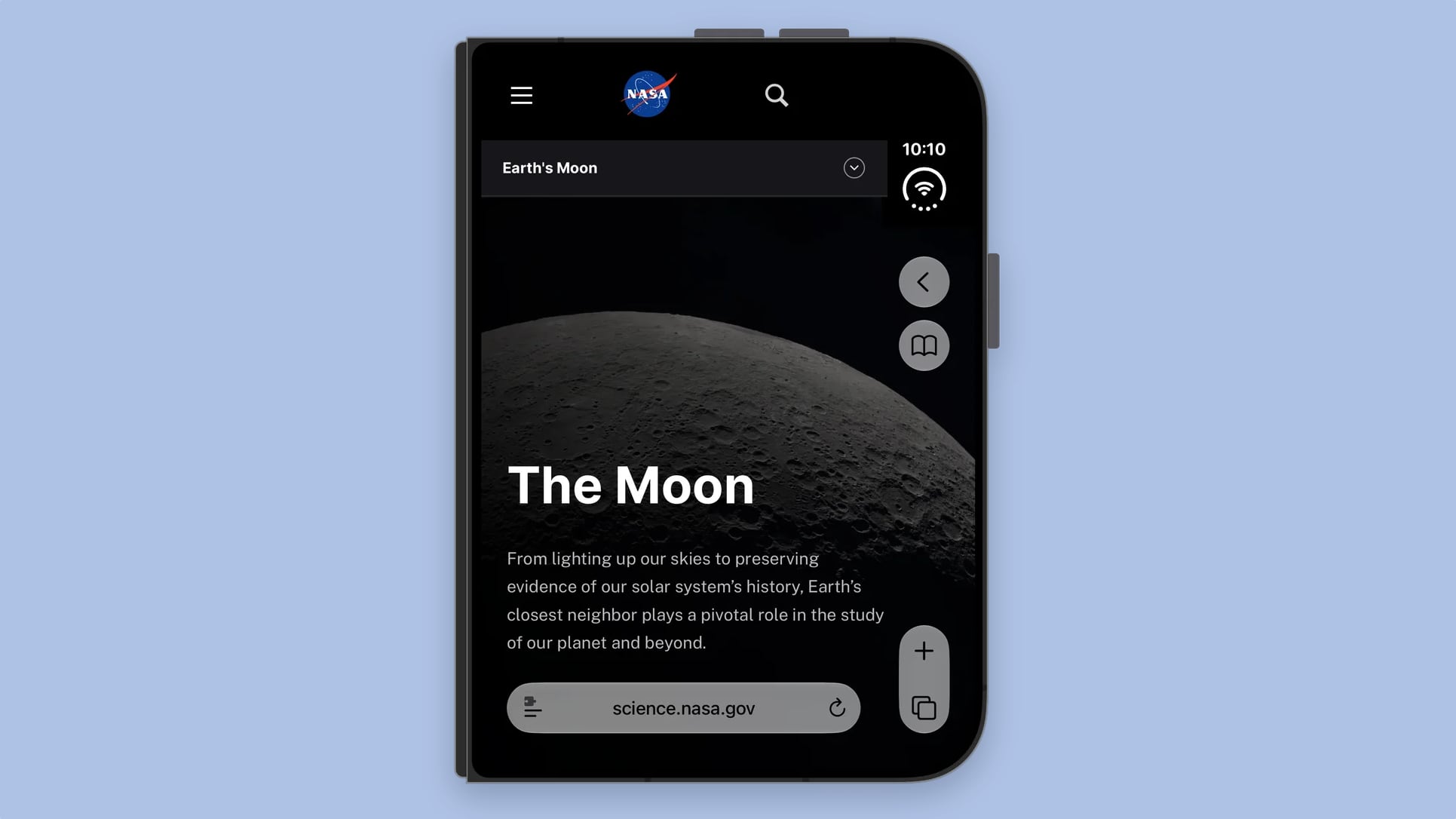
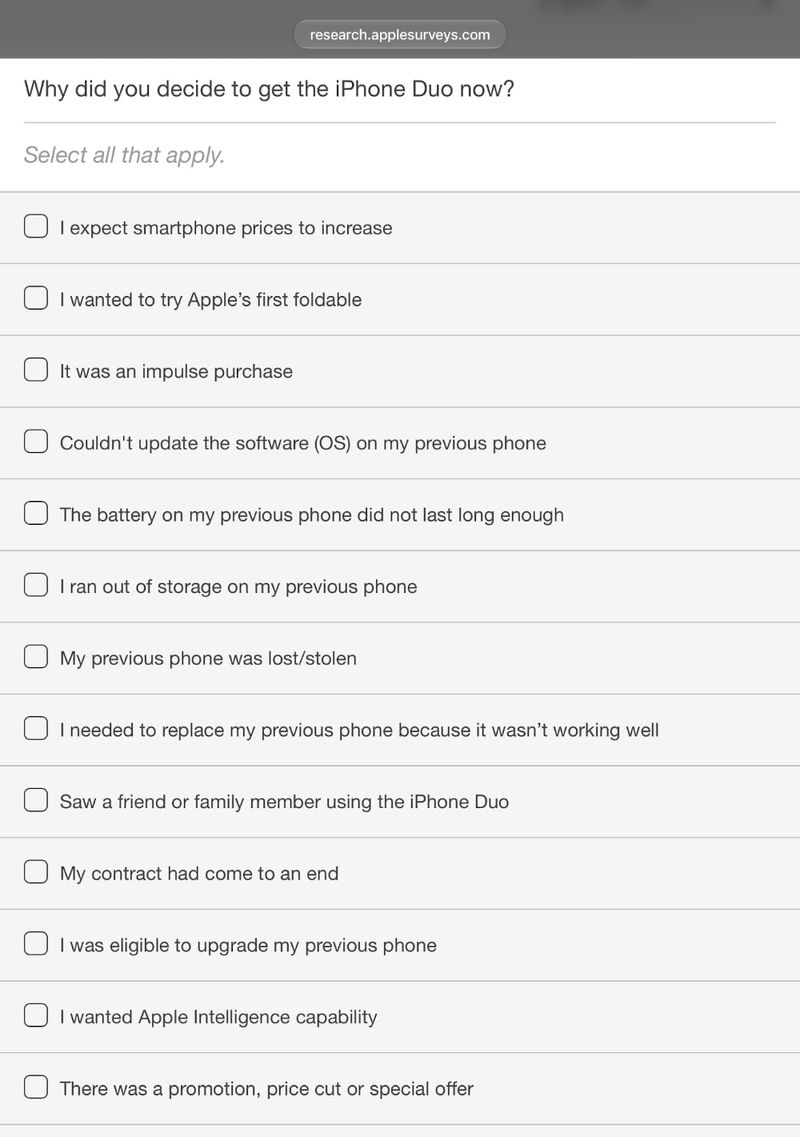
Apple is sending email surveys to some iPhone Duo buyers to get feedback on display size, crease, under-display camera, and other features.


The first question asks why the buyer chose the ‌iPhone Duo‌ now, with answers like "I wanted to try Apple's first foldable," "It was an impulse purchase," and "I expect smartphone prices to increase."

Other questions ask about the size of the ‌iPhone Duo‌'s display when it's closed, how visible the crease is, whether the under-display camera is distracting, and the camera's image quality. The final question is open-ended and asks what the buyer would add or change about the ‌iPhone Duo‌.

View all 6 photos in the full article →


It's been about two weeks since the ‌iPhone Duo‌ launched, and it's not too unusual for Apple to conduct surveys following a new product's debut.

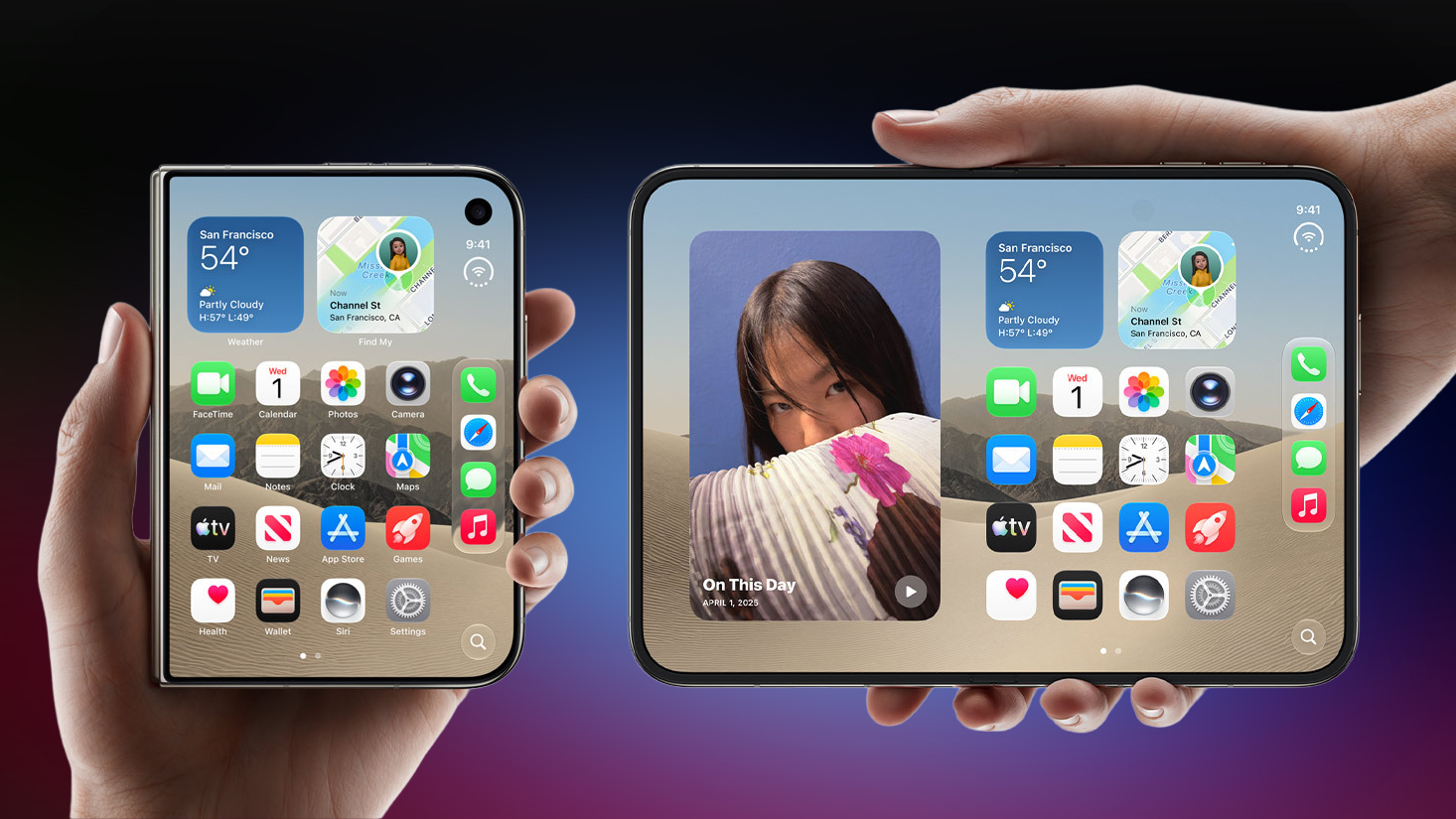
Some of the questions are about ‌iPhone Duo‌ compromises compared to standard iPhone models. The Duo's outer display is 5.4 inches, making it about the same size as the discontinued iPhone mini line. The inner display's under-screen camera is limited to 4MP, and it was one of the main complaints in reviews.

The survey does not ask about Touch ID, the experience of using unoptimized apps, or the display cracks some users have reported, all of which are also top Duo complaints,

(Thanks, Willy!)
Related Roundup: iPhone Duo
Buyer's Guide: iPhone Duo (Buy Now)
Related Forum: iPhone

This article, "Apple Surveys iPhone Duo Buyers About Crease and Camera" first appeared on MacRumors.com

Discuss this article in our forums
  •  

Apple's First Touchscreen Mac is Now Arriving to Customers

It's Friday, November 6 in Australia and New Zealand, which means customers who preordered a PROLED touchscreen MacBook Pro, OLED iPad mini, M6 ‌MacBook Pro‌, or M6 iMac are now starting to receive their devices.


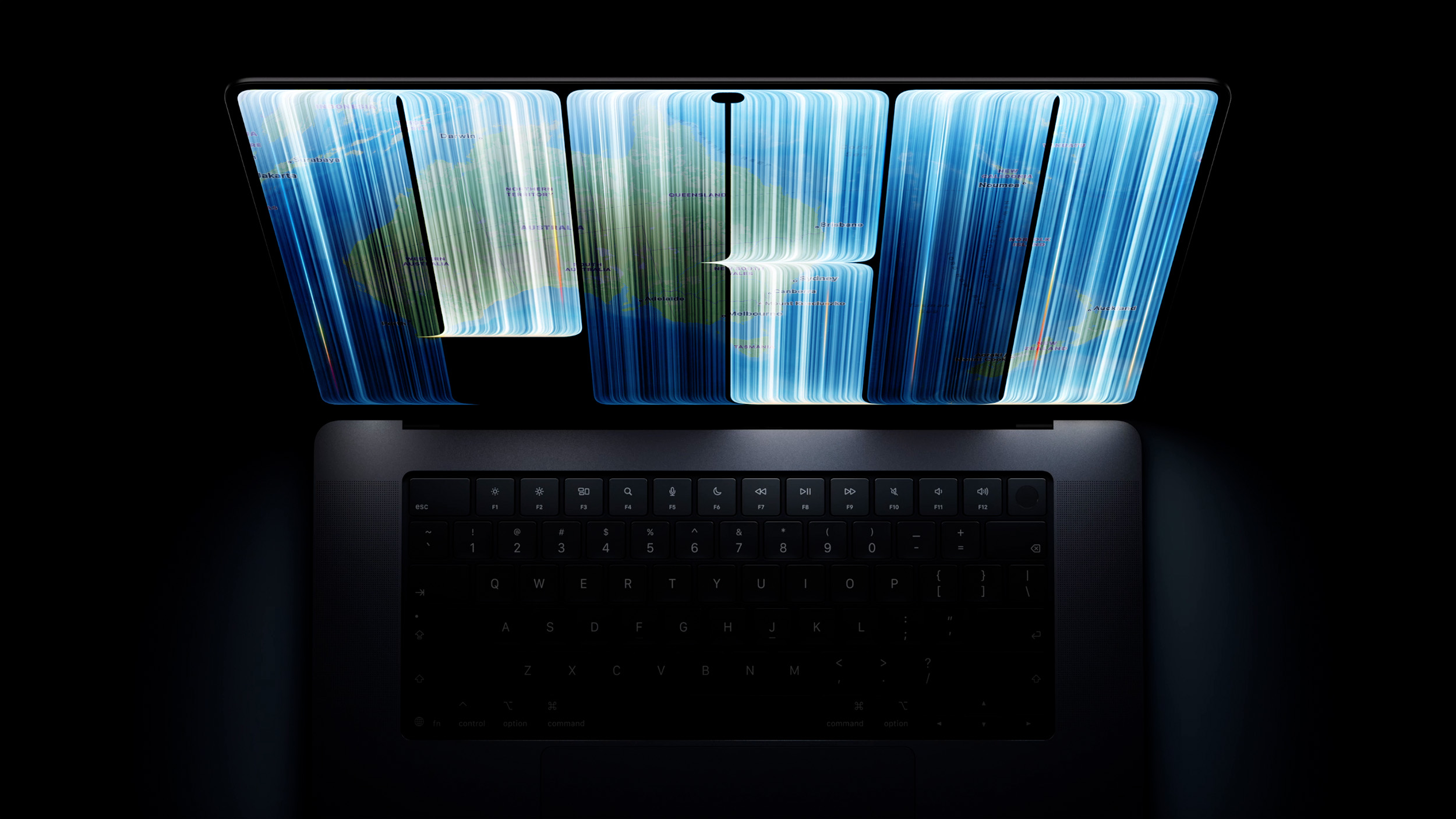
People will soon be sharing photos and first impressions of the new products on the MacRumors forums, Reddit, Instagram, and other platforms, giving us a first look at what real-world users think of the ‌OLED‌ upgrade for the ‌iPad mini‌ and the PROLED and touchscreen update for the ‌MacBook Pro‌.

Apple's new high-end ‌MacBook Pro‌ models come with M5 Pro or M5 Max, and the major change is the display. It's touch-enabled and is the first Mac with an ‌OLED‌ display. The design has been updated, so the new machines are thinner and lighter than the mini-LED models, which Apple is still selling. Apple also brought back the glowing Apple logo, and replaced the notch with a Dynamic Island. Pricing on the PROLED ‌MacBook Pro‌ starts at $2,899 for the 14-inch model and $3,399 for the 16-inch model.

The ‌OLED‌ ‌iPad mini‌ is Apple's first smaller-screened iPad to get ‌OLED‌, and it's also the most affordable ‌OLED‌ ‌iPad‌. It's almost a millimeter thinner than the prior version and has an Acoustic Display that does away with speaker holes. Without them, the enclosure is sealed, making it the first ‌iPad‌ with a water and dust resistance rating (IP67). It uses Apple's A20 Pro chip. The ‌OLED‌ ‌iPad mini‌ starts at $699.

The 14-inch entry-level ‌MacBook Pro‌ and 24-inch ‌iMac‌ got little in the way of updates beyond an M6 chip. The ‌MacBook Pro‌ is priced starting at $1,999, and the ‌iMac‌ starts at $1,499.

Australia is the first country where customers can buy one of the new products in an Apple retail location. Online orders of the PROLED ‌MacBook Pro‌ don't ship until late November or early December, so it's possible in-store stock will be limited. The ‌OLED‌ ‌iPad mini‌, 14-inch ‌MacBook Pro‌, and ‌iMac‌ should be readily available.

After Australia and New Zealand, sales and deliveries of the new Macs and ‌iPad mini‌ will begin in Asia, the Middle East, Europe, and finally, North America.
Related Roundups: iMac, iPad mini, MacBook Pro
Related Forums: iMac, iPad, MacBook Pro

This article, "Apple's First Touchscreen Mac is Now Arriving to Customers" first appeared on MacRumors.com

Discuss this article in our forums
  •  

Claude Gets Personal Finance Feature With Bank Account Linking

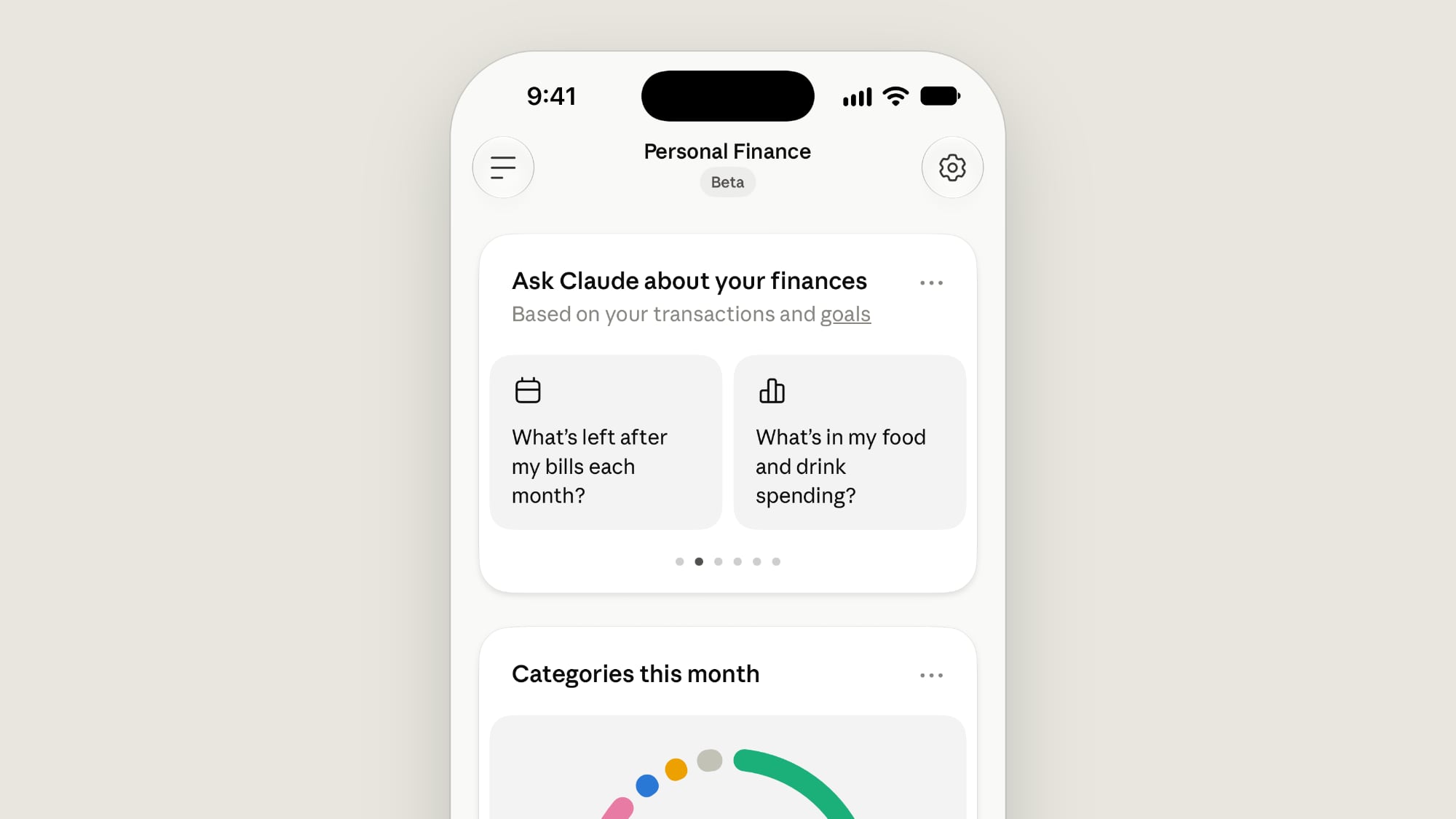
Anthropic today added Personal Finance to Claude, allowing users to connect their bank and card accounts for analysis.


Claude has read-only access to accounts, and there is no option for it to move, manage, or invest money. Anthropic says Claude gives answers in everyday language and can explain unfamiliar financial terms.

The feature can track spending across categories, upcoming bills, and out-of-the-ordinary purchases. It can look for unexpected fees, increasing bills, and subscriptions, plus it can create charts, calendars, and dashboards.

Financial accounts are connected to Claude through the Plaid service, so Claude does not see bank passwords. Claude has access to the bank name, account name and type, balances and credit limits, and up to two years of transactions for bank accounts. Personal Finance chats are not used for model training and are not added to Claude's shared memory.

OpenAI added a similar finance feature to ChatGPT back in May.

Personal Finance is rolling out in beta on the Pro, Max, and Ultra plans in the United States.
This article, "Claude Gets Personal Finance Feature With Bank Account Linking" first appeared on MacRumors.com

Discuss this article in our forums
  •  
❌