❌

Normale Ansicht

Empfangen — 11. November 2026 ⏭ MacRumors: Mac News and Rumors - All Stories

Rumored Apple Smart Glasses Mentioned in Supplier's Earnings Briefing

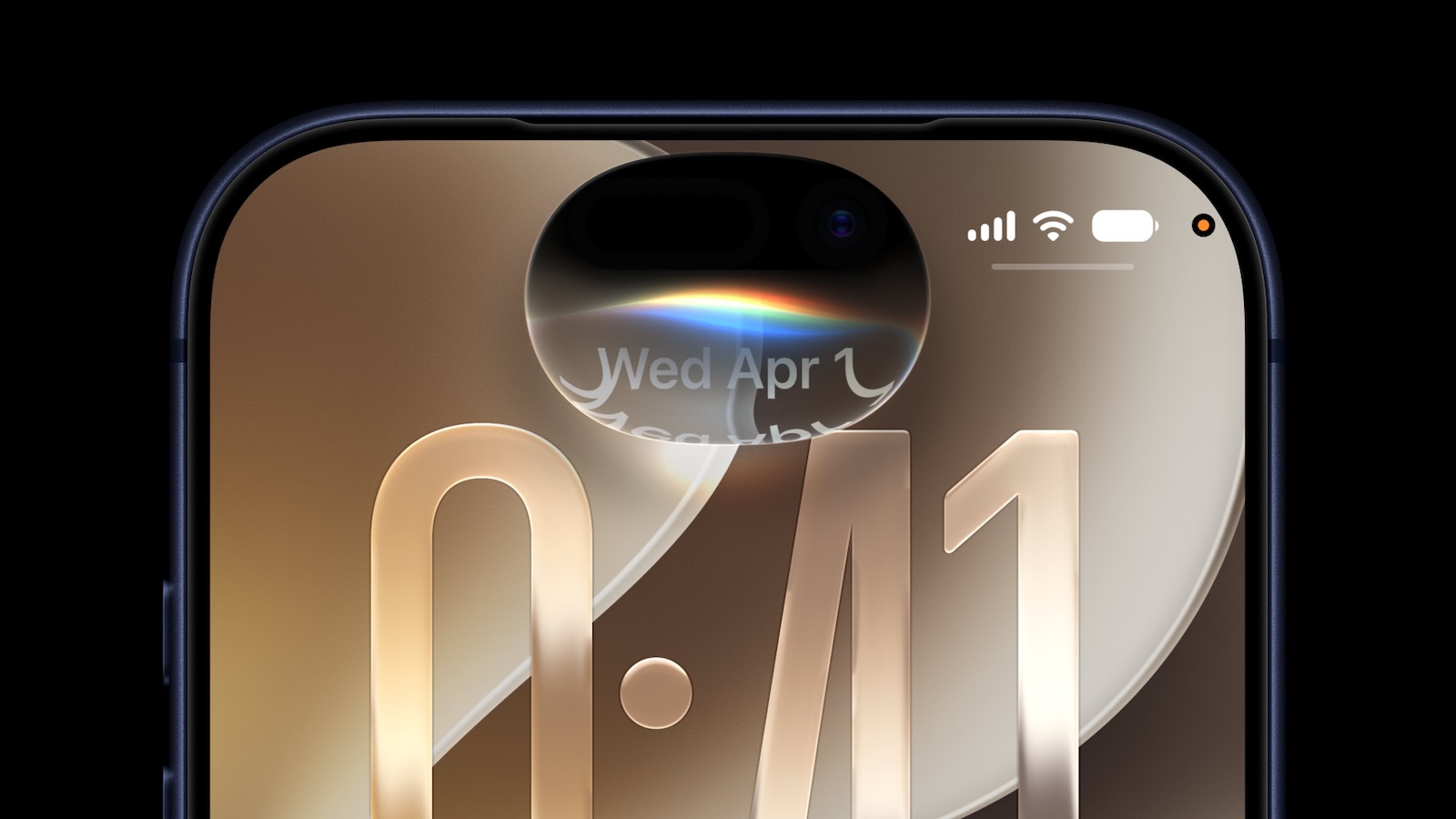
Apple's rumored smart glasses and AirPods with cameras may have been referenced by Chinese manufacturing equipment supplier Quick Intelligent Equipment, according to a Securities Times report on the company's quarterly earnings briefing. The company claimed it has been involved in "Apple's AI glasses and new smart earphones projects," which could boost demand for its machine vision inspection equipment.

Apple is reportedly targeting a late 2027 launch for its first smart glasses, expected to help answer questions about the wearer's surroundings and translate languages. Apple is also reportedly developing AirPods with cameras, set to arrive alongside the 20th-anniversary iPhone.
This article, "Rumored Apple Smart Glasses Mentioned in Supplier's Earnings Briefing" first appeared on MacRumors.com

Discuss this article in our forums

  •  

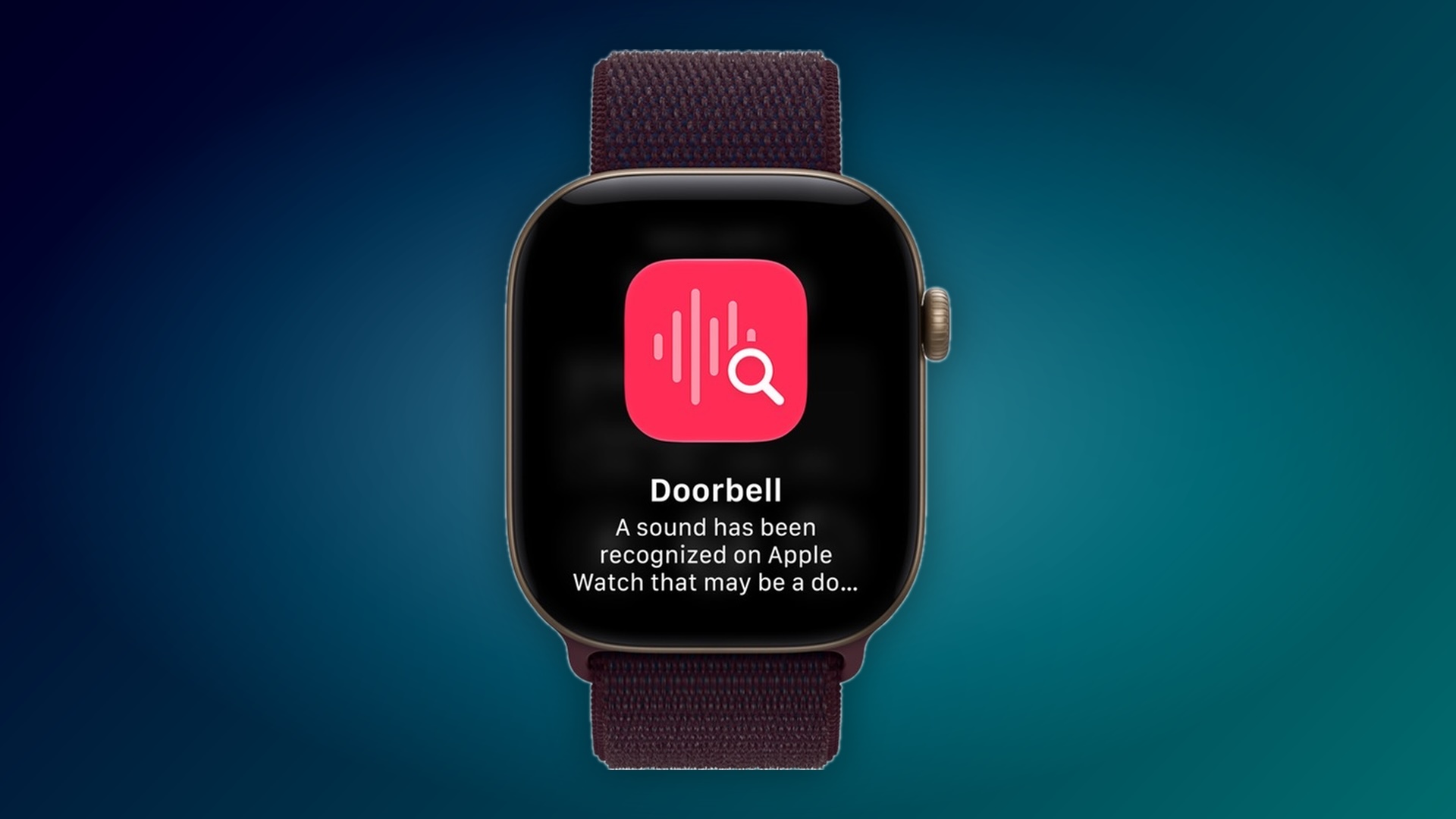
Make Apple Watch Listen for Sounds Like the Doorbell

One of Apple's accessibility features on iPhone can listen for important sounds around you, such as a doorbell, siren or alarm, and it sends you a notification when it hears one. The feature has been extended to Apple's new Apple Watch Series 12 and Apple Watch Ultra 4 models, so the alert reaches your wrist even when your iPhone isn't with you.


It's especially useful for people who are deaf or hard of hearing, but it has everyday uses too. If you wear noise-cancelling headphones while working and don't want to miss the doorbell – if you're expecting a delivery, for example – your Apple Watch can alert you.

Sounds Your Apple Watch Can Detect


Sound Recognition can detect the following 15 sounds. Any you switch on in the iPhone's Sounds list are also detected by your Apple Watch when "Detect using Apple Watch" is enabled:

  • Fire Alarm

  • Siren

  • Smoke Alarm

  • Cat

  • Dog

  • Appliances

  • Car Horn

  • Doorbell

  • Door Knock

  • Glass Breaking

  • Kettle

  • Water Running

  • Baby Crying

  • Coughing

  • Shouting

If a sound isn't recognized automatically, you can also teach your iPhone a Custom Alarm or Custom Appliance or Doorbell from the same Sounds list.

What You'll Need


You'll need an Apple Watch Series 12 or Ultra 4 paired with an iPhone 11 or later, or an iPhone SE (2nd generation or later), running iOS 27. If you already use Sound Recognition on your iPhone, it turns on automatically for your Apple Watch, so you may not need to do anything. Either way, here's how to set it up:

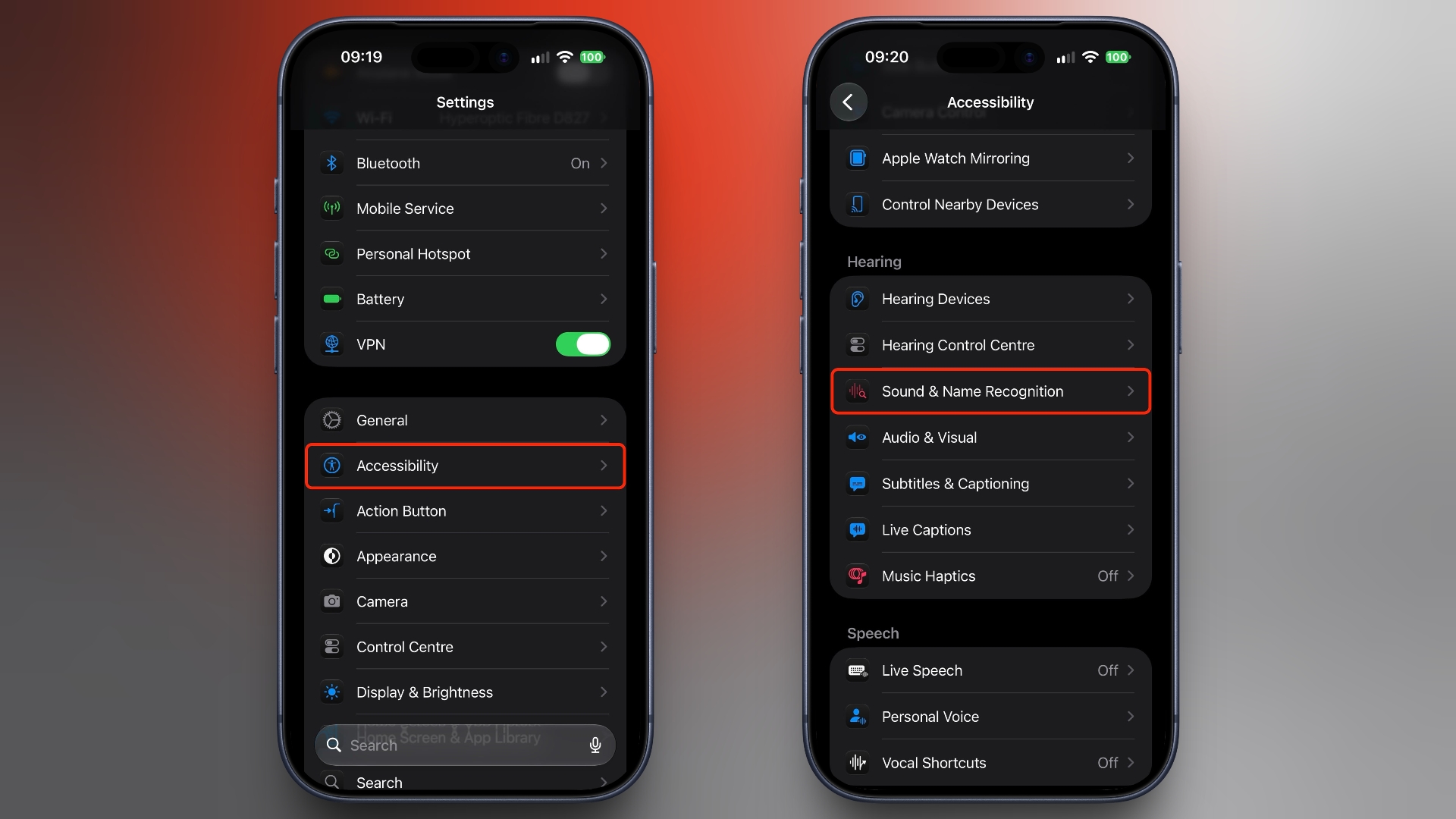
  1. Open the Settings app on your iPhone and tap Accessibility.

  2. In the "Hearing" section, tap Sound & Name Recognition.
    settings
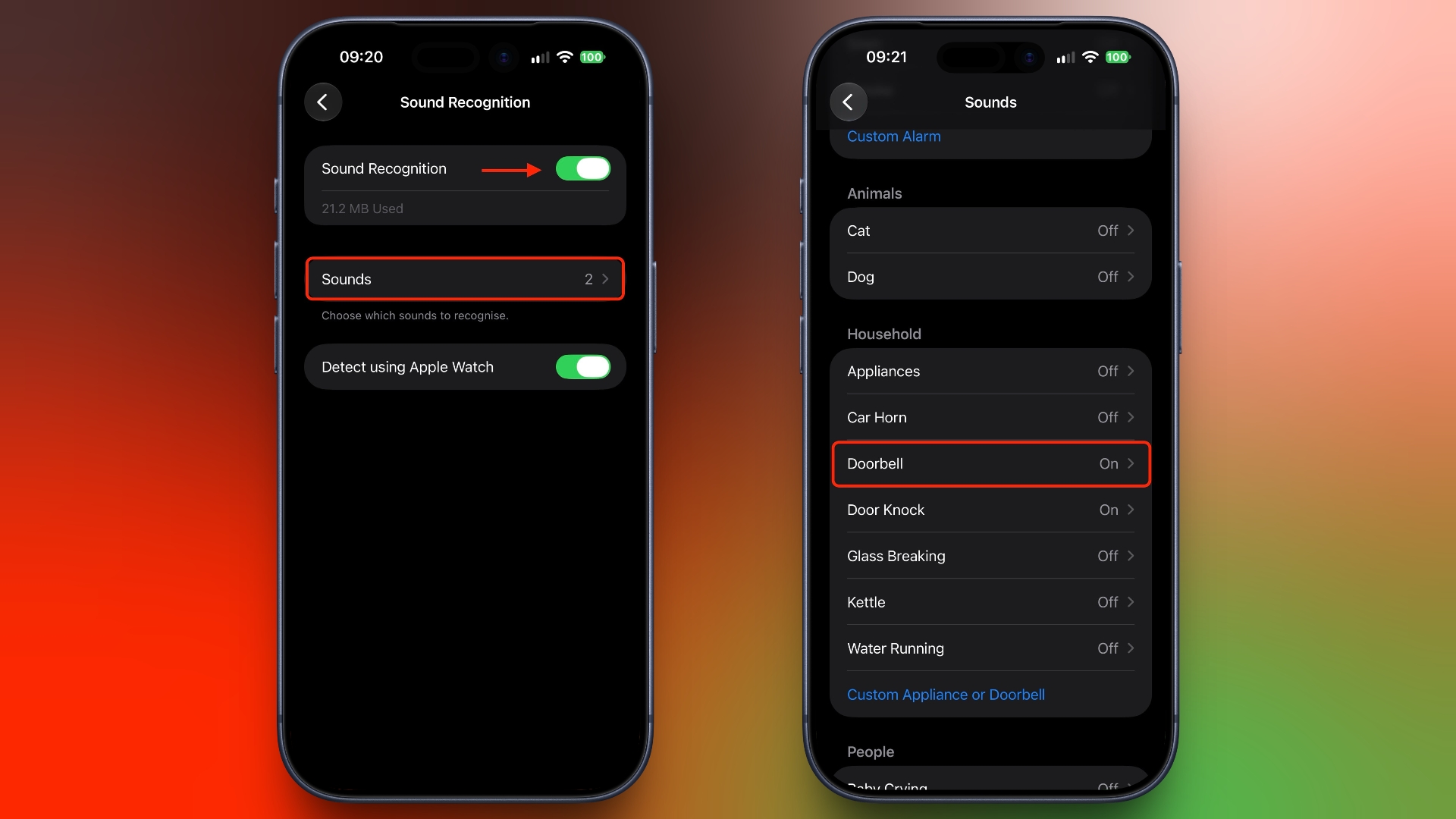
  3. Tap Sound Recognition and turn on the Sound Recognition toggle, then turn on Detect using Apple Watch.
  4. Tap Sounds and turn on the sounds you want to hear about, such as Doorbell. You can also choose a specific alert tone for each sound.
    settings
Apple says Sound Recognition is processed on your Apple Watch and iPhone and doesn't record or store audio. It shouldn't be treated as a safety system, though. You shouldn't rely on it in situations where you may be harmed or injured, in high-risk or emergency situations, or for navigation, per Apple's guidelines.
Related Forum: Apple Watch

This article, "Make Apple Watch Listen for Sounds Like the Doorbell" first appeared on MacRumors.com

Discuss this article in our forums

  •  
Empfangen — 10. November 2026 ⏭ MacRumors: Mac News and Rumors - All Stories

Disable Touch on MacBook Pro PROLED XDR and When Using Sidecar

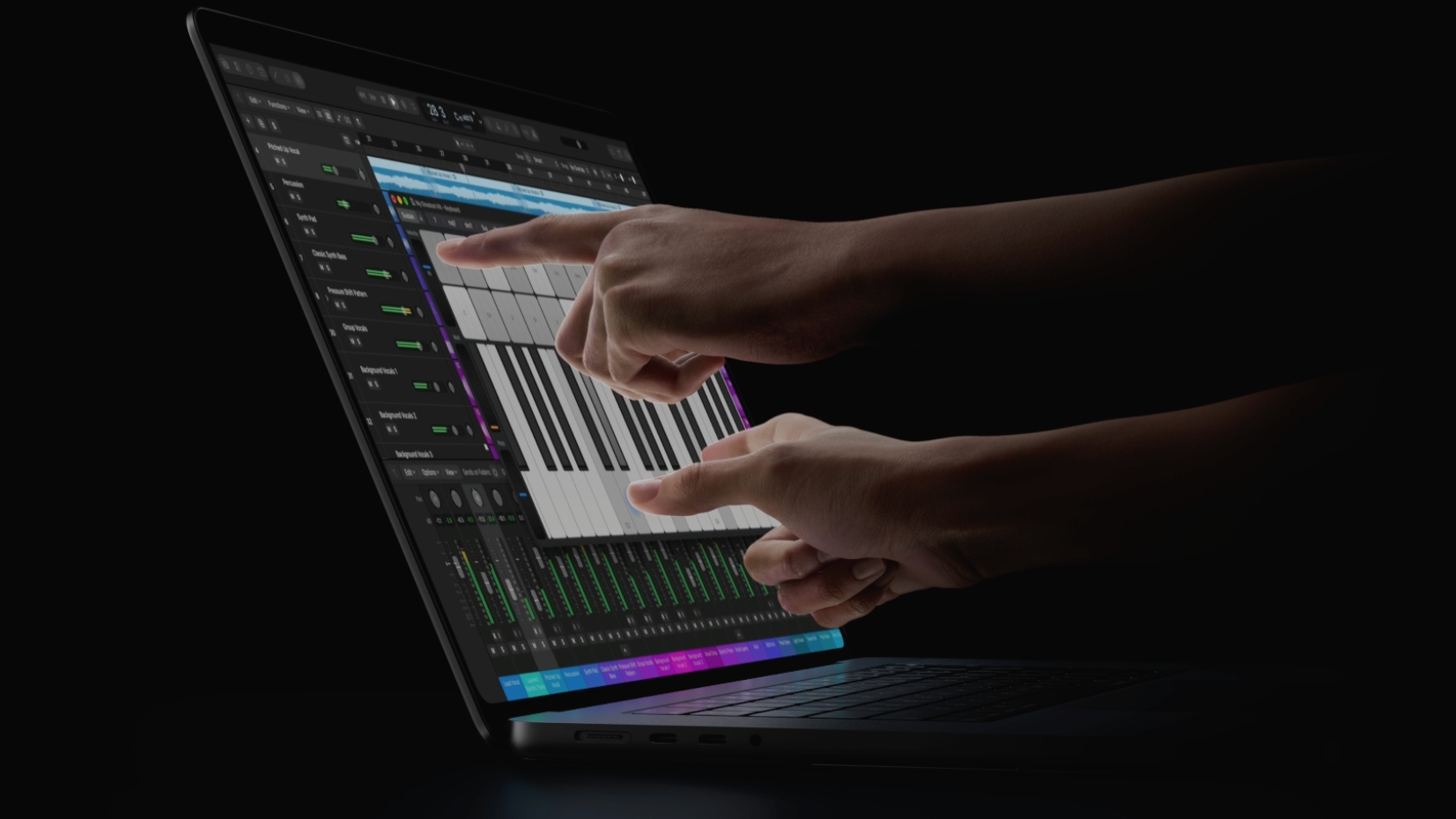
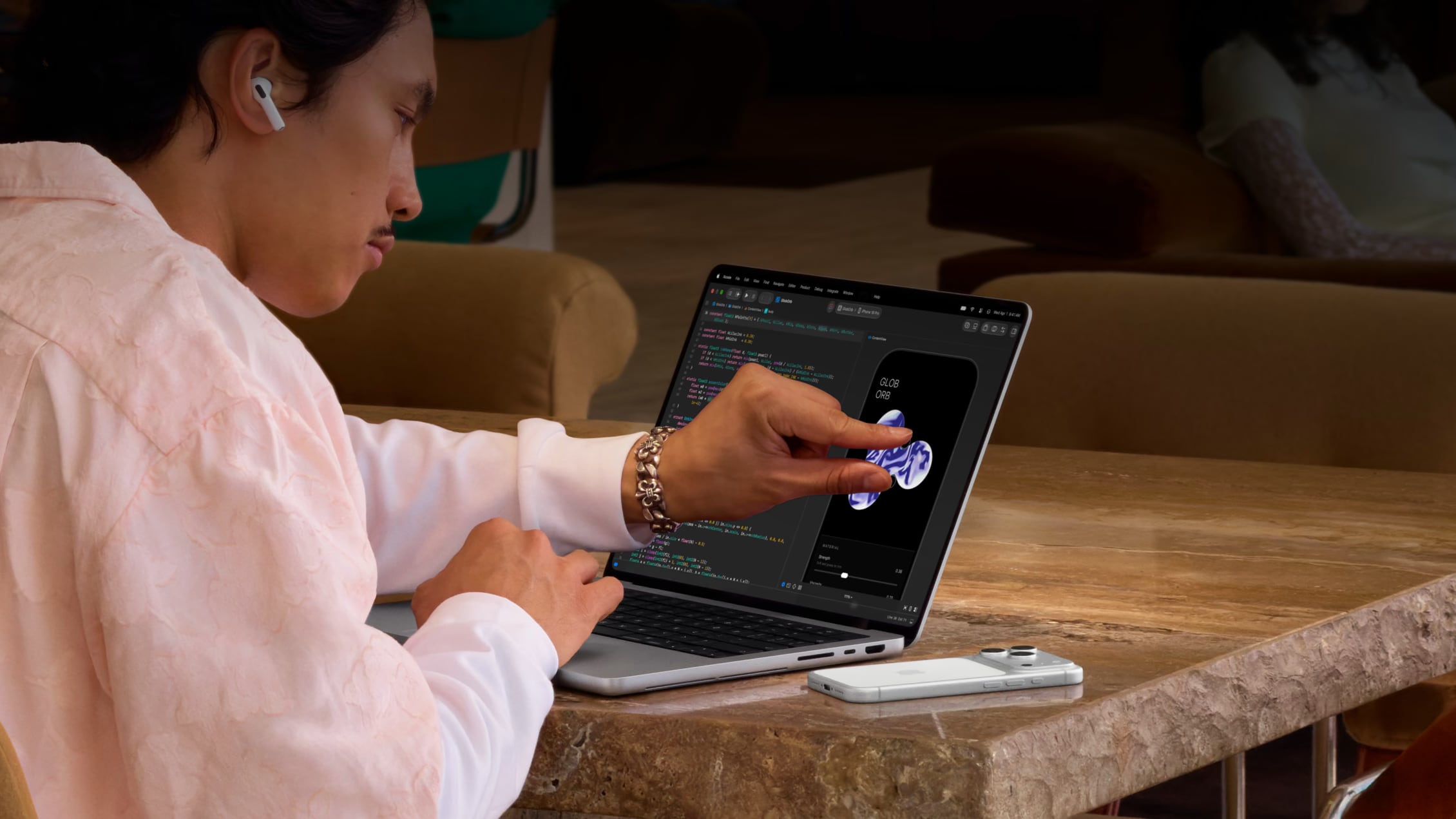
Apple has long rejected the idea of a touchscreen Mac, so moving ahead with one was always going to be a major shift in the company's thinking. In 2010, Steve Jobs argued that "touch surfaces don't want to be vertical," citing the arm fatigue that comes from repeatedly reaching up to a screen.

Some would call this sacrilege...

More than a decade later, in 2021, Apple's then-hardware engineering chief John Ternus remarked that the Mac was made exclusively for indirect input and that Apple saw no compelling reason to change its approach.

"We make the world's best touch computer on an iPad. It's totally optimized for that. And the Mac is totally optimized for indirect input. We haven't really felt a reason to change that," Ternus said in an interview with Joanna Stern.

Touch Comes to the Mac


Fast forward to 2026, and Apple has had a change of heart. The new MacBook Pro with PROLED XDR is the first Mac to adopt touchscreen technology. Many younger people who grew up with smartphones and tablets expect to interact with their computers the same way they do with their mobile devices, and that expectation appears to have twisted Apple's arm (no pun intended).

Of course, just because the new MacBook Pro models have a touchscreen doesn't mean you have to use it. If you forget it's even there, you can turn off the function and pretend it doesn't exist. If you use Sidecar with an iPad on another Mac, you can turn off touch in the same way.

Turn Off Touch on MacBook Pro and Sidecar


The steps are the same whether you want to disable the MacBook Pro's touchscreen or touch input in Sidecar:

  1. Click the Apple logo in the top-left corner of the menu bar and choose System Settings....

  2. Select Accessibility in the sidebar.

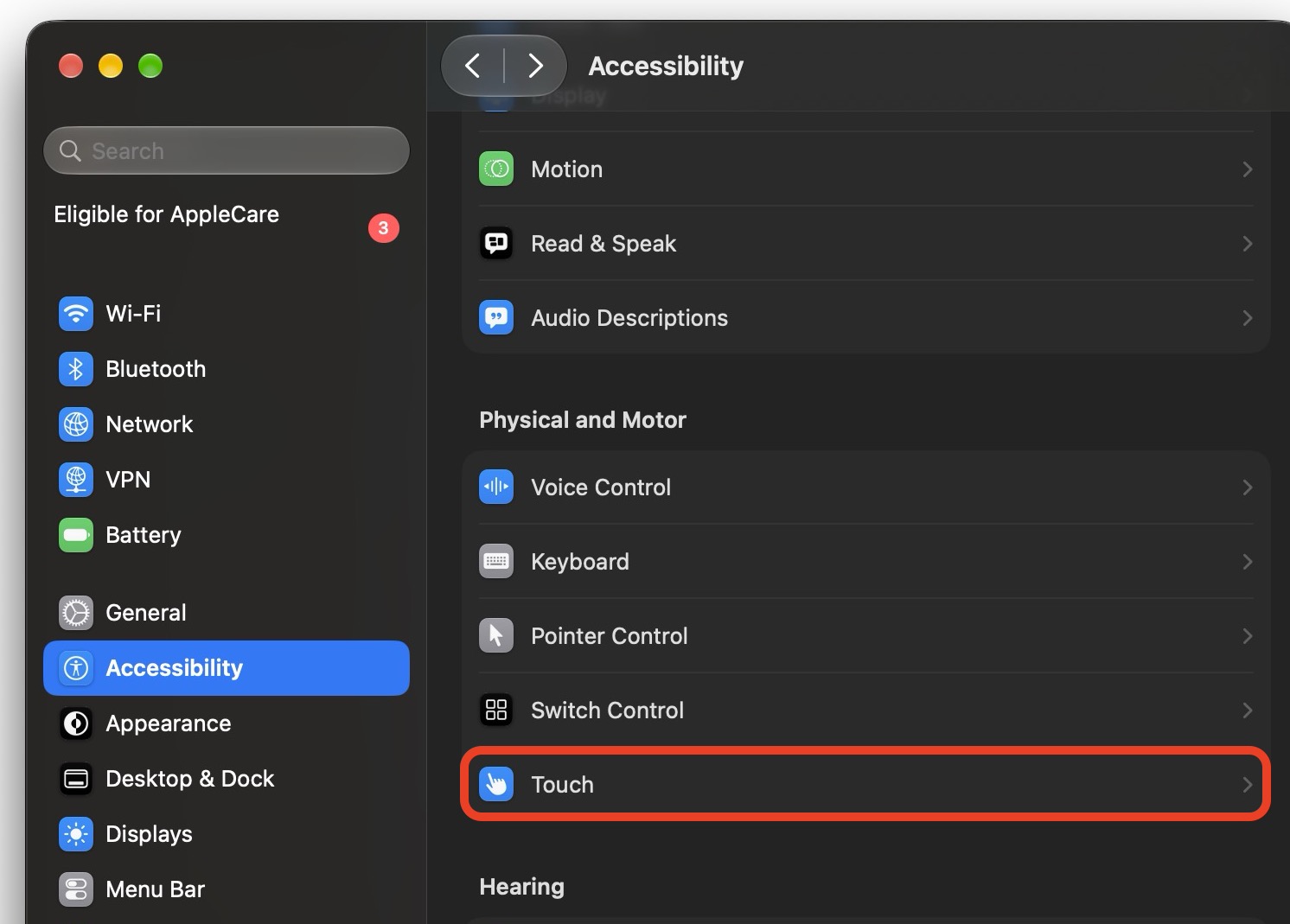
  3. Under "Physical and Motor," click Touch.
    settings
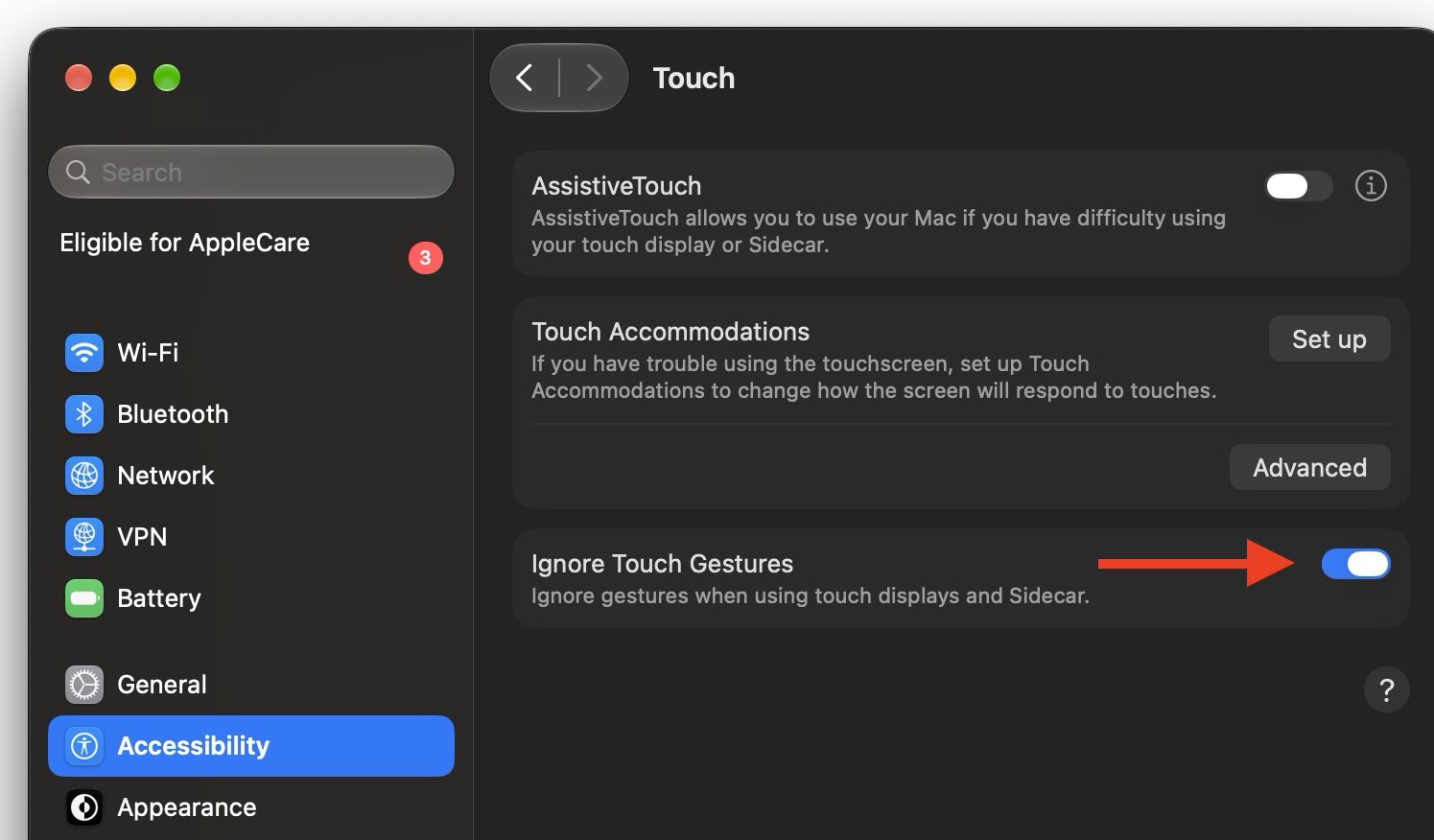
  4. Toggle on the switch next to Ignore Touch Gestures.
    settings
That's all there is to it. Your Mac will now ignore touch input, and since the setting covers Sidecar too, an iPad you use as a second display will ignore touches as well. If you ever want touch back, return to the same screen and toggle off Ignore Touch Gestures.

Touch Friendly, Not Touch First


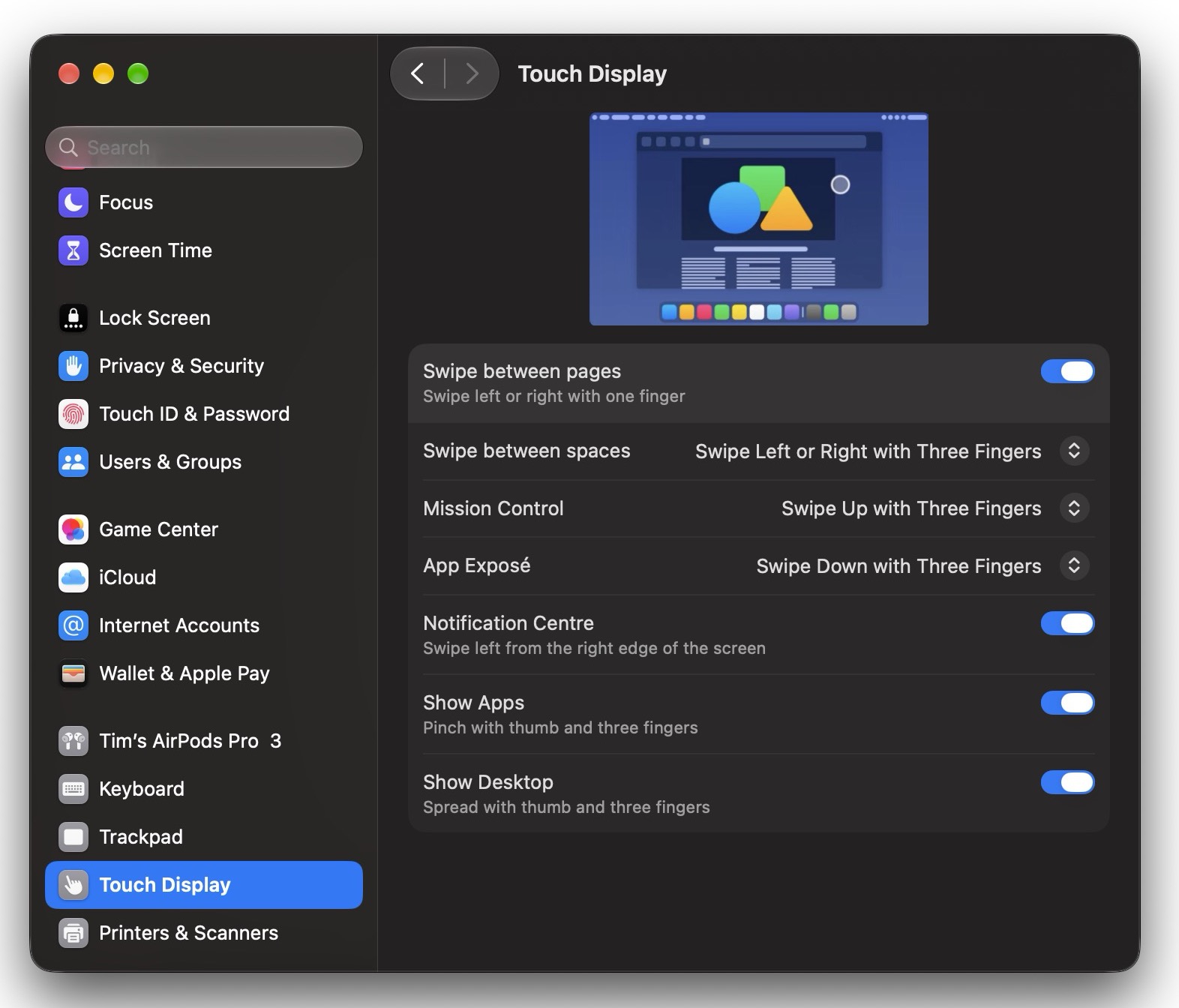
If some gestures prove useful but others keep being triggered by accident, you can adjust them individually instead of disabling touch altogether. In System Settings, select Touch Display in the sidebar, where each gesture can be switched off, and Swipe between spaces, Mission Control, and App Exposé also have pop-up menus for changing how the gesture is performed.

settings
Don't overlook the fact that the Accessibility ➝ Touch screen (where "Ignore Touch Gestures" lives) offers further customization options. Touch Accommodations changes how the screen responds to taps, swipes, and touch-and-hold input. AssistiveTouch can also be found on this settings menu if you want alternative ways to control the screen, and the Accessibility ➝ Zoom menu includes an option to zoom using the touch display or Sidecar.


Whatever you think about touch on a Mac, one group with a genuine reason to leave it on is app developers. Xcode's iOS Simulator responds to direct touch, so you can test your app's taps, swipes, and pinches right on the screen instead of approximating them with a trackpad and keyboard modifiers.
Related Roundup: MacBook Pro
Tag: Sidecar
Buyer's Guide: MacBook Pro (Buy Now)
Related Forum: MacBook Pro

This article, "Disable Touch on MacBook Pro PROLED XDR and When Using Sidecar" first appeared on MacRumors.com

Discuss this article in our forums

  •  

Apple Maps Could Factor Parking Into Your Arrival Time

Apple may be working on a way for Maps arrival estimates that account for parking as well as the walk to your destination, according to findings shared by code explorer pdfu. A new "TimeToPark" flag in the iOS 27.3 beta apparently allows the system to measure time spent near a destination before parking, plus walking time afterwards.

The measurements use background location and motion data, with results saved per trip and grouped by weekday and hour. However, pdfu says the feature can only be enabled on internal installations, and no Maps feature uses the data yet. In other words, watch this space – parking-aware ETAs could yet become a thing.
This article, "Apple Maps Could Factor Parking Into Your Arrival Time" first appeared on MacRumors.com

Discuss this article in our forums

  •  

Waze Now Alerts Drivers to Nearby Cyclists Using Garmin LiveTrack

Waze and Garmin have announced the launch of real-time cycling alerts for drivers to help create a safer environment on the road.

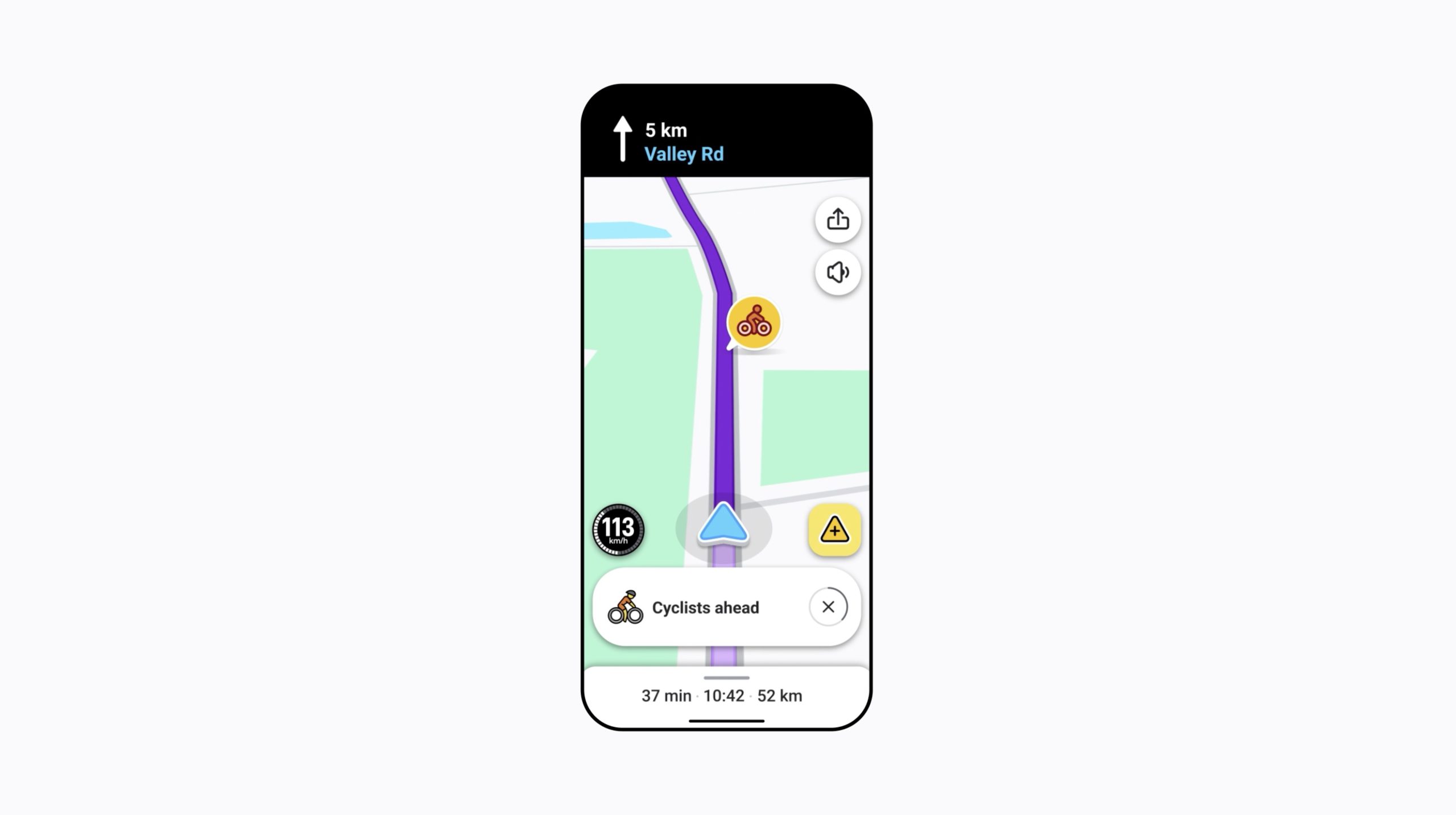
Waze cycling alerts
Going forward, when cyclists turn on Garmin LiveTrack on their Garmin Edge bike computer or Garmin smartwatch, they can choose to show up in Waze as a real-time moving icon.

Drivers will also see a notification when a cyclist is nearby, so they can slow down, stay aware, and share the road.

The feature is completely opt-in, and Waze and Garmin say it is designed with privacy in mind. Drivers only see a temporary alert that a cyclist is nearby, and a cyclist's name, identity, or exact route is never shared in the app. Alerts also automatically turn off the moment a cyclist ends their ride on the Garmin device.

Cycling alerts powered by Garmin LiveTrack are rolling out now globally to Waze on iOS and Android.
Tags: Garmin, Waze

This article, "Waze Now Alerts Drivers to Nearby Cyclists Using Garmin LiveTrack" first appeared on MacRumors.com

Discuss this article in our forums

  •  

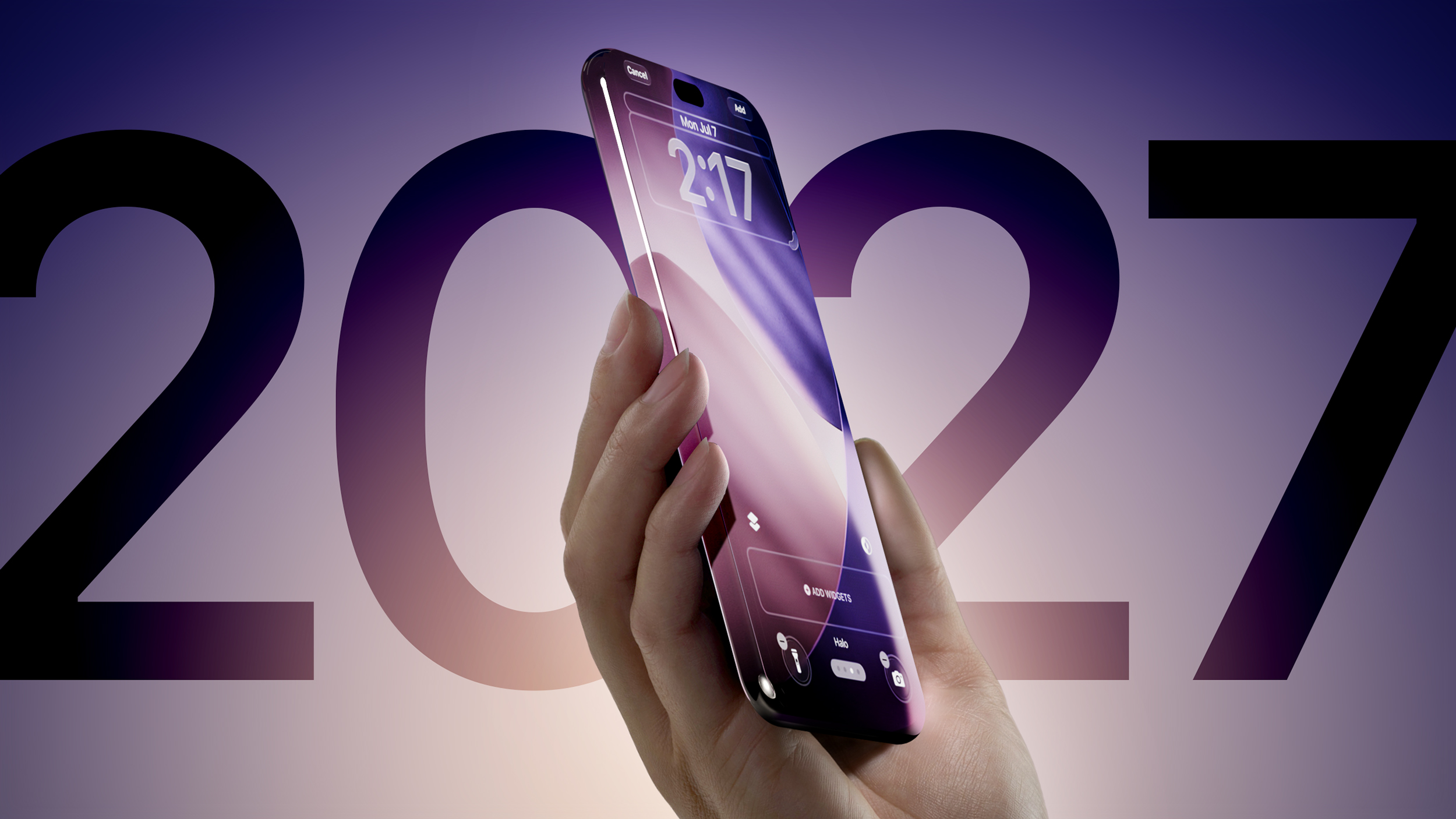
iPhone 20 Pro: Ten Big Changes That Could Redefine Apple's Flagship

In 2017, Apple celebrated the iPhone's 10th birthday with the iPhone X, the biggest redesign in the product's history. For the device's 20th anniversary, all the rumors indicate that the company is preparing another landmark redesign.


The commemorative "iPhone 20" model isn't expected until September 2027, but leaks have been piling up for months. According to Bloomberg's Mark Gurman, Apple is already deep into its development, and the picture forming across multiple reports is of an iPhone that looks like a single, uninterrupted slab of glass. Here's what we're expecting:

  • A quad-curved, all-glass design: The display glass reportedly curves away on all four sides, concealing the metal frame during normal use. Apple is said to be working with Samsung on an "equal-depth quad-curved" display to achieve the effect.

  • Advanced OLED technology: Apple was reportedly planning a brighter, thinner Samsung OLED panel using Color Filter on Encapsulation (COE) for the anniversary iPhone, but a more recent report suggests the technology has slipped: UBI Research does not expect COE on Apple's Pro iPhones until 2029, casting doubt on its inclusion in the 2027 model.

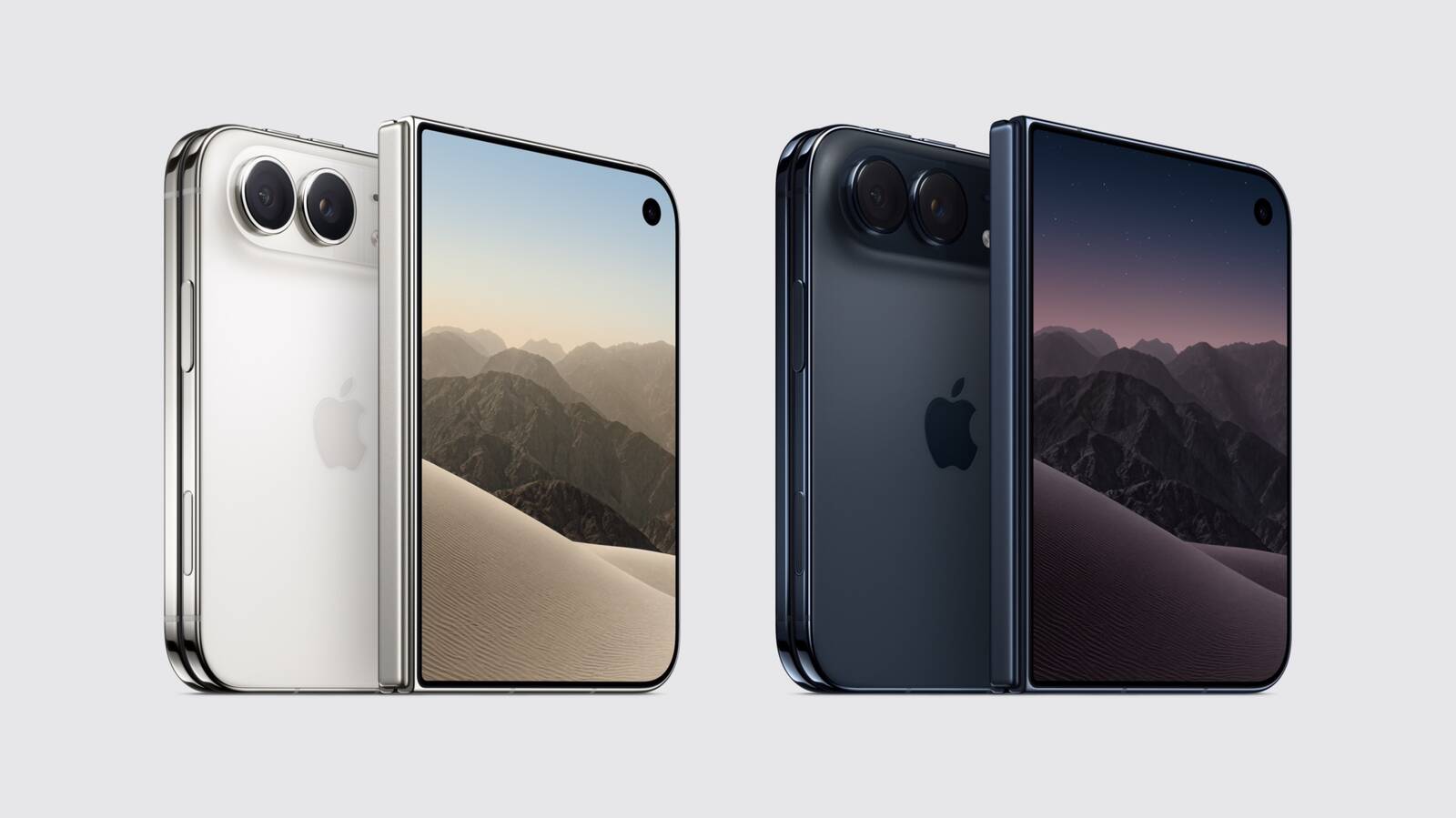
  • Under-display Face ID and camera: Apple is reportedly continuing to test hardware that would eliminate the final visible cutout from the front of the device. Apple already debuted an under-display camera on the iPhone Duo's inner screen, but reviewers criticized its image quality. Whether an improved version will be ready for the iPhone 20's rumored fall 2027 launch remains uncertain.

  • Solid-state buttons: Apple is said to be testing haptic replacements for the Side, Volume, Action, and Camera Control buttons. The buttons could be integrated directly into the device's frame, with no actual physical movement when pressed, yet retaining a tactile responsiveness.

  • Apple modem in the United States: Apple is developing modems that it hopes will outperform Qualcomm's on speed and AI functionality; its third-generation modem, due in 2027, is the one expected to finally exceed Qualcomm's. The C1 and C1X are used in the iPhone 16e and iPhone Air, and the C2 now powers the iPhone 18 Pro and iPhone Duo. Only the U.S. iPhone 18 Pro Max still uses a Qualcomm modem.

  • Custom Apple image sensor: Apple is said to be developing its own stacked image sensor to replace the Sony sensors it has traditionally used for the iPhone. Apple has reportedly already developed a working prototype. The sensor is said to use LOFIC technology, which would let each pixel store varying amounts of light and potentially reach up to 20 stops of dynamic range.

  • A 2-nanometer A21 chip: The 20th anniversary models are expected to feature a second-generation 2-nanometer chip. Following the A20 Pro in this year's iPhone 18 Pro models, the anniversary models would likely be powered by the A21 Pro.

  • Silicon anode battery: Apple is reportedly exploring a new battery technology that uses a silicon anode capable of storing more lithium ions per gram, potentially delivering longer battery life without increasing the physical size of the battery.

  • Mobile high bandwidth memory: Apple is rumored to be evaluating vertically stacked DRAM technology to improve memory bandwidth and boost on-device AI performance.

  • Two sizes: The two anniversary models are expected to be slightly larger than the iPhone 18 Pro and iPhone 18 Pro Max, with Digital Chat Station claiming 6.41-inch and 6.96-inch displays, the larger of which would likely be marketed as a 7-inch panel.

With all that said, we're still ahead of a rumored fall 2027 launch, and Apple's plans shift constantly behind closed doors, plus features this ambitious have a habit of slipping a year or two. Under-display Face ID in particular has been "two years away" for about five years now.

Still, taken together, the leaks describe the most dramatic iPhone rethink since 2017. If even half of the features make it to the shipped device, the iPhone 20 should be worth holding out for. For everything we know so far, check out our dedicated guide.

This article, "iPhone 20 Pro: Ten Big Changes That Could Redefine Apple's Flagship" first appeared on MacRumors.com

Discuss this article in our forums

  •  
Empfangen — 09. November 2026 ⏭ MacRumors: Mac News and Rumors - All Stories

Some HomePod Mini 2 Buyers Returning Units Over Mac Speaker Issues

One of the features of Apple's new HomePod mini 2 speakers is being able to use them as your Mac's default speakers, but it seems to be failing to work as advertised for a number of users, with some owners already returning them, based on the latest MacRumors forum reports.
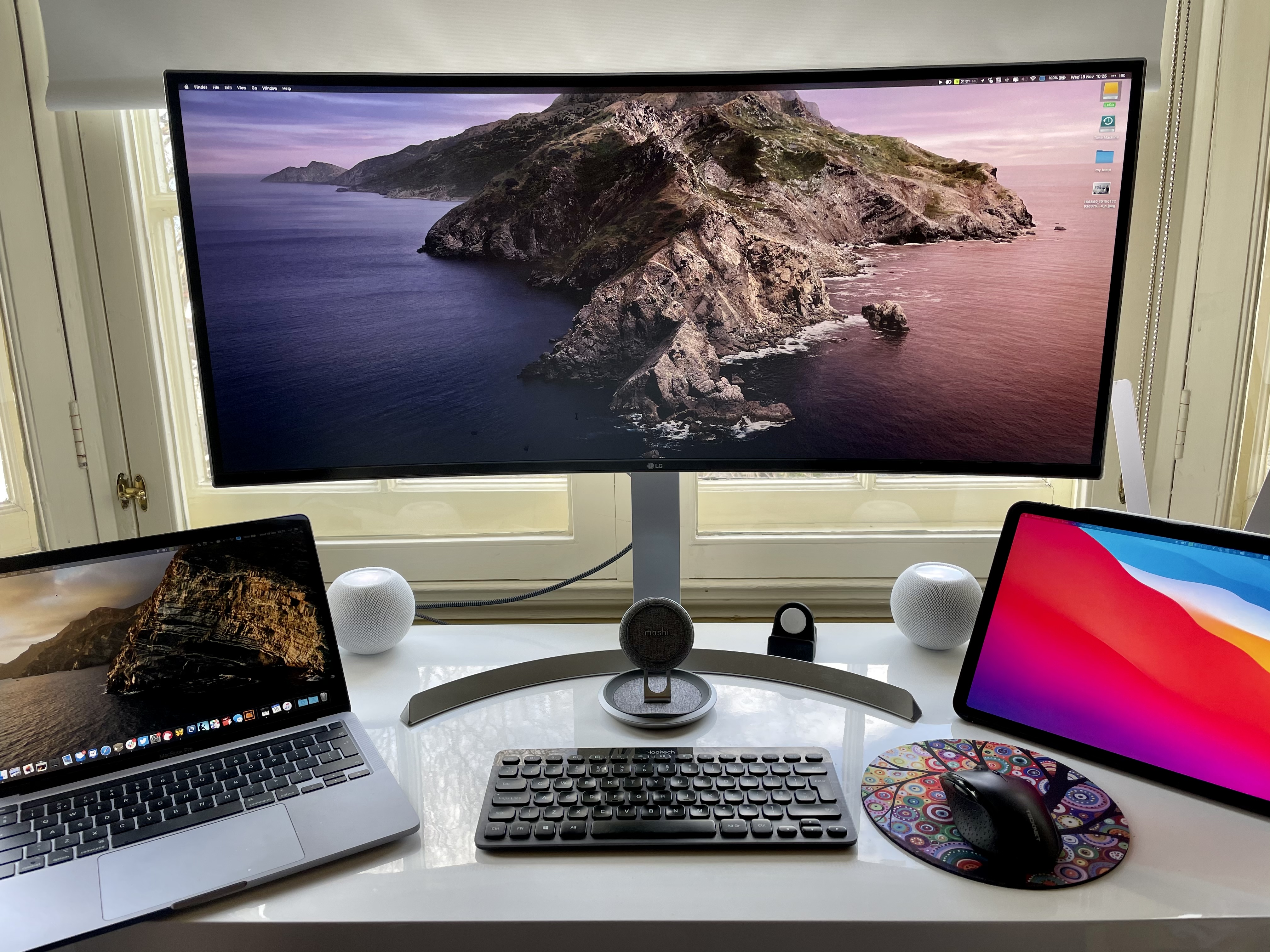
OG HomePod minis in a stereo pair on a Mac (don't try this at home)

The new HomePod mini 2 can be used as a default speaker on all Mac models with Wi-Fi 6E or later, according to Apple. A single HomePod can be used alone, or a pair can be twinned for stereo sound. The same setup never reliably worked with the first-generation HomePod mini, with latency and dropout issues common.

Apple introduced the stated new feature with ‌HomePod‌ Software 27.2, and it's meant to work over "a responsive and persistent AirPlay connection," or a wireless point-to-point link that's designed to survive restarts and sleep. (That's different to ordinary AirPlay, which the previous-generation HomePod uses.) For the HomePod mini 2, the feature requires macOS 27.2. It's also supposed to work with the second-generation HomePod using the same software and the aforementioned Wi-Fi 6E requirement.

So far, new HomePod mini 2 owners are reporting two separate problems. For some, the option to enable the persistent connection never appears at all – even on hardware that meets Apple's stated requirements. For others, the connection works at first, but the Mac then falls back to its built-in or monitor speakers after sleep, a restart, or sometimes even after a single notification sound.

Jennifer Pattison Tuohy ran into the first problem in her review for The Verge. On a Mac mini M4 – meeting Apple's Wi-Fi 6E requirement – the persistent-output option never showed up, and the speakers behaved like ordinary AirPlay devices, along with audio artifacts, dropouts, and output switching after a restart or whenever Siri was activated on a HomePod. Tuohy said that the feature "feels unfinished," and Apple had not responded to her request for comment at the time of writing.

The second problem, though, seems more prevalent, based on MacRumors forum reports. DanJoeWhitaker said they bought a stereo pair solely to use as Mac speakers, but found that the "Play sound effects through" option reverted to their Studio Display speakers within a minute, and that a single notification sound could make their Mac "forget" the HomePods entirely.

Another forum member, Nismo73, tested a pair on a Mac Studio and was greeted by an error message and sound through the machine's internal speaker after the first wake from sleep. Five owners on the forums describe similar failures, and at least two forum members say they're returning the speakers. DanJoeWhitaker said they were told at an Apple Store that they weren't the first to have the problem – Apple Support's senior team reportedly offered no fix, suggesting the issue was "maybe just an early teething bug."

As for the cause, that's still an open question. The most detailed account we've found so far was from a Redditor with an M3 Max MacBook Pro on a UniFi network. Their Mac's logs showed the point-to-point connection failing while the HomePods were on a 6GHz network, with audio falling back to standard AirPlay at around half a second of latency. Moving the speakers to a 5GHz-only network apparently restored the low-latency persistent mode in that setup. But whether the other failures correlate with 6GHz networks or specific router configurations remains unclear.

Let us know in the comments below if you've had a similar experience with your HomePod mini 2.
Related Roundup: HomePod mini 2
Buyer's Guide: HomePod Mini (Buy Now)

This article, "Some HomePod Mini 2 Buyers Returning Units Over Mac Speaker Issues" first appeared on MacRumors.com

Discuss this article in our forums

  •  

Apple to Give You More Control Over When Your Mac Passwords Lock

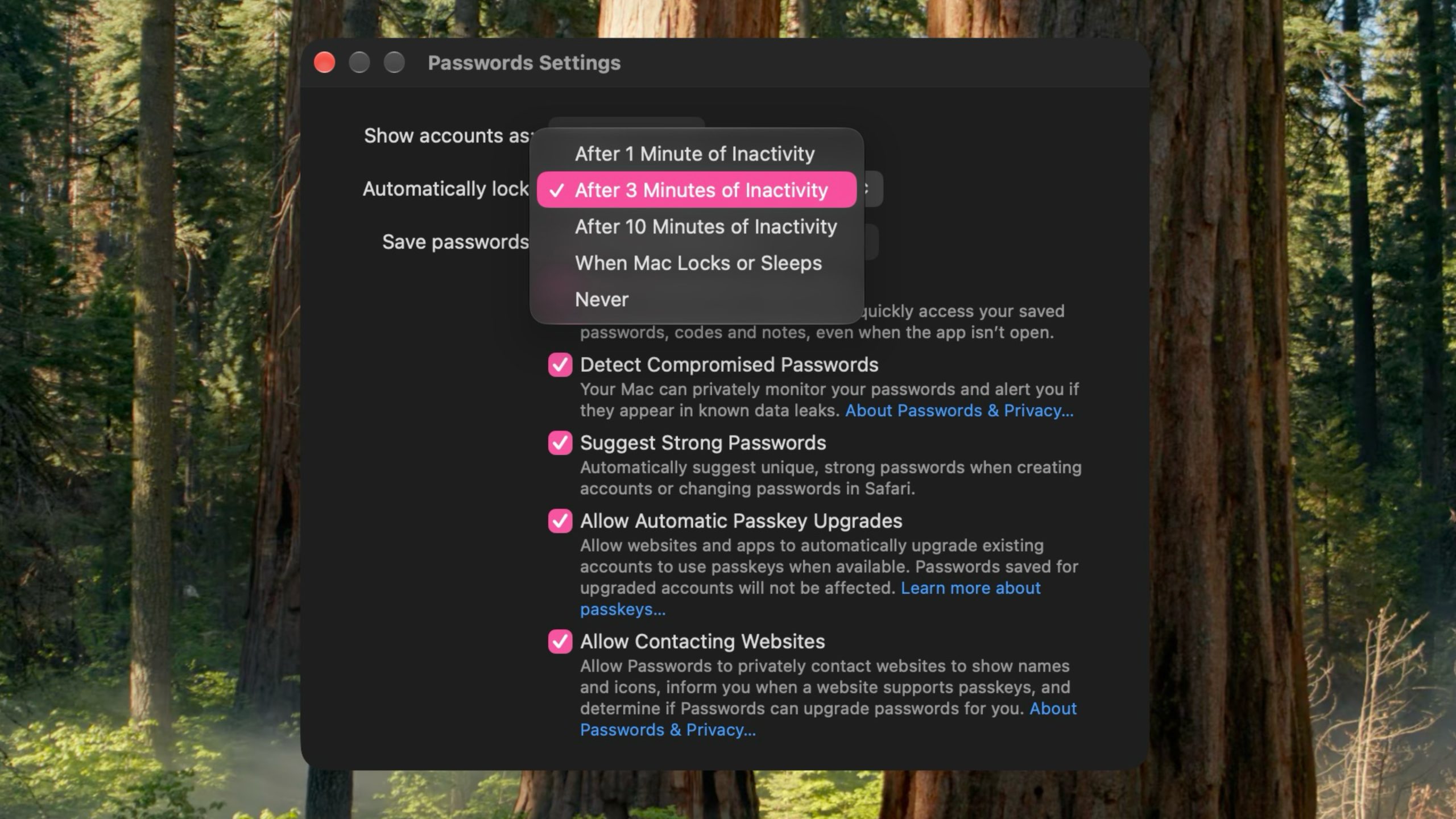
Apple's Passwords app on Mac will soon let you choose when it automatically locks. Spotted by code explorer pdfu, a new menu in macOS 27.3 beta offers one, three, or 10 minutes of inactivity, alongside options to lock when the Mac itself locks or sleeps, or for it to never automatically lock.


In the current macOS 27.2 general release and in earlier versions of Apple's Mac operating system, the Passwords app uses a fixed three-minute inactivity timeout. So when the update arrives in December, you'll have more control over how long the app stays unlocked, rather than have to rely on the default timeout.

Apple added a dedicated Passwords app for managing your iCloud passwords and logins with the release of macOS Sequoia in September 2024.
Tag: pdfu

This article, "Apple to Give You More Control Over When Your Mac Passwords Lock" first appeared on MacRumors.com

Discuss this article in our forums

  •  

Siri Is Getting a Better Memory

Apple is building a personal memory system that could help Siri retain information about users' lives, based on new code findings shared by code explorer pdfu.


In Apple's iOS 27.3 beta release, the system includes a "memory graph" that's designed to organize information about relationships, places, routines, health, workouts, and what motivates users or holds them back, according to the findings. It also identifies "memory atoms" for facts, opinions, intentions, and events, including details about the people, places, times, and topics involved.

According to pdfu, the graph uses two kinds of processes to gather info. One turns structured data into insights – like reading the name fields in a user's own contact card. The other uses an on-device AI model or Private Cloud Compute to extract insights by querying sources including Siri conversations, messages, photos, and health data.

Apparently, only one of these AI-driven processes is present so far: pdfu believes it's designed to identify motivations, barriers, and resources using a set of 60 built-in questions, including questions about routines that might interfere with adequate sleep.

From what's been uncovered so far, it's still an unfinished system – pdfu says there's no process that creates memory atoms yet, for example. In a follow-up explanation, the code sleuth also distinguished the graph from a separate store for explicit memories. The latter store has space for records in Apple's search system, but nothing writes the records yet.

Both systems reportedly use Apple's version of the Kuzu graph database. Apple acquired Kuzu in 2025, but its plans for the technology were unclear when the acquisition emerged earlier this year.

Siri already offers personal context understanding, allowing the assistant to find information about the user's life in apps like Mail, Messages, and Photos. Nothing that's been uncovered so far tells us when the unfinished memory system will become available or how users will have control over their data.
Tags: pdfu, Siri, Siri AI

This article, "Siri Is Getting a Better Memory" first appeared on MacRumors.com

Discuss this article in our forums

  •  

Apple's Siri Boss May Leave - Here's Who Could Take Over

Mike Rockwell "continues to seriously consider stepping down" as Apple's vice president of Siri engineering and could leave the company altogether next year, according to Bloomberg's Mark Gurman. Gurman described the potential move as a major blow to Apple.


If Rockwell departs or moves to another role, responsibility for Siri would likely fall to one of two people. Amar Subramanya is a Google veteran hired last year to shore up Apple's AI efforts, and Sebastien Marineau, a deputy to software chief Craig Federighi, leads the teams integrating AI into iOS. Marineau is said to be seen by some inside Apple as a possible eventual successor to Federighi himself, and as someone "more all-in on the AI revolution."

As for Rockwell, he created the Vision Pro, before being put in charge of Siri's turnaround, but only after "an embarrassing two-year delay," as Gurman puts it. Reports of him weighing an exit from Apple first surfaced in April.

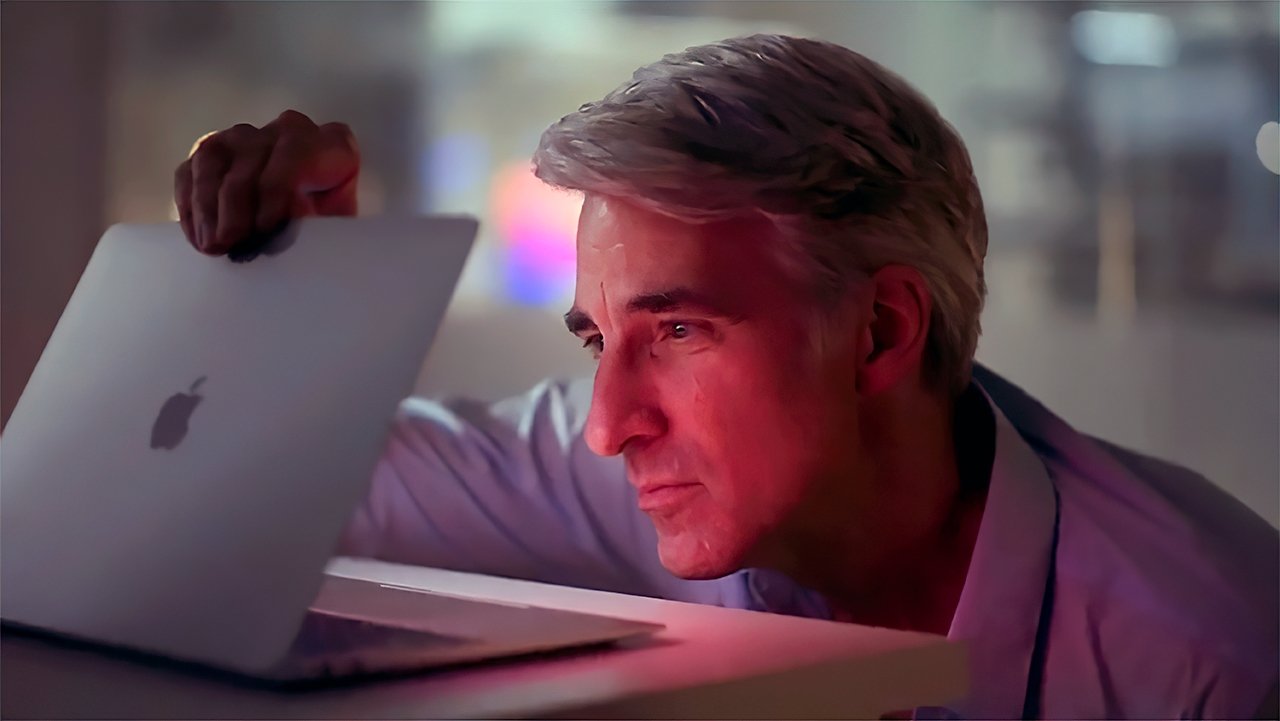
Hair Force One, however, isn't going anywhere, it seems. A succession to Federighi remains "a distant prospect," reckons Gurman. Federighi "maintains a firm grip" on Apple's software engineering organization and "has done little to prioritize succession planning or establish a clear path for a successor," according to his sources. Gurman adds that Federighi, who has led the organization for more than a decade, has given no indication that he is among Apple's senior leaders considering an exit in the coming years.
This article, "Apple's Siri Boss May Leave - Here's Who Could Take Over" first appeared on MacRumors.com

Discuss this article in our forums

  •  

Apple Launching Two More New Products This Friday

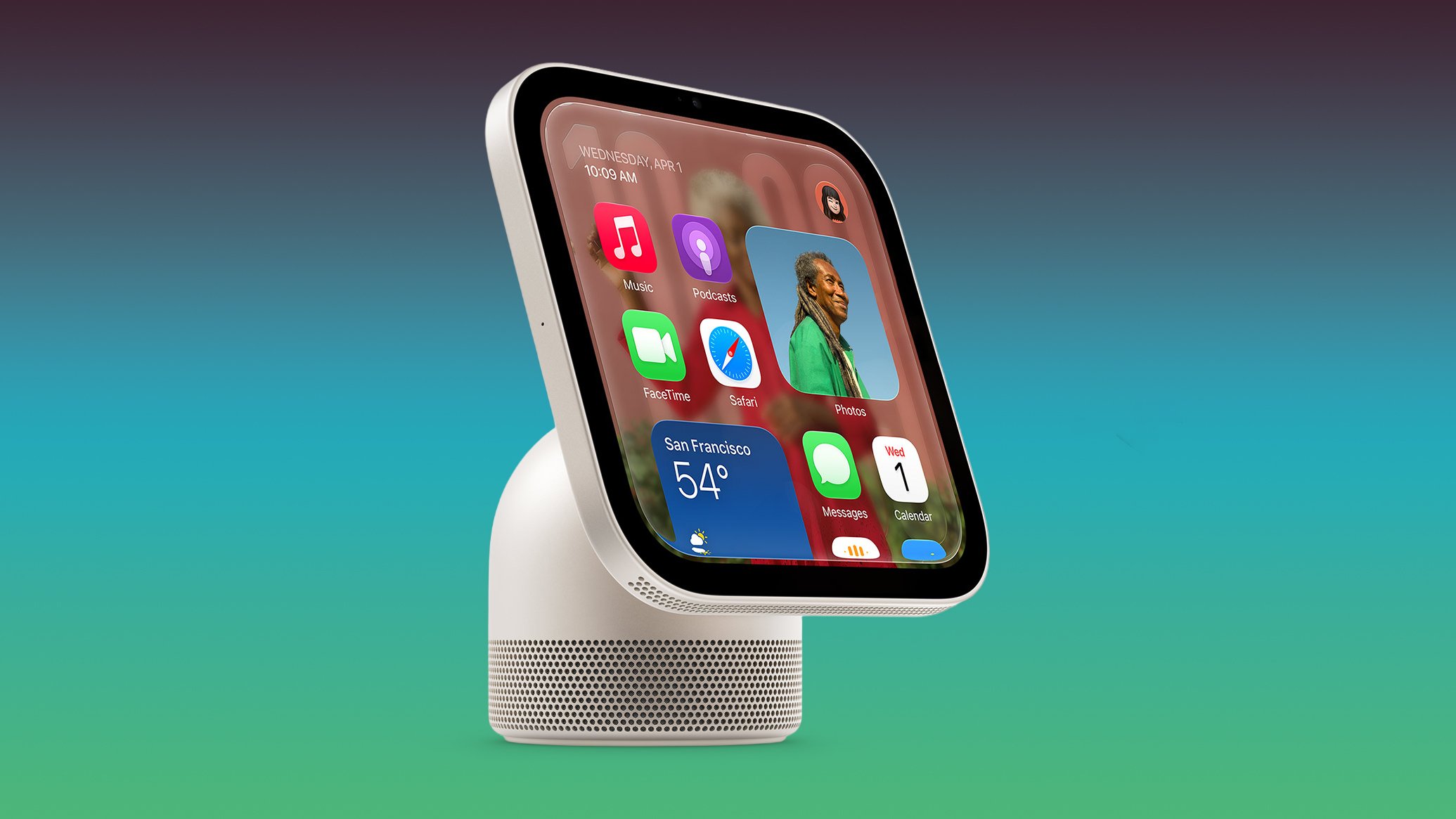
The Apple launches keep coming! The company is set to release two new products on Friday, November 13: the all-new Apple HomeView and the fourth-generation Apple TV 4K, both of which have been available to pre-order since mid-October.

  • Apple HomeView: Apple's new smart home display, powered by Apple Intelligence with Siri AI, for entertainment and managing the home. Available in tabletop and wall-mounted models, it can recognize up to six users by face, each with a personalized Home Screen. The HomeView is priced at $299.

  • Apple TV 4K: adds Siri AI, the A19 chip, an updated Siri Remote with Find My, and support for four-speaker surround sound with HomePod mini 2. The Apple TV 4K comes with 128GB of storage and is priced at $299.
Both products were announced on October 13 alongside the HomePod mini 2, which launched October 30.

As things stand, HomeView will not be sold in the European Union because Siri AI is currently unavailable on iOS in the region due to regulatory constraints. Apple has said it is "working constructively with the EU in an attempt to find a path forward," but has provided no timeline for EU availability.
This article, "Apple Launching Two More New Products This Friday" first appeared on MacRumors.com

Discuss this article in our forums

  •  
Empfangen — 06. November 2026 ⏭ MacRumors: Mac News and Rumors - All Stories

Control the Glowing Apple Logo on Your New MacBook Pro

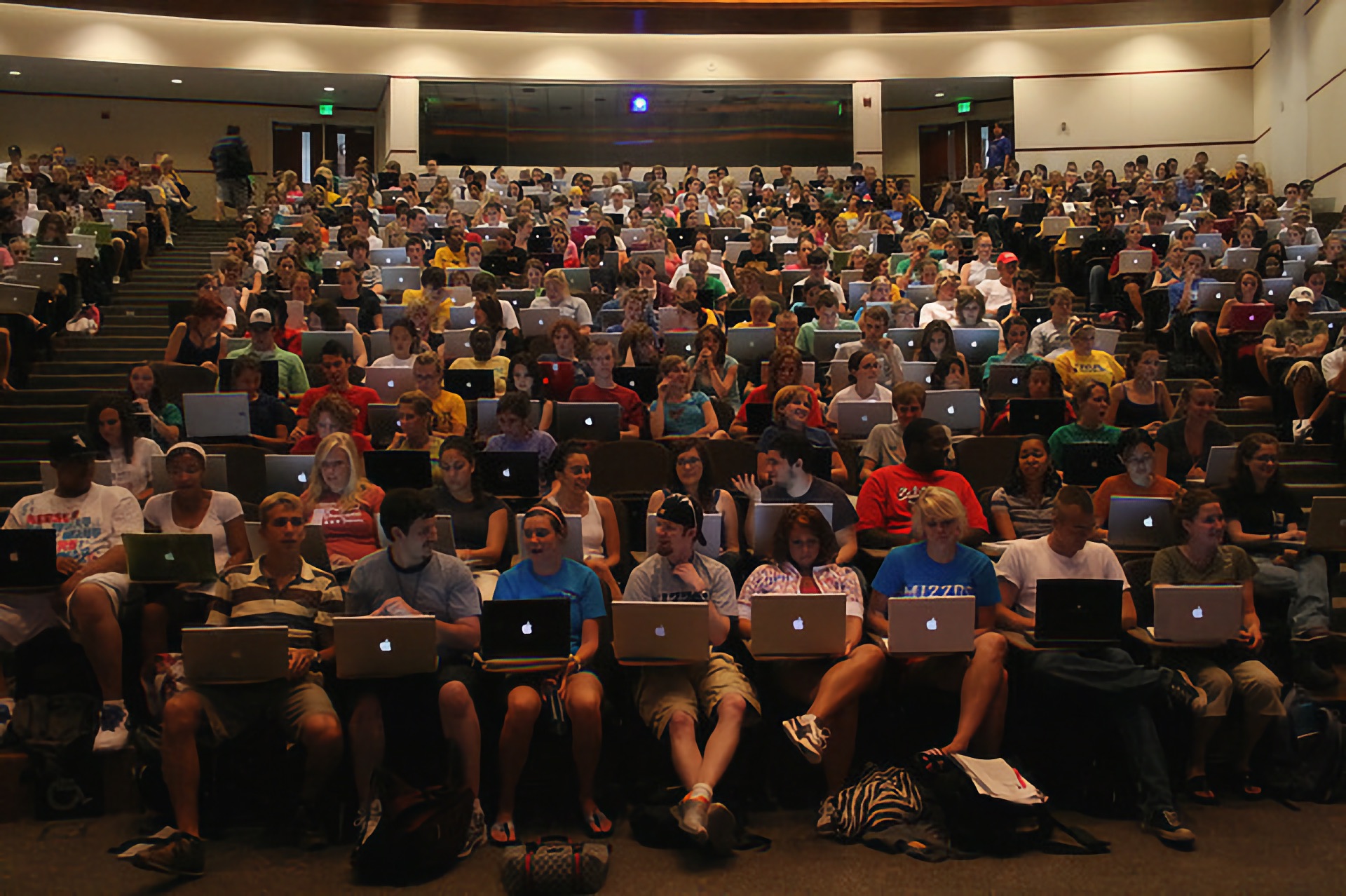
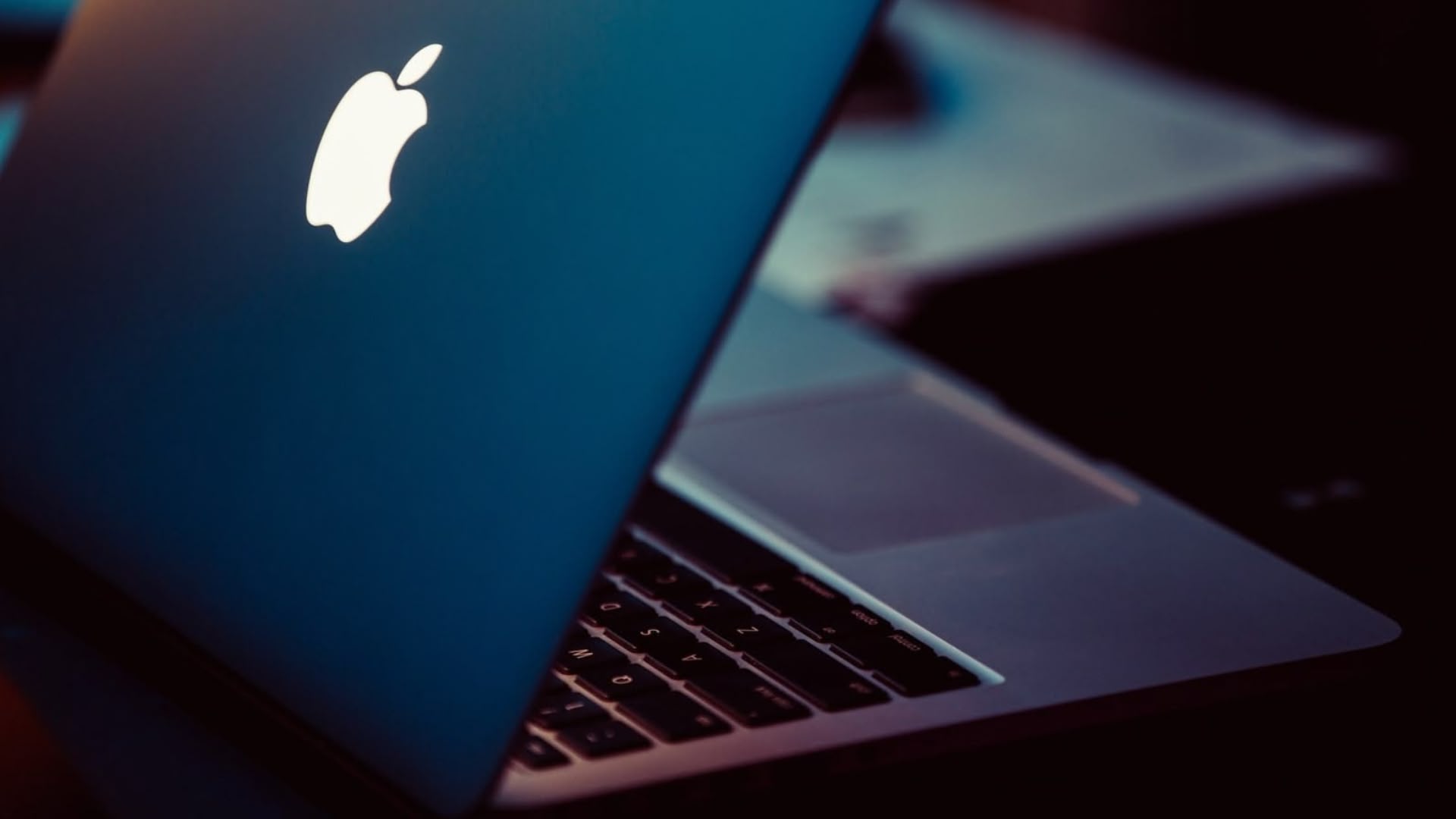
Once a common sight in lecture theaters and coffee shops everywhere, the glowing emblem of an Apple logo featured on the lids of many Mac laptops launched in the early 2000s. In a nice touch, the new 14-inch and 16-inch MacBook Pro models with PROLED XDR displays bring back the much-loved logo. It's lit up whenever the Mac is awake, and it automatically dims or brightens based on your screen's brightness level and the ambient light in the room.

Image credit: MacRumors forum member sniffies

If you'd rather keep the logo dark, Apple has shared a way to turn it off. Unusually though, there's no switch in System Settings. Instead, you need to enter a command in the Terminal app. If that sounds intimidating, don't worry – it's a single line that you can copy and paste. Note that the following command only works on MacBook Pro models with a PROLED XDR display.

  1. Open Terminal on your Mac: it's in the Applications ➝ Utilities folder, or you can search for "Terminal" using Spotlight (Command + Space).

  2. Type or paste the following command, then press Enter:

    sudo defaults write com.apple.CoreBrightness LEBacklightMode -int 0
  3. When prompted, enter your administrator password and press Enter. (Terminal doesn't show the password as you type it.)

After performing the steps, the logo illumination should turn off immediately, no restart required. The change applies to all macOS user accounts on the machine, and it will carry over even if you start up from macOS Recovery. If you later migrate to a new Mac, the setting even transfers across with the rest of your system.

Relight the Apple Logo


Reinstalling macOS turns the illumination back on, but you can also turn it back on yourself at any time by entering the following command in Terminal:

sudo defaults delete com.apple.CoreBrightness LEBacklightMode

Remember to press Enter!

Backstory


The first Mac laptop with a lit-up Apple logo was the third-generation PowerBook G3 launched in 1999. The glowing symbol proved a mainstay through consecutive Apple notebooks for the next 16 years. The only change in that period was that the logo got flipped upright, so that it no longer appeared upside-down to onlookers when someone was sat in public with the lid open.

According to former Apple employee Joe Moreno, the original orientation was deliberate: Apple's design group had found that users kept trying to open their laptops from the wrong end. "Steve Jobs always focused on providing the best possible user experience and believed that it was more important to satisfy the user than the onlooker," Moreno recalled.

Ironically, Jobs later reversed the decision.

"Opening a laptop from the wrong end is a self-correcting problem that only lasts a few seconds," said Moreno. "However, viewing the upside logo is a problem that lasts indefinitely."

The earlier orientation, seen in Sex and the City (Image: HBO/Everett/Rex Features)


In 2015, Apple began nixing the illuminated insignia from its laptops, starting with the ultra-thin 12-inch MacBook, which had a polished metal logo instead, like iPads before it. In 2016, a new generation of MacBook Pro models continued the unlit trend. Apple hasn't launched a Mac laptop with a glowing logo since – until now.
Related Roundup: MacBook Pro
Buyer's Guide: MacBook Pro (Buy Now)
Related Forum: MacBook Pro

This article, "Control the Glowing Apple Logo on Your New MacBook Pro" first appeared on MacRumors.com

Discuss this article in our forums

  •  

OLED iPad Mini, M6 iMac, and New MacBook Pros Available From Today

From today, Apple's new iPad mini with an OLED display, M6 iMac, and its latest MacBook Pro models are available to buy from Apple's online store and in the Apple Store app, with the first pre-orders also arriving to customers today and both devices reaching Apple Store locations and Apple Authorized Resellers.


OLED iPad Mini


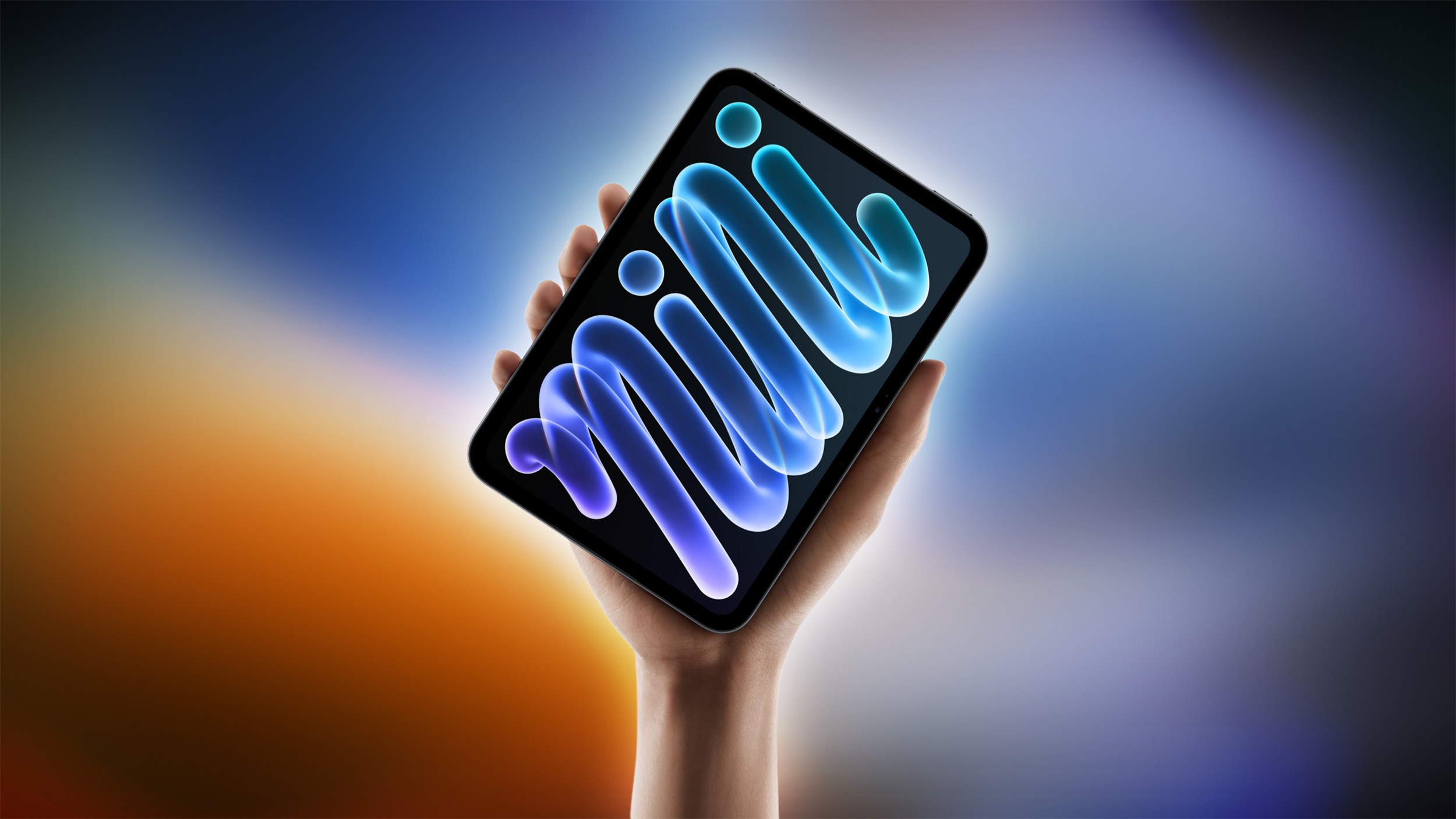
The eighth-generation iPad mini is Apple's smallest tablet with an OLED display. The 8.5-inch Super Retina XDR display offers up to 1,200 nits of peak brightness, a 2,000,000:1 contrast ratio, and a 1-nit minimum brightness, with a nano-texture glass option on 256GB and 512GB models for the first time.

The device is powered by Apple's A20 Pro chip and the N1 wireless chip, enabling Wi-Fi 7 and Bluetooth 6. At 5.4mm thin and 255 grams, it's the lightest iPad Apple has made. It's also the first iPad with an IP67 water and dust resistance rating, aided by a new Acoustic Display that produces sound through the screen itself, so there are no speaker holes in the enclosure.

A 12MP Center Stage front camera is now located on the landscape side for video calls, and the device supports Apple Pencil Pro and Apple Pencil (USB-C). The display is limited to a 60Hz refresh rate with no ProMotion, which has been the main point of criticism in early reviews.

In the United States, the new iPad mini starts at $699 for the 128GB Wi-Fi model. The 256GB and 512GB configurations are priced at $799 and $999, with nano-texture glass adding $100 on those models, while Wi-Fi + Cellular models start at $849. Education pricing starts at $649.

M6 iMac


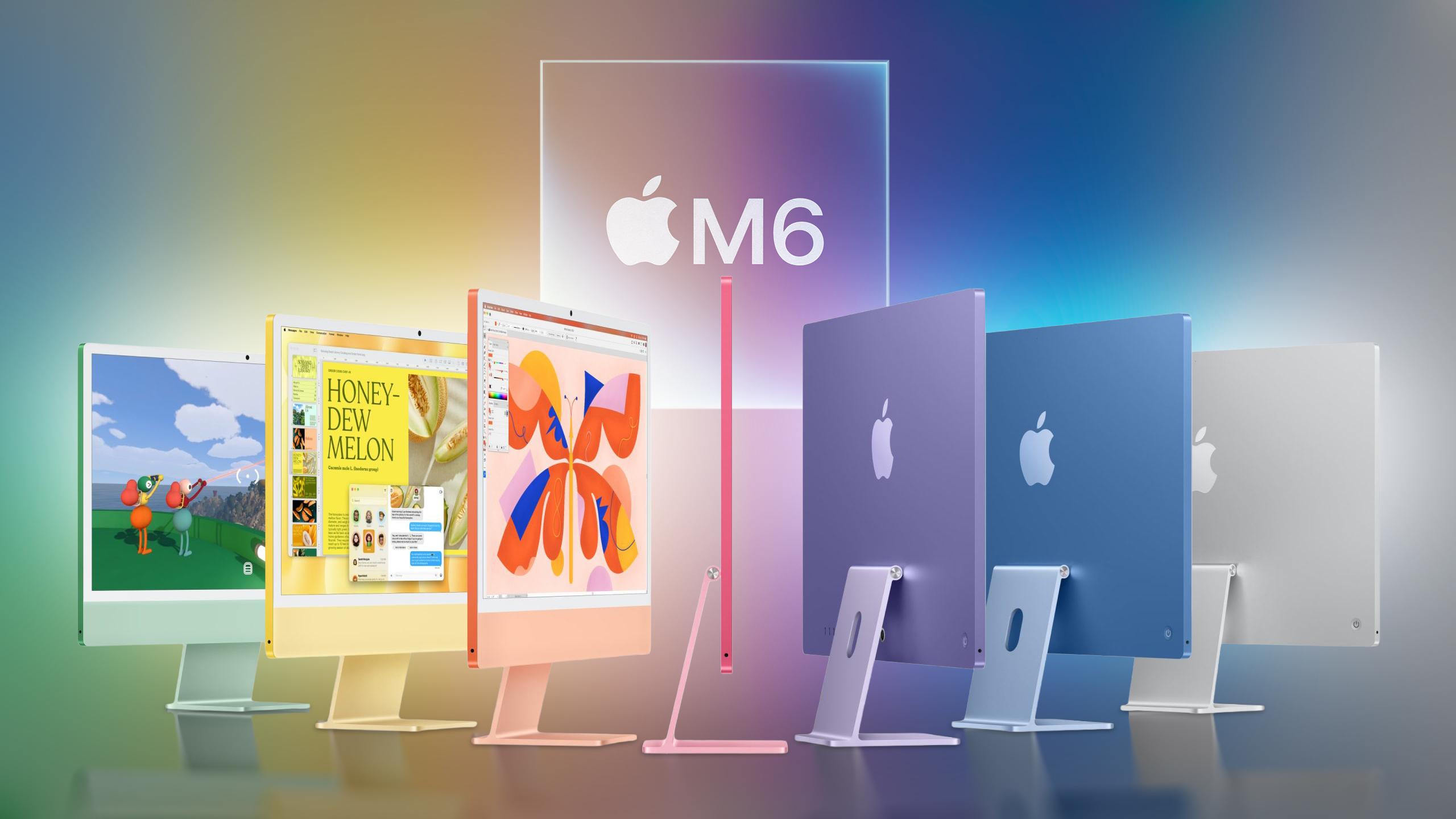
Meanwhile, the new iMac is the first update to Apple's all-in-one since the M4 model. The M6 chip brings up to a 12-core CPU and 12-core GPU, with Apple claiming up to 2x faster graphics than the previous generation, alongside Wi-Fi 7, Bluetooth 6, and an optional 2.5 Gigabit Ethernet port on the power adapter.

The iMac with M6 starts at $1,499 for the model with a 10-core CPU and 10-core GPU, while the version with a 12-core CPU and 12-core GPU starts at $1,699. Education pricing starts at $1,449.

Latest MacBook Pro Models


Also launching today are the new MacBook Pro models. The 14-inch MacBook Pro with M6 starts at $1,999 and features a 12-core CPU and 12-core GPU, alongside Wi-Fi 7 and Bluetooth 6 via Apple's N1 wireless chip.

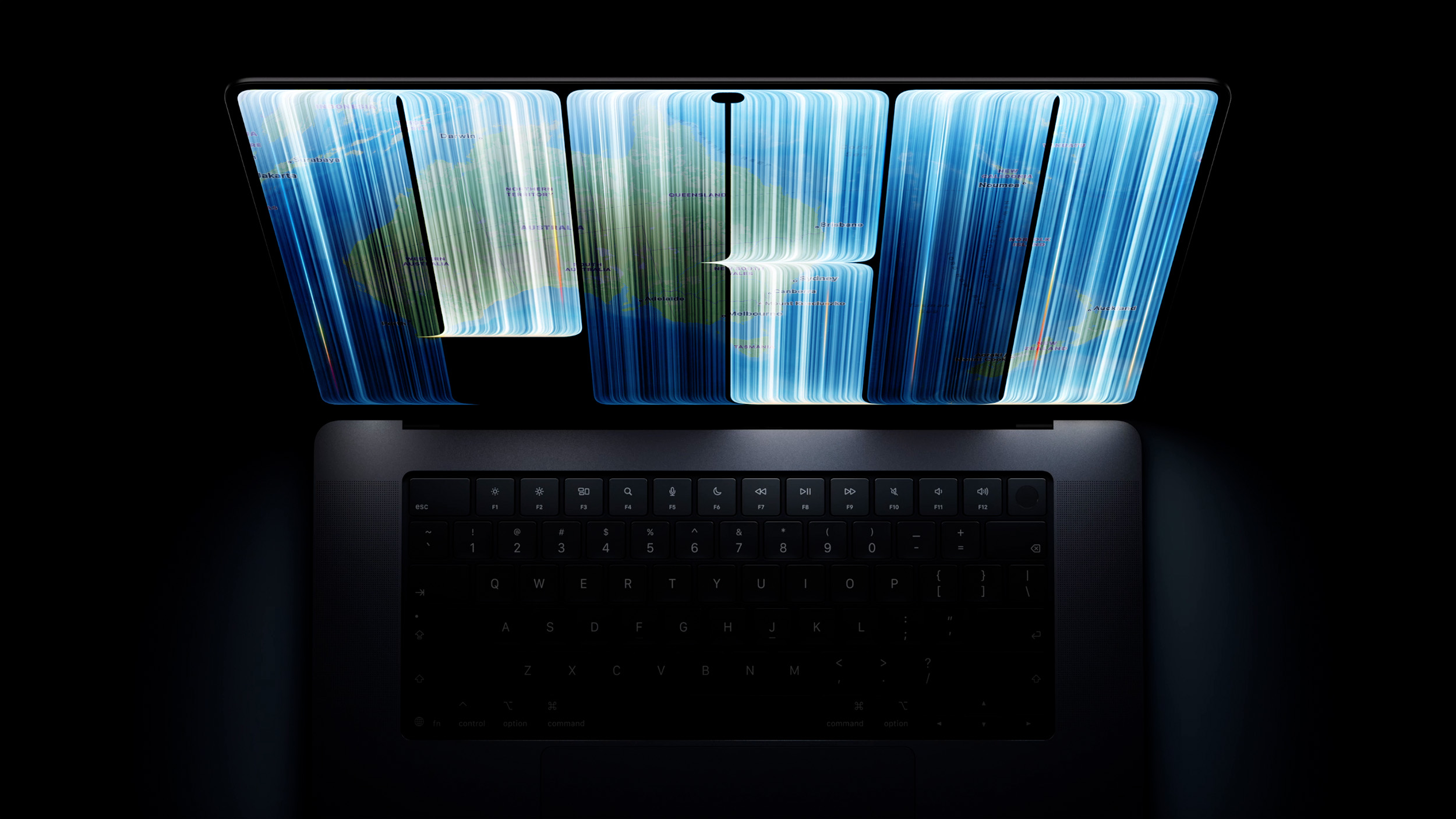
The new 14-inch and 16-inch MacBook Pro models with touchscreen PROLED XDR displays are also available, starting at $2,899 and $3,399, respectively. Powered by M5 Pro or M5 Max chips, the touchscreen models replace the notch with a Dynamic Island and offer up to 2,000 nits of peak brightness for both SDR and HDR content.

Apple's online checkout system indicates many configurations of the 14-inch and 16-inch touchscreen MacBook Pro models in Space Black and Silver currently ship in 2-3 weeks, so anyone who wants one as soon as possible is likely to have more luck visiting their local Apple Store, where at least some base configurations are typically in stock.

For a full rundown of everything new, see our iPad mini, iMac, and MacBook Pro roundups.
Related Roundups: iMac, iPad mini, MacBook Pro
Tag: OLED
Related Forums: iMac, iPad, MacBook Pro

This article, "OLED iPad Mini, M6 iMac, and New MacBook Pros Available From Today" first appeared on MacRumors.com

Discuss this article in our forums

  •  
Empfangen — 05. November 2026 ⏭ MacRumors: Mac News and Rumors - All Stories

Prevent Siri and Search From Accessing Specific iPhone Apps

In iOS 27.2, Apple has a new settings menu that lets you choose which apps Siri, Search, and suggestions can access, all from one list. Here's what's changed and how to use the new menu.


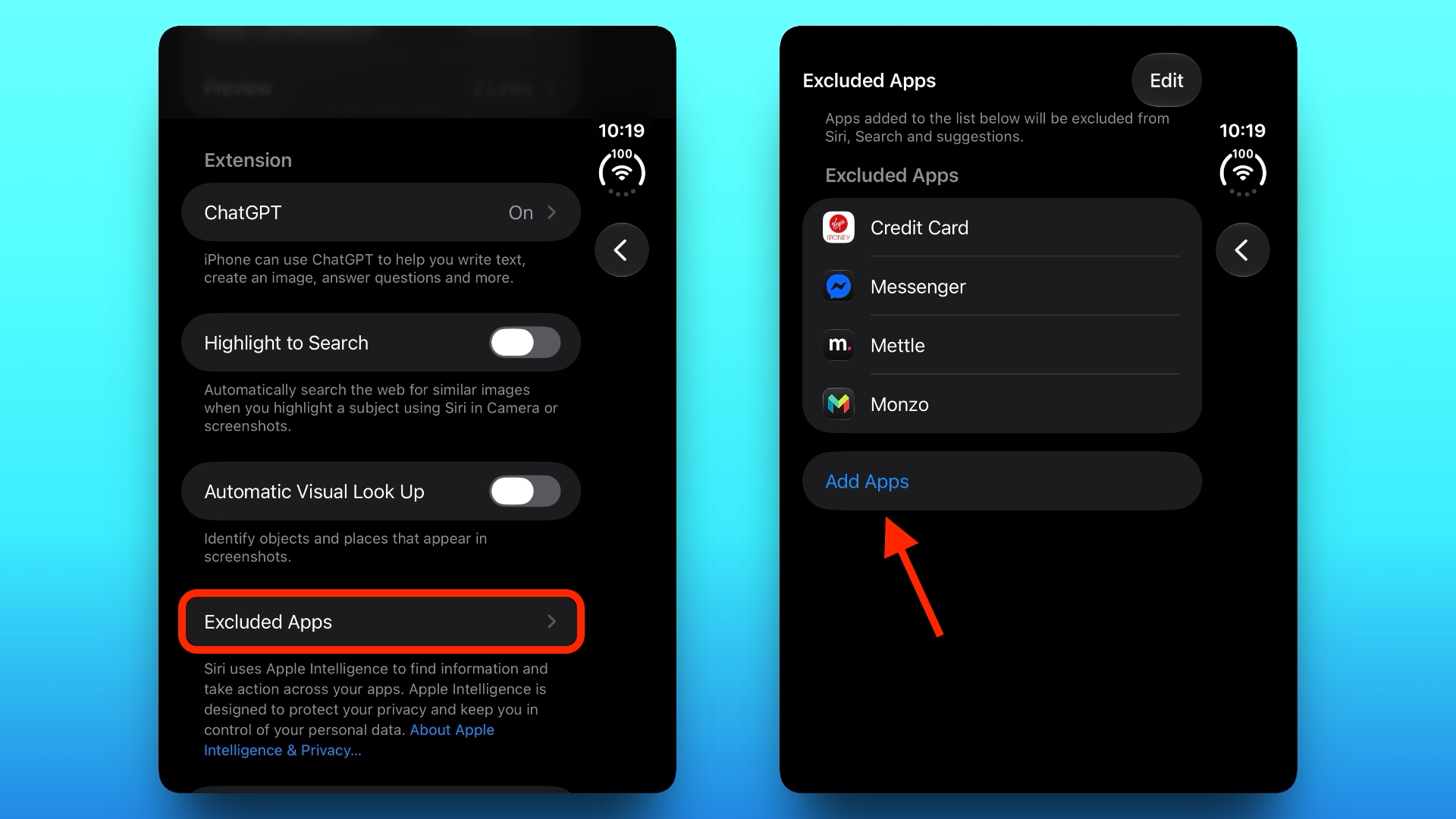
With iOS 27.2, Apple has replaced the old App Access controls with a redesigned Excluded Apps feature that makes it a lot simpler to keep specific apps away from Siri, Search, and suggestions.

It's actually a bigger change than it might sound. Previously, excluding an app in iOS meant opening Settings ➝ Apple Intelligence & Siri ➝ Apps and adjusting each app's toggles individually. This included a switch that let Siri "Learn from this App," and several suggestion options that appeared in Search and widgets.

What was confusing is that some of these switches controlled on-device personalization, rather than access to an app's contents. Moreover, fully keeping an app's content out of search results also required toggling off a separate "Show Content in Search" switch that was buried in each app menu in Settings ➝ Apps.

Thankfully, in iOS 27.2, Excluded Apps consolidates all of this into a single multi-select list, where you can add an app once and make it unavailable to Siri, Search, and suggestions. Here's where to find it.

How to Exclude Apps From Siri and Search


  1. Open the Settings app on your iPhone.

  2. Tap Siri.

  3. Tap Excluded Apps.

  4. Tap Add Apps, select the apps you want to exclude, then confirm your selection.


Bear in mind that excluding an app can disable some Siri features for it. For example, the Electronic Freedom Foundation found that excluding Messages stops Siri AI from reading or replying to messages. Also, onscreen awareness – where you invoke Siri and ask it for information about what you're currently looking at – will no longer work in any app you exclude.

Let an App Back Into Siri and Search


To return individual app access to Siri and Search, simply tap the Edit button in the Excluded Apps menu, then tap the minus button next to the app in question and hit the checkmark at the top to confirm.
Tag: Siri

This article, "Prevent Siri and Search From Accessing Specific iPhone Apps" first appeared on MacRumors.com

Discuss this article in our forums

  •  

Siri AI Waitlist Now Limited to Times of 'High Demand,' Says Apple

Apple has largely stopped making users join a waitlist to access its Siri AI assistant. According to an updated Apple support document, Siri AI "will begin to download automatically" once users opt in, but the waitlist is now reserved "during time of high demand," and wait times can vary.

The document previously said that enabling the assistant "will add you to a waitlist," as noted by 9to5Mac. The document was updated on November 2, likely following two months of Apple testing server load. Released in September, Siri AI remains in beta across iPhone, iPad, Mac, Apple Watch, and Vision Pro.
Tags: Siri, Siri AI

This article, "Siri AI Waitlist Now Limited to Times of 'High Demand,' Says Apple" first appeared on MacRumors.com

Discuss this article in our forums

  •  

MacBook Neo Shipments Expected to Double in 2027

Apple wants suppliers to make 16 million MacBook Neo laptops in 2027, or double the amount expected for this year, according to supply chain sources (via DigiTimes).


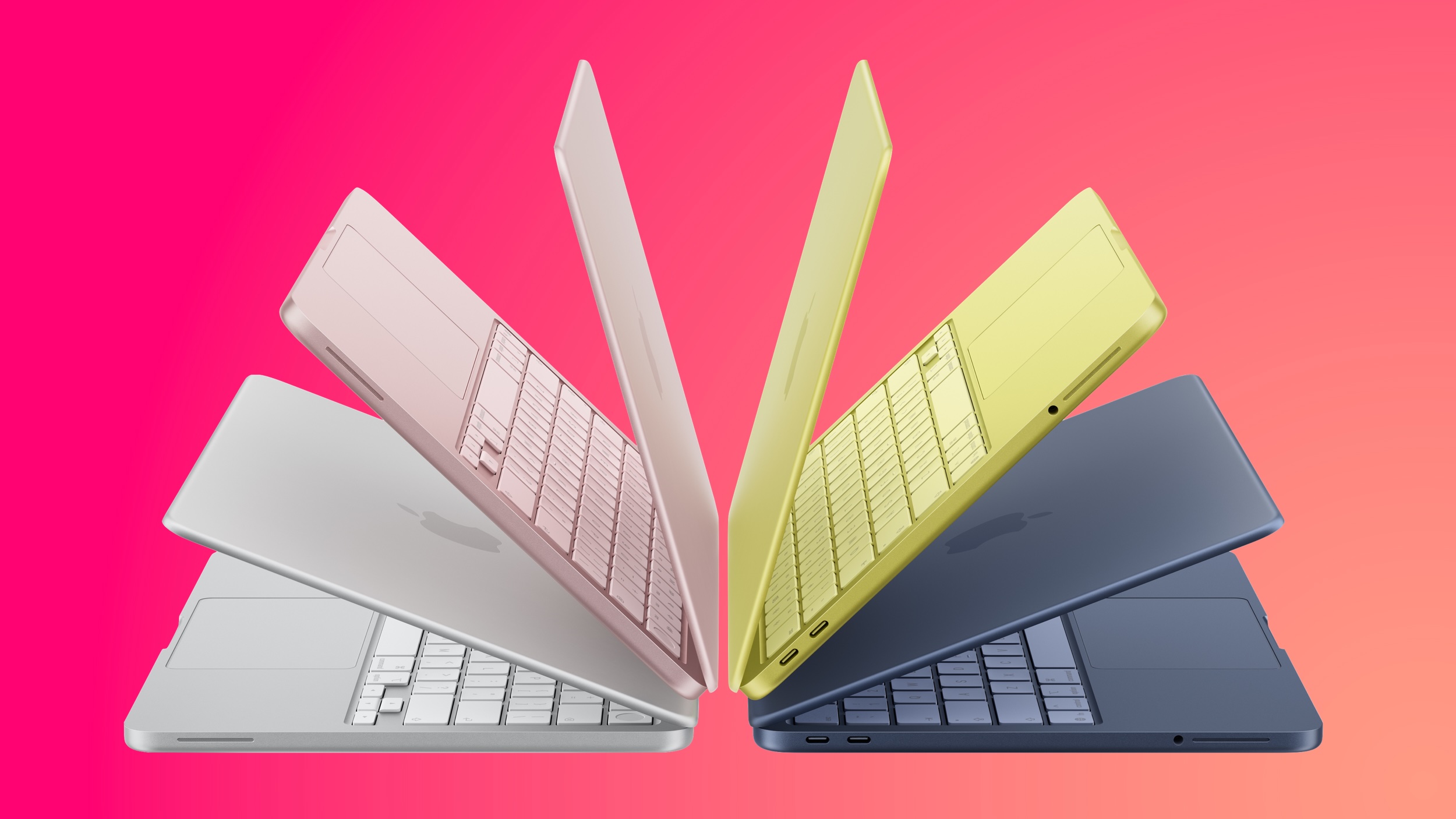
Apple released its first MacBook Neo in March 2026, featuring an A18 Pro chip with 8GB of RAM, and coming in Silver, Blush, Citrus, and Indigo colors. The laptop originally started at $599, but Apple raised the price to $699 in June as part of a broader re-pricing of its Mac and iPad lineup. Apple still offers a $100 discount to college students and educational staff.

In September, Bloomberg's Mark Gurman reported that Apple plans to release a second-generation MacBook Neo in 2027 with an A19 Pro chip, 12GB of RAM, and new color options. Today's report doesn't mention a second-generation MacBook Neo, but if Apple decides to refresh the laptop in March – approximately one year since it launched – then the supply chain forecast could still make sense.

During his first earnings call as Apple CEO, John Ternus said the company has sold more Macs in fiscal 2026 than in any previous year. Apple doesn't break out Mac sales by model, but supply chain sources cited in today's report suggest MacBook Neo shipments were the overriding reason for the growth.
Related Roundup: MacBook Neo
Buyer's Guide: MacBook Neo (Neutral)
Related Forum: MacBook Neo

This article, "MacBook Neo Shipments Expected to Double in 2027" first appeared on MacRumors.com

Discuss this article in our forums

  •  

HomeView Code Suggests Future Support for AI Chatbot Apps, Anti-Spoofing Protection

Code discovered in the iOS 27.3 beta suggests Apple is laying the groundwork for chatbot apps on its upcoming HomeView smart home hub, according to the code investigator known as pdfu.


The software HomeView uses to display apps from a connected iPhone or iPad is said to have gained a "Conversational Apps" category in the latest beta. The update also reportedly adds preparations for two-way audio routing, session management, and interruptions, but pdfu notes that it is "still not fully wired up."

Apple hasn't announced chatbot apps for HomeView, and the code doesn't show which apps could use the category or when it could launch, so support for ChatGPT, Claude, or other chatbots is unconfirmed. It's not the first time the possibility has been floated: pdfu suggested on Sunday that chatbot apps might follow based on an unused flag in HomeView's software.

Anti-Spoofing Protection


In a separate finding, pdfu also discovered that HomeView includes anti-spoofing protection. Apparently, after three spoof attempts for a profile, the user must authenticate with an iPhone to see personal data, and the protection is enabled in HomeView software 27.2.

Apple is also said to be working on a lockout cooldown system, similar to what happens when you enter the wrong passcode on an iPhone. A first lockout can be cleared immediately, but a second lockout brings a one-hour wait, a third a four-hour wait, and a fourth (or any further) lockout an eight-hour wait.

pdfu adds that the lockout cooldown periods are still in development, so for now any lockout can be cleared immediately by authenticating with an iPhone. Apple hasn't described either feature in its press materials.

HomeView Launches Next Week


HomeView launches on November 13 for $299, in both desktop and wall-mounted versions. Here's what Apple has announced so far:

  • 7-inch Liquid Retina display, in a tabletop model with a speaker base and a wall-mounted model.

  • Face recognition for up to six users, each with a personal Home Screen with apps and widgets.

  • Siri AI, with conversations that continue in the Siri app on other Apple devices.

  • Personal content from Messages, FaceTime, Calendar, Reminders, and Find My, shown when the enrolled user is recognized and their iPhone or iPad is nearby and recently unlocked.

  • Faces including Photos, Flow, Snoopy, Home Modular, and Home Camera.

  • Apple Music, Podcasts, News, and Apple TV, plus compatible third-party audio and video apps.

  • Handoff from iPhone, and multiroom audio with HomePod, HomePod mini, and AirPlay speakers.

  • FaceTime with Center Stage, Messages by voice or keyboard, and Intercom.

  • Step-by-step recipes from the web with hands-free timers.

  • Smart home controls, including a Home Camera face that shows up to nine live camera feeds.

  • With a supported iCloud+ subscription, recognition of people, pets, packages, and vehicles from compatible cameras.

  • Smoke and carbon monoxide alarm sound detection.

  • Support for Apple Home Collection accessories, other "Works with Apple Home" accessories, and Matter.

HomeView won't have an App Store. However, as we reported last month, it shows CarPlay-style third-party audio and video apps from a connected iPhone or iPad. HomeView isn't on sale in the European Union because Siri AI is currently unavailable in iOS there, and Apple says it is still working with the EU to find a path forward to make it available in the bloc.
Related Roundup: Apple HomeView
Tag: pdfu
Buyer's Guide: HomeView (Buy Now)

This article, "HomeView Code Suggests Future Support for AI Chatbot Apps, Anti-Spoofing Protection" first appeared on MacRumors.com

Discuss this article in our forums

  •  

Got an iPhone Duo on Launch Day? Today Could Be Your Last Chance to Return It

If you purchased an iPhone Duo on launch day and are having second thoughts about keeping Apple's first foldable iPhone, today could be your last chance to return it for a full refund.


Apple officially launched the iPhone Duo on Friday, October 23, so the standard 14-day return window for customers who purchased and received the device that day expires on Friday, November 6.

Under Apple's U.S. return policy, customers have 14 calendar days from receiving a product to return it, whether they purchased it online or at an Apple retail store. A similar standard return period applies in the UK and across much of the rest of Europe.

If you bought the iPhone Duo in Canada, then you have slightly longer. Under Apple's Canadian return policy, buyers have 15 calendar days from receiving their device to initiate a return, so if you got your device on launch day then you have until Saturday, November 7 to return it.

UK and EU Online Customers Have More Time to Send It Back


There's an important distinction to note if you're in the UK or the European Union and you purchased your iPhone Duo online. Under consumer protection laws, you have 14 days from receiving the device to notify Apple that you intend to return it. Once you've made that notification, you have a further 14 days to send the device back or arrange a collection.

In other words, if you're a UK or EU customer who received the iPhone Duo on October 23 and you request a return today, then you could have until November 20 to dispatch it. This also applies to devices ordered online and collected at an Apple Store. However, if you actually purchased your device directly at a physical Apple Store – which probably means you waited in a separate line to collections – then you generally need to return it within the initial 14-day window.

Note that the November 6 deadline doesn't apply to everyone who pre-ordered the iPhone Duo. Apple's return period is calculated from when customers received their devices, rather than when they placed their orders, so if your iPhone Duo arrived after launch day, you have more time to return it for a refund – if that's your preference.

What to Know Before Returning Your iPhone Duo


Apple asks customers to return their devices with the original packaging and included accessories. Also, remember to disable Find My for the iPhone Duo before returning the device. Returns can be initiated through Apple's online Order Status page or, in the US, at an Apple retail store.

Keep in mind that these policies apply only to purchases made directly from Apple – if you bought an iPhone Duo through a carrier or third-party retailer, you'll be subject to that seller's return policy.

Lastly, if you signed up for a new cellular plan with the iPhone Duo, returning the device may not automatically cancel that service. Apple advises contacting your carrier about cancellation requirements and any associated fees. Do you plan on returning your iPhone Duo? Let us know in the comments.
Related Roundup: iPhone Duo
Buyer's Guide: iPhone Duo (Buy Now)
Related Forum: iPhone

This article, "Got an iPhone Duo on Launch Day? Today Could Be Your Last Chance to Return It" first appeared on MacRumors.com

Discuss this article in our forums

  •  

Apple Launching Five New Products Tomorrow

Apple is releasing five new products this Friday, November 6, following pre-orders that opened last week, including its first touchscreen MacBook Pro models.

The following new products will be available from tomorrow:


The iPad mini starts at $699, the iMac starts at $1,499, and the M6 MacBook Pro at $1,999. Pricing for the MacBook Pro with OLED touchscreen starts at $2,899 for the 14-inch model and $3,399 for the 16-inch model. All five remain available to pre-order, with shipping dates generally looking good for launch-day delivery. The only exception is the base 14-inch touchscreen MacBook Pro – Space Black ships in 3-4 weeks, while Silver ships in 7-10 business days.
This article, "Apple Launching Five New Products Tomorrow" first appeared on MacRumors.com

Discuss this article in our forums

  •  
❌